ACFS-9459/ACFS-9201/ACFS-9459 Gird Infrastructure

Environment: –

Operating system : Oracle Linux 6.6
Oracle DB and Grid Version : 11.2.0.4.0

The Error that appeared Under Gird log :-

[client(1624)]CRS-10001:25-Mar-15 14:09 ACFS-9459: ADVM/ACFS is not supported on this OS version: ‘3.8.13-44.1.1.el6uek.x86_64’
[client(1626)]CRS-10001:25-Mar-15 14:09 ACFS-9201: Not Supported
[client(1748)]CRS-10001:25-Mar-15 14:09 ACFS-9459: ADVM/ACFS is not supported on this OS version: ‘3.8.13-44.1.1.el6uek.x86_64’

Solution: –

There is patch should be applied “Patch 16318126: UEK3 SUPPORT FOR ACFS”

Download the patch from https://support.oracle.com

and check the document
ACFS Support On OS Platforms (Certification Matrix). (Doc ID 1369107.1)

Cheers
Osama mustafa

ORA-47401: Realm violation for CREATE TABLE on SYSTEM.SYS_EXPORT_SCHEMA_07

When trying to export any user using system the below error appeared

Connected to: Oracle Database 11g Enterprise Edition Release 11.2.0.1.0 – 64bit Production
With the Partitioning, Real Application Clusters, Automatic Storage Management, Oracle Label Security,
OLAP, Data Mining, Oracle Database Vault and Real Application Testing optio
ORA-31626: job does not exist
ORA-31633: unable to create master table “SYSTEM.SYS_EXPORT_SCHEMA_07”
ORA-06512: at “SYS.DBMS_SYS_ERROR”, line 95
ORA-06512: at “SYS.KUPV$FT”, line 1020
ORA-47401: Realm violation for CREATE TABLE on SYSTEM.SYS_EXPORT_SCHEMA_07

The above error related because the system user is not allow to access data Dictionary files.

Run the below command
SQL>
BEGIN
DVSYS.DBMS_MACADM.ADD_AUTH_TO_REALM(
realm_name => ‘Oracle Data Dictionary’,
grantee => ‘SYSTEM’);
END;
/
PL/SQL procedure successfully completed.

Or you can use the GUI in Database vault and under Data Dictionray realms add the system user as participant.

Thank you  

connection to database cannot be established – DBCA

Environment :-

Oracle Grid Infrastructure 11.2.0.4
Nodes # : 4
Operating system : Redhat 6.6

When trying to configure enterprise manager the following error appeared :-

Connection to the database cannot be established because the listener could be down. Please make sure that the service is registered with a listener and the listener is up.

The listener is up, VIP is working on all nodes without any issue when check dbca logs looking for more details i found this error :-

dbca trace in $ORACLE_BASE/cfgtoollogs/dbca.

ORA-1017: invalid username/password

Both was correct, because of this i recreate password file on all nodes and restart my operation it’s working without any issue this time.

Thanks
Osama Mustafa

OTN EMEA Tour 2015

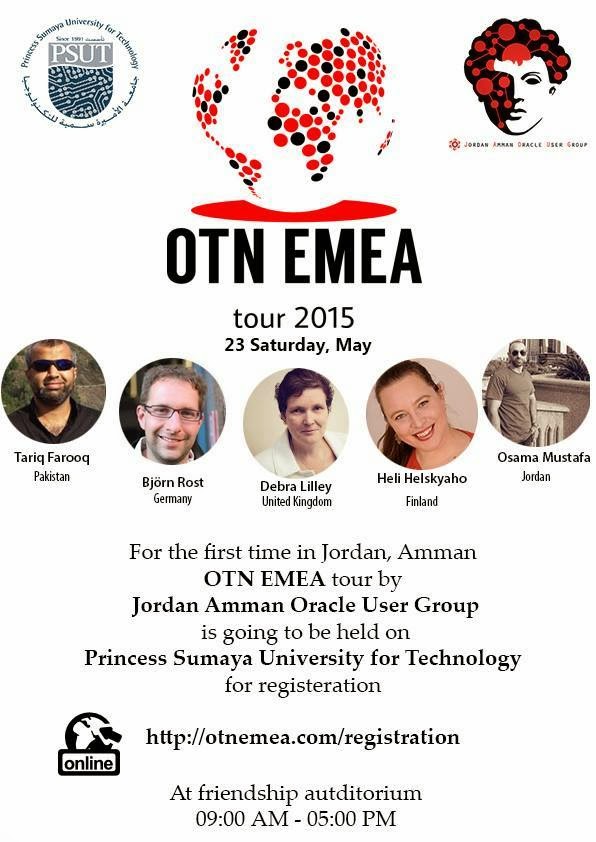
For second time i will be glad to Join OTN EMEA Tour 2015 with others oracle experts who consume much time in the Oracle Community.

We will cover the following country :-

  • Portugal.
  • Jordan – Amman
  • Johannesburg
date                         location
May 21st 2015 Lisbon, Portugal
May 23rd 2015 Amman, Jordan
May 26th 2015 Johannesburg, South Africa
All the information you can find it here.
Please if you will join us in any country sign up.
Thanks
Osama Mustafa

mkdir No such file or directory Solaris 11.2

root@TT:/#mkdir –/u01/app/oracle/product/TimesTen/
mkdir: Failed to make directory “/u01/app/oracle/product/TimesTen/”; No such file or directory

simply this error related to auto_master all you have to do is to remove the entry /home from the auto_master
vi /etc/auto_master

and remove the entry 
Try again.
Thank You 
Osama Mustafa

Jordan Amman Oracle User Group

It’s almost here, 09/04/2015 I published before about first event for JAOUG, I am so excited, organizing the event not easy needs a lot of work , commitment and dedication. finally we are here.

Since this is the first event before the biggest one, it’s only introduction for the group and to introduce the local people and let them know about the group.

We prepare the poster today and seems perfect.

Thanks for the amazing Volunteer and PSUT to make this dream come true.
Osama Mustafa