In this post i created Terraform/terragrunt to bulid fully infrastructure enviroment, i uploaded the code to my GitHub, You can find the code HERE
Enjoy the automation
Osama
For the people who think differently Welcome aboard
In this post i created Terraform/terragrunt to bulid fully infrastructure enviroment, i uploaded the code to my GitHub, You can find the code HERE
Enjoy the automation
Osama
This is post to share complete setup of Azure infrastructure , that contains multiple VMS and subnets.
Code is uploaded to GitHub Here.
Enjoy the Auttomation
Osama
The following project having these requriment:-
Another Things to add to this project which is the follwong :-
The Link for the Project HERE
Enjoy the automation
Osama
Imagine you are having multiple instances and you want to change something, if you will do this manually it will take time from you why not to automte the process ?
I upladed one of the projects to automate the process, this will allow to automate the simplest things for example new employee joined and you need to add his SSH key to your instances (You can even choose which VM you want to him/her to acces) , just add the key in the roles and configure the pipeline on your rep and the code will run Automtically.
I uploaded the project on my github HERE.
Ragards
Enjoy the power of automation.
Osama
I created a repo on my GitHub account that will include powershell scripts
The first one will
You can find the GitHub Link HERE
This will be updated.
Enjoy
Osama
Trying to work with ansible and got the below error
The inventory having the following line :-
target1 ansible_host=192.168.204.129 ansible_ssh_pass=password
When trying to run a test like the below :-
osama@ansible-controller:~/ansible_test$ ansible target1 -m ping -i /home/osama/ansible_test/inventory.txt
The following error appeared :-
target1 | UNREACHABLE! => {
"changed": false,
"msg": "Invalid/incorrect password: Permission denied, please try again.",
"unreachable": true
}
To solve this error you need to set the right username and password like the following, inside the inventory add the following :-
target1 ansible_host=192.168.204.129 ansible_ssh_user=osboxes aniansible_ssh_pass=password
Run the test again by :-
osama@ansible-controller:~/ansible_test$ ansible target1 -m ping -i /home/osama/ansible_test/inventory.txt --ask-pass
The output will be
target1 | SUCCESS => {
"ansible_facts": {
"discovered_interpreter_python": "/usr/bin/python3"
},
"changed": false,
"ping": "pong"
If you want pre-defined VMware or virtual box you can download from HERE
Enjoy
Osama
In this post i choose this topic – Docker compose, i will upload the files gradually till the project will be working and met my requriemnt 100%.
This project will be like the following
This project will be fully bulit on Docker compose, i tried to make simple as much as i can so the people will understand the concept.
The Project HERE.
Remember i will keep upload the files for this project will i will make sure it’s 100% meet my reqruiment but for now i uploaded the compose and enviroment variable.
Enjoy
Osama
RMOUG – Rocky Mountain Oracle Users Group Here.
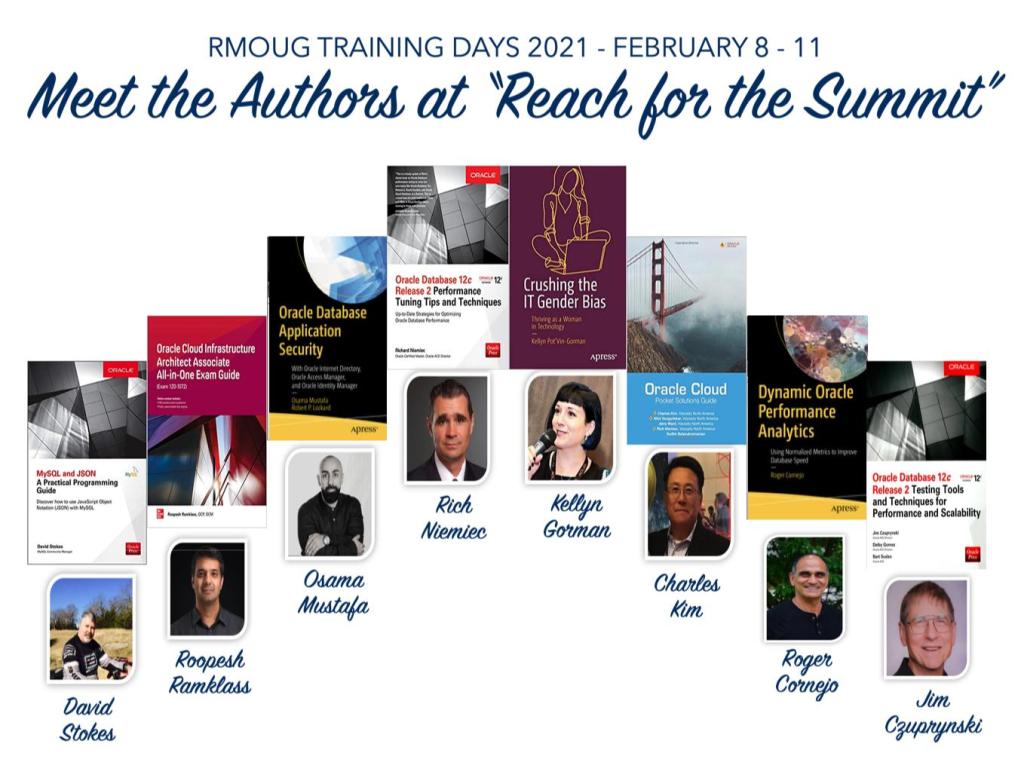
For the First New to Training Days! Meet the Author Sessions. Join in & ask questions, you will have the chance to meet big names in IT world.

Book your Seat Now HERE
Thank you
Osama
Happy New Year everyone and wish you all the best during this year.
I got accepted to speak at RMOUG Training Day 2021, the conference will be virtual so you can attend from your own home and learn something new.
I will speaking about the chaging Role of the DBA on Thurs Feb 11, 9:30 10:25 ( Eastern Standard Time) , you can register HERE.

And you can find RMOUG Agenda HERE.
See you soon
Osama
Okay, I love to post free examples/projects on my github from while to while, i choose docker and kubernetes this time, the project idea it’s very nice and easy to implement.
What this project do ?
This can be a simple web app that reads a ‘hello world’ string from the MySQL database.Run a database app. Data volume should be persistent.Application from step 1 needs to discover the database from step 2 using Kubernetes native features.
Database credentials should NOT be hardcoded in application or helm chart code.The application should be accessible from the outside of Kubernetes.Create a helm chart which implements all these steps
I Choose to use Java as programing language because the springboot framework it’s already defined and easy to use.
Please follow the readme file and everything will working fine without any issue, if you have any question comment below and i will answer
GitHub Link HERE
Enjoy the free learning
Osama