RMOUG Here
One of the best conference Where all the geeks around the world will be there in one place.
Meet me there i will present in RMOUG
#TD2017
Thanks
Osama
For the people who think differently Welcome aboard
One of the best conference Where all the geeks around the world will be there in one place.
Meet me there i will present in RMOUG
#TD2017
Thanks
Osama
simulate the following case :-
Using SLOB didn’t see anything related to storage issue.
After investigation and a lot of working without tuning on 12c it’s took 1 Hour and 37 min.
The problem with two different way :-
ls -ltr $ORACLE_HOME/bin/oradism
-rwxrwxr-x 1 sorabill oinstall 109247 Jul 7 2014 /u01/app/oracle/product/12.1.0/dbhome_1//bin/oradism
The SCAN listener will remain the same without any change therefore like i mentioned before the these steps only provide changing for SCAN to use DNS.
“I Will not post any output”
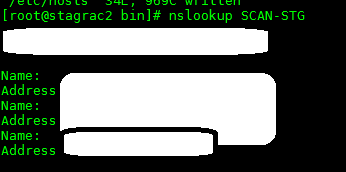
the configuration for the IP should be added to DNS and to check this on OS level you should nslookup command :-
srvctl status scan
srvctl status scan_listener
srvctl config scan
srvctl config scan_listener
srvctl status scan
srvctl status scan_listener
srvctl config scan
srvctl config scan_listener
The output should be the same for both.
Stop all the listeners on your RAC as root :-
srvctl stop scan_listener
srvctl stop scan
srvctl status scan
srvctl status scan_listener
Remove or comment any entire in /etc/hosts after done stop the listener.
Let’s modify the scan :-
srvctl modify scan -n
srvctl modify scan_listener –u
Start listener :-
srvctl start scan
srvctl start scan_listener
srvctl status scan
srvctl status scan_listener
Thanks
Osama
OTN : Oracle Technology network or let me say OTN gather all of us no matter where you live in this world ? only one thing gather us our love to OTN.
OTN done so much things to all of us, one of things i love and most of the people in the community know that is Fusion middleware and i will write about Oracle Weblogic 12cR2 the documentation available here
Oracle Weblogic 12cR2 comes with different features such as the following:-
If will talk about them all it will be documentation not blog post therefore i will choose 2 or 3 topics.
Oracle WebLogic Server 12.2.1 is certified to run inside a Docker container. Docker is a Linux-based container technology that enables you to quickly create lightweight clustered and non-clustered WebLogic Server domain configurations on a single host OS or virtual machines, for either development or production environments.
you can have access to github here and how to Run Weblogic on Docker check here
Multitenancy in WebLogic Server provides a sharable infrastructure for use by multiple organizations. These organizations are a conceptual grouping of your own choosing, which you can think of as tenants. By allowing one domain to support multiple tenants, Weblogic Server Multitenant improves density and achieves a more efficient use of resources while eliminating the hurdles typically present when trying to share multiple applications: runtime cross-application impact, security differences, data co-mingling, and administrative challenges.
WebLogic Server MT enables an end to end multitenant infrastructure, including multitenancy from the load balancer to the middle tier and cache tier, and to the database tier. WebLogic Server MT extends the Oracle WebLogic Server Enterprise Edition and Oracle WebLogic Suite products
Alot of different features.
Thanks
Osama


in the following file :- /etc/sysconfig/ntpd open it and edit it, add the following :-
[root@prddb2 .ssh]# cat /etc/sysconfig/ntpd
# Drop root to id ‘ntp:ntp’ by default.
OPTIONS=”-x -u ntp:ntp -p /var/run/ntpd.pid -g”
Add the above letter in RED color only.
Thanks
Osama
However today i was working on EBS installation using startCD51 and this is allow me to install EBS directly on RAC but the customer database RAC not configured to use DNS so everytime i was trying to install EBS
The following Error shown up in my face :-
INFO: Verification Result for Node:RAC1,RAC2WARNING: Result values are not available for this verification taskINFO: *********************************************INFO: Task resolv.conf Integrity: This task checks consistency of file /etc/resolv.conf file across nodesINFO: Severity:CRITICALINFO: OverallStatus:OPERATION_FAILEDINFO: ———————————————–
and there is nothing i can do to skip this error,
i choose to do the following ;-
Rename resolv.conf to resolv.conf.old for example
and re run the installation again .
perfect worked for me
Thanks
Osama
INFO: Maximum locked memory check: Check maximum locked memory setting on the system
INFO: Severity:IGNORABLE
INFO: OverallStatus:VERIFICATION_FAILED
To solve this issue just add the following to /etc/security/limits.conf
* soft memlock unlimited
* hard memlock unlimited
Thank you
Osama mustafa
 Technology Geek