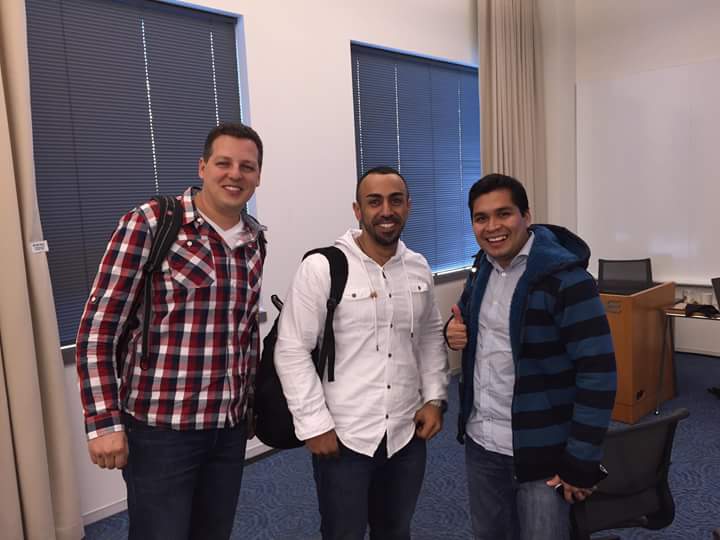
anyway we landed after 13 hours of flying and we met the great Tim Hall the great oracle guy i am sure this man is helping a lot of DBA with his amazing blog. so we took the shuttle “tim, Gurcan, Arup,cary , simon and me”.

Tag: Osama mustafa
ORA-01502 index or partition of such index is in unusable state
sqlplus /as sysdba
select owner,index_name,table_name,status from dba_indexes where index_name=’index_name’;
OWNER INDEX_NAME TABLE_NAME STATUS
—– ———- ———- ——
owner index_name table_name INVALIDalter index ndex_name rebuild;
Try again
Cheers
Osama
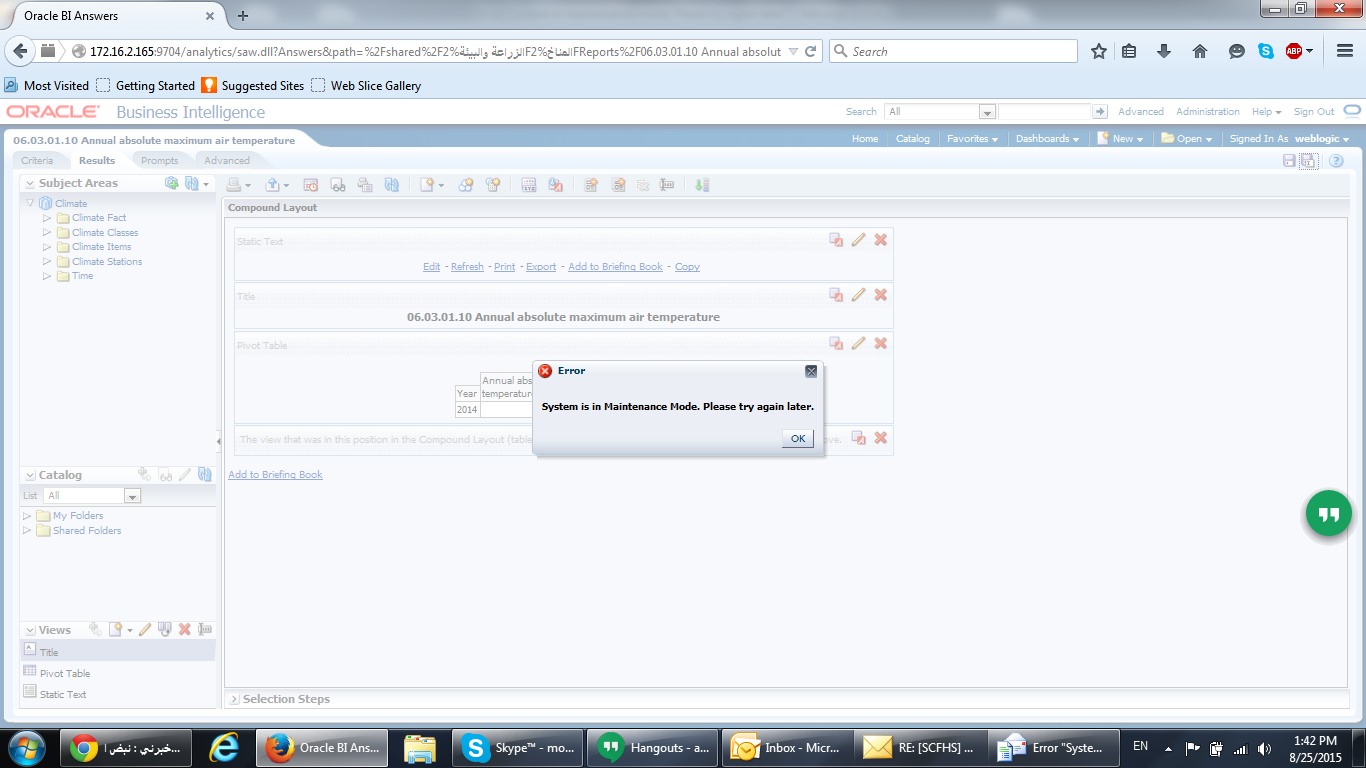
System is in manitance mode. Please try again later OBIEE
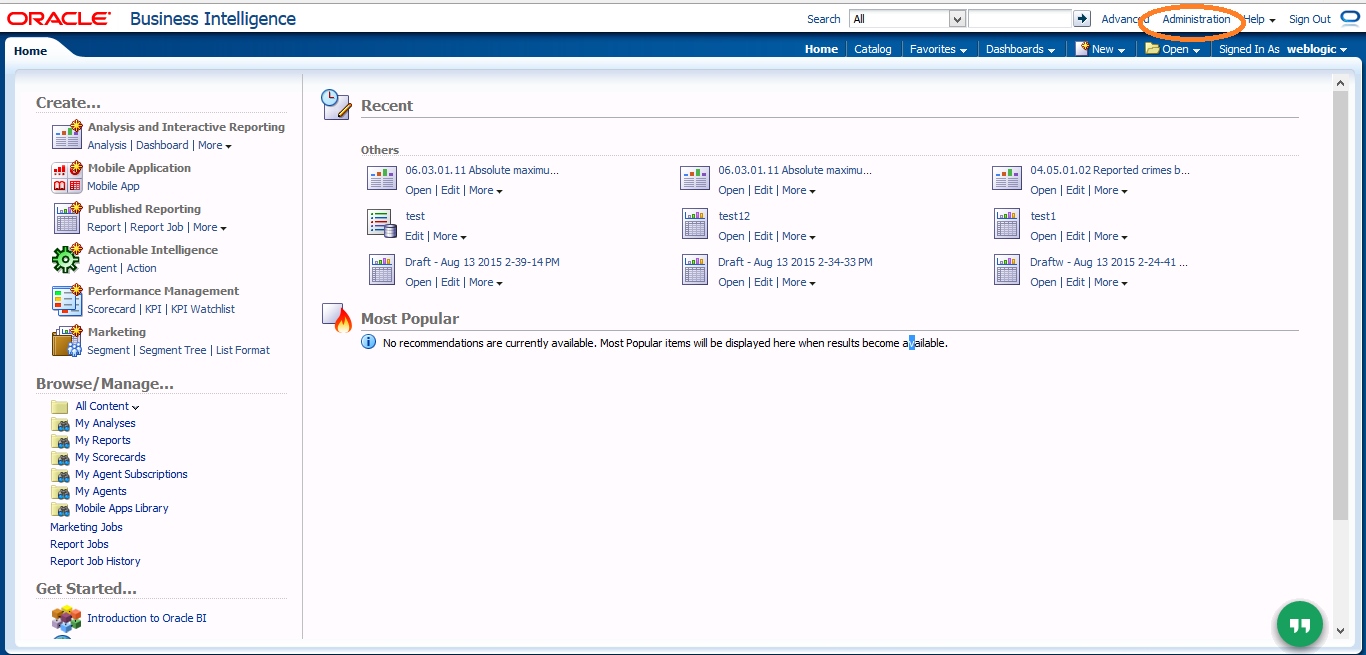
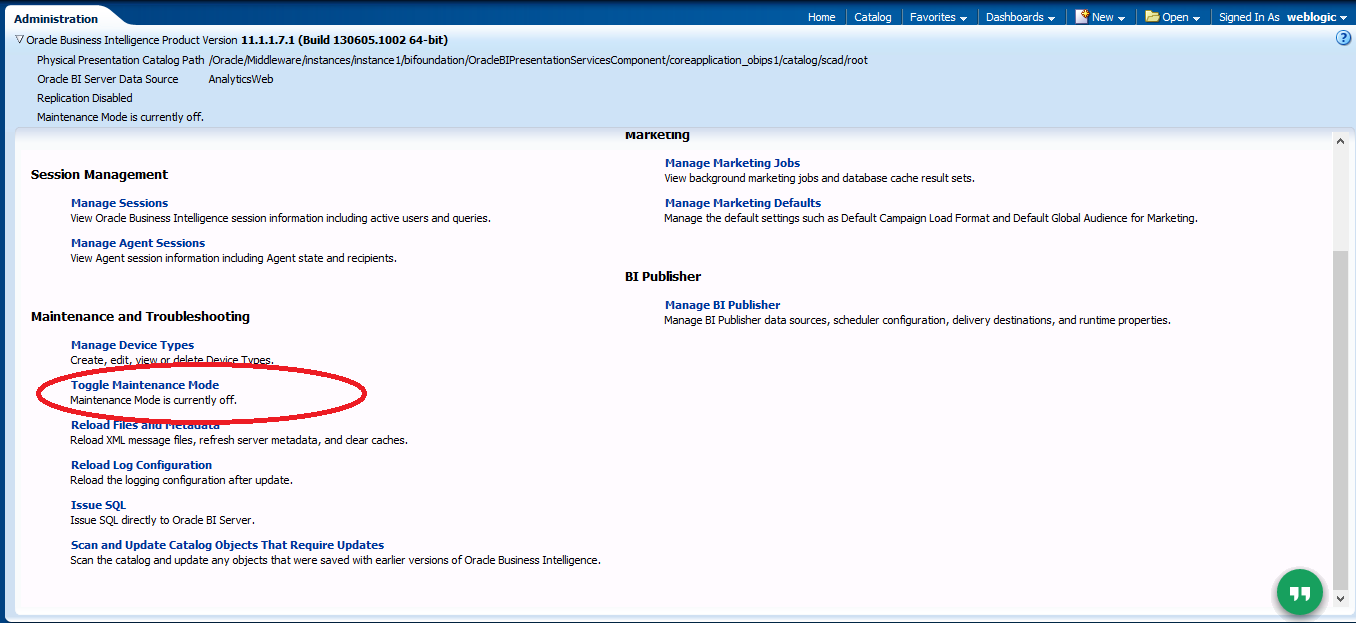
to solve this issue just follow the screen :-
1- Access to OBIEE Link http://ip-hostname:9704/analytics
2- Choose Administration from the upper right corner.
3- Turn Maintenance mode to off by press the link.
Good Luck.
Cheers
Osama
Presentation will be
- SIOUG2015 — Located In Slovenia.
- HROUG2015 — Located in Croatia
- OOW15 — Located in SF, USA
- UKOUG TECH15 — Located in UK.
So Excited.
Cheers
Osama Mustafa
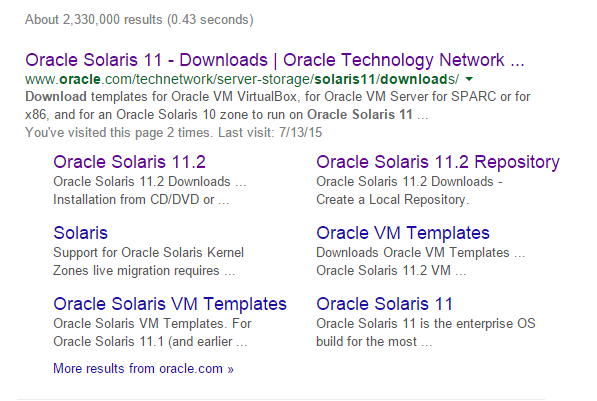
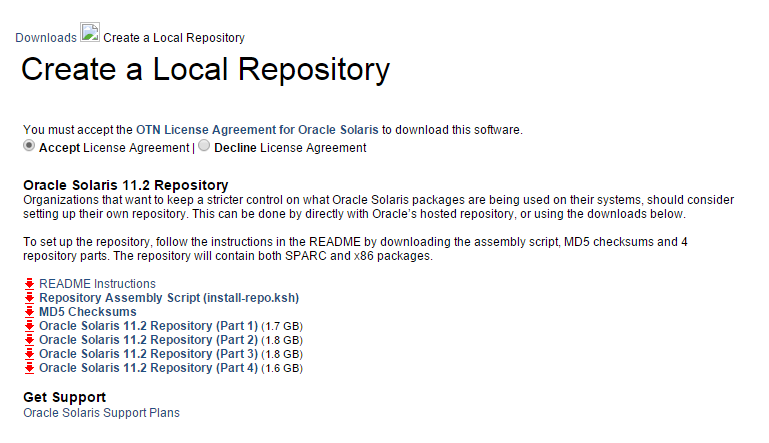
create IPS repository in Solaris 11.2
You need to download the following files & upload them to the server :-
#ls -lrt
total 14373947
-rwx—— 1 root root 1771800121 Aug 9 08:24 sol-11_2-repo-1of4.zip
-rwx—— 1 root root 1889867782 Aug 9 11:20 sol-11_2-repo-2of4.zip
-rwx—— 1 root root 1902167161 Aug 9 22:34 sol-11_2-repo-3of4.zip
-rwx—— 1 root root 1790358735 Aug 10 00:16 sol-11_2-repo-4of4.zip
-rwx—— 1 root root 5594 Aug 10 20:16 install-repo.ksh
-rwx—— 1 root root 228 Aug 10 20:17 sol-11_2-repo-md5sums.txt
drwxr-xr-x 2 root root 2 Aug 10 20:40 repo
#pkg publisher
PUBLISHER TYPE STATUS URI
solaris origin online http://pkg.oracle.com/solaris/release/
as you see from the above output package publisher still working under oracle Link. Let’s Start Working, Set the executable bit for install-repo.ksh and execute like below.
#./install-repo.ksh -d /export/oracle/repo/ -v -c
Comparing checksums of downloaded files…done. Checksums match.
Uncompressing sol-11_2-repo-1of4.zip…done.
Uncompressing sol-11_2-repo-2of4.zip…done.
Uncompressing sol-11_2-repo-3of4.zip…done.
Uncompressing sol-11_2-repo-4of4.zip…done.
Repository can be found in /export/oracle/repo/.
Initiating repository verification.
Again Check the current publisher.
#pkg publisher
PUBLISHER TYPE STATUS P LOCATION
solaris origin online F http://pkg.oracle.com/solaris/release/
configure the new publisher, Path should be the same.
#pkg set-publisher -G ‘*’ -M ‘*’ -g file:///export/oracle/repo solaris
#pkg publisher
UBLISHER TYPE STATUS P LOCATION
solaris origin online F file:///export/oracle/repo
Configure the repository service to point to the new location by run the following command :-
# svccfg -s application/pkg/server setprop pkg/inst_root=/export/oracle/repo
Check
# svcprop -p pkg/inst_root application/pkg/server
Reload the Services Just to confirm :-
# svcadm refresh application/pkg/server
Cheers
Osama Mustafa
Use "sudo" Command without password Prompt
to learn more about this command read the link here.
For Example i need to run the following command without password prompt, However there are three sudo commands I want to run without entering password:
- sudo reboot
- sudo shutdown -r now
- sudo shutdown -P now
- edit the following /etc/sudoers file.
- you find the following lines depend on the username and hostname for the server.
user host = (root) NOPASSWD: /sbin/shutdown
user host = (root) NOPASSWD: /sbin/reboot
This will allow the user user to run the desired commands on host without entering a password. All other sudoed commands will still require a password.
Notes:
- Always use the command visudo to edit the sudoers file to make sure you do not lock yourself out of the system for example
sudo visudo -f /etc/sudoers.d/shutdown
- Using /etc/sudoers.d instead of modifying /etc/sudoers, you could add the two lines to a new file in /etc/sudoers.d for example /etc/sudoers.d/shutdown.
- If you did not use visudo to edit your files and then accidentally messed up /etc/sudoers or messed up a file in /etc/sudoers.d then you will be locked out of sudo.to fix it use command pkexec.
/usr/ccs/bin/as: not found/No such file or directory on Solaris 11.2
INFO: sh[2]: /usr/ccs/bin/as: not found [No such file or directory]
INFO: make: Fatal error:
INFO: *** Error code 127
The package developer/assembler comes with default installation, But Solaris 11 package developer/assembler is not installed.
To install it: –
pkg install developer/assembler
and try again.
Cheers
Osama
Officially Fusion Middleware 11.1.1.9 Is Available to download
Oracle Fusion middleware 11.1.1.9 is now available to download :-
- Oracle Business Intelligence Enterprise Edition
- Oracle JDeveloper and Application Development Framework (ADF)
- Oracle Business Process Management
- Oracle SOA Suite
- Oracle Data Integrator
- Oracle User Messaging Service
- Oracle Enterprise Scheduler
- Oracle Event Processing
- Oracle WebCenter Suite
- Oracle Identity Management
- Oracle Forms and Reports
- Oracle WebTier
- Oracle Application Architecture Foundation Pack
Install Oracle Solaris 11.2 Using GUI
View the document here.
Thank you
Osama Mustafa
Configure RMAN Backup On Windows
- Create first text file called backup and change the format to “bat”, inside the file add the following lines :-
C:
cd E:\app\ADM-BSS01\product\11.2.0\dbhome_1\BIN
rman @E:\RMAN\Scripts\backup.rman
- Create 3 folders in E for example :-
- backup
- Archivelog
- Controlfile
- Create second file name it Backup.rman and add the Rman Script like below
connect target /
run
{
ALLOCATE CHANNEL c1 DEVICE TYPE disk;
ALLOCATE CHANNEL c2 DEVICE TYPE disk;
ALLOCATE CHANNEL c3 DEVICE TYPE disk;
ALLOCATE CHANNEL c4 DEVICE TYPE disk;
backup AS COMPRESSED BACKUPSET tag Full_database_open format ‘E:\RMAN\backup\db_%t_%s_p%p.bkp’ database;
backup AS COMPRESSED BACKUPSET archivelog all format ‘E:\RMAN\backup\archivelog\al_%t_%s_p%p.arch’ delete all input;
backup AS COMPRESSED BACKUPSET current controlfile tag =cf1 format ‘E:\RMAN\backup\cf_%t_%s_p%p.bkp’;
backup tag ORCL_CONTROL current controlfile format ‘E:\RMAN\Controlfile\%d_%T_%s_%p_CONTROL’;
delete noprompt expired backup;
release channel c1;
release channel c2;
release channel c3;
release channel c4;
}
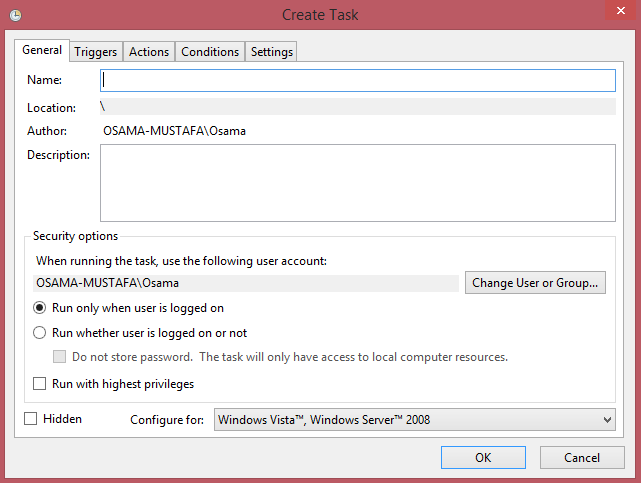
Follow the screen now :-
- Add Task Name and Description :-
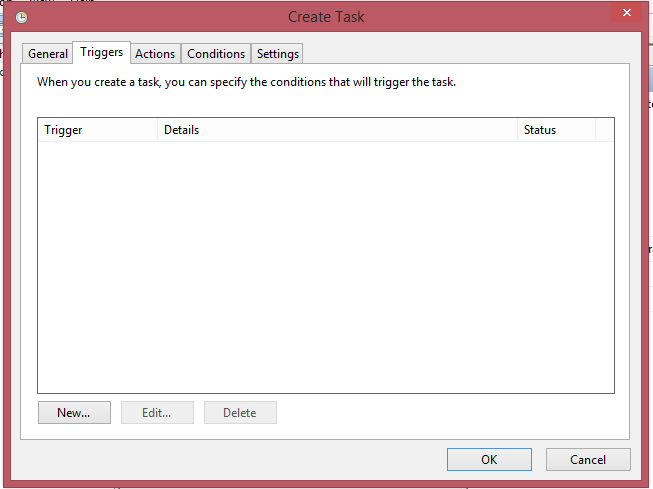
- Add The Time for this Task in this tab
- Another Screen :-
- In This Screen Add Bat File in our case backup.bat