Before two days, i presened at AUSOUG about “Is DBA Job is Over ?”
The slides now are available online and the record will be also on my youtube channel
Slides HERE
Stay tunned
Osama
For the people who think differently Welcome aboard
Before two days, i presened at AUSOUG about “Is DBA Job is Over ?”
The slides now are available online and the record will be also on my youtube channel
Slides HERE
Stay tunned
Osama
This post for error trying to integrate Jenkins with github, i will post about that for sure as video and Blog post, but for this error i will like the following :-
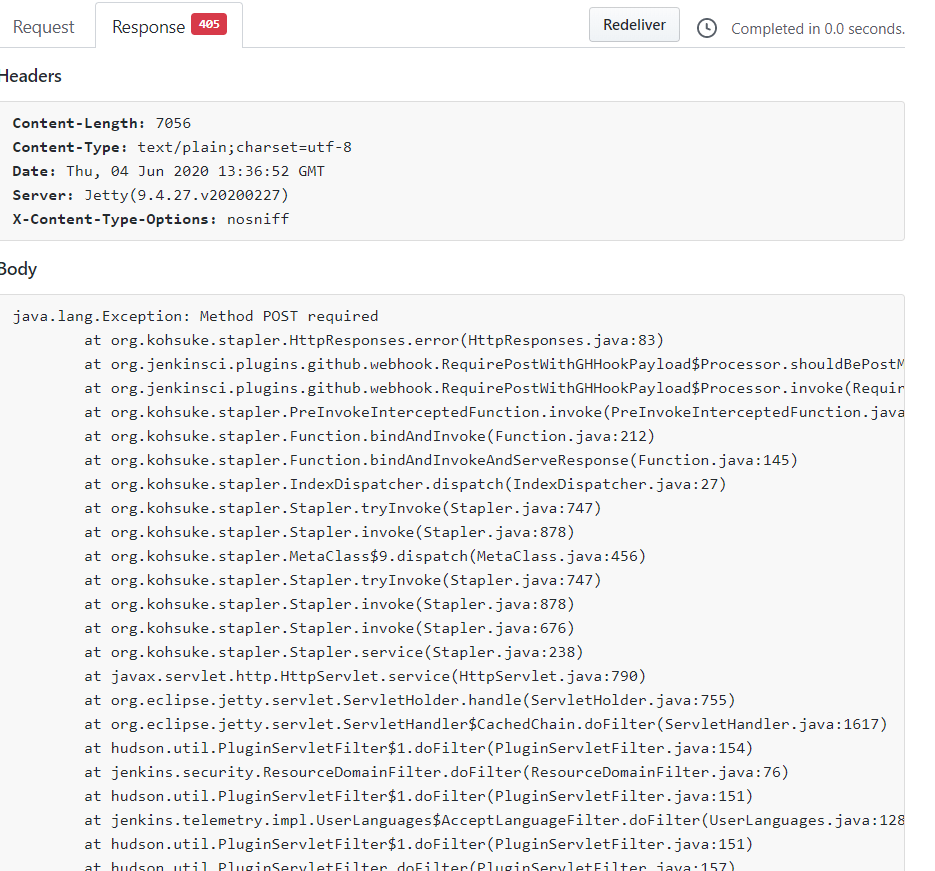
This is when you try to to do any changes from the github side, it’s not reflecting on Jenkins side, this is simple because of the webhook (payload) not including the “/” at the end
it should be like the below :-

Cheers
Osama
In gernal,
A load balancer distributes traffic evenly among each system in a pool. A load balancer can help you achieve both high availability and resiliency.
Say you start by adding additional VMs, each configured identically, to each tier. The idea is to have additional systems ready, in case one goes down, or is serving too many users at the same time.
Azure Load Balancer is a load balancer service that Microsoft provides that helps take care of the maintenance for you. Load Balancer supports inbound and outbound scenarios, provides low latency and high throughput, and scales up to millions of flows for all Transmission Control Protocol (TCP) and User Datagram Protocol (UDP) applications. You can use Load Balancer with incoming internet traffic, internal traffic across Azure services, port forwarding for specific traffic, or outbound connectivity for VMs in your virtual network.
When you manually configure typical load balancer software on a virtual machine, there’s a downside: you now have an additional system that you need to maintain. If your load balancer goes down or needs routine maintenance, you’re back to your original problem.
If all your traffic is HTTP, a potentially better option is to use Azure Application Gateway. Application Gateway is a load balancer designed for web applications. It uses Azure Load Balancer at the transport level (TCP) and applies sophisticated URL-based routing rules to support several advanced scenarios.
Benefits
What is a Content Delivery Network (CDN)?
A content delivery network (CDN) is a distributed network of servers that can efficiently deliver web content to users. It is a way to get content to users in their local region to minimize latency. CDN can be hosted in Azure or any other location. You can cache content at strategically placed physical nodes across the world and provide better performance to end users. Typical usage scenarios include web applications containing multimedia content, a product launch event in a particular region, or any event where you expect a high-bandwidth requirement in a region.
DNS
DNS, or Domain Name System, is a way to map user-friendly names to their IP addresses. You can think of DNS as the phonebook of the internet.
How can you make your site, which is located in the United States, load faster for users located in Europe or Asia?
network latency in azure
Latency refers to the time it takes for data to travel over the network. Latency is typically measured in milliseconds.
Compare latency to bandwidth. Bandwidth refers to the amount of data that can fit on the connection. Latency refers to the time it takes for that data to reach its destination.
One way to reduce latency is to provide exact copies of your service in more than one region, or Use Traffic Manager to route users to the closest endpoint, One answer is Azure Traffic Manager. Traffic Manager uses the DNS server that’s closest to the user to direct user traffic to a globally distributed endpoint, Traffic Manager doesn’t see the traffic that’s passed between the client and server. Rather, it directs the client web browser to a preferred endpoint. Traffic Manager can route traffic in a few different ways, such as to the endpoint with the lowest latency.
Cheers
Osama
In this post, i will discuss how to migrate from mongoDB (in my case the database was hosted on AWS) to Azure CosmosDB, i searched online about different articles how to do that, the problem i faced most of them were discussing the same way which is Online and using 3rd party software which is not applicable for me due to security reason, thefore i decided to post about it maybe it will useful for someone else.
Usually the easiet way which is use Azure Database Migration Service to perform an offline/online migration of databases from an on-premises or cloud instance of MongoDB to Azure Cosmos DB’s API for MongoDB.
There are some prerequisite before start the migration to know more about it read here, the same link explained different ways for migrations, however before you start you should create an instance for Azure Cosmos DB.
Preparation of target Cosmos DB account
Create an Azure Cosmos DB account and select MongoDB as the API. Pre-create your databases through the Azure portal

from the search bar just search for “Azure Cosmos DB”
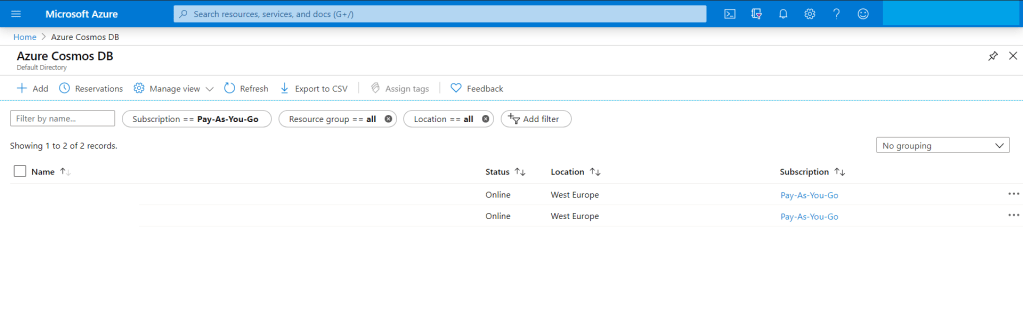
You have add new account for the new migration Since we are migrating from MongoDB then The API should be “Azure CosmosDB for MongoDB API”
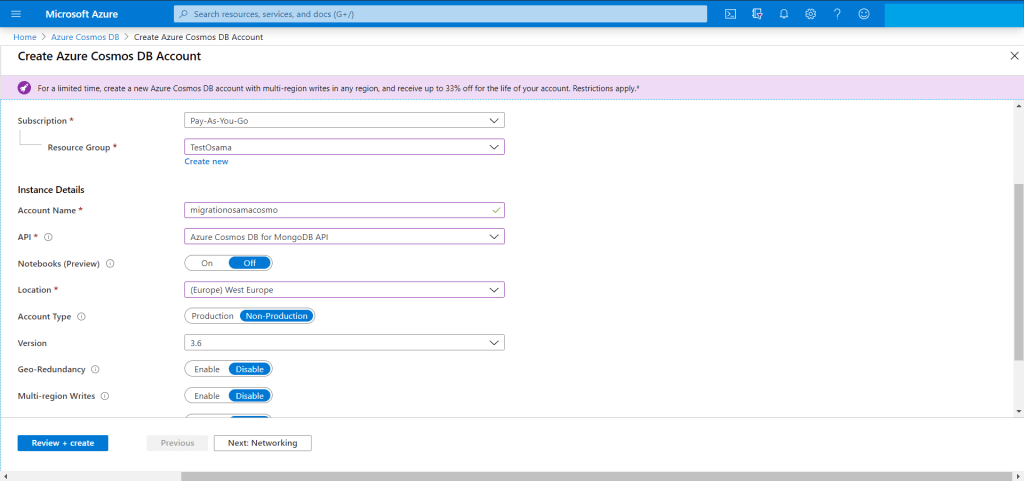
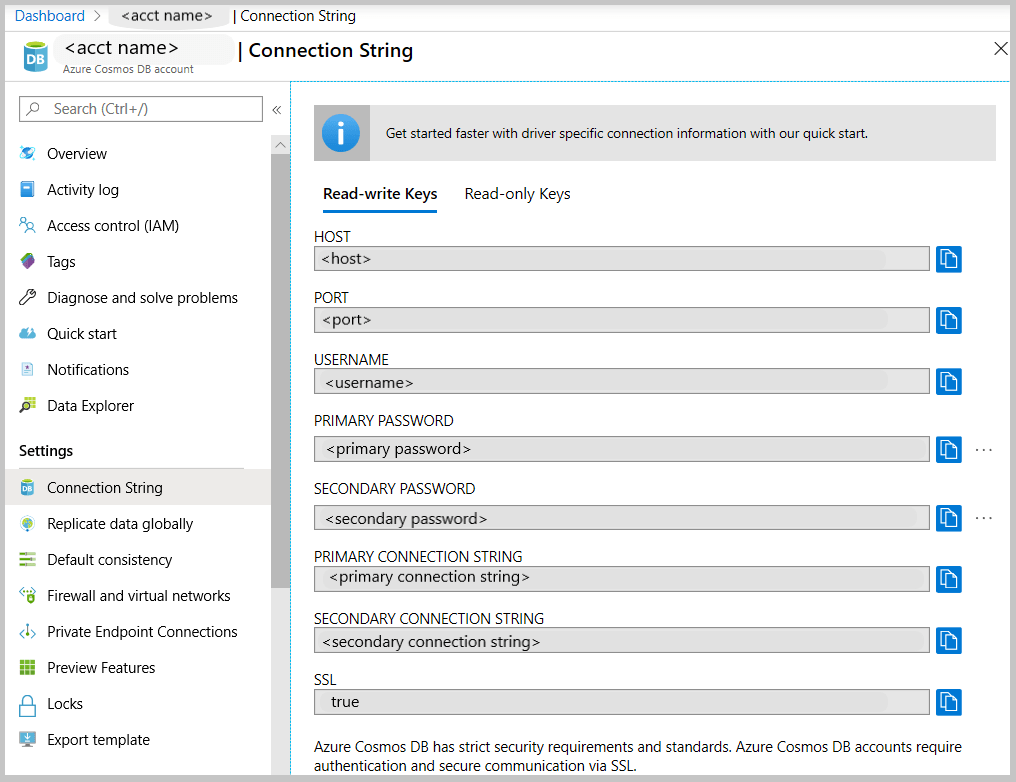
The target is ready for migration but we have to check the connection string so we can use them in our migration from AWS to Azure.
Get the MongoDB connection string to customize
From MongoDB (Source server) you have to take backup for the database, now after the backup is completed, no need to move the backup for another server , mongo providing two way of backup either mongodump (dump) or mongoexport and will generate JSON file.
For example using monogdump
mongodump --host <hostname:port> --db <Databasename that you want to backup > --collection <collectionname> --gzip --out /u01/user/For mongoexport
mongoexport --host<hostname:port> --db <Databasename that you want to backup > --collection <collectionname> --out=<Location for JSON file>After the the above command will be finished, in my advice run them in the background specially if the database size is big and generate a log for the background process so you can check it frequently.
Run the restore/import command from the source server , do you remember the connection string, now we will use them to connect to Azure Cosmos DB using the following, if you used mongodump then to restore you have to use mongorestore like the below :-
mongorestore --host testserver.mongo.cosmos.azure.com --port 10255 -u testserver -p w3KQ5ZtJbjPwTmxa8nDzWhVYRuSe0BEOF8dROH6IUXq7rJgiinM3DCDeSWeEdcOIgyDuo4EQbrSngFS7kzVWlg== --db test --collection test /u01/user/notifications_service/user_notifications.bson.gz --gzip --ssl --sslAllowInvalidCertificates
notice the follwing :-
using mongoimport.
mongoimport --host testserver.mongo.cosmos.azure.com:10255 -u testserver -p w3KQ5ZtJbjPwTmxa8nDzWhVYRuSe0BEOF8dROH6IUXq7rJgiinM3DCDeSWeEdcOIgyDuo4EQbrSngFS7kzVWlg== --db test --collection test --ssl --sslAllowInvalidCertificates --type json --file /u01/dump/users_notifications/service_notifications.json
Once you run the command
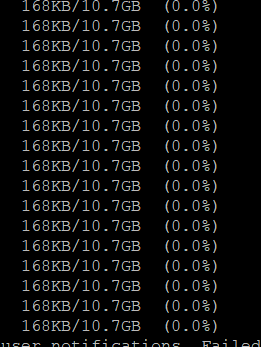
Note: if you migrating huge or big databases you need to increase the cosmosdb throughout and database level after the migration will be finished return everything to the normal situation because of the cost.
Cheers
Osama
This post provide steps for downloading and installing both Terraform and the Oracle Cloud Infrastructure Terraform provider.
Terraform Overview
Terraform is “infrastructure-as-code” software that allows you to define your infrastructure resources in files that you can persist, version, and share. These files describe the steps required to provision your infrastructure and maintain its desired state; it then executes these steps and builds out the described infrastructure.
Infrastructure as Code is becoming very popular. It allows you to describe a complete blueprint of a datacentre using a high-level configuration syntax, that can be versioned and script-automated, Terraform can seamlessly work with major cloud vendors, including Oracle, AWS, MS Azure, Google, etc
Download and Install Terraform
In this section, i will show and explain how to download and install Terraform on your laptop/PC Host Operating System, you can download using the below link :-

You can check by run the CMD and check the version:-

Download the OCI Terraform Provider
Prerequisites:-
Installing and Configuring the Terraform Provider
In my personal opioion about this section (The title of the section same as Oracle Documentation) I found it wrong, i worked with Terraform in different cloud vendor, AWS, Azure and OCI so Terraform will recognize it and automatically install the provider for you.
to do that, all of you have to do is create folder , then create file “variables.tf” that only contains
provider "oci" {<br>}and run terraform command
terraform initNow Let’s Talk small examples about OCI and Terraform, First you have to read “Creating Module” to understand the rest of this post here.
I will upload to my Github here Small Sample for OCI Terraform to allow you underatand how we can use it instead of the GUI and make it easy for you.
I upload to my github example of Terraform for OCI Proiver, In the this example i will create autonomous database but not using the GUI,
to work with Terraform, you have to understand what is the OCI Provider and the parameters of it.
The Terraform configuration resides in two files: variables.tf (which defines the provider oci) and main.tf (which defines the resource).
For more terraform examples here
Configuration File Requirements
Terraform configuration (.tf) files have specific requirements, depending on the components that are defined in the file. For example, you might have your Terraform provider defined in one file (provider.tf), your variables defined in another (variables.tf), your data sources defined in yet another.
Some of the examples for Terraform files here
Provider Definitions
The provider definition relies on variables so that the configuration file itself does not contain sensitive data. Including sensitive data creates a security risk when exchanging or sharing configuration files.
To understand more about provider read here
provider "oci" {
   tenancy_ocid = "${var.tenancy_ocid}"
   user_ocid = "${var.user_ocid}"
   fingerprint = "${var.fingerprint}"
   private_key_path = "${var.private_key_path}"
   region = "${var.region}"
}
Variable Definitions
Variables in Terraform represent parameters for Terraform modules. In variable definitions, each block configures a single input variable, and each definition can take any or all of three optional arguments:
More information here
For example
variable "AD" {
    default     = "1"
    description = "Availability Domain"
}
Output Configuration
Output variables provide a means to support Terraform end-user queries. This allows users to extract meaningful data from among the potentially massive amount of data associated with a complex infrastructure.
More information here
Example
output "InstancePublicIPs" {
value = ["${oci_core_instance.TFInstance.*.public_ip}"]
}
Resource Configuration
Resources are components of your Oracle Cloud Infrastructure. These resources include everything from low-level components such as physical and virtual servers, to higher-level components such as email and database providers, your DNS record.
For more information here
One of the example :-
resource "oci_core_virtual_network" "vcn1" {
   cidr_block = "10.0.0.0/16"
   dns_label = "vcn1"
   compartment_id = "${var.compartment_ocid}"
   display_name = "vcn1"
}
Data Source Configuration
Data sources represent read-only views of existing infrastructure intended for semantic use in Terraform configurations, for example Get DB node list
data "oci_database_db_nodes" "DBNodeList" {
  compartment_id = "${var.compartment_ocid}"
  db_system_id = "${oci_database_db_system.TFDBNode.id}"
}
Another example, Gets the OCID of the first (default) vNIC
data "oci_core_vnic" "DBNodeVnic" {
  vnic_id = "${data.oci_database_db_node.DBNodeDetails.vnic_id}"
}
Follow me on GitHub here
Cheers
Osama
Many of you knows that i have been working on different cloud vendor, oracle cloud infrastructure , Amazon AWS, and MS Azure, and I had chance to work on many of them with hands-on experience and implement projects on all of them.
Now i am working on 2nd book that will include different topics about the 3 of them, DevOps, and comparison between all the three cloud vendor and more.
During the Lockdown, i was working to sharp my skills and test them in the cloud, therefore i decided to go for azure first and trust me when i say “it’s on of the hardest exam i ever did”.
The exam itself it’s totally different from what i used to, real case scenario that you should be aware of azure features, all of them, and configure them.
To be “Azure Solutions Architect Expert”, there are some of the conditions you should go thru, first you need to apply for two exams, AZ-301 & AZ-300
Both are Part of the requirements for: Microsoft Certified: Azure Solutions Architect Expert, the first exam which AZ-301, disccused the following secure, scalable, and reliable solutions. Candidates should have advanced experience and knowledge across various aspects of IT operations, including networking, virtualization, identity, security, business continuity, disaster recovery, data management, budgeting, and governance. This role requires managing how decisions in each area affects an overall solution. Candidates must be proficient in Azure administration, Azure development, and DevOps, and have expert-level skills in at least one of those domains.
Learning Objectives
For the AZ-300
Learning Objectives
After you completed the both exams successfully you will receive your badge for the three exams, durtation for the exams around 3 hours and trust me you will need it.
Enjoy
Osama
As we already know oracle has been providing free exam and materials for siz track like the following till 15 May 2020: –
and because of the high demand since there are not available slot anymore, Oracle now providing extension BUT you have to apply for this
Follow this Video :-
Enjoy
Osama
Many of you knows that Oracle annouced before one month, the six track from Oracle university included the exams for free, so far i completed four of them and looking for the other two.
in this post i will discuss how to preapre for exam 1z0-1084-20, in my opioion, this exam it’s more DevOps exam, so if you know the knowledge with Docker and Kubernetes and worked on them, working with OCI (Oracle Cloud Infrastrcuture) before, go ahead and apply for this exam.
The funny thing when you pass one exam and post about it on the social media directly i start recieving multiple messages from different people i don’t know, asking “could you please provide us with the dumps ?” first of all, how did you assume i am using dump, i failed mulitple times in different Oracle exam, second, i am aganist the dumps for various reasons, the exam is prove that you are ready to go thru this track and work on it, imagine you put this on your resume and someone asked you question about it, it will not be professional for you.
However, i would like to discuss 1z0-1084-20 specially this one, because i didn’t feel it’s only related to Oracle, you should have knowledge with different criteria,
When you are study for this exam, you should follow Lucas Jellema Blog here and you can follow him on twitter also.
This blog saved me alot of time and explained everything you need to know in details.
| Exam Title | Oracle Cloud Infrastructure Developer 2020 Associate |
| Format | Multiple Choice |
| Duration | 105 Minutes |
| Number of Questions: | 60 |
| Passing Score: | 70% |
Exam Preparation
you need to focus on the following topics if you want to pass this exam :-
Wish you all the best
Osama
I created some new simple code examples using Python 3 and uploaded them to my Githib Repo, Enjoy the coding with Python,
I am updating this for the people who wants to learn Python, I am trying to create an ideas using Python, Follow me on Githhub.
You can find everything here.
Enjoy
Osama
In this post i will discuss how to move your Azure resource to another account, subscruiption or even another resource group.
when we are talking about resource we mean by that, disk, vm, IP, interface .. etc let’s say everything you create it, it’s consider as resource.
Sometimes you asked to moved your resource to another subscruiption but in my case i need to orgazine the infrastrcutre and make it much more easier to manage by create different resource group, do this it’s very simple step, you can do it either using Azure CLI, Powershell or GUI.
To do this just follow the screenshot :-
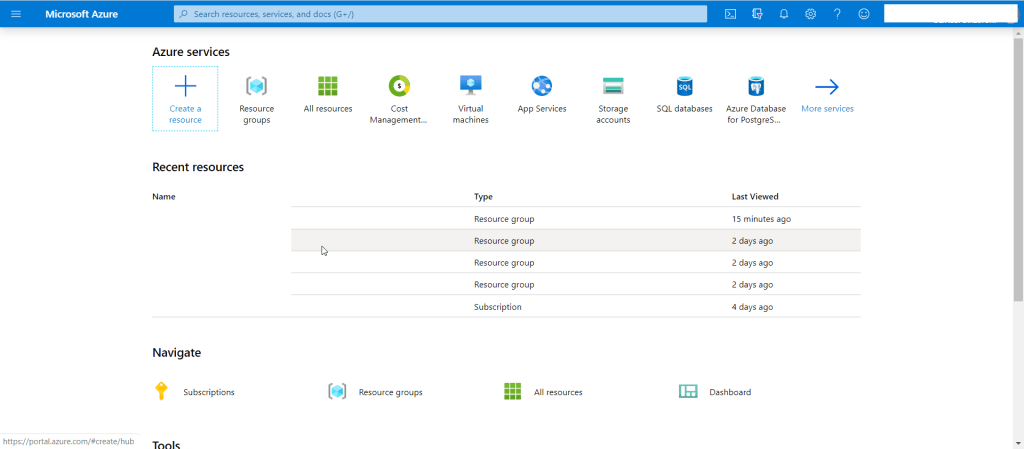
As you see from the below
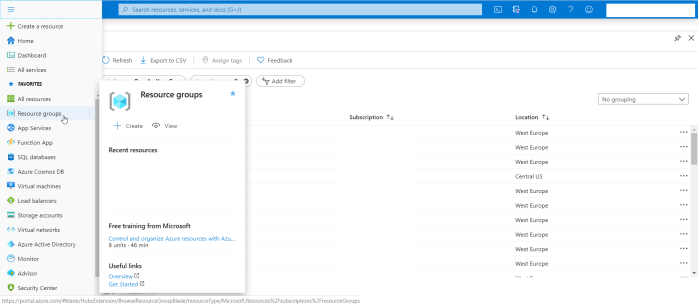
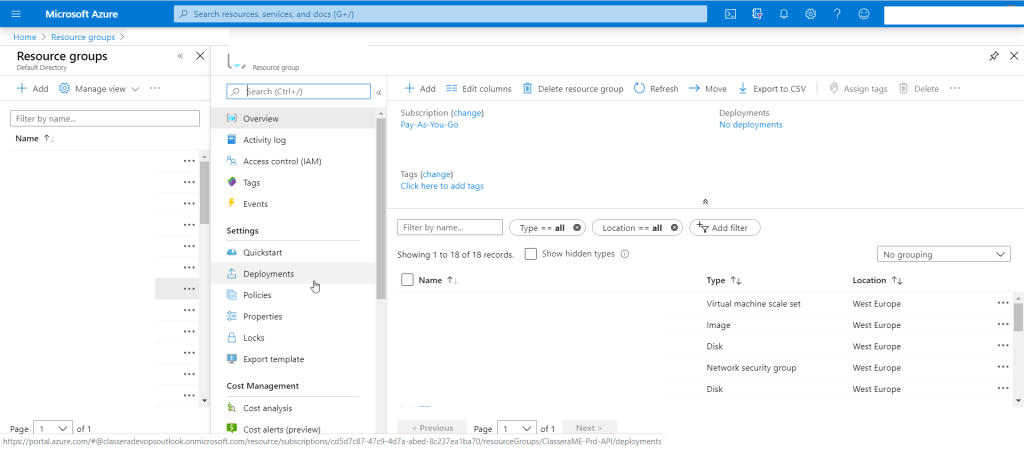
Thanks
Osama
 Technology Geek