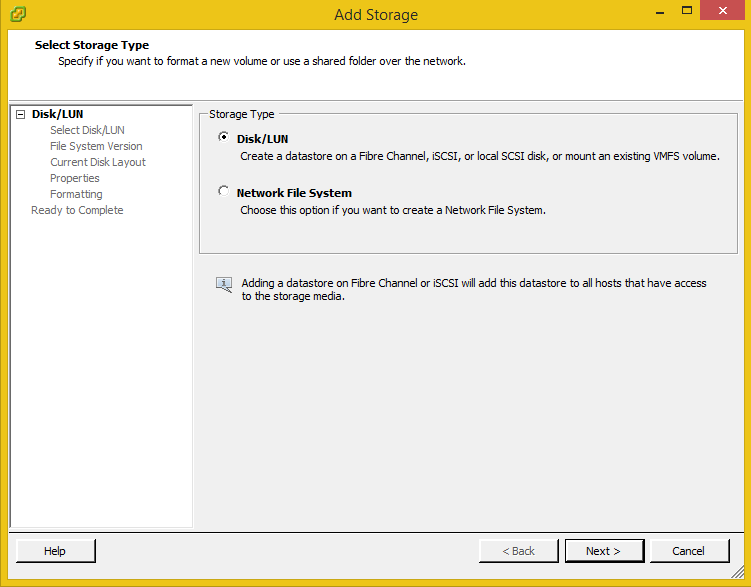
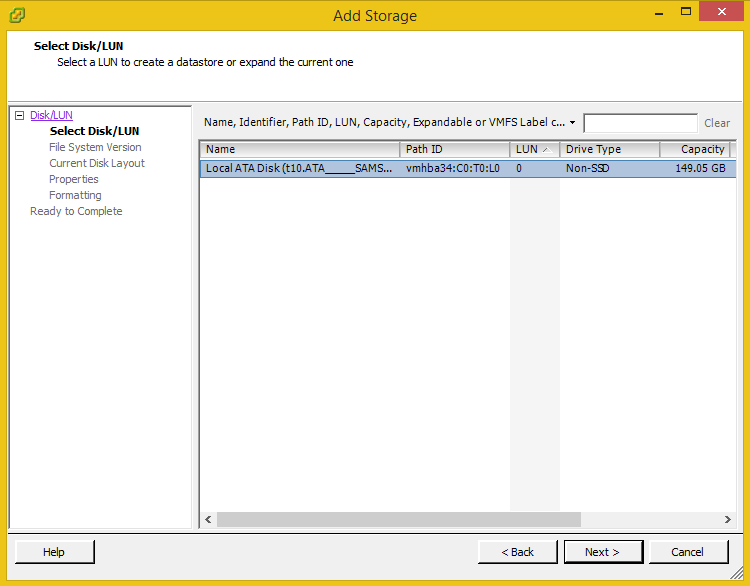
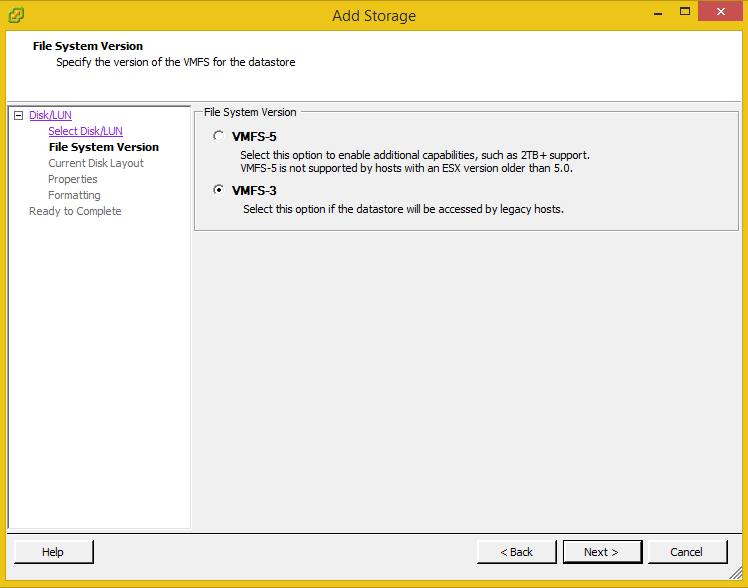
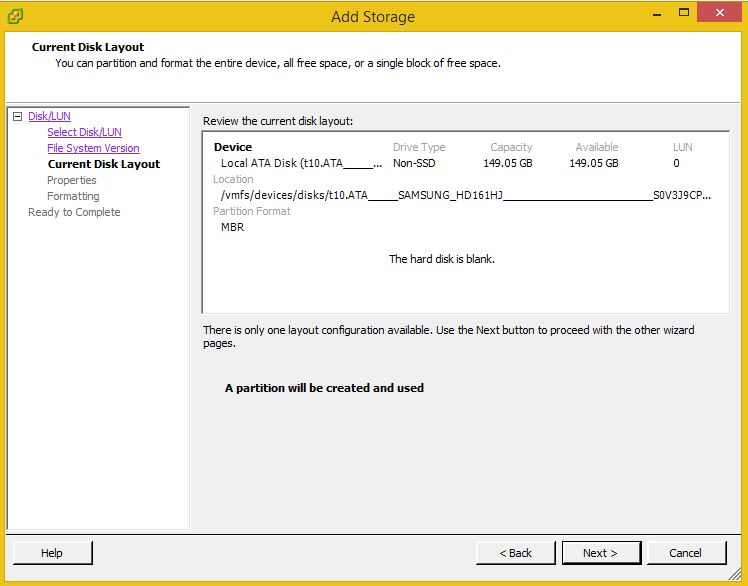
Press here to watch.
Thank you
Osama Mustafa
For the people who think differently Welcome aboard
Press here to watch.
Thank you
Osama Mustafa
The problem description like this :- after assigned IP to the server i want like normal people connect to this server using my laptop but simply when trying to ping :-
“Detestation unreachable”
I thought at first it was my network card issue and maybe it’s not supported By ESXI, But this is not valid option because the weirdest part in this issue was when restart the server and ESXI loading the services i was able to ping without any problem then the message appeared again.
During the Holiday I was working on my mini Lab and Upgrading the Server i want to use ESXI 5.5 this time,usually the built-in Ethernet card Intel or Realtek ( Mine ) while the installation i faced an issue that ESXI 5.5 doesn’t identify my Ethernet card and the installation failed.
To solve this issue the normal ESXI iso will not work, because of this you have to create something called ESXI custom ISO using Software called ESXI customizer.
Download it from here.
You make this software work you need to install the original ESXI ISO.
Download it from here.
and The most important thing which is the driver that you need it for Ethernet Card, the driver usually depend on the PC just like to told you before I am using Realtek and you can download :-
One of the major achievement for me this year is created and lead Jordan Amman Oracle User group which is the first Oracle Group in Jordan and I am working now to organize next event for this group and this is taking most of time now.
The 2014 Summary :-
Let’s Start with Conference :-
if you are interseted in this attack please contact me by leaving comment ” Your name and Email Address” and i will contact you back to volunteer in this attack,
Thank You
osama mustafa
The Scripts Here.
Cheers
Osama ….
/bin/ls: reading directory .: Input/output error
total 0
The above error indicate that i cannot access to the specific file on Linux, Delete not working. with root user as well.
so the error is not a problem to delete files, it’s a problem about the file system itself and/or an hardware problem, but before announce that it’s hardware issue 🙂 try the below solution :-
Option #1:-
use command dmesg.
(display message or driver message) is a command on most Linux- and Unix-based operating systems that prints the message buffer of the kernel. Read about that command here
Option #2 ( worked for me)
Use Fsck command to detect filesystem error and fix it.
How !!!
java.sql.SQLException: [TimesTen][TimesTen 11.2.1.4.0 ODBC Driver][TimesTen]TT6003: Lock request denied because of time-out
Details: Tran 143.23106 (pid 19946) wants Sn lock on rowid BMUFVUAAAAxogAALDp, table SUBSCRIBER. But tran 144.67398 (pid 19946) has it in Xn (request was Xn). Holder SQL (select ID,identifierType,identifiervalue,subscriberId,groupName,siid from subscriptionidentifie…) — file “tindex.c”, lineno 4277, procedure “sbTixNext()”
After check the Timesten parameter found the issue was with LockWait
Lockwait :- Allows an application to configure the lock wait interval for the connection.
LockWait may be set to any value between 0 and 1,000,000 inclusive to a precision of
tenths of a second. The default is 10 seconds.
Actual lock wait response time is imprecise and may be exceeded by up to one tenth of
a second, due to the scheduling of the agent that detects timeouts. This imprecision
does not apply to zero second timeouts, which are always reported immediately.
Cheers
Osama …
ttisql DSN_NAME
ttIsql (c) 1996-2005, TimesTen, Inc. All rights reserved.
Type ? or “help” for help, type “exit” to quit ttIsql.
All commands must end with a semicolon character.
connect “DSN=DSN_NAME”;
707: Attempt to connect to a data store that has been manually unloaded from R
AM
The command failed.
This should be easy to resolve. A TimesTen datastore (physical database), which is what a DSN points at, has a property called its ‘ramPolicy’ The default value for this is inUse which means that TimesTen will load the datastore into memory whenever it is being used.
Solution :
ttAdmin -ramload DSN_NAME
Reference :-
1- Oracle OTN Forum here
Cheers
Osama ….