create IPS repository in Solaris 11.2

I discussed before how to create package repository on Linux here, the same could be happened on Solaris 11.2 when you install Database any version mandatory packages should be installed to make it easy repository helps you a lot and will be available any time you need, and Image packaging system(IPS) repository is one of the important things in Solaris 11 onwards.

You need to download the following files & upload them to the server :-

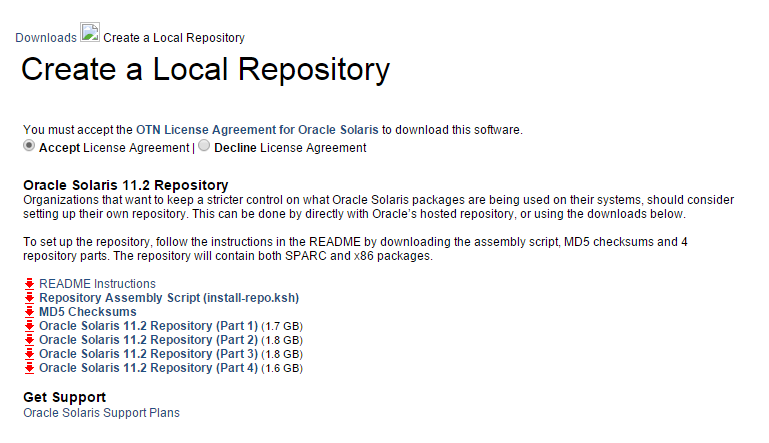
Once the file is ready upload them to the server under one file called Repo for example. it should looks like the below :-

#ls -lrt
total 14373947
-rwx——   1 root     root     1771800121 Aug  9 08:24 sol-11_2-repo-1of4.zip
-rwx——   1 root     root     1889867782 Aug  9 11:20 sol-11_2-repo-2of4.zip
-rwx——   1 root     root     1902167161 Aug  9 22:34 sol-11_2-repo-3of4.zip
-rwx——   1 root     root     1790358735 Aug 10 00:16 sol-11_2-repo-4of4.zip
-rwx——   1 root     root        5594 Aug 10 20:16 install-repo.ksh
-rwx——   1 root     root         228 Aug 10 20:17 sol-11_2-repo-md5sums.txt
drwxr-xr-x   2 root     root           2 Aug 10 20:40 repo

#pkg publisher
PUBLISHER TYPE STATUS URI
solaris origin online http://pkg.oracle.com/solaris/release/

 as you see from the above output package publisher still working under oracle Link. Let’s Start Working, Set the executable bit for install-repo.ksh and execute like below.

#./install-repo.ksh -d /export/oracle/repo/ -v -c
Comparing checksums of downloaded files…done. Checksums match.
Uncompressing sol-11_2-repo-1of4.zip…done.
Uncompressing sol-11_2-repo-2of4.zip…done.
Uncompressing sol-11_2-repo-3of4.zip…done.
Uncompressing sol-11_2-repo-4of4.zip…done.
Repository can be found in /export/oracle/repo/.
Initiating repository verification.

Again Check the current publisher.

#pkg publisher
PUBLISHER                   TYPE     STATUS P LOCATION
solaris                     origin   online F http://pkg.oracle.com/solaris/release/

configure the new publisher, Path should be the same.

#pkg set-publisher -G ‘*’ -M ‘*’ -g file:///export/oracle/repo solaris

#pkg publisher
UBLISHER                   TYPE     STATUS P LOCATION
solaris                     origin   online F file:///export/oracle/repo

Configure the repository service to point to the new location by run the following command :-

# svccfg -s application/pkg/server setprop pkg/inst_root=/export/oracle/repo 


Check

# svcprop -p pkg/inst_root application/pkg/server

Reload the Services Just to confirm :-

# svcadm refresh application/pkg/server

Cheers
Osama Mustafa

/usr/ccs/bin/as: not found/No such file or directory on Solaris 11.2

While trying to install Oracle Database 12c on Solaris 11.2 the i faced the following the errors in the logs and dbca was unable to start :-

INFO: sh[2]: /usr/ccs/bin/as: not found [No such file or directory]
INFO: make: Fatal error:
INFO: *** Error code 127

The package developer/assembler comes with default installation, But  Solaris 11 package developer/assembler is not installed.

To install it: –

pkg install developer/assembler

and try again.

Cheers
Osama 

OTech Magazine – Summer 2015

OTech Magazine – Summer 2015 OTech Magazine issue Summer 2015 is the eighth issue of OTech Magazine – the independent Oracle technology magazine – . Our contributors are the best of the best of the Oracle atmosphere.

Osama Mustafa – Database Link From Oracle to MySQL
Read the full version of magazine here.
Thanks Douwe Pieter  for this amazing efforts.
Cheers
Osama Mustafa

My Days As an Oracle ACED : BGOUG

12 – 14 June save the date because it’s Bulgarian Oracle User group Events, this is my first time in Bulgaria and my first time as an oracle ACE director in any events :).

My Trip Planned to be from Jordan to Bulgaria – Sofia  and as usual i need to stop in one of world airport to reach my destinations first which i really hate because it’s wasting of time and tiring me.
my stop was in Frankfurt airport and to be there i had to spent 5-6 hours in the plane to reach there and then wait another 5 hours in the airport and reach Sofia 3 hours in the plane. but lucky me the plane is delayed in Jordan and i waited for 2 hours only :).
I reach Sofia but i was really exhaust and tired from traveling because my trip started early morning and it’s took us 2 hours to reach the hotel from the airport but even with this i have to thanks one of the best organizer i ever seen Milena Gerova She organized everything very well the hotels, the taxi, the appreciation events & sessions.
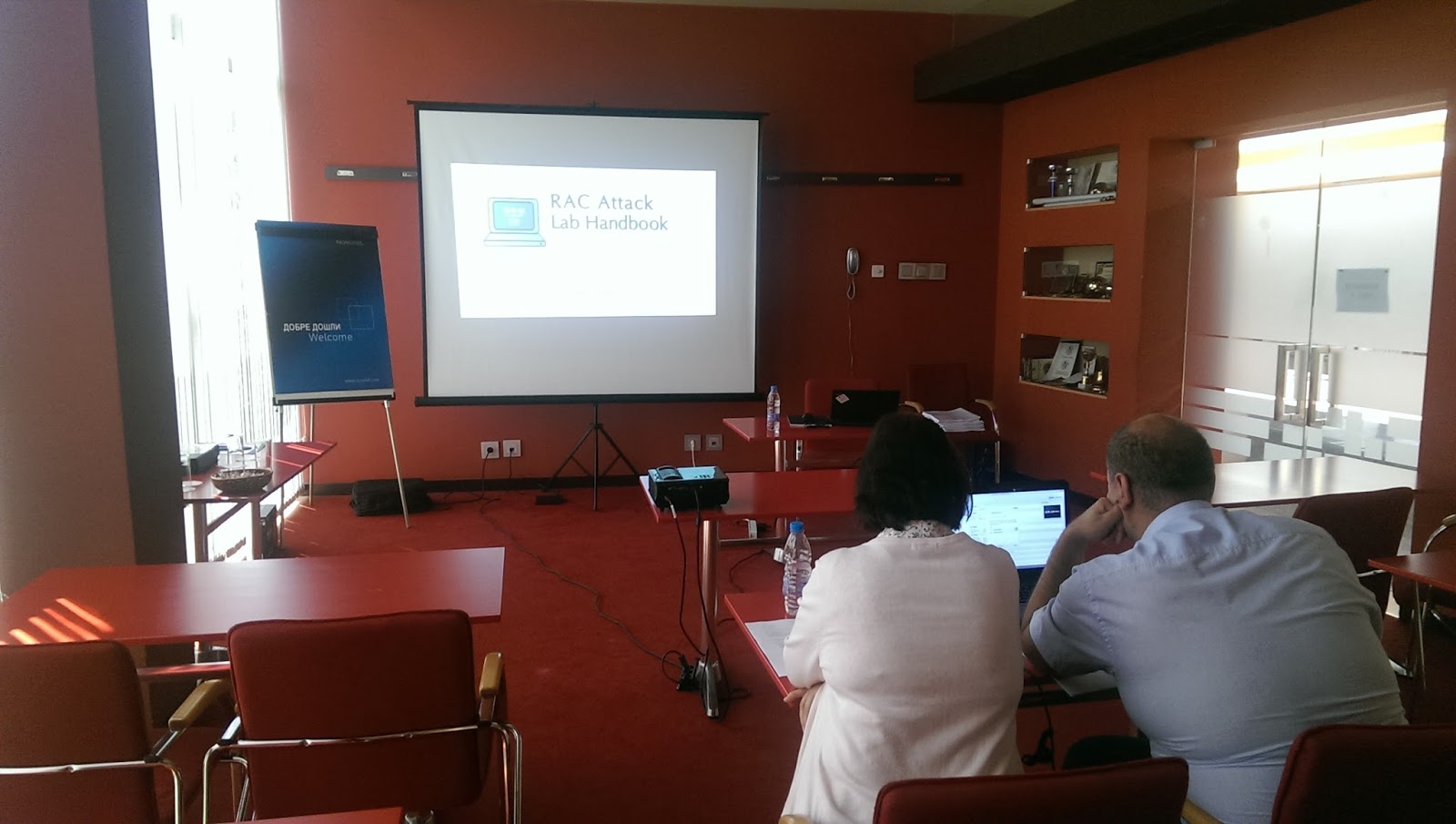
I had 2 presentation there about Fusion middleware and like usual i organized RAC ATTACK On Saturday, The audience was really amazing and asking very good questions. 
I had so much fun in Bulgaria and one of the best events i attended, simply it’s really Green every where you look it’s green, and I learned some Bulgarian dance  because i knew everyone in Bulgaria should dance 🙂 Even Tom Kyte was dancing,Svetoslav and Heli as well so why not ? 
It’s really nice to meet old friends and meeting new one  🙂 

Cheers
Osama Mustafa 

OID is Down For Ambiguous Reasons

Today one of the customer called complaining about accessing to the system and how its not working ? Since everything is configured as single sign on (SSO) first thing to check was OID or oracle internet Directory.

The logs indicate to the below error :-

[2015-05-01T07:00:18+03:00] [OID] [NOTIFICATION:16] [] [OIDMON] [host: MOAPRDOID1] [pid: 5244] [tid: 0] Guardian: [oidmon]: Unable to connect to database,
will retry again after 10 sec

[2015-05-01T07:00:28+03:00] [OID] [NOTIFICATION:16] [] [OIDMON] [host: MOAPRDOID1] [pid: 5244] [tid: 0] Guardian: Connecting to database, connect string is oiddb

[2015-05-01T07:00:28+03:00] [OID] [NOTIFICATION:16] [] [OIDMON] [host: MOAPRDOID1] [pid: 5244] [tid: 0] Guardian: [gsdsiConnect] ORA-12514, ORA-12514: TNS:listener does not currently know of service requested in connect descriptor.

from the above error the OID is unable to connect to database server i checked database and listener everything is up without any issue and all the other application working without any issues.

after investigation I checked the sqlnet.ora and add the following :-

SQLNET.AUTHENTICATION_SERVICES= (NONE)
NAMES.DIRECTORY_PATH= (TNSNAMES)

Restart the services and everything is working.

maybe this solution will not lead or help in so many cases i am working to know why this will effect on OID since it’s was working without any issues for 1 year

Thanks
Osama 

connection to database cannot be established – DBCA

Environment :-

Oracle Grid Infrastructure 11.2.0.4
Nodes # : 4
Operating system : Redhat 6.6

When trying to configure enterprise manager the following error appeared :-

Connection to the database cannot be established because the listener could be down. Please make sure that the service is registered with a listener and the listener is up.

The listener is up, VIP is working on all nodes without any issue when check dbca logs looking for more details i found this error :-

dbca trace in $ORACLE_BASE/cfgtoollogs/dbca.

ORA-1017: invalid username/password

Both was correct, because of this i recreate password file on all nodes and restart my operation it’s working without any issue this time.

Thanks
Osama Mustafa

mkdir No such file or directory Solaris 11.2

root@TT:/#mkdir –/u01/app/oracle/product/TimesTen/
mkdir: Failed to make directory “/u01/app/oracle/product/TimesTen/”; No such file or directory

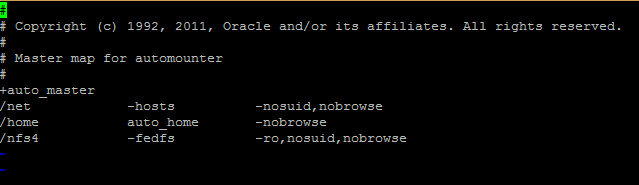
simply this error related to auto_master all you have to do is to remove the entry /home from the auto_master
vi /etc/auto_master

and remove the entry 
Try again.
Thank You 
Osama Mustafa

Configure RMAN Backup On Windows

Database is supported on windows and some people using Windows As Production and RMAN need to be configured to ensure backup for Database in such failure or something to do this follow the below steps :-

  • Create first text file called backup and change the format to “bat”, inside the file add the following lines :-

C:
cd E:\app\ADM-BSS01\product\11.2.0\dbhome_1\BIN
rman @E:\RMAN\Scripts\backup.rman

  • Create 3 folders in E for example :-
    • backup
    • Archivelog
    • Controlfile
  • Create second file name it Backup.rman and add the Rman Script like below 

connect target /
run
{
ALLOCATE CHANNEL c1 DEVICE TYPE disk;
ALLOCATE CHANNEL c2 DEVICE TYPE disk;
ALLOCATE CHANNEL c3 DEVICE TYPE disk;
ALLOCATE CHANNEL c4 DEVICE TYPE disk;
backup AS COMPRESSED BACKUPSET tag Full_database_open format ‘E:\RMAN\backup\db_%t_%s_p%p.bkp’ database;
backup AS COMPRESSED BACKUPSET archivelog all format ‘E:\RMAN\backup\archivelog\al_%t_%s_p%p.arch’ delete all input;
backup AS COMPRESSED BACKUPSET current controlfile tag =cf1 format ‘E:\RMAN\backup\cf_%t_%s_p%p.bkp’;
backup tag ORCL_CONTROL current controlfile format ‘E:\RMAN\Controlfile\%d_%T_%s_%p_CONTROL’;
delete noprompt expired backup;
release channel c1;
release channel c2;
release channel c3;
release channel c4;
}

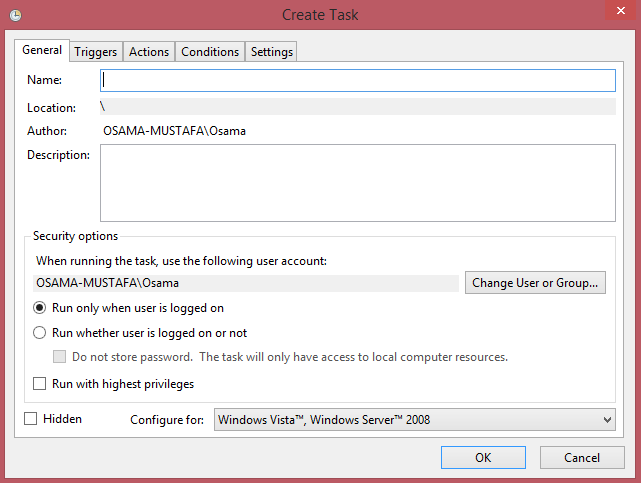
  • Follow the screen now :-
      • Add Task Name and Description :-
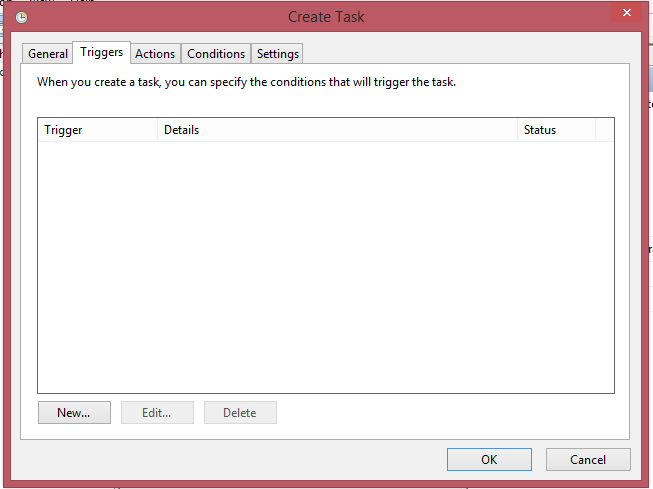
      • Add The Time for this Task in this tab 
      • Another Screen :-
      • In This Screen Add Bat File in our case backup.bat