DBID without Select OR RMAN

You can retive database id without Using v$view this way is useful when you losing your control file or data file and you need to know your DBID :

connect / as sysdba
SQL> startup nomount;
 
 
SQL> alter system dump datafile '/home/oracle/app/oracle/oradata/orcl/system01.dbf' block min 1 block max 2;
 
System altered.
 
tail -f /home/oracle/app/oracle/diag/rdbms/orcl/orcl/trace/orcl_ora_10680.trc
...
Start dump data block from file /home/oracle/app/oracle/oradata/orcl/system01.dbf minblk 1 maxblk 2
V10 STYLE FILE HEADER:
Compatibility Vsn = 186646528=0xb200000
Db ID=1229390655=0x4947033f, Db Name='ORCL'
...
SQL>  alter system dump datafile '/home/oracle/app/oracle/oradata/orcl/undotbs01.dbf'  block min 1 block max 2;
 
System altered.
 
tail -f /home/oracle/app/oracle/diag/rdbms/orcl/orcl/trace/orcl_ora_10680.trc
...
Start dump data block from file /home/oracle/app/oracle/oradata/orcl/undotbs01.dbf minblk 1 maxblk 2
V10 STYLE FILE HEADER:
Compatibility Vsn = 186646528=0xb200000
Db ID=1229390655=0x4947033f, Db Name='ORCL'

Thank you
Osama Mustafa
DDL With the WAIT Option

The DDL_LOCK_TIMEOUT parameter indicates the number of seconds a DDL command should wait for the locks to become available before throwing the resource busy error message

For Example :

CREATE TABLE lock_tab (id  NUMBER);
INSERT INTO lock_tab VALUES (1);
 
ALTER SESSION SET ddl_lock_timeout=30;
 
ALTER TABLE lock_tab ADD (description  VARCHAR2(50)); 

ALTER TABLE lock_tab ADD (
*
ERROR at line 1:
ORA-00054: resource busy and acquire with NOWAIT specified or timeout expired

 Ref :
Oracle_base

Thank you
Osama mustafa

Create Backup to another Location

run {
ALLOCATE CHANNEL disk1 DEVICE TYPE DISK FORMAT ‘/u01/Rman/%U’;
ALLOCATE CHANNEL disk2 DEVICE TYPE DISK FORMAT ‘/u02/Rman/%U’;
CONFIGURE CONTROLFILE AUTOBACKUP FORMAT FOR DEVICE TYPE DISK TO ‘u02/rman/%F’;
backup incremental level 0 database;
release channel disk1;
release channel disk2;

sql ‘alter system archive log current’;
ALLOCATE CHANNEL disk1 DEVICE TYPE DISK FORMAT ‘/u01/Rman/LOG_%t_%s_%p_%U’;
ALLOCATE CHANNEL disk2 DEVICE TYPE DISK FORMAT ‘/u02/Rman/LOG_%t_%s_%p_%U’;
backup archivelog all DELETE INPUT;
release channel disk1;
release channel disk2;

CONFIGURE CONTROLFILE AUTOBACKUP FORMAT FOR DEVICE TYPE DISK CLEAR;
}

Thank you
Osama mustafa

Check Rman Backup/Validate

There’s More than One Way to Do it :

Check One :

To check Datavase Backup

RMAN > Restore Validate Database ;

Check Two : 

Check Spfile

RMAN > restore validate spfile to ‘c:\temp\spfile.ora’;

Check Three :

Test Control File

RMAN> restore validate controlfile to ‘c:\temp\control01.ctl’;

Check Four :

Test Archive log

RMAN> list backup of archivelog all;

 or

RMAN> list backup of archivelog all completed after ‘sysdate -1’;

Then

RMAN> restore validate archivelog from sequence XXX until sequence XXX; 

Thank you
Osama Mustafa

12c new features

Tom Kyte , Talk about 12c new features LETS START :

1) “With” clause can define PL/SQL functions

2) Improved defaults, including Default col to a sequence or “default if (on) null”.  Or always use a generated as an identity (with optional sequence def info).  Or Metadata-only defaults (default on an added column). 

3) Bigger varchar2, nvarchar2, raw -up to 32K.  But follows rules like LOB, if over 4K will be out of line. (max_SQL_String_Size init param)

4) TopN and Pagenation queries using the ‘OFFSET’ clause + optional ‘FETCH next N rows’ in SELECT.  Eg: SELECT … FROM t ORDER BY y FETCH FIRST 5 ROWS

5) Row pattern matching using the “MATCH_RECOGNIZE” clause.  Gonna take a while to get this one.

6) Partitioning improvements including ASYNC Global Index maintenance (includes new jobs to do work ‘later’), cascade truncate & exchange, multi ops in a single DDL, online partition moves (no RDBMS_REDEFINITION), “interval + reference” partitioning.

7) Adaptive execution plans, which sets thresholds and allows execution plans to switch if threshold is exceeded.  (Also ‘gather_plan_statistics’ hint.)  Shown by ‘Statistics Collector’ steps in trace/tkprof.

8) Enhanced statistics. Dynamic sampling goes to ‘eleven’, turning it persistent.  New histograms: hybrid (for more than 254 distinct values, instead of height-balanced) and top.  Stats gathered on data loads automatically. (By the way, don’t regather stats if not needed.)  Session private statistics for GTTs. 

9) UNDO for temporary objects, managed in TEMP, which eliminates REDO on the permanent UNDO. (ALTER SESSION/SYSTEM SET TEMP_UNDO_ENABLED=TRUE/FALSE)

10) Data optimization, or Information Lifecycle Management, which detects block use – hot, medium, dormant – and allows policies in table defintion (new ILM clause) to compress or archive data after time.

11) “transaction Guard’ to preserve commit state, which includes TAF r/w transfer and restart for some types of transactions.

12) pluggable databases!  Implications too numerous to list right now.  Suffice it to say, huge resource improvements, huge consolidation possibilities.  Looking forward to reality.

Thank you
Osama mustafa

emagent : Memory 0x0 encountered

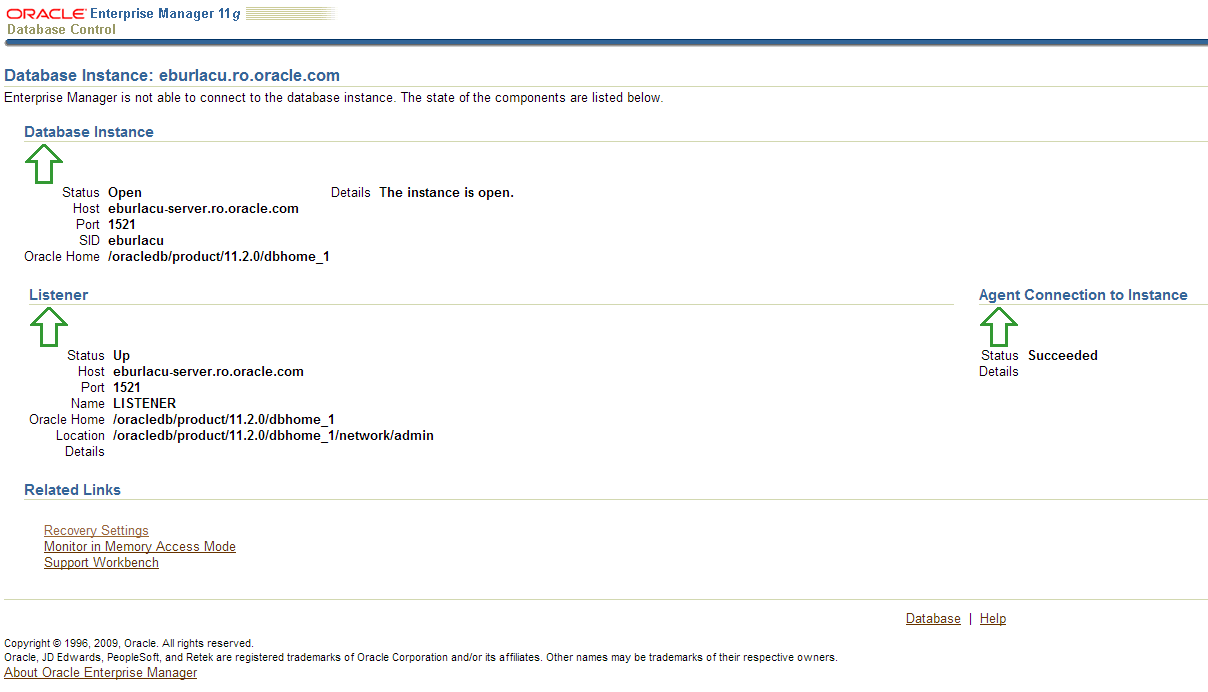
When you try to login to EM the following screen appear :

-bash-3.00$ emctl stop dbconsole
Oracle Enterprise Manager 11g Database Control Release 11.1.0.7.0
Copyright (c) 1996, 2008 Oracle Corporation. All rights reserved.

https://rgpdb1.rg.com:1158/em/console/aboutApplication

Stopping Oracle Enterprise Manager 11g Database Control ...
... Stopped.
-bash-3.00$
-bash-3.00$
-bash-3.00$
-bash-3.00$ emctl start dbconsole
Oracle Enterprise Manager 11g Database Control Release 11.1.0.7.0
Copyright (c) 1996, 2008 Oracle Corporation. All rights reserved.

https://rgpdb1.rg.com:1158/em/console/aboutApplication

Starting Oracle Enterprise Manager 11g Database Control ............................................................................................. failed.
------------------------------------------------------------------
Logs are generated in directory /pdb01/oraprod/db/tech_st/11.1.0/rgpdb1_rgprd1/sysman/log
 
 
Solution:

Check the following processes and kill them :

ps -ef | grep emagent
ps -ef | grep DEMS

-bash-3.00$ kill -9 PID

 Then

-bash-3.00$ emctl stop dbconsole
-bash-3.00$ emctl start dbconsole 

 
 Thank you 
Osama Mustafa 


Oracle RAC 12c: New Features

1. Application Continuity

2. Oracle Flex ASM
With this feature, database instances use remote ASM instances. 


3. Oracle ASM Disk Scrubbing

Checks for logical data corruptions and repair them automatically.


4. Enhancements to Policy-based Databases

Actively utilizes different sized servers


5. What – if analysis for server pool management


6. Standardized deployment and patching 

Introducing GHS, rapid home provisioning and gold images


7. A new “ghctl” command for better patching


8. Oracle Utility Cluster


9. Dynamic IP Management and name resolution made easy


10. IPv6 Based IP Addresses Support for client connectivity


11. Multi-purpose Installation


12. Oracle installer will run Fix-up scripts & “root.sh” scripts across nodes. You don’t have to run the scripts manually on RAC nodes.

Thank you Asif Momen .

Thank you 
Osama Mustafa 

ORA-02020: too many database links in use

Error :

ORA-02020: too many database links in use

Solution :

Increase the open_links and open_links_instance parameter in the DB . Bounce Database

Or

SQL>alter session close database link “link name”;

Thank you
Osama mustafa

ORA-19527: physical standby redo log must be renamed

In Standby Database Alert log i Found the following :

Attempt to start background Managed Standby Recovery process (neonprd)
MRP0 started with pid=31, OS id=5623962
Mon Oct 8 09:12:10 2012
MRP0: Background Managed Standby Recovery process started (neonprd)
Managed Standby Recovery not using Real Time Apply
parallel recovery setup failed: using serial mode
Mon Oct 8 09:12:17 2012
Waiting for all non-current ORLs to be archived…
Mon Oct 8 09:12:17 2012
Errors in file /oracle/admin/neonprd/bdump/neonprd_mrp0_5623962.trc:
ORA-00367: checksum error in log file header
ORA-00318: log 1 of thread 1, expected file size 512 doesn’t match 512
ORA-00312: online log 1 thread 1: ‘/oracle/redolog/neonprd/redo01a.log’
Clearing online redo logfile 1 /oracle/redolog/neonprd/redo01a.log
Clearing online log 1 of thread 1 sequence number 267655
Mon Oct 8 09:12:17 2012
Errors in file /oracle/admin/neonprd/bdump/neonprd_mrp0_5623962.trc:
ORA-19527: physical standby redo log must be renamed
ORA-00312: online log 1 thread 1: ‘/oracle/redolog/neonprd/redo01a.log’
Clearing online redo logfile 1 complete
Media Recovery Waiting for thread 1 sequence 268189
Mon Oct 8 09:12:17 2012

 Solution :

Solution for this Error is so Simple , This Problem Occur when Database parameter “log_file_name_convert” is not set.

Alter system set log_file_name_convert= Scope=Spfile ;

Also You can check :
ORA-19527 reported in Standby Database when starting Managed Recovery [ID 352879.1]

Thank you
Osama Mustafa