Import hangs On index level.

Today some customer contact me complaining that they are trying to sync the development with UAT, when i check the issue everything was normal for the first time, but the alert logs indicate that database could complete the checkpoint.

so this what i did to make the import faster ( which i completed it as well ) :-

  • Change database to no archive mode.
  • increase sga_target temporary.
  • use parallel command depend on cpu core.
  • Use commit=N with import parameters.
  • you can exclude indexes by exclude=indexes but i don’t prefer this at all.
  • increase db_cache_size.
This simple steps that could help someone to make import little faster or solve hang issue.
let me know if you need anything 🙂
Cheers
Merry Christmas guys 
Osama

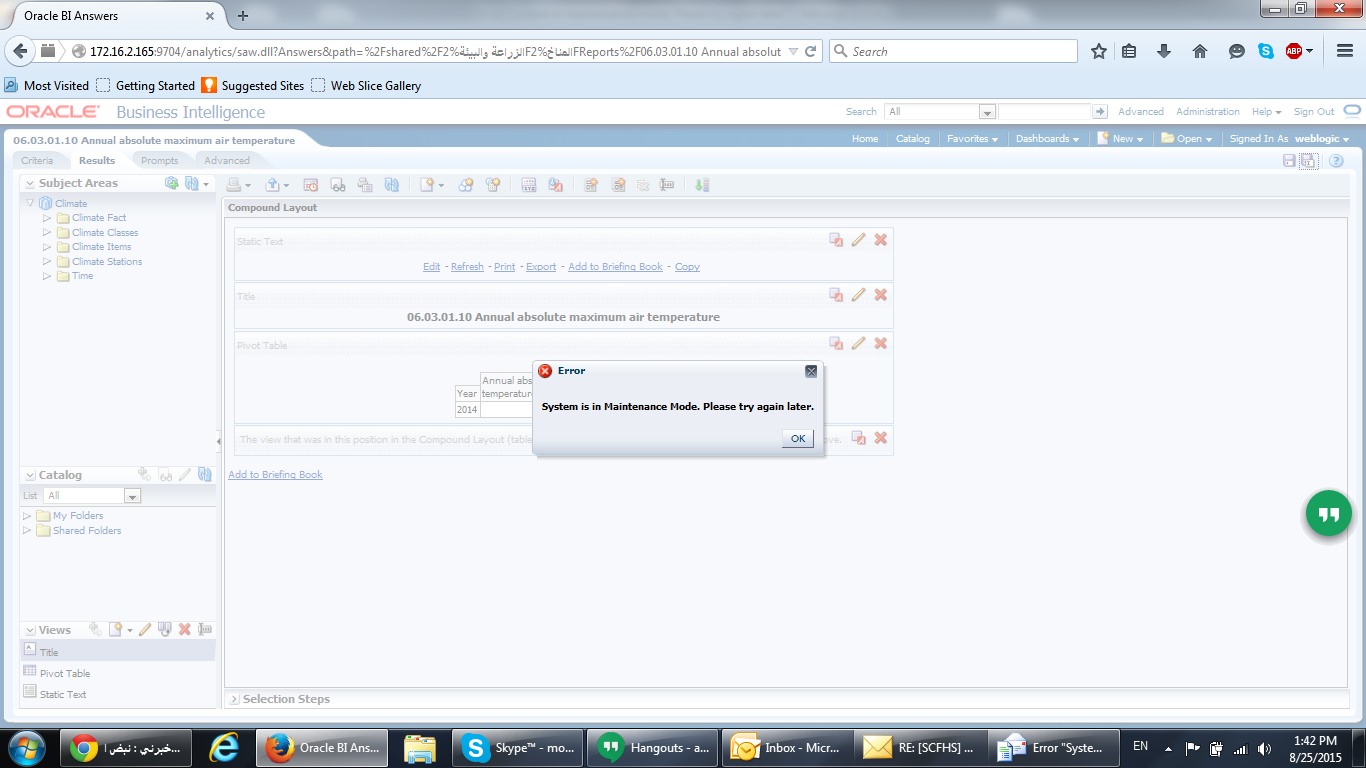
System is in manitance mode. Please try again later OBIEE

When trying to update any reports in OBIEE the below errors appears :-

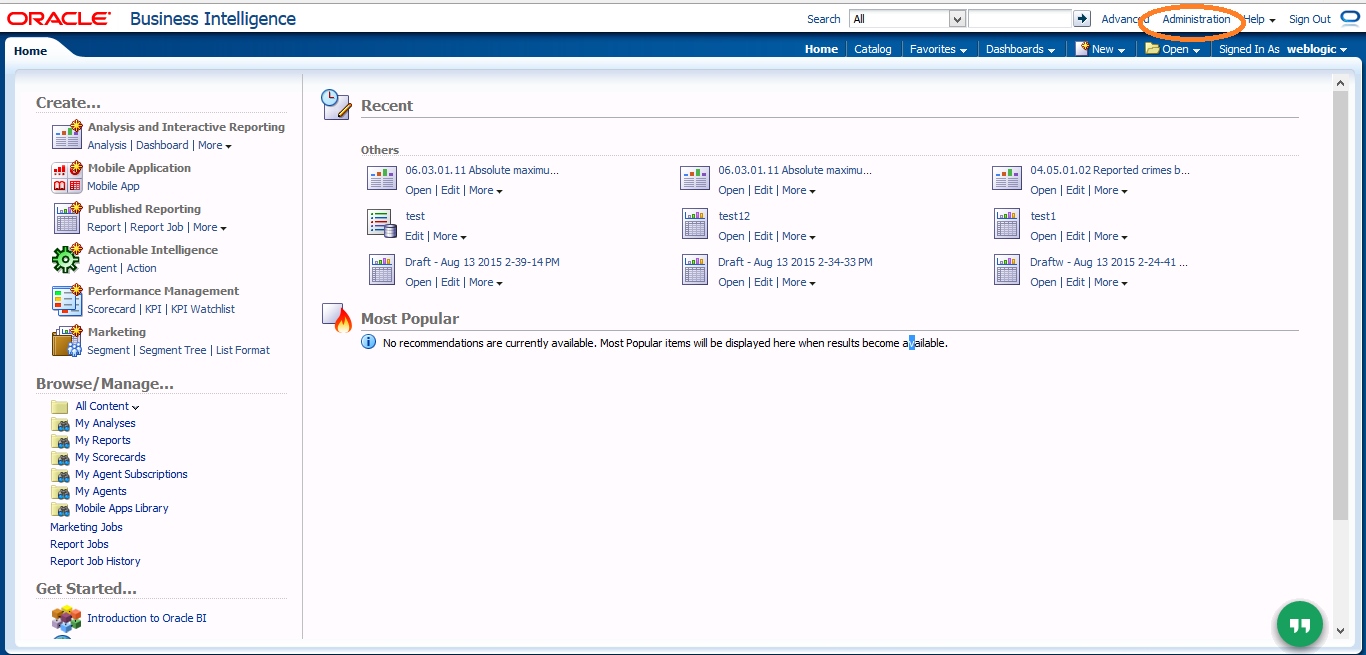
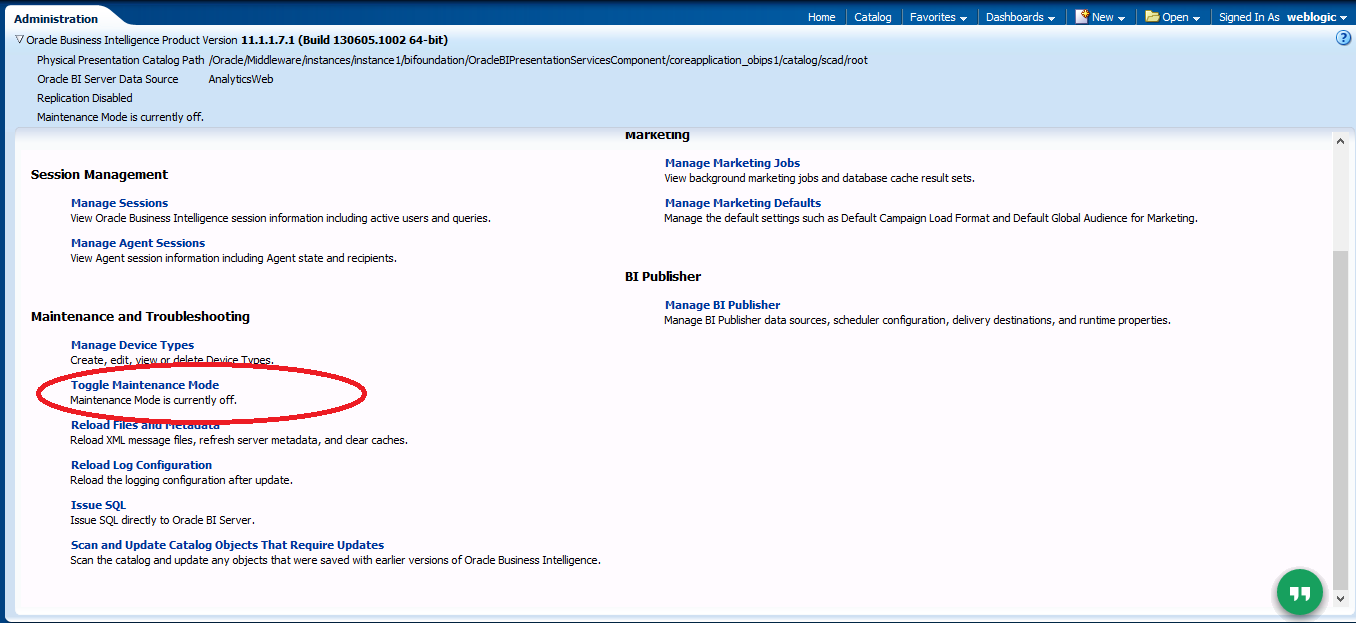
to solve this issue just follow the screen :-

1- Access to OBIEE Link http://ip-hostname:9704/analytics
2- Choose Administration from the upper right corner.

3- Turn Maintenance mode to off by press the link.

Good Luck.

Cheers
Osama

create IPS repository in Solaris 11.2

I discussed before how to create package repository on Linux here, the same could be happened on Solaris 11.2 when you install Database any version mandatory packages should be installed to make it easy repository helps you a lot and will be available any time you need, and Image packaging system(IPS) repository is one of the important things in Solaris 11 onwards.

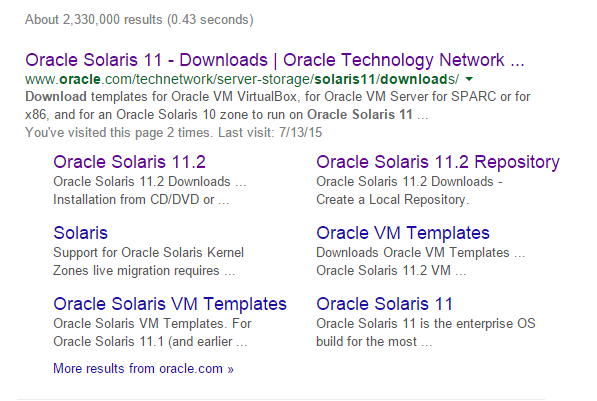
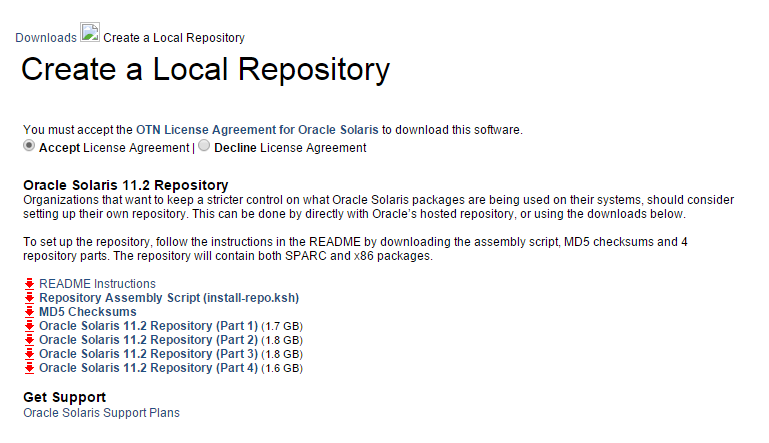
You need to download the following files & upload them to the server :-

Once the file is ready upload them to the server under one file called Repo for example. it should looks like the below :-

#ls -lrt
total 14373947
-rwx——   1 root     root     1771800121 Aug  9 08:24 sol-11_2-repo-1of4.zip
-rwx——   1 root     root     1889867782 Aug  9 11:20 sol-11_2-repo-2of4.zip
-rwx——   1 root     root     1902167161 Aug  9 22:34 sol-11_2-repo-3of4.zip
-rwx——   1 root     root     1790358735 Aug 10 00:16 sol-11_2-repo-4of4.zip
-rwx——   1 root     root        5594 Aug 10 20:16 install-repo.ksh
-rwx——   1 root     root         228 Aug 10 20:17 sol-11_2-repo-md5sums.txt
drwxr-xr-x   2 root     root           2 Aug 10 20:40 repo

#pkg publisher
PUBLISHER TYPE STATUS URI
solaris origin online http://pkg.oracle.com/solaris/release/

 as you see from the above output package publisher still working under oracle Link. Let’s Start Working, Set the executable bit for install-repo.ksh and execute like below.

#./install-repo.ksh -d /export/oracle/repo/ -v -c
Comparing checksums of downloaded files…done. Checksums match.
Uncompressing sol-11_2-repo-1of4.zip…done.
Uncompressing sol-11_2-repo-2of4.zip…done.
Uncompressing sol-11_2-repo-3of4.zip…done.
Uncompressing sol-11_2-repo-4of4.zip…done.
Repository can be found in /export/oracle/repo/.
Initiating repository verification.

Again Check the current publisher.

#pkg publisher
PUBLISHER                   TYPE     STATUS P LOCATION
solaris                     origin   online F http://pkg.oracle.com/solaris/release/

configure the new publisher, Path should be the same.

#pkg set-publisher -G ‘*’ -M ‘*’ -g file:///export/oracle/repo solaris

#pkg publisher
UBLISHER                   TYPE     STATUS P LOCATION
solaris                     origin   online F file:///export/oracle/repo

Configure the repository service to point to the new location by run the following command :-

# svccfg -s application/pkg/server setprop pkg/inst_root=/export/oracle/repo 


Check

# svcprop -p pkg/inst_root application/pkg/server

Reload the Services Just to confirm :-

# svcadm refresh application/pkg/server

Cheers
Osama Mustafa
My Days As an Oracle ACED : BGOUG

12 – 14 June save the date because it’s Bulgarian Oracle User group Events, this is my first time in Bulgaria and my first time as an oracle ACE director in any events :).

My Trip Planned to be from Jordan to Bulgaria – Sofia  and as usual i need to stop in one of world airport to reach my destinations first which i really hate because it’s wasting of time and tiring me.
my stop was in Frankfurt airport and to be there i had to spent 5-6 hours in the plane to reach there and then wait another 5 hours in the airport and reach Sofia 3 hours in the plane. but lucky me the plane is delayed in Jordan and i waited for 2 hours only :).
I reach Sofia but i was really exhaust and tired from traveling because my trip started early morning and it’s took us 2 hours to reach the hotel from the airport but even with this i have to thanks one of the best organizer i ever seen Milena Gerova She organized everything very well the hotels, the taxi, the appreciation events & sessions.
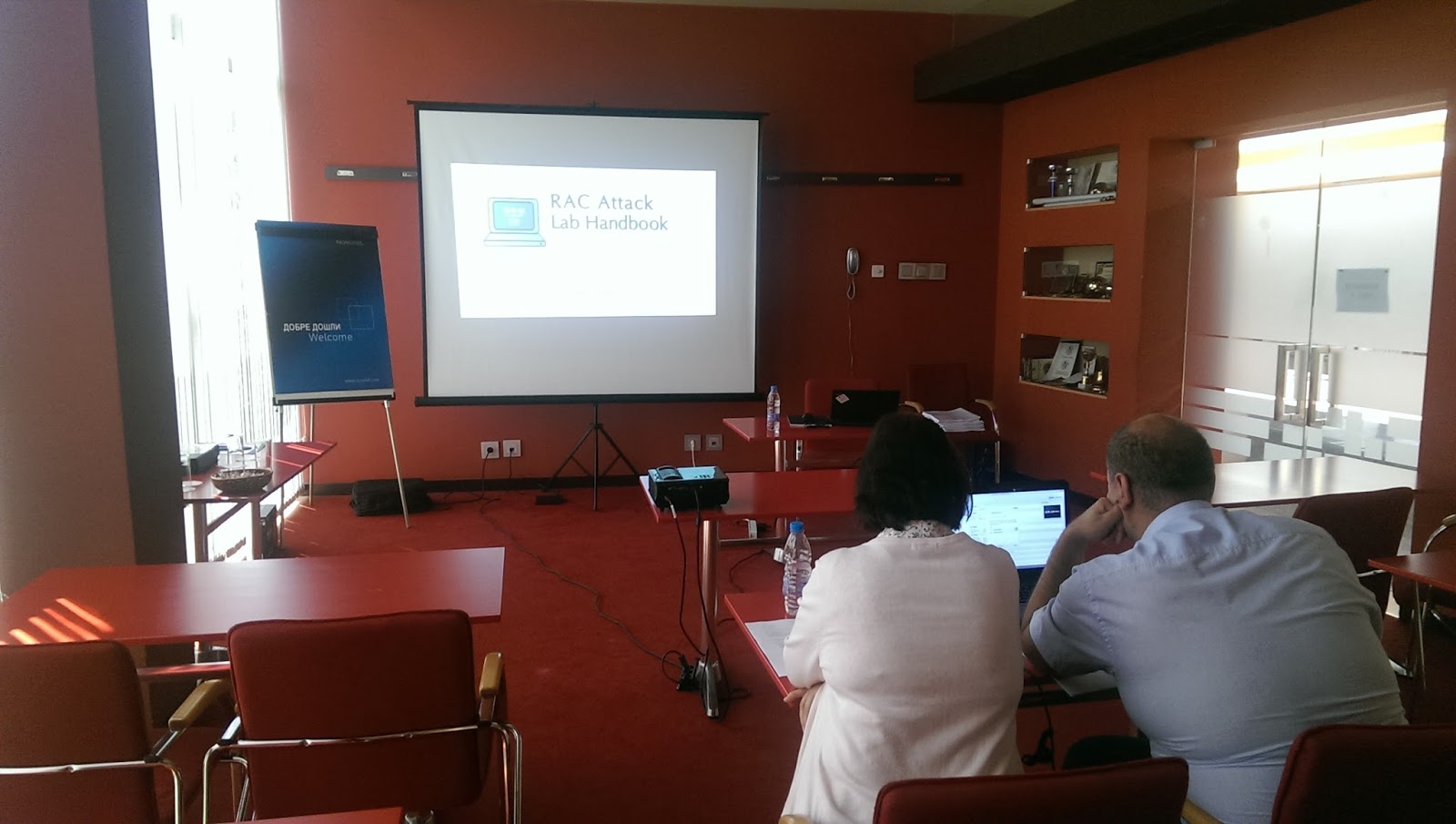
I had 2 presentation there about Fusion middleware and like usual i organized RAC ATTACK On Saturday, The audience was really amazing and asking very good questions. 
I had so much fun in Bulgaria and one of the best events i attended, simply it’s really Green every where you look it’s green, and I learned some Bulgarian dance  because i knew everyone in Bulgaria should dance 🙂 Even Tom Kyte was dancing,Svetoslav and Heli as well so why not ? 
It’s really nice to meet old friends and meeting new one  🙂 

Cheers
Osama Mustafa 

ORA-39181: Only partial table data may be exported due to fine grain access control

The below error appeared when trying to export the Schema using System User :-

ORA-39181: Only partial table data may be exported due to fine grain access control on “SOAPRD_MDS”.”MDS_DEPL_LINEAGES”
. . exported “SOAPRD_MDS”.”MDS_DEPL_LINEAGES”            5.164 KB       1 rows
ORA-39181: Only partial table data may be exported due to fine grain access control on “SOAPRD_MDS”.”MDS_LABELS”

the weird thing that VPD is not enabled to show this error but once i grant the system the required privileges the error stop appearing in the logs.

grant EXEMPT ACCESS POLICY to System;

Thanks
Osama

Officially Fusion Middleware 11.1.1.9 Is Available to download

“Oracle Fusion Middleware is the leading business innovation platform for the enterprise and the cloud. It enables enterprises to create and run agile, intelligent business applications while maximizing IT efficiency through full utilization of modern hardware and software architectures. Solutions and products include Exalogic Elastic Cloud, data integration, business process management, business intelligence, identity management, Cloud application foundation, service-oriented architecture, WebCenter, and development tools.”

Oracle Fusion middleware 11.1.1.9 is now available to download :-

  • Oracle Business Intelligence Enterprise Edition
  • Oracle JDeveloper and Application Development Framework (ADF)
  • Oracle Business Process Management
  • Oracle SOA Suite
  • Oracle Data Integrator
  • Oracle User Messaging Service
  • Oracle Enterprise Scheduler
  • Oracle Event Processing
  • Oracle WebCenter Suite
  • Oracle Identity Management
  • Oracle Forms and Reports
  • Oracle WebTier
  • Oracle Application Architecture Foundation Pack
To download Documentation from here
To Install Products steps from here 
to Download products from here
Thank you 
Osama Mustafa