Upgrade Oracle from 10.2.0.1 To 10.2.0.4

1. Patch Set Overview
Patch set release 10.2.0.4. Before installing this patch set you must be need 10.2.0.1 version.
2. Requirements
Oracle DB : Oracle 10.2.0.1 (later)Operating System: Any Platform
3. Pre – Installation Tasks
1. Identify prior installation
Before installing this patch you must install oracle 10.2.0.1 (or later version)
2. Download Patch set
Download 6810189 patch set installation archive to a directory that is not the Oracle home directory or under the Oracle home directory.

3. Shutdown oracle database.
 
export oracle_sid= ORCL
sqlplus /nolog
SQL*Plus: Release 10.2.0.1.0 – Production on Tue Nov 13 10:49:26 2007
Copyright (c) 1982, 2002, Oracle Corporation. All rights reserved.
SQL> connect sys@ORCL as sysdbaEnter password:Connected.
SQL> SHUTDOWNDatabase closed.Database dismounted.ORACLE instance shut down.


4. Stop all services

Export ORACLE_SID=ORCL

LSNRCTL STOP
EMCTL STOP DBCONSOLE


4. Backup your database (Just In Case).
Oracle recommends that you create a backup of the Oracle 10g installation before you install the patch set.
5. Check Tablespace Sizes and Set Parameter Values

Review the following sections before upgrading a database.

6. Upgrade the Database

After you install the patch set, you must perform the following steps on every database associated with the upgraded Oracle home:

1. Start all services
2. Connect sys user
 
sqlplus /NOLOG
CONNECT SYS/SYS_password AS SYSDBA
3. Enter the following SQL*Plus commands:
SQL> STARTUP UPGRADE
SQL> SPOOL patch.log
SQL> @ORACLE_BASE\ORACLE_HOME\rdbms\admin\catupgrd.sql
SQL> SPOOL OFF
Review the patch.log file for errors and inspect the list of components that is displayed at the end of catupgrd.sql script.
This list provides the version and status of each SERVER component in the database.
If necessary, rerun the catupgrd.sql script after correcting any problems.
4. Restart the database:

SQL> SHUTDOWNSQL> STARTUP
5. Compile Invalid Objects
Run the utlrp.sql script to recompile all invalid PL/SQL packages now instead of when the packages are accessed for the first time. This step is optional but recommended.
SQL> @ORACLE_BASE\ORACLE_HOME\rdbms\admin\utlrp.sql
SQL> select * from v$version;
BANNER—————————————————————-Oracle Database 10g Release 10.2.0.4.0 – ProductionPL/SQL Release 10.2.0.4.0 – ProductionCORE 10.2.0.4.0 ProductionTNS for 64-bit Windows: Version 10.2.0.4.0 – ProductionNLSRTL Version 10.2.0.4.0 – Production

Reconfigure Oracle EM

Sometimes when you do something wrong  and problems start you need tons of works to recreate what you did ?
But is this mean its impossible to fix it , Oh No
Today i am going to talk about how to reconfigure Oracle enterprise manager using command line :

1- set ORACLE_SID=orcl
2-emca -deconfig dbcontrol db -repos drop
3- You’ll receive the following prompts :

STARTED EMCA at AUG 10, 2011 8:26:42 AM
EM Configuration Assistant, Version 10.2.0.5.0 Production
Copyright (c) 2003, 2005, Oracle.  All rights reserved.
 
Enter the following information:
Database SID: orcl
Listener port number: 1521
Password for SYS user:
Password for SYSMAN user:
Do you wish to continue? [yes(Y)/no(N)]: y


But if you already have Sysman schema the following error will be appear :

CONFIG: ORA-20001: SYSMAN already EXISTS..
ORA-06512: at line 17


4-Drop User Sysman in the following steps (sqlplus /as sysdba)

DROP USER sysman CASCADE;
DROP PUBLIC SYNONYM setemviewusercontext;
DROP ROLE mgmt_user;
DROP PUBLIC SYNONYM mgmt_target_blackouts;
DROP USER mgmt_view;


5-emca -config dbcontrol db -repos create

STARTED EMCA at AUG 10, 2011 8:28:48 AM
EM Configuration Assistant, Version 10.2.0.5.0 Production
Copyright (c) 2003, 2005, Oracle.  ALL rights reserved.
 
Enter the following information:
DATABASE SID: orcl
Listener port NUMBER: 1521
Password FOR SYS USER:
Password FOR DBSNMP USER:
Password FOR SYSMAN USER:
Password FOR SYSMAN USER: Email address FOR notifications (optional):
Outgoing Mail (SMTP) server FOR notifications (optional):
-----------------------------------------------------------------
 
You have specified the following settings
 
DATABASE ORACLE_HOME ................ C:\app\Administrator\product\11.1.0\db_1
 
LOCAL hostname ................ mclaughlin11g
Listener port NUMBER ................ 1521
DATABASE SID ................ orcl
Email address FOR notifications ...............
Outgoing Mail (SMTP) server FOR notifications ...............
 
-----------------------------------------------------------------
 
Do you wish TO continue? [yes(Y)/no(N)]: y

Manually Install/De-Install Database Options in Oracle Database 10gR2

Hi,

When a new database is created using DBCA, by default some of the common database options are installed like Oracle JVM and Oracle Text. But, when you manually create the database none of them get installed. You need to manually install them. I thought of sharing Metalink Note Id’s for some of the Common Database Options which you can manually install/de-install once database has been created:

Oracle JVM
Note:276554.1 How to Reload the JVM in 10.1.0.X and 10.2.0.X


Oracle Text
Note:280713.1 Manual installation, deinstallation of Oracle Text 10gR1 and 10gR2


Oracle XML DB
Note:243554.1 How to Deinstall and Reinstall XML Database (XDB)


Oracle Multimedia
Installation, Upgrade and Downgrade information can be found in the following Manual: Oracle® interMedia User’s Guide 10g Release 2 (10.2) Appendix B Installing and Upgrading Oracle interMedia 


Oracle OLAP
Note:296187.1 How To Manually Install Oracle OLAP into a 9i or 10g Database After the DB Has Been Created 


Oracle Spatial
Note:270588.1 Steps for Manual Installation / Verification of Spatial 10g


Oracle Ultra Search
Note:337992.1 How to Manually Install and Uninstall Ultra Search 10gR2 Server Components 


Oracle Label Security
Note:171155.1 How to Install / Deinstall Oracle Label Security Oracle9i/10g


Sample Schemas
  Note:340112.1 How To Install Sample Schemas in 10g?


Enterprise Manager Repository
Note:114763.1 How to Create Enterprise Manager 2.1 Repository Using EMCA


Oracle Application Express
Note:445205.1 How to download and install Application Express / HTMLDB


Oracle Warehouse Builder
Note:459961.1 How to Install Warehouse Builder Repository(10.2.0.1.31) on a RAC Database on Windows and UNIX 


Oracle Database Vault
Note:445092.1 How to Install Database Vault Patches on top of 10.2.0.3


Oracle Database Extensions for .NET
Note:374820.1 How to Install the Oracle Database Extensions for .NET (ODE.NET) Hope you find this document helpful 🙂

Thanks For our Friend Momen For this Artical its was posted in his blog.
and i share for more useful information .

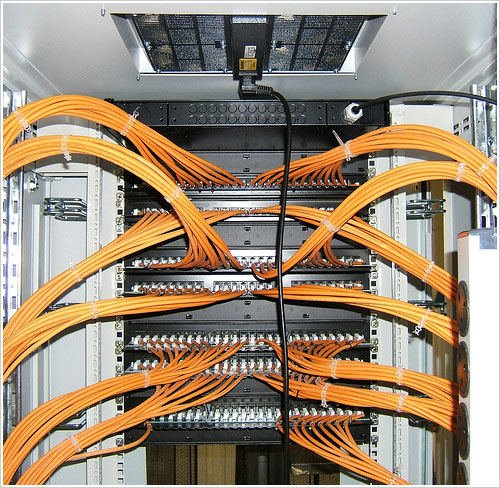
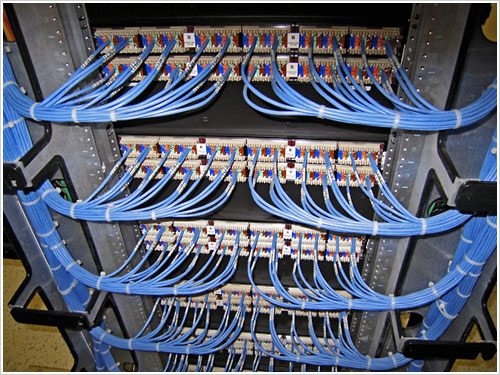
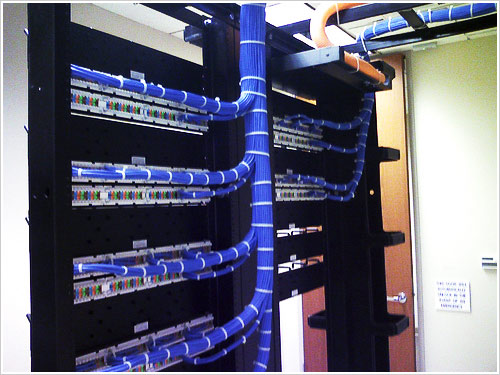
Most Beautiful Datacenter i ever seen

Hi

This is the first time i put something not related to oracle , but when i saw the professionalization in this work and What human can do ?

i said to myself you must put this picture here to share it with people and network guys maybe they will learn something from this amazing art .

I need to clear my point , we all see Data center or supercomputers But do you think is what you see will be like this :

What you think Now please let me you know your opinion  by your comment ?

Thank you

OC4J issue in Enterprise Manager

Hi Friends, recently i tried to configure Oracle enterprise manager in one of my database and issued below command

$ emctl status dbconsole

i got the following ouput
OC4J Configuration issue. /opt/oracle/oracle/product/10.2.0/DB/oc4j/j2ee/OC4J_DBConsole_iss.dk_PAS not found.
Then i found that we need to have a directory in the specified location with specified name and i found a directory called OC4J_DBConsole. Then i renamed it to OC4J_DBConsole_iss.dk_PAS which solved the issue.
Hope this may help you and in next post i will present different EM commands.
maybe you need to kill the process :

1-ps -ef | grep oc4j
2-Kill -9 PID

Oracle Enterprise Manager 10.2.0.4 Unable to start

Hi All

we gonna talk about Bug in oracle 10.2.0.4 , 10.2.0.5 since its unable to start enterprise manager after run
“emctl start dbconsole”

CONFIG: Oracle Enterprise Manager 10g Database Control Release 10.2.0.4.0
Copyright (c) 1996, 2007 Oracle Corporation. All rights reserved.
https://myhost:5501/em/console/aboutApplication
Starting Oracle Enterprise Manager 10g Database Control
................................................ failed

This error appear because the SSL certification has been end .
But the question is what can i do ?

Forget Enterprise manager and start using command line

Not just kidding

What if we try to recreate it again ?

emca -config dbcontrol db -repos recreate

STARTED EMCA at Jan 11, 2011 4:11:01 PM
EM Configuration Assistant, Version 10.2.0.1.0 Production
Copyright (c) 2003, 2005, Oracle. All rights reserved.

Enter the following information:
Database unique name: catest
Database Control is already configured for the database catest
You have chosen to configure Database Control for managing the database catest

This will remove the existing configuration and the default settings and perform a fresh configuration
Do you wish to continue? [yes(Y)/no(N)]: Y
Listener port number: 1521
Cluster name: mycluster
Password for SYS user:
Password for DBSNMP user:
Password for SYSMAN user:
Email address for notifications (optional):
Outgoing Mail (SMTP) server for notifications (optional):

........

Jan 11, 2011 4:18:05 PM oracle.sysman.emcp.util.DBControlUtil secureDBConsole
INFO: Securing Database Control (this may take a while) ...
Jan 11, 2011 4:19:31 PM oracle.sysman.emcp.util.DBControlUtil startOMS
INFO: Starting Database Control (this may take a while) ...
Jan 11, 2011 4:28:38 PM oracle.sysman.emcp.EMConfig perform
SEVERE: Error starting Database Control
Refer to the log file at /myhost/oracle/product/10.2.0/db_1/cfgtoollogs/emca/catest/emca_2011-01-11_
04-11-01-PM.log for more details.
Could not complete the configuration. Refer to the log file at /myhost/oracle/product/10.2.0/db_
1/cfgtoollogs/emca/catest/emca_2011-01-11_04-11-01-PM.log for more details.

So what can i do in this case ? i try to recreate what more i can do ?

./emctl status dbconsole

Oracle Enterprise Manager 10g Database Control Release 10.2.0.1.0
Copyright (c) 1996, 2005 Oracle Corporation. All rights reserved.
https://myhost:1158/em/console/aboutApplication
Oracle Enterprise Manager 10g is not running.

./emctl status agent

Oracle Enterprise Manager 10g Database Control Release 10.2.0.1.0
Copyright (c) 1996, 2005 Oracle Corporation. All rights reserved.
---------------------------------------------------------------
Agent is Not Running

Refer to Oracle Metlink Doc [1222603.1]

we need to do the following :

1- Ignore any errors and continue with the installation or upgrade. The database will be created without errors.

2- Apply Patch 8350262 to your Oracle Home installation using OPatch

To apply the patch :
A-change to Patch directory .
B-export ORACLE_SID = ORCL
C-export ORACLE_HOME= /u01/oracle/product/10.2.0/db_1/
D-$ORACLE_HOME/OPatch/Opatch apply

Invoking OPatch 10.2.0.4.2

Oracle Interim Patch Installer version 10.2.0.4.2
Copyright (c) 2007, Oracle Corporation. All rights reserved.

Oracle Home : /myhost
Central Inventory : /scratch/pchebrol/oraInventory
from : /etc/oraInst.loc
OPatch version : 10.2.0.4.2
OUI version : 10.2.0.4.0
OUI location : /myhost/oui
Log file location : /myhost/cfgtoollogs/opatch/opatch2011-01-02_11-00-00AM.log

ApplySession applying interim patch '8350262' to OH '/myhost'

Running prerequisite checks...

OPatch detected non-cluster Oracle Home from the inventory and will patch the local system only.

Backing up files and inventory (not for auto-rollback) for the Oracle Home
Backing up files affected by the patch '8350262' for restore. This might take a while...
Backing up files affected by the patch '8350262' for rollback. This might take a while...

Patching component oracle.sysman.agent.core, 10.2.0.4.0a...
Updating jar file "/myhost/sysman/jlib/emCORE.jar" with
"/sysman/jlib/emCORE.jar/oracle/sysman/eml/sec/fsc/FSWalletUtil.class"
Updating jar file "/myhost/sysman/jlib/emCORE.jar" with
"/sysman/jlib/emCORE.jar/oracle/sysman/eml/sec/rep/RepWalletUtil.class"
Updating jar file "/myhost/sysman/jlib/emCORE.jar" with
"/sysman/jlib/emCORE.jar/oracle/sysman/eml/sec/util/RootCert.class"
Updating jar file "/myhost/sysman/jlib/emCORE.jar" with
"/sysman/jlib/emCORE.jar/oracle/sysman/eml/sec/util/SecConstants.class"
Updating jar file "/myhost/sysman/jlib/emd_java.jar" with "/sysman/jlib/emd_
java.jar/oracle/sysman/eml/sec/fsc/FSWalletUtil.class"
Updating jar file "/myhost/sysman/jlib/emd_java.jar" with "/sysman/jlib/emd_
java.jar/oracle/sysman/eml/sec/rep/RepWalletUtil.class"
Updating jar file "/myhost/sysman/jlib/emd_java.jar" with "/sysman/jlib/emd_
java.jar/oracle/sysman/eml/sec/util/RootCert.class"
Updating jar file "/myhost/sysman/jlib/emd_java.jar" with "/sysman/jlib/emd_
java.jar/oracle/sysman/eml/sec/util/SecConstants.class"
ApplySession adding interim patch '8350262' to inventory

Verifying the update...
Inventory check OK: Patch ID 8350262 is registered in Oracle Home inventory with proper meta-data.
Files check OK: Files from Patch ID 8350262 are present in Oracle Home.

OPatch succeeded.

3-If you using linux you need to kill all dbconsole process by “KillDbconsole” you will find it in the same patch directory , if you are using windows no need to kill anything .

$ /killDBConsole
ORACLE_HOME=/myhost/db_1
ORACLE_SID=caem31
State directory = /myhost/db_1/staxd10_caem31
WatchDog PID = 802932
DBconsole PID = 577716
EMAgent PID = 512156
Killing WatchDog (pid=802932) ...
Successfully killed process 802932
Killing DBConsole (pid=577716) ...
Successfully killed process 577716
Killing EMAgent (pid=512156) ...
Successfully killed process 512156

4-This not optional steps you need to do it :

./emctl secure dbconsole -reset

Oracle Enterprise Manager 10g Database Control Release 10.2.0.4.0
Copyright (c) 1996, 2007 Oracle Corporation. All rights reserved.
https://myhost:5501/em/console/aboutApplication
Enter Enterprise Manager Root Password :
DBCONSOLE already stopped... Done.
Agent is already stopped... Done.
Securing dbconsole... Started.
Checking Repository... Done.
Checking Em Key... Done.
Checking Repository for an existing Enterprise Manager Root Key...
WARNING! An Enterprise Manager Root Key already exists in
the Repository. This operation will replace your Enterprise
Manager Root Key.
All existing Agents that use HTTPS will need to be
reconfigured if you proceed. Do you wish to continue and
overwrite your Root Key
(Y/N) ?
Y
Are you sure ? Reset of the Enterprise Manager Root Key
will mean that you will need to reconfigure each Agent
that is associated with this OMS before they will be
able to upload any data to it. Monitoring of Targets
associated with these Agents will be unavailable until
after they are reconfigured.
(Y/N) ?
Y
Generating Enterprise Manager Root Key (this takes a minute)... Done.Fetching Root Certificate from
the Repository... Done.
Updating HTTPS port in emoms.properties file... Done.
Generating Java Keystore... Done.
Securing OMS ... Done.
Generating Oracle Wallet Password for Agent.... Done.
Generating wallet for Agent ... Done.
Copying the wallet for agent use... Done.
Storing agent key in repository... Done.
Storing agent key for agent ... Done.
Configuring Agent...
Configuring Agent for HTTPS in DBCONSOLE mode... Done.
EMD_URL set in /myhost/myhost/sysman/config/emd.properties
Done.
Configuring Key store.. Done.
Securing dbconsole... Sucessful.

Sometimes reset secure its not enough the same error will be appear , I know its lot of steps but i told you use command line Ok Ok what i can do just recreate enterprise manager again :

emca -config dbcontrol db -repos recreate

Ok are you sure its working ??!!

emctl status dbconsole
Oracle Enterprise Manager 10g Database Control Release 10.2.0.4.0
Copyright (c) 1996, 2007 Oracle Corporation. All rights reserved.
https://localhost:1158/em/console/aboutApplication
Oracle Enterprise Manager 10g is running.
——————————————————————
Logs are generated in directory N:\oracle\product\10.2.0\db/klpdbscph601.klpcph.local_KLPSTAGE01/sys
man/log

Thank you all
hope this topic will be useful .

Oracle Application server 10g unable to start HTTP

Hi all

Today When I was Supporting for some customer , i faces issue in application server 10gthe solution is so simple


Let describe the problem :


when we use

./opmnctl startall


all service is up expect Http_server is down

Check Logs nothing , Check Application server logs nothing

And when you try to shutdown IAS again it will give you :

RCV : Permission denied

For first i was thought its permission issue but who can change the permission .


the solution like the following :


On Os


ps -ef | grep oracle


you must find 2 process
Oracle PID $PATH/opmn.d


kill them both
Kill PID PID
or
Kill -9 PID
kill -9 PID


After this
./opmnctl startall

Usage of OS_AUTHENT_PREFIX

1. Overview

1) OS_AUTHENT_PREFIX is an important initialization parameter to configure Oracle External User environment.
2) External User is a kind of Oracle External Authentication solution.
3) With Oracle External User, the user authentication process is accomplished by operating system automatically.
4) Authorized OS user can access Oracle database directly without providing username and password other than logon with prompting these information.

2. Official Reference

OS_AUTHENT_PREFIX
Parameter type
String
Syntax
OS_AUTHENT_PREFIX = authentication_prefix
Default value
OPS$
Modifiable
No
OS_AUTHENT_PREFIX specifies a prefix that Oracle uses to authenticate users attempting to connect to the server. Oracle concatenates the value of this parameter to the beginning of the user’s operating system account name and password. When a connection request is attempted, Oracle compares the prefixed username with Oracle usernames in the database.
The default value of this parameter is OPS$ for backward compatibility with previous versions. However, you might prefer to set the prefix value to “” (a null string), thereby eliminating the addition of any prefix to operating system account names
Note:
The text of the OS_AUTHENT_PREFIX parameter is case sensitive on some operating systems.
See Also:
l Your operating system-specific Oracle documentation for the default value
Create Oracle database user with OS authentication solution.

3.1 Prerequisite Checking

1) OS Environment
C:\Documents and Settings\ZYY> sqlplus “/as sysdba”
SQL*Plus: Release 10.2.0.1.0 – Production on 星期四 6 11 17:02:49 2009
Copyright (c) 1982, 2005, Oracle. All rights reserved.
连接到:
Oracle Database 10g Express Edition Release 10.2.0.1.0 – Production
SQL> SELECT OSUSER, USERNAME, PROGRAM FROM V$SESSION;
OSUSER USERNAME PROGRAM
——————– ——————– ——————–
SYSTEM ORACLE.EXE (q001)
SYSTEM ORACLE.EXE (QMNC)
SYSTEM ORACLE.EXE (q000)
YYBB\ZYY YYBB\ZYY sqlplus.exe
SYSTEM ORACLE.EXE (MMNL)
SYSTEM ORACLE.EXE (MMON)
SYSTEM ORACLE.EXE (CJQ0)
SYSTEM ORACLE.EXE (RECO)
SYSTEM ORACLE.EXE (SMON)
SYSTEM ORACLE.EXE (CKPT)
SYSTEM ORACLE.EXE (LGWR)
SYSTEM ORACLE.EXE (DBW0)
SYSTEM ORACLE.EXE (MMAN)
SYSTEM ORACLE.EXE (PSP0)
SYSTEM ORACLE.EXE (PMON)
Note:
n This practice is intended to be taken on Microsoft Windows platform.
n YYBB” is the Computer Name on which runs the Windows OS.
n ZYY” is the User Name which be used to logon to Windows OS.
2) Database Environment
SQL> SHOW PARAMETER OS_AUTHENT
NAME TYPE VALUE
———————————— ———————- ————–
os_authent_prefix string
remote_os_authent boolean FALSE
Note:
n The value of OS_AUTHENT_PREFIX parameter is set to “” (a null string).

3.2 Create External User

1) Create User in Oracle Database
SQL> CREATE USER “YYBB\ZYY” IDENTIFIED EXTERNALLY;
Note:
n In the above demo case, the value of OS_AUTHENT_PREFIX parameter is set to “” (a null string), the corresponding username in Oracle database should be YYBB\ZYY.
n If the value of OS_AUTHENT_PREFIX parameter is set to “OPS$”, the corresponding username in Oracle database should be OPS$YYBB\ZYY.
n Do NOT forget the Double Quotation Marks(“”) embrace the username YYBB\ZYY, otherwise, you will get an ORA-00911 warning against the special character \.
n Be aware of the keyword “EXTERNALLY”.
n Do NOT be reckless with “IDENTIFIED” which should NOT be followed by “BY”.
2) Grant Privileges to Oracle User
SQL> GRANT RESOURCE, CONNECT TO “YYBB\ZYY”;
Note:
n Grant appropriate and Minimum privileges to this Oracle user according to your system security acquirement.
n Oracle user name might be Case Sensitive on some platforms.

3.3 Test External User

1) Logon Oracle Database with External User
C:\Documents and Settings\ZYY>sqlplus /
SQL*Plus: Release 10.2.0.1.0 – Production on 星期四 6 11 17:26:51 2009
Copyright (c) 1982, 2005, Oracle. All rights reserved.
连接到:
Oracle Database 10g Express Edition Release 10.2.0.1.0 – Production
SQL>
Note:
n You do NOT need to provide username and password to logon to Oracle database through sqlplus.
2) Check the Current Logon User
SQL> SHOW USER
USER YYBB\ZYY
SQL> SELECT USERNAME FROM DBA_USERS;
USERNAME
————————————————————
YYBB\ZYY
SYS
SYSTEM
MDSYS
OUTLN
XDB
Note:
n Current logon user is “YYBB\ZYY”.
n You can now access Oracle database via your OS user account directly.

Change Oracle EnterPrise manager

DBA who never heard in this product from oracle ?

Some times for security issue we need to change the password , but as we all know nothing goes easy but all you have to do follow the below steps :

Stop Oracle Enterprise Manager
emctl stop dbconsole
emctl status dbconsole
Connect to database as sysdba and change system password
sqlplus / as sysdba

alter user sys identified by NewPassword ;
alter user system identified by NewPassword ;
alter user dbsnmp identified by NewPassword ;
alter user sysman identified by NewPassword ;

after this
emctl set password
and put your newpassword
restart your enterprise maybe you will not need to the below steps .

cd $ORACLE_HOME/sysman/config/emoms.properties :
oracle.sysman.eml.mntr.emdRepUser=SYSMAN
oracle.sysman.eml.mntr.emdRepPwd=d0355495a68cd5ae
oracle.sysman.eml.mntr.emdRepPwdEncrypted=TRUE
TO
oracle.sysman.eml.mntr.emdRepUser=SYSMAN
oracle.sysman.eml.mntr.emdRepPwd=Newpassword
oracle.sysman.eml.mntr.emdRepPwdEncrypted=FALSE
“in some database version you will not see all the parameters change what you have”

Thank you all .

Oracle Database Block corruption

Oracle Database Block corruption

“Block corruption is rare but it does happen. As databases get larger and larger – the probability of it happening at some point nears 100%.”–Mr. Tom Kyte Oracle Expert

Block corruption is while the data is being written to the data blocks, if the write to the block fails abruptly, I mean that there is a partial write in the block, may be because of power disruption or I/O problem, leaving no time for header to be updated, or row data to be populated, oracle leaves the block corrupt.In case of block corruption you can normally use the database unless you try to read that particular block, against which it shoots up the block corruption error.Generally block corruption occurs if write fails on the block, when the transaction is being committed

ORA-01578:
ORACLE data block corrupted (file # string, block # string)
Whenever we encounter above error message mean we have BLOCK CORRUPTION.

NOTE: We can find detail information about block corruption in alert.log file

Two types of block corruption can happens

– Physical corruption (media corrupt)
– Logical corruption (soft corrupt)

Physical corruption can be caused by defected memory boards, controllers or broken sectors on a hard disk;

Logical corruption can among other reasons be caused by an attempt to recover through a NOLOGGING action.

Difference between logical and physical corruption

Logical corruption is header – footer – that is one of the checks, yes (it is looking for fractured blocks and when it hits one, it’ll re-read it, that is why there is no need for “alter tablespace begin backup” with rman)

Physical corruption is “we cannot read the block from disk, something is physically preventing us from doing so”.

How to detect block corruption?
1. DBVERIFY utility


DBVERIFY is an external command-line utility that performs a physical data structure integrity check. It can be used on offline or online databases, as well on backup files. You use DBVERIFY primarily when you need to ensure that a backup database (or datafile) is valid before it is restored.

http://dbataj.blogspot.com/2007/04/offline-database-verification-utility.html

2. Block checking parameters

There are two initialization parameters for dealing with block corruption:- DB_BOCK_CHECKSUM (calculates a checksum for each block before it is written to disk, every time)causes 1-2% performance overhead- DB_BLOCK_CHECKING (serverprocess checks block for internal consistency after every DML)causes 1-10% performance overhead

Note: In10g db_block_checksum value TYPICAL is implying TRUE and db_block_checking value FULL implying TRUE.

DB_BLOCK_CHECKING Initialization Parameter
http://download.oracle.com/docs/cd/B19306_01/server.102/b14231/repair.htm#sthref3176

3. ANALYZE TABLE tablename VALIDATE STRUCTURE CASCADE SQL statement

Validate the structure of an index or index partition, table or table partition, index-organized table, cluster, or object reference (REF).

ANALYZE: Reporting Corruption
http://download.oracle.com/docs/cd/B19306_01/server.102/b14231/repair.htm#sthref3173

4. RMAN BACKUP command with THE VALIDATE option

You can use the VALIDATE option of the BACKUP command to verify that database files exist and are in the correct locations, and have no physical or logical corruptions that would prevent RMAN from creating backups of them. When performing a BACKUP… VALIDATE, RMAN reads the files to be backed up in their entirety, as it would during a real backup. It does not, however, actually produce any backup sets or image copies.

Detection of Logical Block Corruption

Besides testing for media corruption, the database can also test data and index blocks for logical corruption, such as corruption of a row piece or index entry. If RMAN finds logical corruption, then it logs the block in the alert.log. If CHECK LOGICAL was used, the block is also logged in the server session trace file. By default, error checking for logical corruption is disabled.
For BACKUP commands the MAXCORRUPT parameter sets the total number of physical and logical corruptions permitted in a file. If the sum of physical and logical corruptions for a file is less than its MAXCORRUPT setting, the RMAN command completes successfully. If MAXCORRUPT is exceeded, the command terminates and RMAN does not read the rest of the file. V$DATABASE_BLOCK_CORRUPTION is populated with corrupt block ranges if the command succeeds. Otherwise, you must set MAXCORRUPT higher and re-run the backup to find out the corrupt block ranges.
RMAN found any block corruption in database then following Data Dictionary view populated.

V$COPY_CORRUPTION
V$BACKUP_CORRUPTION
V$DATABASE_BLOCK_CORRUPTION

Using RMAN to Validate Database Files
http://download.oracle.com/docs/cd/B19306_01/backup.102/b14192/bkup005.htm#i1006673

5. EXPORT/IMPORT command line utility

Full database EXPORT/IMPORT show=y is another method.

. about to export SCOTT’s tables via Conventional Path …
. . exporting table BONUS
EXP-00056: ORACLE error 1578 encountered
ORA-01578: ORACLE data block corrupted (file # 4, block # 43)
ORA-01110: data file 4: ‘C:\ORA10GHOME\ORADATA\ORCL10G\USERS01.DBF’

6. DBMS_REPAIR package

dbms_repair is a utility that can detect and repair block corruption within Oracle. It is provided by Oracle as part of the standard database installation.

http://www.oracleutilities.com/Packages/dbms_repair.html

How to Repair & Fix block corruption?

We can recover everything but we have valid database backup.
Whenever we found block corruption then first need to find out which type of block corruption occurred because block corruption recovery depends on block corruption type.

Like Corrupted block related to TABLE segment, INDEX segment, TABLE
PARTITION segment, INDEX PARTITION segment, ROLLBACK segment, LOB segment.

Through below query we can find out corrupted block type

select segment_type,owner’.’segment_name
from dba_extents
where file_id = [&file_id] and [&block] between block_id and block_id+blocks -1;


Below is example with RMAN BLOCK MEDIA RECOVERY.

SQL> conn scott/tiger
Connected.
SQL> select * from test;
select * from test
*
ERROR at line 1:
ORA-01578: ORACLE data block corrupted (file # 5, block # 11)
ORA-01110: data file 5: ‘C:\INDEXDATA01.DBF’

First check which type of block corruption happened through above mentioned query.

RMAN> blockrecover datafile 5 block 11;
Starting recover at 29-APR-08using channel
ORA_DISK_1 starting media recoverymedia recovery complete,
elapsed time: 00:00:00
Finished recover at 29-APR-08

If you are not using rman then applying below procedure
– if it is index then drop and recreate index

– if it is table and you have backup of that table then restore backup on another database and exp/imp the table.

How to corrupt database block for practice purpose?
On Unix:

Use dd command
$man dd

On Windows:
Use Editor and open datafile write some junk character at middle of file and save it.

i would thank taj for this amazing artical .