Apply Weblogic Patch Offline mode

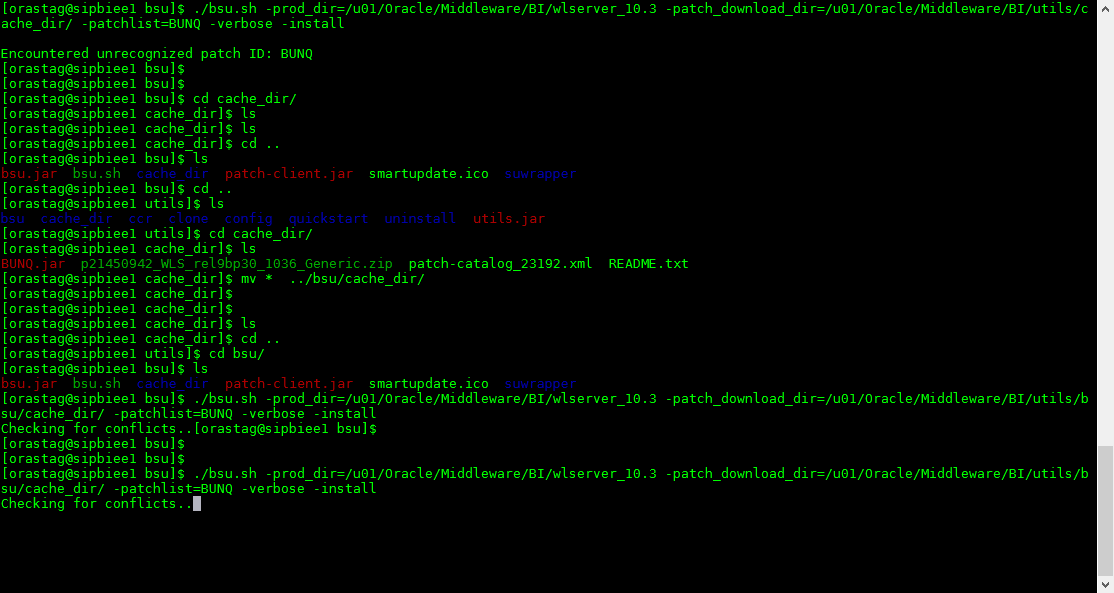
  1. Shutdown all the services for weblogic.
  2. unzip the patch under $MW_HOME/utils/bsu/cache_dir
  3. run the following command :-

./bsu.sh -prod_dir=$weblogic_home  -patch_download_dir=Patch_location -patchlist=patch_id -verbose -install

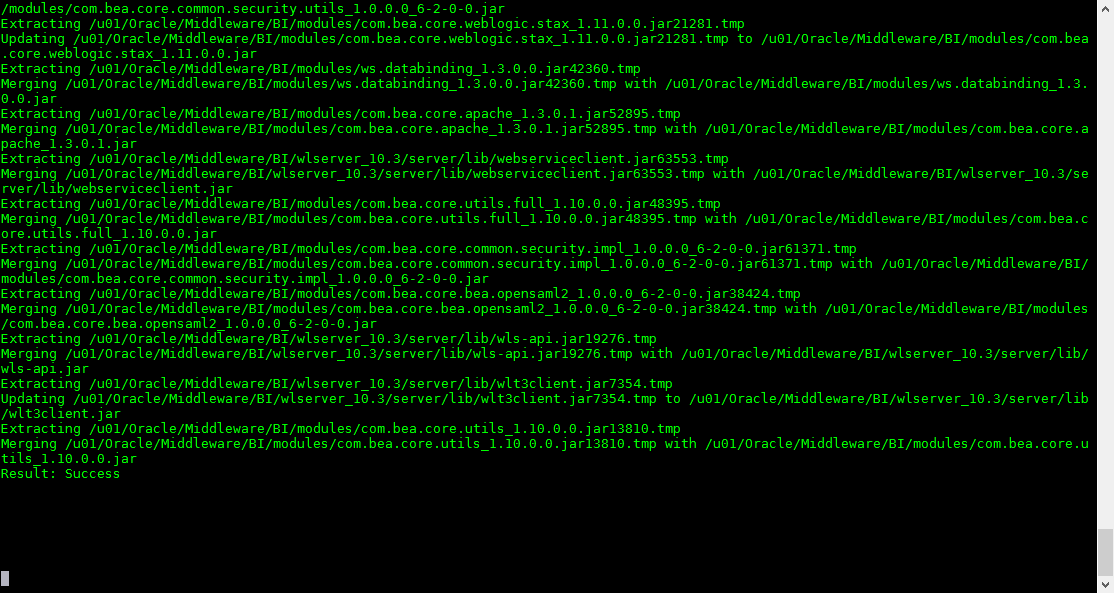
The final Result 

Or you can apply the weblogic patch using smart update

Thanks
Osama Mustafa

[INS-30131] Initial setup required for execution of installer validation failed.

When trying to install Oracle client 12c the above error appeared , this issue can happened on windows Or linux.

The cause i really simple :-

On linux there is no enough space under /tmp.

On windows the solution like the following :-

  • Open Windows Services.
  • Stop Oracle Services –> OracleRemExec
  • Remove the OracleRemExecService
  • then try to install Oracle client again

Thank you 
Osama Mustafa

Creating a Local Yum Repository Using ISO Image

In this post i will show you how to create Yum repository Using ISO Image, will save more time :-

  • Download The ISO Image and Upload it to the server.
  • Create Folder Under Root User Like the below

cp /OEL6.6. iso /ISOs

  • now create mount point for this ISO.

mkdir p /var/ISO/OEL6.6
Run the below command to mount it :-

mount o loop,ro /ISOs/OEL6.6. iso /var/ISO/OEL6.6

  • Now under /etc/yum.respos.d you can rename it or set enable=0
  •  Create the following file /etc/yum.respos.d/OEL66.repo
  • Edit the file and add 

[OL66]
name=Oracle Linux 6.6
baseurl=file:///var/ISO/OEL6.6
gpgkey=file:///etc/pki/rpmgpg/
RPMGPGKEY
gpgcheck=1
enabled=1

  • Run the below command to clean yum

yum clean all
yum respolist

The output should be like the below :-

repo id repo name status
OL66 Oracle Linux 6.6 25,459 

Thank you
Osama Mustafa

Shutdown Immediate Hangs

Today i faced Strange issue with Shutdown immediate command on cluster database which is when run shutdown immediate the command hangs and take so long and sometimes it’s working and most of the time not working.

the below command was working without any problem :-

SQL > shutdown abort

to solve this issue & trace the error since the alertlog not indicating to anything interesting i have to dump systemstate every 5 minutes  to know what going on :-

connect / as sysdba
alter session set events ‘10400 trace name context forever, level 1’; 

After this you can kill the session that preventing shutdown.

The hangs usually happened for two reasons :-

  • Query running on Database.
  • Transaction happened while you are trying to shutdown database.
For the first reason :

use v$session_longops Read more here.

Run the below query to check the query.

select count(*) from v$session_longops where time_remaining>0;

Second reason you can use

v$transaction Read from here.

Useful Document :-
Alert Log: Shutdown Waiting for Active Calls to Complete (Doc ID 1039389.6)

Thank you
Osama Mustafa

Oracle Solaris 11.2 Launch On 29/04

Today 29/04/2014 Oracle Launched new version of operating system Solaris 11.2, This Version will contain significant Features and it’s fully supported for Cloud

Some of the new features :-

  • Reduce management effort via OpenStack integration
  • Further increase the flexibility of Solaris system virtualization
  • Add unique software-defined networking (SDN) capabilities
  • Simplify the creation of private and public clouds

The Link for the Event Here.

Thank you 
Osama mustafa

Enable SSH On Windows EM12C Purpose

Uploading Agent to windows/Linux needs ssh Port to be open and enabled, ssh not enabled on windows by default and do it Cygwin should be installed.

Configure Cygwin so simple, follow the below steps :-

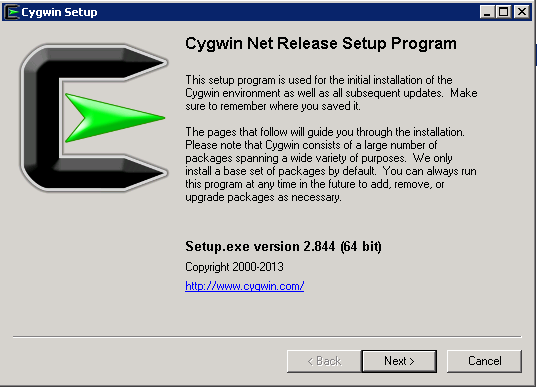
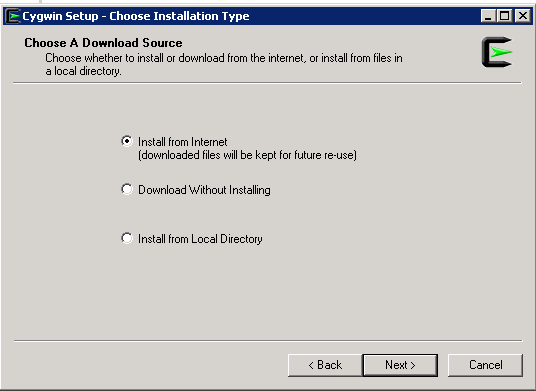
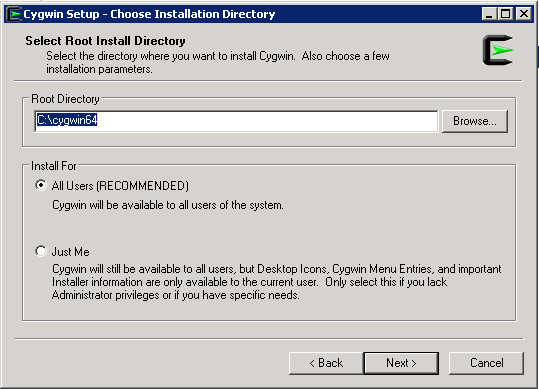
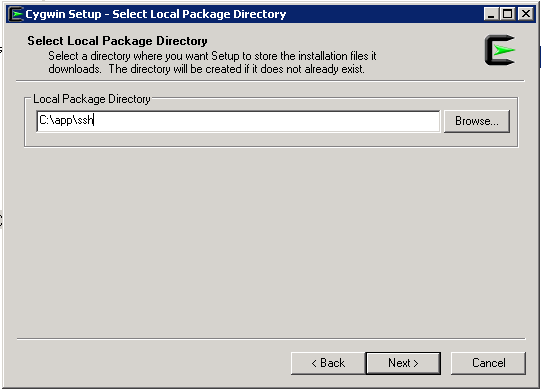
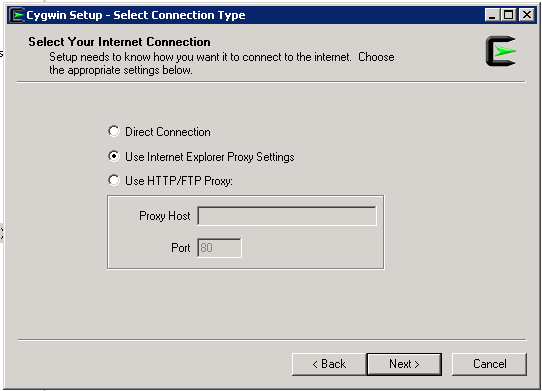
Download Cygwin from Here, Upload File to the windows Server and Run the setup.

SSH Package should be chosen while installation.
After Installation Run cygwin terminal as Administration ( Right click on the icon and Choose the option )
Now Enable ssh should be done by run below command :-

/usr/bin/ssh-host-config

Should privilege separation be used? (yes/no) yes
new local account ‘sshd’? (yes/no) yes
Do you want to install sshd as a server? Yes
Enter the value of CYGWIN for the daemon: [] (DON’T ENTER ANYTHING, PRESS ENTER)
Do you want to use a different name? (yes/no) no
Create new privileged user account ‘cyg_server’? (yes/no) yes
Please enter the password: ENTER YOUR PASSWORD HERE
Reenter: RE-ENTER YOUR PASSWORD

Using Command Prompt ( cmd )

Start ssh by –> net start sshd
Stop ssh by –> net stop sshd

Another way posted by my friend Maaz you can check it here.

Thank you 
Osama Mustafa
Start Managed Server Failed With "Access not allowed for subject: principals=[]"

When Trying to Start Managed Server From Admin Console it’s Failed with

weblogic.management.NoAccessRuntimeException: Access not allowed for subject: principals=[], on ResourceType: Application Action: write, Target: Deployed”

After Check Everything and Configuration i found the following :

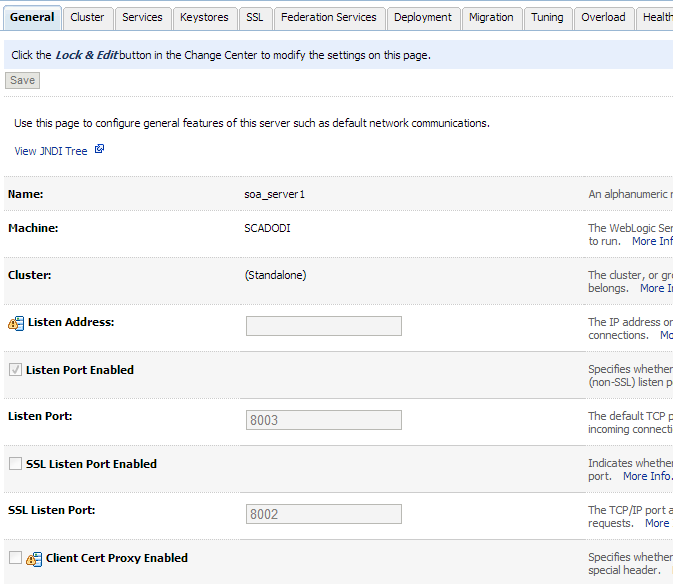
  • My Admin Server Already have More than one managed Server : SOA, ODI , BAM.
  • SOA and ODI Using the Same Port which is 8001 Which caused Conflict.

I Changed SOA Port to Work On 8003 From Admin Server Console. Like the Below

Managed Server BI_Server Unable To Start After Create Node manager Service

Problem Description :

After Install Weblogic and BI On Windows, And Create Admin Server as Services BI_server unable to start, Node manager Created Service Created Without Any Error.

Cause & Solution : 

After Investigation I found Class Path is too Long So what i did like the following, Edit installSVC.cmd To set Classpath  to be Short

you will find the below line in the InstallSvc.cmd all you have to do is change it to be like Line in Red Color :

@echo off

echo %CLASSPATH% > %USERDOMAIN_HOME%\cp.properties

if “%ADMIN_URL%” == “” goto runAdmin
@echo on
set CMDLINE=”%JAVA_VM% %MEM_ARGS% %JAVA_OPTIONS%
-classpath @%USERDOMAIN_HOME%\cp.properties 
-Dweblogic.Name=%SERVER_NAME% -Dweblogic.management.username=%WLS_USER%
-Dweblogic.management.server=\”%ADMIN_URL%\”
-Dweblogic.ProductionModeEnabled=%PRODUCTION_MODE%
-Djava.security.policy=\”%WL_HOME%\server\lib\weblogic.policy\” weblogic.Server”

goto finish

Thank you
Osama Mustafa