Oracle Cloud Services

During the last week i was working on Oracle Cloud Closely and i would like to summarize what Oracle Cloud Services Provide,and Short Description for each services :-
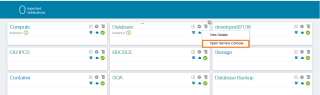
  • Oracle Compute Cloud Service

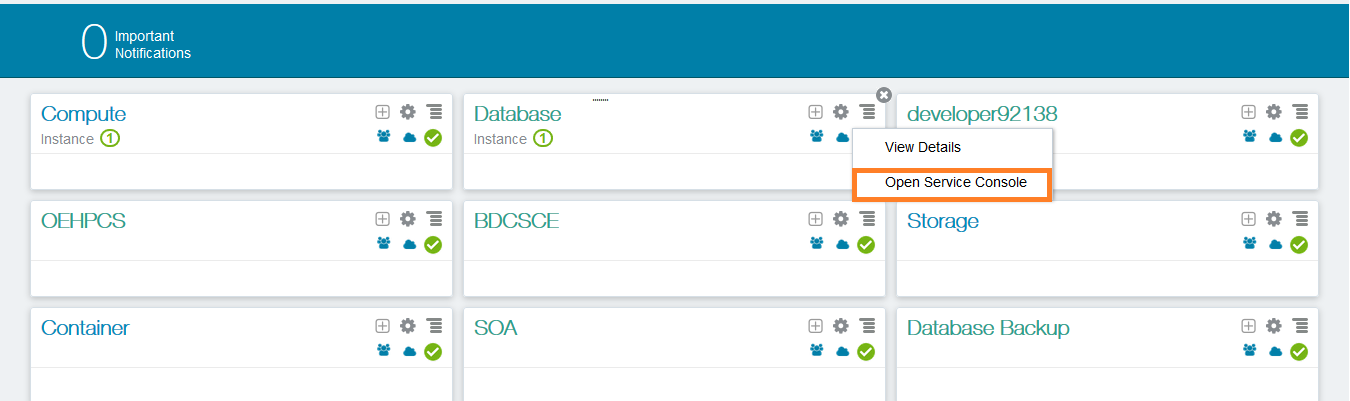
In this Services you control the cloud, use a variety of Oracle Compute Cloud Service resources and you can control form here the following :

    • disk images.
    • compute shapes
    • storage volumes.
    • IP reservations.
    • security lists.
    • security rules.
    • secure shell.
  • Oracle Storage Cloud Service containers

 In this Following servvices, back up to cloud storage, vy  using Oracle Storage Cloud Service containers as repositories for backups to the cloud But before you start working on this you should create container and active account.

  • Oracle Application container Services 

Provides a lightweight infrastructure so that you can run applications in the Oracle Cloud.

  • Oracle Big Data Cloud Services 

The power of Hadoop and Spark delivered as a secure, automated, high-performance service, which can be fully integrated with existing enterprise data but in the cloud.

  • Oracle Cloud Stack Services 

to create and use templates that automate the provisioning of services like Oracle Compute Cloud Service in different format HTML, PDF, ePub and Mobi formats.

  • Oracle Event Hub Cloud Services 

delivers the power of Kafka as a managed streaming data platform integrated with the rest of Oracle’s Cloud. with services you can loading and analyzing streaming data.

  • Oracle Golden Gate Cloud Services.

GoldenGate Cloud Service is a cloud based real-time data integration and replication service, which provides seamless data movement from various on-premises relational databases to databases in the cloud with sub-second latency while maintaining data consistency and offering fault tolerance and resiliency. 

  • Oracle Java Cloud Services 

provides an enterprise-grade platform to develop and deploy Java applications in the public cloud.

  • Oracle MYSQL Cloud Services

Delivers a secure, cost-effective and enterprise-grade MySQL database service. Built on MySQL Enterprise Edition and powered by the Oracle Cloud, it provides a simple, automated, integrated and enterprise ready MySQL cloud service, enabling organizations to increase business agility and reduce costs.

  •  Oracle SOA Cloud Services 

Provides a PaaS computing platform for running Oracle SOA Suite, Oracle Service Bus and Integration Analytics in the cloud this cloud services supports multiple service types in case any of integration will happened.

I tried to make everything simple, each one of these services have a complete Oracle documentation how to work on it.

Thanks
Osama

Monitor Oracle Dbaas using Oracle Cloud EM

Now in this post after creating Dbaas and connect the database using SQL developer, Oracle Provide you with Enterprise manager to manage your DB and giving you General Information about the database status and Storage … etc

Before start working on the EM You should Enable the https Connection ,

  • Press on the upper left panel, and choose compute Cloud.
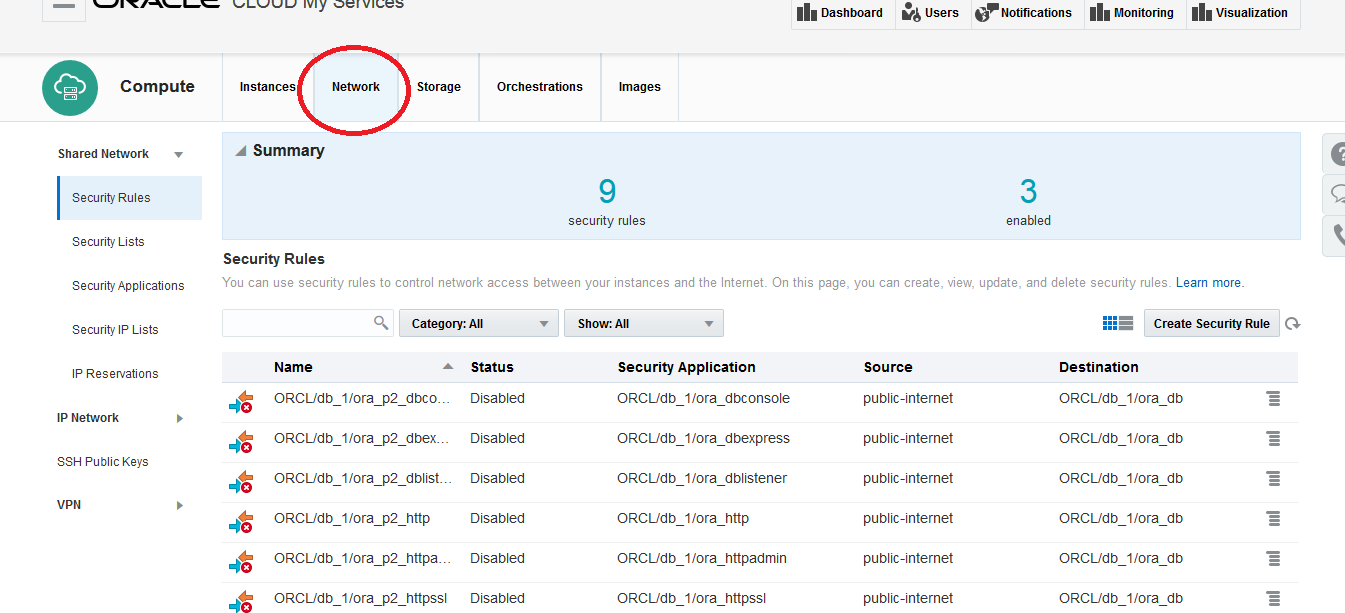
  • Press on network tab.
  • Choose ora_httpssl and console and update then Enabled.
  • Now Back to Database cloud console, press on the Dbaas you want and Open the panel, EM Console Login.

And Enjoy
Enjoy the Cloud !!!
Thank you
Osama Mustafa

SQL Developer :- Enable SSH for Oracle cloud

In the last post i mentioned how to create Dbaas, In this post i want to use the SQL Developer to manage my Dbaas and connect on the cloud but each time the following error appeared :-

Remember this is not local database , these steps only for the Oracle Cloud.
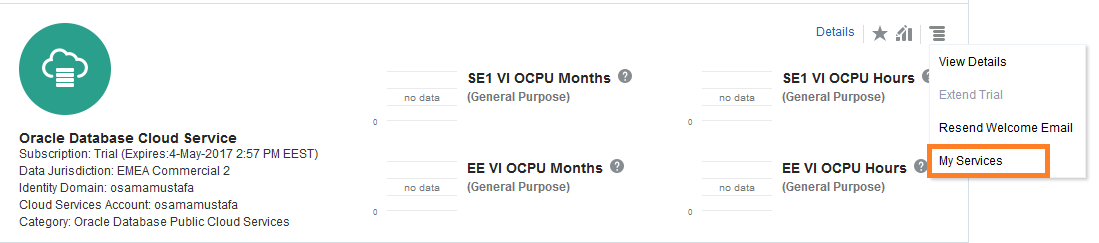
  • Access to your account from https://cloud.oracle.com then Dbaas –> my services 
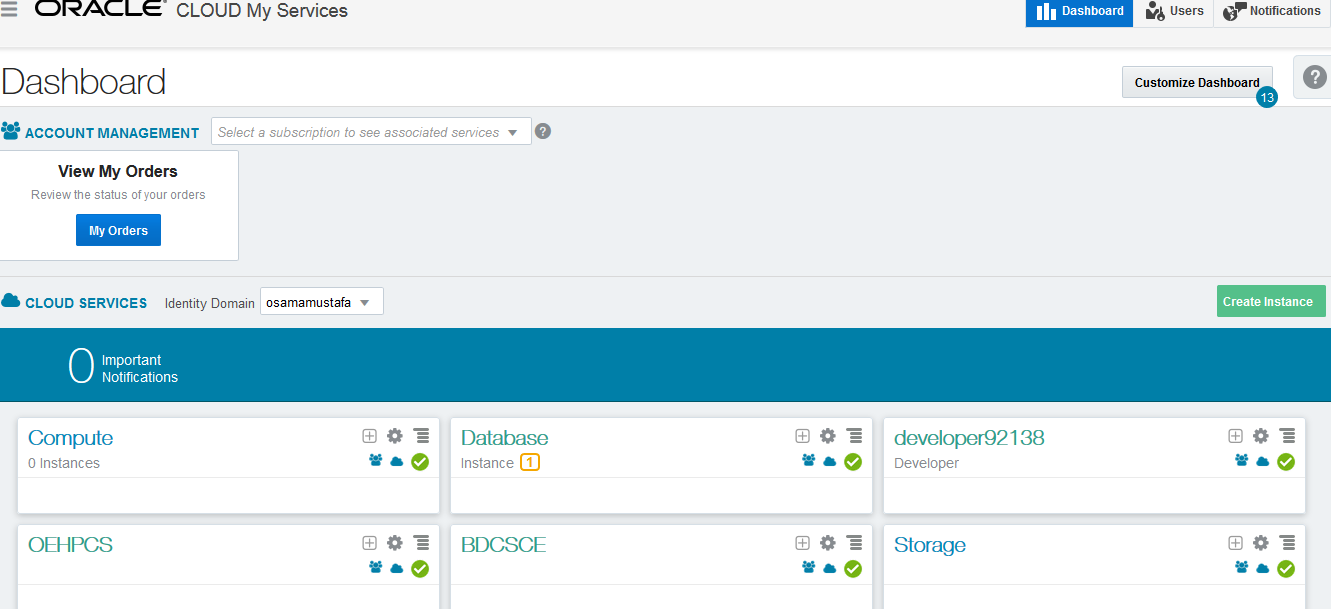
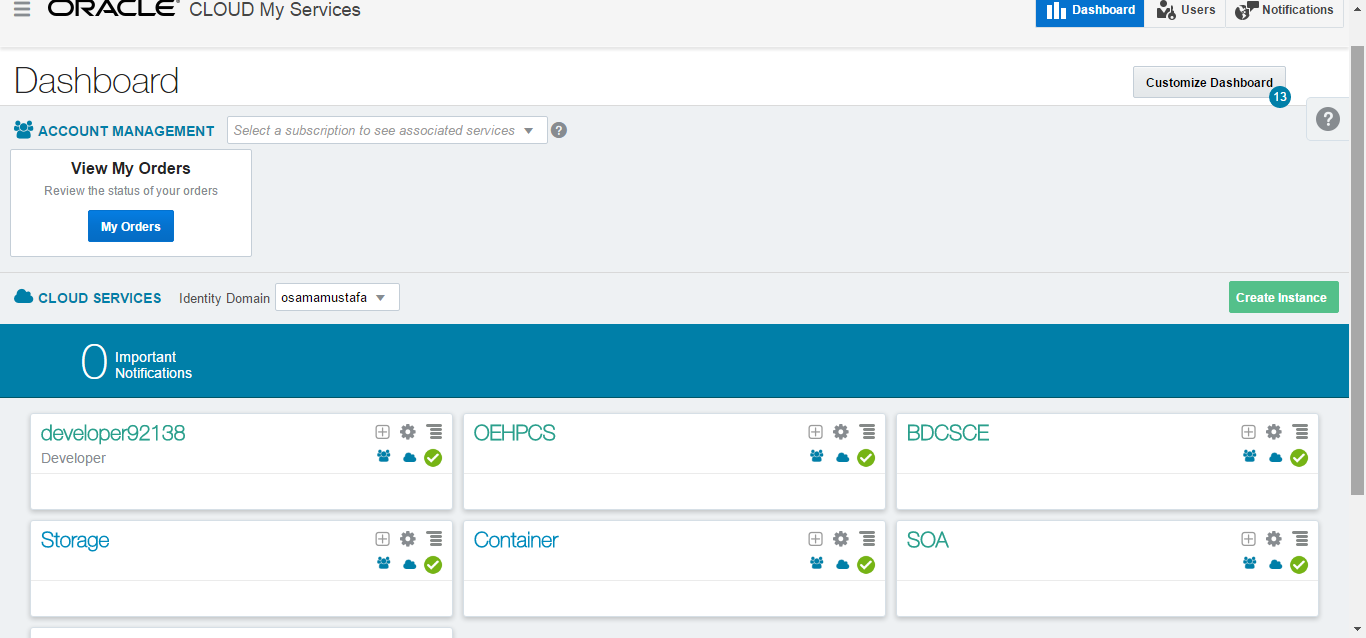
  • The Dashboard will be look like the following :-
  • Press on the upper left panel –> Compute 
  • New Screen will be opened , From the upper tabs press on network 
  • In the same page Search under security application you will find Ora-DBListener and the status is Disabled 
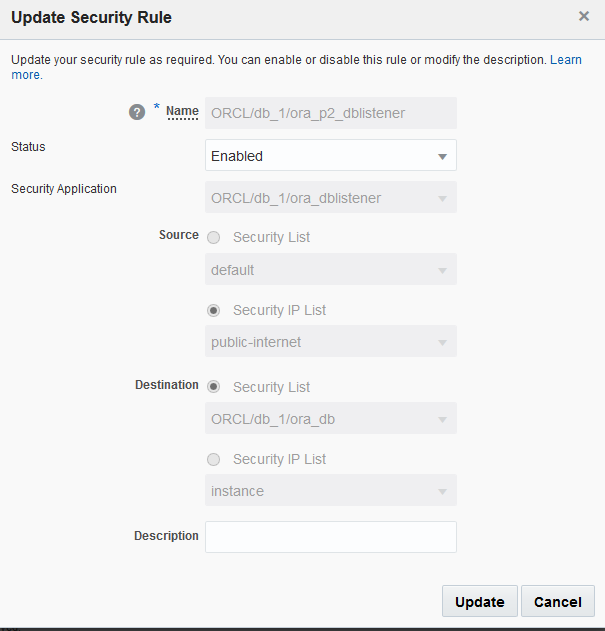
  • By Pressing the Right Panel  From the list choose Update.
  • New Screen will be opened like the following, Change the status to enabled and press update :-
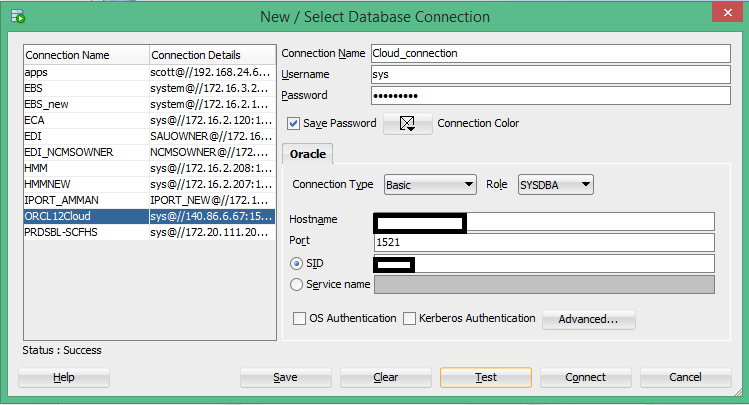
  • Now Try again in the SQL Developer :-
Enjoy the Cloud !!!

Thank you
Osama Mustafa

Generating an SSH Key Pair Using the PuTTYgen

This post to teach how you generate SSH Key For the Cloud , 

  • Download and install PuTTY or PuTTYgen from here.
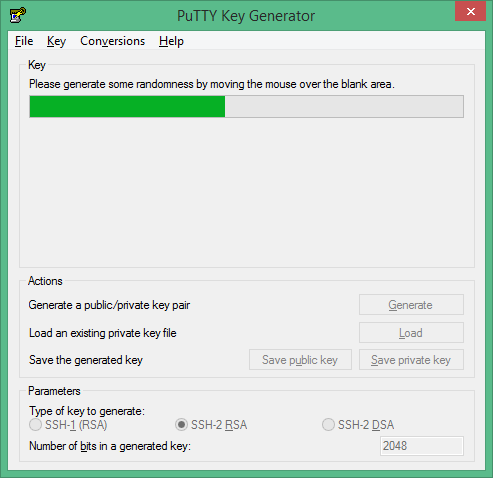
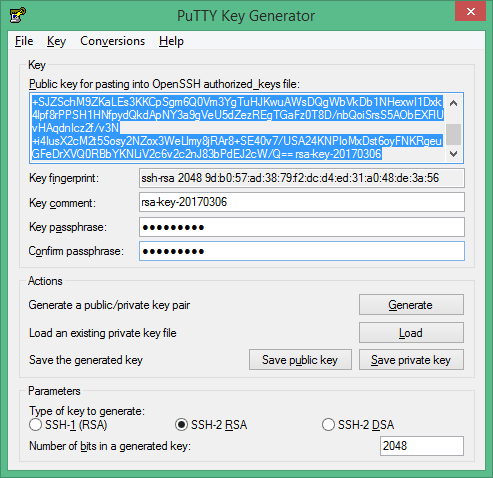
  • Open the software it will be like this 
  • Set the Type of key to generate option to SSH-2 RSA.
  • In the Number of bits in a generated key box, enter 2048.
  • Click Generate to generate a public/private key pair, move the mouse on the clean bar after press generate,
                                      
  • After it’s done it will be like the following:-
  • Select all of the characters in the Public key for pasting into OpenSSH authorized_keys file box and copy it.
  • Open a text editor and paste the characters, just as you copied them.
  • Save the text file in the same folder where you saved the private key, using the .pub extension to indicate that the file contains a public key.
Thank you
Osama

Creating Database on Oracle cloud ( DBaas )

How to create database instances in the Oracle Database Cloud Service – Database as a Service (DBaaS) , Very simple steps :-

  • After creating your Oracle Cloud Account, i will show the post how to create it.
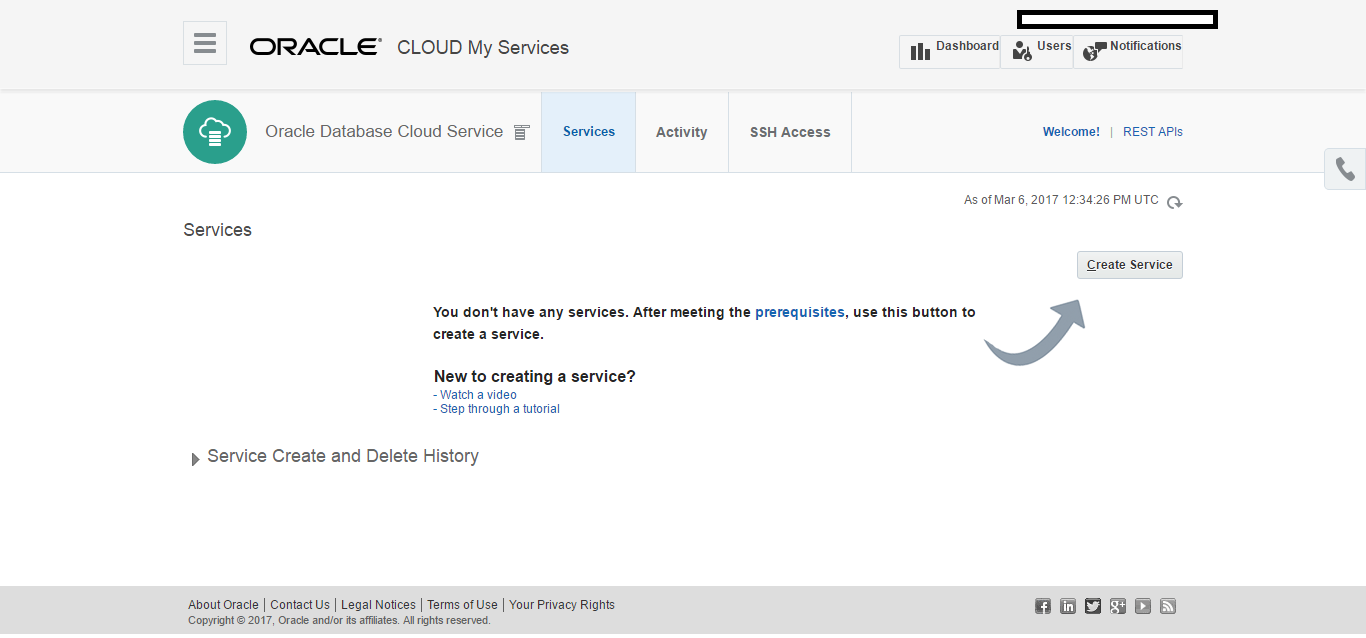
  • To create a new database instance, in the Database Cloud Service console click Create Instance.
  • Choose which cloud services you want, in our case we want Database :-
  • The Create Database Cloud Service wizard is invoked, displaying the Subscription Type page.
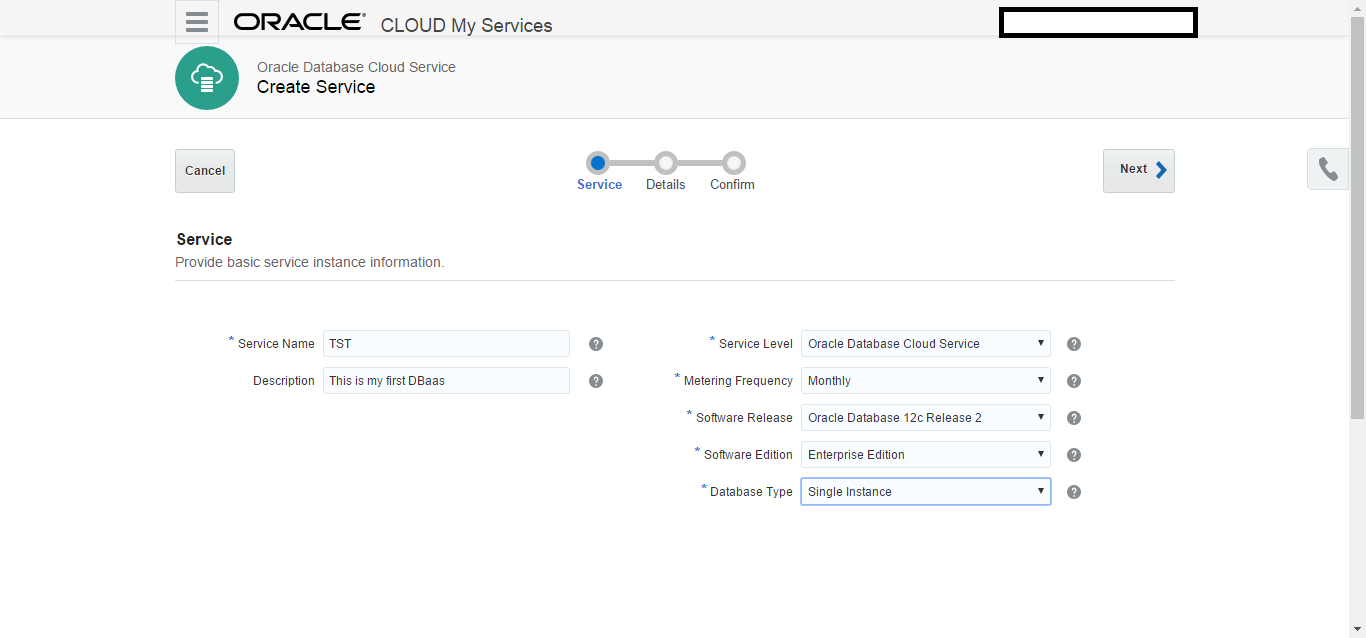
  • Now you have to fill the information, one by one like the following screen, 

You can choose the Oracle Database Cloud Service – Virtual Image service level to define a database instance manually or using the Oracle Database Creation Assistant (DBCA).
Or 
You can choose the Oracle Database Cloud Service service level to have the wizard create a database instance for you, using configuration options provided in the wizard. This service level also makes additional cloud tooling available for backup, recovery and patching.
Also you can choose database version 11gR2, 12cR1 or 12cR2. 
After this press next.
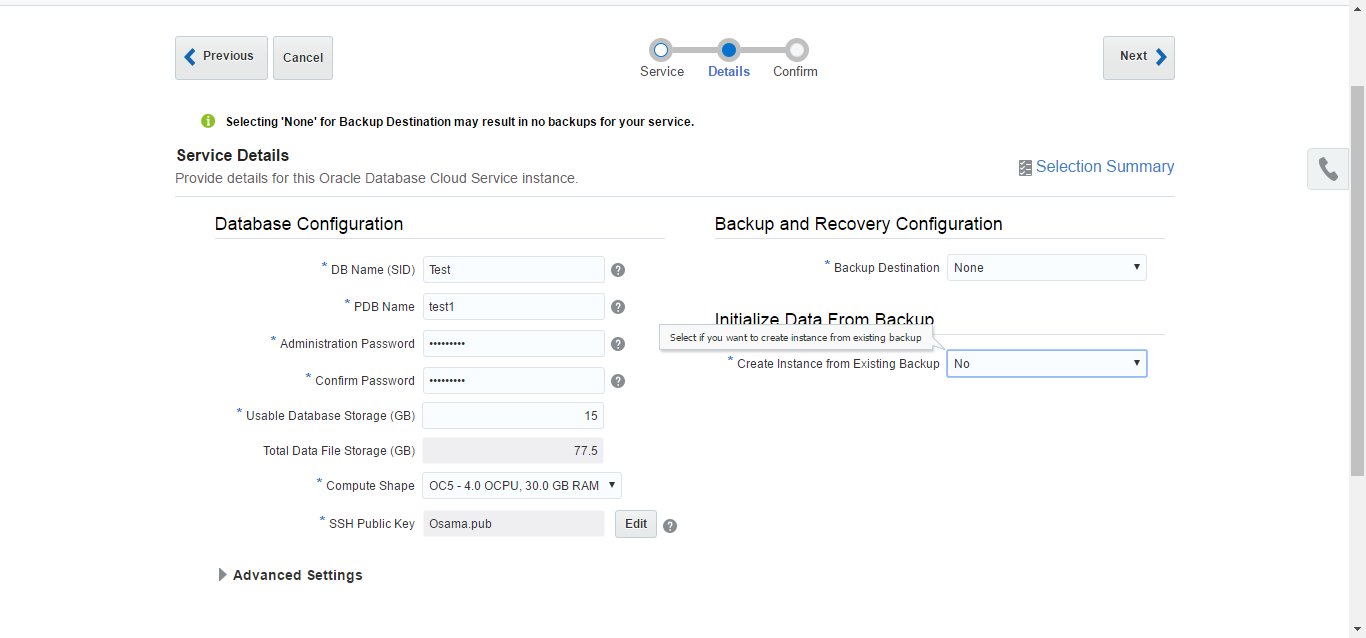
  • Now Fill the information for DB configuration screen like the below :-

In this screen you should create SSH key in this post here,
generated a secure shell (SSH) private/public key pair, with copies of the private and public key files on your local computer. You will point to the SSH public key when you create the database instance. For details on generating an SSH private/public key pair, refer to the Generating a Secure Shell (SSH) Private/Public Key Pair section of the Using Oracle Database Cloud Service (Database as a Service) documentation.
  • The Summary for your DBaas, Press create it will take some time:-
Thank you
Osama Mustafa
Are we in the Cloud

What is The Cloud Computing ? Are We in the Cloud ? Where Can I Find it ? Simple Question but It’s has been asked a lot.

Simply Cloud Computing Storing and accessing Data and programs Using Over Internet instead of Local Computer.

I Found the Below Chart on the internet and it’s The Best Describe for the cloud “Source Cloud For Dummies” :

Cloud is the next Stage for everything, Because it can be defined as set of hardware,Platforms , Databases, Networking it will safe lot of money for the companies.

Check the below video :

You need to know some  Definition you will heard when we are talking about Cloud:
Xaas is Term said for number of things “X as a Services” / ” Anything as a Services”

The Most Common Examples on the above :

  • DBaas : Database as a Service.
  • Paas : Platform as a Service.
  • SaaS : Software as a Service/Storage as a Service.
  • IaaS : Infrastructure as a Service.
  • Caas : Communication as Service.
  • Naas : Network as Service.
It’s New Future.
Thank you 
Osama mustafa