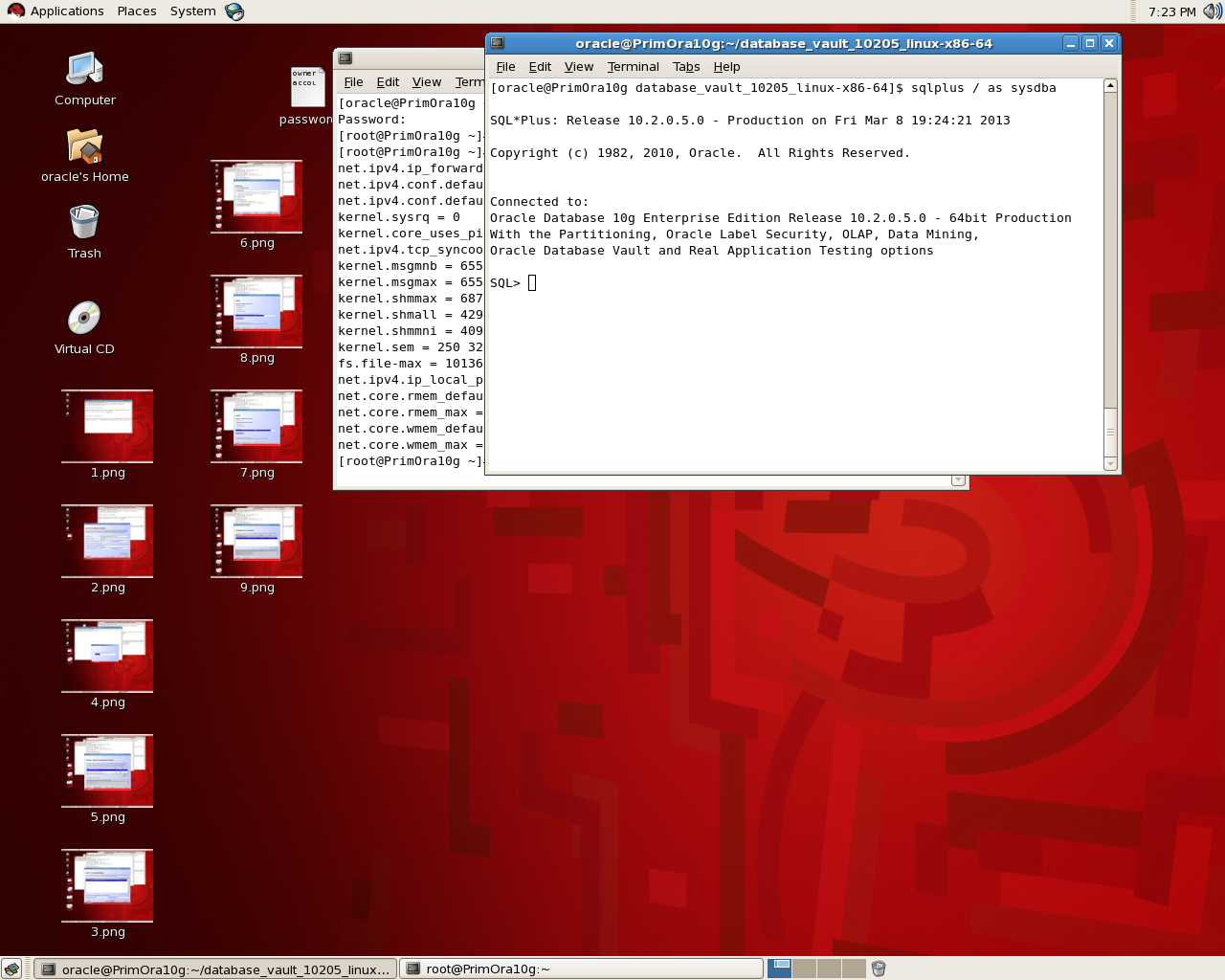
Crack Oracle Password Example

Brute Force One of hacking way used application programs to decode encrypted data such as passwords or Data Encryption Just as a criminal might break into, or “crack” a safe by trying many possible combinations, a brute force cracking application proceeds through all possible combinations of legal characters in sequence. Brute force is considered to be an infallible, although time-consuming, approach.

To help prevent dictionary brute-force attacks many systems will only allow a user to make a mistake in entering their username or password three or four times. If the user exceeds these attempts, the system will either lock them out of the system or prevent any future attempts for a set amount of time.

Today i will provide example how to crack oracle password using Tools called orabf  please remember it’s only example and there’s million tools can do the same i will mention it later in this Topics and work on them in another thread.

Orabf is an extremely fast offline brute force/dictionary attack tool that can be used when the particular username and hash are known for an Oracle account.  Obviously the speed of the brute force attack slows down the longer the amount of characters that it is trying to brute force with but for short username/hash combinations it can be over a million tries per second. 

and you can visit the website here.

Check the below example :

set head off
set feed off
set verify off
Spool Hacker.lis
select password||’:’||username from dba_users
Spool off ;

Output sample for the file look like :

PASSWORD||’:’||USERNAME
————————————————————-
2D594E86F93B17A1:SYSTEM
8A8F025737A9097A:SYS
4F538DF5F344F348:MGMT_VIEW
FFF45BB2C0C327EC:DBSNMP
2CA614501F09FCCC:SYSMAN
BCD8F9C79618E694:MARIA
C43474F068EDB100:MARK
FB129C4425FBCF2E:TEST
224D9FB5D377B8E1:JENNIFER
6399F3B38EDF3288:HR
F894844C34402B67:SCOTT

if you have any tag on the column remove them and save the file again since Orabf  don’t read these tags

Because i am using version 0.7.5 the command should be like :

orabfscript hacker.lis -c default.txt

Remember Default.txt is the file already exist in the software and output append inside this file.

Small trick !!! i will provide another example using another software such as :

  • Repscan 
  • Checkpwd 
  • John The Ripper
  •  bfora

Thank you
Osama Mustafa

Check total Size for Ram/memory For Oracle

Check total size of Ram/Memory For Each Database :

select decode( grouping(nm), 1, ‘total’, nm ) nm, round(sum(val/1024/1024)) mb
    from
  (
  select ‘sga’ nm, sum(value) val
     from v$sga
   union all
   select ‘pga’, sum(value)
    from v$sysstat
   where name = ‘session pga memory’
  )
   group by rollup(nm)

The Orginial Post from Tom Kyte.

Thank you
Osama Mustafa

Connect to Oracle without Tnsnames.ora

Regarding to oracle documentation :

TNSNAMES.ORA is a SQL*Net configuration file that defines databases addresses for establishing connections to them. This file normally resides in the ORACLE HOME\NETWORK\ADMIN directory.

Example how connection define :

orcl1 =
 (DESCRIPTION =
   (ADDRESS_LIST =
     (ADDRESS = (PROTOCOL = TCP)(HOST = my-server )(PORT = 1521))
   )
 (CONNECT_DATA =
   (SERVICE_NAME = orcl1)
 )
)

Sometimes you can Bypass the tnsnames.ora and connect to sqlplus without even Create new connection, all you have to do is  put all of the connectivity information in your connection string this type of connection called “EZCONNECT”.

sqlplus username/password@[//]host[:port][/service_name]

 and to enable EZCONNECT you should add the below line in sqlnet.ora which is located in the same directory $ORACLE_HOME/network/admin
check the below examples :

NAMES.DIRECTORY_PATH=(ezconnect, tnsnames)

The Below using the default listener port 1521 :

1- sqlplus scott/tiger@myservername/orcl1

Different Listener port will be like the below :

2-  sqlplus scott/tiger@myservername:1522/orcl1

3-   sqlplus USER/PASSWORD@//myservername:1521/orcl1

and if you want to disable EZCONNECT For Secuirty Reasons add the below line in :

NAMES.DIRECTORY_PATH=( tnsnames)

Thank you
Osama Mustafa

behind the scenes : Oracle Procedure Security

One of the main Reason using Oracle PL/SQL procedures for controlling data access, One of the main reasons is insecure coding practices. One of the widely used attack techniques on applications is SQL injection. I write before about SQL injection but since it’s big topic and need to be covered in more than one parts.

as reminder what is the SQL Injection : One of Hacking way to manipulate the SQL statements using web applications for access/query database.  While run Web Application, the programmer may directly use the user input without hide or even any validation. This opens a new way for the attacker to access and retrieve data . By sending specially crafted user input.

You need to know that Any dynamic SQL query using invalidated user inputs are vulnerable to SQL injection. Some methods that developers use to  prevent SQL injection are parameterized queries or stored procedures

the parameterized queries approach is the most secure way against SQL injection than the traditional approach of joining string to build a dynamic SQL string, in the second type usually leads to data format problems, you have to worry about how to encode the parameter and you need each company have it’s own way to do that :

Query_sql = “SELECT * FROM emp where emp_id = :emp_Id”;

A stored procedure is a database object just like table, Group of SQL statement that form a logical unit and perform a particular task to execute it you need to call it using Procedure name mostly is used as container for the code but the question is if i use them in my Code is this make me secure against SQL Injection ?
Answer also is simple Not always because if code not set properly then SQL Injection could be happened again.

CREATE OR REPLACE PROCEDURE Test (Param_1 IN VARCHAR2) AS
       sql VARCHAR;
       code VARCHAR;
BEGIN
   Sql := ‘SELECT emp_id, Emp_Name, Job, Sal WHERE’ +
          ‘ Emp_Name=”’ || Param_1 || ””;
   EXECUTE IMMEDIATE sql INTO code;
END;

the Value Param_1 will taken from user input  concatenated with the string,The user input is enclosed in the single quotes and concatenated to a string to form SQL query.so the problem is related to this  Instead of the parameter being a search string to the SQL query, the user input has become the part of the query as it is enclosed inside the single quotes. If the user enters the values as 1' or '1'='1'.
Then This Stored Procedure is Not secure as we think.

So How to Write Secure Procedure ?

One Answer : Test Your Code and You should know what you write, If you query working fine that not mean its secure and no hacker will get in.

Validate inputs that comes from users, also like i mention before Use parametrized stored procedure with embedded parameters, don’t forget to Use a low privileged users and give right and correct role/Privileges to application users and finally avoid use of dynamic SQL queriesif you have another way.

so as conclusion is if you are using Stored procedure correctly then you are pretty much safe from SQL Injection and always remember when you attend to do this don’t use :

1 – Dynamic SQL inside the Stored procedure.
2 – try to avoid concatenated string.

Thank you
Osama Mustafa

Switchover_status is Not Allowed

Check On the Primary database and the following status will appear to you :

SQL> select name ,open_mode, database_role, switchover_status from v$database;

NAME OPEN_MODE DATABASE_ROLE SWITCHOVER_STATUS


MAN MOUNTED PHYSICAL STANDBY NOT ALLOWED

To make sure everything is Ok on both Side Primary and Standby :

SQL> select name ,open_mode, database_role, switchover_status from v$database;

NAME OPEN_MODE DATABASE_ROLE SWITCHOVER_STATUS


MAN READ WRITE PRIMARY TO STANDBY

 Another Check :

On Primary Database :

SQL> select max(sequence#) from v$archived_log;

MAX(SEQUENCE#)


56

At Standby :
SQL> select max(sequence#) from v$log_history;

MAX(SEQUENCE#)


56

You Solve this problem By Fire the below command :

SQL > alter database commit to switchover to physical standby with session shutdown
 
The Above Command Should be Run on Primary Database to Generate Special marker on Online Redolog Headers Which Mean transfer the archive to standby , after that the status should be changed.

Please check the below Link from OTN Forum that describe the same problem also and The Solution is Mentioned already there:

1-  Not allowed status in primary db switch_over status  Press here.
2- Not allowed Issue while DR switchover Press here.

Thank you
Osama Mustafa
Database Link Secuirty Issue

“Use the CREATE DATABASE LINK statement to create a database link. A database link is a schema object in one database that enables you to access objects on another database. The other database need not be an Oracle Database system. However, to access non-Oracle systems you must use Oracle Heterogeneous Services.”

But did you ask your self before about the impact of using Oracle Database link ? and how to secure my database link ?

One Of Common Issue that you need to be aware of is Privileges , When you create database link most of users use DBA Role which mean user will able to do anything he want in database,which mean
who gains access to a database link can execute queries with the privileges of the DBLINK account  to avoid this try to create user with less Privileges he needs.

Another issue in 10g When you create database link check the below :

CREATE DATABASE LINK “TEST_LINK” CONNECT TO “Test” IDENTIFIED BY Test ;

Database link created. 

After that check the below table :

SQL> select name, userid, passwordx from sys.link$ where name=’TEST_LINK.REGRESS.RDBMS.DEV.US.ORACLE.COM’;

NAME     USERID  PASSWORDX
——————————————————————————–
TEST_LINK.REGRESS.RDBMS.DEV.US.ORACLE.COM OSAMA   05CB53401E442441B428B900A97DE31A10

as you see the password is saved as hash, and can be decrypt .

But what if :

SQL> SELECT DBMS_METADATA.GET_DDL(‘DB_LINK’,’TEST_LINK.REGRESS.RDBMS.DEV.US.ORACLE.COM’) from dual ;

Check the output below :

CREATE DATABASE LINK “TEST_LINK”
CONNECT TO “Osama” IDENTIFIED BY VALUES ‘05CB53401E442441B428B900A97DE31A10

another security Issue of using Database link.

Imagine what could be happened next.

Thank you
Osama Mustafa
Recreate Lost Pfile With Simple Command

If you  lost all my files under $ORACLE_HOME/dbs but database is still up and running, check the below :[oracle@192 ~]$ sqlplus / as sysdba

SQL*Plus: Release 10.2.0.5.0 – Production on Fri Mar 15 14:49:58 2013

Copyright (c) 1982, 2010, Oracle.  All Rights Reserved.

Connected to:
Oracle Database 10g Enterprise Edition Release 10.2.0.5.0 – Production
With the Partitioning, OLAP, Data Mining and Real Application Testing options

SQL> spool newfile.ora
SQL>     select name||’=’||value from v$parameter where isdefault = ‘FALSE’;

NAME||’=’||VALUE
——————————————————————————–
processes=150
sga_target=285212672
control_files=/u01/app/oracle/oradata/orcl/control01.ctl, /u01/app/oracle/oradat
a/orcl/control02.ctl, /u01/app/oracle/oradata/orcl/control03.ctl

db_block_size=8192
compatible=10.2.0.1.0
db_file_multiblock_read_count=16
db_recovery_file_dest=/u01/app/oracle/flash_recovery_area
db_recovery_file_dest_size=2147483648
undo_management=AUTO

NAME||’=’||VALUE
——————————————————————————–
undo_tablespace=UNDOTBS2
remote_login_passwordfile=EXCLUSIVE
db_domain=
dispatchers=(PROTOCOL=TCP) (SERVICE=orclXDB)
job_queue_processes=10
background_dump_dest=/u01/app/oracle/admin/orcl/bdump
user_dump_dest=/u01/app/oracle/admin/orcl/udump
core_dump_dest=/u01/app/oracle/admin/orcl/cdump
audit_file_dest=/u01/app/oracle/admin/orcl/adump
audit_trail=TRUE
db_name=orcl

NAME||’=’||VALUE
——————————————————————————–
open_cursors=300
os_authent_prefix=
pga_aggregate_target=94371840

23 rows selected.

SQL> spool off ;

Just edit the new file and startup.

Thank you
Osama Mustafa
Step By Step Install Database Vault 11g

I talked before about how to install Oracle Database Vault 10g But now i will talk about 11g and how to install it ?

in database 11g database vault installation become more easier, all you have to do is check the box to install that option and even if you forgot that you can install it later by run script

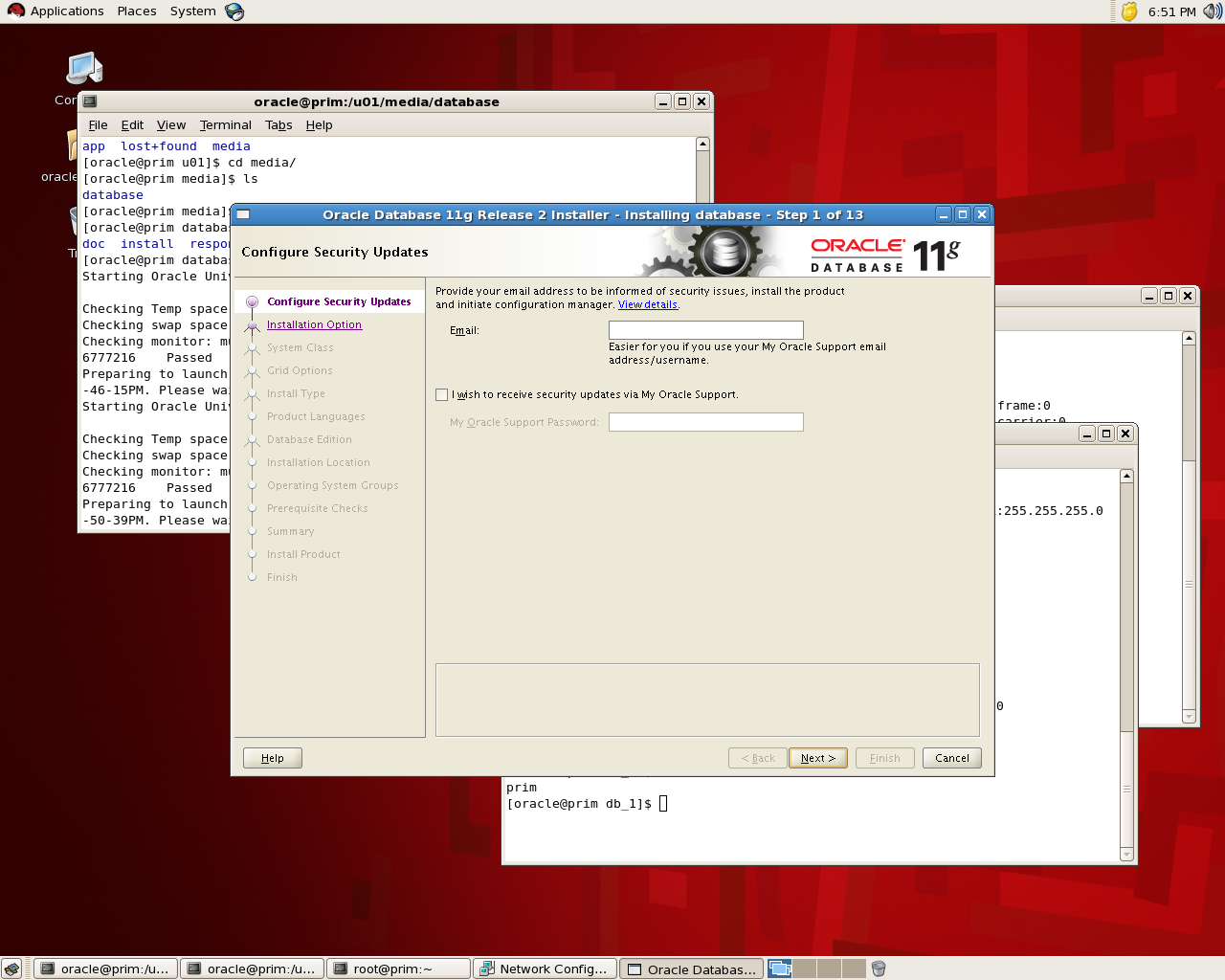
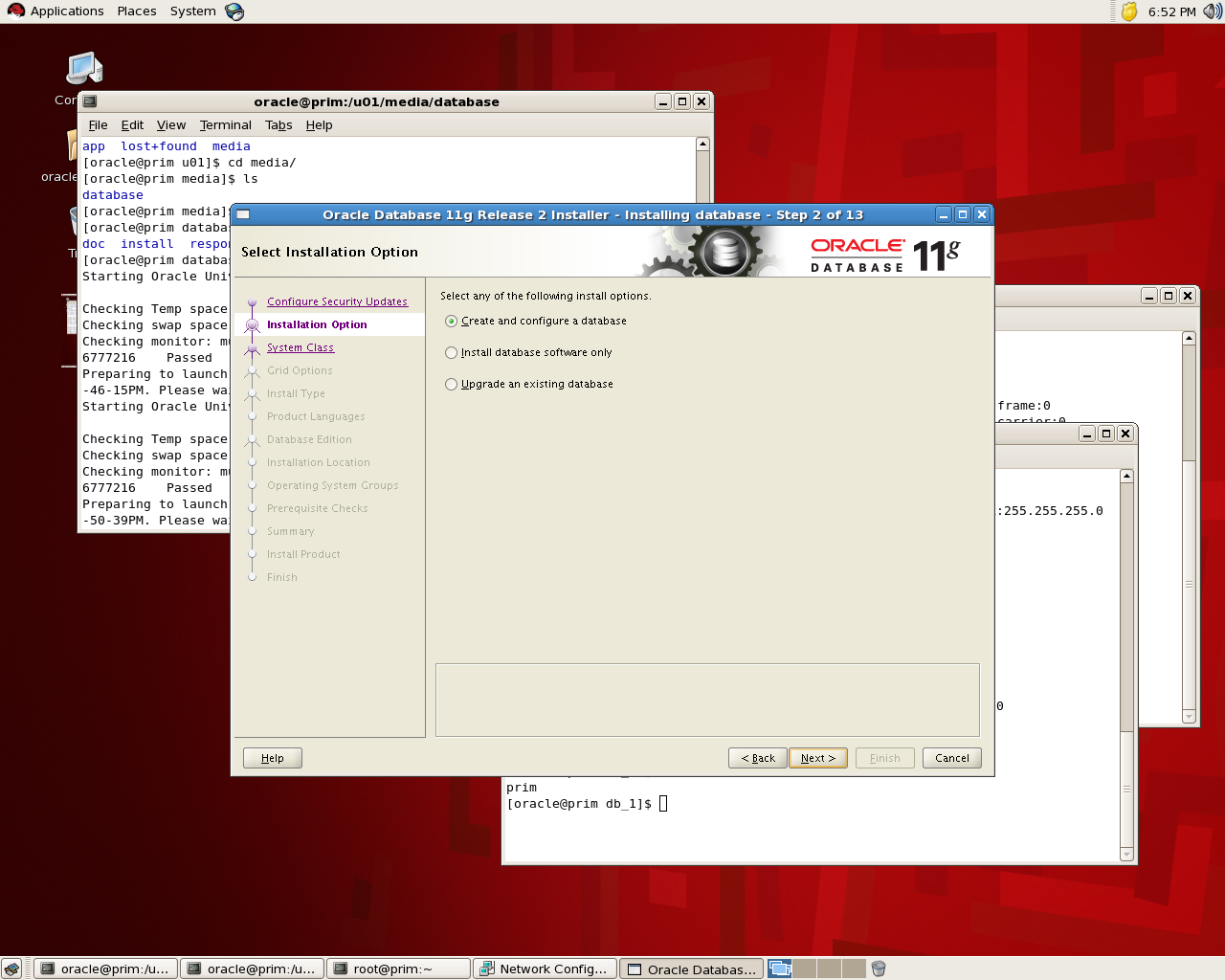
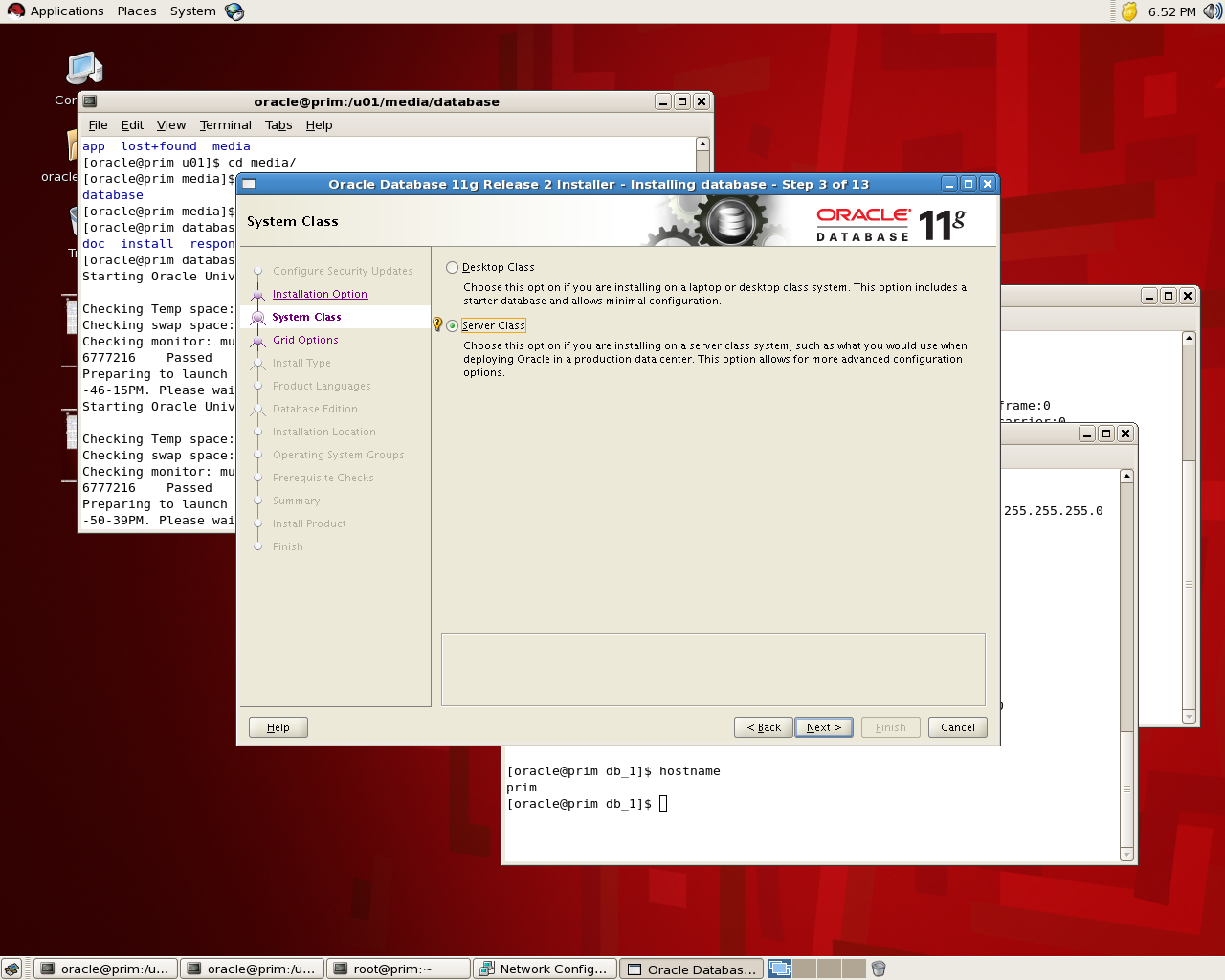
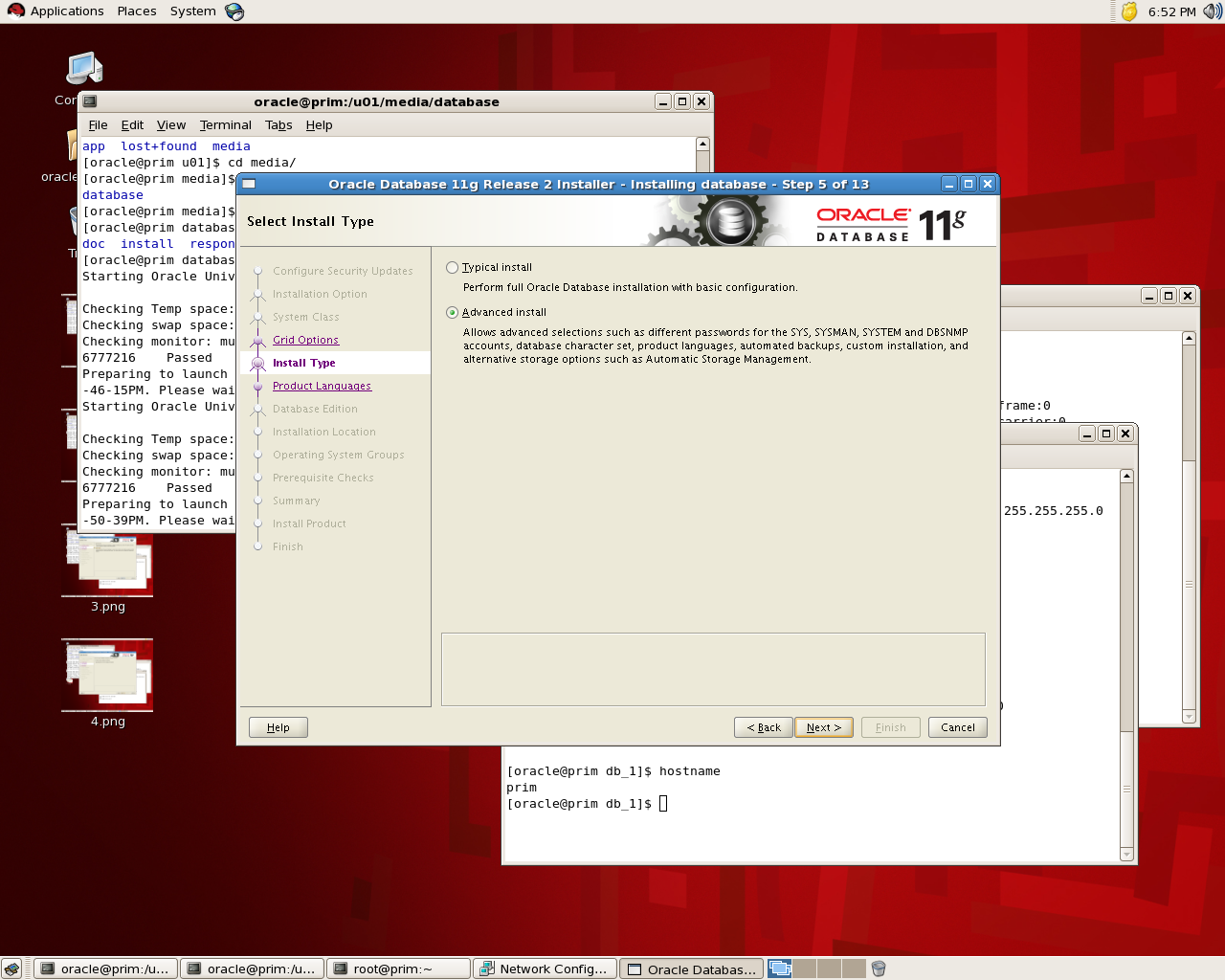
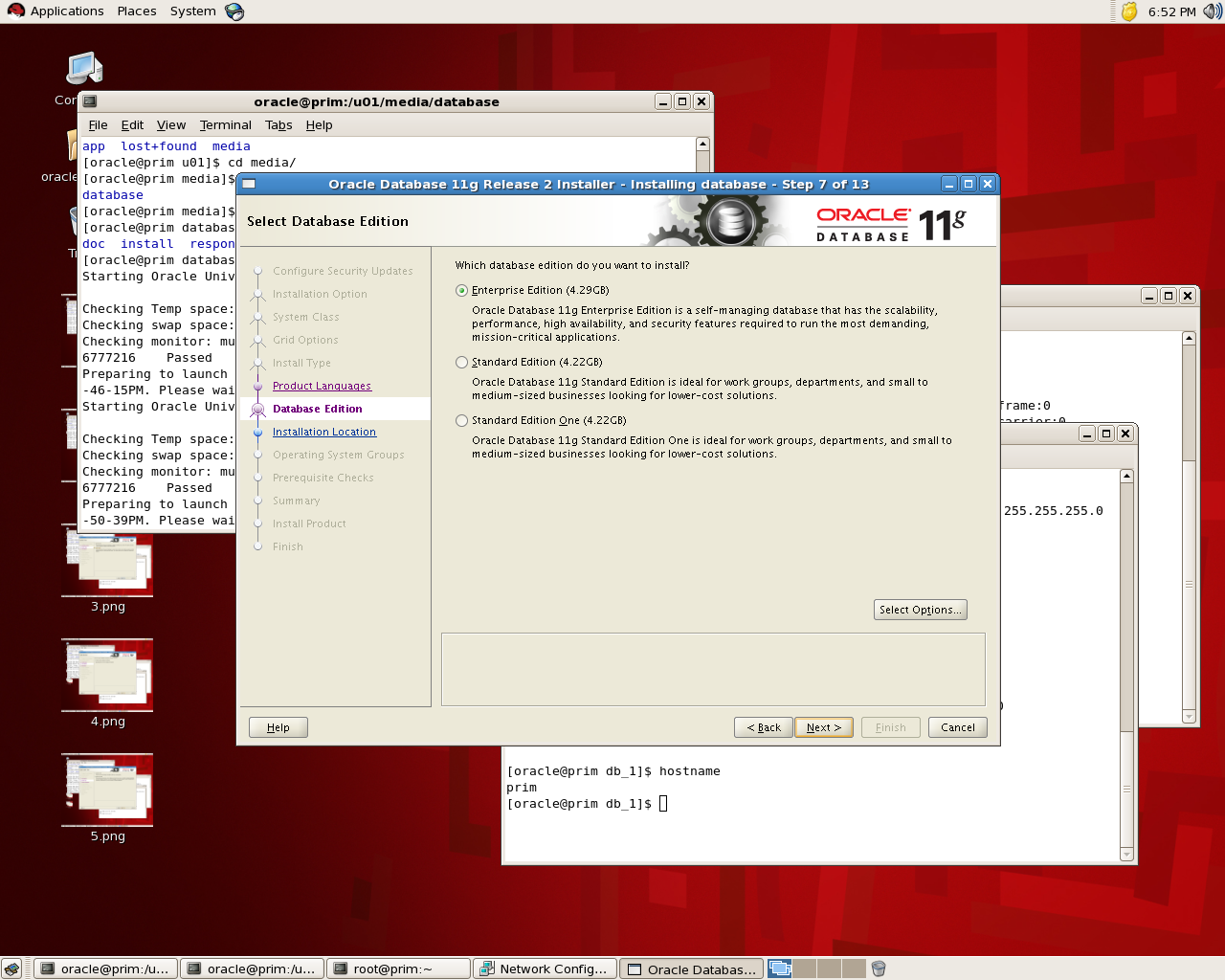
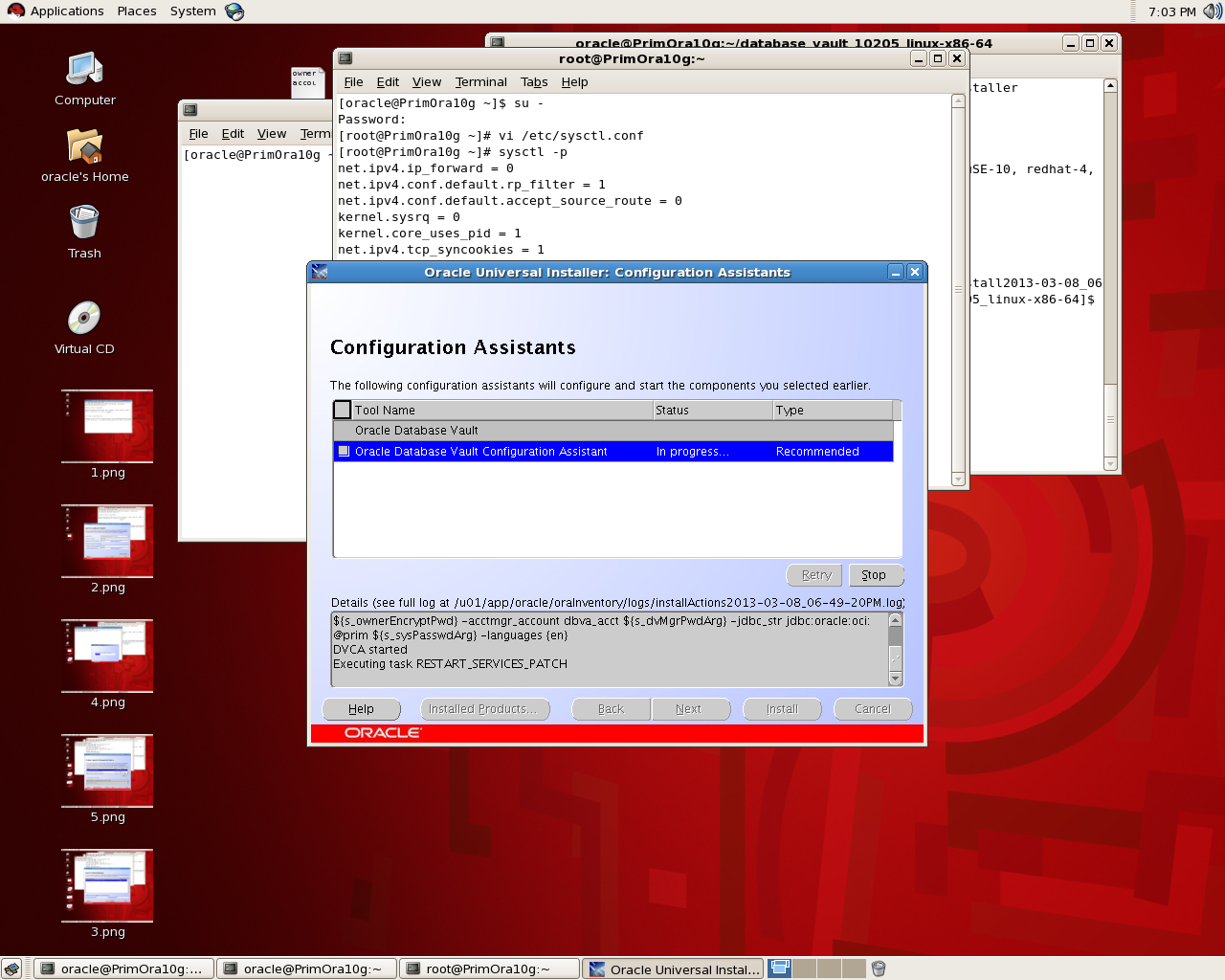
the below is screen shot for the installation for database 11g , the idea is to see where to choose Database Vault features:

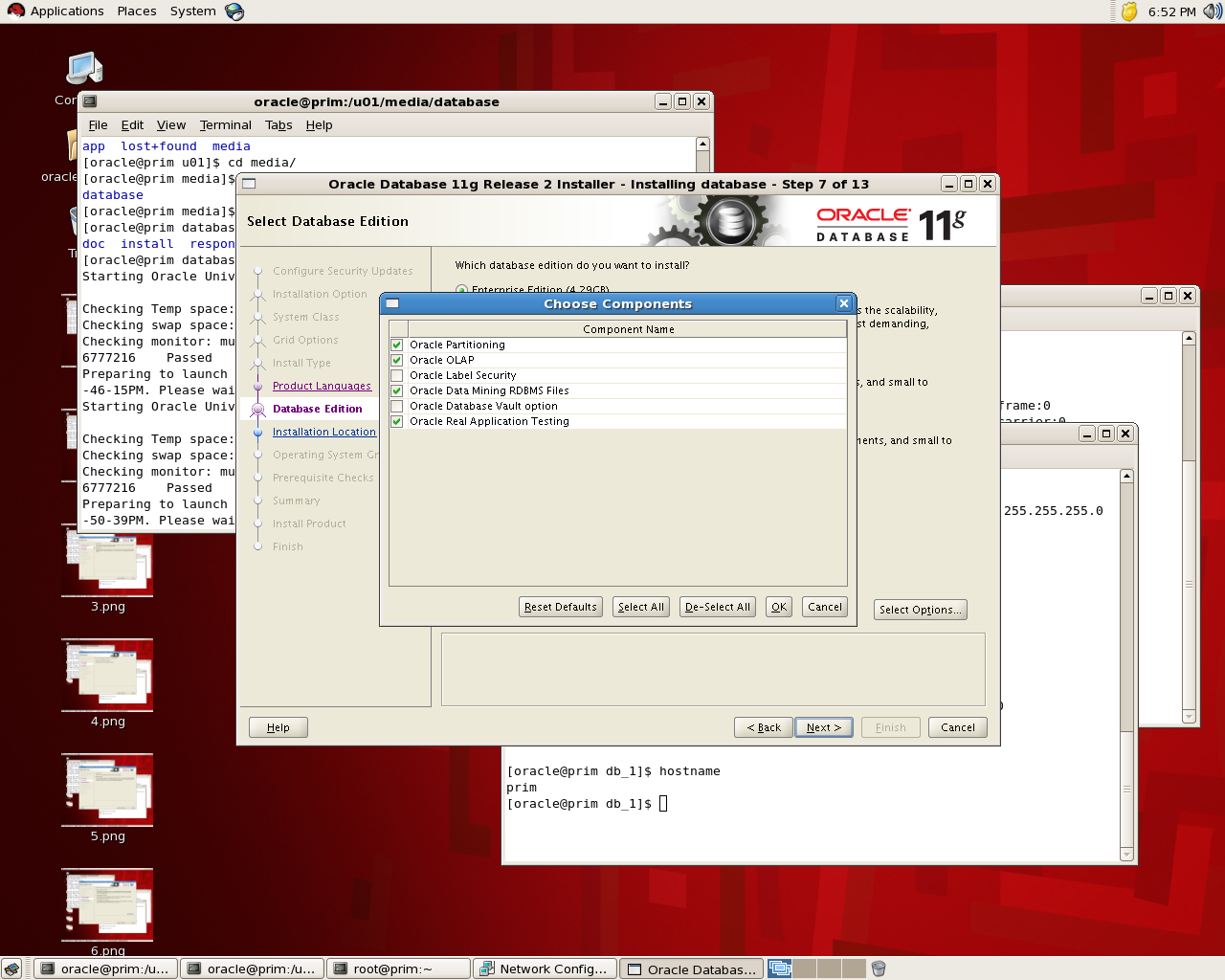
If you check the below screen you see that in “Select Option” you can choose Database Vault and while installation is running it will be installed :

the installation will remain in normal procedure , If you want to check it’s installed or not you can go with v$option : 

SQL> select * from v$option where parameter =’Oracle Database Vault’;
PARAMETER                                                        VALUE
——————————- ——————————–
Oracle Database Vault                                            FALSE

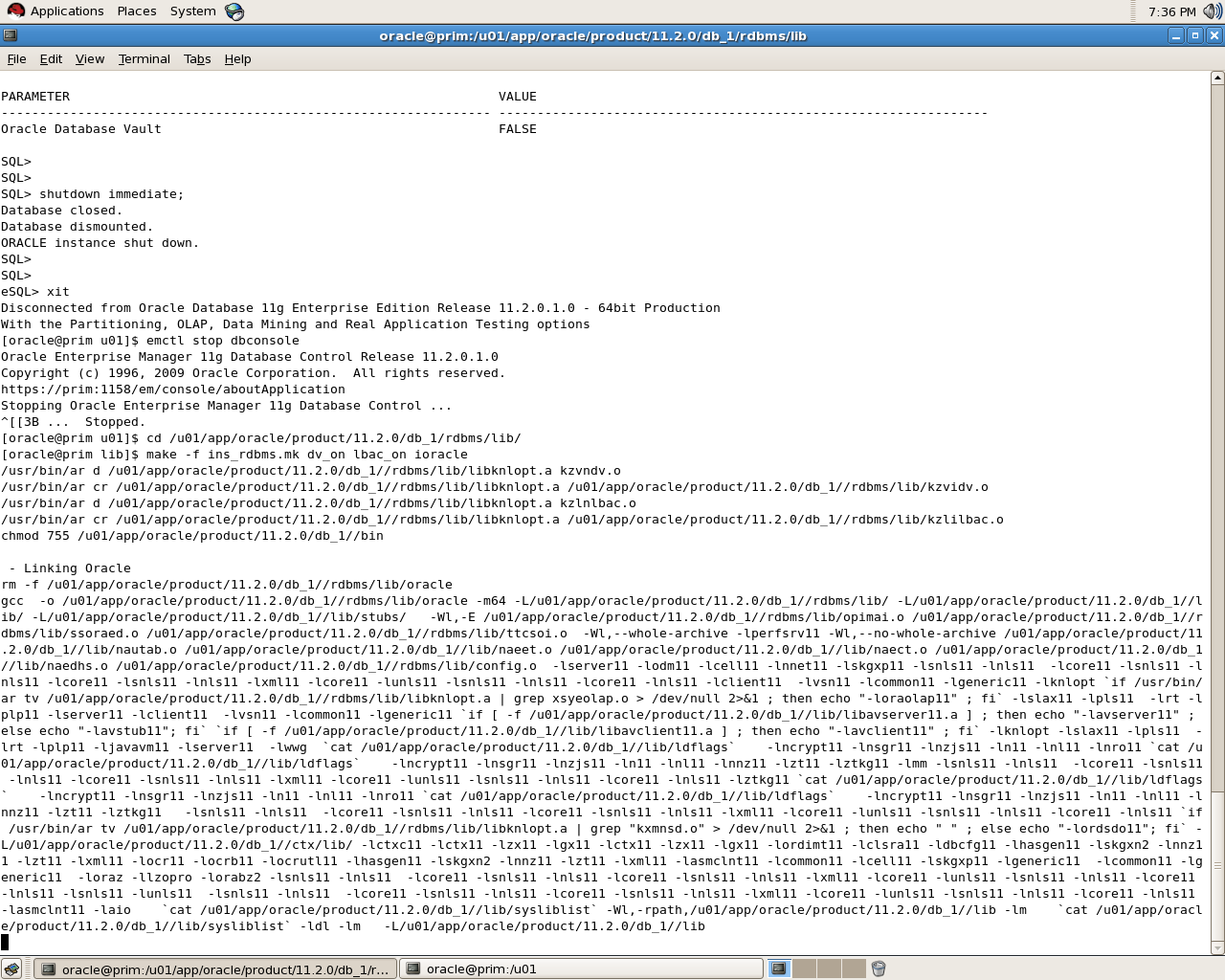
to enable database vault make sure database , dbconsole and listener are shutdown:

[oracle@prim u01]$ cd /u01/app/oracle/product/11.2.0/db_1/rdbms/lib/
[oracle@prim lib]$ make -f ins_rdbms.mk dv_on lbac_on ioracle

SQL> select * from v$option where parameter =’Oracle Database Vault’;
PARAMETER                                                        VALUE
—————————————————————-
Oracle Database Vault                                            TRUE

Please notice that i use Redhat in windows you need to rename some files read Oracle Documentation.
To disable Database Vault the same thing but :

cd $ORACLE_HOME/rdbms/lib
make -f ins_rdbms.mk dv_off
cd $ORACLE_HOME/bin
relink all

thank you 
Osama mustafa 

Step By Step Install Database Vault On 10g

Oracle Database Vault restricts access to specific areas in an Oracle database from any user, including users who have administrative access. For example, you can restrict administrative access to employee salaries, customer medical records, or other sensitive information.
You configure Oracle Database Vault to manage the security of an individual Oracle Database instance. You can install Oracle Database Vault on standalone Oracle Database installations, in multiple Oracle homes, and in Oracle Real Application Clusters (Oracle RAC) environments.
Today i will provide step by step how to install Database Vault on Oracle Database 10g, Notice to install it you should upgrade your database at least to 10.2.0.3 to avoid any errors.
Database Vault is very useful to protect your data from users such as DBA who has access to all tables , But the questions is who is control database vault ?
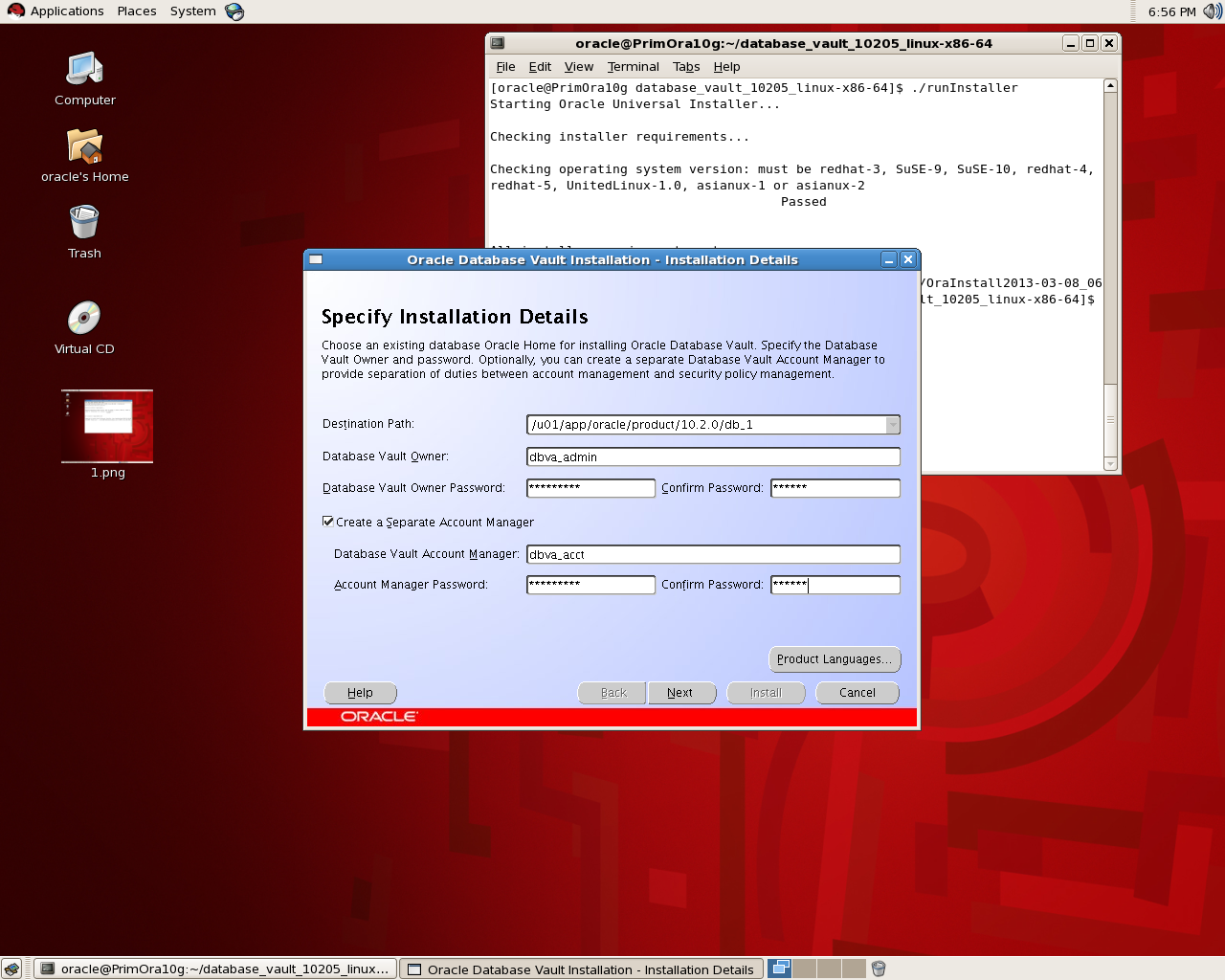
Usually there are two users to control it , Database vault owner this user is granted the DV_Owner role and can manage database role and configurations, the username must be minimum 2 and maximum 30 character , the password for this user should be complex.
another user called : Database Vault manager which is granted DV_ACCTMGR role, and used to manage database user account , this user is created to facilitate separation duties which mean while you install you can only create one user do all this jobs , the username should be minimum 2/maximum 30 character and the password is complex .
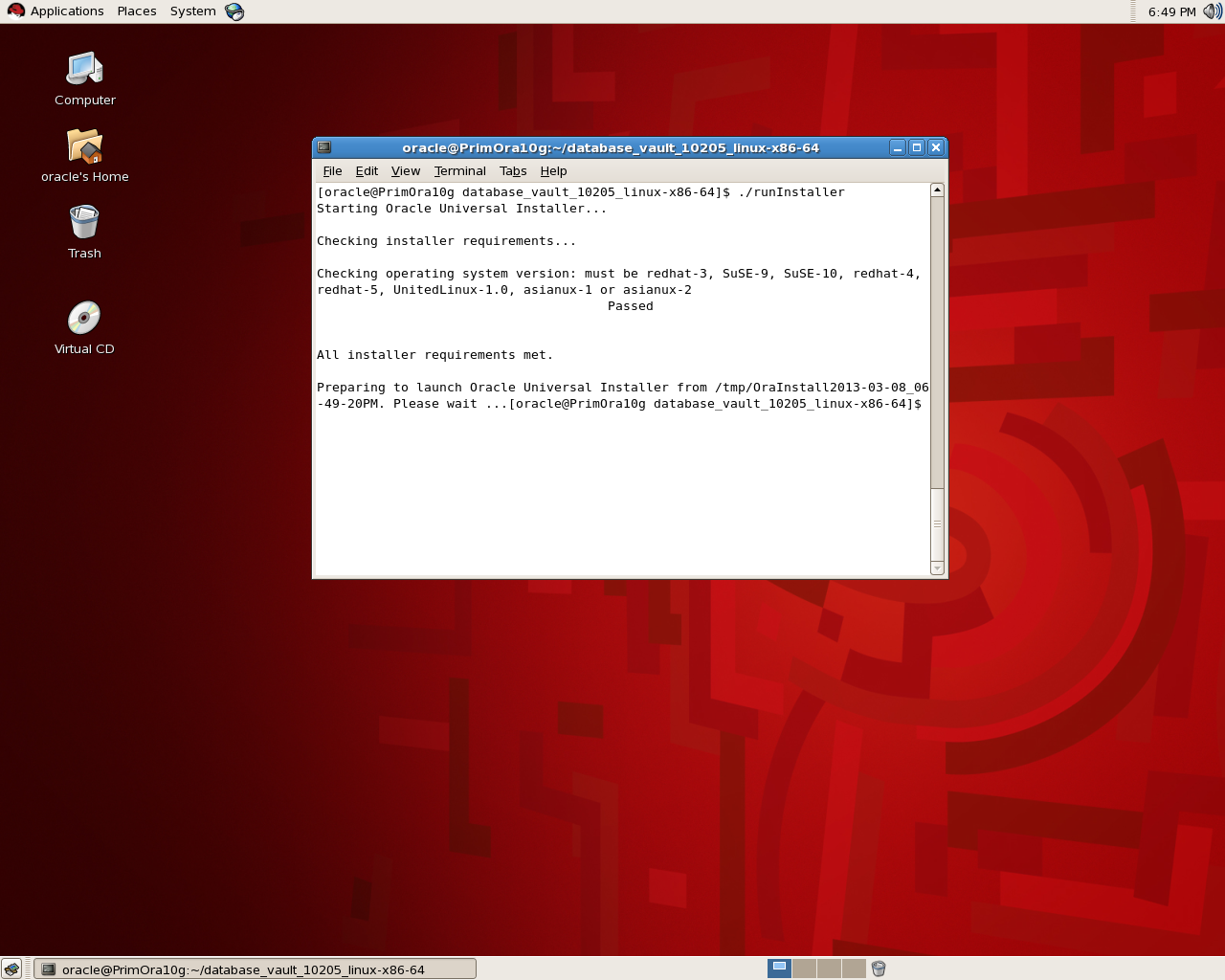
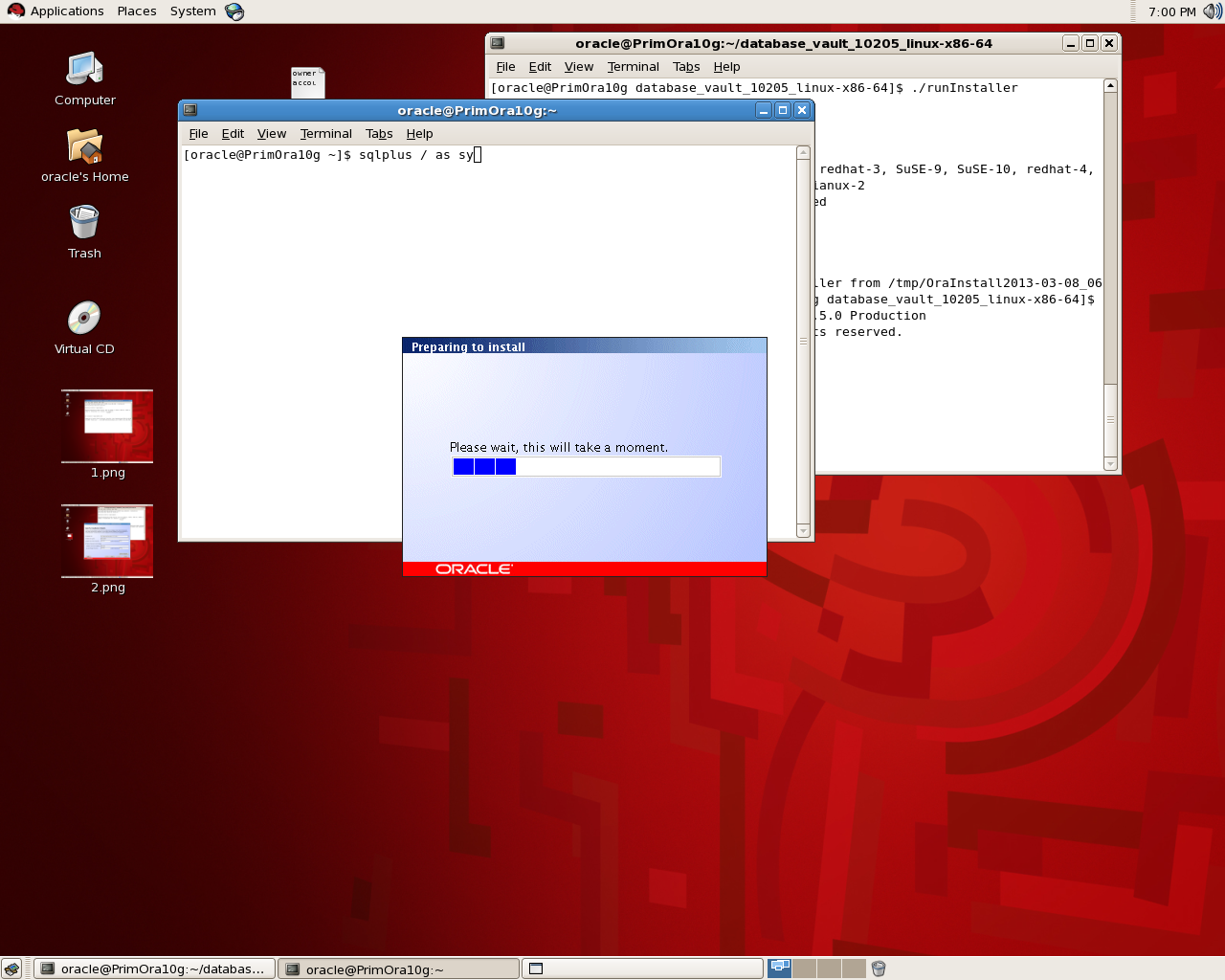
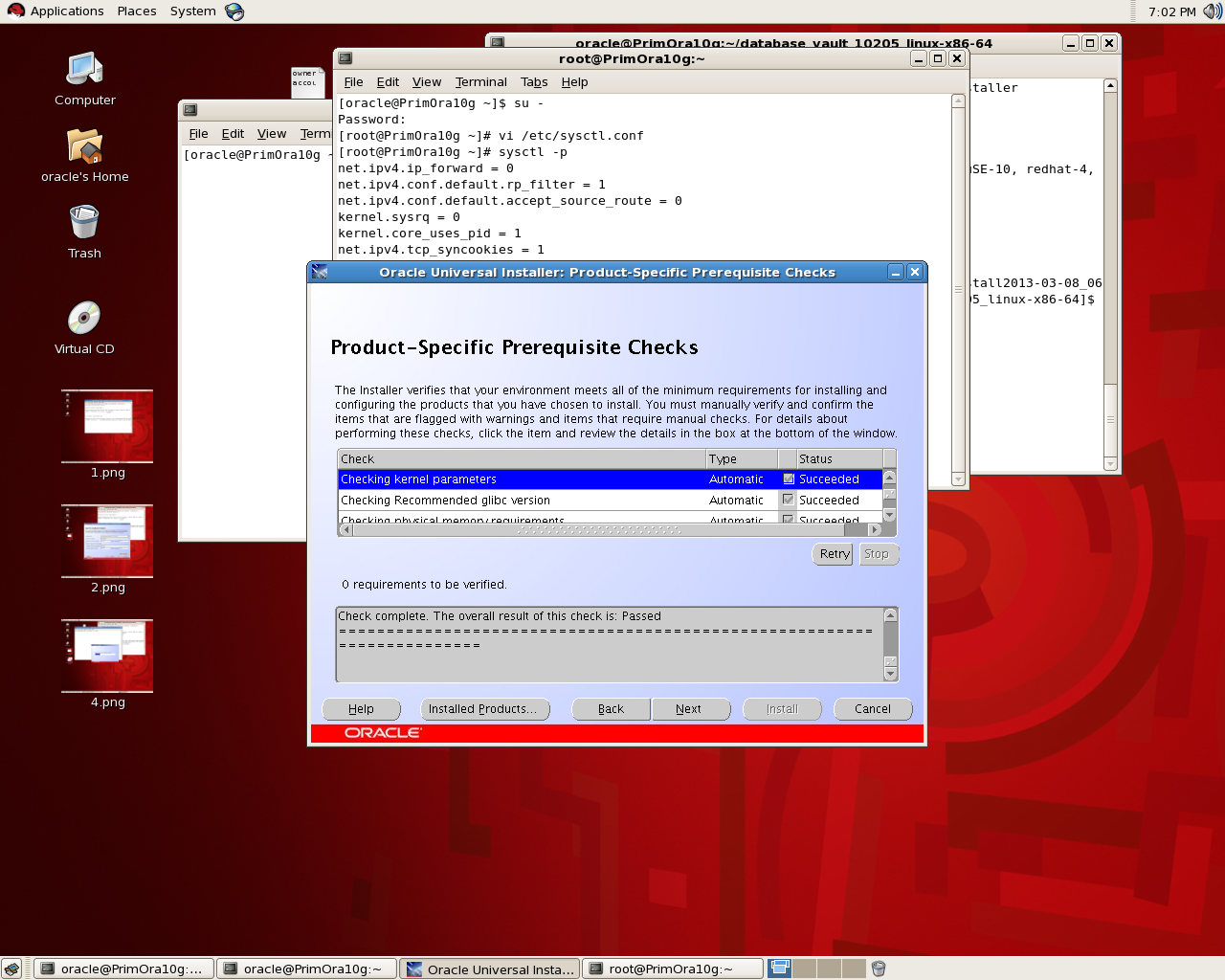
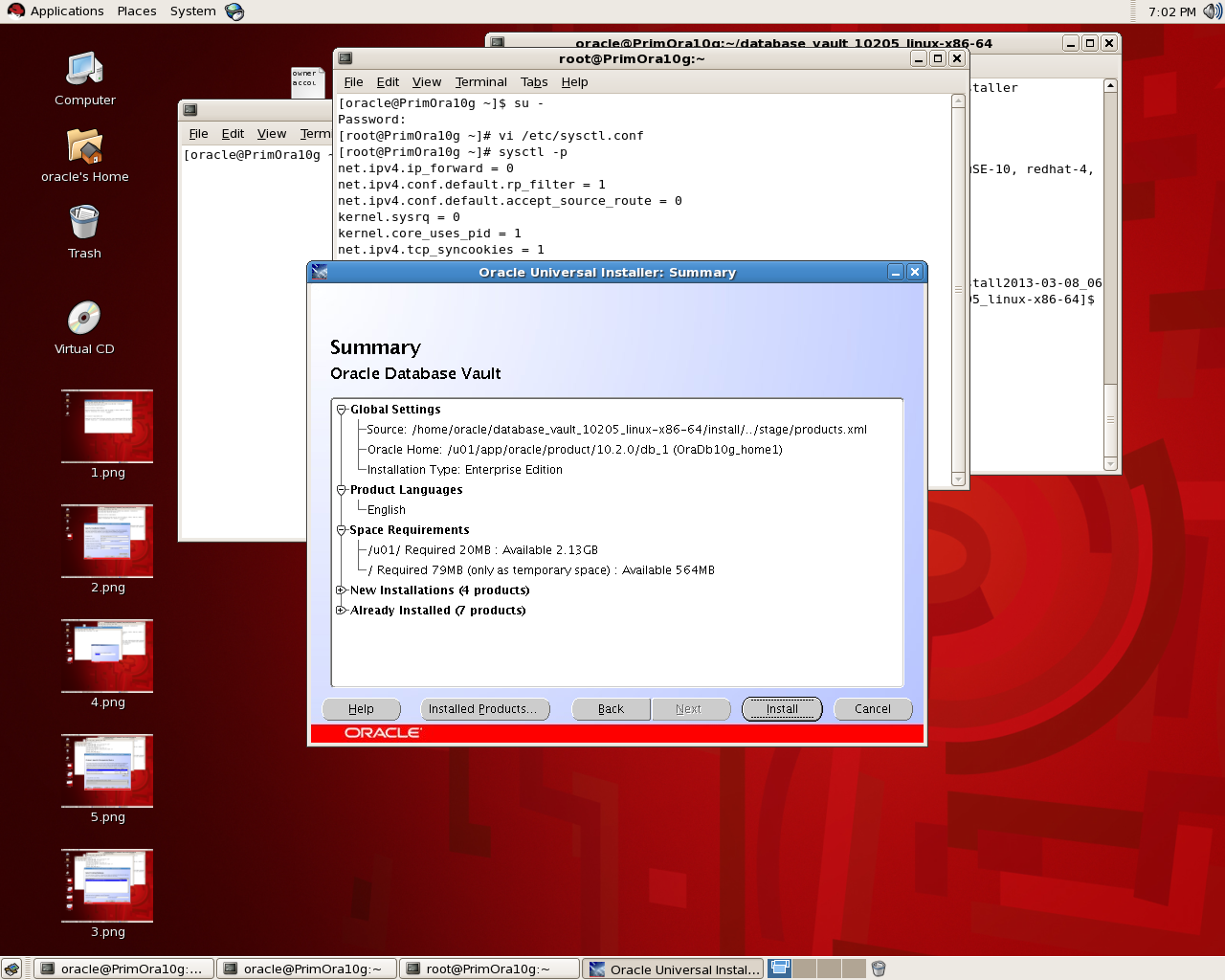
The below is screen-shot for installing Database Vault (Notice Database and Listener should be shutdown) :


Thank you 
Osama Mustafa