previously I mentioned how to deploy agent in enterprise manager using Auto Discovery, But today I will Post about the second way which called “Add target Manually” all you have to do is follow the screen shot and the instruction :
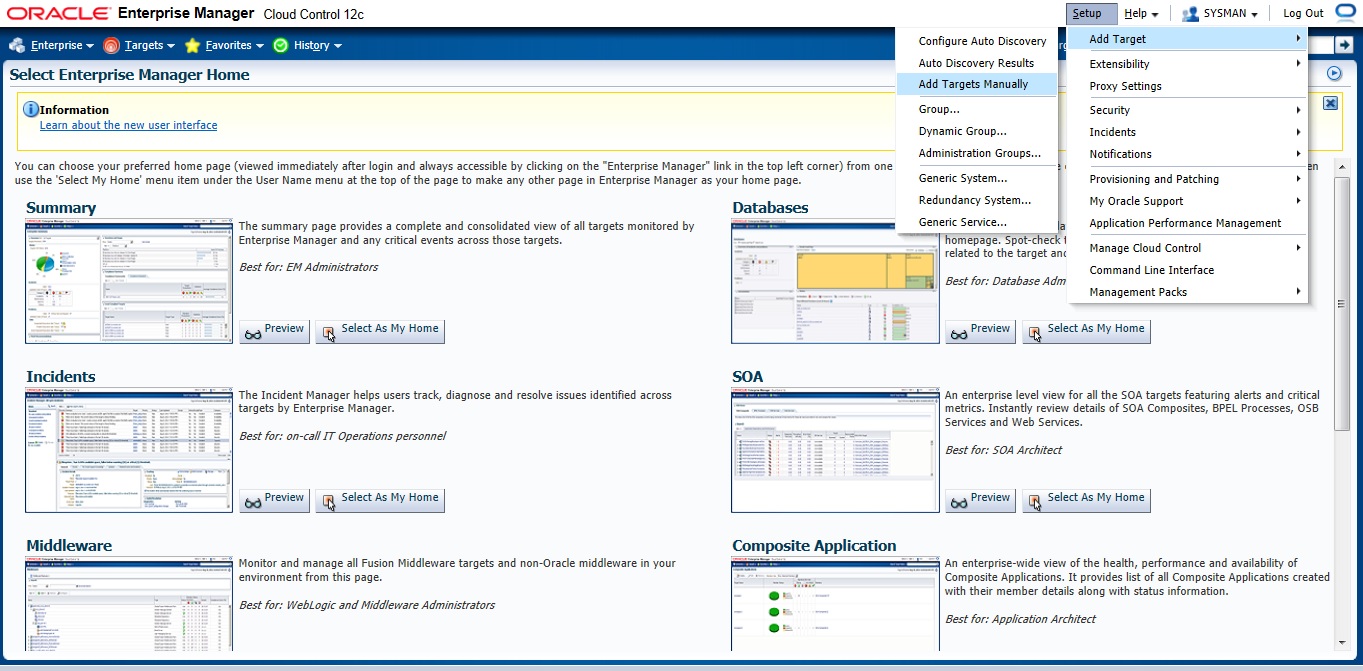

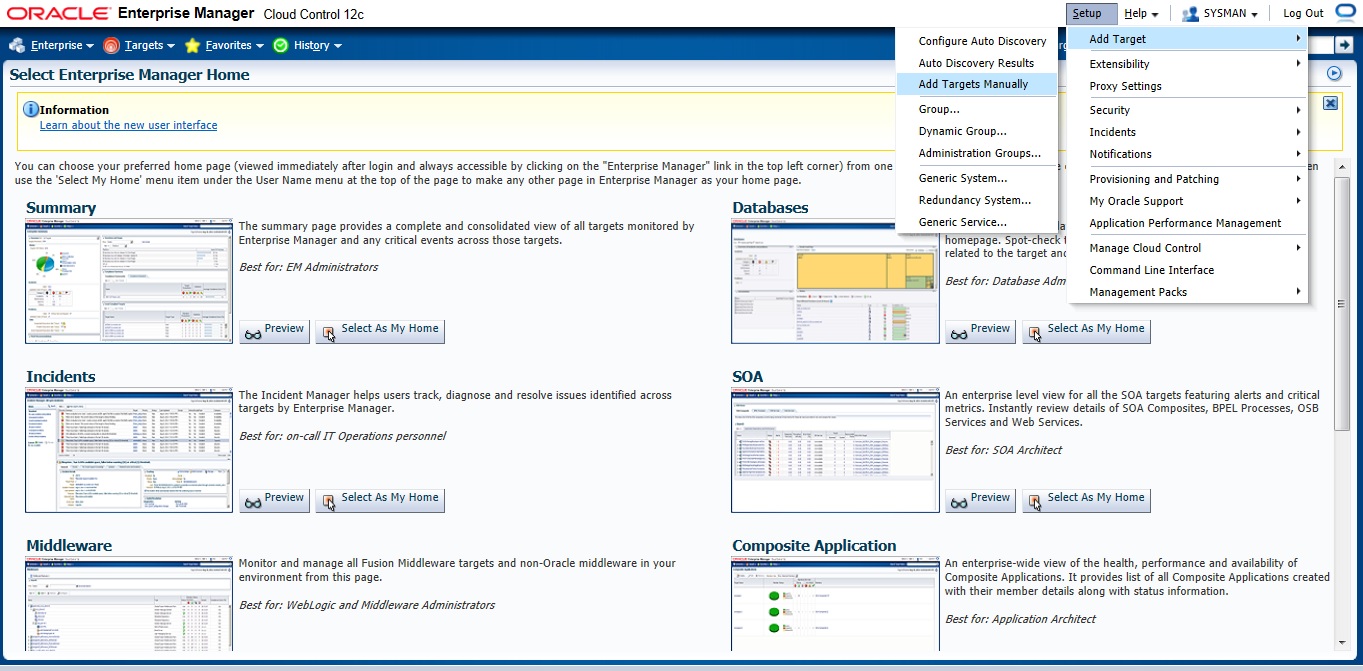
Setup –> Add target –> Add Target manually
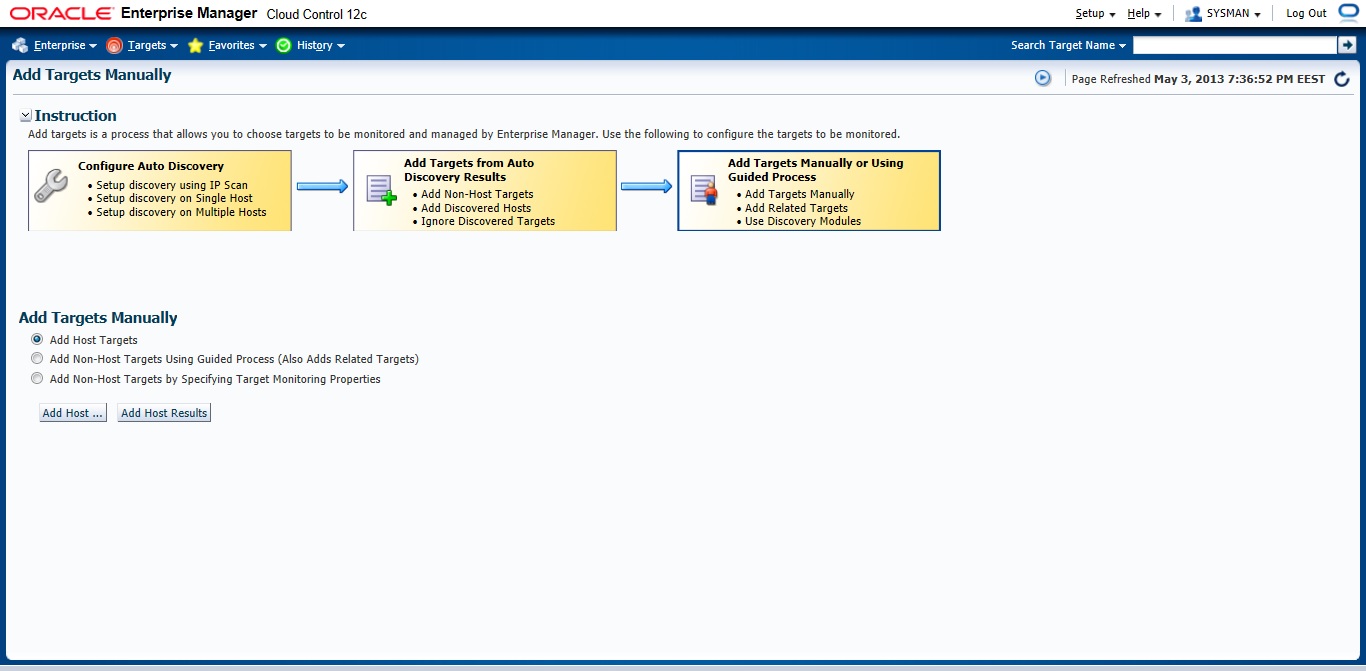
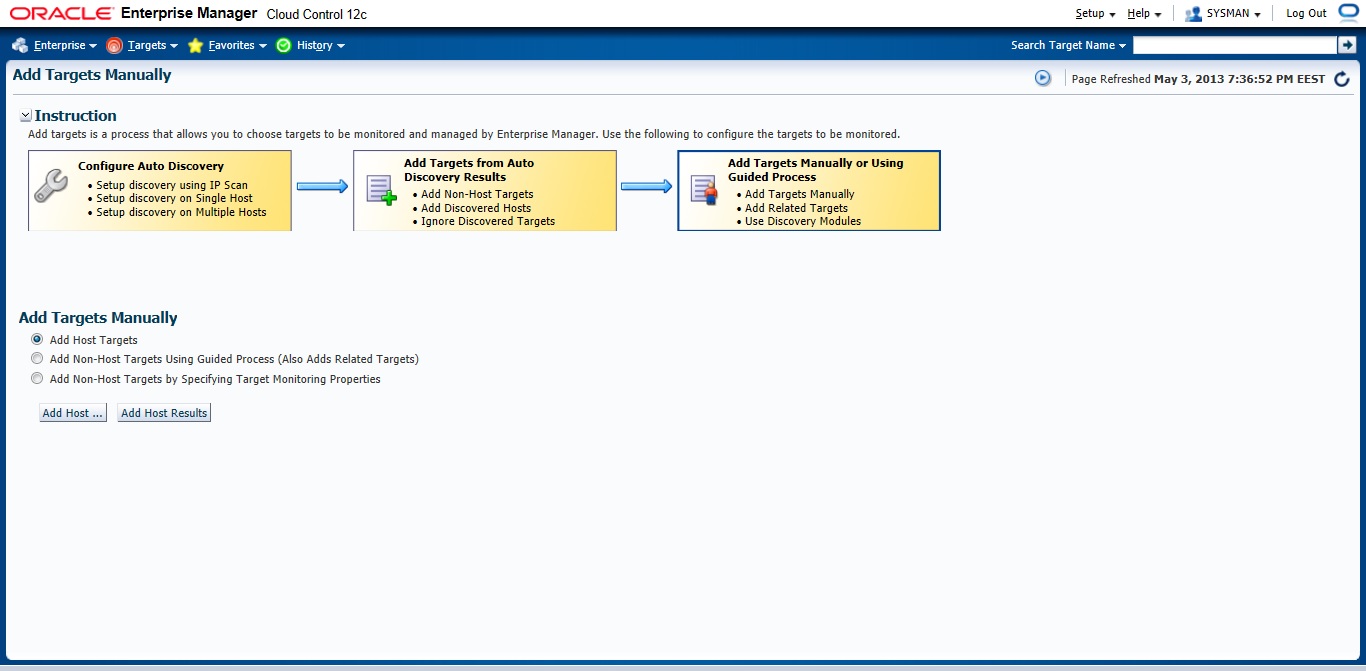
Choose the first Option
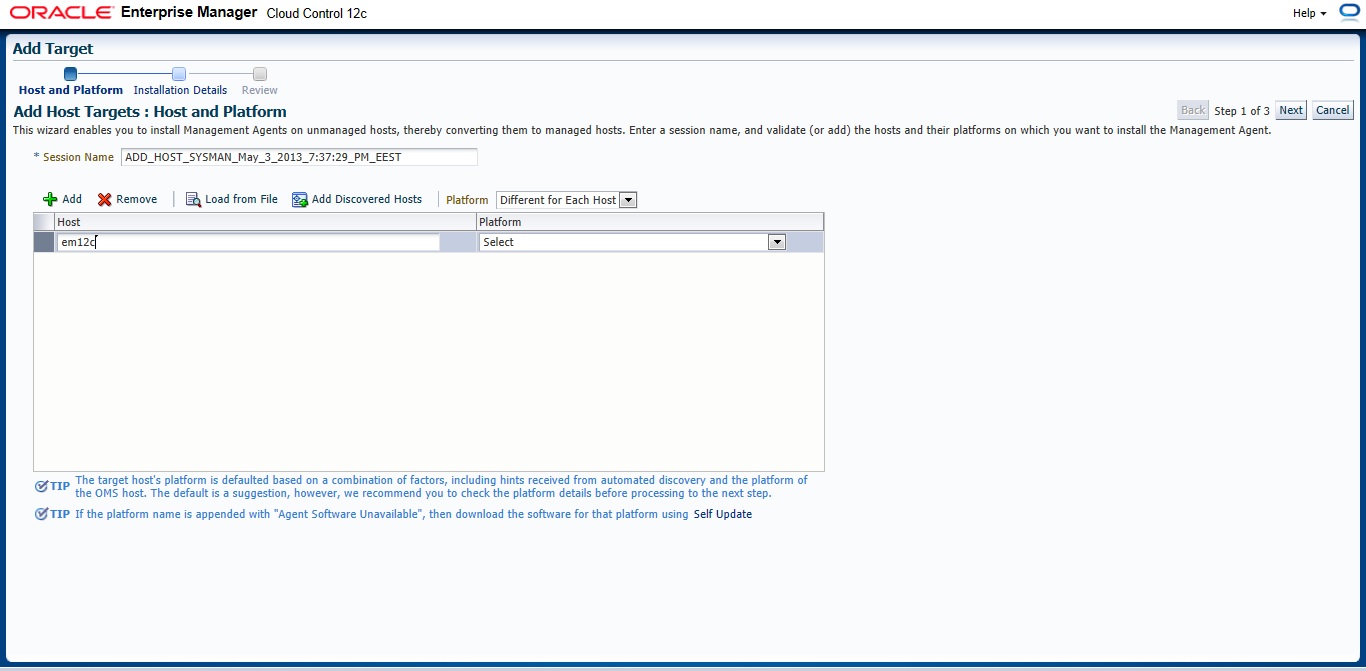
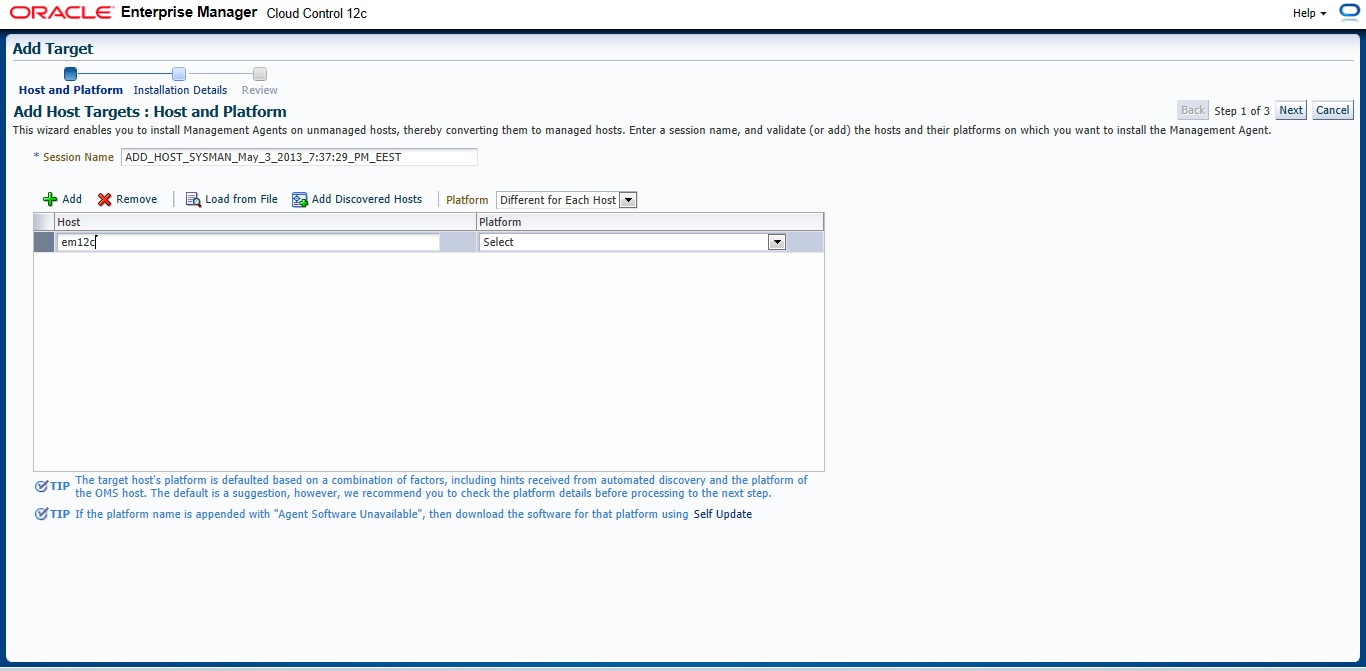
New Page will appear — > Press add and Type Hostname for the server and which Operating system installed it on it.
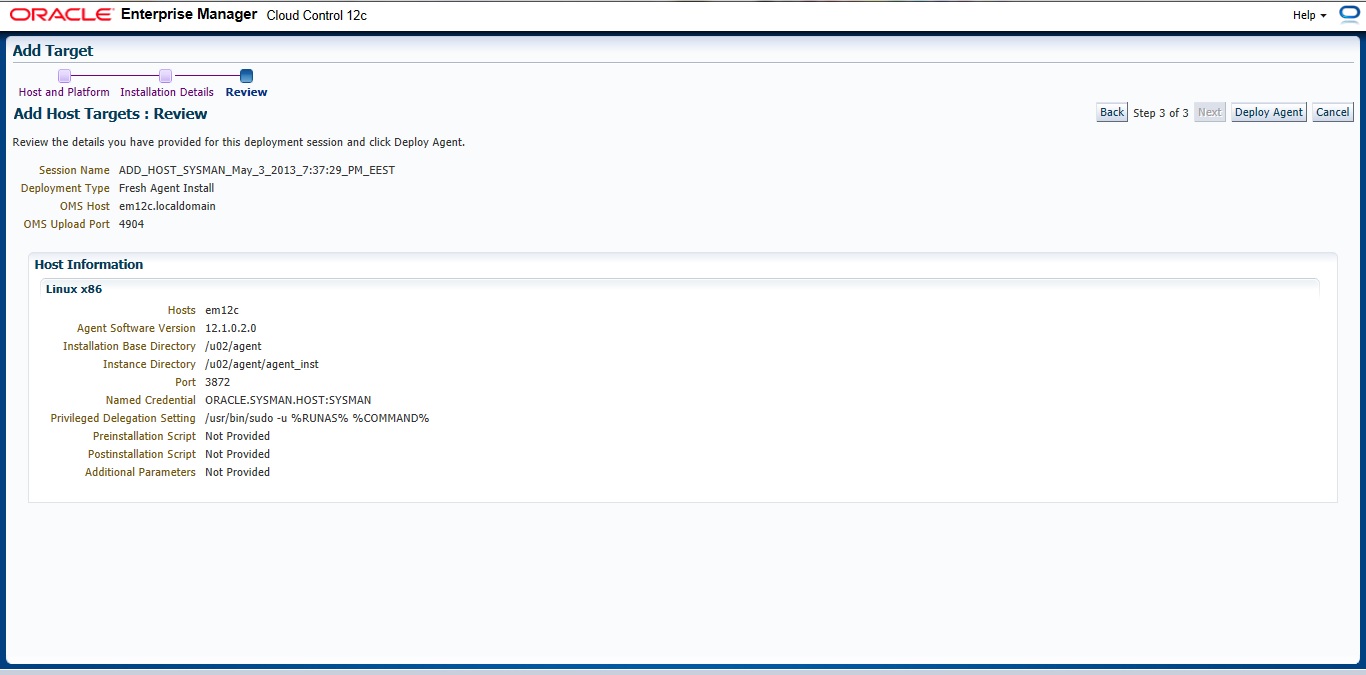
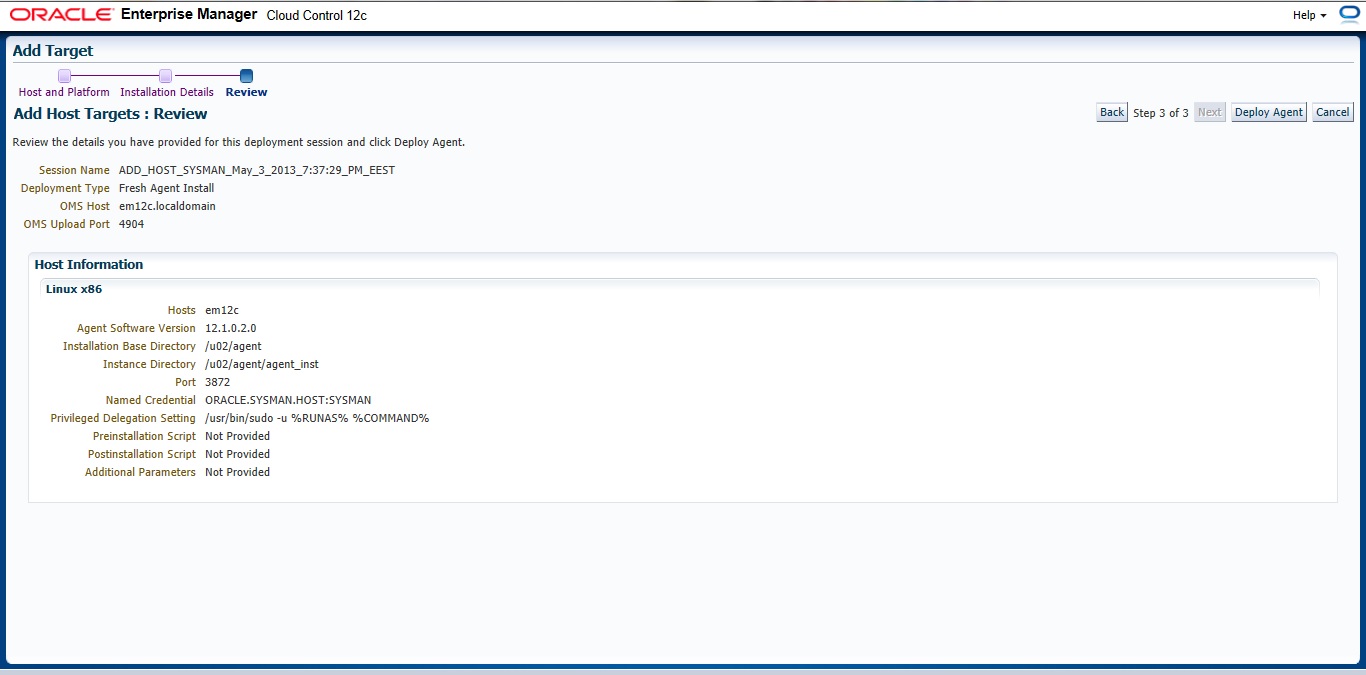
Insert your Agent Path ( where you want to install agent ) and username

Review and then Deploy Agent
You can download this article here
Thank you
Osama Mustafa
 Technology Geek