Weblogic 12c installation

there are over 200 new features in weblogic 12c, some of this features
are:-

 Simplified Deployment and Management with Virtualization
 Integrated Traffic Management
 Integrated WebLogic/RAC Clusters
 Seamless Upgrade From WebLogic, iAS and Others

This Document Describe steps to install Oracle weblogic 12c, operating system Oracle Linux 6.4, You can Download Document here

Thank you
Osama Mustafa 

Managed Server ERROR: transport error 202: bind failed: Address already in use

ERROR: transport error 202: bind failed: Address already in use
ERROR: JDWP Transport dt_socket failed to initialize, TRANSPORT_INIT(510)
JDWP exit error AGENT_ERROR_TRANSPORT_INIT(197): No transports initialized [../../../src/share/back/debugInit.c:750]

This Error Appeared when trying to start Managed server the Log Shown the above error, which already clear, in my case i have 2 managed server SOA and OSB in the same AdminServer each of them trying to access on the same PID process using Node Manager to solve this issue please follow the below steps.
Solutions :-
  • Inside Domain Path for example /u01/app/fmw/domains/Base_domain/bin
  • Edit setDomainEnv.sh and search for the below :-

if [ “${DEBUG_PORT}” = “” ] ; then
        DEBUG_PORT=”8453″
        export DEBUG_PORT
fi

if [ “${SERVER_NAME}” = “” ] ; then
        SERVER_NAME=”AdminServer”
        export SERVER_NAME
fi

  •  Add New Lines under the above to contain server name and available DEBUG_PORT on the server like the below:-

if [ “${SERVER_NAME}” = “soa_server1” ] ; then
   DEBUG_PORT=”7453″
   export DEBUG_PORT
fi

if [ “${SERVER_NAME}” = “osb_server1” ] ; then
   DEBUG_PORT=”7454″
   export DEBUG_PORT
fi

 Now Restart AdminServer and Try to start Managed Server, Take Backup from setDomainEvn.sh before editing.

Thank you
Osama mustafa

Oracle Solaris 11.2 Launch On 29/04

Today 29/04/2014 Oracle Launched new version of operating system Solaris 11.2, This Version will contain significant Features and it’s fully supported for Cloud

Some of the new features :-

  • Reduce management effort via OpenStack integration
  • Further increase the flexibility of Solaris system virtualization
  • Add unique software-defined networking (SDN) capabilities
  • Simplify the creation of private and public clouds

The Link for the Event Here.

Thank you 
Osama mustafa

Flush Linux Buffer Cache

Cache is used to keep data to use frequently by operating system,  But sometimes memory is getting low linux provide some memory Command line to monitor Memory status Check the below link :-

1- Linux Check Memory Usage Here.
2- 18 Command Line Tools to Monitor Linux Performance here.

There are options available to flush cache of linux memeory :-

Flush everything ( Pagecache, dentries and inodes )  :-

 sync; echo 3 > /proc/sys/vm/drop_caches.

Flash dentries and inodes :-

 sync; echo 2 > /proc/sys/vm/drop_caches

Flash PageCache only

sync; echo 1 > /proc/sys/vm/drop_caches

All the command should be Run As root.

Schudle the above command as job using crontab , choose from the above command what you need :-

0  *  *  *  *  /root/memory.sh

Memorysh –> should be contain one the above script run as root.

Thank you
Osama mustafa


Unable to Determine Console Port when Trying to Run emctl start iasconsole

The Situation for me like this, Database version 11.2.0.3, Real Application Cluster two nodes, Enterprise manager working and configured without any problem,

emctl start dbcsonole 

Working without any errors, metrics collected, but when trying to run

emctl start iasconsole

Or

emctl istart iasconsole  

The Error ” Unable to determine console port, default-web-site.xml : no such file or directory”

The File is exists, and configured to run oc4j on port 8888, http://hostname:888/em not working with error “iasconsole service should be stopped”. Weird !!!!!

 Operating system Oracle Linux 64bit, After investigation i discovered that binary/files for oc4j in ORACLE_HOME was corrupted and not working correctly however this is what i did to fix this error :-

First Download OC4J_extend.zip from here, this zip file contain same directory files ( xml,config ) in oc4j ($ORACLE_HOME/oc4j) so extract this file inside this path, if oc4j not exist create one and extract the zip file into this directory.

But this is will not make oc4j works, complete the below steps to make sure everything is working fine.

[oracle@PROD bin]$ ./java -jar /u01/app/oraclenew/product/11.2.0/dbhome_1/oc4j/j2ee/home/oc4j.jar

Apr 3, 2014 2:51:51 PM com.evermind.server.XMLApplicationServerConfig randomizeJtaAdminPassword
INFO: Updating JtaAdmin account

14/04/03 14:52:30 Set OC4J administrator’s password (password text will not be displayed as it is entered)
Enter password:            
Confirm password:          
The password for OC4J administrator “oc4jadmin” has been set.
14/04/03 14:52:35 The OC4J administrator “oc4jadmin” account is activated.
14/04/03 14:52:39 Oracle Containers for J2EE 10g (10.1.3.3.0)  initialized

Now Test the Link –> Http://localhost:8888/em and it’s working
Thank you 
Osama Mustafa
Enable SSH On Windows EM12C Purpose

Uploading Agent to windows/Linux needs ssh Port to be open and enabled, ssh not enabled on windows by default and do it Cygwin should be installed.

Configure Cygwin so simple, follow the below steps :-

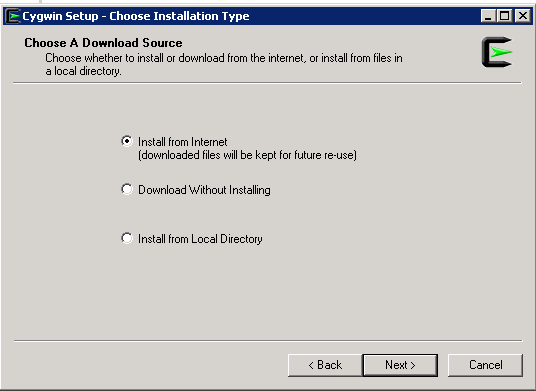
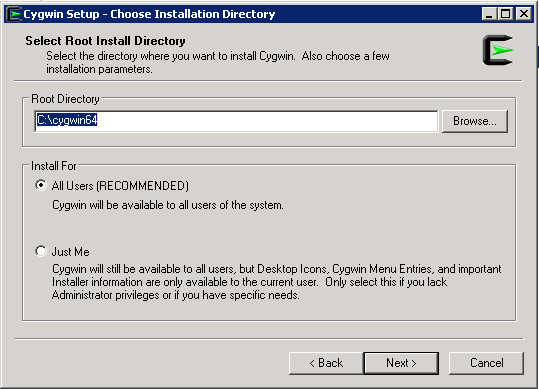
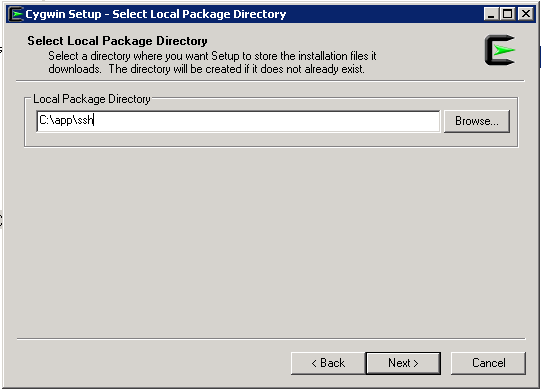
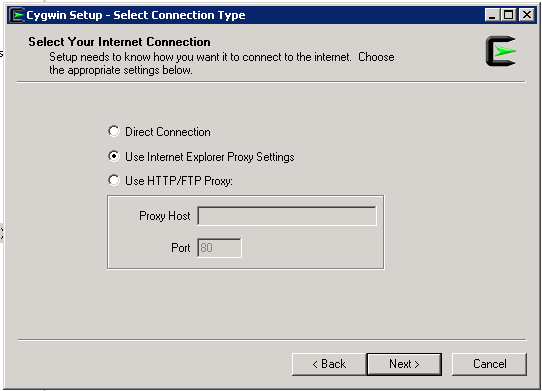
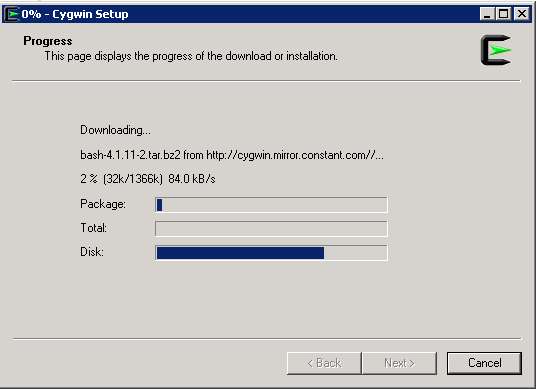
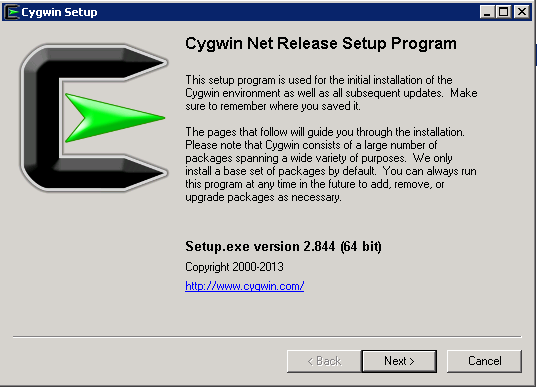
Download Cygwin from Here, Upload File to the windows Server and Run the setup.

SSH Package should be chosen while installation.
After Installation Run cygwin terminal as Administration ( Right click on the icon and Choose the option )
Now Enable ssh should be done by run below command :-

/usr/bin/ssh-host-config

Should privilege separation be used? (yes/no) yes
new local account ‘sshd’? (yes/no) yes
Do you want to install sshd as a server? Yes
Enter the value of CYGWIN for the daemon: [] (DON’T ENTER ANYTHING, PRESS ENTER)
Do you want to use a different name? (yes/no) no
Create new privileged user account ‘cyg_server’? (yes/no) yes
Please enter the password: ENTER YOUR PASSWORD HERE
Reenter: RE-ENTER YOUR PASSWORD

Using Command Prompt ( cmd )

Start ssh by –> net start sshd
Stop ssh by –> net stop sshd

Another way posted by my friend Maaz you can check it here.

Thank you 
Osama Mustafa

Download Agent in EM12C manually

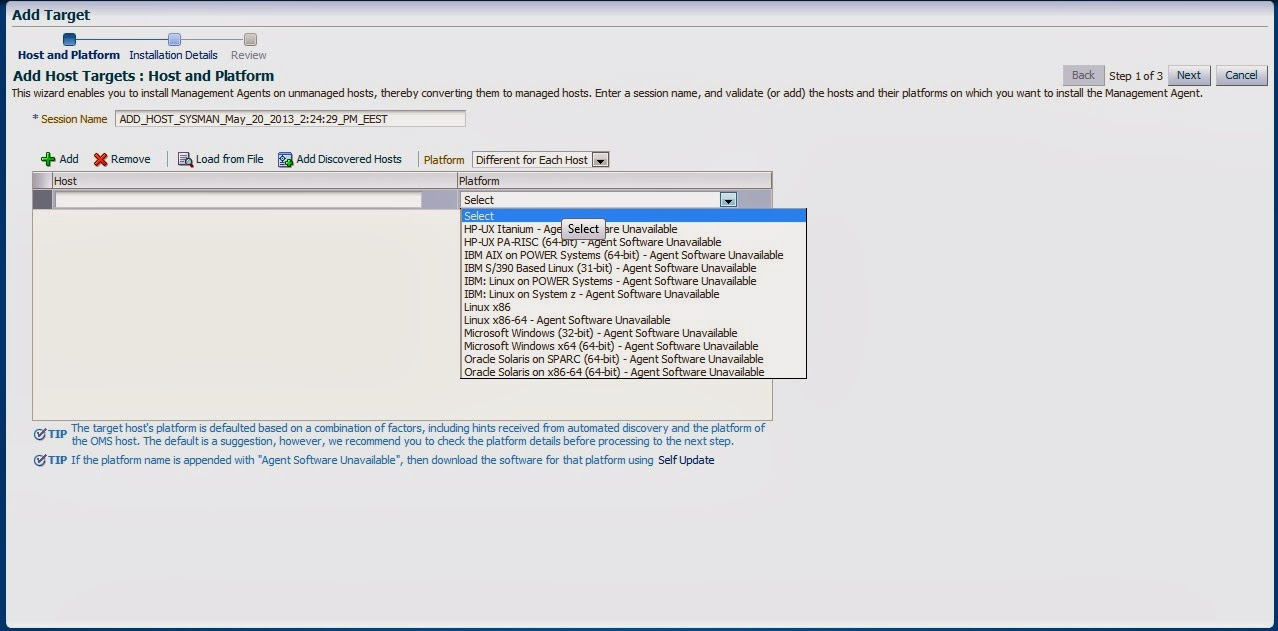
Adding target to EM12C needs to install agent to the Target Host Depend on Operating system, the agent is now always available which mean install Agent for this operating system is necessary, the below picture describe the above case :-

Enterprise manager cloud 12c contains two different type of Connection mode online and offline, this blog describe how to install manually :-

From Setup –> extensibility –> Self Update

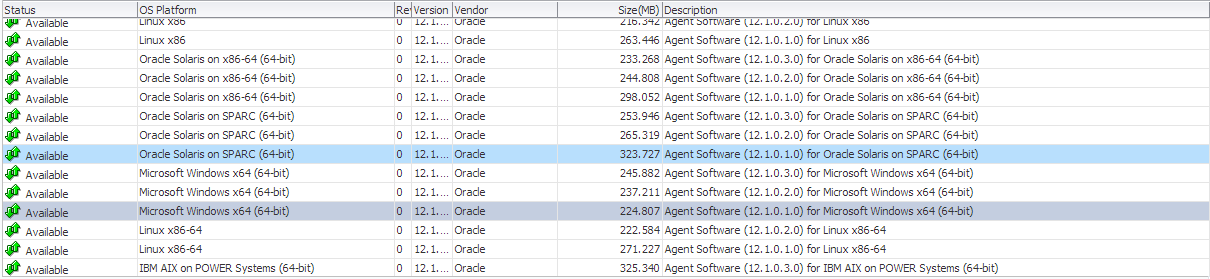
Press On Agent Software., The below screen will appear :-

By pressing any of those agent new pop up will open included with link to download, copy the link and upload the file to OMS Host and run the below command :-

[oracle@EM12C emcli]$ ./emcli import_update -omslocal -file=….

File Path should be provided in the above command.

The output :-

Processing update: Agent Software – Agent Software (12.1.0.1.0) for Microsoft Windows x64 (64-bit)
Successfully uploaded the update to Enterprise Manager. Use the Self Update Console to manage this update.

After Run the above command Successfully, Back to Self Update screen –> Agent Software and Apply the Download Catalog by press apply.

Thank you
Osama mustafa

OUG Ireland 2014

11/03 it’s Date For Oracle User Group Ireland.
Location : Dublin Convention Center.

Like any other Flights it’s took me 10 hours to be in Dublin,After Checked in the hotel First thing I did is attending Oracle ACE dinner and meet some Folks.

There was lot of Oracle Experts Speaker, Once the conference started I spent most of my day in RAC ATTACK Location and I would thank Mina Zadeh for this amazing Arrangement. it was really nice to meet her in person.

 Presentations was really amazing and useful, I would thank Oracle User Group Ireland for organizing and running this event so well.

Thank you
Osama Mustafa

soft limit maximum user processes/Oracle Linux

As Root User access to
[root@EM12C Packages]# vi /etc/security/limits.conf

Then add the below line or modify it :

oracle              soft    nproc   2047
oracle              hard    nproc   16384
oracle              soft    nofile  4096
oracle              hard    nofile  65536
oracle              soft    stack   10240

Thank you
Osama Mustafa