- Unbreakable Enterprise Kernel Release 3
- Support DTrace.
- Delivering Better Performance, scalability and reliability For Companies.
- New File System : btrfs enable administrators to implement an efficient incremental backup mechanism using file system snapshots.
Tag: linux
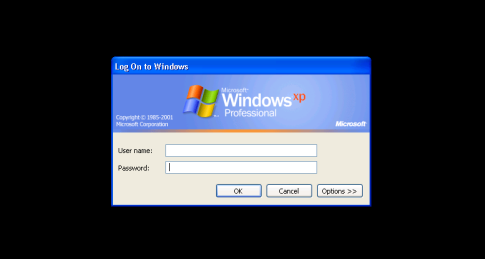
rdesktop: A Remote Desktop Protocol Client
You can install the package using yum like the below :
# rpm -qa rdesktop
Regarding to website to connect Windows from linux you need to use -u which indicate for username follows with hostname to be like this
# rdesktop -u Administrator osama
Osama : hostname
Administrator : Username
Useful !!!
Thank you
Osama mustafa
Linux Command For DBA
#chkconfig –list sshd
#chkconfig –levels 2345 sshd on
to find a file in a directory:-
$ find (directory_path) -name (file_name)
to find a value in a vi editor:-
in vi editor [esc] & :/(find_value)
to delete a value in a vi editor:-
in vi editor [esc] & :%s /delete_value
to delete contents in a file:-
in vi editor [esc] & :/%d
to replace a value in a vi editor:-
in vi editor [esc] & :%s /search_value/replace_value
to see the size of a file (or) directory:-
$du -csh (file or directory name)
to count the files & directories in a directory:-
$ls -l |wc -l
to count the files in a directory:-
$find . -type f |wc -l
to count the directries in a directory:-
$find . -type d |wc -l
to see the file-system in linux:-
$file /sbin/init
(or)
$getconf LONG_BIT
How to mount Windows shared folder in Linux: –
$mount.cifs //IPAddrss/share_folder_name/ /mnt -o user=username
Thank you
Osama Mustafa
ORA-12516: TNS:listener could not find available handler
But Before this , i am gonna show you some steps to check the process via OS and Database LETS BEGIN :
- check if the number of connections reaches the database’s process parameter using following Unix command:
ps -ef | grep oracleSID | grep -v grep | wc -l
or
ps aux | grep oracleSID | grep -v grep | wc -l
- check if the number of connections reaches the database’s process parameter using following Database Command :
SQL> show parameter processes
NAME TYPE VALUE
------------------ ----------- -------
processes integer 150
SQL> select count(*) from v$process;
COUNT(*)
----------
149
SQL> show parameter sessions
NAME TYPE VALUE
------------------ ----------- -------
Session integer 150
SQL> select count(*) from v$session;
COUNT(*)
----------
149
Now We need To Increase the Both Parameter By :
SQL> alter system set processes=300 scope=spfile;
System altered.SQL> alter system set Session=300 scope=spfile;
System altered.
If this Solution Not Work For you , Try this One :
SQL> alter system set local_listener=“(ADDRESS=(PROTOCOL=tcp)(HOST=10.122.28.12)(PORT=1521))” sid=’ORCL1′;System altered.
SQL> show parameter local
NAME TYPE VALUE
———————————— ———– ——————————
local_listener string (ADDRESS=(PROTOCOL=tcp)(HOST=1
0.122.28.12)(PORT=1521))
Osama Mustafa
prerequisites to install oracle Database 11g , 10g
Backup an entire hard disk using dd command
dd if=/dev/hdx of=/dev/hdy
dd if=/dev/hdx of=/path/to/image
dd if=/dev/hdx | gzip > /path/to/image.gz
Hdx could be hda, hdb etc. In the second example gzip is used to compress the image if it is really just a backup.
dd if=/path/to/image of=/dev/hdx
gzip -dc /path/to/image.gz | dd of=/dev/hdx
In order to backup only the first few bytes containing the MBR and the partition table you can use dd as well.
dd if=/dev/hdx of=/path/to/image count=1 bs=512
dd if=/path/to/image of=/dev/hdx
Change Oracle Enterprise Manager 10g Password
1.Stop the DB Control
On Unix $ emctl stop dbconsole
On WindowsOpen a Command Window and type**> emctl stop dbconsole
2.Check that the DB Control is stoppedOn Unix
$ emctl status dbconsole
On WindowsOpen a DOS Command Window and type**> emctl status dbconsole
SQL> alter user sysman identified by ;
SQL> connect sysman/[@database_alias]
5.Go to $ORACLE_HOME/host_sid/sysman/config do the following :
- Save the file emoms.properties to emoms.properties.orig
- Edit the file emoms.properties
- Search for the line beginning with:
oracle.sysman.eml.mntr.emdRepPwd=
Replace the encrypted value by the new password value
Example:
oracle.sysman.eml.mntr.emdRepPwd=rainbow - Search for the line:
oracle.sysman.eml.mntr.emdRepPwdEncrypted=TRUE
Replace TRUE by FALSE
6.Restart the DB Control
On Unix
$ emctl start dbconsole Open a DOS Command Window and type**> emctl start dbconsole - Edit the file $ORACLE_HOME/host_sid/sysman/config/emoms.properties
- Search for the line beginning with:
oracle.sysman.eml.mntr.emdRepPwd=
Check that the password is encrypted - Search for the line beginning with:
oracle.sysman.eml.mntr.emdRepPwdEncrypted=
Check that the value is TRUE
I Publish the same lesson but on 11g .
Thank you Osama mustafa