Which module You installed on Apps

Sometimes you need to check which module you installed in oracle E-business suite and to do that there’s more one way :

using Query / as Apps User :

SELECT a.application_name,a.product_code,
DECODE (b.status, ‘I’, ‘Installed’, ‘S’, ‘Shared’, ‘N/A’) status,
patch_levelFROM apps.fnd_application_vl a,
apps.fnd_product_installations b
WHERE a.application_id = b.application_id
and b.status=’I’ order by product_code asc;

Using adutconf.sql scripts which is located in $AD_TOP

This script include information about Product installation status, version and other information.

Using Oracle Application Manager ( OAM )

Site Map —> License Manager Which licensed word means installed.

Simple

Thank you
Osama Mustafa

Step By Step Remove Oracle Table Lock

All your query should be done using sys user or system user, after that you need to find Session SID with below query :

SQL> SELECT SESSION_ID
  2  FROM DBA_DML_LOCKS
  3  WHERE NAME = ‘EMP_INFORMATION’;

Where EMP_INFORMATION is Table_name

Output :

SID
___
424

Next step it’s talking about How to find Serial# :

SELECT SID,SERIAL#
FROM V$SESSION
WHERE SID IN (SELECT SESSION_ID
FROM DBA_DML_LOCKS
WHERE NAME = ‘EMP_INFORMATION’)

Output :

SID                SERIAL#
—-                 ——-
424                 1103

Use Alter system To kill this session :
ALTER SYSTEM KILL SESSION ‘SID,SERIALl#’;

Thank you
Osama mustafa


Disable Auditing Using Oradebug

in 2011 Laszlo Toth Show some Oracle tricks to disable Auditing In Oracle Database included with SYS auditing using simple command Called oradebug, Just as note oradebug is undocumented in all oracle versions and if you have sysdba role privileges you can do a lot of things with this command :

the below is the demonstration :

sqlplus / as sysdba

SQL> — get the offset for oradebug

SQL> select fsv.KSMFSNAM,sga.*
from x$ksmfsv fsv, x$ksmmem sga
where sga.addr=fsv.KSMFSADR
and fsv.ksmfsnam like ‘kzaflg_%’;

KSMFSNAM ADDR INDX INST_ID KSMMMVAL
—————- ———- ———- —————-
kzaflg_ 0000000060031BB0 26652 1 0000000000000001

SQL> show parameter audit;

NAME TYPE VALUE
———————————— ———– ——————————
audit_file_dest string /u01/app/oracle/admin/PSALES/adump
audit_sys_operations boolean TRUE
audit_syslog_level string
audit_trail string DB, EXTENDED

SQL> oradebug poke 0x60031bb0 1 0
BEFORE: [060031BB0, 060031BB4) = 00000001
AFTER: [060031BB0, 060031BB4) = 00000000

Just as note with oradebug you Audit vault become useless. another tricks that we can use oradebug to call Database command using OS 🙂 

SQL> oradebug call system    “ls -la >/tmp/hacktivity.txt”

Thank you
Osama mustafa

Oracle Security –> Where to Start ? What to do ?

When you start reading the title you start thinking of Race, Mostly you can think of that since technology going fast, But my article it’s not about race it’s talking about where should i look when i secure my database what should i secure ? I post another articles talking about security and how to secure your database what is the benefits of securing database ? I will try to mention the most important points to secure and protecting database specially internal users.

Database is complex, so DBA ( Database administrator ) must understand potential security impacts  and The three components Triangle which i mentioned before in “Top ten Threats to Database” For example when DBA looking for availability they ignore right configuration which cause security vulnerability and this can lead to expose confidential data. it’s not about database if you have application you need to take over and start secure this application. but what can i do ? Where to start and how to start ? 

The Basic Steps to Start like i mentioned in my post “basic Steps to Secure Oracle”  is to discuss the risk management that lead to this, and you can secure your database by looking for the below keys  :

  • Auditing
  • Database Configuration
  • Access to database
  • Authentication 


I need to Remind you in something Secuirty Not means i will protect my database 100% it’s way to prevent attacks and make it harder, But what if the attackers get in database 

Auditing 


Auditing allow us to monitor database users,or anything that happened on database,first audit_sys_operations parameter should be set to TRUE to monitor sys user operation. The audit_trail parameter ( DB|OS) where the location of Audit files will goes ? For example Audit Files could be written on Database  or On File System if you set this parameter to OS. let’s talk about database here :

SQL> SELECT * FROM dba_obj_audit_opts;

SQL> SELECT * FROM dba_priv_audit_opts;
SQL> SELECT * FROM dba_stmt_audit_opts

 you cannot enable auditing to monitor all database activities but at least you can enable it for action such as create session , by fire this command —> audit create session;

What i love in 11gR2 documentation is that Oracle has create it’s own list for recommended auditing list which mean you should enable it. another type of auditing called FGA allow you to create policy to run on certain event for example when scott read from table emp column Sal i want to record this transaction on table. simple way read more about : —> DBMS_FGA.ADD_POLICY, and check this event to you need to have access on sys.fga$.

After you enable auditing it’s very important to Create your own reports to monitor database.Oracle gives you products to centralize this audit logs called audit vault the benefits of this products it’s automatically clean up the old data ( only if transferred to server ) and remove them.

 Database Configuration

When start talking about secure configuration lot of steps came to my mind, but i will try make simple since i can’t cover everything in this topics, i will divide it to more than one topics and Post on my blog, as you know in this part you have to look at network, Listener , Client side , Parameters , and Backup i am apology if i forget something, each part of this compentents are very important but let’s talk about parameters as we all know Database have something called spfile/pfile which is parameter file for database, Some of parameter set for TRUE by default while i don’t need them vice versa, change the value of this parameter are important to avoid any Weakness in the futures some of this parameters are :

  • OS_ROLES —-> Should be False 
  • os_authent_prefix —> Ops$ 
  • o7_dictionary_accessibility –> Should be False 
  • audit_sys_operations –> Should be True
  • Global_name —> Should be True
  • Remote_listener —> use it only if you need it
  • remote_login_passwordfile –> none 
  • sec_case_sensitive_logon –> Should be True
  • sql92_security —> Should be True 
  • remote_os_roles –> Should be False

lot of parameters, but i mention some of them.

Also Don’t forget to secure your Listener set password for listener, change default port simple steps but make you avoid future attack.
Another point don’t forget to patch your database check oracle site for you new CPU and PSU patch this will fix security vulnerability, Read More here.
 Another way also to secure configuration using Database firewall ( i will post topic about it later ) , network firewall and create policy inside the company.

Access to database


in each topic i post i am talking about this, i am will mention it in every topics in the future it’s important and the most of hacking cases happened because user has privileges more than he needs why ?  is your data not important !!! when the user authenticated to database first thing you need to check what this user allow to do ? especially for developers and application user ( dose he need DBA role to execute procedure ) 

 SQL> SELECT * FROM dba_sys_privs;
SQL> SELECT * FROM dba_role_privs;
SQL> SELECT * FROM dba_col_privs;
SQL> SELECT * FROM dba_tab_privs;

it’s not only about privileges , Create Development , test and QA database is important not everything works on Production is correct , create new users with different privileges some of them to monitor some of them to manege, Boring but Useful , Don’t forget Database links i mention before in my topics about database link security and how this could effect on your database, well Links create new privileges escalation, Review database link and check who access to them , who use them , how he use them and is it valid any more ?

SQL> SELECT * FROM sys.link$;

as conclusion you have to check user privileges , Application users , Users , Database links and Create new instance for new jobs ,  not all company spend money to secure database but why should i buy new products while i am not doing the basic steps before that , it’s maybe avoid company small fortune and they will loves for that.

Authentications

Well , I should mention it first but it’s all about security why should i care ? the first thing happened in database is authentications obtaining user information , Password the problem is The mutli way for doing that make risk is high you have OS authentications …. etc check my post about “Effect of Default Password” and you will be surprised what i can do with default password !!! in 11g you can check the Deafult password in new View :

SQL >  select * from dba_users_with_defpwd;

But you can’t also forget about

SQL > Select * from dba_users;

each of them has different job, not everything mentioned in dba_users_with_defpwd , Once you change password and Create new one ( hard to guess ) now you need to provide new rules for password here we start talking about profiles

SQL > Select * from dba_profiles ;

Example for how to create profile in oracle :

CREATE PROFILE Example LIMIT
  FAILED_LOGIN_ATTEMPTS 3 
  PASSWORD_LOCK_TIME 5    
  PASSWORD_LIFE_TIME 30   
  PASSWORD_GRACE_TIME 3   
  PASSWORD_REUSE_TIME 120 
  PASSWORD_REUSE_MAX 10   
/

Also read Oracle documentation here.

I will take later about Authentications type In oracle provided with Examples and talk about which one is more secure and when i need to use it ?

Don’t forget that Oracle Provide Password complexity that located in $ORACLE_HOME/rdbms/admin with Script called –> utlpwdmg.sql just run it / as sysdba and new rules will be applied to passwords you can create your own one. but this script do the below

  • The password contains  eight characters or more.

  • Password not same as username.
  • password should not be simple 
  • password should contain Numeric and alphabetic.
  • password should be different from the last password.

and other’s features simple and amazing Right 🙂

as conclusion i will post more topics about security and more examples will be waiting, and i wish it’s useful and simple, i can’t cover all things in one article i will be huge i will try to do my best.

Thank you
Osama Mustafa
Switchover_status is Not Allowed

Check On the Primary database and the following status will appear to you :

SQL> select name ,open_mode, database_role, switchover_status from v$database;

NAME OPEN_MODE DATABASE_ROLE SWITCHOVER_STATUS


MAN MOUNTED PHYSICAL STANDBY NOT ALLOWED

To make sure everything is Ok on both Side Primary and Standby :

SQL> select name ,open_mode, database_role, switchover_status from v$database;

NAME OPEN_MODE DATABASE_ROLE SWITCHOVER_STATUS


MAN READ WRITE PRIMARY TO STANDBY

 Another Check :

On Primary Database :

SQL> select max(sequence#) from v$archived_log;

MAX(SEQUENCE#)


56

At Standby :
SQL> select max(sequence#) from v$log_history;

MAX(SEQUENCE#)


56

You Solve this problem By Fire the below command :

SQL > alter database commit to switchover to physical standby with session shutdown
 
The Above Command Should be Run on Primary Database to Generate Special marker on Online Redolog Headers Which Mean transfer the archive to standby , after that the status should be changed.

Please check the below Link from OTN Forum that describe the same problem also and The Solution is Mentioned already there:

1-  Not allowed status in primary db switch_over status  Press here.
2- Not allowed Issue while DR switchover Press here.

Thank you
Osama Mustafa

Recreate Lost Pfile With Simple Command

If you  lost all my files under $ORACLE_HOME/dbs but database is still up and running, check the below :[oracle@192 ~]$ sqlplus / as sysdba

SQL*Plus: Release 10.2.0.5.0 – Production on Fri Mar 15 14:49:58 2013

Copyright (c) 1982, 2010, Oracle.  All Rights Reserved.

Connected to:
Oracle Database 10g Enterprise Edition Release 10.2.0.5.0 – Production
With the Partitioning, OLAP, Data Mining and Real Application Testing options

SQL> spool newfile.ora
SQL>     select name||’=’||value from v$parameter where isdefault = ‘FALSE’;

NAME||’=’||VALUE
——————————————————————————–
processes=150
sga_target=285212672
control_files=/u01/app/oracle/oradata/orcl/control01.ctl, /u01/app/oracle/oradat
a/orcl/control02.ctl, /u01/app/oracle/oradata/orcl/control03.ctl

db_block_size=8192
compatible=10.2.0.1.0
db_file_multiblock_read_count=16
db_recovery_file_dest=/u01/app/oracle/flash_recovery_area
db_recovery_file_dest_size=2147483648
undo_management=AUTO

NAME||’=’||VALUE
——————————————————————————–
undo_tablespace=UNDOTBS2
remote_login_passwordfile=EXCLUSIVE
db_domain=
dispatchers=(PROTOCOL=TCP) (SERVICE=orclXDB)
job_queue_processes=10
background_dump_dest=/u01/app/oracle/admin/orcl/bdump
user_dump_dest=/u01/app/oracle/admin/orcl/udump
core_dump_dest=/u01/app/oracle/admin/orcl/cdump
audit_file_dest=/u01/app/oracle/admin/orcl/adump
audit_trail=TRUE
db_name=orcl

NAME||’=’||VALUE
——————————————————————————–
open_cursors=300
os_authent_prefix=
pga_aggregate_target=94371840

23 rows selected.

SQL> spool off ;

Just edit the new file and startup.

Thank you
Osama Mustafa

Step By Step Install Database Vault 11g

I talked before about how to install Oracle Database Vault 10g But now i will talk about 11g and how to install it ?

in database 11g database vault installation become more easier, all you have to do is check the box to install that option and even if you forgot that you can install it later by run script

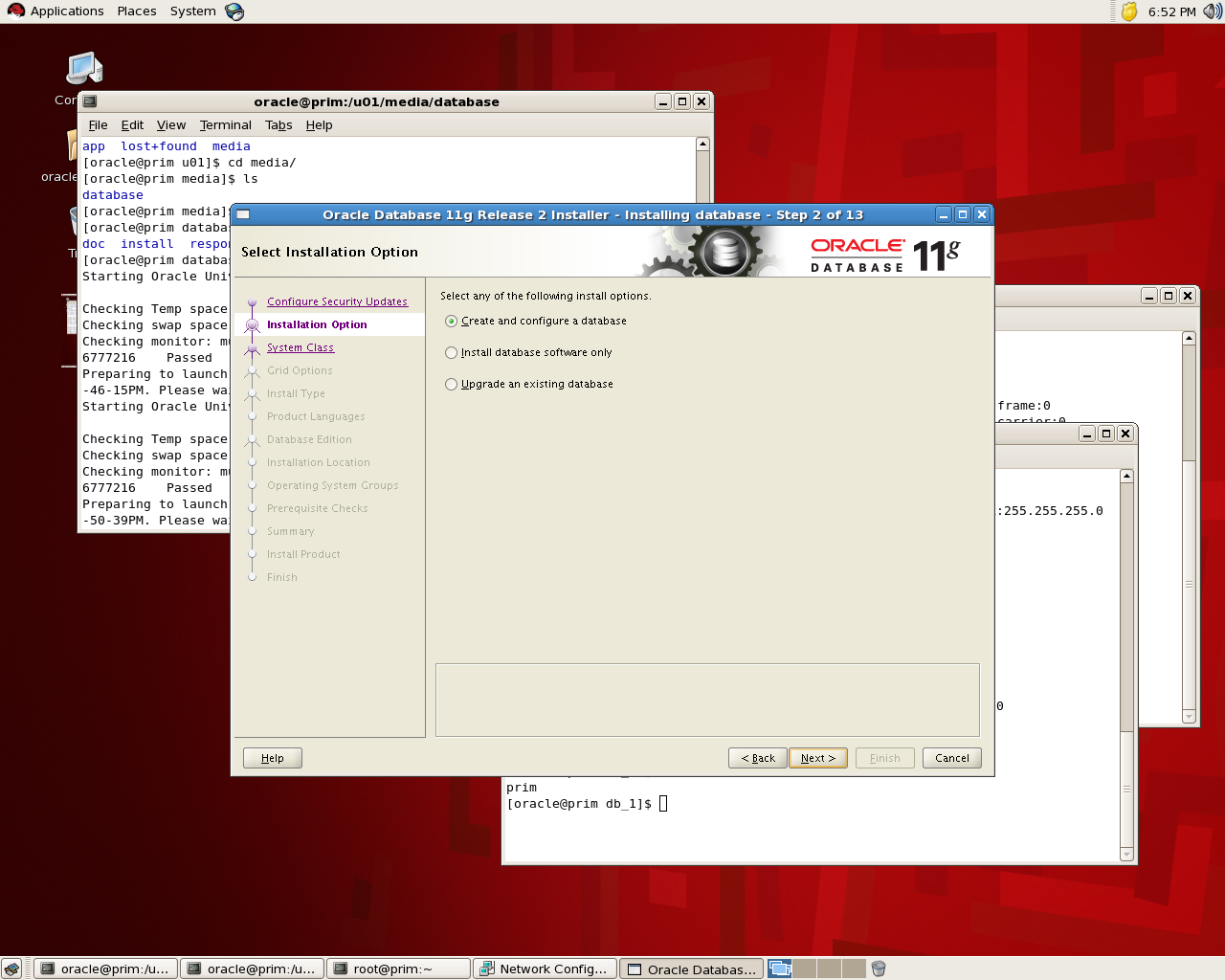
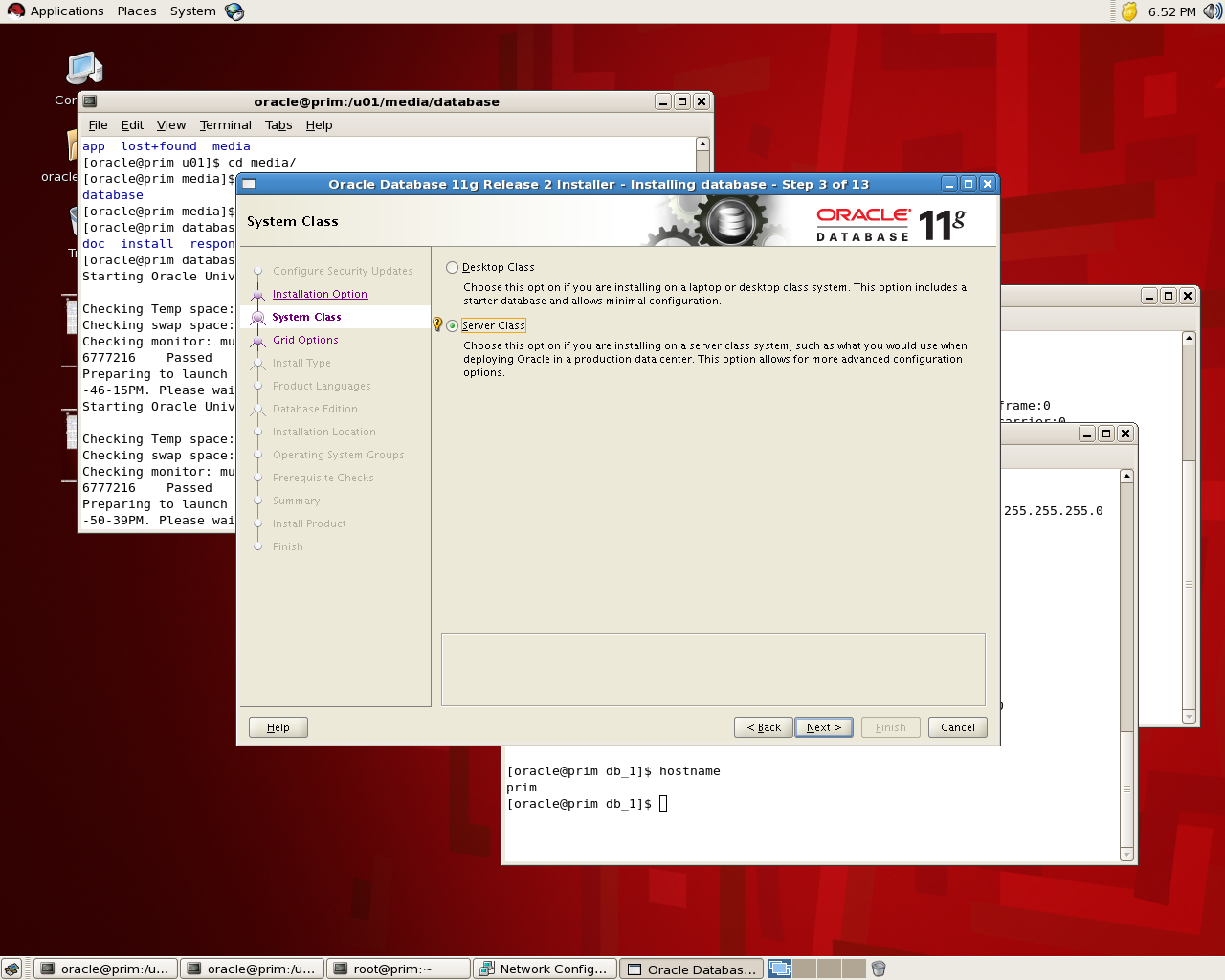
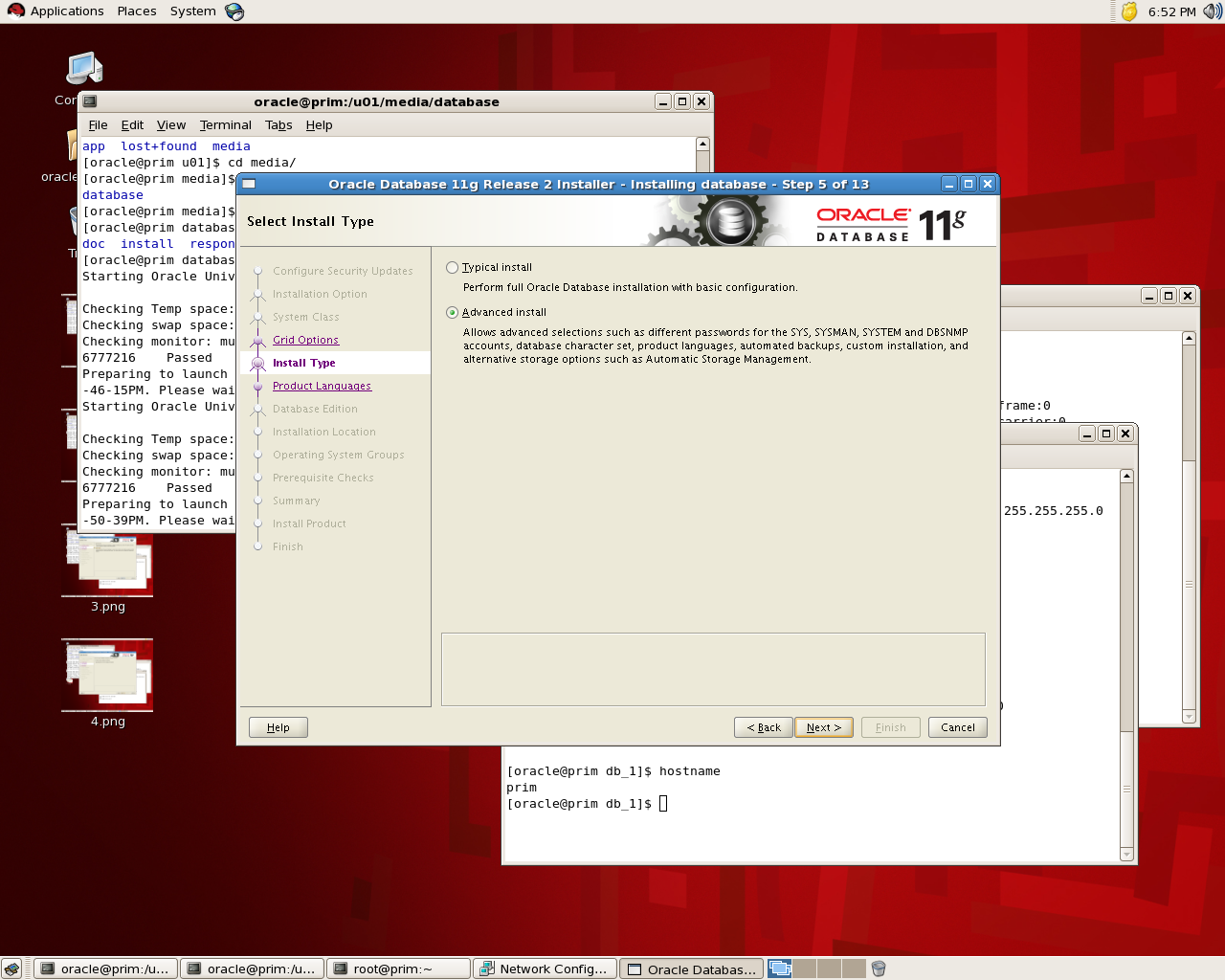
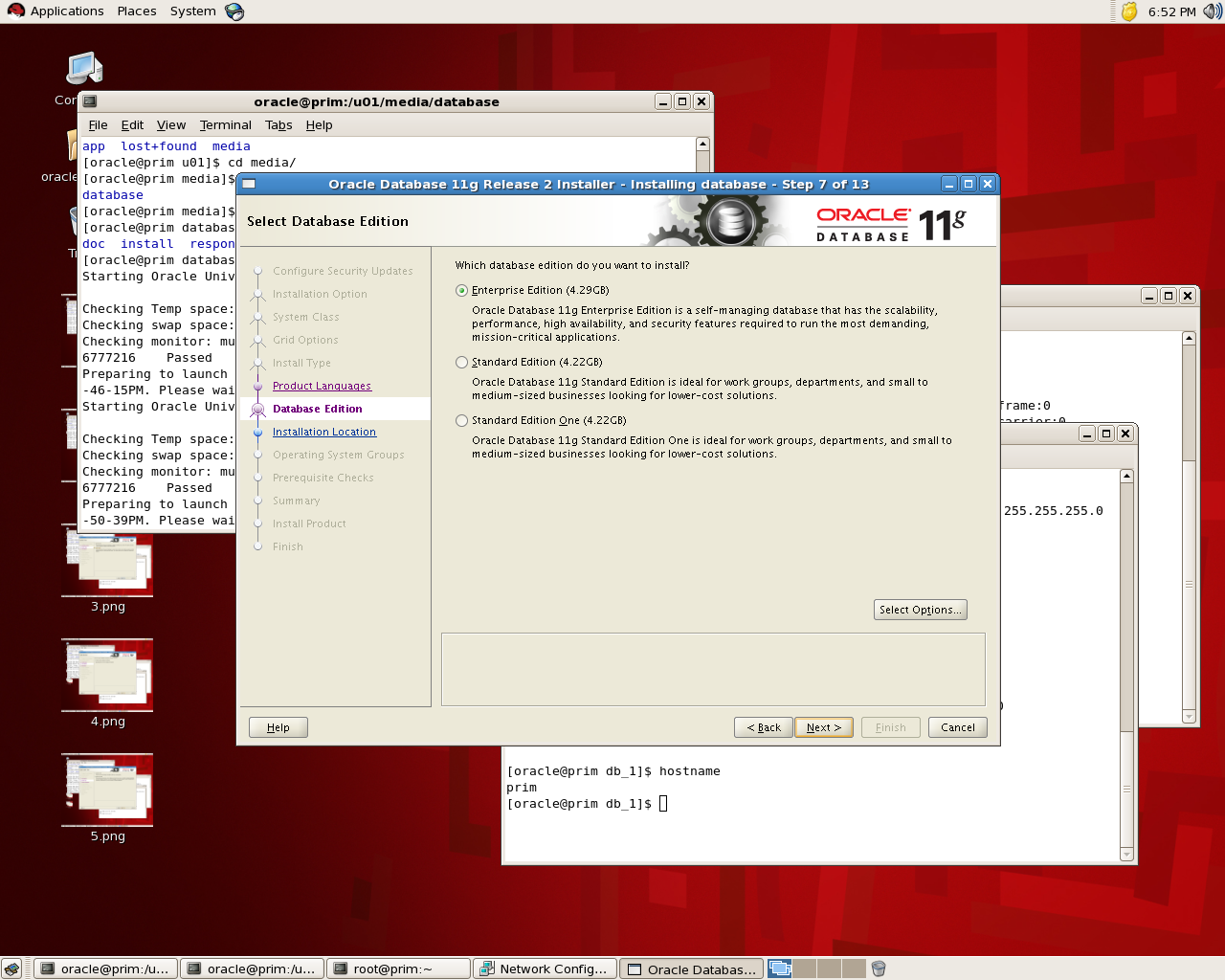
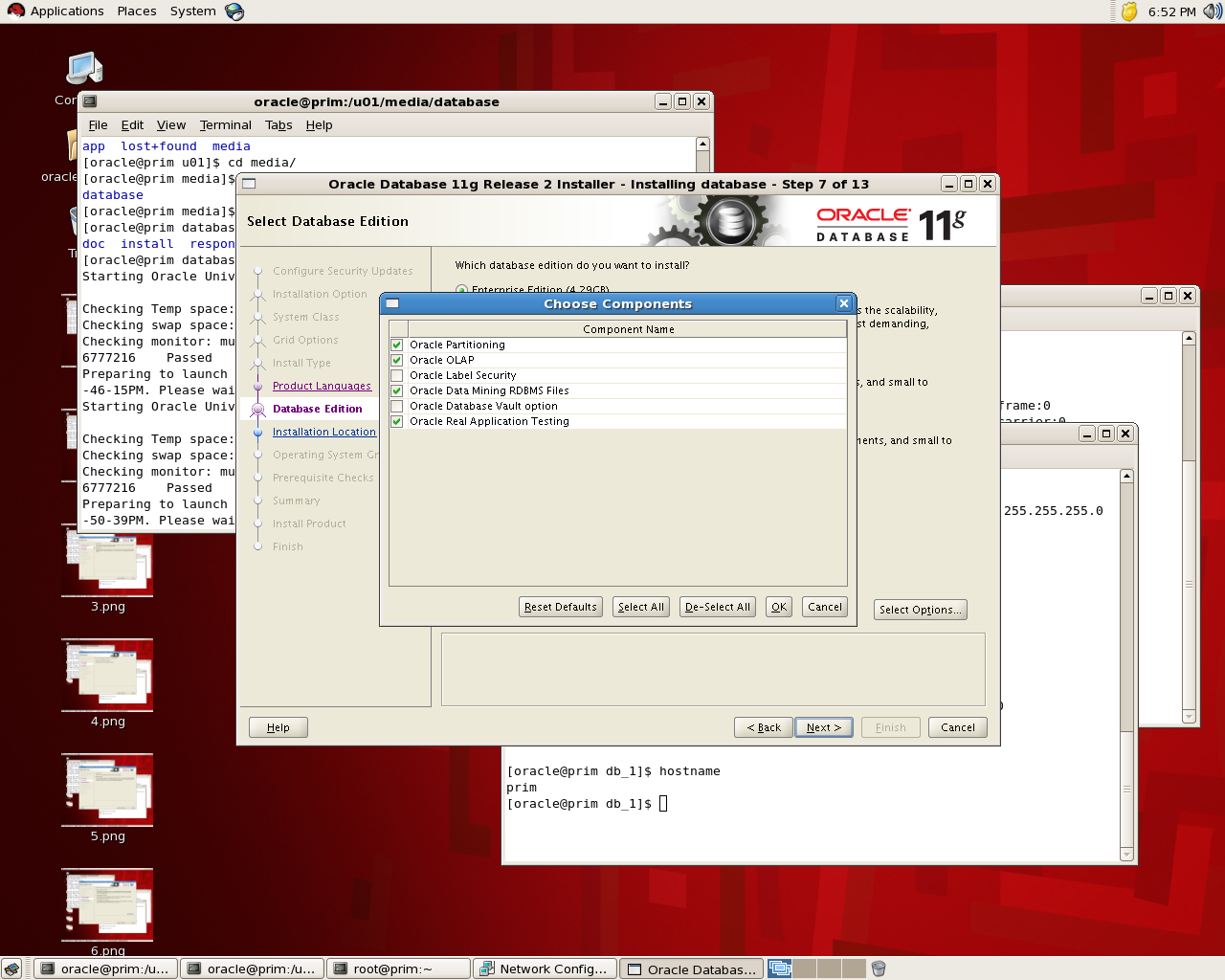
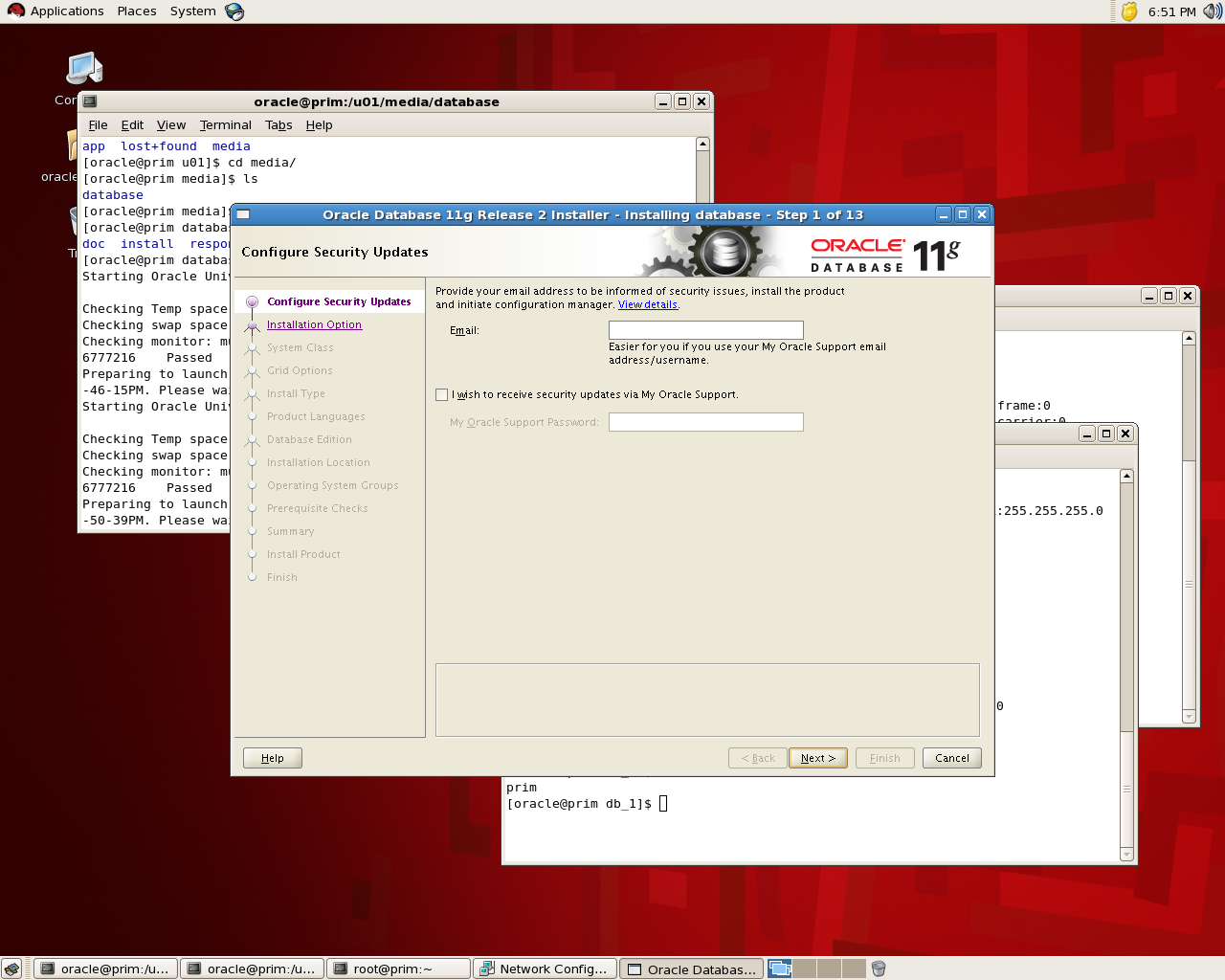
the below is screen shot for the installation for database 11g , the idea is to see where to choose Database Vault features:

If you check the below screen you see that in “Select Option” you can choose Database Vault and while installation is running it will be installed :

the installation will remain in normal procedure , If you want to check it’s installed or not you can go with v$option : 

SQL> select * from v$option where parameter =’Oracle Database Vault’;
PARAMETER                                                        VALUE
——————————- ——————————–
Oracle Database Vault                                            FALSE

to enable database vault make sure database , dbconsole and listener are shutdown:

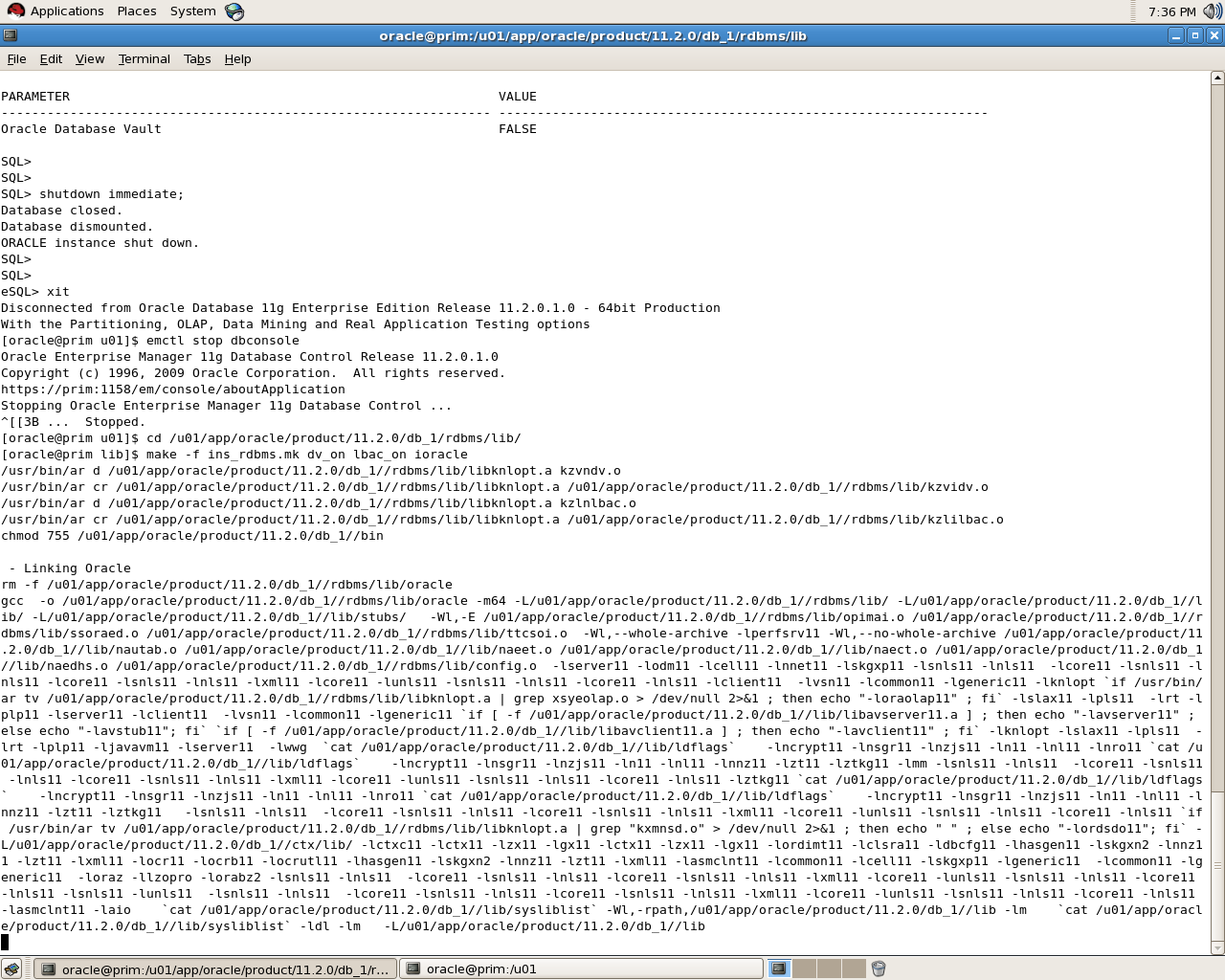
[oracle@prim u01]$ cd /u01/app/oracle/product/11.2.0/db_1/rdbms/lib/
[oracle@prim lib]$ make -f ins_rdbms.mk dv_on lbac_on ioracle

SQL> select * from v$option where parameter =’Oracle Database Vault’;
PARAMETER                                                        VALUE
—————————————————————-
Oracle Database Vault                                            TRUE

Please notice that i use Redhat in windows you need to rename some files read Oracle Documentation.
To disable Database Vault the same thing but :

cd $ORACLE_HOME/rdbms/lib
make -f ins_rdbms.mk dv_off
cd $ORACLE_HOME/bin
relink all

thank you 
Osama mustafa 

Remote Diagnostic Agent

RDA : It’s utility collect diagnostics information about an Oracle environment, And could be downloaded from https://support.oracle.com for every Operating system there’s specific version for RDA.

RDA is Command Line diagnostic tool that is executed by an engine written in the Perl programming language,The data captured provides Oracle Support with a comprehensive picture of the customer’s environment which aids in problem diagnosis, You can check the below MOS Note :
Remote Diagnostic Agent (RDA) 4 – FAQ [ID 330363.1]

Oracle Support encourages the use of RDA because it greatly reduces service request resolution time by minimizing the number of requests from Oracle Support for more information.RDA Support Most Of Operating system.and also it’s supported for Most Oracle Products.

But why should i use RDA, as i mention before oracle support encourages to use RDA to collect information and also there’s another reasons to use it :

  •  Oracle Fusion Middleware issues
  • Oracle Collaboration products.
  • Oracle Application issues.
  • Installation/configuration issues
  • Performance issues
  • ORA-600, ORA-7445, ORA-3113.
  • Upgrade and migration.
  • Developer issues
  • Oracle Database issues

The Simplest way to review RDA Output is using Html , Web browsing since after run rda.sh the output will generate on the same RDA Folder. (RDA_Output).

After review MOS note :
RDA 4 – Health Check / Validation Engine Guide [ID 250262.1]

after finishing from  a prerequisite system you need to need check before installation of an oracle product.This special check should be done in addition to the installation document and the check inside the installer,The utility called RDA with a module for Health Check called HCVE.

./rda.sh -T hcve

The sample output could be like the below :

Test Results
~~~~~~~~~~~~
ID NAME RESULT VALUE
===== ====================

20 User in /etc/passwd? PASSED userOK
30 Group in /etc/group? PASSED GroupOK

 Thank you
Osama Mustafa


AWR Vs StatPack

When you face performance issue in database the first thing coming to your mind is Automatic Workload Repository (AWR) or STATPACK reports but what is the difference between them, in this article i will try to mention as much as i can the difference between them.

1-you should be aware that AWR not exists in database 9i so you forced to use statepack, include to that steps to generate AWR much easier than STATPACK.

2-AWR hold all the information and statistics that exists in STATPACK, include to that AWR hold Additional Information.

3- in AWR you will find information called Active Session History ( ASH ) which is not exists in STATPACK.

4- To generate STATPACK you should Run Procedure to enable snapshot, you can use DBMS_JOB or schedule it using crontab.

5- AWR snapshots provide a persistent view of database statistics. A snapshot is a collection of performance statistics that are captured at a specific point in time,AWR snapshots are scheduled every 60 minutes by default.

 6- Statspack snapshot purges must be scheduled manually otherwise AWR snapshots are purged automatically using MMON.

Thank you
Osama Mustafa

Check Oracle Process On Windows Using SQL

Usually When You want to check oracle process on Linux OS you are using “ps” command but what if you want to check and display all the oracle process on windows :

sqlplus / as sysdba

select a.sid,a.serial#, a.program, p.pid, p.spid, a.osuser, b.name, b.DESCRIPTION, p.PGA_USED_MEM   from v$session a,v$process p, v$bgprocess b where a.paddr=b.paddr
and    a.paddr=p.addr and p.background=1;

The above picture taken by SQL Developer.