DBCONSOLE For Real Application Cluster

Drop DBCONSOLE FOR RAC (Uninstall) : 


we will user the following command :

emca -deconfig dbcontrol db -repos drop -cluster

Make sure you have the below information :

  • Database unique name
  • Listener port number
  • Password for SYS user
  • Password for SYSMAN user

Create DBCONSOLE FOR RAC ( Install) : 

In this case you have more than one choice you can use what you want depend on your requirements :

1-

emca -config dbcontrol db -repos create -cluster

2-

 emca -reconfig dbcontrol –cluster –EM_NODE node1 -EM_NODE_LIST node2,node3,node4

emca -reconfig dbcontrol –cluster –EM_NODE node5 -EM_NODE_LIST node6,node7,node8

 The below Information for installing DBCONSOLE :

  • The Database unique name
  • The Listener port number
  • The Cluster name
  • The Password for SYS user
  • The Password for DBSNMP user
  • The Password for SYSMAN user
  • The Email address for notifications (optional)
  • The Outgoing Mail (SMTP) server for notifications (optional)
  • The ASM ORACLE_HOME e.g. /u01/app/asm/product/10.2.0
  • The ASM port e.g. 1521
  • The ASM user role e.g. SYSDBA
  • The ASM username e.g. SYS
  • The ASM user password

Note : Sometimes you need to put the password between “” . 
Thank you
Osama mustafa

FRM-92100 : your connection to the server was interrupted

Cause

NLS_LANG has been set to an invalid value in the environment of the user starting Oracle Forms Services.

Solution

Set NLS_LANG to a valid value like AMERICAN_AMERICA.AR8MSWIN1256 in the default.env file or any custom environment file which is being used.

You can go to regedit and also set the NLS_LANG value to the one mentioned above and check if this resolves the issue. 

 If the Above Solution Doesn’t Work For you Try The Below One :

1) FRM-92100 occurs when invoking a new forms session from existing form session, or another URL is invoked from the parent browser window of the forms applet?

To work-around use the applet parameter separateFrame=”True”. This parameter is set in the static html file or formsweb.cfg

2) If using Oracle Jinitiator, try clearing the Jinitiator JAR or jcache:

For versions 1.3.x.x.x : Control Panel – Jinitiator Control Panel – Cache Tab Page – Clear JAR Cache button

3) If using MS Internet Explorer check that permissions / security options are set correctly

Launch Microsoft Internet Explorer.
Select the Tools -> Internet Options from the top level menu.
Click the SECURITY Tab:
Choose Local Intranet Zone from the list.
Click Custom Level.
Select Java Permissions – Custom from the list.
Click Java Custom Settings.
Select the Edit Permissions tab.
Choose Enable for Run Unsigned Content.
Choose Enable for Run Signed Content.
Select the ADVANCED tab.
Scroll down to Java VM.
Check the Java console enabled option.
Select the CONNECTIONS tab.
Click the LAN Settings button.
If IE is using a proxy server : Check the Bypass proxy server for local addresses check box. Click the Advanced button, and enter the local domain in the Exceptions box. Use the form *.domain.com, where domain.com maps to your local domain.
Click OK to exit the dialog.
Click OK to save the changes and exit IE.
Restart the computer.

Thank you
This Work aroud Is Working For Me , Hope it will be useful For you

Osama Mustafa 

All About Oracle WorkFlow Mailer

In this Topic We will discuss the Workflow mailer In Oracle Apps ad how to check it Let Start :

Workflow: version

  $FND_TOP/sql/wfver.sql

check workflow status.

set linesize 120
set pagesize 50
column COMPONENT_NAME format a45
column STARTUP_MODE format a15
column COMPONENT_STATUS format a15

select fsc.COMPONENT_NAME,fsc.STARTUP_MODE,fsc.COMPONENT_STATUS,fcq.last_update_date
from APPS.FND_CONCURRENT_QUEUES_VL fcq, fnd_svc_components fsc
where fsc.concurrent_queue_id = fcq.concurrent_queue_id(+)
order by COMPONENT_STATUS , STARTUP_MODE , COMPONENT_NAME;

check if workflow is used by only one instance
col value format a20
select p.parameter_id,
p.parameter_name,
v.parameter_value value
from apps.fnd_svc_comp_param_vals_v v,
apps.fnd_svc_comp_params_b p,
apps.fnd_svc_components c
where c.component_type = ‘WF_MAILER’
and v.component_id = c.component_id
and v.parameter_id = p.parameter_id
and p.parameter_name in ( ‘INBOUND_SERVER’,’ACCOUNT’, ‘REPLYTO’)

order by p.parameter_name;

check for bad e-mail address

set linesize 170
col name format a40
col email_address format a80
select name, email_address from apps.wf_local_roles where email_address like ‘% %’;

select name, email_address from apps.wf_local_roles where email_address like ‘%%’;

 “If this retuning Row The there’s bad Email”

How to know mail sent to a user with details:

select name, display_name, notification_preference, email_address
 from wf_local_roles where name = ”;

To see failed, open notifications

SELECT message_type, COUNT(1)
FROM apps.wf_notifications
WHERE 1 = 1 AND mail_status = ‘FAILED’ AND status = ‘OPEN’
GROUP BY message_type;

To check if email address, notification preference, display_name

select DISPLAY_NAME, NOTIFICATION_PREFERENCE from wf_users where EMAIL_ADDRESS = ‘HR@domainname.com‘ and STATUS = ‘ACTIVE’ and DISPLAY_NAME = ‘xxxxx’;
select DISPLAY_NAME, NOTIFICATION_PREFERENCE, EMAIL_ADDRESS from wf_users where NOTIFICATION_PREFERENCE=’MAILTEXT’ and STATUS = ‘ACTIVE’;
select distinct(count(*)) from wf_users where NOTIFICATION_PREFERENCE=’MAILTEXT’ and STATUS = ‘ACTIVE’ and EMAIL_ADDRESS = ‘HR@Domainname.com‘;

Thank you
Osama mustafa

What Is $ADMIN_SCRIPT_HOME ???

As We All Know if you need to start/shutdown Oracle Apps you need go $ADMIN_SCRIPT_HOME In R12 Or $CONTEXT_HOME in R11

This Article Explain What These Scripts Do : 

adstrtal.sh

Master script to start all components/services of middle tier or application tier. This script will use Service Control API to start all services which are enabled after checking them in context file (SID_HOSTNAME.xml or CONTEXT_NAME.xml)

adstpall.sh

Master script to stop all components/services of middle tier or application tier


adalnctl.sh

Script to start / stop apps listener (FNDFS and FNDFS). This listener will file will be in 10.1.2 ORACLE_HOME (i.e. Forms & Reports Home)
listener.ora file will be in $INST_TOP/apps/$CONTEXT_NAME/ora/10.1.2/network/admin directory
(Mostly similar to one in 11i with only change in ORACLE_HOME i.e. from 8.0.6 to 10.1.2 )

adapcctl.sh

Script to start/stop Web Server or Oracle HTTP Server. This script uses opmn (Oracle Process Manager and Notification Server) with syntax similar to opmnctl [startstop]proc ohslike opmnctl stopproc ohs .

adcmctl.sh

Script to start / stop concurrent manager,

adformsctl.sh

Script to start / stop Forms OC4J from 10.1.3 Oracle_Home. This script will also use opmnctl to start/stop Forms OC4J like
opmnctl stopproc type=oc4j instancename=forms

adformsrvctl.sh

This script is used only if you wish to start forms in socket mode. Default forms connect method in R12 is servlet.
If started this will start frmsrv executable from 10.1.2 Oracle_Home in Apps R12

adoacorectl.sh

This script will start/stop oacore OC4J in 10.1.3 Oracle_Home. This scripts will also use opmnctl (similar to adapcctl & adformsctl) to start oacore instance of OC4J like
opmnctl startproc type=oc4j instancename=oacore

adoafmctl.sh

 This script will start/stop oafm OC4J in 10.1.3 Oracle_Home. This scripts will also use opmnctl (similar to above) to start oacore instance of OC4J like
opmnctl startproc type=oc4j instancename=oafm

adopmnctl.sh

This script will start/stop opmn service in 10.1.3 Oracle_Home. opmn will control all services in 10.1.3 Oracle_Home like web server or various oc4j instances. If any services are stopped abnormally opmn will/should start them automatically.

Thank You 
Osama Mustafa 
     

Useful Query To check Some Privileges

Check for whether user has full database export/import privilege 


Query : 


SQL>SET lines 100 
COL privilege FOR a50
SELECT grantee, granted_role, default_role
FROM dba_role_privs
WHERE granted_role IN ('DBA', 'EXP_FULL_DATABASE', 'IMP_FULL_DATABASE')
ORDER BY 1,2;

Check for user has create table or create session privilege.


Query 

SQL>SET lines 100 pages 100
COL privilege FOR a40
SELECT grantee, privilege
FROM dba_sys_privs
WHERE (grantee IN ('TEST', 'PUBLIC')
OR grantee IN (SELECT granted_role FROM dba_role_privs
WHERE grantee IN ('TEST', 'PUBLIC')))
AND privilege IN ('CREATE SESSION', 'CREATE TABLE')
ORDER BY 1,2;

Check for granted privileges on directory objects.


Query :

SET lines 110
COL privilege FOR a12
COL grantee FOR a25
COL owner FOR a25
SELECT p.grantee, p.privilege, p.owner, d.directory_name
FROM dba_tab_privs p, dba_directories d
WHERE p.table_name=d.directory_name
AND (grantee IN ('TEST', 'PUBLIC')
OR grantee IN (SELECT granted_role FROM dba_role_privs
WHERE grantee IN ('TEST', 'PUBLIC')))
ORDER BY 4,3,2;

Thank You
osama Mustafa

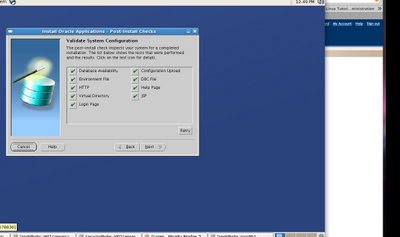
RW-50015 : Installation Error On Oracle EBS R12

RW-50015: Error: – HTTP Listener is not responding. The service might not have started on the port yet. Please check the service and use the retry button.

the Rapid Install window will show many errors for HTTP.

Checking status of OPMN managed Oracle HTTP Server (OHS) instance …

Processes in Instance: PROD_ebs.ebs.sandiego.com

——————-+——————–+———+———
ias-component | process-type | pid | status
——————-+——————–+———+———
OC4J | oafm | 21168 | Alive
OC4J | forms | 21078 | Alive
OC4J | oacore | 20943 | Alive
HTTP_Server | HTTP_Server | N/A | Down

Download and apply the patch 6078836 from OracleMetaLink to fix an issue with the Oracle HTTP Server bundled with the E-Business Suite technology stack. We unzip the patch:

[oracle@ebs oracle]$ unzip p6078836_101330_LINUX.zip
Archive: p6078836_101330_LINUX.zip
creating: 6078836/
inflating: 6078836/libdb.so.2
inflating: 6078836/README.txt

[oracle@ebs oracle]$ cd 6078836/
[oracle@ebs 6078836]$ ls
libdb.so.2 README.txt

Then we copy to /usr/lib.

[root@ebs 6078836] $ cp libdb.so.2 /usr/lib

[root@ebs lib]# cd /usr/lib

[root@ebs lib]# pwd
/usr/lib

[root@ebs lib]# ls libdb.so*
libdb.so libdb.so.2
 

Processes in Instance: PROD_ebs.ebs.sandiego.com

——————-+——————–+———+———
ias-component | process-type | pid | status
——————-+——————–+———+———
OC4J | oafm | 21168 | Alive
OC4J | forms | 21078 | Alive
OC4J | oacore | 20943 | Alive
HTTP_Server | HTTP_Server | 28519 | Alive 


Thank You
 Osama mustafa

LEARN HOW OPEN RESETLOGS WITHOUT RECOVERY

Amazing Oracle Trick I found today while i am Browsing OTN , I see to post it here .

What is Open resetlog mode 
 
Online redo logs are re-created . The log sequence is reset to 1.
If the databaseis running in archive log mode, the archived redo logs should then be deleted. Otherwise, chances are, that Oracle will eventually try to create an archived redo log whose filename already exists. 

First i will show its Normal Database this mean not in recovery mode :

sqlplus / as sysdba
Connected to an idle instance.

SQL> ORACLE instance started.

Total System Global Area 838860800 bytes
Fixed Size 2087672 bytes
Variable Size 213910792 bytes
Database Buffers 616562688 bytes
Redo Buffers 6299648 bytes
Database mounted.
Database opened.
SQL> shutdown
Database closed.
Database dismounted.
ORACLE instance shut down.
SQL> exit  

Now Lets Open it :

sqlplus / as sysdba

Connected to an idle instance.

SQL> startup mount
ORACLE instance started.

Total System Global Area 838860800 bytes
Fixed Size 2087672 bytes
Variable Size 213910792 bytes
Database Buffers 616562688 bytes
Redo Buffers 6299648 bytes
Database mounted.
SQL> alter database open resetlogs;
alter database open resetlogs
*
ERROR at line 1:
ORA-01139: RESETLOGS option only valid after an incomplete database recovery
 
SQL> recover database;
ORA-00283: recovery session canceled due to errors
ORA-00264: no recovery required


SQL> alter database open resetlogs;
alter database open resetlogs
*
ERROR at line 1:
ORA-01139: RESETLOGS option only valid after an incomplete database recovery


SQL> recover database until cancel;
Media recovery complete.
SQL> alter database open resetlogs;

Database altered.

SQL> 


The difference between NOT IN and NOT EXISTS

There is a popular misconception that NOT IN and NOT EXISTS are two ways to filter out rows present in one table and not in another table, with both methods being usable interchangeably. Popular wisdom is that the difference between the two is only in terms of performance (being on the basis of whether the larger table is the “outer” or the “inner” in the query) but that the results are the same.

However, we must remember that such an operation being an Anti-Join fails when NULLs are involved. In Oracle a NULL cannot be compared to any other value, not even another NULL. Therefore, a NOT IN operation would fail if the result set being probed returns a NULL. In such a case, the results of a NOT IN query is 0 rows while a NOT EXISTS query would still show the rows present in the one table but not in the other table.

Here is a simple demonstration :


SQL> -- create the two test tables
SQL>
SQL> drop table results_table purge;

Table dropped.

SQL> drop table query_table purge;

Table dropped.

SQL>
SQL> create table results_table
2 as select owner,object_name,object_type from dba_objects where owner in ('HEMANT','DBSNMP','OUTLN');

Table created.

SQL> create table query_table
2 as select owner,object_name,object_type from dba_objects where owner in ('DBSNMP','OUTLN');

Table created.

SQL>
SQL> -- a NOT IN query
SQL> select r.owner, r.object_name from results_table r
2 where r.owner not in (select q.owner from query_table q)
3 order by 1,2;

OWNER OBJECT_NAME
------------------------------ ------------------------------
HEMANT DUPDB
HEMANT MY_T_A
HEMANT RESULTS_TABLE
HEMANT SOURCE_TABLE
HEMANT TEST_APPEND
HEMANT TRACE_USER_SESSIONS
HEMANT TRACE_USER_SESSIONS_BEGIN
HEMANT TRACE_USER_SESSIONS_END

8 rows selected.

SQL>
SQL> -- a NOT EXISTS query
SQL> select r.owner, r.object_name from results_table r
2 where not exists (select '1' from query_table q where r.owner=q.owner)
3 order by 1,2;

OWNER OBJECT_NAME
------------------------------ ------------------------------
HEMANT DUPDB
HEMANT MY_T_A
HEMANT RESULTS_TABLE
HEMANT SOURCE_TABLE
HEMANT TEST_APPEND
HEMANT TRACE_USER_SESSIONS
HEMANT TRACE_USER_SESSIONS_BEGIN
HEMANT TRACE_USER_SESSIONS_END 


8 rows selected.

SQL>
SQL> ---
SQL> REM So far, NOT IN and NOT EXISTS have presented the same results
SQL>
SQL> REM What happens if there is a row with a NULL value ?
SQL>
SQL> insert into query_table values (NULL,'ABCDEFGH','TABLE');

1 row created.

SQL> commit;

Commit complete.

SQL>
SQL> -- retry the NOT IN query
SQL> select r.owner, r.object_name from results_table r
2 where r.owner not in (select q.owner from query_table q)
3 order by 1,2;

no rows selected

SQL>
SQL> -- retry the NOT EXISTS query
SQL> select r.owner, r.object_name from results_table r
2 where not exists (select '1' from query_table q where r.owner=q.owner)
3 order by 1,2;

OWNER                          OBJECT_NAME                                                                                         
------------------------------ ------------------------------
HEMANT DUPDB
HEMANT MY_T_A
HEMANT RESULTS_TABLE
HEMANT SOURCE_TABLE
HEMANT TEST_APPEND
HEMANT TRACE_USER_SESSIONS
HEMANT TRACE_USER_SESSIONS_BEGIN
HEMANT TRACE_USER_SESSIONS_END

8 rows selected.

SQL>
SQL> ---
SQL> REM Surprise ?! The NOT IN returned 0 rows !
SQL> REM Why ? Because of the presence of a NULL in the query_table !
SQL> REM
SQL> REM REMEMBER : A "NOT IN" anti-join fails because a NULL returned cannot be compared !
SQL>
SQL> --
SQL> REM One "workaround" is to filter out rows which contain NULLs
SQL> REM .... but think carefully before you do so. Are you sure you want to exclude them ?
SQL>
SQL> REM In the ideal world, such columns should be defined as NOT NULL columns !
SQL> REM That would be the right schema design !
SQL>
SQL> -- test the suggested workaround
SQL> select r.owner, r.object_name from results_table r
2 where r.owner not in (select q.owner from query_table q WHERE OWNER IS NOT NULL)
3 order by 1,2;


OWNER                          OBJECT_NAME                                                                                         
------------------------------ ------------------------------
HEMANT DUPDB
HEMANT MY_T_A
HEMANT RESULTS_TABLE
HEMANT SOURCE_TABLE
HEMANT TEST_APPEND
HEMANT TRACE_USER_SESSIONS
HEMANT TRACE_USER_SESSIONS_BEGIN
HEMANT TRACE_USER_SESSIONS_END

8 rows selected.

SQL> 


Finally I would thank Hemant for this amazing Article .
I posted to make it more popular and useful for the people who wants to learn
something new .
 
Osama mustafa  
tns-12560 message 12560 not found

Sometimes Users Cannot access to Database You Need To check The following :

Sqlplus / as sysdba

Show parameter local_listener ;

You have to see output like this :


local_listener            (DESCRIPTION=(ADDRESS_LIST=(ADDRESS=(PROTOCOL=TCP)(HOST=you-ip-address)(PORT=1521))))

  If you see Null Value Do the Following :

Alter system set local_listener=’(DESCRIPTION=(ADDRESS_LIST=(ADDRESS=(PROTOCOL=TCP)(HOST=172.16.250.25)(PORT=1521))))‘ scope=memory ;

Or For Real Application :

Alter system set local_listener=’(DESCRIPTION=(ADDRESS_LIST=(ADDRESS=(PROTOCOL=TCP)(HOST=172.16.250.25)(PORT=1521))))‘ scope=memory sid=’you-node-name’;

Scope = memory For Test Purpose

Sql > Alter system register ;

Now You should see database name service on listener ;

to Apply these Changes all we have to do is scope=spfile like the following :

Alter system set local_listener=’(DESCRIPTION=(ADDRESS_LIST=(ADDRESS=(PROTOCOL=TCP)(HOST=172.16.250.25)(PORT=1521))))‘ scope=spfile ;

Or For Real Application :

Alter system set local_listener=’(DESCRIPTION=(ADDRESS_LIST=(ADDRESS=(PROTOCOL=TCP)(HOST=172.16.250.25)(PORT=1521))))‘ scope=spfile sid=’you-node-name’;

Thank you
Osama Mustafa