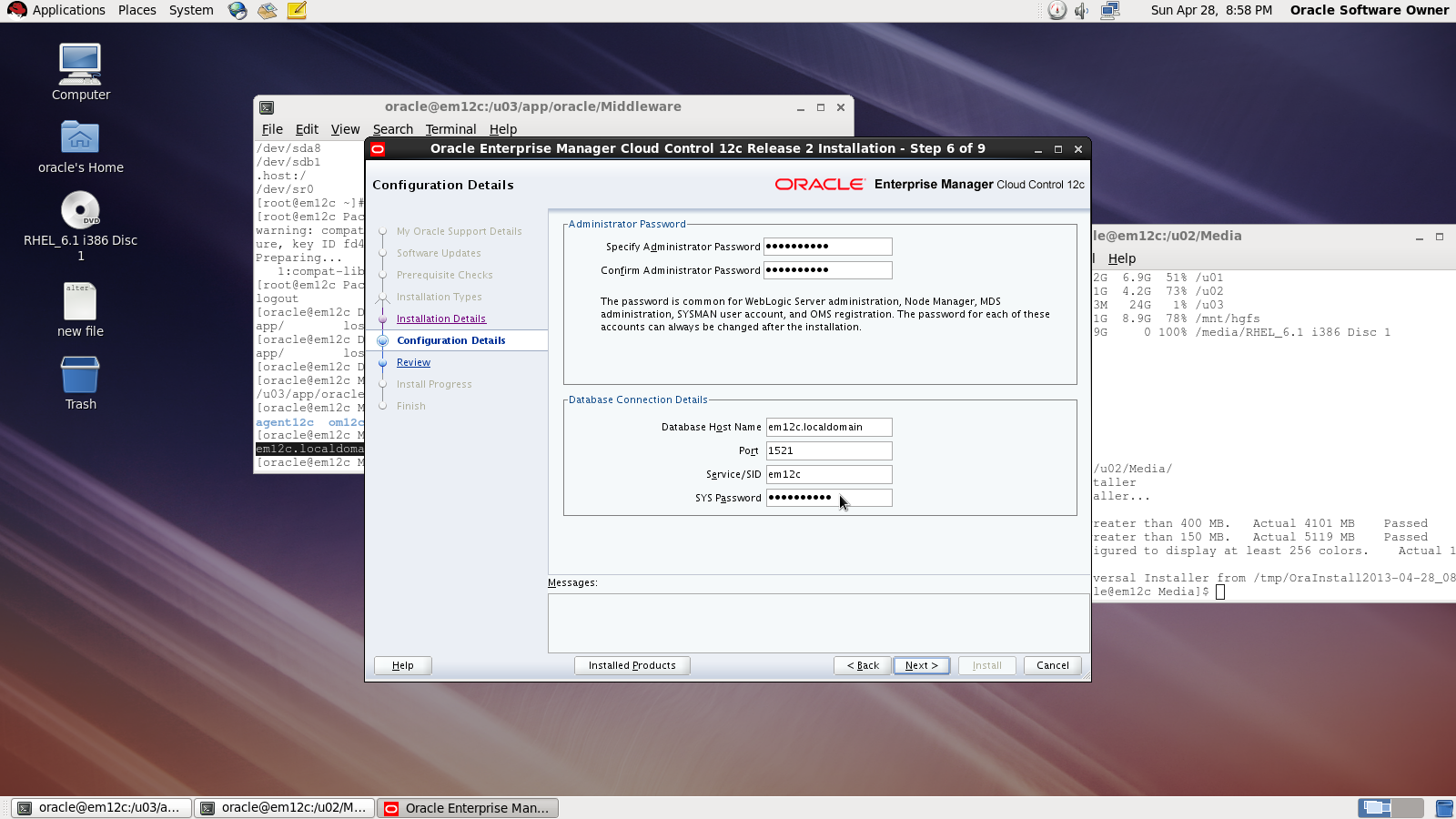
3872 Actual Result: Port 3872 passed is busy Check complete

This error appear while trying to deploy agent for Enterprise manager 12c (em12c) and the cause for this error that port 3872 is already in use :

solution

[root@em12c Middleware]# netstat -anp | grep 3872

tcp        0      0 :::3872                     :::*                        LISTEN      2391/java    
     
[root@em12c Middleware]# kill -9 2391

[root@em12c Middleware]# netstat -anp | grep 3872

Deploy Again

Thank you
Osama Mustafa

Start/Stop Oracle Enterprise Manager 12c

To Start enterprise manager 12c you need to follow the below steps :

export ORACLE_HOME=/u01/app/oracle/product/11.2.0/dbhome_1
export OMS_HOME=/u03/app/oracle/Middleware/om12c/oms/
export AGENT_HOME=/u03/app/oracle/Middleware/agent12c/agent_inst/

  • ensure database and listener is running
  • Run the below command from $OMS_HOME

emctl start oms

  • Run the below command from $AGENT_HOME

emctl start agent 

to Stop all the services you need to do the below :

 export ORACLE_HOME=/u01/app/oracle/product/11.2.0/dbhome_1
export OMS_HOME=/u03/app/oracle/Middleware/om12c/oms/
export AGENT_HOME=/u03/app/oracle/Middleware/agent12c/agent_inst/

  • Run the below command from $OMS_HOME

emctl stop oms -all

  • Run the below command from $AGENT_HOME

emctl stop agent 

  • Now you can shutdown database and listener.

Thank you
Osama mustafa


Step By Step to Install Enterprise Manager 12c on Redhat 6.1

in this article you will have a look how to install Oracle Enterprise manager 12c ( em12c ) on Redhat 6 update 1 Operating system.

First Step is select supported OS and Database to install repository. and you can check about certification and to do that :

1.Log in to My Oracle Support, which is accessible at the following URL: https://support.oracle.com
2. Click the Certifications tab.
3. In the Certification Search region, select Enterprise Manager Cloud Control from the Product list.
4. From the Release list, select 12.1.0.2.0, then click Search.
5. Expand the Databases node.

after checking the certification you need to install the following :

  • Enterprise manager 12c from here.
  • Redhat 6 from here
  • if you install on Linux 64bit you need to apply Patch 10404530 Download from here.

Enterprise manager needs the following Requirement :

Hardware
Minimum: 6 GB of RAM.
Disk Space Requirements 30Gb to 50Gb for installation of the software.
Software

OMS Package

make-3.81
binutils-2.17.50.0.6
gcc -4.1.1
libaio-0.3.106
glibc-common-2.3.4
libstdc++ -4.1.1
sysstat-5.0.5
glibc-2.5.12
glibc-devel-2.5-49

agent Package

make-3.81
binutils-2.17.50.0.6
gcc -4.1.1
libstdc++ -4.1.1

I will not mention the prerequisites since in 11gr2 and 12c while installation it will give what missing in OS, Database configuration and fix it thru installation, and if missing package found ,  the package name will appear and all you need is install it from media ( OS CD/DvD).

you need to configure database also before start install em12c :

  • Remove Dbconsole from database with the below command :

emca -deconfig dbcontrol db -repos drop

  • Change the below database parameters :

ALTER SYSTEM SET processes=300 SCOPE=SPFILE;
ALTER SYSTEM SET session_cached_cursors=200 SCOPE=SPFILE;
ALTER SYSTEM SET sga_target=2G SCOPE=SPFILE;
ALTER SYSTEM SET shared_pool_size=600M SCOPE=SPFILE;
ALTER SYSTEM SET pga_aggregate_target=1G SCOPE=SPFILE;
ALTER SYSTEM SET job_queue_processes=20 SCOPE=SPFILE;
ALTER SYSTEM SET open_cursors=300 SCOPE=SPFILE;

  • Restart Database.
  • create new folder to install em12c 

mkdir -p /u02/app/oracle/middleware/
cd /u02/app/oracle/middleware
mkdir om12c
mkdir agent12c 

  • you suppose to finish download unzip and start install (./runInstaller).
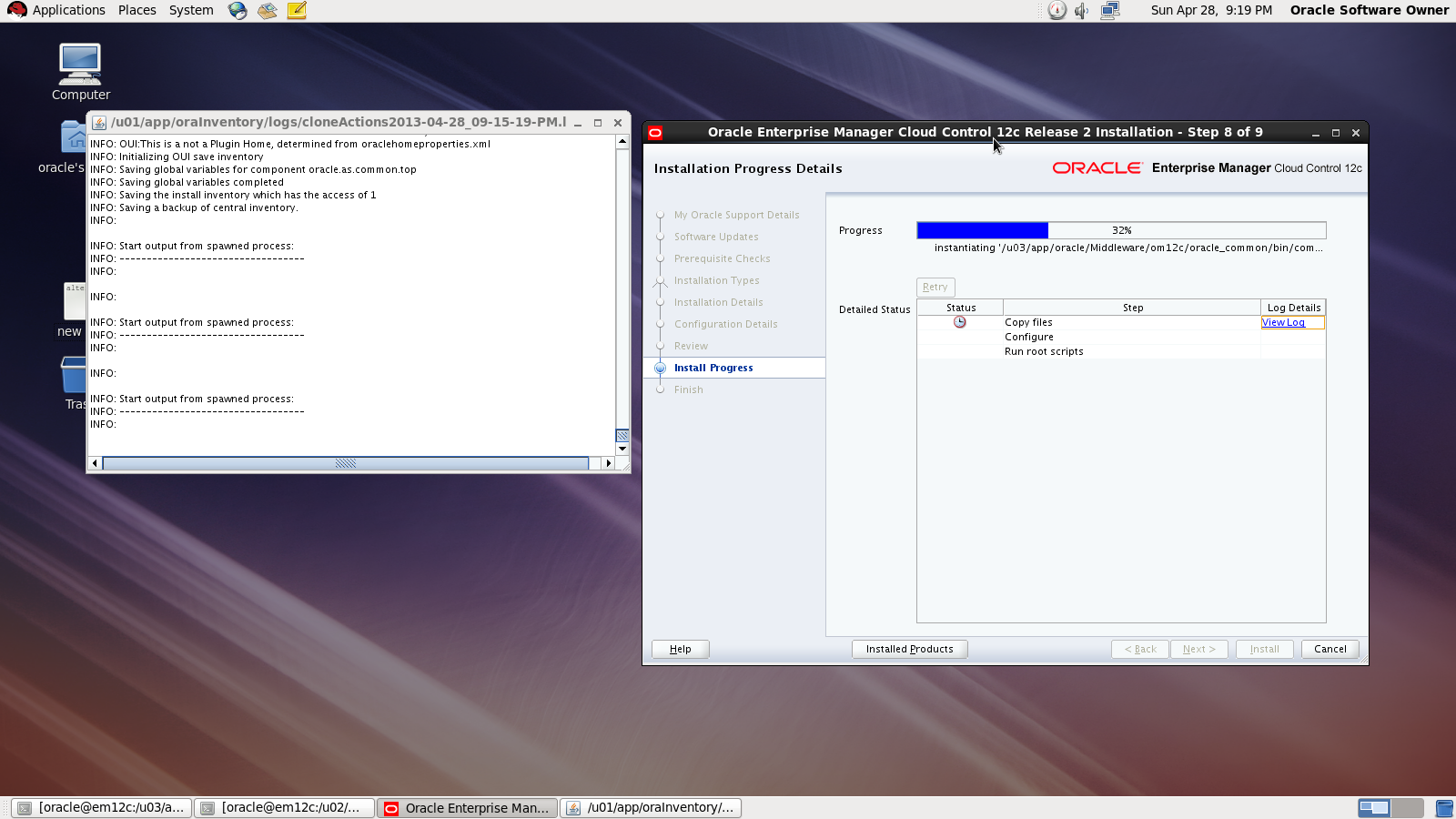
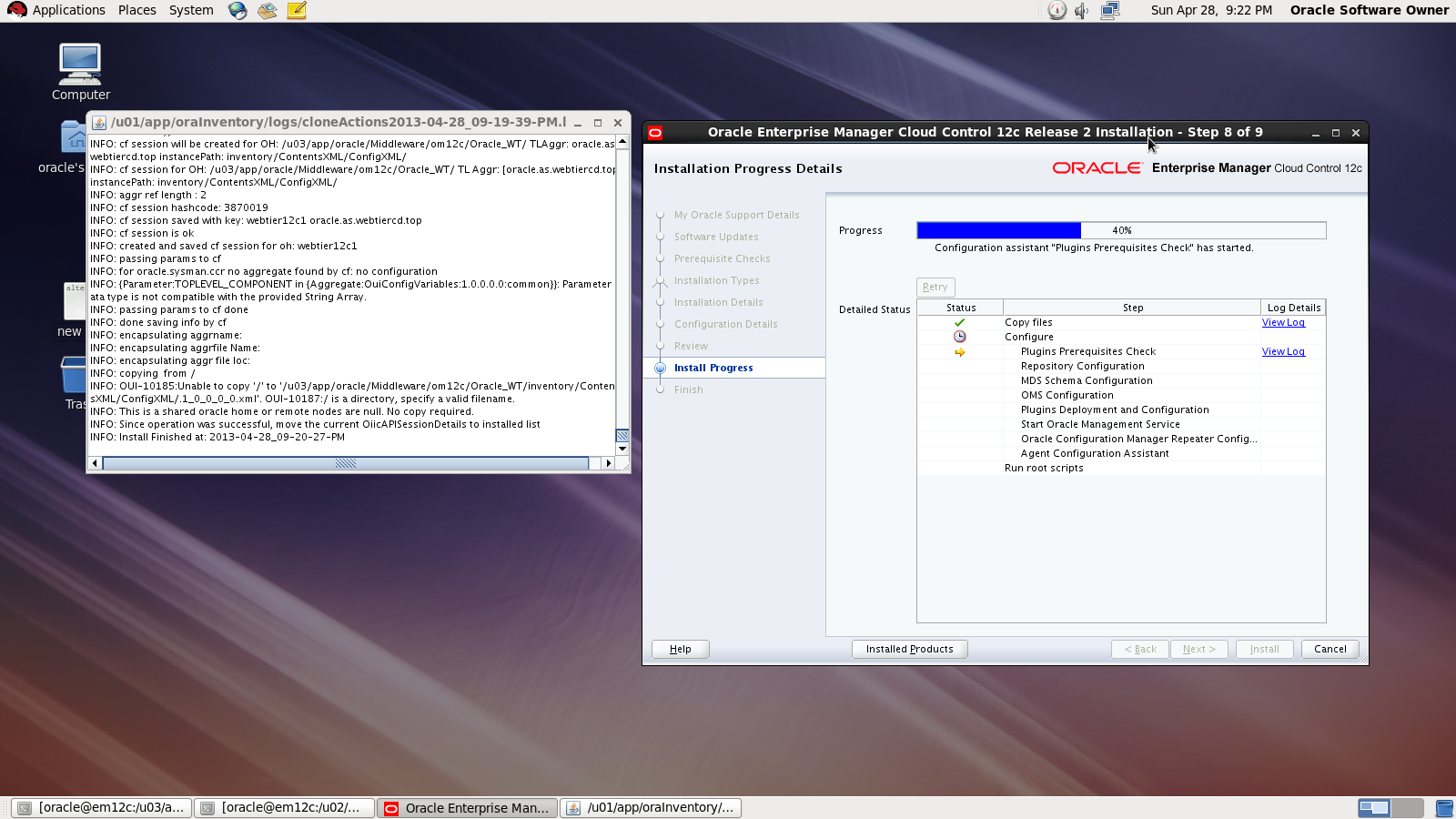
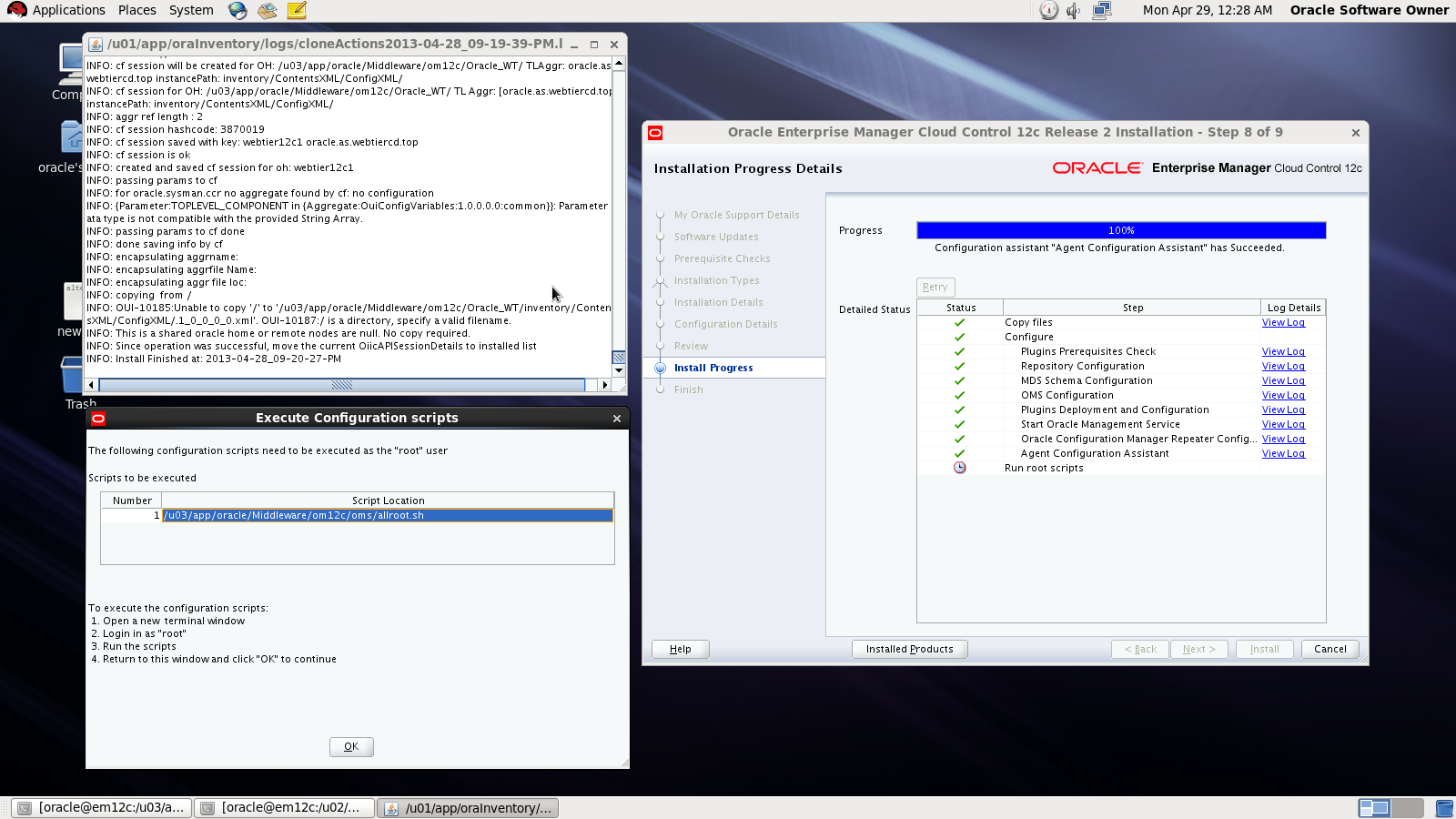
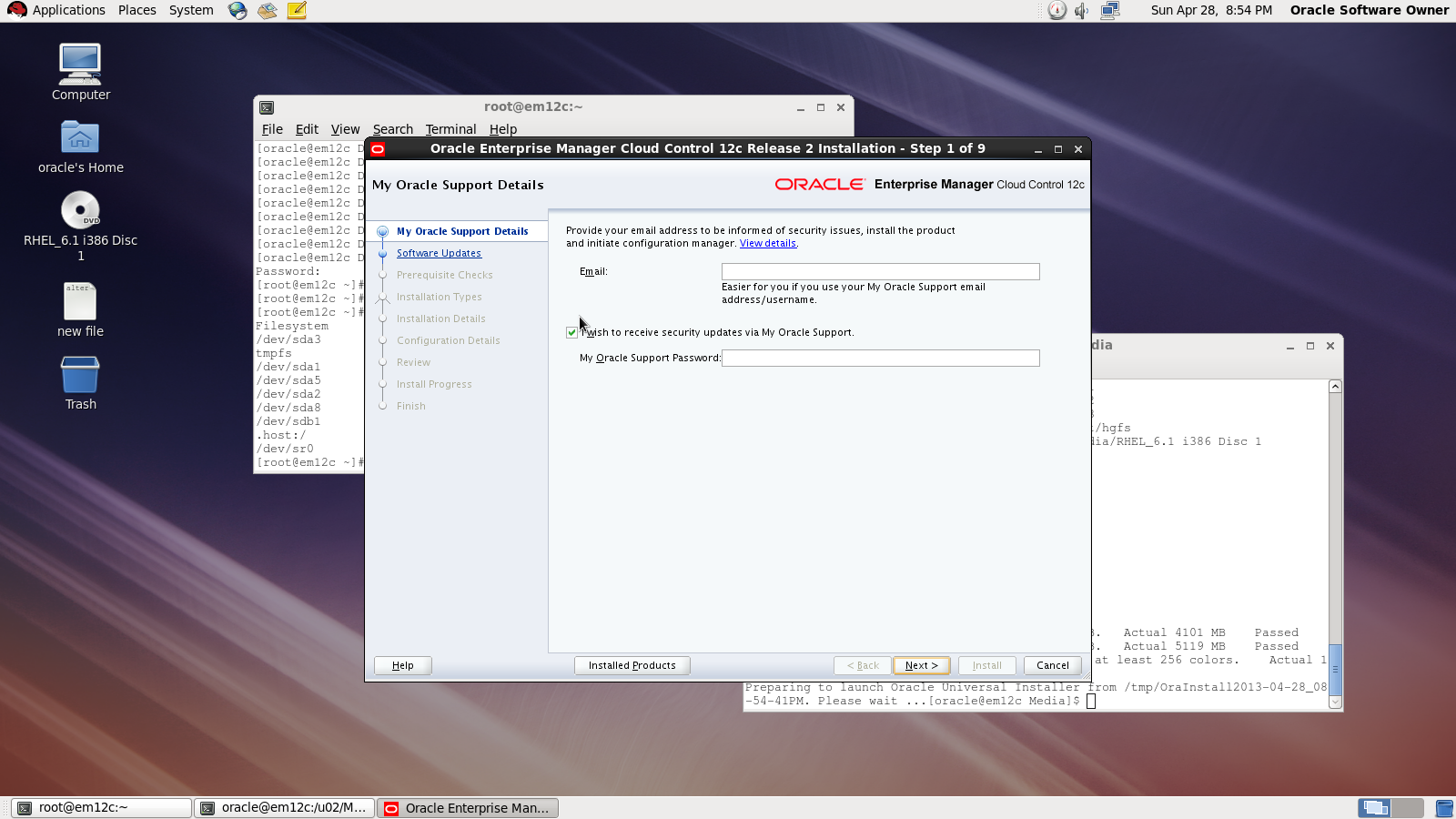
I will Provide you with Screenshot for the installation :
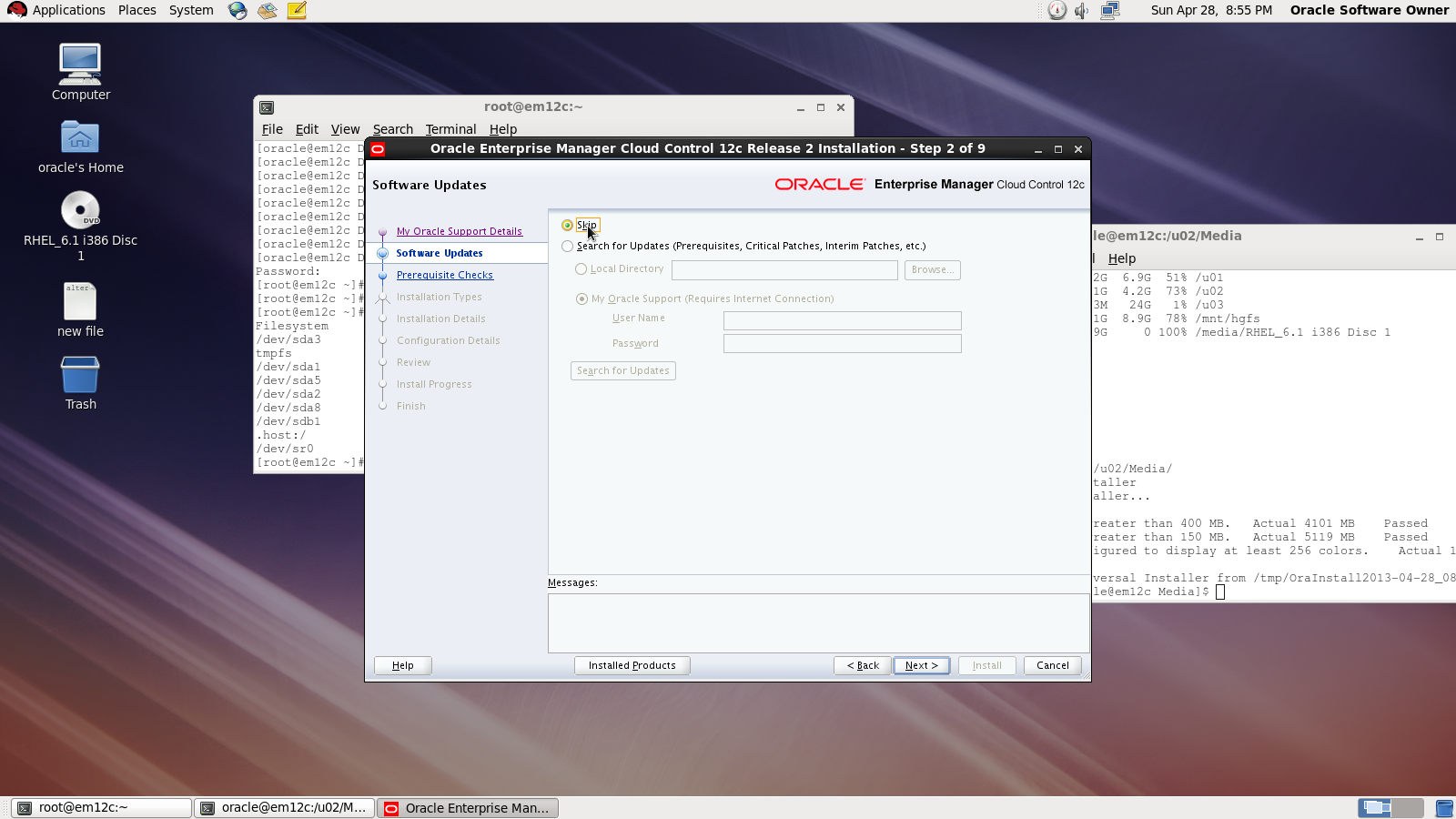
Asking for MOS account
Asking for Updates 

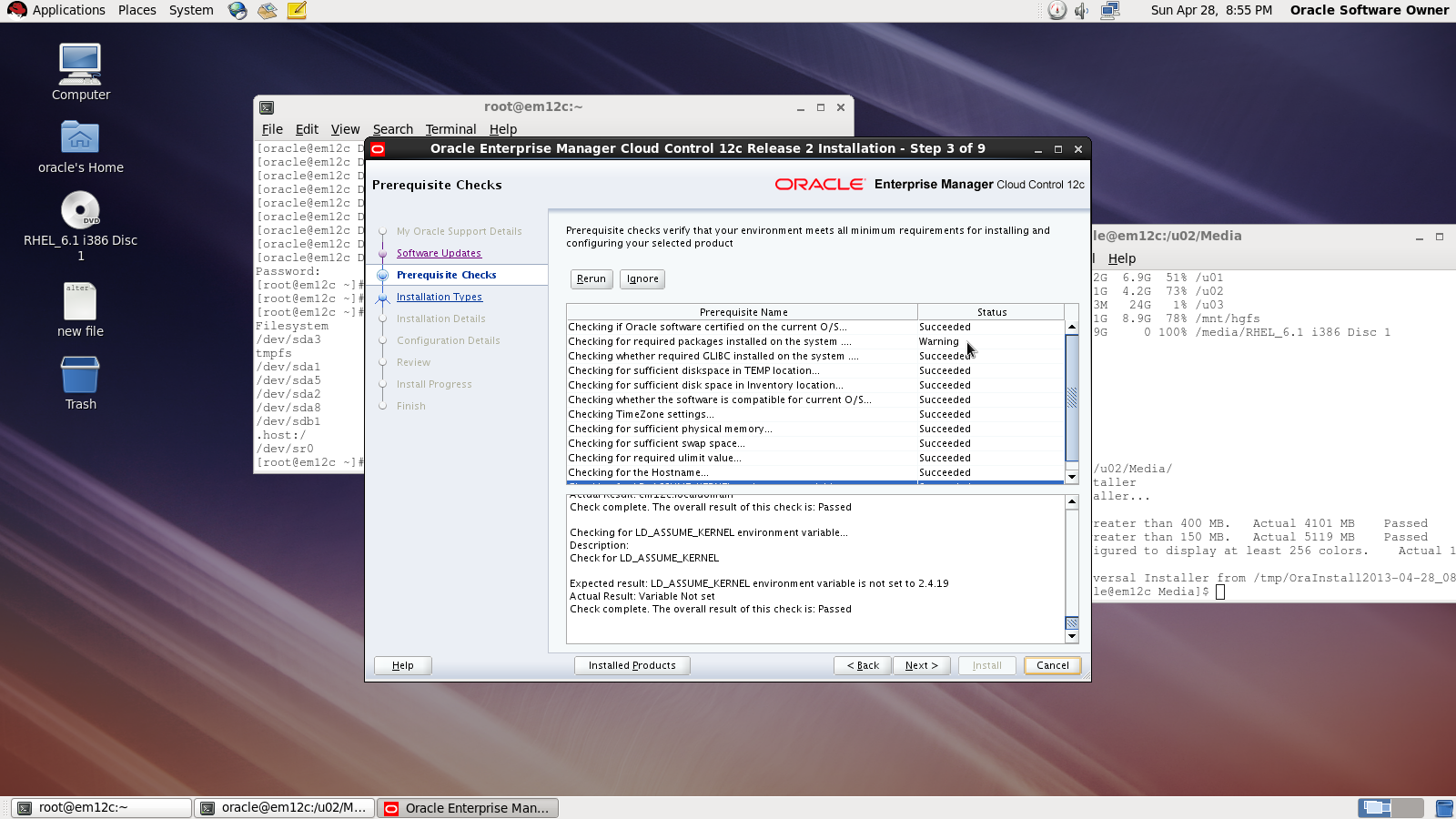
 Check prerequisites

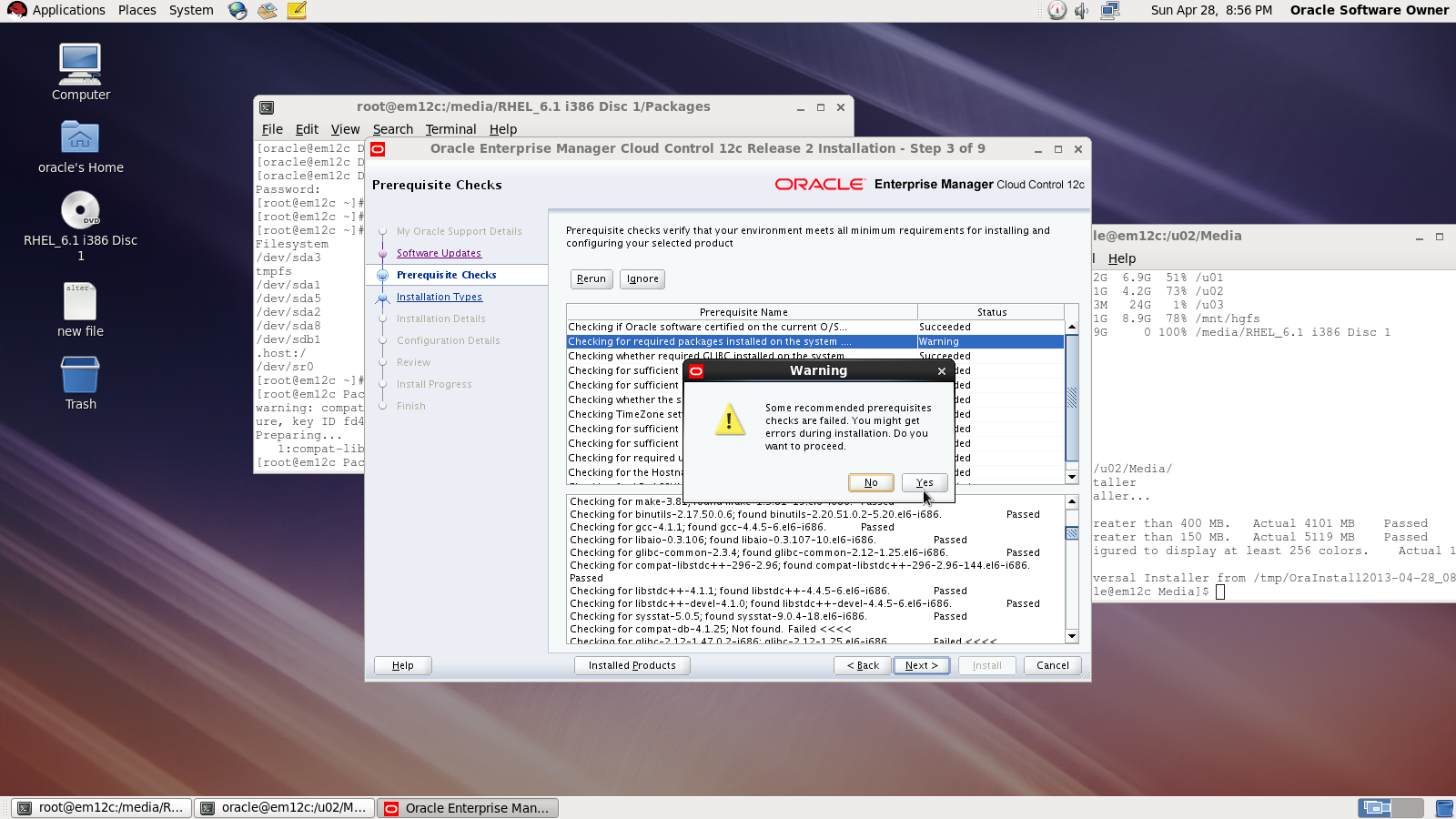
Sometimes you will receive warning related to glibc error Press Yes:

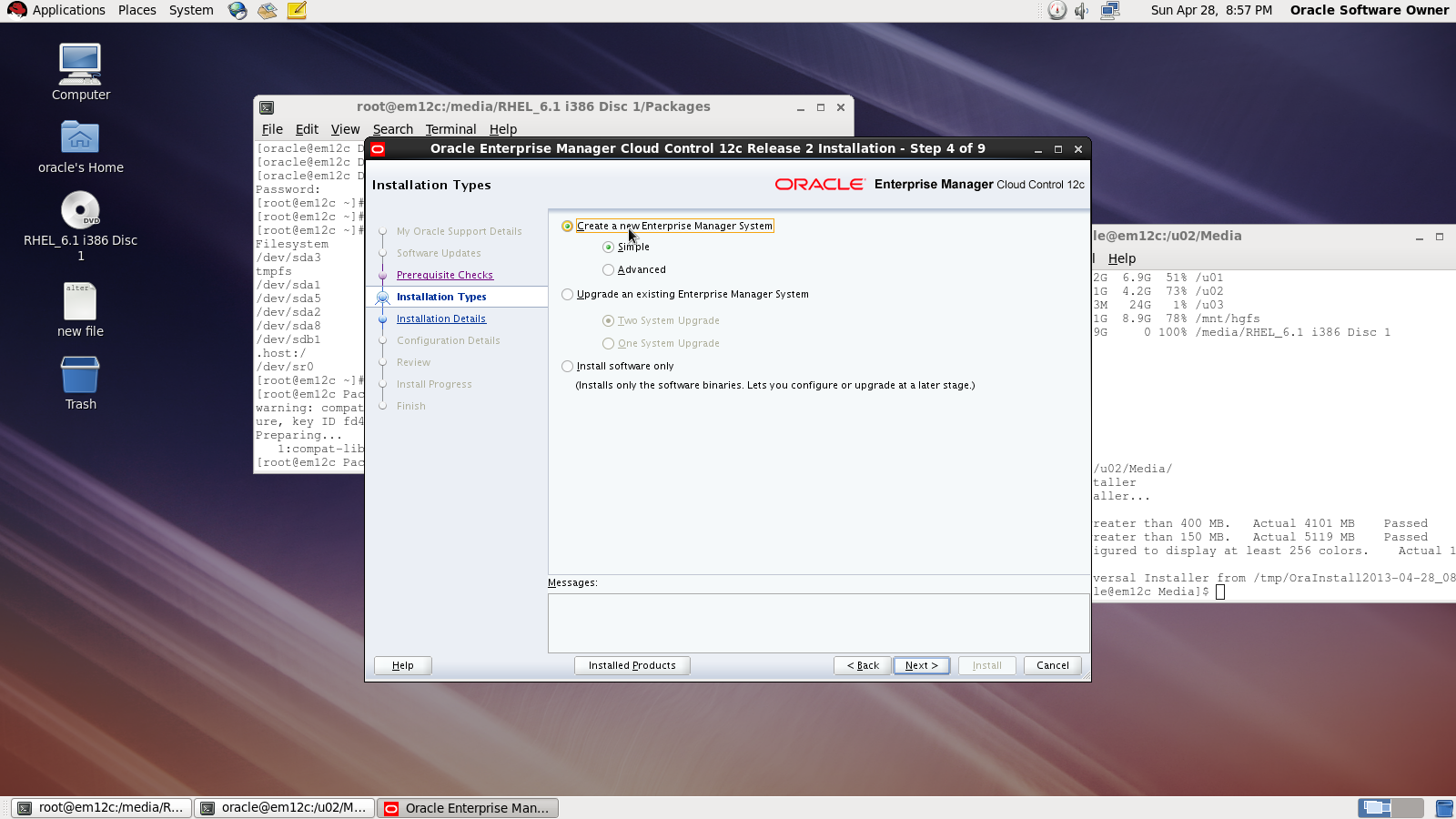
Now you need to choose installation type

Choose location where you want to install
Middleware location : /u02/app/oracle/middleware/oms12c
Agent Location : /u02/app/oracle/middleware/agent12c

Next Screen you need to choose password and create connection with database

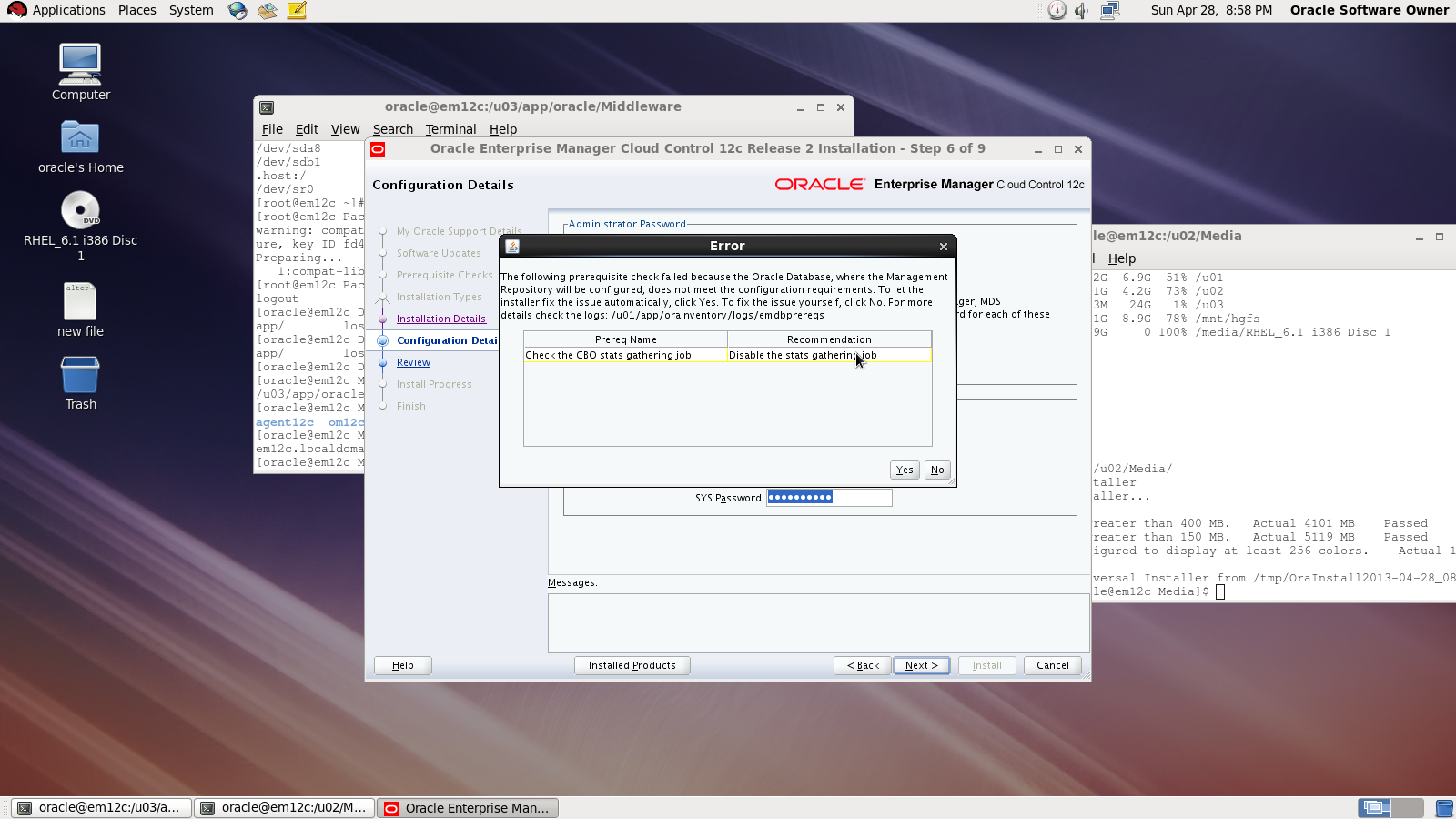
On the first warning dialog, click the “Yes” button to disable the stats gathering job.

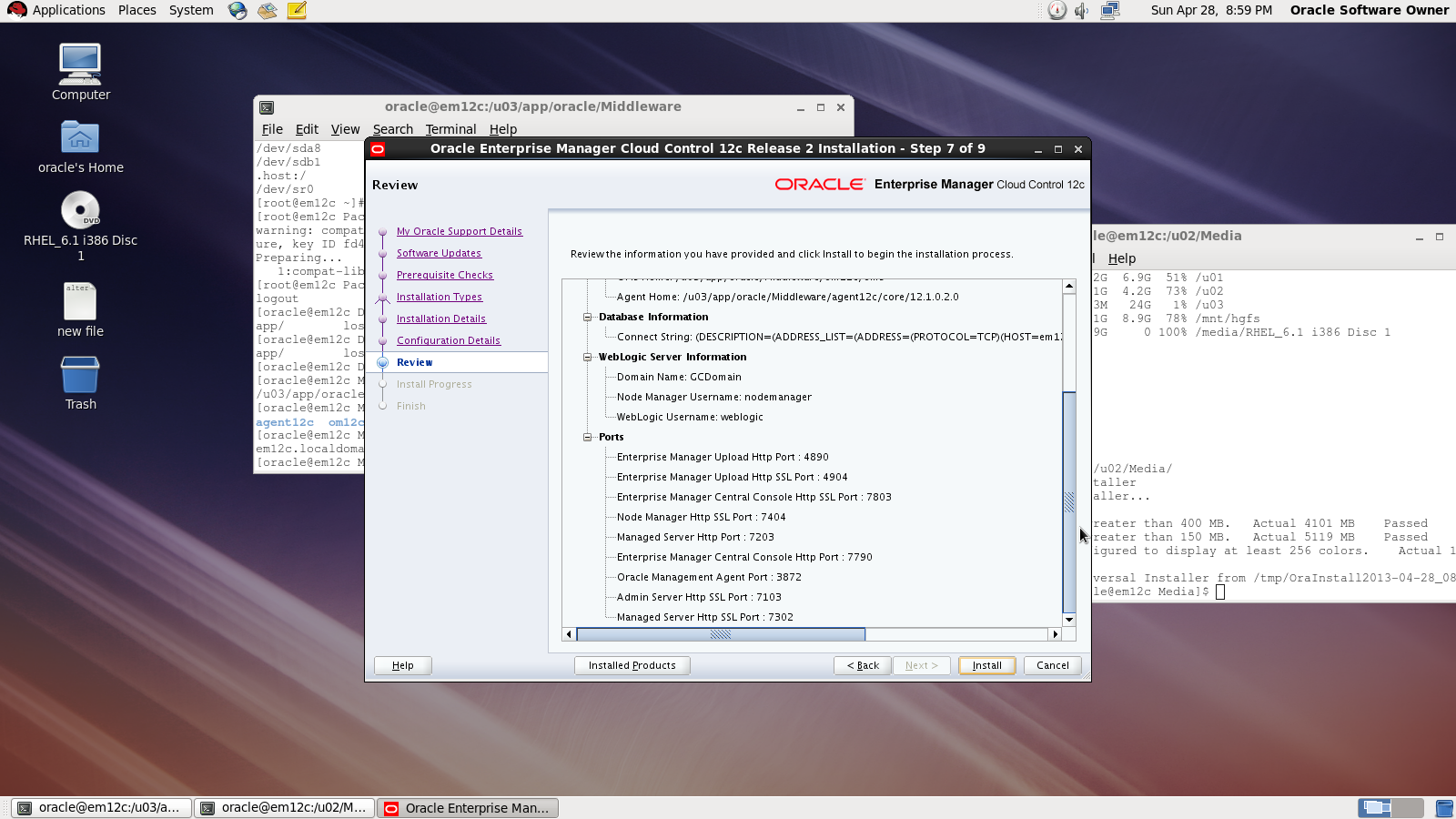
review :

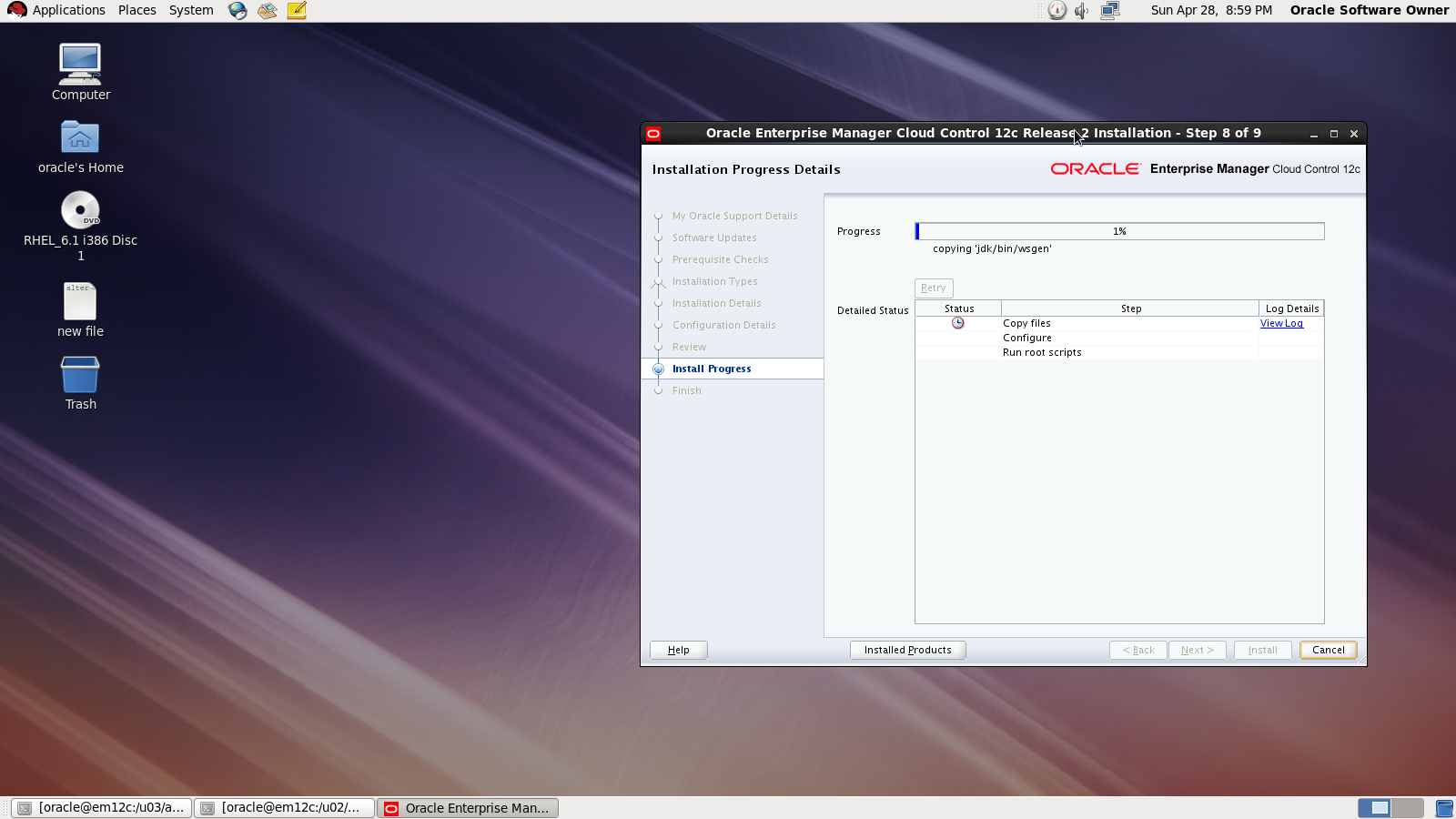
During the installation :

Done

also you can download this article from here

Thank you
Osama mustafa
Add New Mount On Linux ( Redhat 6)

Sometime you need to add new mount to Linux after creation the following article will describe how to do this , all the steps tested on Redhat 6.1 , after add disk

[root@localhost Desktop]# fdisk -l
Disk /dev/sda: 85.9 GB, 85899345920 bytes
255 heads, 63 sectors/track, 10443 cylinders
Units = cylinders of 16065 * 512 = 8225280 bytes
Sector size (logical/physical): 512 bytes / 512 bytes
I/O size (minimum/optimal): 512 bytes / 512 bytes
Disk identifier: 0x000be2c2
   Device Boot      Start         End      Blocks   Id  System
/dev/sda1   *           1         262     2097152   83  Linux
Partition 1 does not end on cylinder boundary.
/dev/sda2             262        2220    15728640   83  Linux
/dev/sda3            2220        3525    10485760   83  Linux
/dev/sda4            3525        7833    34601984    5  Extended
/dev/sda5            3525        4831    10485760   83  Linux
/dev/sda6            4831        5484     5242880   82  Linux swap / Solaris
/dev/sda7            5484        5745     2097152   8e  Linux LVM
/dev/sda8            5745        7833    16772096   83  Linux
Disk /dev/sdb: 26.8 GB, 26843545600 bytes
255 heads, 63 sectors/track, 3263 cylinders
Units = cylinders of 16065 * 512 = 8225280 bytes
Sector size (logical/physical): 512 bytes / 512 bytes
I/O size (minimum/optimal): 512 bytes / 512 bytes
Disk identifier: 0x00000000

as you see in the red line , I added disk with size 26G.
I need to prepare this disk :

[root@localhost Desktop]# fdisk /dev/sdb

Device contains neither a valid DOS partition table, nor Sun, SGI or OSF disklabel
Building a new DOS disklabel with disk identifier 0xe88f8de7.
Changes will remain in memory only, until you decide to write them.
After that, of course, the previous content won’t be recoverable.
Warning: invalid flag 0x0000 of partition table 4 will be corrected by w(rite)
WARNING: DOS-compatible mode is deprecated. It’s strongly recommended to
         switch off the mode (command ‘c’) and change display units to
         sectors (command ‘u’).
Command (m for help): n
Command action
   e   extended
   p   primary partition (1-4)
p
Partition number (1-4): 1
First cylinder (1-3263, default 1):
Using default value 1
Last cylinder, +cylinders or +size{K,M,G} (1-3263, default 3263):
Using default value 3263
Command (m for help): w
The partition table has been altered!
Calling ioctl() to re-read partition table.
Syncing disks.

After create disk i need to format the disk i choose ext3 :

[root@localhost Desktop]# mkfs -t ext3 /dev/sdb1
mke2fs 1.41.12 (17-May-2010)
Filesystem label=
OS type: Linux
Block size=4096 (log=2)
Fragment size=4096 (log=2)
Stride=0 blocks, Stripe width=0 blocks
1638400 inodes, 6552504 blocks
327625 blocks (5.00%) reserved for the super user
First data block=0
Maximum filesystem blocks=0
200 block groups
32768 blocks per group, 32768 fragments per group
8192 inodes per group
Superblock backups stored on blocks:
32768, 98304, 163840, 229376, 294912, 819200, 884736, 1605632, 2654208,
4096000
Writing inode tables: done                          
Creating journal (32768 blocks): done
Writing superblocks and filesystem accounting information: done
This filesystem will be automatically checked every 28 mounts or
180 days, whichever comes first.  Use tune2fs -c or -i to override.

Link the disk with new folder 

[root@localhost Desktop]#mkdir /u03
[root@localhost Desktop]# mount -t ext3 /dev/sdb1 /u03
[root@localhost Desktop]#
[root@localhost Desktop]#
[root@localhost Desktop]#
[root@localhost Desktop]# df -h
/dev/sdb1              25G  173M   24G   1% /u03

Don’t forget to add to /etc/fstab 
Thank you 
Osama mustafa

SQL92_SECURITY Parameter

SQL> show parameter sql92_

NAME                                 TYPE        VALUE
———————————— ———– ——————————
sql92_security                       boolean     FALSE

SQL92_Security seems it’s parameter related to Security But what is it ? what is the benefits of using this parameter ?

I will describe this example since it will be understandable 🙂

SQL> create user test1 identified by test1 ;

User created.

SQL> grant create session , Create table to test1 ;

Grant succeeded.

SQL>
SQL>
SQL> create user test2 identified by test2 ;

User created.

 SQL> create user test3 identified by test3 ;

User created.

SQL> grant create session to test3 ;

Grant succeeded.

SQL> conn test1/test1 ;
Connected.
SQL> create table new ( id number(20)) ;

Table created.

SQL> BEGIN
    FOR v_LoopCounter IN 1..50 LOOP
    INSERT INTO new (id)
    VALUES (v_LoopCounter);
     END LOOP;
         END;
   / 

PL/SQL procedure successfully completed.

SQL> conn test1/test1 ;
Connected.
SQL>
SQL>
SQL>
SQL> grant update on test1.new to test2 ;

Grant succeeded.

SQL> grant update on test1.new to test3;

Grant succeeded.

SQL> grant select on test1.new to test3;

 SQL> conn test2/test2 ;
Connected.
SQL> update test1.new set id=1 where id=10 ;

1 row updated.

SQL> conn test3/test3 ;
Connected.
SQL> update test1.new set id=10 where id=1 ;

2 rows updated.

Now let’s set SQL92_Security to TRUE and Restart Database and re fire the same query by each user.


Conn test2/test2

SQL>update test1.new set id=1 where id=10 ;

ERROR at line 1:
ORA-01031: insufficient privileges

SQL> conn test3/test3;
Connected.
SQL> update test1.new set id=10 where id=1 ;

2 rows updated.

What Happening Here , Each of users have Privileges on test1.new but why after set SQL92_Security to true test2 not working ?

Simply  SQL92_SECURITY need Update/delete and Select Privileges for the same user if you grant the user one of these privileges then it will be useless.

Amazing 🙂

Thank you
Osama Mustafa

Short Look for Oracle Privileges

Oracle Database Contain two type of privileges one called System and other called Objects each one grant it to use as they need, But interesting entity called Public. it’s more Role than users , and every user created in database assign to Public by default unfortunately nothing can be done to change that. so we can say it’s seems like User Group, so if you grant anything of privileges to public this means that everyone of users database will have this privilege ( System or Object ) So you need to becareful of you doing while dealing with public.

Public is everyone access to database .PUBLIC is an entity that can be granted any privilege and assigned any role. All database users automatically inherit all the rights assigned to PUBLIC. It’s a simple concept designed for convenience. Granting permissions to PUBLIC is easy to do, and often the easiest way to get a system working, however, the security implications of using the PUBLIC group to assign permissions are significant.PUBLIC should be treated with care and used sparinglyPUBLIC should be treated with care and used sparingly.

Before go deeply with this subject we need to understand Role and Privileges in oracle database,as you all know Oracle Privileges control the rights to see, you could Modify, create or alter database depend on privileged you have,as i mention earlier two Privileges in database exists System and Object.

System privileges are not related to any specific object or schema. Object privileges are just the opposite, those that are directly related to a specific object or schema.check the examples below

System Privilege
Object Privilege
GRANT ANY PRIVILEGE
GRANT
ALTER ANY ROLE
ALTER
ALTER DATABASE
SELECT

to check system privileges in database you need to check the following DBA_ DICTIONARY :

SQL> desc dba_sys_privs;
 Name                                      Null?    Type
 —————————————– ——– —————————-
 GRANTEE                                   NOT NULL VARCHAR2(30)
 PRIVILEGE                                 NOT NULL VARCHAR2(40)
 ADMIN_OPTION                                            VARCHAR2(3)

Sample data From table :

GRANTEE                        PRIVILEGE                                ADM
—————————— —————————————- —
SYS                            CREATE OPERATOR                                 NO
SYS                            EXECUTE ANY OPERATOR                     NO
SYS                            CREATE DIMENSION                                NO
SYS                            ADMINISTER RESOURCE MANAGER     NO

Another example i want to check scott and his system privileges :

SQL> select * from dba_sys_privs where GRANTEE = ‘SCOTT’;
GRANTEE                        PRIVILEGE                                ADM
—————————— —————————————- —
SCOTT                          UNLIMITED TABLESPACE                     NO

Now Let’s Talk About Object Privileges :

SQL> desc dba_tab_privs;
 Name                                      Null?    Type
 —————————————– ——– —————————-
 GRANTEE                                   NOT NULL  VARCHAR2(30)
 OWNER                                     NOT NULL  VARCHAR2(30)
 TABLE_NAME                          NOT NULL  VARCHAR2(30)
 GRANTOR                                 NOT NULL VARCHAR2(30)
 PRIVILEGE                                 NOT NULL VARCHAR2(40)
 GRANTABLE                                                  VARCHAR2(3)
 HIERARCHY                                                   VARCHAR2(3)

more complex huh ? Read Oracle Documentation Here

SQL> select OWNER, TABLE_NAME, PRIVILEGE, GRANTABLE from dba_tab_privs where GRANTEE = ‘SCOTT’;
no rows selected.

What about Roles ? as you we knows Oracle Comes with Pre defined such as DBA, Resource , and connect also you can create your own Role which is Set of privileges to manage Users Privileges.
 user can be a member of more then one role, and roles can even be members of other roles.
Users in company leaves their jobs , Travel or even don’t need privileges in futures Create Oracle Role will make all this Manage is easy since . Privileges are then granted only to the roles, never to a specific user,if the privileges ever change, they are changed on the role and automatically take effect for all users with the role.and you check

SQL> desc dba_roles ;
 Name                                      Null?    Type
 —————————————– ——– —————————-
 ROLE                                      NOT NULL         VARCHAR2(30)
 PASSWORD_REQUIRED                                  VARCHAR2(8)

For information about this table you can Read Oracle documentation here.

SQL> desc dba_role_privs
 Name                                      Null?    Type
 —————————————– ——– —————————-
 GRANTEE                                                   VARCHAR2(30)
 GRANTED_ROLE                  NOT NULL VARCHAR2(30)
 ADMIN_OPTION                                       VARCHAR2(3)
 DEFAULT_ROLE                                       VARCHAR2(3)

The above table checks the privileges granted to Role, you can refer to Oracle Documentation here
check the below query to determine Which User Have DBA Role :

SQL> select GRANTEE, ADMIN_OPTION, DEFAULT_ROLE from dba_role_privs where
GRANTED_ROLE = ‘DBA’;  2
GRANTEE                        ADM DEF
—————————— — —
SYS                                  YES YES
SYSMAN                         NO  YES
SYSTEM                         YES YES

As conclusion Public can be Granted any of Roles or users,While it is easy and fully supported to grant roles to PUBLIC i don’t recommended to do that  give one case why to do that ?
Check the user who has Public  :

SQL> select * from dba_role_privs where GRANTEE = ‘PUBLIC’;
no rows selected

And this exactly what we want not Public roles to any users.
Thank you 
Osama Mustafa

what is oracle inventory

While installing Oracle software new folder Directory created in ORACLE_BASE called oinventory  what is it ? and what the benefits of using this folder ? What kind of information will be stored ?

The inventory is created once you install Database or used for upgrades and patches. two kind of oracle inventory  one called central inventory per server and another one called local inventory for each ORACLE_HOME, the difference between each of them central inventory basically contains a high-level list of components installed on the server. It is updated each time components are installed or uninstalled but it does not have detailed information such as the patch level of each ORACLE_HOME. on another hand  local inventory  contains some component information included with patch-level information.

another different is The Central Inventory contains the information related to all Oracle products installed on a host. and consists of a file called inventory.xml, which lists all the Oracle Homes installed on the node.

for local inventory ( $ORACLE_HOME/inventory ) that contains the detail of the patch level for that ORACLE_HOME. The Local Inventory gets updated whenever a patch is applied to the ORACLE_HOME, using OUI. If the Local Inventory becomes corrupt or is lost, this is very difficult to recover, and may result in having to reinstall the ORACLE_HOME and re-apply all patchsets and patches.
For More Information about this topic refer to MOS : 
 Global and Local Inventory explained [ID 360079.1]
FAQs on Central Inventory and Oracle Home Inventory (Local Inventory) in Oracle RDBMS [ID 564192.1]
Thank you 
Osama mustafa

Disable Auditing Using Oradebug

in 2011 Laszlo Toth Show some Oracle tricks to disable Auditing In Oracle Database included with SYS auditing using simple command Called oradebug, Just as note oradebug is undocumented in all oracle versions and if you have sysdba role privileges you can do a lot of things with this command :

the below is the demonstration :

sqlplus / as sysdba

SQL> — get the offset for oradebug

SQL> select fsv.KSMFSNAM,sga.*
from x$ksmfsv fsv, x$ksmmem sga
where sga.addr=fsv.KSMFSADR
and fsv.ksmfsnam like ‘kzaflg_%’;

KSMFSNAM ADDR INDX INST_ID KSMMMVAL
—————- ———- ———- —————-
kzaflg_ 0000000060031BB0 26652 1 0000000000000001

SQL> show parameter audit;

NAME TYPE VALUE
———————————— ———– ——————————
audit_file_dest string /u01/app/oracle/admin/PSALES/adump
audit_sys_operations boolean TRUE
audit_syslog_level string
audit_trail string DB, EXTENDED

SQL> oradebug poke 0x60031bb0 1 0
BEFORE: [060031BB0, 060031BB4) = 00000001
AFTER: [060031BB0, 060031BB4) = 00000000

Just as note with oradebug you Audit vault become useless. another tricks that we can use oradebug to call Database command using OS 🙂 

SQL> oradebug call system    “ls -la >/tmp/hacktivity.txt”

Thank you
Osama mustafa

ORA-1461 encountered when generating server alert SMG-3500

Two bug could be related to this error  Bug 6085625 and unpublished bug 6452485.

to fix the above bug you need to apply  Patch 6602742 or Patch 6602482 Depend on your case

as workaround you have to optiosn :

A. Flushing the shared pool can help remove the problem cursor from the shared pool.
B. Or set SESSION_CACHED_CURSORS = 0

Thank you
Osama mustafa

Oracle APPS DBA vs Oracle DBA

Name Different In One Thing Apps , Both Are DBA for the same corporation but before going further you need to know what the definition for both of them what APPS DBA mean and What Oracle DBA mean ?

Oracle DBA ( Database Administrator ) is the person who responsible for administration , Monitor , tuning and recover database ( Failure cases ) For Oracle Database this Person Called Oracle DBA.

Lot of Jobs and Tasks for this Person

  • Installing and upgrading the Oracle server and application tools
  • Allocating system storage and planning future storage requirements for the database system
  • Creating primary database storage structures (tablespaces) after application developers have designed an application
  • Creating primary objects (tables, views, indexes) once application developers have designed an application
  • Modifying the database structure, as necessary, from information given by application developers
  • Enrolling users and maintaining system security
  • Ensuring compliance with your Oracle license agreement
  • Controlling and monitoring user access to the database
  • Monitoring and optimizing the performance of the database
  • Planning for backup and recovery of database information
  • Maintaining archived data on tape
  • Backing up and restoring the database
  • Contacting Oracle Corporation for technical support
    For More Information Read oracle Documentation Here.
    in he big company that required 24/24hr monitor for more than one database therefore you cannot assign everything to this person he will be killed. So two kind of DBA appeared to reduce Tasks 
    Development DBA   & Production DBA each one of them has it’s own job and Tasks.
    Development DBA: 
    well from the name you can see it’s person who works closely with developers team to make sure database design and performance are working find without any problems.
    Production DBA
    Person who responsible to ensure that Database for this company is healthy and running without any problem it’s not easy job since this type of Database is the main database for company so you have to ensure it’s working fine or you will be fired.
    I mention before of my blog how to become DBA and what you need to do that ? Good understanding of the Oracle database,  understanding of the underlying operating system ,  how Oracle acquires and manages resources, knowledge of both database and system performance tuning,communication skills , management , and ability to handle multiple projects and deadlines all this Hints to become DBA. Read my Post About “how to become DBA” Here 
    After you have small knowledge about DBA tasks and What he is doing ? Let’s talk about APPS DBA.
    Simply the equation :
    ORACLE APPS DBA = Application* + Database.
    *Which Application is Fusion Middle Ware Products from Oracle.
    If you are aware of all the previous tasks  then you are able to be Oracle APPS DBA, Oracle APPS DBA include all Oracle DBA tasks and it’s very huge subject to learn and explorer.
    So the Task for APPS DBA :
    • All Oracle DBA tasks.
    • Patching
    • Cloning 
    • Maintenance Oracle Application.
    • Installations Oracle EBS.

    So as conclusion Oracle APPS DBA is an Oracle DBA because of this he can switch easliy between this job Role, and don’t let this disappointed you also Oracle DBA can switch to APPS DBA but he must read LOT.

    Thank you 
    Osama Mustafa