Bounce Standby Database

Shutdown Standby Database :

    sqlplus /as sysdba
alter database recover managed standby database cancel;
shutdown;


Startup Standby Database :

     sqlplus /as sysdba
startup nomount
alter database mount standby database
alter database recover managed standby database disconnect from session;

Thank you
Osama Mustafa

Check FRA Size

The Below query To check FRA Used Space and Free Space its very Useful Query :

set lines 100
col name format a60
select name
, floor(space_limit / 1024 / 1024) "Size MB"
, ceil(space_used / 1024 / 1024) "Used MB"
from v$recovery_file_dest
order by name
/

Thank you
Osama mustafa

AWR vs ADDM vs ASH

AWR : automatic workload repository

The AWR is used to collect performance statistics including:

  • Wait events used to identify performance problems.
  • Time model statistics indicating the amount of DB time associated with a process from the V$SESS_TIME_MODEL and V$SYS_TIME_MODEL views.
  • Active Session History (ASH) statistics from the V$ACTIVE_SESSION_HISTORY view.
  • Some system and session statistics from the V$SYSSTAT and V$SESSTAT views.
  • Object usage statistics.
  • Resource intensive SQL statements.

I will not get into Details how to generate AWR since i mention it before on my Blog .

 ADDM : automatic database diagnostic monitor

analyzes data in the Automatic Workload Repository (AWR) to identify potential performance bottlenecks.and we use it for the following cases :

  •      CPU bottlenecks
  •      Undersized memory structures
  •      I/O capacity issues
  •      High load SQL statements
  •      RAC specific issues
  •      Database configuration issues
  •      Also provides recommendations on hardware changes, database configuration & schema changes.

Generate ADDM  :

  • Login to SQL
  • @$ORACLE_HOME/rdbms/admin/addmrpt.sql
  •  enter system password when you asked for .
  • Specify a begin_snap from the list and press Enter.
  • Specify the end_snap from the list and press Enter.
  •  Report Name

ASH : Active Session History 

statistics from the in-memory performance monitoring tables also used to track session activity and simplify performance tuning.

ASH reports Give the following information :

  • Top User Events (frequent wait events)
  • Details to the wait events
  • Top Queries
  • Top Sessions
  • Top Blocking Sessions
  • Top DB Object.
  • Activity Over Time

 Generate ASH reports :

The Best way to do that using OEM.  (Enterprise manager).

Thank you
Osama Mustafa

Encrypt Your PL/SQL Code Using Wrap Command

Today I will make demonstration how to hide your code , Function , Procedure and anything Related to PL/SQL Code , to do this you have to know wrap utility in oracle .

Step #1:

You Have to Write Sample Code to Make test on it .

Sample Code :

SQL> CREATE OR REPLACE PROCEDURE testproc
IS
BEGIN
   DBMS_OUTPUT.PUT_LINE(‘Wrap Me!’);
 END;
/
Procedure created.

Ensure Procedure Run Successfully :

SQL> exec testproc

PL/SQL procedure successfully completed.

The above Steps Just to make sure our Procedure will run suceesfully without any error , now i will delete it again and start using wrap to encrypt.

SQL> conn osama/osama;
Connected.
SQL>
SQL> drop procedure testproc ;

Procedure dropped.

Step #2:

Using Wrap to Create plb File .

-Save Above Procedure in File Called TestProc.sql under /home/oracle .

[oracle@localhost ~]$ wrap iname=Testproc.sql

PL/SQL Wrapper: Release 10.2.0.5.0- Production on Mon Dec 03 22:42:14 2012

Copyright (c) 1993, 2004, Oracle.  All rights reserved.

Processing Testproc.sql to Testproc.plb

 OR

If i want to get my procedure script wrapped and no one can read my file :

[oracle@localhost ~]$ wrap iname=Testproc.sql oname=wrapped.sql

PL/SQL Wrapper: Release 10.2.0.5.0- Production on Mon Dec 03 22:46:12 2012

Copyright (c) 1993, 2004, Oracle.  All rights reserved.

Processing Testproc.sql to wrapped.sql

Open Wrapped.sql 

[oracle@localhost ~]$ more wrapped.sql
CREATE OR REPLACE PROCEDURE testproc wrapped
a000000
1
abcd
abcd
abcd
abcd
abcd
abcd
abcd
abcd
abcd
abcd
abcd
abcd
abcd
abcd
abcd
7
49 85
SOwY8JEJe1MROnuBTksxRTO9iJ4wg5nnm7+fMr2ywFwWoWLRPhaXroubdIvAwDL+0oYJjwlp
uFKbskr+KLK957KzHQYwLK4k6rKBpVHb4USaw+kyLvYOxeokH/Y5pkT0tnU=

/
 

Step #3:

Now I want to create procedure in my database :

[oracle@localhost ~]$ sqlplus osama/osama

SQL*Plus: Release 10.2.0.5.0 – Production on Mon Dec 3 22:48:03 2012

Copyright (c) 1982, 2010, Oracle.  All Rights Reserved.

Connected to:
Oracle Database 10g Enterprise Edition Release 10.2.0.5.0 – Production
With the Partitioning, OLAP, Data Mining and Real Application Testing options

SQL> @Testproc.plb

Procedure created.

SQL>
SQL>
SQL> exec Testproc

PL/SQL procedure successfully completed.


ORA-01438 Which Column

ORA-01438: value larger than specified precision allowed for this column

You will receive this error while trying to insert big Value In Column with Specific Range , But How Could You know Which Column is it i will some hint that could help you to do that :

Hint #1 :

1-ORA-01438  : For Numeric Value
2-ORA-12899  : For Varchar2 Value

Hint #2 :

Enable Audit On know which One of these Column caused the error

SQL > Create table test as select * from scott.dept

SQL> desc dept
Name Null? Type
----------------------------------- -------- ------------------------
DEPTNO NOT NULL NUMBER(2)
DNAME VARCHAR2(14)
LOC VARCHAR2(13)
 
SQL> audit insert on Osama.test whenever not successful;
 
Audit succeeded.
 
SQL> insert into osama.test values(2000,'Osama','Osama');
insert into scott.dept values(2000,'osama','Osama')
*
ERROR at line 1:
ORA-01438: value larger than specified precision allowed for this
column
 
 
SQL> select sql_text,returncode from dba_audit_trail
2 where owner='OSAMA' and obj_name='TEST';
 
SQL_TEXT
----------------------------------------------------------------------
RETURNCODE
----------
insert into scott.dept values(2000,'Osama','Osama')
1438

 Hint #3 :

Enable Tracing Level 1438

SQL > conn osama/osama ;
SQL> create table test as select * from scott.dept ;
 
SQL> select * from test ;
 
DEPTNO DNAME LOC
---------- -------------- -------------
10 ACCOUNTING NEW YORK
20 RESEARCH DALLAS
30 SALES CHICAGO
40 OPERATIONS BOSTON
 
 
SQL> alter system set events='1438 trace name Errorstack forever,level 10';
 
 
SQL> insert into test values (100000000000000000,'osama','JOR');
insert into test values (100000000000000000,'osama','JOR')
*
ERROR at line 1:
ORA-01438: value larger than specified precision allowed for this column
 
In Trace File :
 
ORA-01438: value larger than specified precision allowed for this column
Current SQL statement for this session:
insert into test values (100000000000000000,'osama','JOR')

Thank you
Osama Mustafa

Spool File With Date/Time Name

Amazing way to spool  automatically :

SET TERMOUT OFF
COLUMN today_ddmmyyyy_col NEW_VALUE today_ddmmyyyy
SELECT TO_CHAR ( SYSDATE, 'DDMMYYYY') AS today_ddmmyyyy_col
FROM dual;
SET TERMOUT ON
SPOOL log_&today_ddmmyyyy..log

Thank you
Osama Mustafa

Reclaim Space in Tablespace using Shrink Command

SQL> ALTER TABLE TABLE_NAME enable ROW movement;

SQL> ALTER TABLE TABLE_NAME shrink SPACE;

SQL> ALTER TABLE TABLE_NAME disable ROW movement;

Benefits regarding to Oracle Documentation :

  • Full table scans will take less time (a table scan will always scan up to the HWM even if space is not used)
  • Better index access takes place because of a smaller B-Tree
  • Space is freed up for other database objects
  • Space below the HWM is released and the HWM is moved down

 Thank you
Osama Mustafa

OPEN_CURSOR in Oracle

Open_Cursor Parameter , in this article i will discuss what this parameter do  , I used Oracle Documentation to describe this parameter but in simpler way .

In Oracle Documentation

Open_cursor : specifies the maximum number of open cursors (handles to private SQL areas) a session can have at once. You can use this parameter to prevent a session from opening an excessive number of cursors.

to check in database

SQL> show parameter Open_cursor

NAME                                 TYPE        VALUE
———————————— ———– ——————————
open_cursors                         integer     300
 

As we see in the last Line , “its prevent Session from opening excessive number of cursor”  how is that !!!

Open_cursor located in shared_pool which is part of SGA ( library Cache) , The benefit of this parameter is to prevent Session clogging CPU with requests .

But what i mean when I set this Parameter to integer , let take the above example :

-Parameter is set to 300
-That mean each session can have  300 cursors

If this session fill the 300 What will happened !!!

 “ora-1000 maximum open cursors exceeded”

On Documentation Oracle Recommended to set this Parameter for high value  for Application usage , if the above error raised and you already set to high Value then make sure your developer is closing their cursor and this is common issue.

SQL> Show parameter cursor

NAME                                      TYPE        VALUE
———————————— ———– ——————————
cursor_sharing                             string      EXACT
cursor_space_for_time                boolean     FALSE
open_cursors                               integer     300
session_cached_cursors               integer     20

But what others Parameter mean,  what each parameter mean lets ask this question what if User or session run query include the same cursor , is it take another space in memory !!!

it dose not make sense , so in this case we use SESSION_CACHED_CURSOR.

regarding to oracle documentation

SESSION_CACHED_CURSOR : its Number of session cursors to cache. Repeated parse calls of the same SQL statement cause the session cursor for that statement to be moved into the session cursor cache.  

you have to know some truth about this parameter :
1) its cache only close cursor which mean if you cursor still opened how could it be cached !!!

2) you can set this parameter > OPEN_CURSOR , NOTHING.

3) if you are not setting this parameter ( Value 0 ) then no cursor will be cached for session . But Wait we said oracle used shared pool in cursor Yes , your cursor will be in SHARED_POOL but session have to find this cursor , so if you set to non zero first thing oracle will do is check SHARED_POOL ( Library cache ) and back to you with result .

After discuss point number 3 we see the main advantage for cache cursor which is better performance , enhance query execution time.

But the shared_pool has limited size so i can’t cache all my cursor , now next parameter will avoid this

CURSOR_SPACE_FOR_TIME 

Boolean value (TURE|FALSE) each one of them mean something

FALSE : Shared SQL areas can be deallocated from the library cache to make room for new SQL statements.

TRUE : Shared SQL areas are kept pinned in the shared pool , if you are using application contain lot of cursor it will be good to set it to enhance execution time ( to do that shared pool must be large enough to hold all open cursors simultaneously) .

 if i have 3 query each one want to use same cursor how oracle handle this , Parameter number 4 will control that.

CURSOR_SHARING

CURSOR_SHARING determines what kind of SQL statements can share the same cursors.

this parameter take three value ( FORCE | SIMILAR | EXACT ) i will describe each one of them , Oracle Documentation definition :  

-Forces statements that may differ in some literals, but are otherwise identical, to share a cursor, unless the literals affect the meaning of the statement.

-Similar Causes statements that may differ in some literals, but are otherwise identical, to share a cursor, unless the literals affect either the meaning of the statement or the degree to which the plan is optimized.

-Exact Only allows statements with identical text to share the same cursor.

you can’t imagine how many document you will find if you search on google for this parameter , examples , article and tuning for it.

to set this parameter you have to make sure what you need , understand it.the best way to do that with trying to test it.

Thank you
Osama Mustafa

Change Listener Port (Single Instance)

In this Topic i will discuss how to change listener ports , The Database 10gR2 , Operating System RHEL 5.7  this demonstration will work on any Database or platforms , The Simplest way to change listener Ports

Information :
DB Version : 10.2.0.5
OS : RHEL 5.7
Listener Name : LISTENER
Old Port : 1521
New Port : 1523


Step one :  Check Listener Status .

The Below screen describe The Old Status For Listener Notice the Port is 1521 (Default One)

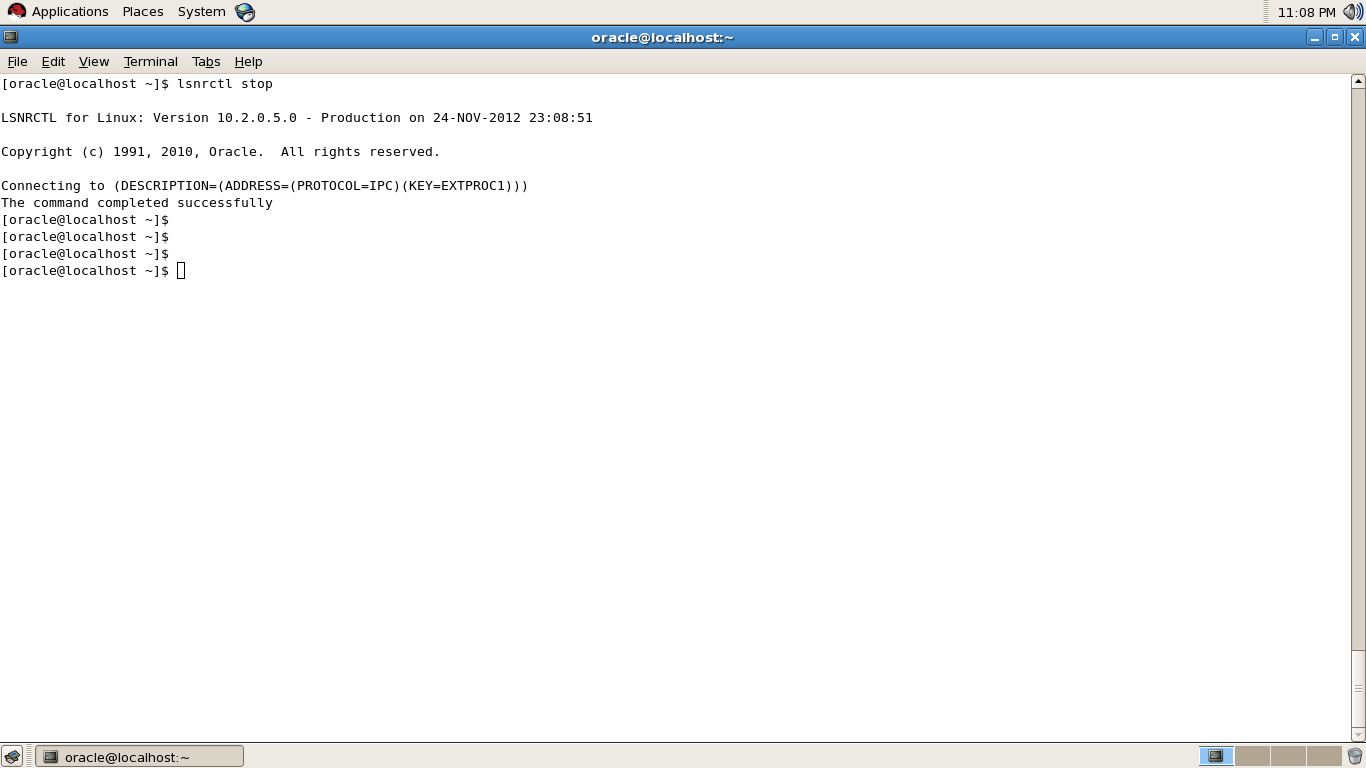
Step two : Stop Listener  (lsnrctl stop)

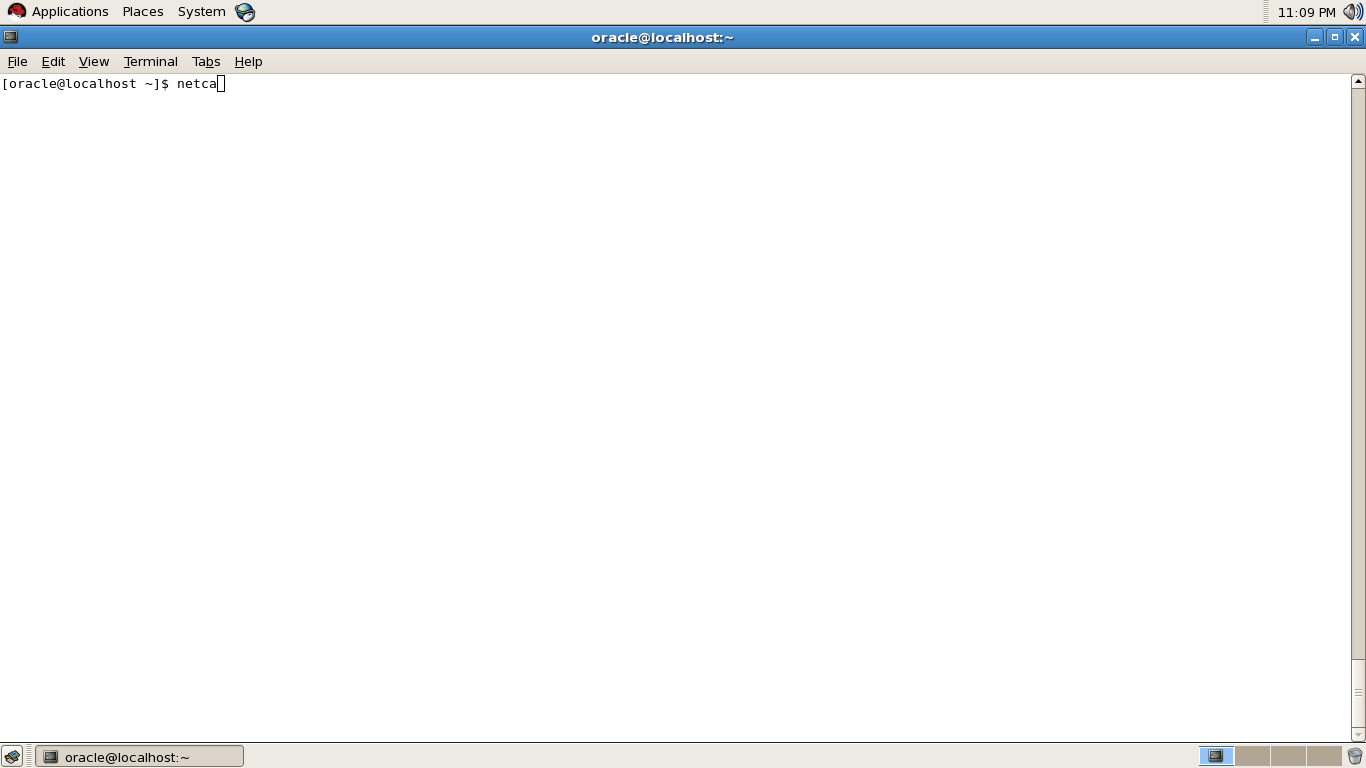
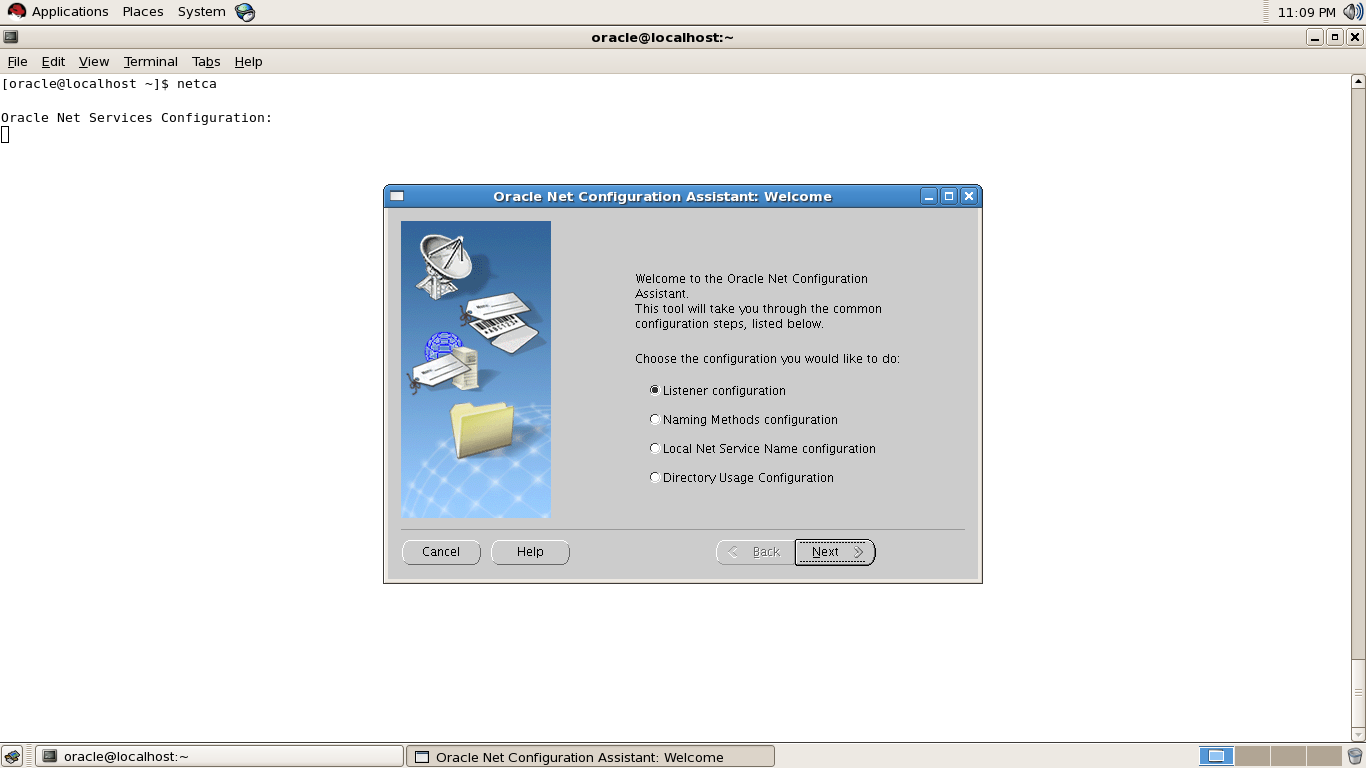
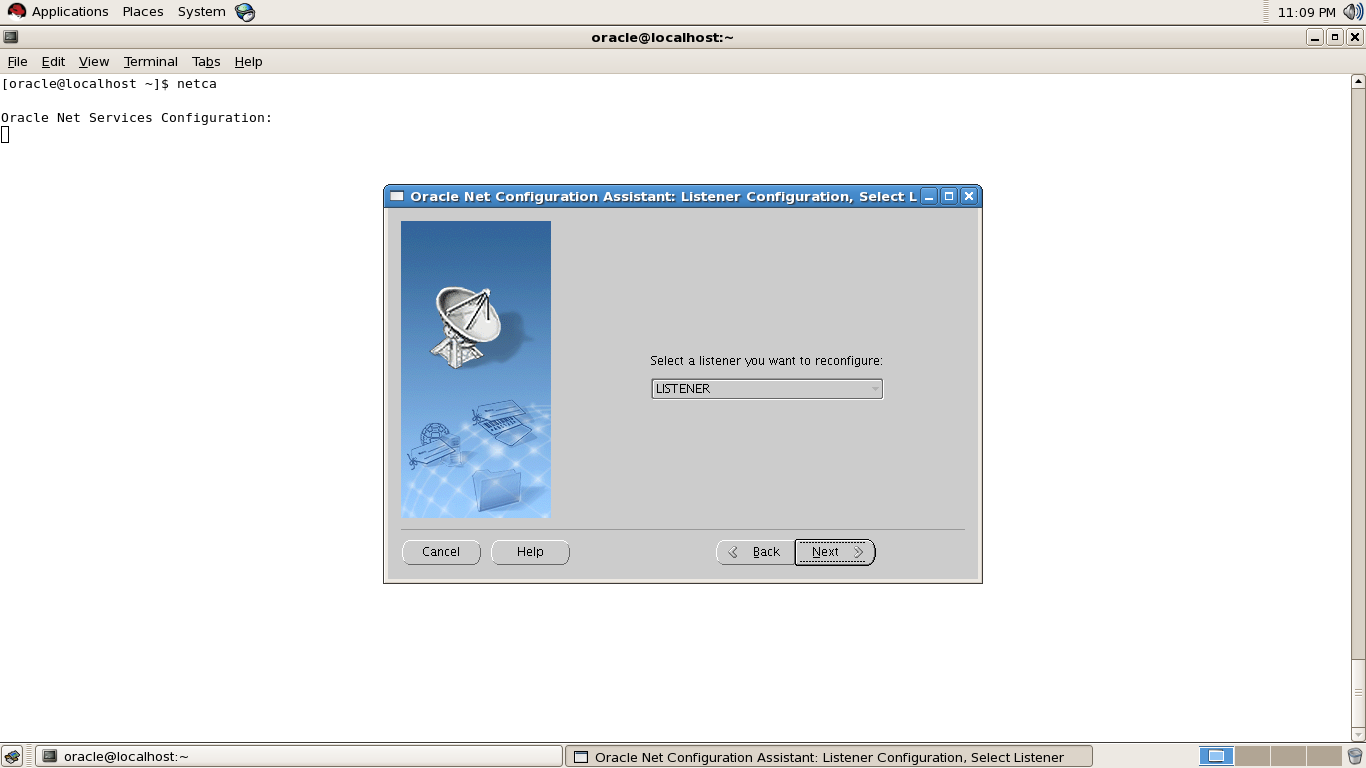
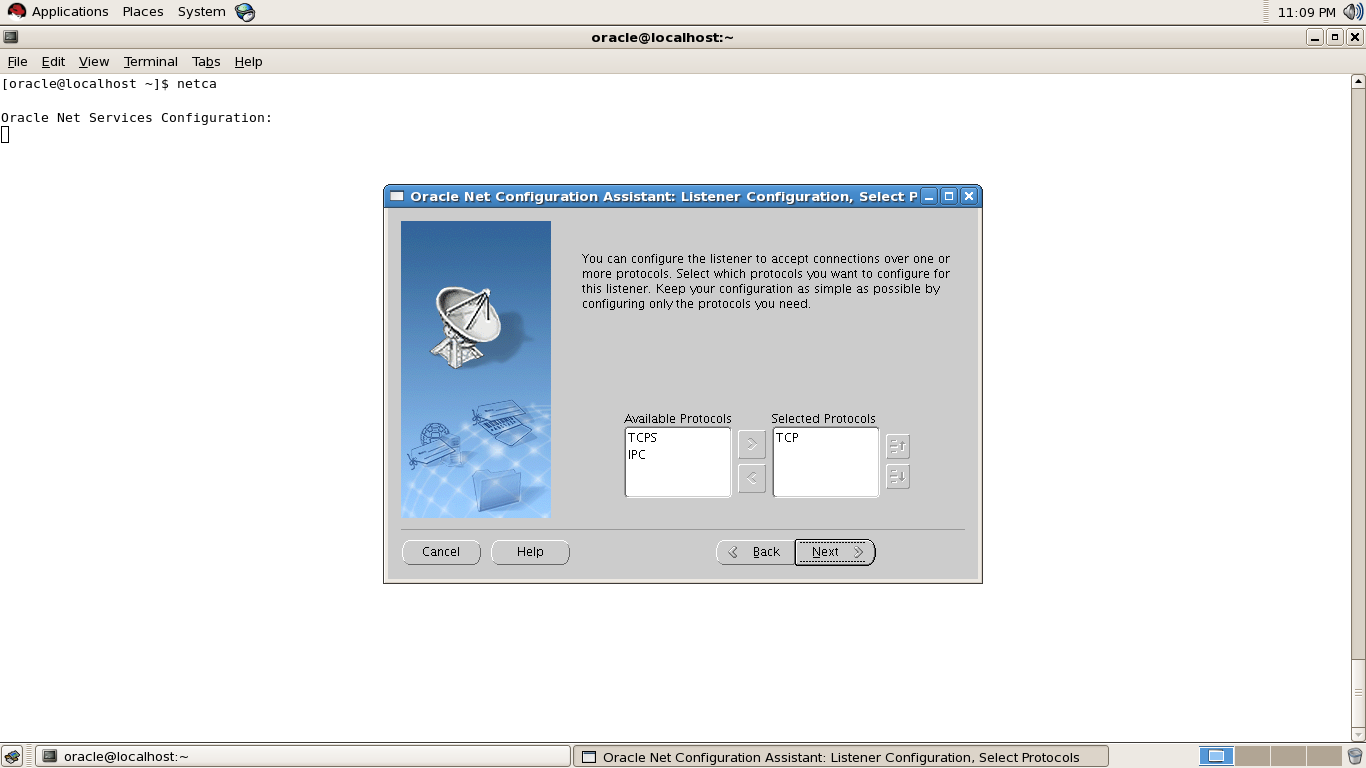
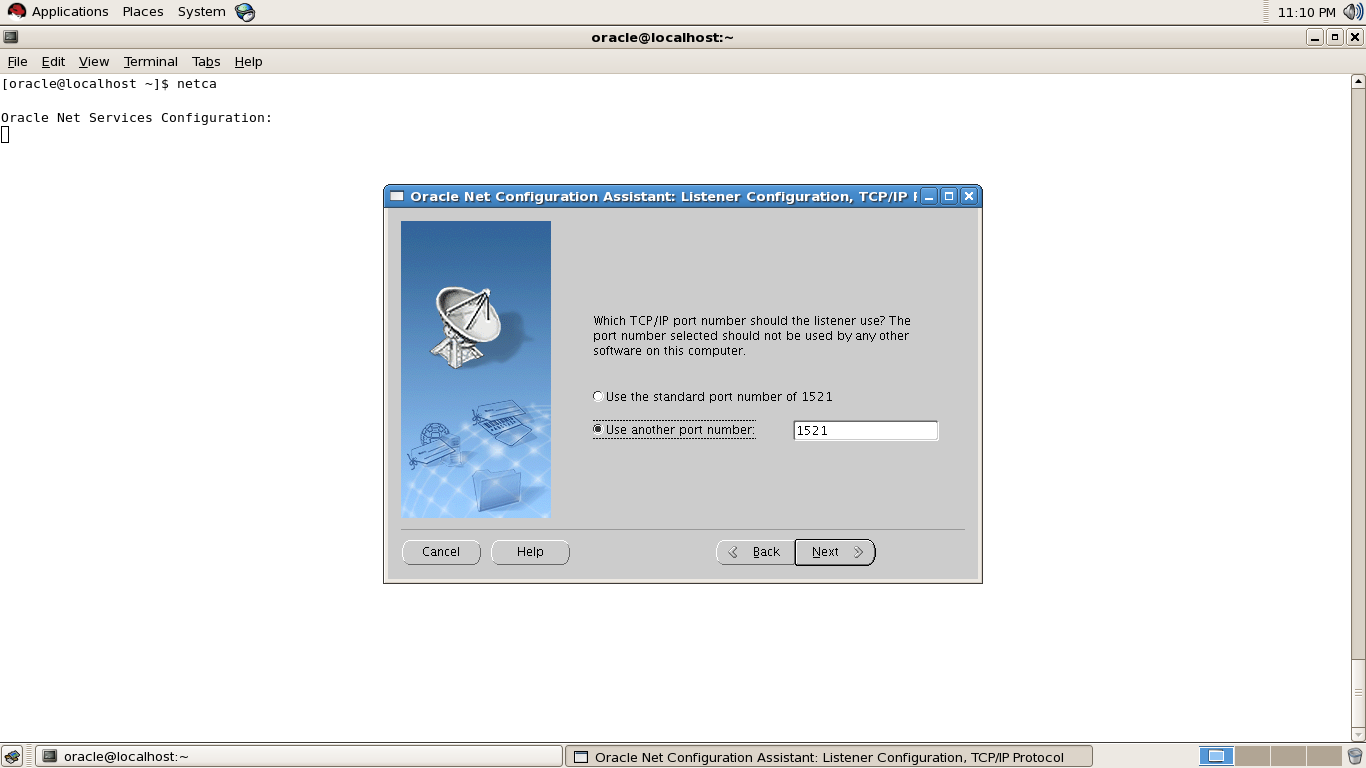
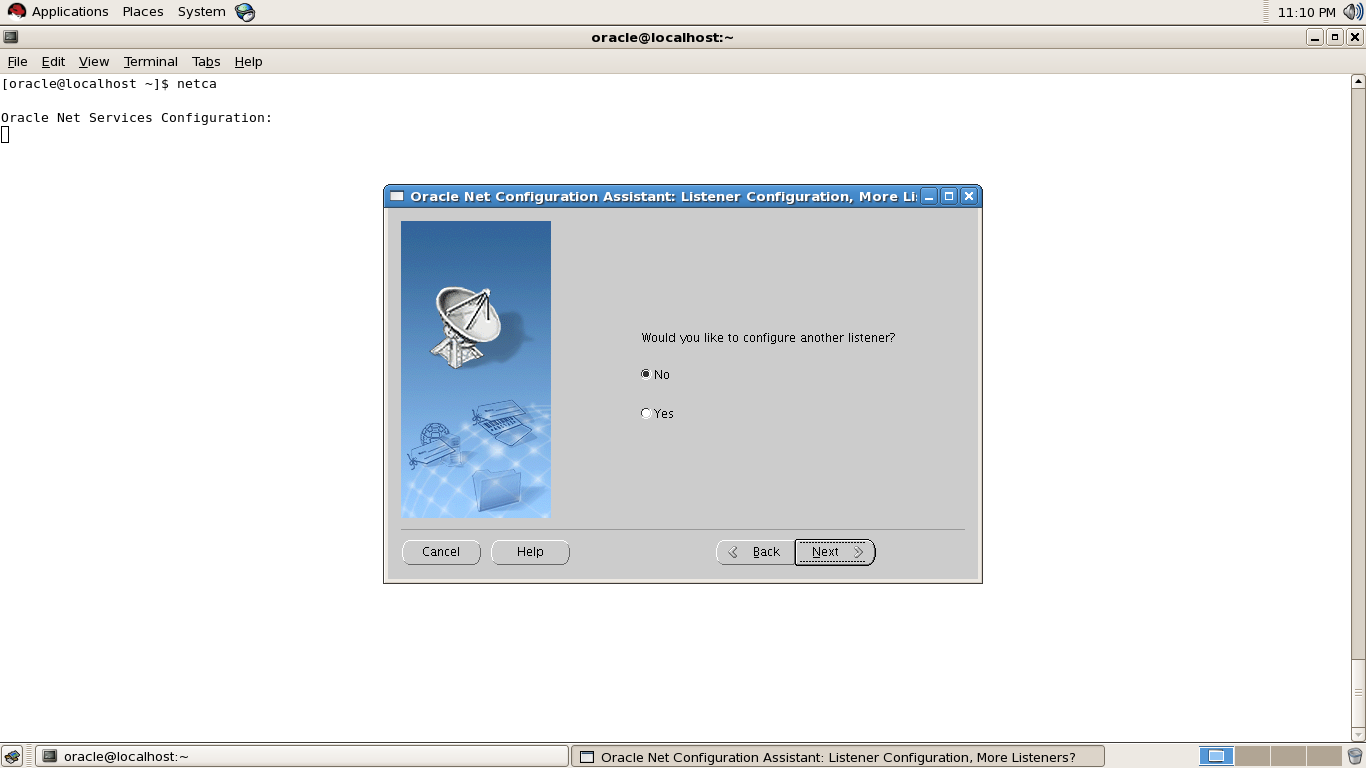
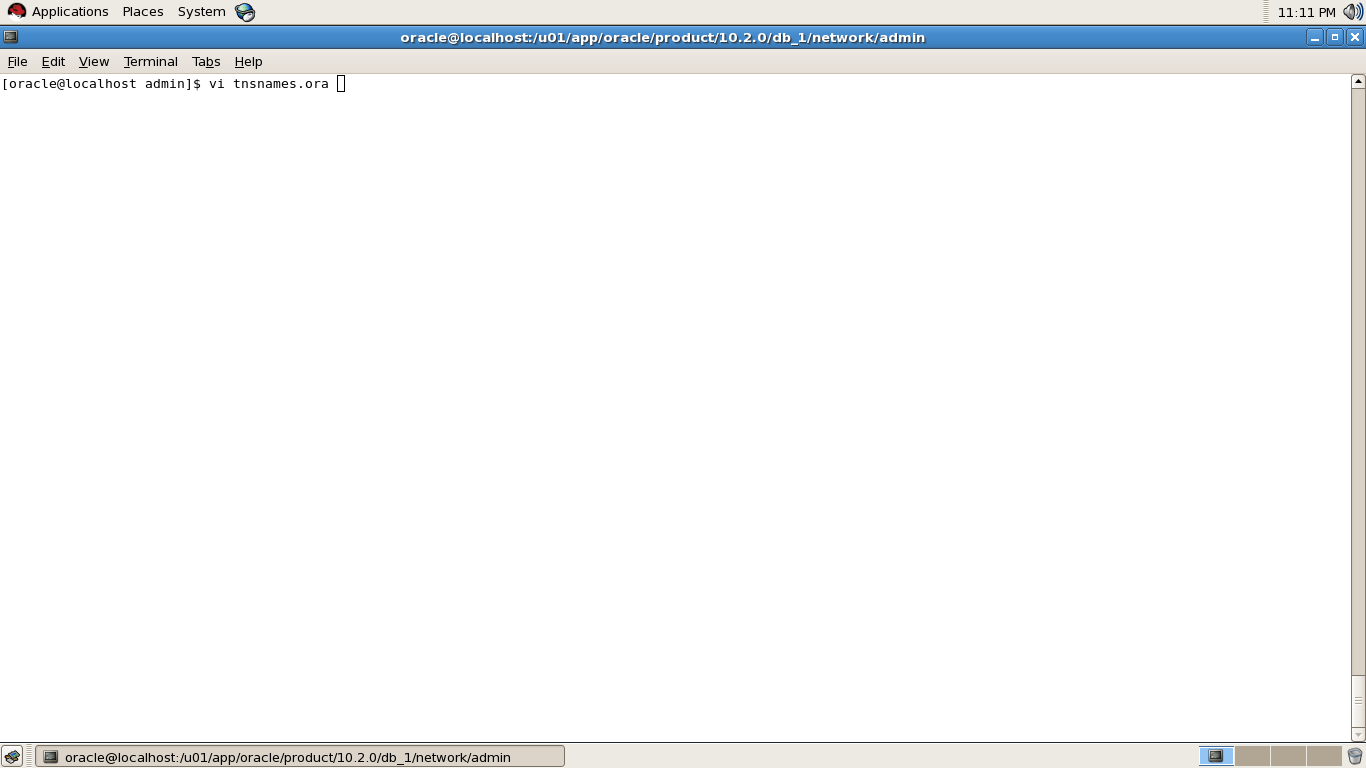
Step three : Use netca command  to Change Listener Port Follow the screens

in below screen you can choose the listener port you want to change .


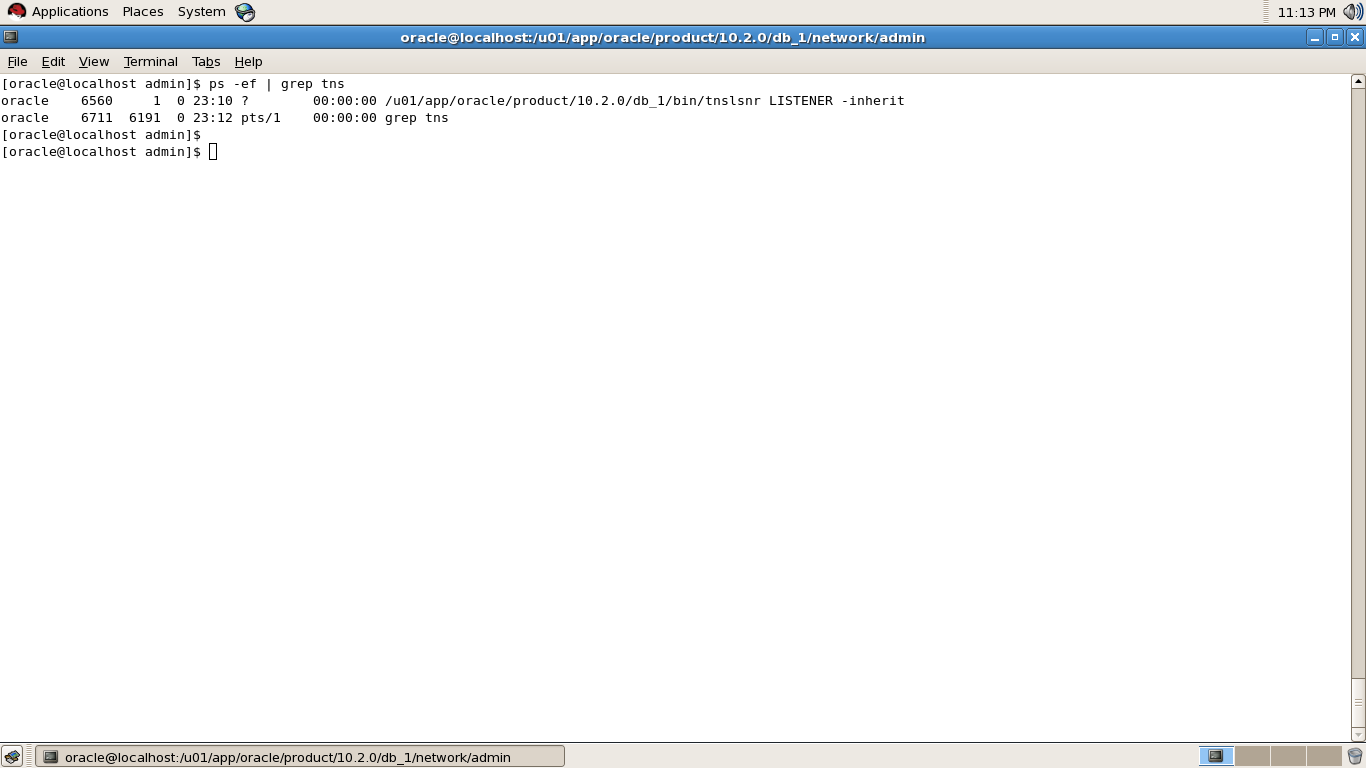
Step Four : After Close netca GUI listener will start automatically


Step Five : Go to $ORACLE_HOME to change tnsnames.ora that used Old Listener port to new port.

Listener.ora will change automatically via netca GUI so no need to update it .

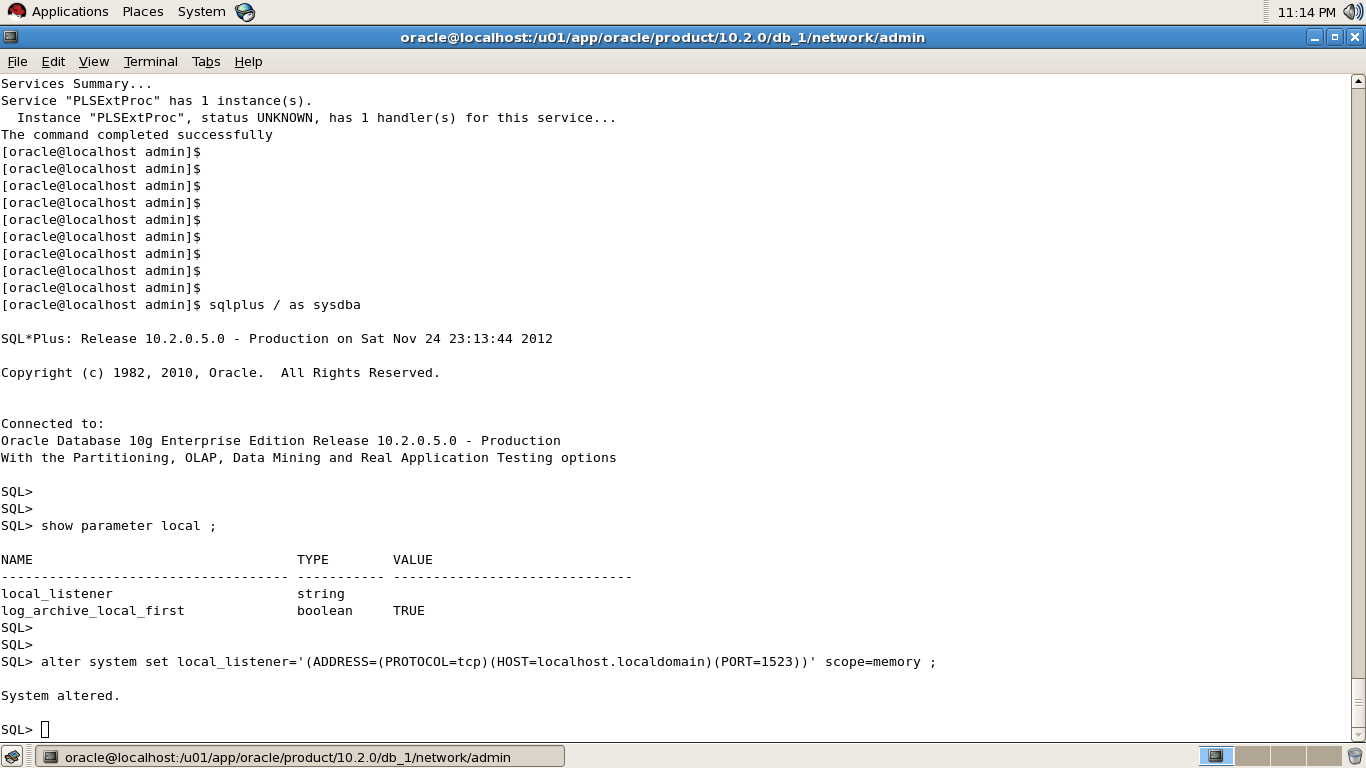
Step Six : Database will not register atomically after doing the above steps , so you have to set LOCAL_LISTENER Parameter Via Sqlplus like the following , i will post lsrnctl status to confirm what i saying, also notice new port that has been changed .

Now , Sqlplus / as sysdba

I Used Scope=memory to test the connection first  , after test the connection successfully you can change scope = spfile.

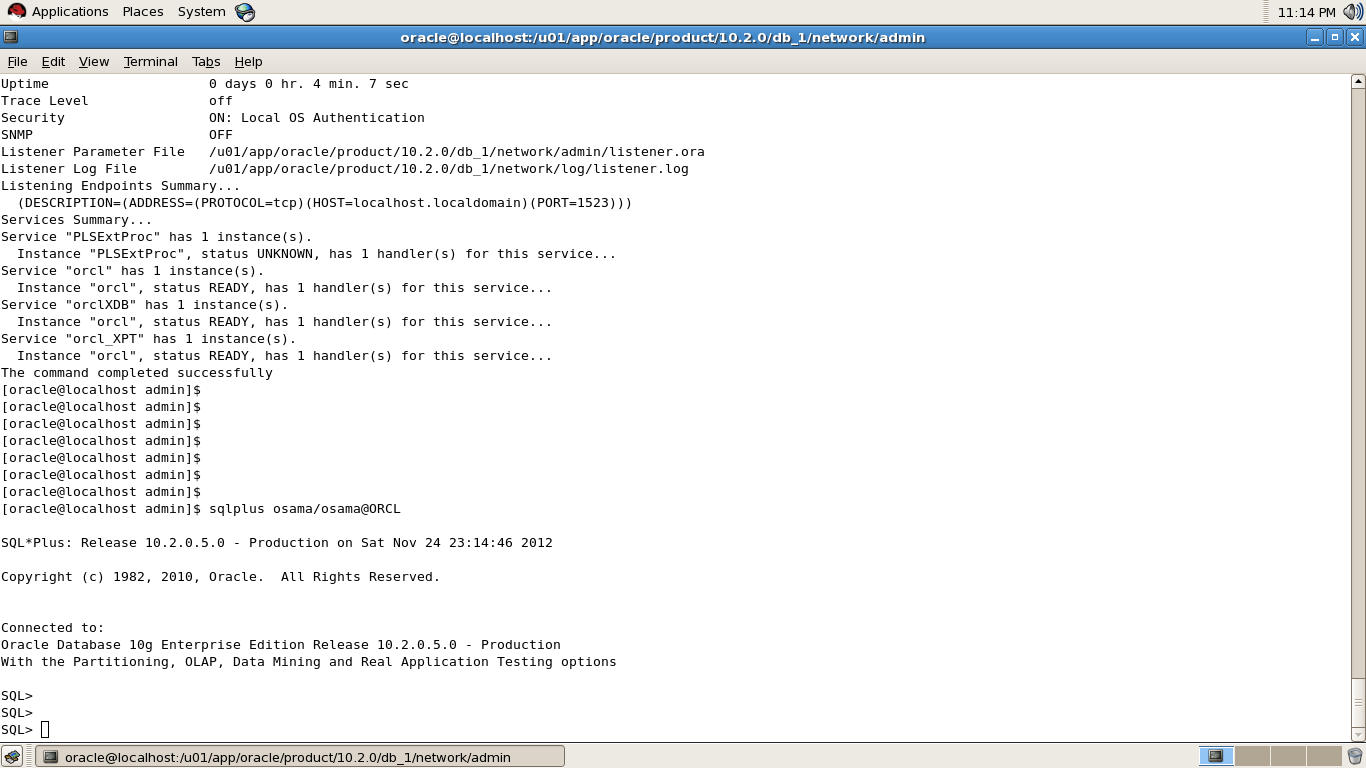
Step Seven : Test Connection to make sure Every User will Able To connect .

Thank you
Osama Mustafa

What Oracle Version Digit Mean

The first digit is the most general identifier. It represents a major new version of the software that contains significant new functionality.
Database Maintenance Release Number

The second digit represents a maintenance release level. Some new features may also be included.
Application Server Release Number

The third digit reflects the release level of the Oracle Application Server (OracleAS).
Component-Specific Release Number

The fourth digit identifies a release level specific to a component. Different components can have different numbers in this position depending upon, for example, component patch sets or interim releases.
Platform-Specific Release Number

The fifth digit identifies a platform-specific release. Usually this is a patch set. When different platforms require the equivalent patch set, this digit will be the same across the affected platforms.

Thank you
Osama Mustafa