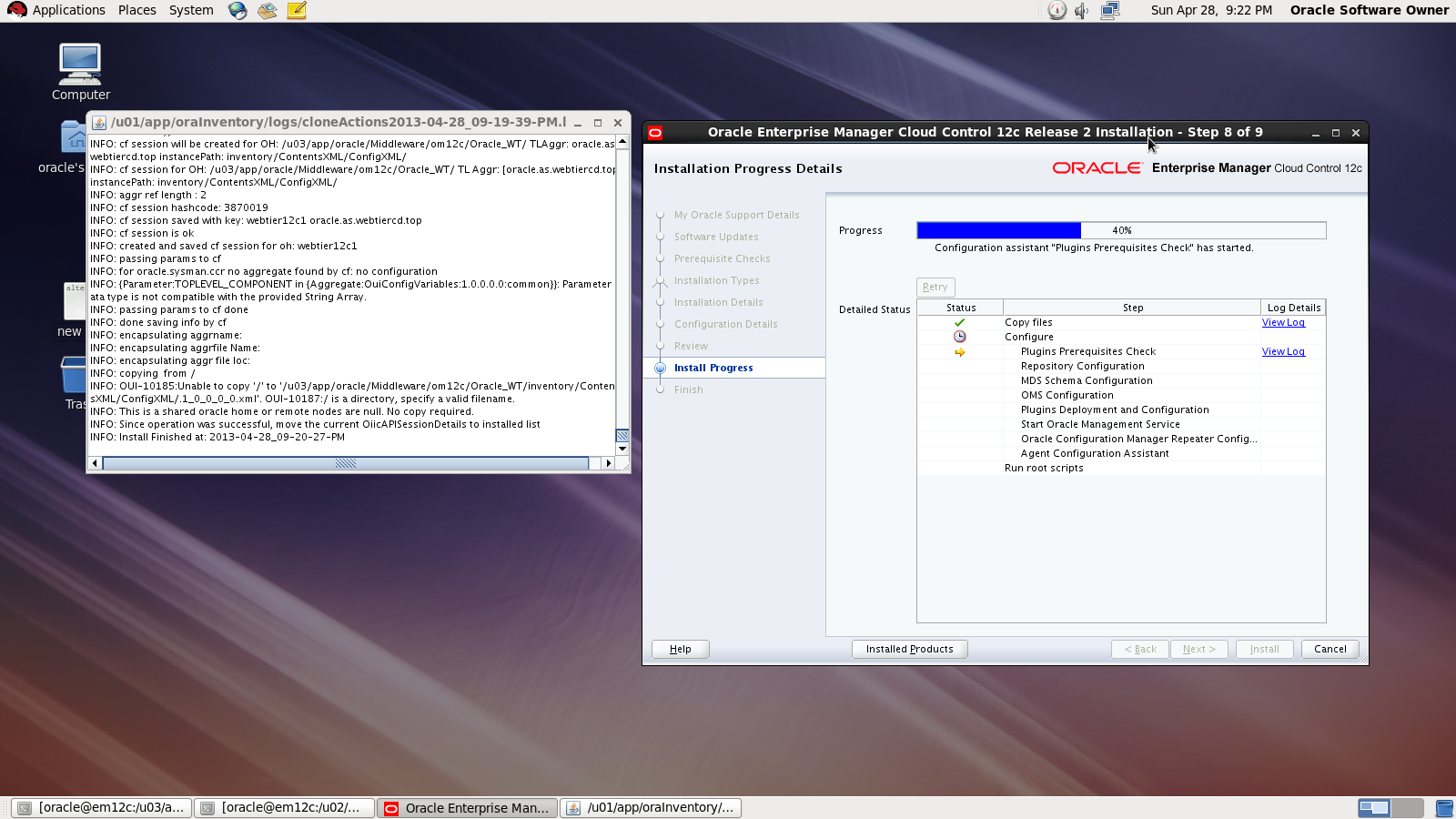
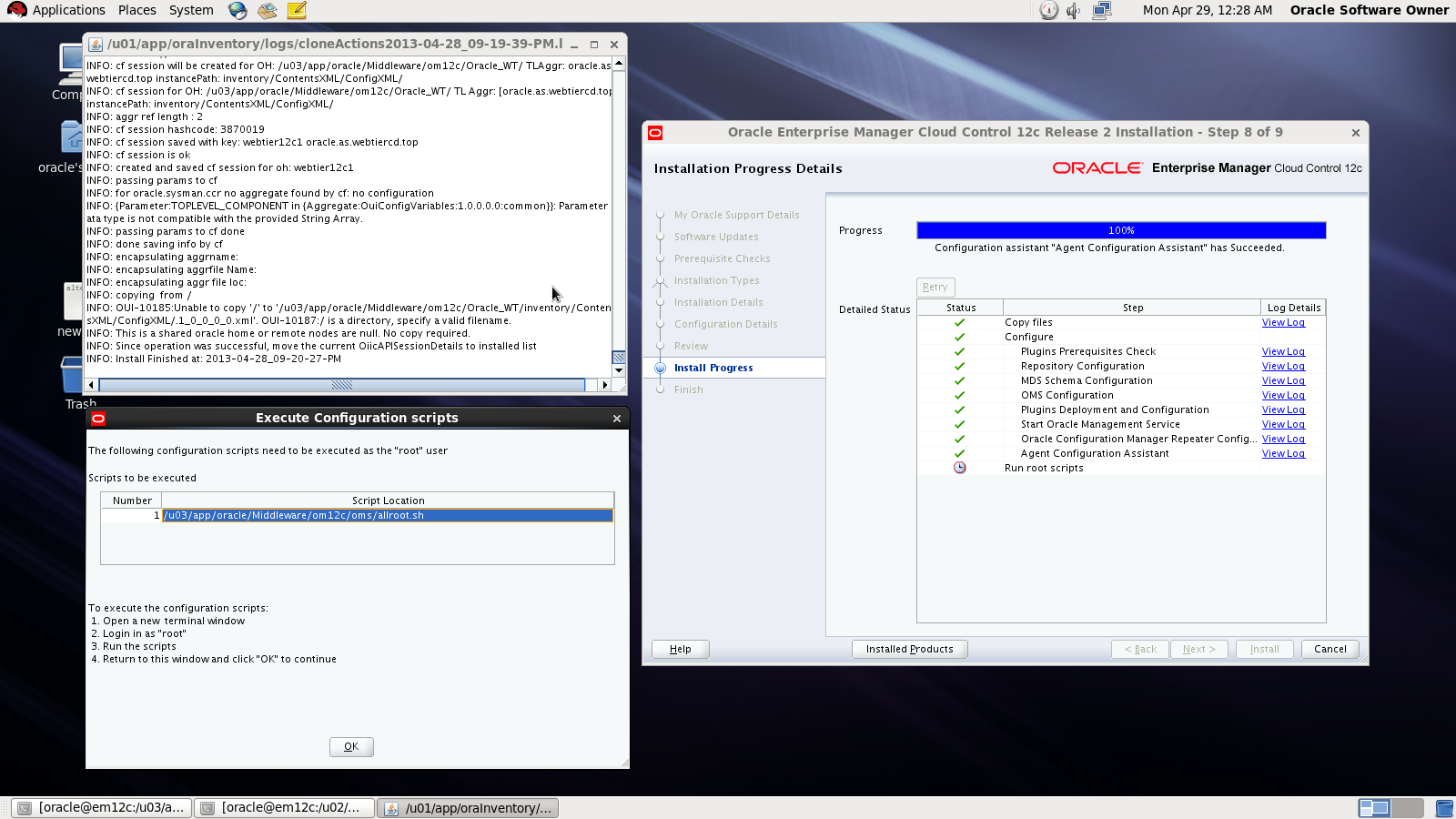
3872 Actual Result: Port 3872 passed is busy Check complete

This error appear while trying to deploy agent for Enterprise manager 12c (em12c) and the cause for this error that port 3872 is already in use :

solution

[root@em12c Middleware]# netstat -anp | grep 3872

tcp        0      0 :::3872                     :::*                        LISTEN      2391/java    
     
[root@em12c Middleware]# kill -9 2391

[root@em12c Middleware]# netstat -anp | grep 3872

Deploy Again

Thank you
Osama Mustafa

Step By Step to Install Enterprise Manager 12c on Redhat 6.1

in this article you will have a look how to install Oracle Enterprise manager 12c ( em12c ) on Redhat 6 update 1 Operating system.

First Step is select supported OS and Database to install repository. and you can check about certification and to do that :

1.Log in to My Oracle Support, which is accessible at the following URL: https://support.oracle.com
2. Click the Certifications tab.
3. In the Certification Search region, select Enterprise Manager Cloud Control from the Product list.
4. From the Release list, select 12.1.0.2.0, then click Search.
5. Expand the Databases node.

after checking the certification you need to install the following :

  • Enterprise manager 12c from here.
  • Redhat 6 from here
  • if you install on Linux 64bit you need to apply Patch 10404530 Download from here.

Enterprise manager needs the following Requirement :

Hardware
Minimum: 6 GB of RAM.
Disk Space Requirements 30Gb to 50Gb for installation of the software.
Software

OMS Package

make-3.81
binutils-2.17.50.0.6
gcc -4.1.1
libaio-0.3.106
glibc-common-2.3.4
libstdc++ -4.1.1
sysstat-5.0.5
glibc-2.5.12
glibc-devel-2.5-49

agent Package

make-3.81
binutils-2.17.50.0.6
gcc -4.1.1
libstdc++ -4.1.1

I will not mention the prerequisites since in 11gr2 and 12c while installation it will give what missing in OS, Database configuration and fix it thru installation, and if missing package found ,  the package name will appear and all you need is install it from media ( OS CD/DvD).

you need to configure database also before start install em12c :

  • Remove Dbconsole from database with the below command :

emca -deconfig dbcontrol db -repos drop

  • Change the below database parameters :

ALTER SYSTEM SET processes=300 SCOPE=SPFILE;
ALTER SYSTEM SET session_cached_cursors=200 SCOPE=SPFILE;
ALTER SYSTEM SET sga_target=2G SCOPE=SPFILE;
ALTER SYSTEM SET shared_pool_size=600M SCOPE=SPFILE;
ALTER SYSTEM SET pga_aggregate_target=1G SCOPE=SPFILE;
ALTER SYSTEM SET job_queue_processes=20 SCOPE=SPFILE;
ALTER SYSTEM SET open_cursors=300 SCOPE=SPFILE;

  • Restart Database.
  • create new folder to install em12c 

mkdir -p /u02/app/oracle/middleware/
cd /u02/app/oracle/middleware
mkdir om12c
mkdir agent12c 

  • you suppose to finish download unzip and start install (./runInstaller).
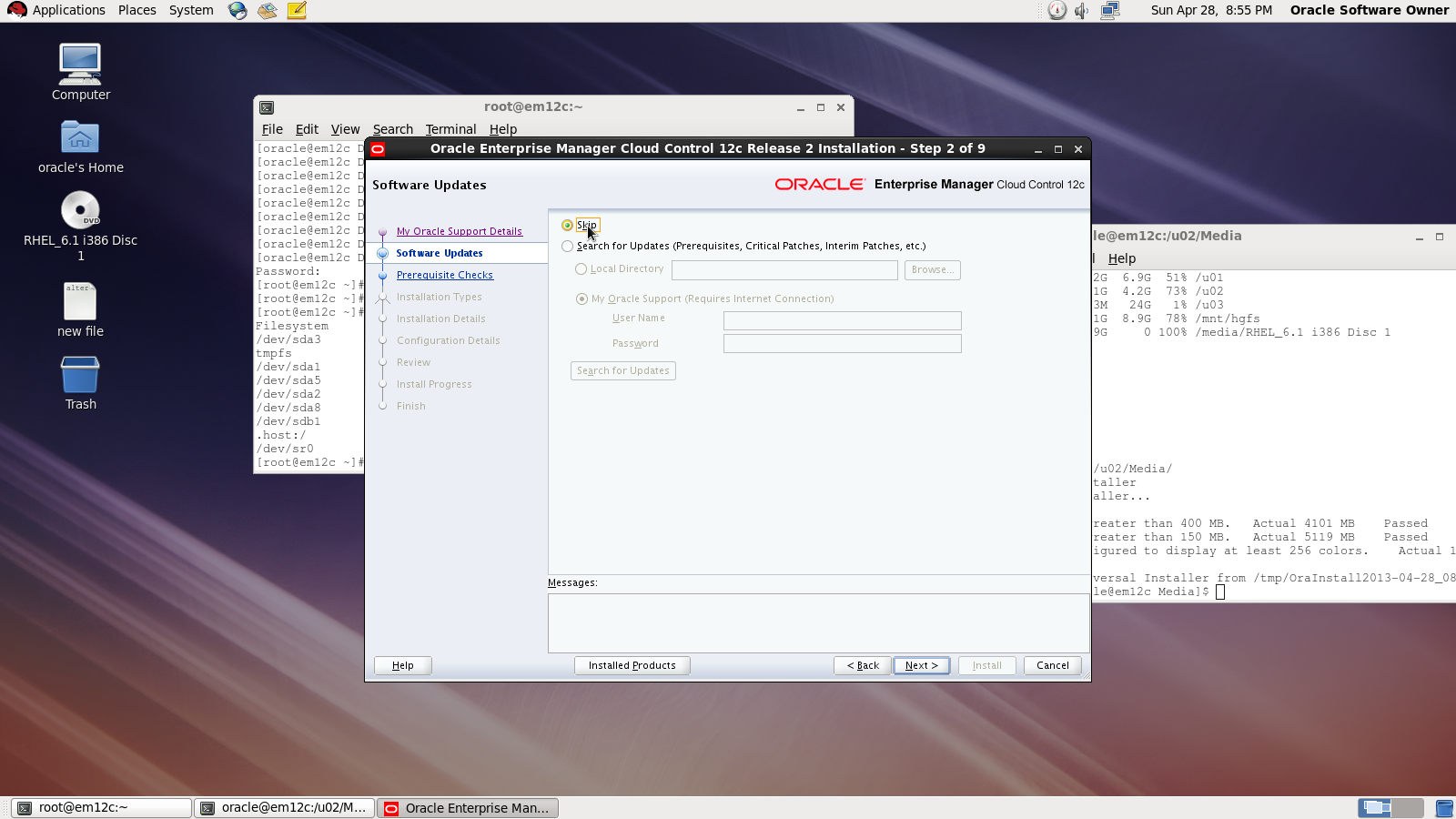
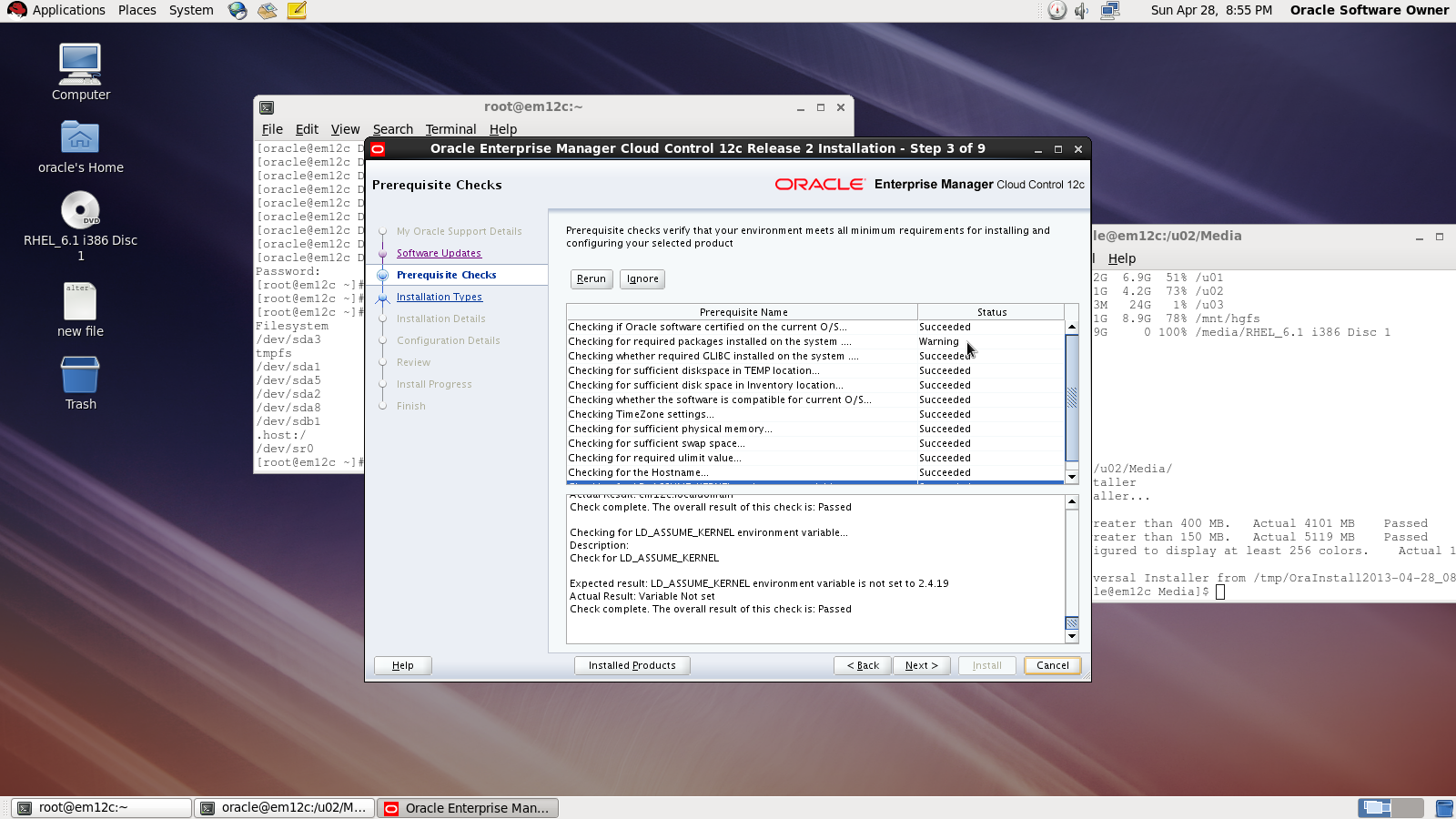
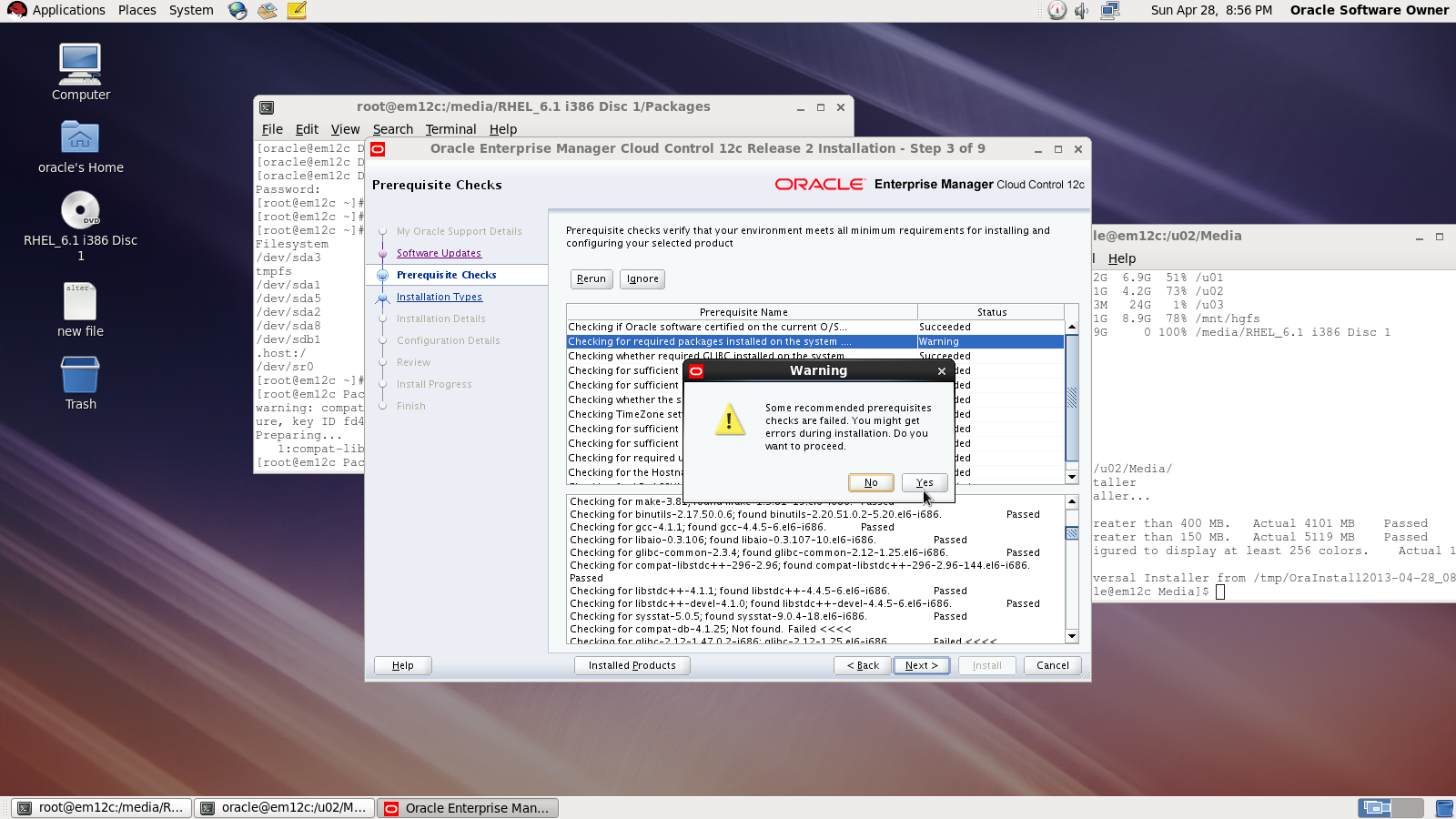
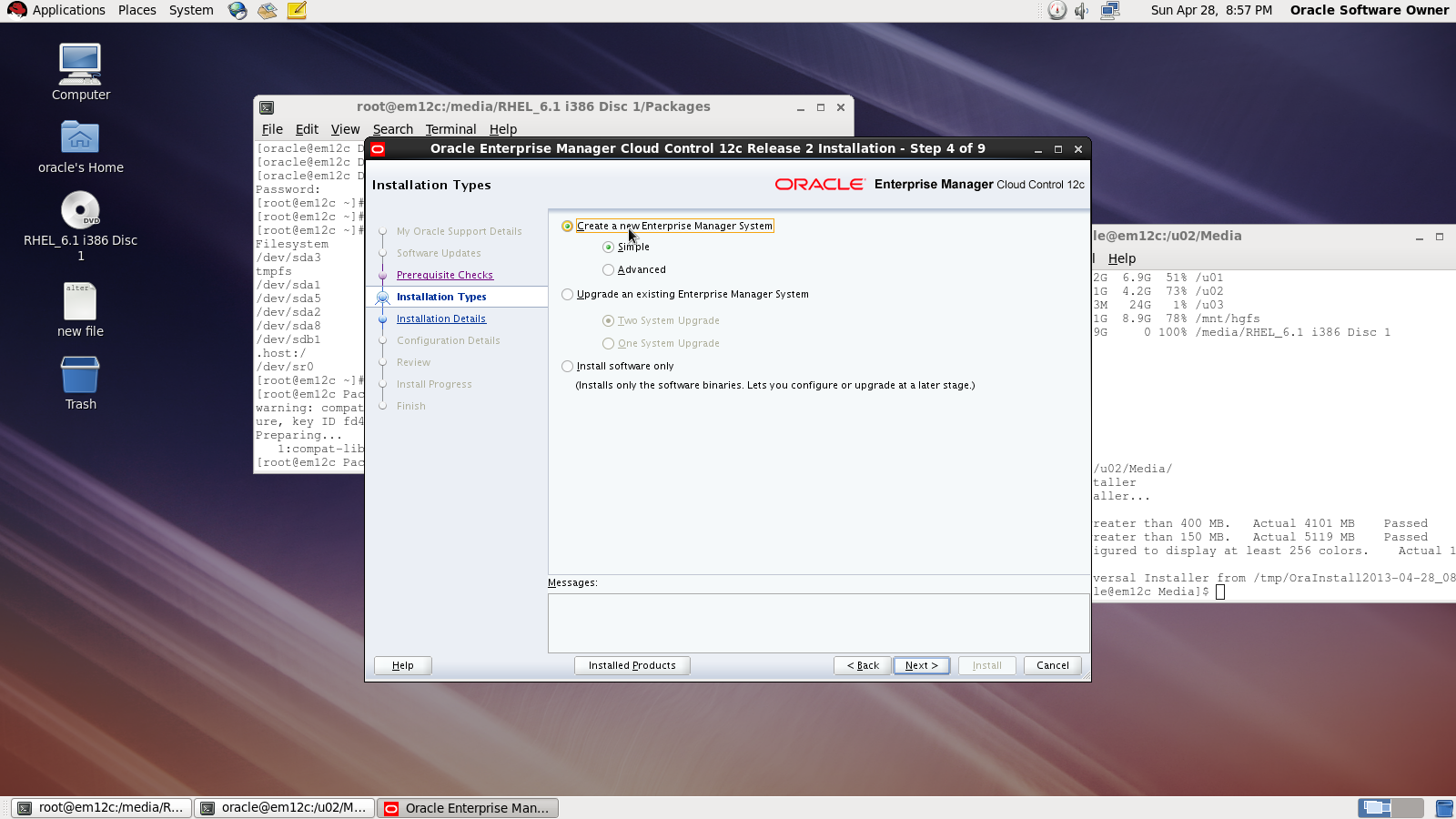
I will Provide you with Screenshot for the installation :
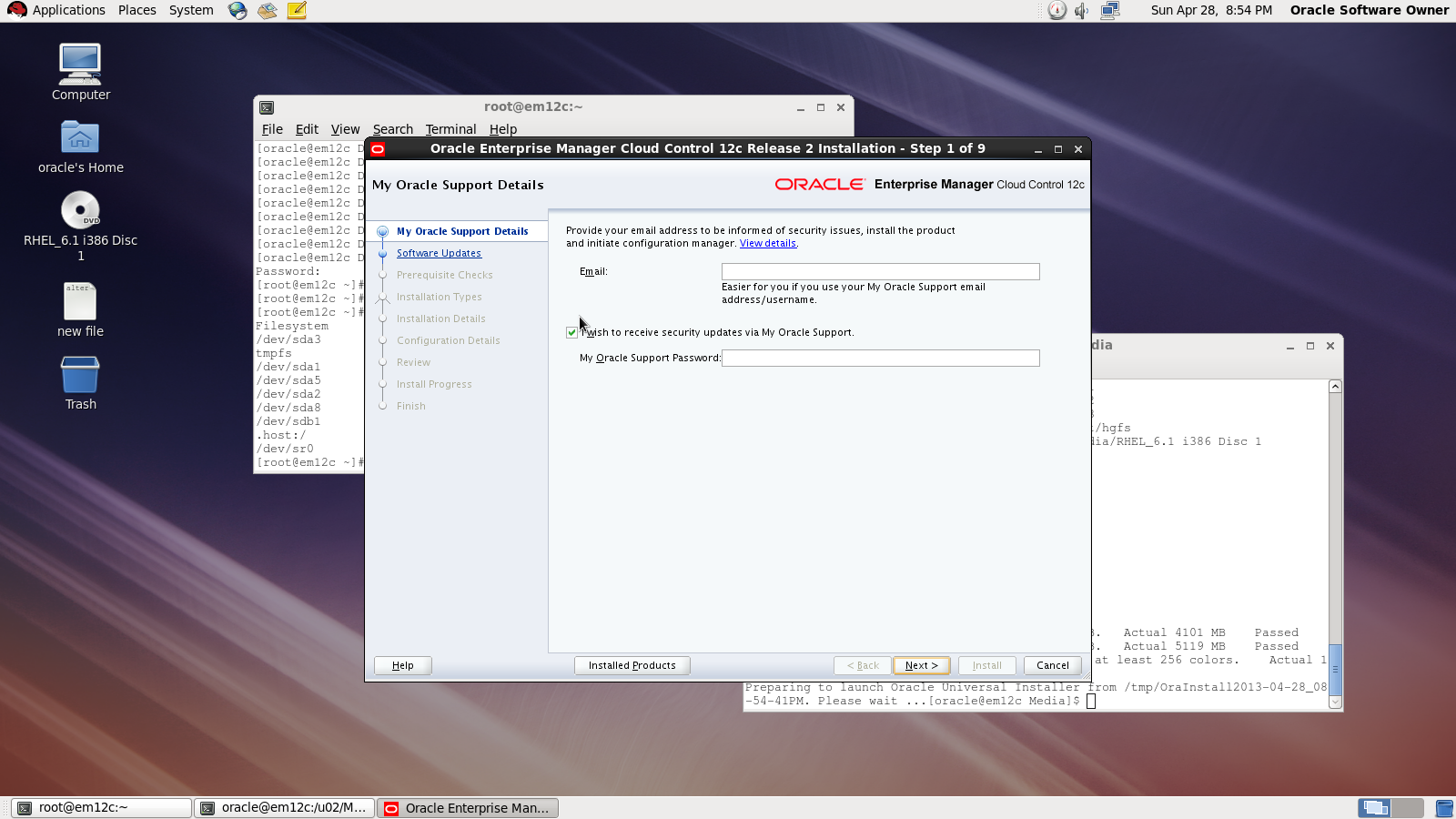
Asking for MOS account
Asking for Updates 

 Check prerequisites

Sometimes you will receive warning related to glibc error Press Yes:

Now you need to choose installation type

Choose location where you want to install
Middleware location : /u02/app/oracle/middleware/oms12c
Agent Location : /u02/app/oracle/middleware/agent12c

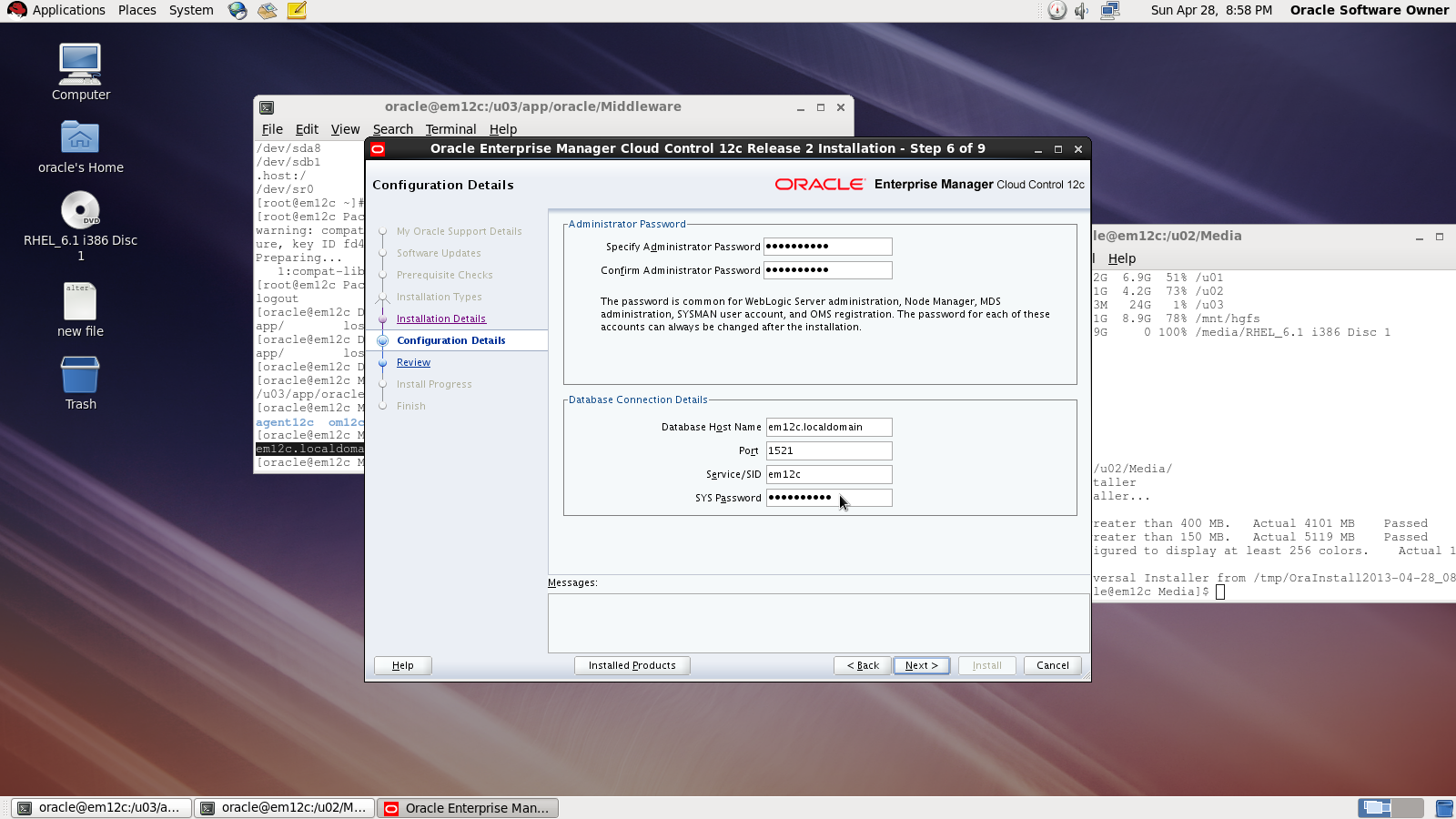
Next Screen you need to choose password and create connection with database

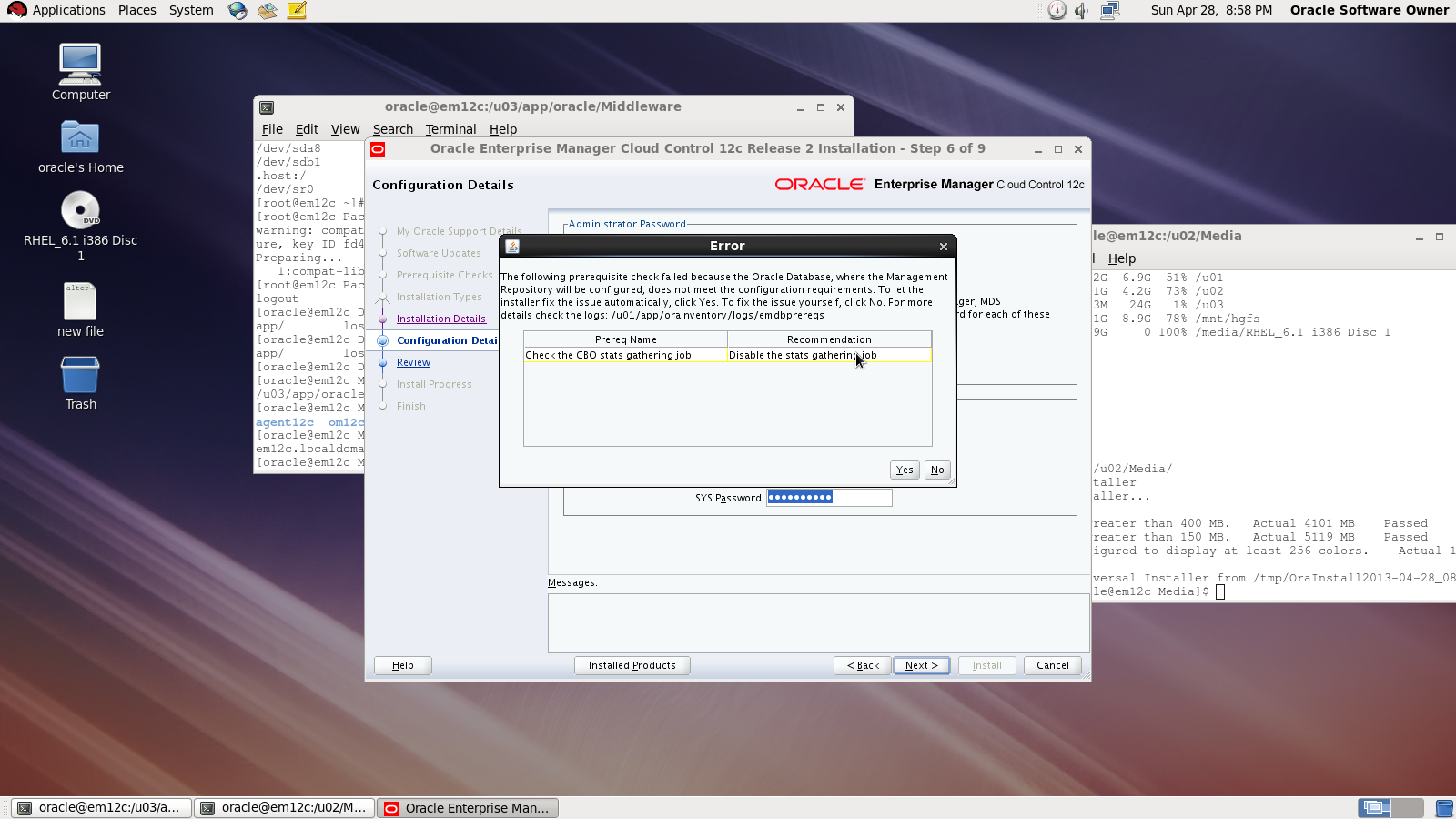
On the first warning dialog, click the “Yes” button to disable the stats gathering job.

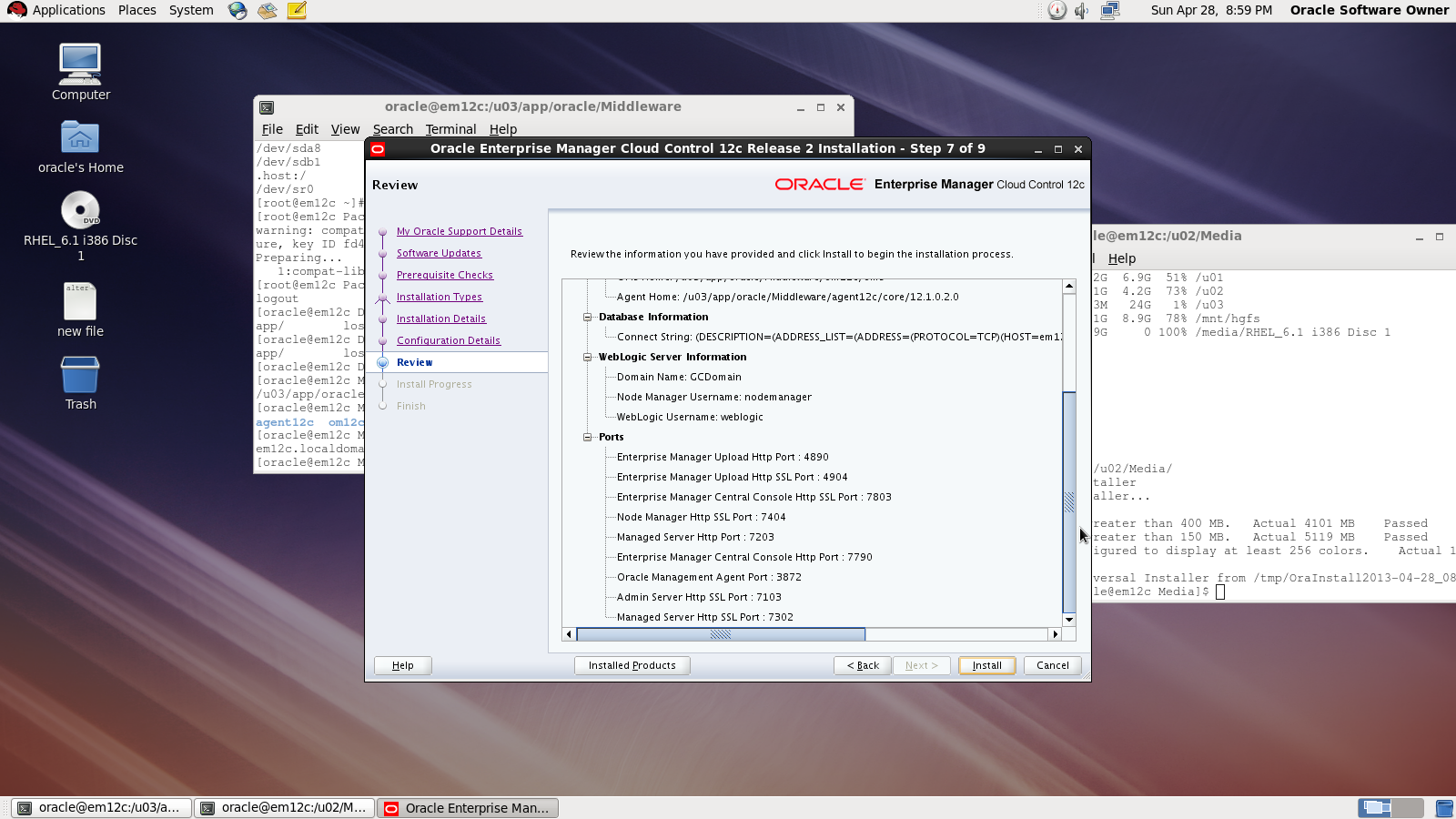
review :

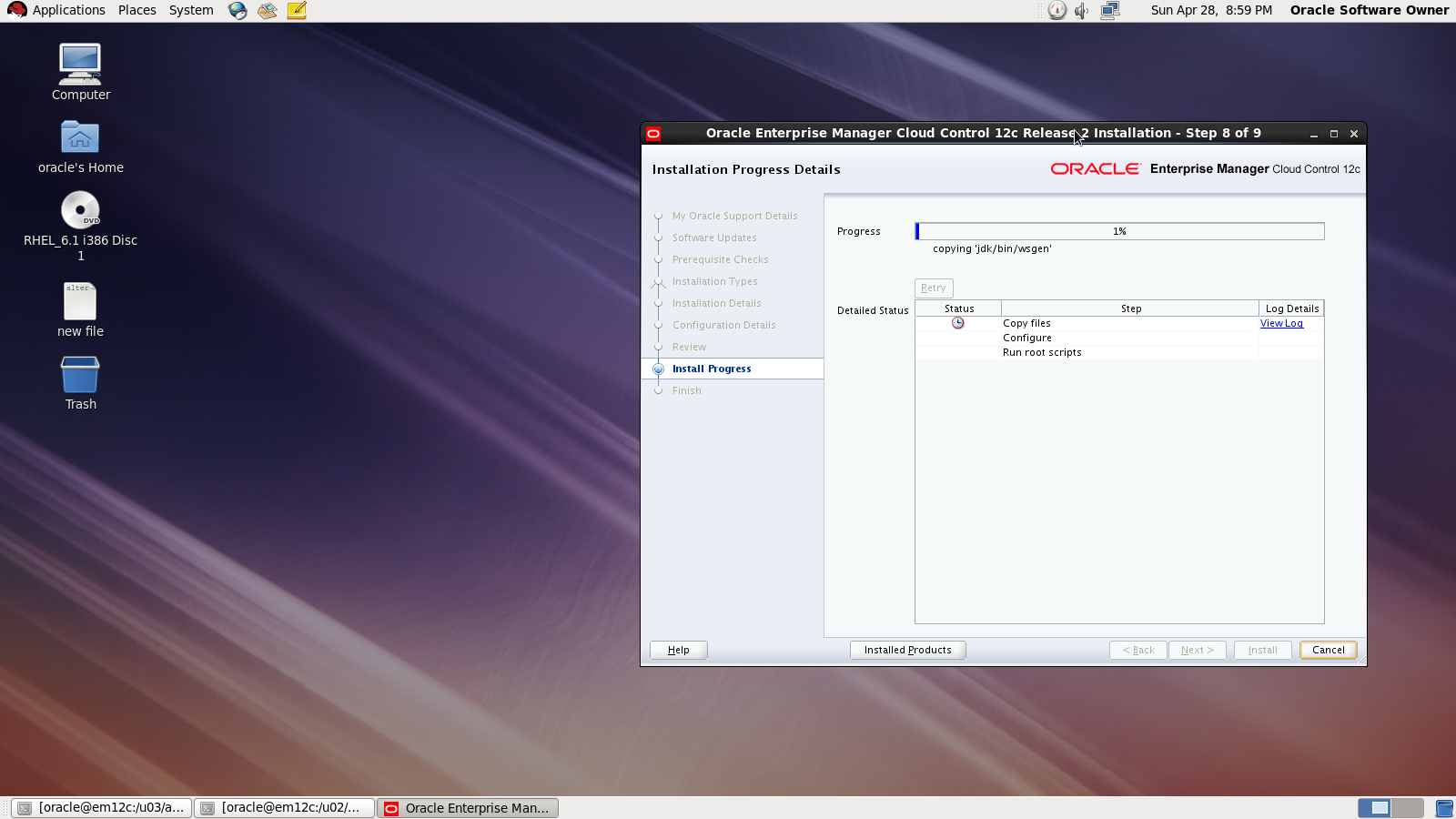
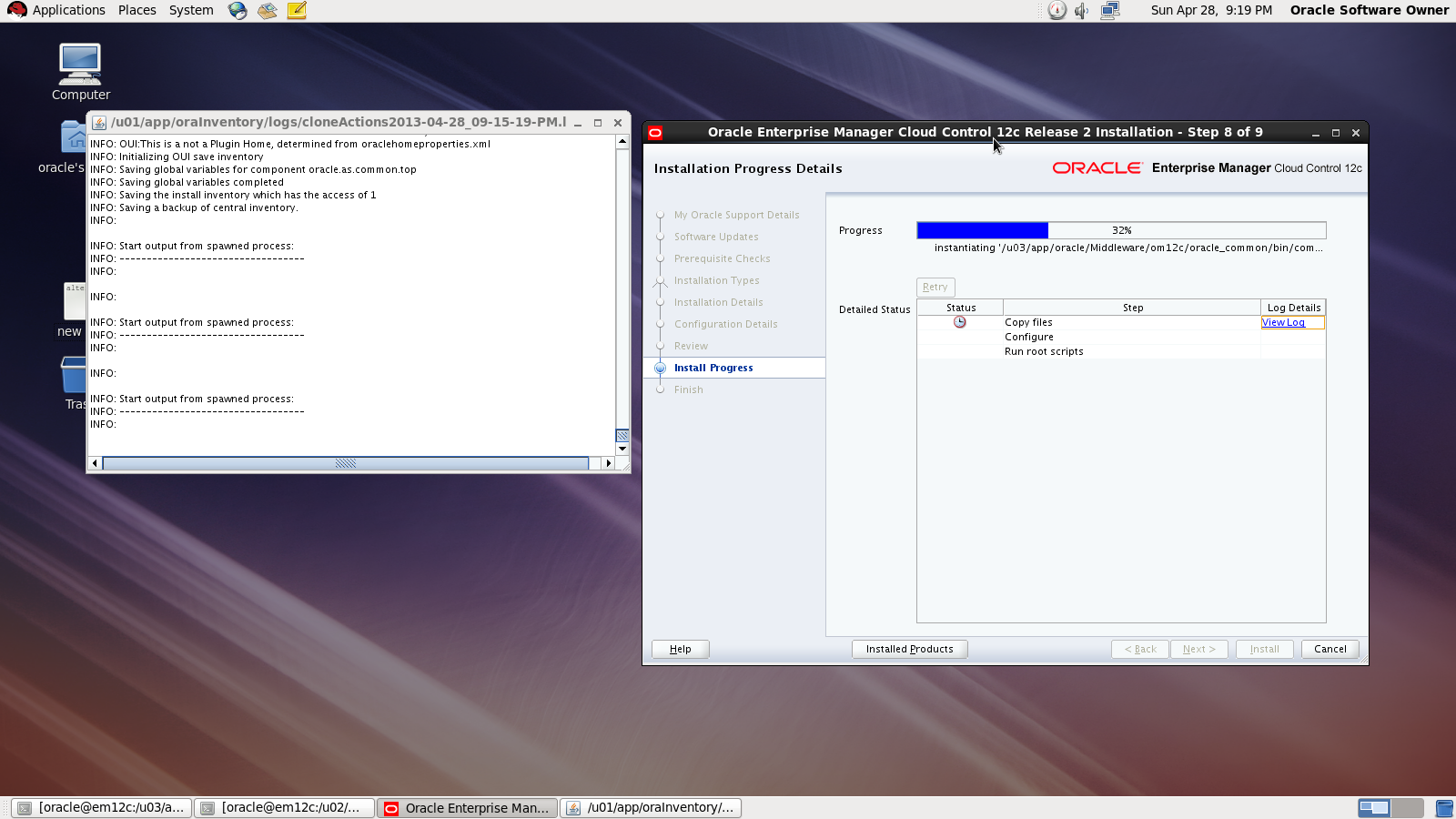
During the installation :

Done

also you can download this article from here

Thank you
Osama mustafa
Add New Mount On Linux ( Redhat 6)

Sometime you need to add new mount to Linux after creation the following article will describe how to do this , all the steps tested on Redhat 6.1 , after add disk

[root@localhost Desktop]# fdisk -l
Disk /dev/sda: 85.9 GB, 85899345920 bytes
255 heads, 63 sectors/track, 10443 cylinders
Units = cylinders of 16065 * 512 = 8225280 bytes
Sector size (logical/physical): 512 bytes / 512 bytes
I/O size (minimum/optimal): 512 bytes / 512 bytes
Disk identifier: 0x000be2c2
   Device Boot      Start         End      Blocks   Id  System
/dev/sda1   *           1         262     2097152   83  Linux
Partition 1 does not end on cylinder boundary.
/dev/sda2             262        2220    15728640   83  Linux
/dev/sda3            2220        3525    10485760   83  Linux
/dev/sda4            3525        7833    34601984    5  Extended
/dev/sda5            3525        4831    10485760   83  Linux
/dev/sda6            4831        5484     5242880   82  Linux swap / Solaris
/dev/sda7            5484        5745     2097152   8e  Linux LVM
/dev/sda8            5745        7833    16772096   83  Linux
Disk /dev/sdb: 26.8 GB, 26843545600 bytes
255 heads, 63 sectors/track, 3263 cylinders
Units = cylinders of 16065 * 512 = 8225280 bytes
Sector size (logical/physical): 512 bytes / 512 bytes
I/O size (minimum/optimal): 512 bytes / 512 bytes
Disk identifier: 0x00000000

as you see in the red line , I added disk with size 26G.
I need to prepare this disk :

[root@localhost Desktop]# fdisk /dev/sdb

Device contains neither a valid DOS partition table, nor Sun, SGI or OSF disklabel
Building a new DOS disklabel with disk identifier 0xe88f8de7.
Changes will remain in memory only, until you decide to write them.
After that, of course, the previous content won’t be recoverable.
Warning: invalid flag 0x0000 of partition table 4 will be corrected by w(rite)
WARNING: DOS-compatible mode is deprecated. It’s strongly recommended to
         switch off the mode (command ‘c’) and change display units to
         sectors (command ‘u’).
Command (m for help): n
Command action
   e   extended
   p   primary partition (1-4)
p
Partition number (1-4): 1
First cylinder (1-3263, default 1):
Using default value 1
Last cylinder, +cylinders or +size{K,M,G} (1-3263, default 3263):
Using default value 3263
Command (m for help): w
The partition table has been altered!
Calling ioctl() to re-read partition table.
Syncing disks.

After create disk i need to format the disk i choose ext3 :

[root@localhost Desktop]# mkfs -t ext3 /dev/sdb1
mke2fs 1.41.12 (17-May-2010)
Filesystem label=
OS type: Linux
Block size=4096 (log=2)
Fragment size=4096 (log=2)
Stride=0 blocks, Stripe width=0 blocks
1638400 inodes, 6552504 blocks
327625 blocks (5.00%) reserved for the super user
First data block=0
Maximum filesystem blocks=0
200 block groups
32768 blocks per group, 32768 fragments per group
8192 inodes per group
Superblock backups stored on blocks:
32768, 98304, 163840, 229376, 294912, 819200, 884736, 1605632, 2654208,
4096000
Writing inode tables: done                          
Creating journal (32768 blocks): done
Writing superblocks and filesystem accounting information: done
This filesystem will be automatically checked every 28 mounts or
180 days, whichever comes first.  Use tune2fs -c or -i to override.

Link the disk with new folder 

[root@localhost Desktop]#mkdir /u03
[root@localhost Desktop]# mount -t ext3 /dev/sdb1 /u03
[root@localhost Desktop]#
[root@localhost Desktop]#
[root@localhost Desktop]#
[root@localhost Desktop]# df -h
/dev/sdb1              25G  173M   24G   1% /u03

Don’t forget to add to /etc/fstab 
Thank you 
Osama mustafa

SQL92_SECURITY Parameter

SQL> show parameter sql92_

NAME                                 TYPE        VALUE
———————————— ———– ——————————
sql92_security                       boolean     FALSE

SQL92_Security seems it’s parameter related to Security But what is it ? what is the benefits of using this parameter ?

I will describe this example since it will be understandable 🙂

SQL> create user test1 identified by test1 ;

User created.

SQL> grant create session , Create table to test1 ;

Grant succeeded.

SQL>
SQL>
SQL> create user test2 identified by test2 ;

User created.

 SQL> create user test3 identified by test3 ;

User created.

SQL> grant create session to test3 ;

Grant succeeded.

SQL> conn test1/test1 ;
Connected.
SQL> create table new ( id number(20)) ;

Table created.

SQL> BEGIN
    FOR v_LoopCounter IN 1..50 LOOP
    INSERT INTO new (id)
    VALUES (v_LoopCounter);
     END LOOP;
         END;
   / 

PL/SQL procedure successfully completed.

SQL> conn test1/test1 ;
Connected.
SQL>
SQL>
SQL>
SQL> grant update on test1.new to test2 ;

Grant succeeded.

SQL> grant update on test1.new to test3;

Grant succeeded.

SQL> grant select on test1.new to test3;

 SQL> conn test2/test2 ;
Connected.
SQL> update test1.new set id=1 where id=10 ;

1 row updated.

SQL> conn test3/test3 ;
Connected.
SQL> update test1.new set id=10 where id=1 ;

2 rows updated.

Now let’s set SQL92_Security to TRUE and Restart Database and re fire the same query by each user.


Conn test2/test2

SQL>update test1.new set id=1 where id=10 ;

ERROR at line 1:
ORA-01031: insufficient privileges

SQL> conn test3/test3;
Connected.
SQL> update test1.new set id=10 where id=1 ;

2 rows updated.

What Happening Here , Each of users have Privileges on test1.new but why after set SQL92_Security to true test2 not working ?

Simply  SQL92_SECURITY need Update/delete and Select Privileges for the same user if you grant the user one of these privileges then it will be useless.

Amazing 🙂

Thank you
Osama Mustafa

rdesktop: A Remote Desktop Protocol Client

rdesktop is an open source client for Windows Remote Desktop Services, capable of natively speaking Remote Desktop Protocol (RDP) in order to present the user’s Windows desktop. rdesktop is known to work with Windows versions such as NT 4 Terminal Server, 2000, XP, 2003, 2003 R2, Vista, 2008, 7, and 2008 R2. Click Here.

You can install the package using yum like the below :

# rpm -qa rdesktop

Regarding to website to connect Windows from linux you need to use -u which indicate for username follows with hostname to be like this

# rdesktop -u Administrator osama

Osama : hostname
Administrator : Username

Useful !!!

Thank you
Osama mustafa

Future Of Oracle DBA

What is the Future of DBA ? One Question but it’s been asked lot , and no one knows what is this future could be !! The technology going fast and everything become easy to use, well is this mean all DBA will sit in the future without any work ? the traditional task role of the DBA is dead which mean  Most tasks assigned to the DBA staff can either be automated or eliminated with new features of the software.

Let’s Start with CNN Article that mention DBA as one of the Top Ten Promising jobs with solid job growth outlook over the next several years.The DBA will need to understand the business and craft solutions with off the shelf components to satisfy the needs of the business.which mean it will be different depending on the company for example companies will hire DBA to work with development, Other companies will hire DBA to monitor databases and enure high availability.

You can’t ensure that your systems and Application working fine without experts and you can’t hire someone to do all the tasks, Which mean DBA will be exists in the future but for concern will be on other products such Cloud, Big data, Exadata, oracle appliance.So DBA OF all Sort that needed now will be needed in the future but the main change as i see is the career path and daily task for DBA.

if you want more accurate answer check the Database version 9i,10g and 11g and now we are waiting for 12c, with every version  it’s automated new more mundane tasks, But with simple way for example enterprise manager is controlling all database backup, Monitor and recovery so this indicate the DBA will have much time to architect database systems, monitor security, and many other things.

DBA is very important Job and will be found now or later check the discussion for tom Kyte about that Click here

Thank you
Osama mustafa
The Fastest Way to Create SSH between Servers

In this short Topic i will provide the 3 steps to create SSH ( User Equivalence ) Without Password you can find lot of way but it’s just simple way and don’t need much steps to create SSH between server.

Introduction for SSH, “Ssh is a secure remote login program that is similar to rlogin and rsh. The major difference between ssh and other remote login programs is that ssh encrypts the password and other information so that it can’t be “sniffed” by others as you type it. Ssh also sets up X11 connections, so the DISPLAY variable does not have to be set on remote machines. Scp is another program used to securely copy files from one host to another.”

Example To Use SSH in Oracle : Real Application Cluster ( RAC ).

The Steps :

#1:

Create New SSH Key

oracle@PrimNode$ ssh-keygen
Generating public/private rsa key pair.
Enter file in which to save the key (/home/oracle/.ssh/id_rsa):[Enter key]
Enter passphrase (empty for no passphrase): [Press enter key]
Enter same passphrase again: [Pess enter key]
Your identification has been saved in /home/oracle/.ssh/id_rsa.
Your public key has been saved in /home/oracle/.ssh/id_rsa.pub.
The key fingerprint is:
33:b3:fe:af:95:95:18:11:31:d5:de:96:2f:f2:35:f9

#2:

This Step will Just copy the password File Generated in Step 1 to Server 2.

oracle@PrimNode$ ssh-copy-id -i ~/.ssh/id_rsa.pub You need to use ip/hostname to another server.
oracle@Server2 password:
Now try logging into the machine, with “ssh ‘remote-host'”, and check in:
.ssh/authorized_keys
to make sure we haven’t added extra keys that you weren’t expecting.

#3:

Just Check

oracle@PrimNode$ ssh Server2
Last login: Thu Mar 28 01:54:21 2013 from primora10g
[Test it no password]
oracle@Server2$

Thank you
Osama Mustafa

Switchover_status is Not Allowed

Check On the Primary database and the following status will appear to you :

SQL> select name ,open_mode, database_role, switchover_status from v$database;

NAME OPEN_MODE DATABASE_ROLE SWITCHOVER_STATUS


MAN MOUNTED PHYSICAL STANDBY NOT ALLOWED

To make sure everything is Ok on both Side Primary and Standby :

SQL> select name ,open_mode, database_role, switchover_status from v$database;

NAME OPEN_MODE DATABASE_ROLE SWITCHOVER_STATUS


MAN READ WRITE PRIMARY TO STANDBY

 Another Check :

On Primary Database :

SQL> select max(sequence#) from v$archived_log;

MAX(SEQUENCE#)


56

At Standby :
SQL> select max(sequence#) from v$log_history;

MAX(SEQUENCE#)


56

You Solve this problem By Fire the below command :

SQL > alter database commit to switchover to physical standby with session shutdown
 
The Above Command Should be Run on Primary Database to Generate Special marker on Online Redolog Headers Which Mean transfer the archive to standby , after that the status should be changed.

Please check the below Link from OTN Forum that describe the same problem also and The Solution is Mentioned already there:

1-  Not allowed status in primary db switch_over status  Press here.
2- Not allowed Issue while DR switchover Press here.

Thank you
Osama Mustafa

Database Link Secuirty Issue

“Use the CREATE DATABASE LINK statement to create a database link. A database link is a schema object in one database that enables you to access objects on another database. The other database need not be an Oracle Database system. However, to access non-Oracle systems you must use Oracle Heterogeneous Services.”

But did you ask your self before about the impact of using Oracle Database link ? and how to secure my database link ?

One Of Common Issue that you need to be aware of is Privileges , When you create database link most of users use DBA Role which mean user will able to do anything he want in database,which mean
who gains access to a database link can execute queries with the privileges of the DBLINK account  to avoid this try to create user with less Privileges he needs.

Another issue in 10g When you create database link check the below :

CREATE DATABASE LINK “TEST_LINK” CONNECT TO “Test” IDENTIFIED BY Test ;

Database link created. 

After that check the below table :

SQL> select name, userid, passwordx from sys.link$ where name=’TEST_LINK.REGRESS.RDBMS.DEV.US.ORACLE.COM’;

NAME     USERID  PASSWORDX
——————————————————————————–
TEST_LINK.REGRESS.RDBMS.DEV.US.ORACLE.COM OSAMA   05CB53401E442441B428B900A97DE31A10

as you see the password is saved as hash, and can be decrypt .

But what if :

SQL> SELECT DBMS_METADATA.GET_DDL(‘DB_LINK’,’TEST_LINK.REGRESS.RDBMS.DEV.US.ORACLE.COM’) from dual ;

Check the output below :

CREATE DATABASE LINK “TEST_LINK”
CONNECT TO “Osama” IDENTIFIED BY VALUES ‘05CB53401E442441B428B900A97DE31A10

another security Issue of using Database link.

Imagine what could be happened next.

Thank you
Osama Mustafa

Step By Step Install Database Vault 11g

I talked before about how to install Oracle Database Vault 10g But now i will talk about 11g and how to install it ?

in database 11g database vault installation become more easier, all you have to do is check the box to install that option and even if you forgot that you can install it later by run script

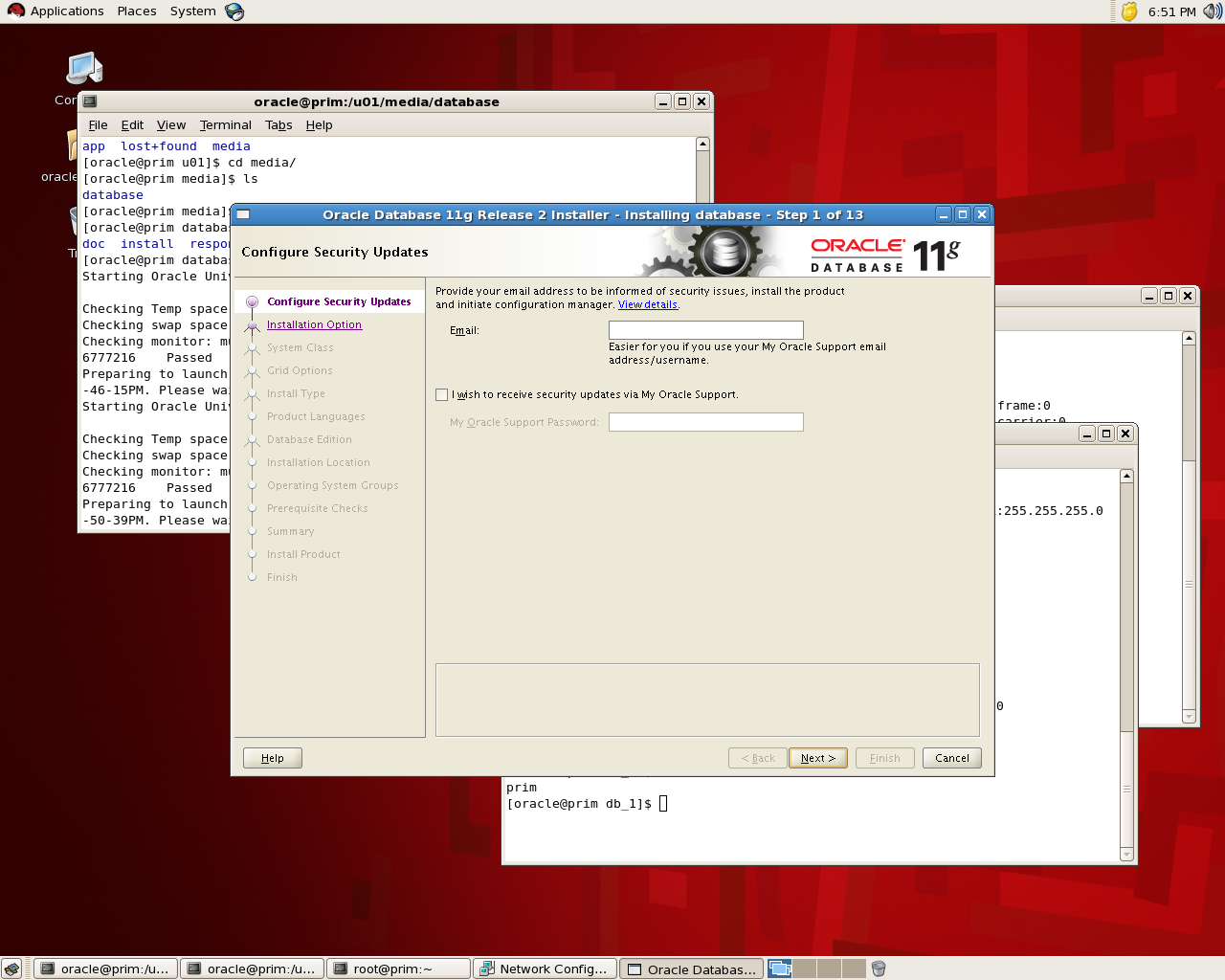
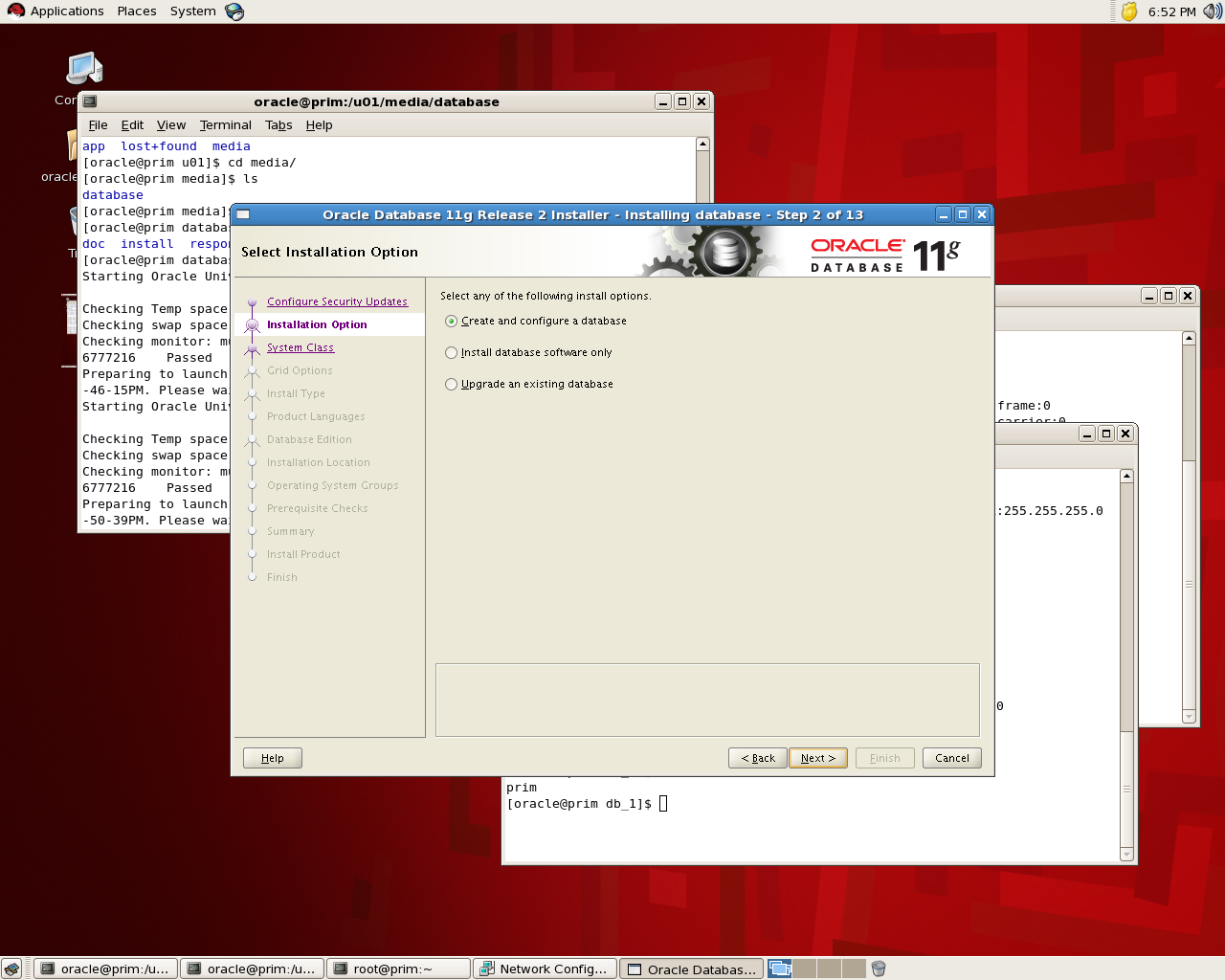
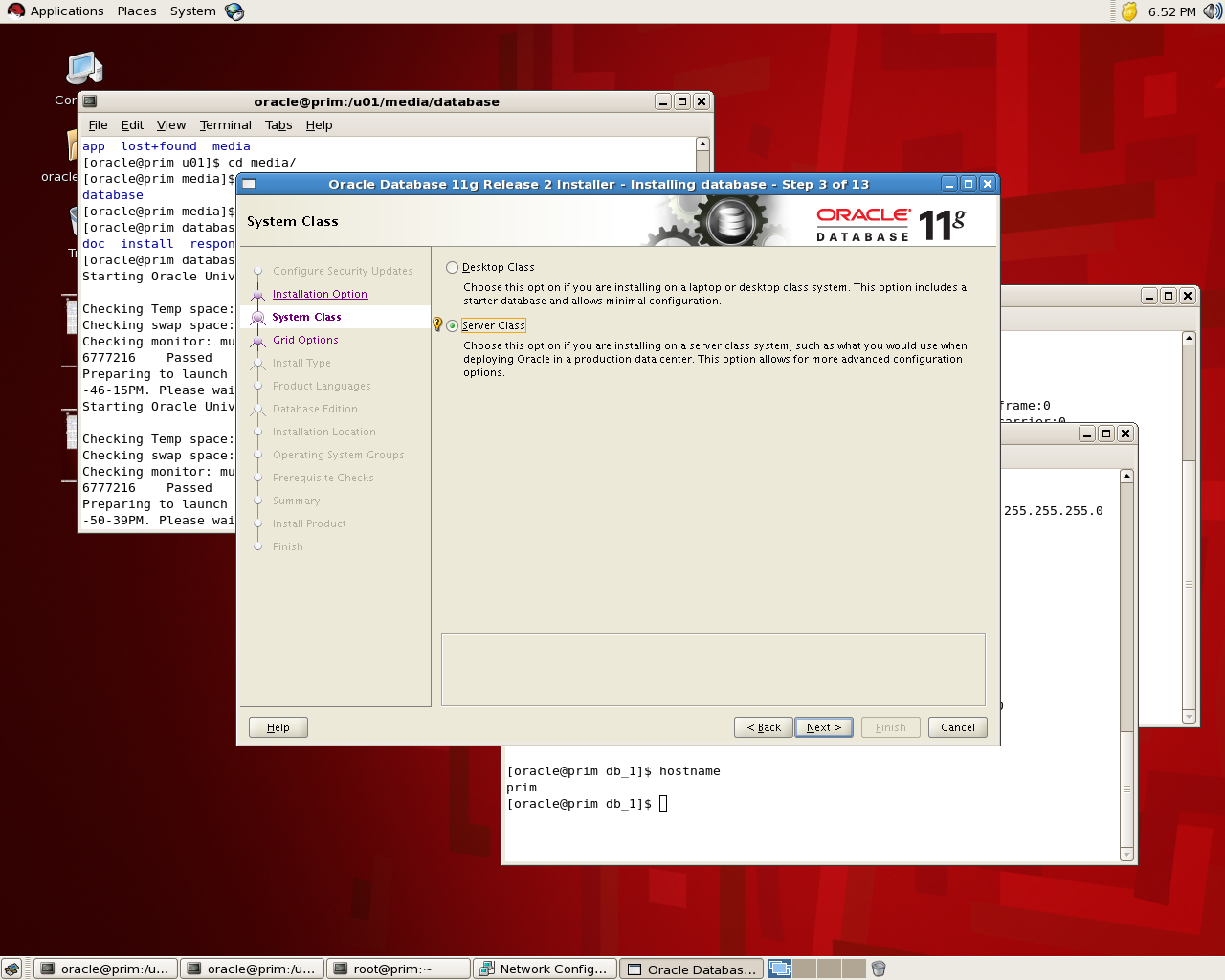
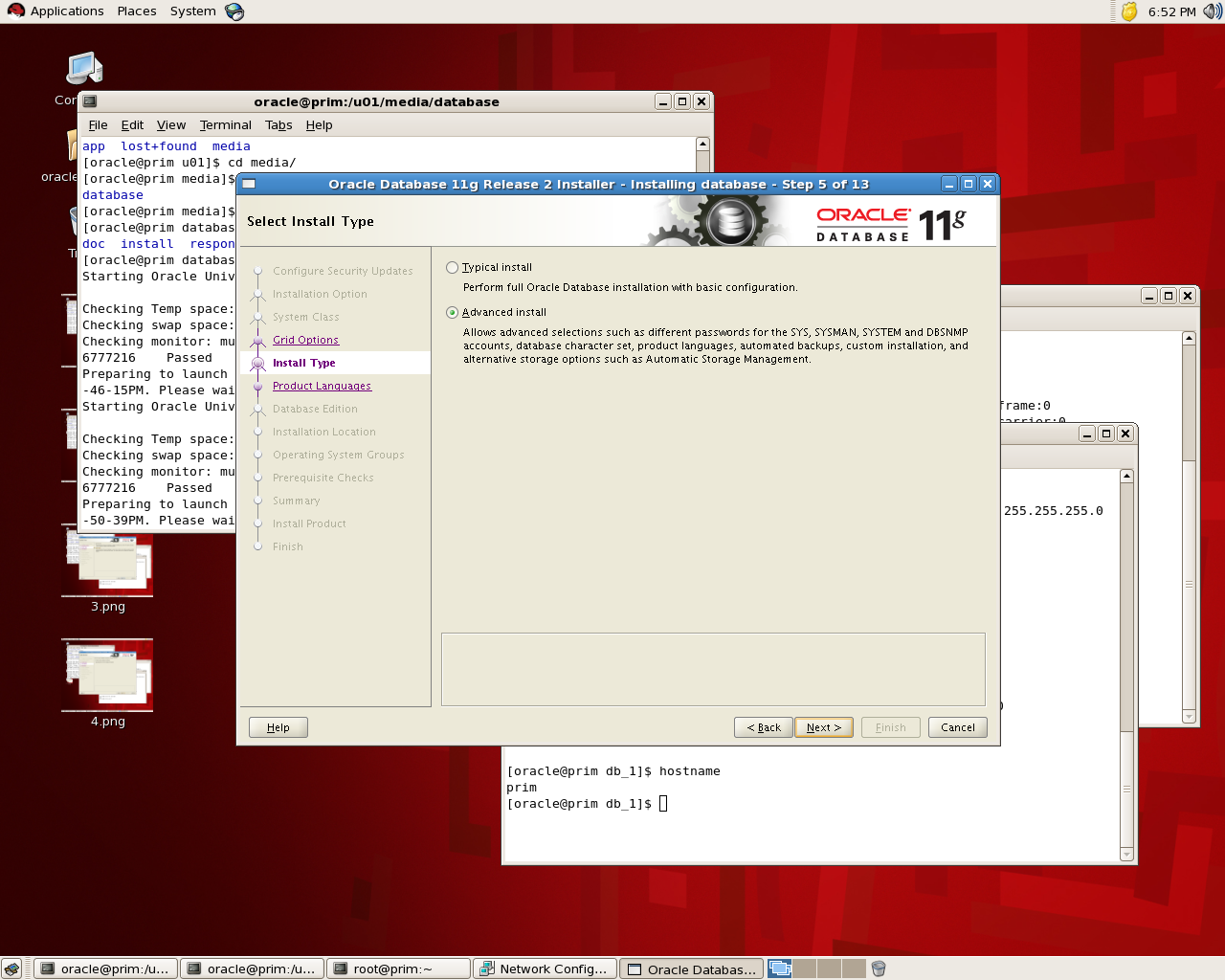
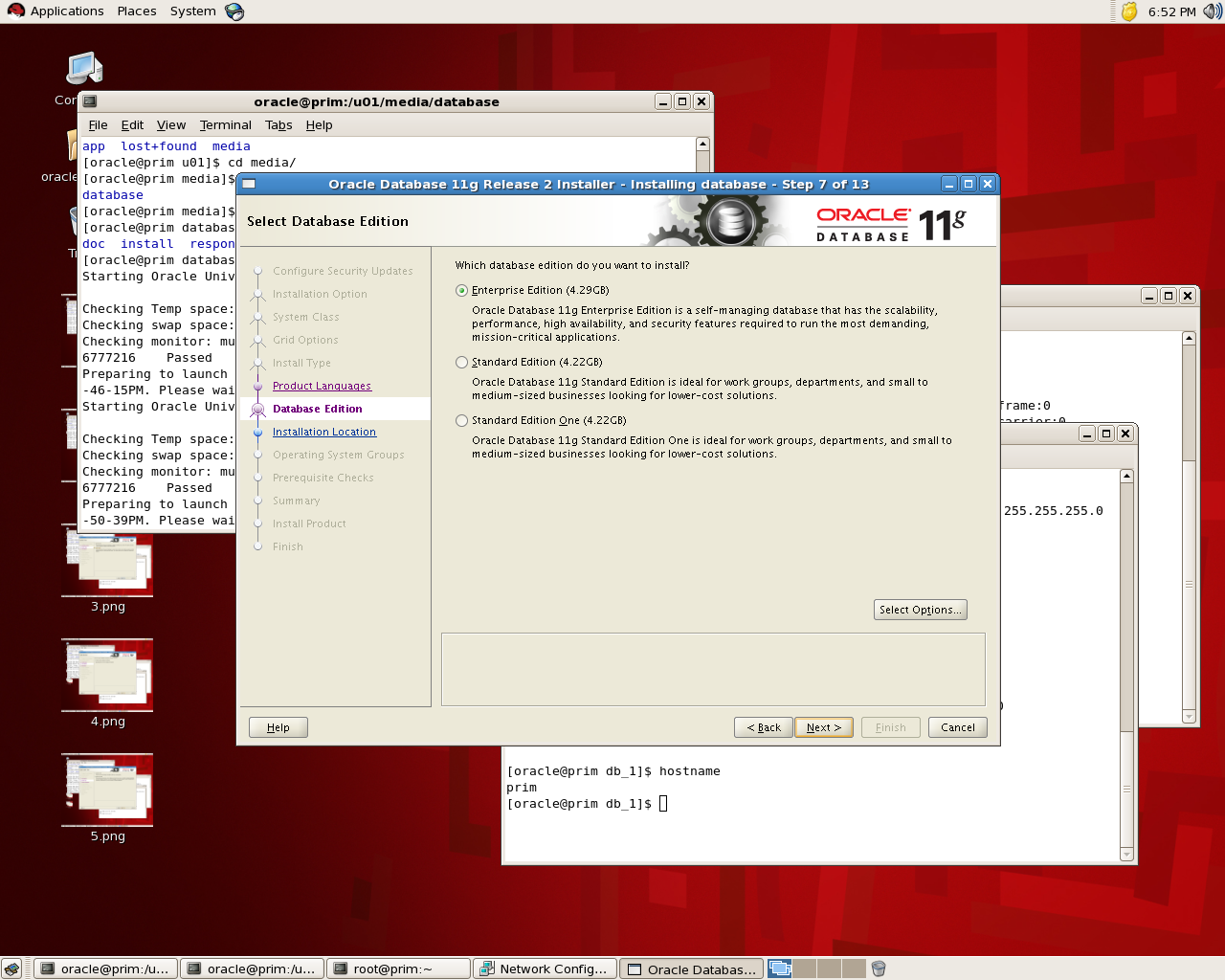
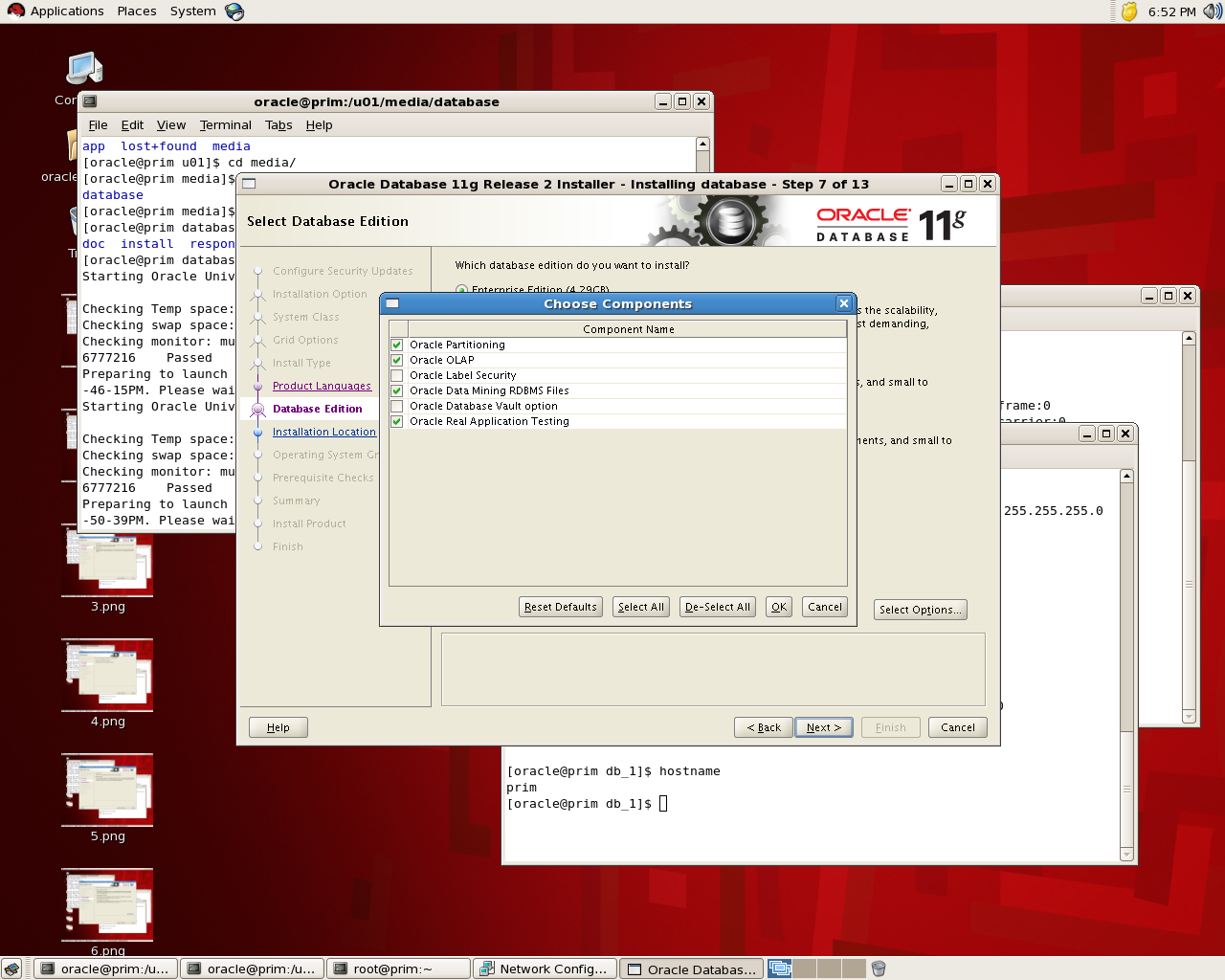
the below is screen shot for the installation for database 11g , the idea is to see where to choose Database Vault features:

If you check the below screen you see that in “Select Option” you can choose Database Vault and while installation is running it will be installed :

the installation will remain in normal procedure , If you want to check it’s installed or not you can go with v$option : 

SQL> select * from v$option where parameter =’Oracle Database Vault’;
PARAMETER                                                        VALUE
——————————- ——————————–
Oracle Database Vault                                            FALSE

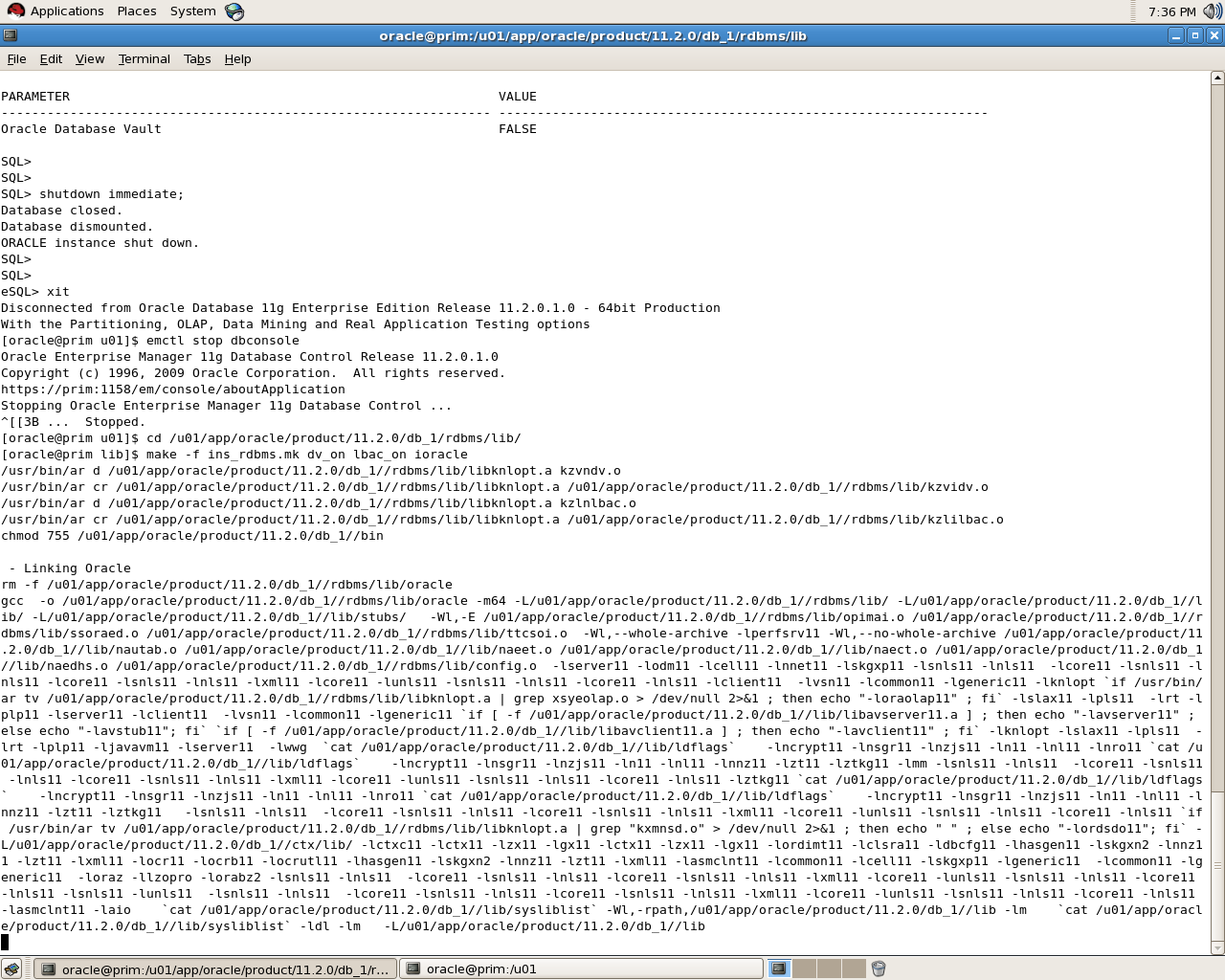
to enable database vault make sure database , dbconsole and listener are shutdown:

[oracle@prim u01]$ cd /u01/app/oracle/product/11.2.0/db_1/rdbms/lib/
[oracle@prim lib]$ make -f ins_rdbms.mk dv_on lbac_on ioracle

SQL> select * from v$option where parameter =’Oracle Database Vault’;
PARAMETER                                                        VALUE
—————————————————————-
Oracle Database Vault                                            TRUE

Please notice that i use Redhat in windows you need to rename some files read Oracle Documentation.
To disable Database Vault the same thing but :

cd $ORACLE_HOME/rdbms/lib
make -f ins_rdbms.mk dv_off
cd $ORACLE_HOME/bin
relink all

thank you 
Osama mustafa