SET TERMOUT OFF
COLUMN today_ddmmyyyy_col NEW_VALUE today_ddmmyyyy
SELECT TO_CHAR ( SYSDATE, 'DDMMYYYY') AS today_ddmmyyyy_col
FROM dual;
SET TERMOUT ON
SPOOL log_&today_ddmmyyyy..log
Thank you
Osama Mustafa
For the people who think differently Welcome aboard
SET TERMOUT OFF
COLUMN today_ddmmyyyy_col NEW_VALUE today_ddmmyyyy
SELECT TO_CHAR ( SYSDATE, 'DDMMYYYY') AS today_ddmmyyyy_col
FROM dual;
SET TERMOUT ON
SPOOL log_&today_ddmmyyyy..log
Thank you
Osama Mustafa
SQL> ALTER TABLE TABLE_NAME enable ROW movement;
SQL> ALTER TABLE TABLE_NAME shrink SPACE;
SQL> ALTER TABLE TABLE_NAME disable ROW movement;
Benefits regarding to Oracle Documentation :
Thank you
Osama Mustafa
In Oracle Documentation
Open_cursor : specifies the maximum number of open cursors (handles to private SQL areas) a session can have at once. You can use this parameter to prevent a session from opening an excessive number of cursors.
to check in database
SQL> show parameter Open_cursor
NAME TYPE VALUE
———————————— ———– ——————————
open_cursors integer 300
As we see in the last Line , “its prevent Session from opening excessive number of cursor” how is that !!!
Open_cursor located in shared_pool which is part of SGA ( library Cache) , The benefit of this parameter is to prevent Session clogging CPU with requests .
But what i mean when I set this Parameter to integer , let take the above example :
-Parameter is set to 300
-That mean each session can have 300 cursors
If this session fill the 300 What will happened !!!
“ora-1000 maximum open cursors exceeded”
On Documentation Oracle Recommended to set this Parameter for high value for Application usage , if the above error raised and you already set to high Value then make sure your developer is closing their cursor and this is common issue.
SQL> Show parameter cursor
NAME TYPE VALUE
———————————— ———– ——————————
cursor_sharing string EXACT
cursor_space_for_time boolean FALSE
open_cursors integer 300
session_cached_cursors integer 20
But what others Parameter mean, what each parameter mean lets ask this question what if User or session run query include the same cursor , is it take another space in memory !!!
it dose not make sense , so in this case we use SESSION_CACHED_CURSOR.
regarding to oracle documentation
SESSION_CACHED_CURSOR : its Number of session cursors to cache. Repeated parse calls of the same SQL statement cause the session cursor for that statement to be moved into the session cursor cache.
you have to know some truth about this parameter :
1) its cache only close cursor which mean if you cursor still opened how could it be cached !!!
2) you can set this parameter > OPEN_CURSOR , NOTHING.
3) if you are not setting this parameter ( Value 0 ) then no cursor will be cached for session . But Wait we said oracle used shared pool in cursor Yes , your cursor will be in SHARED_POOL but session have to find this cursor , so if you set to non zero first thing oracle will do is check SHARED_POOL ( Library cache ) and back to you with result .
After discuss point number 3 we see the main advantage for cache cursor which is better performance , enhance query execution time.
But the shared_pool has limited size so i can’t cache all my cursor , now next parameter will avoid this
CURSOR_SPACE_FOR_TIME
Boolean value (TURE|FALSE) each one of them mean something
FALSE : Shared SQL areas can be deallocated from the library cache to make room for new SQL statements.
TRUE : Shared SQL areas are kept pinned in the shared pool , if you are using application contain lot of cursor it will be good to set it to enhance execution time ( to do that shared pool must be large enough to hold all open cursors simultaneously) .
if i have 3 query each one want to use same cursor how oracle handle this , Parameter number 4 will control that.
CURSOR_SHARING
CURSOR_SHARING determines what kind of SQL statements can share the same cursors.
this parameter take three value ( FORCE | SIMILAR | EXACT ) i will describe each one of them , Oracle Documentation definition :
-Forces statements that may differ in some literals, but are otherwise identical, to share a cursor, unless the literals affect the meaning of the statement.
-Similar Causes statements that may differ in some literals, but are otherwise identical, to share a cursor, unless the literals affect either the meaning of the statement or the degree to which the plan is optimized.
-Exact Only allows statements with identical text to share the same cursor.
you can’t imagine how many document you will find if you search on google for this parameter , examples , article and tuning for it.
to set this parameter you have to make sure what you need , understand it.the best way to do that with trying to test it.
Thank you
Osama Mustafa
Information :
DB Version : 10.2.0.5
OS : RHEL 5.7
Listener Name : LISTENER
Old Port : 1521
New Port : 1523
Step one : Check Listener Status .
The Below screen describe The Old Status For Listener Notice the Port is 1521 (Default One)
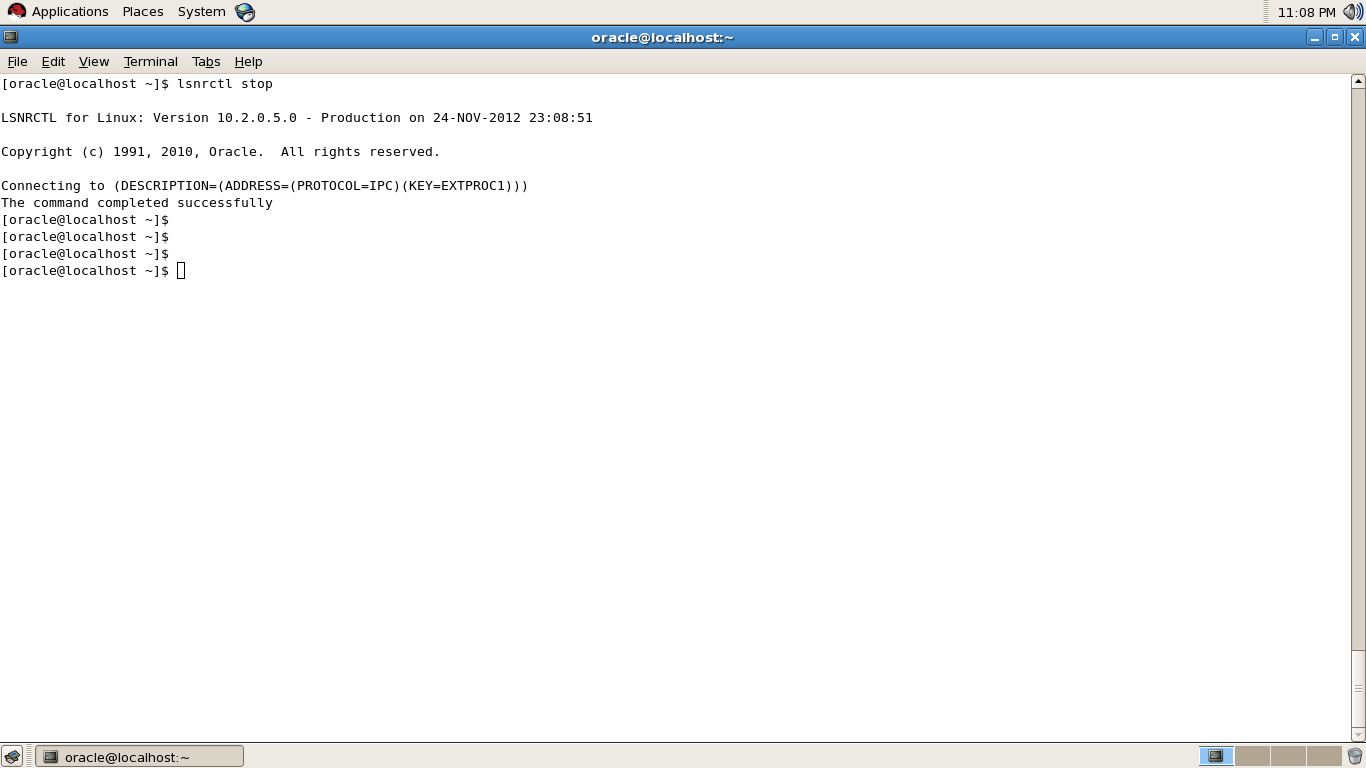
Step two : Stop Listener (lsnrctl stop)
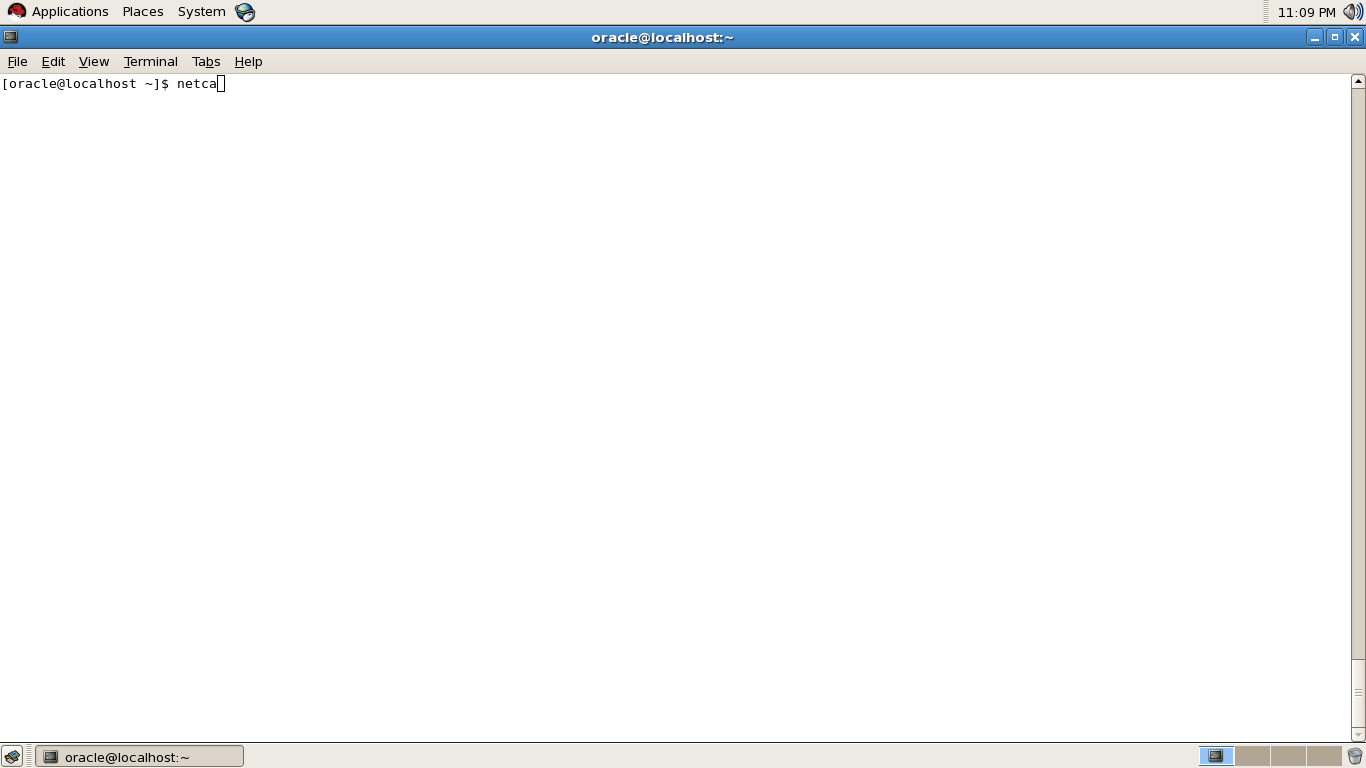
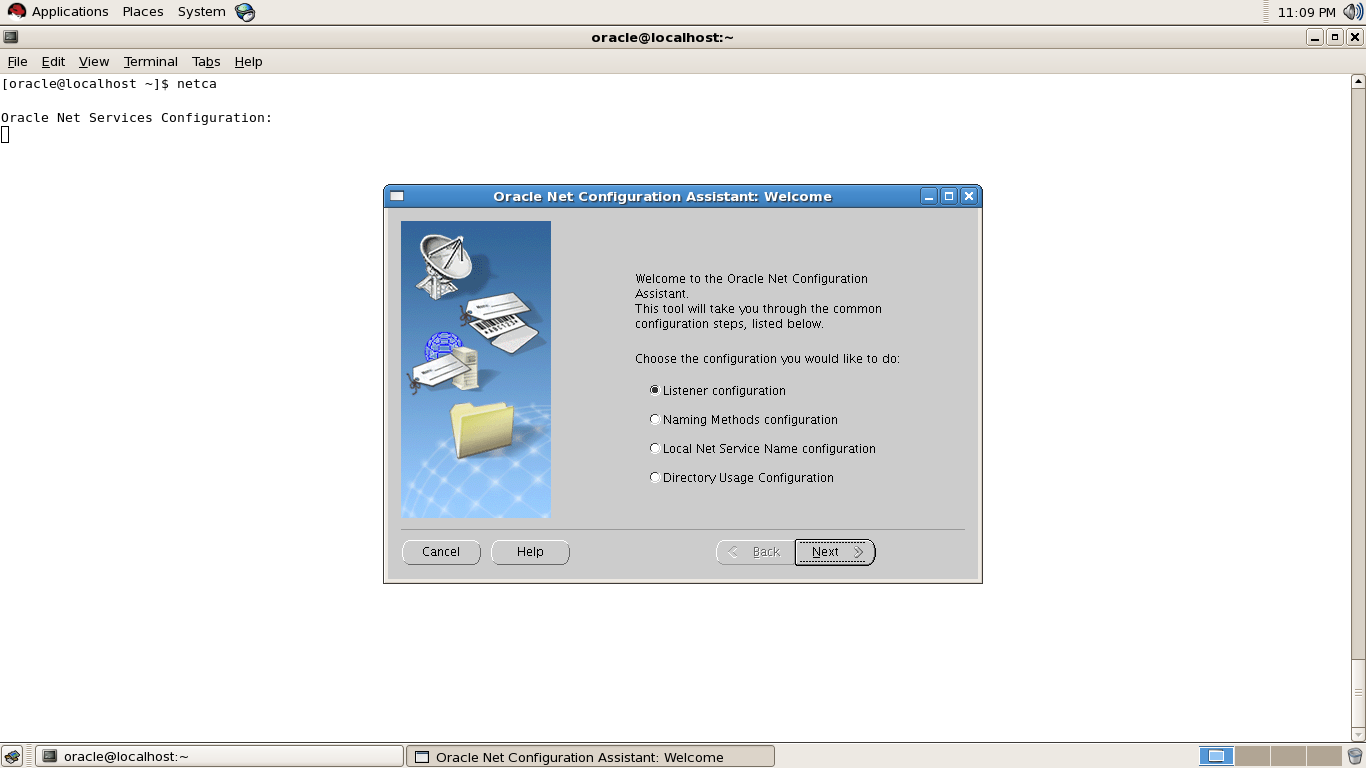
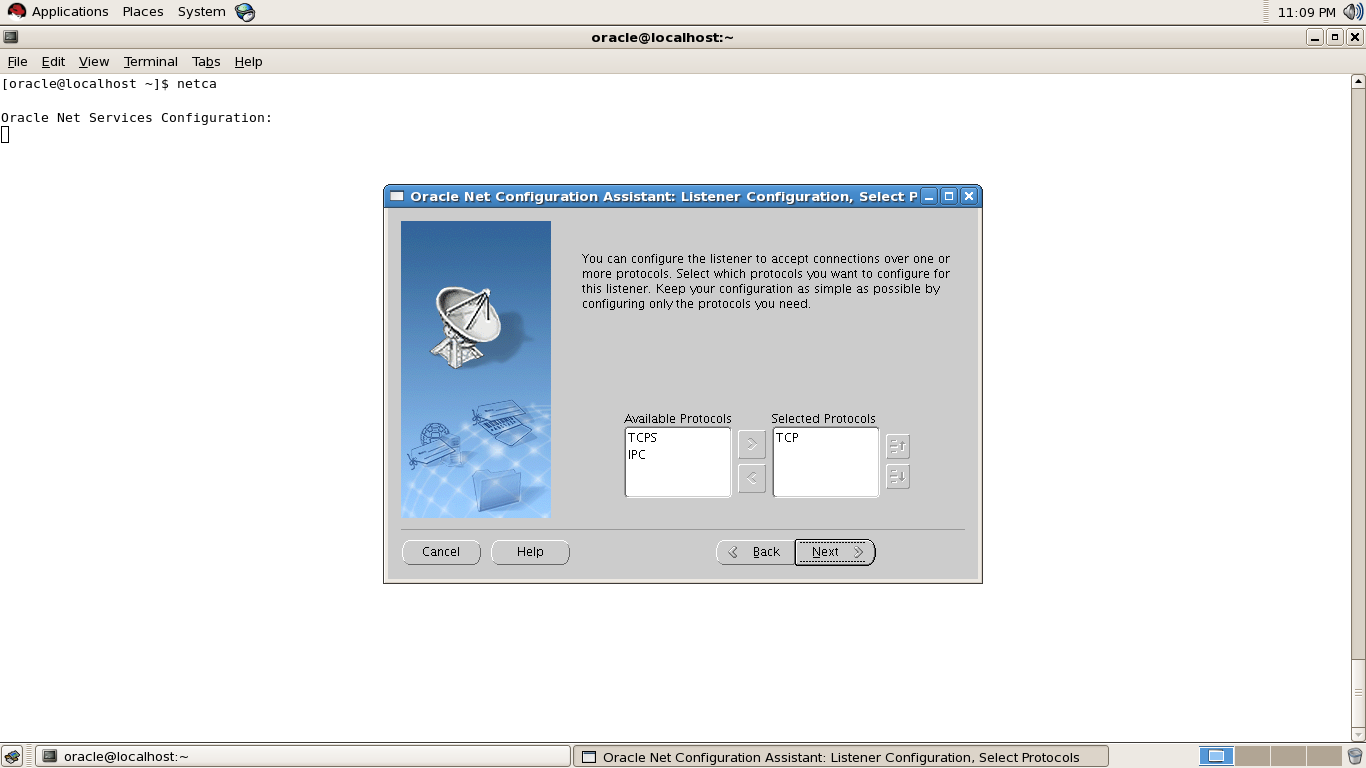
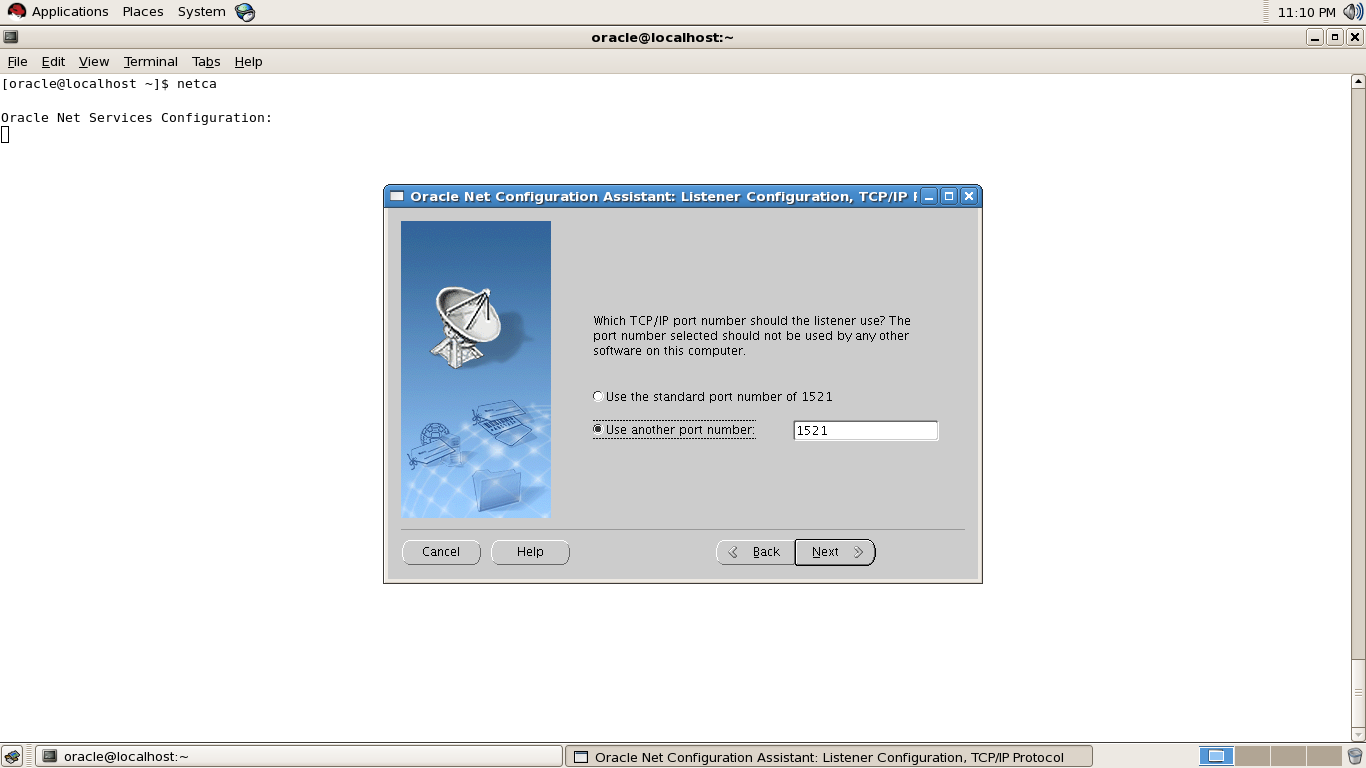
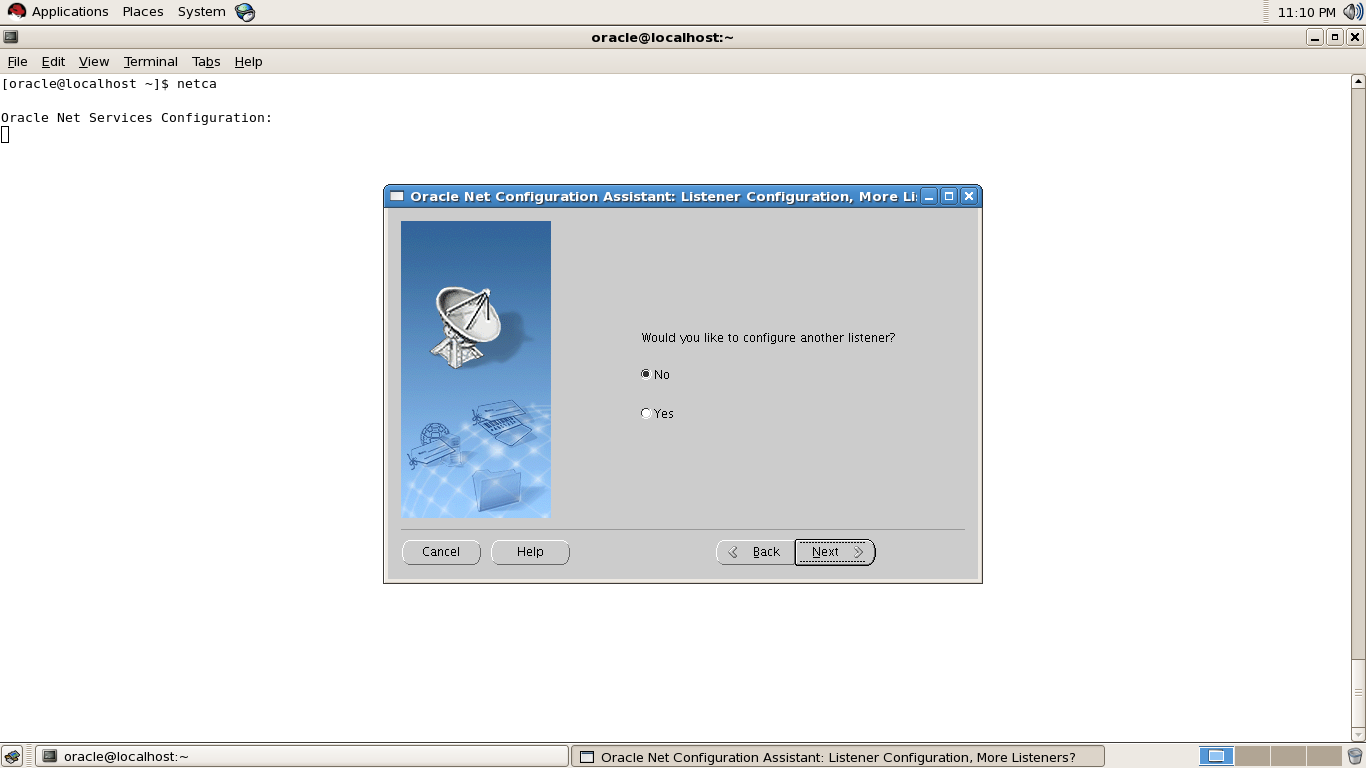
Step three : Use netca command to Change Listener Port Follow the screens
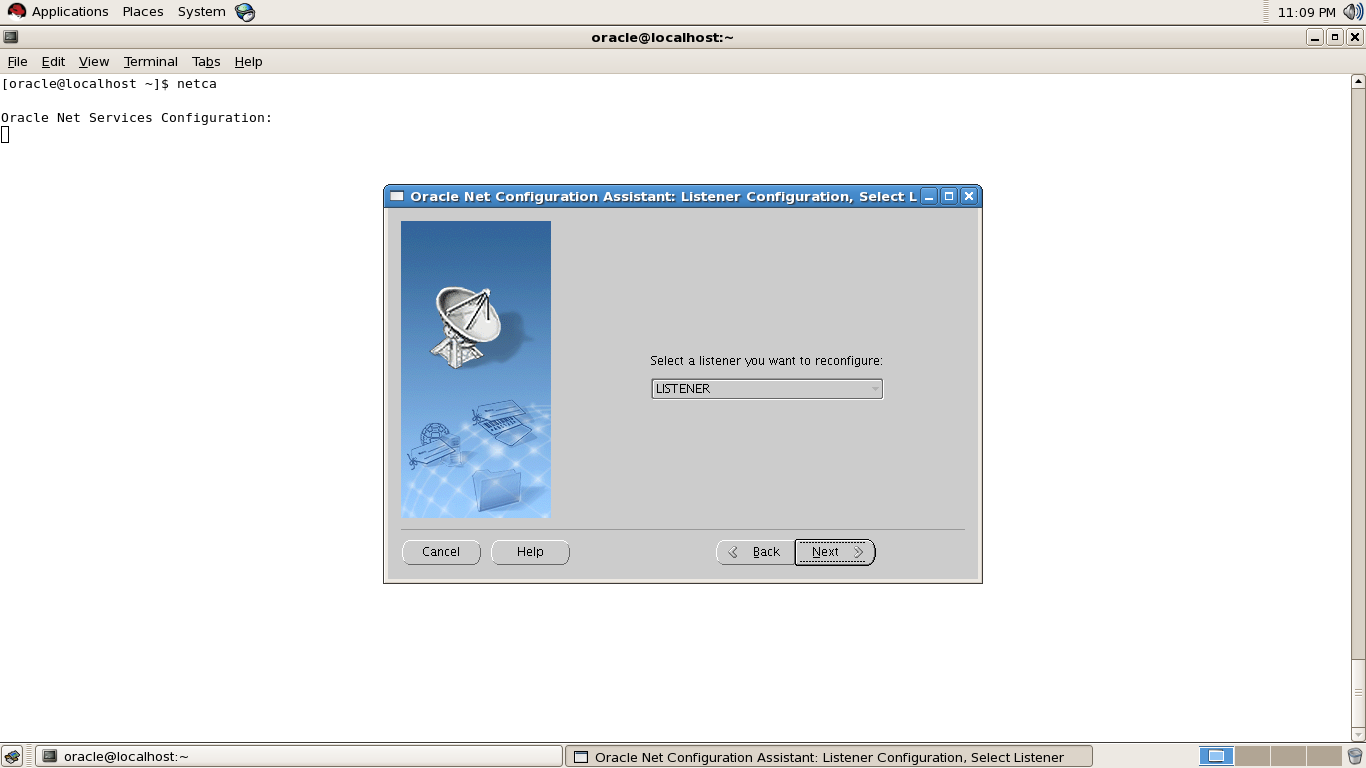
in below screen you can choose the listener port you want to change .
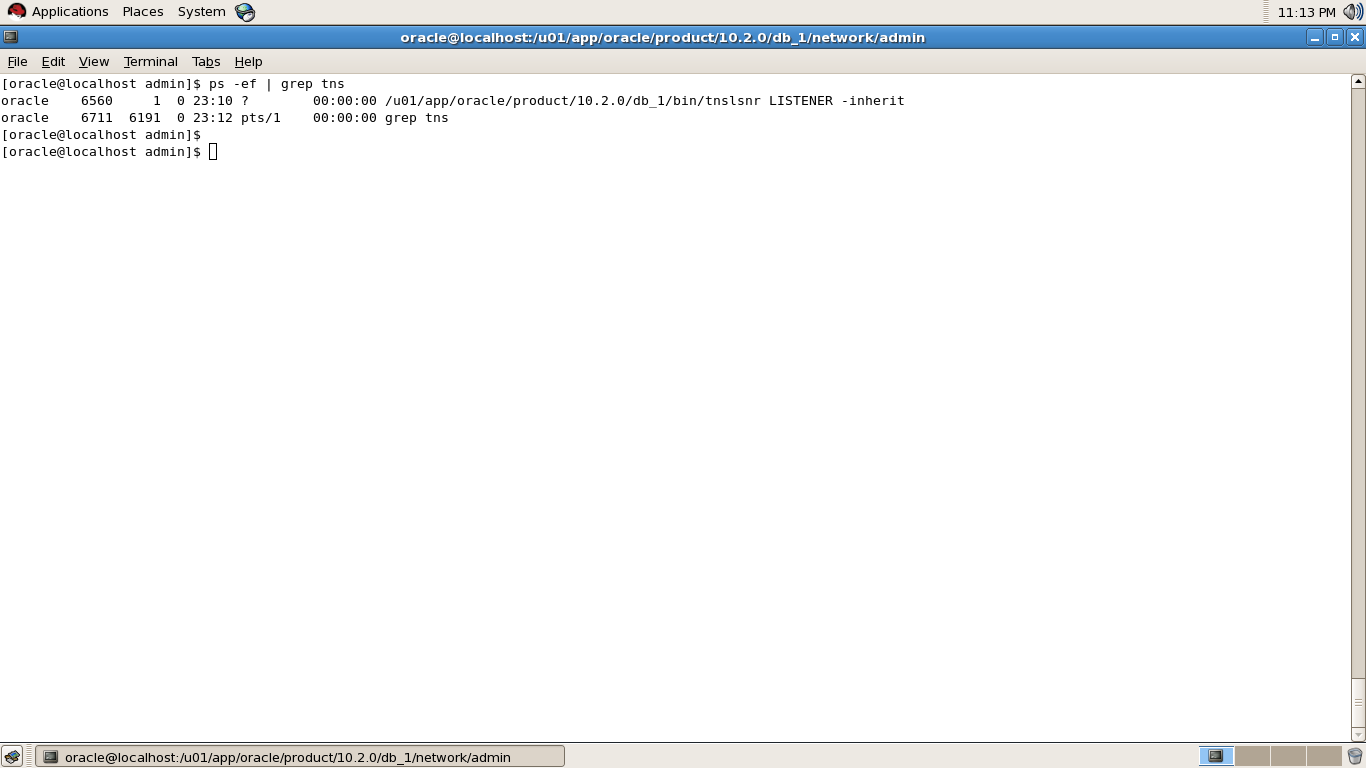
Step Four : After Close netca GUI listener will start automatically
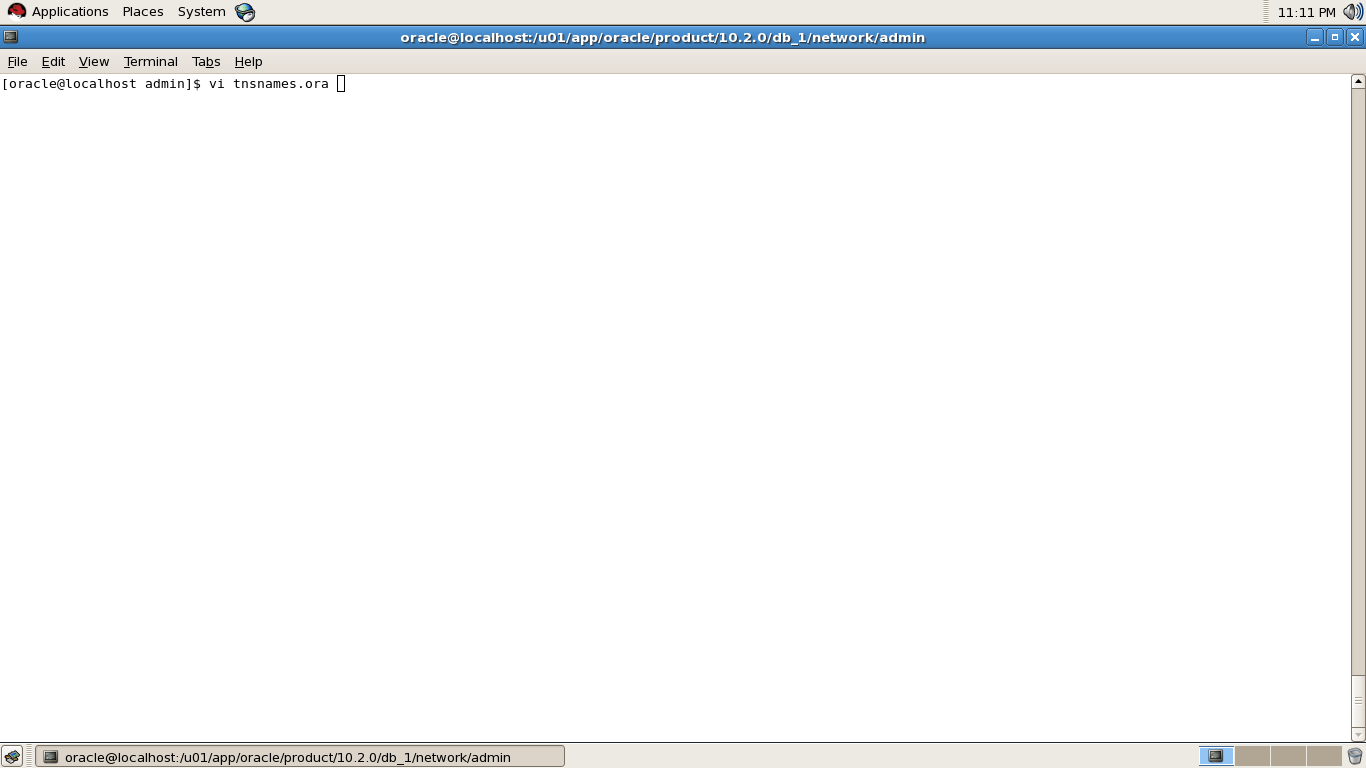
Step Five : Go to $ORACLE_HOME to change tnsnames.ora that used Old Listener port to new port.
Listener.ora will change automatically via netca GUI so no need to update it .
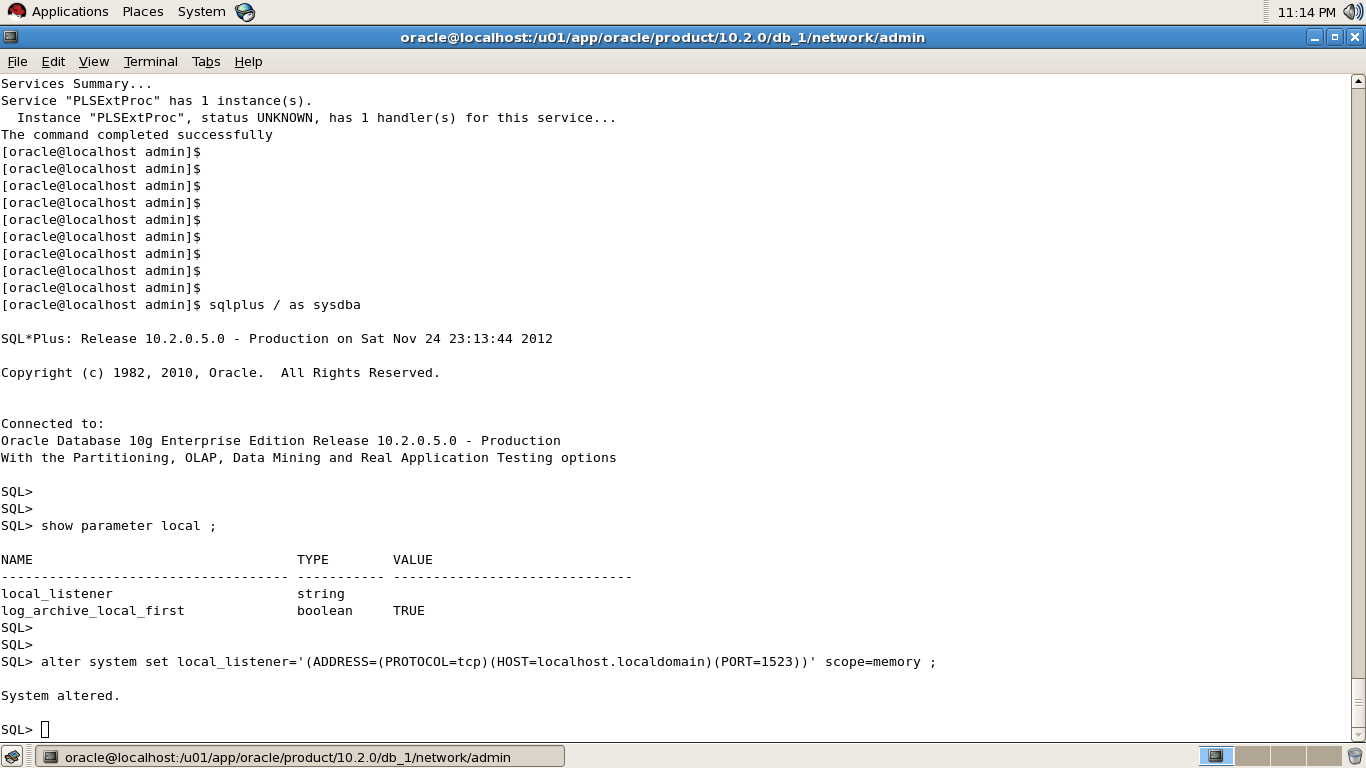
Step Six : Database will not register atomically after doing the above steps , so you have to set LOCAL_LISTENER Parameter Via Sqlplus like the following , i will post lsrnctl status to confirm what i saying, also notice new port that has been changed .
Now , Sqlplus / as sysdba
I Used Scope=memory to test the connection first , after test the connection successfully you can change scope = spfile.
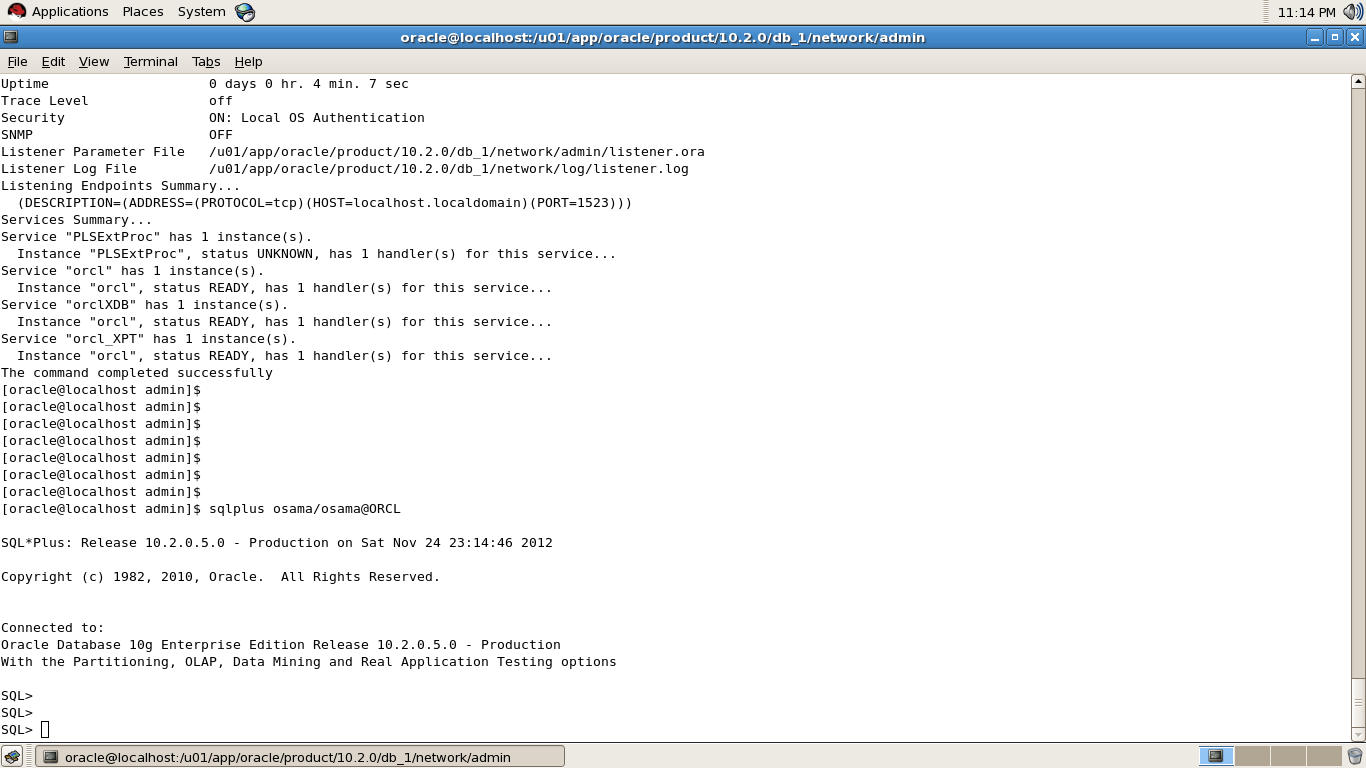
Step Seven : Test Connection to make sure Every User will Able To connect .
Thank you
Osama Mustafa
The second digit represents a maintenance release level. Some new features may also be included.
Application Server Release Number
The third digit reflects the release level of the Oracle Application Server (OracleAS).
Component-Specific Release Number
The fourth digit identifies a release level specific to a component. Different components can have different numbers in this position depending upon, for example, component patch sets or interim releases.
Platform-Specific Release Number
The fifth digit identifies a platform-specific release. Usually this is a patch set. When different platforms require the equivalent patch set, this digit will be the same across the affected platforms.
Thank you
Osama Mustafa
ORA-00604: error occurred at recursive SQL level 1
ORA-12705: Cannot access NLS data files or invalid environment specified
Solution :
Try to add following lines to %SQL_DEV_HOME%\sqldeveloper\bin\sqldeveloper.conf
AddVMOption -Duser.language=en
AddVMOption -Duser.country=US
us depend on your language .
en : England and so on ….
Thank you
Osama Mustafa
CREATE OR REPLACE FUNCTION blob_to_clob (blob_in IN BLOB)
RETURN CLOB
AS
v_clob CLOB;
v_varchar VARCHAR2(32767);
v_start PLS_INTEGER := 1;
v_buffer PLS_INTEGER := 32767;
BEGIN
DBMS_LOB.CREATETEMPORARY(v_clob, TRUE);FOR i IN 1..CEIL(DBMS_LOB.GETLENGTH(blob_in) / v_buffer)
LOOPv_varchar := UTL_RAW.CAST_TO_VARCHAR2(DBMS_LOB.SUBSTR(blob_in, v_buffer, v_start));
DBMS_LOB.WRITEAPPEND(v_clob, LENGTH(v_varchar), v_varchar);
v_start := v_start + v_buffer;
END LOOP;
RETURN v_clob;
END blob_to_clob;
/
Example :
Select blob_to_clob(blob_column) from table_name;
Simple Query Will Answer this , The Scenario Like the following I have Data Guard I want to check which one Of these database are Primary Or Standby How Can I do that :
SQL > select database_role from v$database;
DATABASE_ROLE
—————-
PRIMARY
The above Output Indicate that you are Now On Primary Database, Different Output for Standby
SQL > select database_role from v$database;
DATABASE_ROLE
—————-
PHYSICAL STANDBY
There’s More than One Way
SQL> SELECT controlfile_type FROM V$database;
Output On Primary Database :
CONTROL
——–
CURRENT
On Standby :
CONTROL
——–
STANDBY
Thank you
Osama Mustafa
Warning Appear like the following :
[oracle@sun3 ~]$ cat /u01/app/oracle/product/10.2.0/network/log/listener1.log
19-NOV-2012 14:00:19 * (CONNECT_DATA=(SERVER=DEDICATED)(SERVICE_NAME=orcl1)(CID=(PROGRAM=sqlplus@sun3)(HOST=sun3)(USER=oracle))) * (ADDRESS=(PROTOCOL=tcp)(HOST=10.10.10.4)(PORT=53680)) * establish * orcl1 * 12514
TNS-12514: TNS:listener does not currently know of service requested in connect descriptor
19-NOV-2012 14:01:02 * ping * 0
19-NOV-2012 14:08:34 * service_update * orcl1 * 0
19-NOV-2012 14:18:37 * service_update * orcl1 * 0
WARNING: Subscription for node down event still pending
19-NOV-2012 14:23:32 * (CONNECT_DATA=(CID=(PROGRAM=)(HOST=sun3)(USER=oracle))(COMMAND=status)(ARGUMENTS=64)(SERVICE=LISTENER)(VERSION=169869568)) * status * 0
19-NOV-2012 14:23:59 * (CONNECT_DATA=(SERVER=DEDICATED)(SERVICE_NAME=orcl1)(CID=(PROGRAM=sqlplus@sun3)(HOST=sun3)(USER=oracle))) * (ADDRESS=(PROTOCOL=tcp)(HOST=10.10.10.4)(PORT=53505)) * establish * orcl1 * 12514
TNS-12514: TNS:listener does not currently know of service requested in connect descriptor
19-NOV-2012 14:28:40 * service_update * orcl1 * 0
19-NOV-2012 14:30:38 * (CONNECT_DATA=(SERVER=DEDICATED)(SERVICE_NAME=orcl1)(CID=(PROGRAM=sqlplus@sun3)(HOST=sun3)(USER=oracle))) * (ADDRESS=(PROTOCOL=tcp)(HOST=10.10.10.4)(PORT=5290)) * establish * orcl1 * 12514
TNS-12514: TNS:listener does not currently know of service requested in connect descriptor
19-NOV-2012 14:38:43 * service_update * orcl1 * 0
WARNING: Subscription for node down event still pending
Solution
In Listener.ora add the following :
SUBSCRIBE_FOR_NODE_DOWN_EVENT_=OFF
Thank you
osama mustafa
ps -ef | grep tns
oracle 4214 1 0 22:51 ? 00:00:00 /u01/app/oracle/product/10.2.0/db_1/bin/tnslsnr LISTENER -inherit
Step two :
lsnrctl stop LISTENER
[oracle@localhost ~]$ lsnrctl stop
LSNRCTL for Linux: Version 10.2.0.5.0 – Production on 17-NOV-2012 22:55:41
Copyright (c) 1991, 2010, Oracle. All rights reserved.
Connecting to (DESCRIPTION=(ADDRESS=(PROTOCOL=IPC)(KEY=EXTPROC1)))
The command completed successfully
Step Three :
Go to $ORACLE_HOME/network/admin and modify Listener.ora
[oracle@localhost ~]$ cd /u01/app/oracle/product/10.2.0/db_1/network/admin/
SID_LIST_OSAMA=
(SID_LIST =
(SID_DESC =
(SID_NAME = PLSExtProc)
(ORACLE_HOME = /u01/app/oracle/product/10.2.0/db_1)
(PROGRAM = extproc)
)
)
OSAMA =
(DESCRIPTION_LIST =
(DESCRIPTION =
(ADDRESS = (PROTOCOL = IPC)(KEY = EXTPROC1))
(ADDRESS = (PROTOCOL = TCP)(HOST = localhost.localdomain)(PORT = 1521))
)
)
Step Four :
lsnrctl start OSAMA
Step Five :
SQL> show parameter local_listener
SQL> alter system set local_listener='(address=(protocol=tcp)(host=xx.xx.xx.xx)(port=1521))’;
SQL> alter system register;
Thank you
Osama Mustafa