- Unbreakable Enterprise Kernel Release 3
- Support DTrace.
- Delivering Better Performance, scalability and reliability For Companies.
- New File System : btrfs enable administrators to implement an efficient incremental backup mechanism using file system snapshots.
Author: Osama Mustafa
Change AdminServer Port Using WLST.SH
Absolutely Not When you install Weblogic any Version Oracle Provide you with Command Line Utility to administrate weblogic, what you can do it using Console can be done with this tool.
change to weblogic-directory/common/bin
./wlst.sh
Now follow the below Steps to change port :
wls:/offline> readDomain (‘/u01/app/fmw/domains/IDDomains’)
wls:/offline/IDDomains> cd (‘Server’)
wls:/offline/IDDomains/Server> ls ()
Choose your Server Here
wls:/offline/IDDomains/Server> cd (‘AdminServer’)
wls:/offline/IDDomains/Server/AdminServer> ls ()
Search for Old Port ListenPort
wls:/offline/IDDomains/Server/AdminServer> set (‘ListenPort’,New Port)
wls:/offline/IDDomains/Server/AdminServer> updateDomain ()
wls:/offline/IDDomains/Server/AdminServer> exit ()
Done you can now Test your new port
http://Server-ip:/console
Thank you
Osama Mustafa
Oracle WebTier On Linux
You Can download Document From Here
Thank you
Osama Mustafa
ODI-1545: Missing odi supervisor credentials in credential store map
cd /u01/app/fmw/Oracle_ODI1/common/bin
./wlst.sh
and do the below
Jython scans all the jar files it can find at first startup. Depending on the system, this process may take a few minutes to complete, and WLST may not return a prompt right away.
Welcome to WebLogic Server Administration Scripting Shell
Type help() for help on available commands
wls:/offline> connect (‘weblogic’,’welcome1′,’t3://localhost:7001′)
Connecting to t3://10.40.74.210:7001 with userid weblogic …
Successfully connected to Admin Server ‘AdminServer’ that belongs to domain ‘IDDomains’.
Warning: An insecure protocol was used to connect to the
server. To ensure on-the-wire security, the SSL port or
Admin port should be used instead.
wls:/IDDomains/serverConfig> createCred(map=”oracle.odi.credmap”, key=”SUPERVISOR”, user=”SUPERVISOR”, password=”sysadmin1″, desc=”Key for Supervisor”)
Location changed to domainRuntime tree. This is a read-only tree with DomainMBean as the root.
For more help, use help(domainRuntime)
wls:/IDDomains/serverConfig> createCred(map=”oracle.odi.credmap”, key=”odi11g”, user=”weblogic”, password=”welcome1″, desc=”WLS SUPERVISOR Credential”)
wls:/IDDomains/serverConfig> disconnect()
Disconnected from weblogic server: AdminServer
wls:/offline>
wls:/offline>
wls:/offline>
wls:/offline> exit()
The Red Line for to define 3 command you will use.
Some Link :
1- How To Configure The ODI JavaEE Agent and ODI Console On WebLogic Server (Doc ID 1300550.1)
2- Working with ODI Here
Thank you
Osama Mustafa
API5036: Client version 11.2.0.3.0 is not compatible with repository version 11.2.0.4.0
Install Oracle EDQ 11.1.1.7 On Oracle Linux 6.4
In old Version Oracle EDQ was no available on Linux Only Windows Operating system as Setup File, But there’s always solution if you want it on Linux you need to use application server in our case weblogic to deploy EDQ on it , some pre requisites need to be done before you do this Please check http://support.oracle.com Document
How To Install EDQ On Linux Using Oracle DB And Apache Tomcat (Doc ID 1462376.1)
Download Document Here
Thank you
Osama mustafa
Oracle ODI & SOA 11.1.1.7 Installation
As Usual I upload it to my slide share account here
Thank you
Osama mustafa
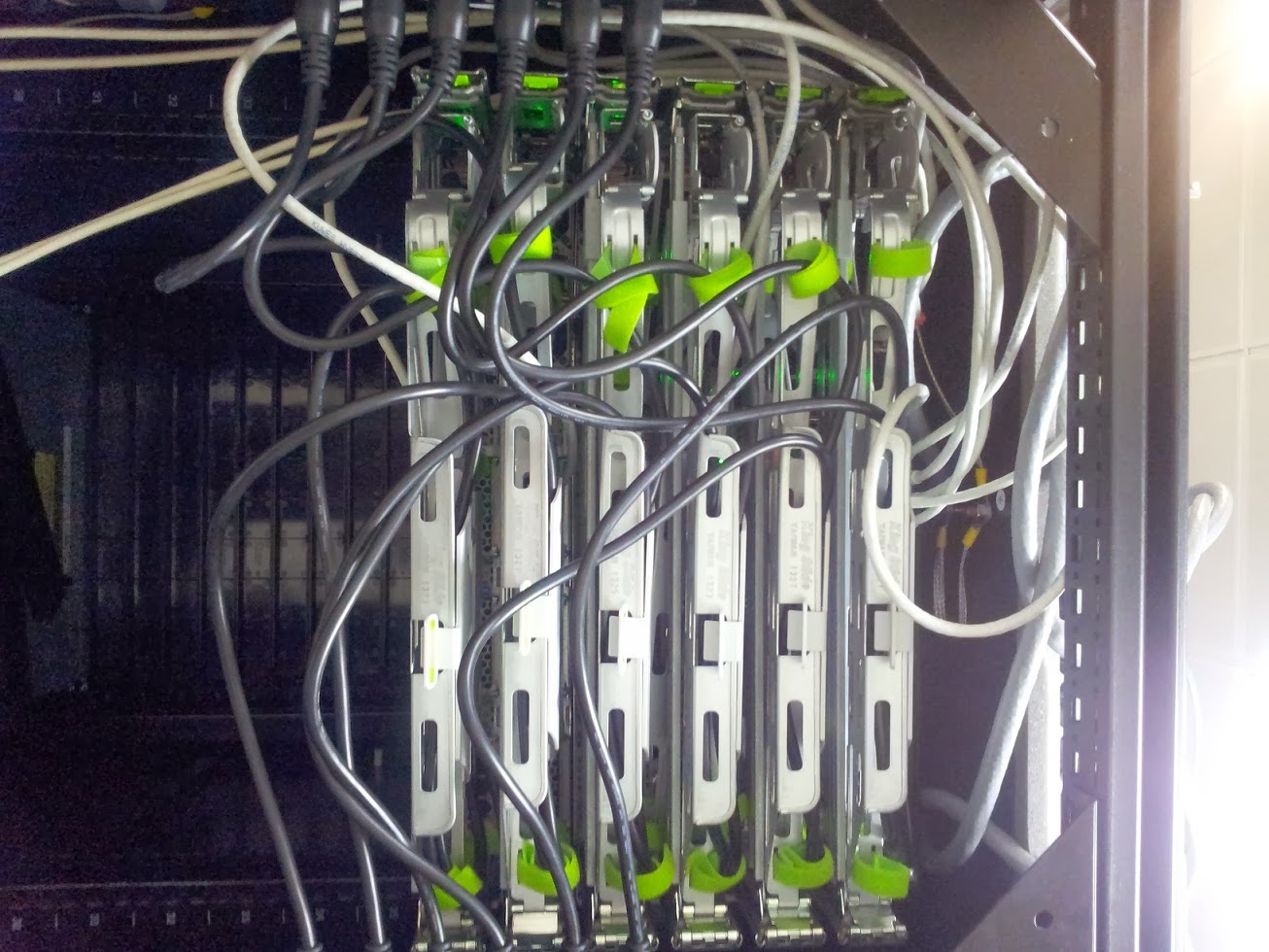
From DBA to Cabling Job
Oracle Sun Server X3-2 And Exalytics BI
Failed to create secure socket for OPMN at LocalHost:9501
oracle.as.management.opmn.optic.OpticBadConnectException: Failed to create secure socket for OPMN
Change Directory to the to BI instance/Bin Folder and :
[oracle@exalytic bin]$ ./opmnctl stopall
opmnctl stopall: opmn is not running.
[oracle@exalytic bin]$ ./opmnctl startall
opmnctl startall: starting opmn and all managed processes…
[oracle@exalytic bin]$ ./opmnctl status
Processes in Instance: obiee1
———————————+——————–+———+———
ias-component | process-type | pid | status
———————————+——————–+———+———
coreapplication_obiccs1 | OracleBIClusterCo~ | 19837 | Alive
coreapplication_obisch1 | OracleBIScheduler~ | 0 | NONE
coreapplication_obijh1 | OracleBIJavaHostC~ | 19836 | Alive
coreapplication_obips1 | OracleBIPresentat~ | 19840 | Alive
coreapplication_obis1 | OracleBIServerCom~ | 19838 | Alive
Thank you
Osama Mustafa