Article About Data Recovery Method

1-  If you lost all data files

SQL> startup mount;
RMAN> restore database;
RMAN> recover database;
SQL> alter database open;

2- If you lost a tablespace

SQL> alter tablespace users offline;
RMAN> restore tablespace users;
RMAN> recover tablespace users;
SQL> alter tablespace users online;

 if you can not offline tablespace;

$ sqlplus “/ as sysdba”
SQL> shutdown abort;
SQL> startup mount;
$ rman target / catalog_user/catalog_user_password@catalogdb
RMAN> restore tablespace users;
RMAN> recover tablespace users;
SQL> alter database open;

3- if you lost a datafile

SQL> alter database datafile '/oracle/oradata/users.dbf' offline;
RMAN> restore datafile '/oracle/oradata/users.dbf'
RMAN> recover datafile '/oracle/oradata/users.dbf'
SQL> alter database datafile '/oracle/oradata/users.dbf' online;
 

if you cannot offline datafile;

$ sqlplus “/ as sysdba”
SQL> shutdown abort;
SQL> startup mount;
$ rman target / catalog_user/catalog_user_password@catalogdb
RMAN> restore datafile '/oracle/oradata/users.dbf';
RMAN> recover datafile '/oracle/oradata/users.dbf';
SQL> alter database open;
 

4-  if you lost your controlfiles

$ sqlplus “/ as sysdba”
SQL> shutdown abort;
SQL> startup nomount;
$ rman target / catalog_user/catalog_user_password@catalogdb
RMAN> set dbid = 3970640872;
RMAN> restore controlfile;
SQL> alter database mount;
SQL> alter database open;

you will receive an error ORA-01589 when you open database
ORA-01589: must use RESETLOGS or NORESETLOGS option for database open

SQL> shutdown abort;
SQL> startup mount;
$ rman target / catalog_user/catalog_user_password@catalogdb
RMAN> recover database;
SQL> alter database open resetlogs;
RMAN> reset database;

if you open database with resetlogs, SCN number will be zero. In this situation
all previous backups will be invalid. You must full backup.

5- May be a special situation. You need to incomplete recovery

A. Time-Based incomplete recovery

$ sqlplus "/ as sysdba"
SQL> shutdown abort;
SQL> startup mount;
$ rman target / catalog_user/catalog_user_password@catalogdb
RMAN> restore database until time "to_date('06/05/11 12:0:00','DD/MM/YY HH24:MI:SS')";
RMAN> recover database until time "to_date('06/05/11 12:0:00','DD/MM/YY HH24:MI:SS')";
SQL> alter database open resetlogs;
 
 
B. SCN-Based incomplete recovery
$ sqlplus "/ as sysdba"
SQL> shutdown abort;
SQL> startup mount;
$ rman target / catalog_user/catalog_user_password@catalogdb
RMAN> restore database until scn 1000;
RMAN> recover database until scn 1000;
SQL> alter database open resetlogs;
C. Archive log sequence based incomplete recovery

$ sqlplus "/ as sysdba"
SQL> shutdown abort;
SQL> startup mount;
$ rman target / catalog_user/catalog_user_password@catalogdb
RMAN> restore database until sequence 9923;
RMAN> recover database until sequence 9923;
SQL> alter database open resetlogs;

6-  if you need some archive logs in your backup
$ rman target / catalog_user/catalog_user_password@catalogdb
RMAN> restore ARCHIVELOG FROM TIME 'SYSDATE-1' UNTIL TIME 'SYSDATE';
 

OR

RMAN> restore ARCHIVELOG FROM TIME "to_date('07/11/05 00:00:01','MM/DD/YY HH24:MI:SS')
UNTIL TIME 'SYSDATE';
 
7- if your data block is corrupted you will receive an error below.

Error:
ORA-01578: ORACLE data block corrupted (file # 8, block # 13)
ORA-01110: data file 8: ‘/oracle/oradata/users.dbf’

for recover data block;

$ rman target / catalog_user/catalog_user_password@catalogdb
RMAN>blockrecover datafile 8 block 13;
 

For Block-Level Media Recovery – Concept & Example (Doc ID 144911.1)

To recover, we can give a specific backup set;

# recovery from backupset
RMAN> BLOCKRECOVER DATAFILE 8 BLOCK 13 DATAFILE 2 BLOCK 19 FROM BACKUPSET;
# recovery from image copy
RMAN> BLOCKRECOVER DATAFILE 8 BLOCK 13 DATAFILE 2 BLOCK 19
FROM DATAFILECOPY;
# recovery from backupset which have "FULL" tag
RMAN> BLOCKRECOVER DATAFILE 8 BLOCK 13 DATAFILE 2 BLOCK 199
FROM TAG = FULL;

During backup or “Validate Backup” command, RMAN finds corrupted blocks and writes to V$DATABASE_BLOCK_CORRUPTION view. When the RMAN recover the corrupt block then automatically updates this view. List of all the corruption of the past, can be viewed over V$BACKUP_CORRUPTION and V$COPY_CORRUPTION views.  If you run the following command,  RMAN will recover all the corrupted blocks in view V$DATABASE_BLOCK_CORRUPTION.

  RMAN>BLOCKRECOVER CORRUPTION LIST RESTORE UNTIL TIME ‘SYSDATE-10’;

8- if you have a image copy backup and your datafile number 2 has problems then you
can switch datafile number2 to image copy.

RMAN>sql ‘alter database datafile 2 offline’;
RMAN>switch datafile 2 to copy;
RMAN>recover datafile 2;
RMAN>sql ‘alter database datafile 2 online’;

Orginial Article
 Thank You
 Osama Mustafa

Repair Database Corrpution Using 11g New Tools

As Database Administrator you Face Some Issue About The Database Corruption  But In 11g You have Some New Tool Called “data recovery advisor” .

With DRA you check the block corruptions and loss of data files and control files. The GUI feature also available from Enterprise manager.

Lets Start Using This Tool :

RMAN> BACKUP VALIDATE

Starting backup at 01-FEB-12

21 FAILED 0 169474 2048000 1046708826
File Name: /dbs1/orcl/system01.dbf
Block Type Blocks Failing Blocks Processed

 To Use This Tool Follow The Below Step :

RMAN> LIST FAILURE

List of Database Failures
=========================
Failure ID Priority Status Time Detected Summary
———- ——– ——— ————- ——-
1041 HIGH OPEN 01-FEB-12 Datafile 21: ‘/dbs1/orcl/system.dbf ‘ contains one or more corrupt blocks

RMAN> ADVISE FAILURE;

List of Database Failures
=========================
Failure ID Priority Status Time Detected Summary
———- ——– ——— ————- ——-
1041 HIGH OPEN01-FEB-12 Datafile 21:”/dbs1/orcl/system.dbf ‘ contains one or more corrupt blocks

analyzing automatic repair options; this may take some time
allocated channel: ORA_DISK_1
channel ORA_DISK_1: SID=319 device type=DISK
analyzing automatic repair options complete

RMAN> Repair failure preview;
RMAN> REPAIR FAILURE;
RMAN> REPAIR FAILURE NO PROMPT;

Thank you
Osama Mustafa 

Change to Archive Log Mode In Oracle Rac

1. Disable clustering putting cluster_database parameter FALSE.

$export ORACLE_SID=ORCL1
$sqlplus “/ as sysdba”

Check the status of archive mode of the database:

SQL>archive log list

Database log mode              No Archive Mode
Automatic archival             Disabled
Archive destination            USE_DB_RECOVERY_FILE_DEST
Oldest online log sequence     407
Current log sequence           408

SQL> alter system set cluster_database=false scope=spfile sid=’ORCL1′;

2. Shutdown all instances using srvctl utilty

$ srvctl stop database -d cobra

3. Mount tha database using one of the instance:

$ sqlplus “/ as sysdba”

SQL> startup mount

4. Enable archivelog using following command:

SQL> alter database archivelog;

5. Re-enable clustering putting instance parameter cluster_database to TRUE from the current instance:

SQL> alter system set cluster_database=true scope=spfile sid=’ORCL1′;

6. Shutdown the local instance:

SQL> shutdown immediate

7. Startup all instances using srvctl utility:

#srvctl start database -d orcl

8. If any service is not up then get up those using srvctl utility:

#srvctl start service -dorcl

9. And now check archivelog mode is enabled or not using following:

$sqlplus “/ as sysdba”

SQL> archive log list

Database log mode            Archive Mode
Automatic archival             Enabled
Archive destination            USE_DB_RECOVERY_FILE_DEST
Oldest online log sequence     407
Current log sequence           408

Thank you
Osama mustafa

ORA-00020: maximum number of processes (%s) exceeded

SQL> show parameter processes

NAME TYPE VALUE
------------------------------------ ----------- ------------------------------
processes integer 150

SQL> select count(*) from v$process;

COUNT(*)
----------
149

SQL> alter system set processes=300 scope=spfile;

System altered.

SQL> shutdown immediate
Database closed.
Database dismounted.
ORACLE instance shut down.

SQL> startup
ORACLE instance started.

SQL> show parameter processes

NAME TYPE VALUE
------------------------------------ ----------- ------------------------------
processes integer 300

Thank you
Osama mustafa

Some Basic To backup Voting Disk And OCR For Oracle RAC

We Need To Backup Voting Disk and OCR For Oracle RAC For Disaster Situation :

Add Voting Disk :

# crsctl add css votedisk

To remove a voting disk:

# crsctl delete css votedisk

If Oracle Clusterware is down on all nodes, use the –force option:

# crsctl add css votedisk -force
# crsctl delete css votedisk -force

 Backup Voting Disk :

$ crsctl query css votedisk
$ dd if= of= bs=4k

OCR BACKUP :

Oracle RAC Taking Backup For OCR By Default , You will Find It On :

 cd $ORACLE_BASE/Crs/cdata/jfv_clus

Change the default automatic backup location:

# ocrconfig –backuploc /shared/bak

Back Up OCR Manually :

 # ocrconfig –export file name

 Recover OCR Using Physical Backups:

1.Locate a physical backup:
 $ ocrconfigshowbackup
2.Review its contents:

# ocrdumpbackupfile file_name
 3.Stop Oracle Clusterwareon all nodes:

 # crsctl stop crs
4.Restore the physical OCR backup:

# ocrconfig –restore <CRS HOME>/cdata/jfv_clus/day.ocr

5.Restart Oracle Clusterware on all nodes:

 # crsctl start crs
6.Check OCR integrity:

$ cluvfy comp ocr -n all

Thank You
Osama Mustafa 


FRM-92102 : A network error has occured

FRM-92102 is Gerneric Error maybe occur for more than one reasons :

1-Network 
2-Proxy
3-http
4-Session Time 


But today i will discuss the problem On oracle Application server 10g .
Description for the problem like the following when you try to connect on your deploy application On OAS 10g it’s gives the above error from 1-5 minutes.

I will give you more than one solution maybe it will be related to the above problem and you try them separately to see which one will be valid for you : 

1-Netowrk Parameters :

You will find it $ORACLE_HOME/forms/server/default.env
Just increase the value .

2-do the following change in opmn.xml (under $ORACLE_HOME/opmn/conf/):


3-SET Inbound_connection_timeout In sqlnet.ora to ZERO .

Sqlnet.Inbound_connection_timeout = 0

Note : if your can’t find this parameter in the SQLNET.ORA you cant add it .

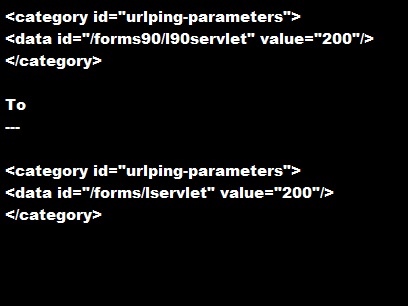
5- Change the following $ORACLE_HOME/opmn/conf/opmn.xml


Hope this will work 

Thank you 
Osama mustafa 

Resize Redo Log

Here is a newly created database redo log information:

SQL> select * from v$log;

GROUP# THREAD# SEQUENCE# BYTES MEMBERS ARC STATUS FIRST_CHANGE# FIRST_TIME
———- ———- ———- ———- ———- — —————- ————- ——————-
1 1 17 52428800 1 NO INACTIVE 996238 06/09/2007 22:01:59
2 1 18 52428800 1 NO INACTIVE 1006432 06/09/2007 22:13:32
3 1 19 52428800 1 NO CURRENT 1036439 07/09/2007 09:56:44

SQL> select * from v$logfile;

GROUP# STATUS TYPE MEMBER
———- ——- ——- ————————————————-
3 ONLINE /database/data/redo03.log
2 ONLINE /database/data/redo02.log
1 ONLINE /database/data/redo01.log


Here is how i changed this to five 200M redo logs:

SQL> alter database add logfile group 4 (‘/database/data/redo04.log’) size 200M;
SQL> alter database add logfile group 5 (‘/database/data/redo05.log’) size 200M;

while running following sql commands, if you hit an error like this:

ORA-01623: log 3 is current log for instance RPTDB (thread 1) – cannot drop
ORA-00312: online log 3 thread 1: ‘/database/data/redo03.log’

you should run ” alter system switch logfile;” until current log is 4 or 5. Then execute “alter system checkpoint;”

SQL> alter database drop logfile group 1;
SQL> alter database drop logfile group 2;
SQL> alter database drop logfile group 3;

then move (or maybe drop) old redo logs

mv /database/data/redo01.log /database/data/redo01_old.log
mv /database/data/redo02.log /database/data/redo02_old.log
mv /database/data/redo03.log /database/data/redo03_old.log

finally

SQL> alter database add logfile group 1 (‘/database/data/redo01.log’) size 200M;
SQL> alter database add logfile group 2 (‘/database/data/redo02.log’) size 200M;
SQL> alter database add logfile group 3 (‘/database/data/redo03.log’) size 200M;

Oracle Statistics Tables.

Hi ,

I am going to talk about Some Oracle Statistics Table that will be useful for tuning your database , and gathering information about your database , these table are very useful

For example Dynamic Performance View  :
**The below query will gives you the most sql statement taking more time in the CPU .
1-Select Sql_text , executions from v$sqlstats where cpu_time > 1000 ;
**Below Query Gives you some Details about Specific Machine 
2-Select * from v$session where machine = ‘OSAMA_PC’ and where
    logon_time > sysdate -1 ;
**finally , Lock in your database 
3- select sid,ctime from v$lock where block > 0 ;

Statistics Tables are :
**Display System Wide Statistics :
V$Sysstat
V$Statname
V$Sesstat

**Display System Wide Statistics :

V$Sgastat
V$Event_name
V$system_event

 **Display Session-Related Statistics
V$statname
V$Session
V$Session _Event
V$Session_Wait

**Display Service-Related Statistics
V$Service_stats
V$Services
V$Service_event
V$Service_wait_Class


**Display Information About Wait Class :

V$Session_Wait_Class
V$System_Wait_Class
V$Service_Wait_Class

**Display Session Wait

V$Session_Event : Session Wait By event for each session had to wait .
V$Session_Wait : Session Wait By Event For current active session that are waiting .
V$System_Event : Total waits for an event (All Session Together).

Wait Event : Information About session that had to wait or must wait for Different Reasons (V$Event_name).

Some Other Useful Tables :
-V$SQL
-V$SQLAREA

Thank You
Osama Mustafa

TKPROF And Oracle Trace Analysis

What is the TKPROF ??!!
The TKPROF program :
converts Oracle trace files into a more readable form. If you have a problem query you can user TKPROF to get more information. 
But first you need to enable this tools since its unactivated in oracle  to start using it follow the below steps :
1-ALTER SYSTEM SET TIMED_STATISTICS = TRUE;
2-we need table called PLAN_TABLE if its dosen’t found create it by following steps :
@ORACLE_HOME\rdbms\admin\utlxplan.sql
CREATE PUBLIC SYNONYM PLAN_TABLE FOR SYS.PLAN_TABLE;
GRANT SELECT, INSERT, UPDATE, DELETE ON SYS.PLAN_TABLE TO PUBLIC;
3-after doing the Previous steps , now you can use the amazing tools for example :
ALTER SESSION SET SQL_TRACE = TRUE;

SELECT COUNT(*)
FROM dual;

ALTER SESSION SET SQL_TRACE = FALSE;
 
OR Another Way to trace file :
 
TKPROF   
explain=user/password@service table=sys.plan_table
 
Output will be like :
 
********************************************************************************
count = number of times OCI procedure was executed
cpu = cpu time in seconds executing
elapsed = elapsed time in seconds executing
disk = number of physical reads of buffers from disk
query = number of buffers gotten for consistent read
current = number of buffers gotten in current mode (usually for update)
rows = number of rows processed by the fetch or execute call
********************************************************************************

SELECT COUNT(*)
FROM dual

call count cpu elapsed disk query current rows
------- ----- ----- ------- ------- ------- ------- -------
Parse 1 0.02 0.02 0 0 0 0
Execute 1 0.00 0.00 0 0 0 0
Fetch 2 0.00 0.00 0 1 4 1
------- ----- ----- ------- ------- ------- ------- -------
total 4 0.02 0.02 0 1 4 1

Misses in library cache during parse: 1
Optimizer goal: CHOOSE
Parsing user id: 121

Rows Row Source Operation
------- ---------------------------------------------------
1 SORT AGGREGATE
1 TABLE ACCESS FULL DUAL
 
Thank you 
Osama mustafa