Exploring Oracle Cloud Infrastructure (OCI)

In today’s rapidly evolving digital landscape, choosing the right cloud infrastructure is crucial for organizations aiming to scale, secure, and innovate efficiently. Oracle Cloud Infrastructure (OCI) stands out as a robust platform offering a comprehensive suite of cloud services tailored for enterprise-grade performance and reliability.

1. Overview of OCI: Oracle Cloud Infrastructure (OCI) provides a highly scalable and secure cloud computing platform designed to meet the needs of both traditional enterprise workloads and modern cloud-native applications. Key components include:

  • Compute Services: OCI offers Virtual Machines (VMs) for general-purpose and high-performance computing, Bare Metal instances for demanding workloads, and Container Engine for Kubernetes clusters.
  • Storage Solutions: Includes Block Volumes for persistent storage, Object Storage for scalable and durable data storage, and File Storage for file-based workloads.
  • Networking Capabilities: Virtual Cloud Network (VCN) enables customizable network topologies with VPN and FastConnect for secure and high-bandwidth connectivity. Load Balancer distributes incoming traffic across multiple instances.
  • Database Options: Features Autonomous Database for self-driving, self-securing, and self-repairing databases, MySQL Database Service for fully managed MySQL databases, and Exadata Cloud Service for high-performance databases.

Example 2: Implementing Autonomous Database

Autonomous Database handles routine tasks like patching, backups, and updates automatically, allowing the IT team to focus on enhancing customer experiences.

Security and Compliance: OCI provides robust security features such as Identity and Access Management (IAM) for centralized control over access policies, Security Zones for isolating critical workloads, and Web Application Firewall (WAF) for protecting web applications from threats.

Management and Monitoring: OCI’s Management Tools offer comprehensive monitoring, logging, and resource management capabilities. With tools like Oracle Cloud Infrastructure Monitoring and Logging, organizations gain insights into performance metrics and operational logs, ensuring proactive management and troubleshooting.

Integration and Developer Tools: For seamless integration, OCI offers Oracle Integration Cloud and API Gateway, enabling organizations to connect applications and services securely across different environments. Developer Tools like Oracle Cloud Developer Tools and SDKs support agile development and deployment practices.

Oracle Cloud Infrastructure (OCI) emerges as a robust solution for enterprises seeking a secure, scalable, and high-performance cloud platform. Whether it’s deploying mission-critical applications, managing large-scale databases, or ensuring compliance and security, OCI offers the tools and capabilities to drive innovation and business growth.

AWS Infrastructure

The AWS Global Cloud Infrastructure is the most secure, extensive, and reliable cloud platform, offering over 200 fully featured services from data centers globally.

AWS Data Center

AWS pioneered cloud computing in 2006 to provide rapid and secure infrastructure. AWS continuously innovates on the design and systems of data centers to protect them from man-made and natural risks. Today, AWS provides data centers at a large, global scale. AWS implements controls, builds automated systems, and conducts third-party audits to confirm security and compliance. As a result, the most highly-regulated organizations in the world trust AWS every day.

Availability Zone – AZ

An Availability Zone (AZ) is one or more discrete data centers with redundant power, networking, and connectivity in an AWS Region. Availability Zones are multiple, isolated areas within a particular geographic location. When you launch an instance, you can select an Availability Zone or let AWS choose one for you. If you distribute your instances across multiple Availability Zones and one instance fails, you can design your application so that an instance in another Availability Zone can handle requests.

Region

Each AWS Region consists of multiple, isolated, and physically separate Availability Zones within a geographic area. This achieves the greatest possible fault tolerance and stability. In your account, you determine which Regions you need. You can run applications and workloads from a Region to reduce latency to end users. You can do this while avoiding the upfront expenses, long-term commitments, and scaling challenges associated with maintaining and operating a global infrastructure.

AWS Local Zone

AWS Local Zones can be used for highly demanding applications that require single-digit millisecond latency to end users. Media and entertainment content creation, real-time multiplayer gaming, and Machine learning hosting and training are some use cases for AWS Local Zones.

CloudFront – Edge Location

An edge location is the nearest point to a requester of an AWS service. Edge locations are located in major cities around the world. They receive requests and cache copies of your content for faster delivery.

Regards

Osama

JCON ONLINE 2022

Save the date and don’t forget to register.

I will be speaking about Infrascturcture as code (IaC).

Where to start?

Check out our website at https://2022.jcon.one/

Our session planner is available as an event platform at https://2022.jcon.one/session-plan  

Social media:

Please use the hashtag #JCON2022 to promote the conference. Our Twitter handle is @jcon_conference / https://twitter.com/jcon_conference.

Please join our event on LinkedIn: https://www.linkedin.com/events/6915612844054999040

Please join our event on XING: https://www.xing.com/events/jcon-online-2022-3886249

Thank you

Enjoy the event.

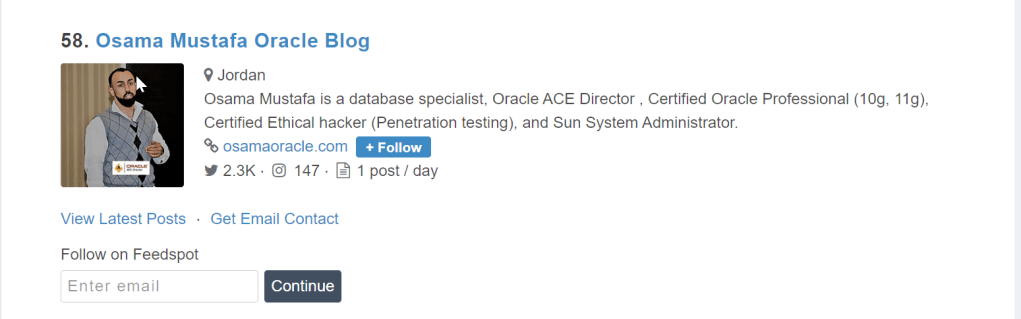
Another year – Top 100 Oracle Blogs and Website

The best Oracle blogs from thousands of blogs on the web ranked by traffic, social media followers, domain authority & freshness.

Happy to share that my blog has been choosen for another year as the Top 100 Blogs around the world, the list contains talened, experience and professional people 🎉🎉🎉

Thank you all for the support.

Cheers

Osama

New Cloud Project

The Idea of this project the following :

You need to develop and deploy a python app that writes a new file to S3 on every execution. These files need to be maintained only for 24h.

The content of the file is not important, but add the date and time as prefix for you files name.

The name of the buckets should be the following ones for QA and Staging respectively:

qa-FIRSTNAME-LASTNAME-platform-challenge

staging-FIRSTNAME-LASTNAME-platform-challenge

The app will be running as a docker container in a Kubernetes cluster every 5 minutes. There is a Namespace for QA and a different Namespace for Staging in the cluster. You don’t need to provide tests but you need to be sure the app will work.

Github HERE

Cheers

Osama

 APAC Groundbreakers Virtual Tour 2021

I will have two presentation about the DevOps

  • Database Automation, Is this even possible ?
  • Kuberenetes in Depth but in simple way

You can register here

The hashtag in use is #APACGBT2021

Enjoy

Cheers

Oracle Database 19c SIG November Meeting

About Quest’s product communities

Quest Oracle Community, HD Png Download , Transparent Png Image - PNGitem

Quest Oracle Community is home to 25,000+ users of JD Edwards, PeopleSoft, Oracle Cloud apps and Oracle Database products. We connect Oracle users to technology leaders and Oracle experts from companies who are driving innovation and leading through their use of Oracle products.

The Quest Oracle Community is dedicated to helping Oracle users develop skills and expand knowledge by connecting with other Oracle users and experts for education and networking.

I will present about the automation

You can register for the event from here

Thank you

AWS VPC Peering

A VPC peering connection is a networking connection between two VPCs that lets you route traffic between them privately.

Benefits of VPC peering

A VPC peering connection is highly available. This is because it is neither a gateway nor a VPN connection and does not rely on a separate piece of physical hardware. There is no bandwidth bottleneck or single point of failure for communication. A VPC peering connection helps to facilitate the transfer of data. 

You can establish peering relationships between VPCs across different AWS Regions. This is called inter-Region VPC peering. It permits VPC resources that run in different AWS Regions to communicate securely with each other. Examples of these resources include EC2 instances, Amazon Relational Database Service (Amazon RDS) databases, and AWS Lambda functions. This communication is accomplished using private IP addresses, without requiring gateways, VPN connections, or separate network appliances. All inter-Region traffic is encrypted with no single point of failure or bandwidth bottleneck. Traffic always stays on the global AWS backbone and never traverses the public internet, which reduces threats such as common exploits and distributed denial of service (DDoS) attacks. Inter-Region VPC peering provides an uncomplicated and cost-effective way to share resources between Regions or replicate data for geographic redundancy.

You can also create a VPC connection between VPCs in different AWS accounts.

why you would set up a VPC peering connection

Full sharing of resources between all VPCs

Your organization has company services distributed across four VPCs and a single VPC dedicated to centralized IT services and logging. To facilitate data sharing, the IT department constructed a fully mesh network design using VPC peering to connect each VPC to every other VPC in the organization.

Each VPC must have a one-to-one connection with each VPC it is approved to communicate with. This is because each VPC peering connection is nontransitive in nature and does not allow network traffic to pass from one peering connection to another.

For example, VPC 1 is peered with VPC 2, and VPC 2 is peered with VPC 4. You cannot route packets from VPC 1 to VPC 4 through VPC 2. To route packets directly between VPC 1 and VPC 4, you can create a separate VPC peering connection between them.

Partial sharing of centralized resources

Your organization’s IT department maintains a central VPC for file sharing. Multiple VPCs require access to this resource but do not need to send traffic to each other. A peering connection is established to connect the VPCs solely to this resource.

Non-valid peering configurations

Overlapping CIDR blocks

You cannot create a VPC peering connection between VPCs with matching or overlapping IPv4 Classless Inter-Domain Routing (CIDR) blocks. This limitation also applies to VPCs that have nonoverlapping IPv6 CIDR blocks. You cannot create a VPC peering connection if the VPCs have matching or overlapping IPv4 CIDR blocks. This applies even if you intend to use the VPC peering connection for IPv6 communication only.

Transitive peering

You have a VPC peering connection between VPC A and VPC B, and between VPC A and VPC C. There is no VPC peering connection between VPC B and VPC C. You cannot route packets directly from VPC B to VPC C through VPC A.

Edge-to-edge routing through a gateway or private connection

If either VPC in a peering relationship has one of the following connections, you cannot extend the peering relationship to that connection:

  • A VPN connection or a Direct Connect connection to a corporate network
  • An internet connection through an internet gateway
  • An internet connection in a private subnet through a NAT device
  • A gateway VPC endpoint to an AWS service, for example, an endpoint to Amazon S3

Cheers 🥂

Osama