Adopting NON-CDB to CBD

This article describe steps to Adopt non-container database 12c to container 12c 

[oracle@test12c Desktop]$ ps -ef | grep pmon

oracle    3230     1  0 04:04 ?        00:00:09 ora_pmon_db12c
oracle   12112     1  0 08:20 ?        00:00:07 ora_pmon_NonCDB
oracle   29621  3203  0 18:47 pts/1    00:00:00 grep pmon

Where :
db12c : Container database
NonCDB : Non Container Database
Let Start

[oracle@test12c Desktop]$ export ORACLE_SID=NonCDB

SQL> select instance_name from v$instance ;
INSTANCE_NAME
—————-
NonCDB

SQL> shutdown immediate ;
Database closed.
Database dismounted.
ORACLE instance shut down.

SQL> startup mount exclusive
ORACLE instance started.
Total System Global Area  939495424 bytes
Fixed Size    2295080 bytes
Variable Size  348130008 bytes
Database Buffers  583008256 bytes
Redo Buffers    6062080 bytes
Database mounted.

SQL> alter database open read only;

Database altered.

Run the below procedure to generate the manifest file. 

SQL> exec dbms_pdb.describe(pdb_descr_file=>’/u01/noncdb.xml’);

PL/SQL procedure successfully completed.

SQL> shutdown immediate ;
Database closed.
Database dismounted.
ORACLE instance shut down.

 I already working on the same host so no need to copy datafiles,if you are not working on same host copy datafiles to same location.

Let’s Work On Container Database .

after copy datafiles to folder, On Os Level , Create directory to use file_name_convert.

[oracle@test12c oradata]$ mkdir newnoncdb
[oracle@test12c newnoncdb]$ pwd
/u01/app/oracle/oradata/newnoncdb

[oracle@test12c Desktop]$ export ORACLE_SID=db12c
[oracle@test12c Desktop]$ sqlplus / as sysdba


SQL> create pluggable database non_cdb as clone
  2  using ‘/u01/noncdb.xml’
  3  file_name_convert=(‘/u01/app/oracle/oradata/NonCDB’,’/u01/app/oracle/oradata/newnoncdb’) copy;

Pluggable database created.

 Where

  1.  using ‘/u01/noncdb.xml’ : file that should be generated using dbms_pdb.describe
  2. ‘/u01/app/oracle/oradata/NonCDB’ : location for Copied Non_CDB datafile
  3. ,’/u01/app/oracle/oradata/newnoncdb’ : location for created directory.

SQL> alter pluggable database non_cdb open ;        
Pluggable database altered.

SQL> alter pluggable database non_cdb close ;
Pluggable database altered.

SQL> alter pluggable database non_cdb open ;
Pluggable database altered.

NAME       OPEN_MODE
—————————— ———-
PDB$SEED       READ ONLY
NEWDB_PLUG MOUNTED
NEW_PLUG_COPY MOUNTED
NEW_PLUG_MOVE MOUNTED
NON_CDB       READ WRITE

Now you plugged NON-CDB to Container Database successfully without any problems and it will works fine.
the below step is optional but recommanded for production to move all thing from non-cdb to cdb. ( specially for upgrade 12c later ) 

SQL> alter session set container=Non_cdb;
Session altered.

OR 

[oracle@test12c newnoncdb2]$ sqlplus sys/sys@test12c:1521/Non_cdb as sysdba  ;

SQL> @$ORACLE_HOME/rdbms/admin/noncdb_to_pdb.sql   

Thank you
Osama Mustafa

Pluggable Database Part (3)

Since Pluggable Database is New Topic to post about , I Cannot post Everything in One Post so i decide to do it as tutorial and this one part (3) , every Topics uploaded Here on my blog or on my Account on Shareslide here.

In This topic :

  • How to unplug database.
  • Plugging Database to another Container Database.
Let’s Start :

SQL> select name, con_id from v$active_services ;

NAME          CON_ID
——————————— ———-
new2   4
new   3

db12cXDB   1
db12c   1
SYS$BACKGROUND   1
SYS$USERS   1

as you see i already create two pluggable database new,new2 and now :

SQL> alter pluggable database new close immediate ;

Pluggable database altered.

SQL> alter pluggable database new2 close immediate ;

Pluggable database altered.

Unplug database included with xml file :

SQL> alter pluggable database new unplug into ‘/u01/app/oracle/oradata/new.xml’;Pluggable database altered.

SQL> alter pluggable database new2 unplug into ‘/u01/app/oracle/oradata/new_2.xml’;Pluggable database altered.

Drop Database :

SQL> drop pluggable database new keep datafiles ;Pluggable database dropped.

SQL> drop pluggable database new2 keep datafiles ;Pluggable database dropped.

make sure you drop database :

SQL> select pdb_name, status from cdb_pdbs ;

PDB_NAME STATUS
———– ————-
PDB$SEED NORMAL

 Before Plug Database to any Container you need to make sure from compatibility , there’s PL/SQL code written by Oracle to check compatibility.

SQL > DECLARE
   compatible BOOLEAN := FALSE;
BEGIN
   compatible := DBMS_PDB.CHECK_PLUG_COMPATIBILITY(
        pdb_descr_file => ‘/u01/app/oracle/oradata/new.xml’);
   if compatible then
      DBMS_OUTPUT.PUT_LINE(‘Is pluggable PDB1 compatible? YES’);
   else DBMS_OUTPUT.PUT_LINE(‘Is pluggable PDB1 compatible? NO’);
   end if;
END;
/
Is pluggable PDB1 compatible? YES
PL/SQL procedure successfully completed.

 The Same will be for new2.xml

Now Let’s Create Database Using With Two Way :

SQL> create pluggable database newdb_plug using ‘/u01/app/oracle/oradata/new.xml’ nocopy tempfile reuse ;

Pluggable database created.

SQL> select pdb_name, status from cdb_pdbs; 

PDB_NAME STATUS
—————— ————-
NEWDB_PLUG NEW
PDB$SEED NORMAL 

 Another method to plug database :

SQL> create pluggable database new_plug_copy using ‘/u01/app/oracle/oradata/new_2.xml’
  2  copy
  3  FILE_NAME_CONVERT=(‘/u01/app/oracle/oradata/New2′,’/u01/app/oracle/oradata/new_plug_copy’);

Pluggable database created.

SQL> select name,open_mode from v$pdbs;

NAME       OPEN_MODE
—————————— ———-
PDB$SEED       READ ONLY
NEWDB_PLUG         MOUNTED
NEW_PLUG_COPY MOUNTED

 Therefore 

  • Copy Clause : 
    • if you want the files listed in the XML file to be copied to the new location and used for the new PDB.
  • Nocopy Clause
    • if you want the files for the PDB to remain in their current locations.
But what if i want to move all datafiles and create new pluggable database,oracle 12c provide you with new clause to do this which is “move” check below :
SQL> create pluggable database new_plug_move using ‘/u01/app/oracle/oradata/new_2.xml’
  2  move
  3  FILE_NAME_CONVERT=(‘/u01/app/oracle/oradata/New2′,’/u01/app/oracle/oradata/move’);
create pluggable database new_plug_move using ‘/u01/app/oracle/oradata/new_2.xml’
*
ERROR at line 1:
ORA-65122: Pluggable database GUID conflicts with the GUID of an existing container.

The above error is normal because i already create  pluggable database using new_2.xml to solve it

SQL> create pluggable database new_plug_move as clone using ‘/u01/app/oracle/oradata/new_2.xml’
  2  move
  3  FILE_NAME_CONVERT=(‘/u01/app/oracle/oradata/New2′,’/u01/app/oracle/oradata/move’);

Pluggable database created.

SQL> select pdb_name, status from cdb_pdbs;

PDB_NAME STATUS
——————- ————-
NEWDB_PLUG NEW
PDB$SEED NORMAL
NEW_PLUG_COPY NEW
NEW_PLUG_MOVE NEW

You can open any database now and work on them.
This article uploaded to Slide Share here.

Reference
1-Oracle Documentation here

Thank you
Osama Mustafa

Pluggable Database Tutorial (12c) Part 2

In my Part 1 Tutorial for how to deal with Pluggable database 12c I mentioned how to use pluggable database , How to create pluggable database , how to create tablespace , and how to open/close pluggable database .

Please check the Part ( 1 ) before continue reading this article here.

Welcome to Pluggable database Part 2 

  • Rename Pluggable Database 
  • Manage Pluggable database
  • Drop Pluggable database
  • Security In Pluggable database


SQL> select name, con_id from v$active_services order by 1;

NAME     CON_ID
—————————– ———-
TEST  3

as you see in the above query, I already created pluggable database called test. and it’s in Read write Mode.
Rename Pluggable database 

SQL> alter pluggable database TEST close immediate ;Pluggable database altered.

SQL> alter pluggable database TEST open restricted ;Pluggable database altered.

SQL> select name, open_mode from v$pdbs;

NAME                OPEN_MODE
—————————— ———-
TEST       READ WRITE

SQL> alter pluggable database TEST rename global_name to new ;Pluggable database altered.

SQL> select name, con_id from v$active_services order by 1;

NAME      CON_ID
————————————— ———-
new   3

if you are not connected to pluggable database or set session container then you will recicve error message  

ORA-65046: operation not allowed from outside a pluggable 

SQL> alter pluggable database new close immediate ;Pluggable database altered.

SQL> alter pluggable database new open ;Pluggable database altered.

Manage Pluggable Database

Back to root container using / as sysdba like below :

SQL> conn / as sysdba
Connected.

SQL> select name, con_id from v$active_services order by 1;NAME     CON_ID
————————————————— ———-
SYS$BACKGROUND   1
SYS$USERS  1
db12c  1
db12cXDB  1
new           3

We Control which list for for tablespace & datafiles by using con_id.

  • List tablespace in root container 

SQL> select tablespace_name, con_id from cdb_tablespaces where con_id=1; 

TABLESPACE_NAME       CON_ID
—————————— ———-
SYSTEM 1
SYSAUX 1
UNDOTBS1 1
TEMP 1
USERS 1
CDATA 1

  • List Database In root Container 

 SQL> select file_name, con_id from cdb_data_files where con_id=1;

FILE_NAME CON_ID
————————————————————————— ———-
/u01/app/oracle/oradata/db12c/users01.dbf      1
/u01/app/oracle/oradata/db12c/undotbs01.dbf      1
/u01/app/oracle/oradata/db12c/sysaux01.dbf      1
/u01/app/oracle/oradata/db12c/system01.dbf      1
/u01/app/oracle/oradata/db12c/gls/test.dbf      1

  • Temp Tablespace  in root container 

SQL> select file_name, con_id from cdb_temp_files where con_id=1; 

FILE_NAME CON_ID
—————————————————————————– ———-
/u01/app/oracle/oradata/db12c/temp01.dbf      1

  • Create Tablespace  ( already mentioned in Part (1)) 

SQL> create tablespace test datafile ‘/u01/app/oracle/oradata/db12c/gls/test03.dbf’ size 20M; Tablespace created.

SQL> select tablespace_name, con_id from cdb_tablespaces order by con_id;

TABLESPACE_NAME   CON_ID
—————————— ———-
SYSTEM 1
TEST 1
CDATA 1
SYSAUX 1
TEMP 1
UNDOTBS1 1
USERS 1
SYSAUX 2
TEMP 2
SYSTEM 2
TEMP 3
SYSAUX 3
PDB_TEST 3
SYSTEM 3
14 rows selected.

  •  Create temp tablespace 

SQL> create temporary tablespace temp_test tempfile ‘/u01/app/oracle/oradata/db12c/gls/temp_test.dbf’ size 20M ;
Tablespace created.

SQL> select file_name, con_id from cdb_temp_files where con_id=1;

FILE_NAME CON_ID
————————————————————————— ———-
/u01/app/oracle/oradata/db12c/temp01.dbf      1
/u01/app/oracle/oradata/db12c/gls/temp_test.dbf      1

The Same Steps in root container for create tablespace and temp tablespace for pluggable database.
Security In Pluggable Database

In This Section we will discuss how to manage Users, roles and privileges.
before Demonstration you need to know what is the difference between two users  type :
  • Common  : when you create this kind of users in root it’s automatically replicated in all Pluggable database.
  • Local : this kind of users only created on pluggable database that you are connected to it now. and dose not effect on others pluggable database.
To Create Common Users you need to be connected to root container.

SQL> conn / as sysdba
Connected.

SQL> create user c##osama identified by osama ;User created.

SQL> select username, common, con_id from cdb_users where username like ‘C##%’;

USERNAME COM CON_ID
———————————— — ———-
C##TEST YES      1
C##OSAMA YES      1
C##TEST YES      3
C##OSAMA YES      3

SQL> grant create session to c##osama ;Grant succeeded.

SQL> conn c##osama/osama@test12c:1521/db12c ;
Connected.

Let’s connect to pluggable database :

The user i will created it here will not appear in root container.

SQL> conn sys/sys@test12c:1521/new as sysdba
Connected.

SQL> create user test identified by test ;User created.

SQL> grant create session to test ;Grant succeeded.

 SQL> select username, common, con_id  from cdb_users where username =’TEST’;

USERNAME      COM CON_ID
—————— ———-
TEST  NO      3

 SQL> conn test/test@test12c:1521/new ;
Connected.

 Same rules and conditions applied on Roles if you created in Root Container it will be replicated to pluggable database, on other hand if you created in Pluggable database it will be local without effecting Container.

Let’s connect to Root Container

SQL> conn / as sysdba
Connected.

SQL> create role c##root_role ;Role created.

SQL> select role, common, con_id from cdb_roles where role=’C##ROOT_ROLE’;

ROLE  COM CON_ID
——————— — ———-
C##ROOT_ROLE  YES      1
C##ROOT_ROLE  YES      3

SQL> conn sys/sys@test12c:1521/new as sysdba
Connected.

SQL> create role test2;Role created.

 SQL> select role, common, con_id from cdb_roles where role=’TEST2′;

ROLE COM CON_ID
—————- — ———-
TEST2 NO      3

SQL> create role hr container=all ;
create role hr container=all
*
ERROR at line 1:
ORA-65050: Common DDLs only allowed in CDB$ROOT

SQL> create user hr identified by hr container=all ;
create user hr identified by hr container=all
                             *
ERROR at line 1:
ORA-65050: Common DDLs only allowed in CDB$ROOT

—> you cannot create a common role inside a PDB.
Check user privileges :

SQL> select grantee, privilege, common, con_id from cdb_sys_privs
where privilege=’CREATE SESSION’ and grantee=’TEST’; 

GRANTEE PRIVILEGE  COM  CON_ID
————– —————————————
TEST CREATE SESSION  NO       3

Drop Pluggable Database

SQL > drop pluggable database new  including datafiles;
Pluugable database dropped.

This document also available on slidshare here

Thank you
Osama mustafa 

TEMP UNDO TABLESPACE : Another 12C Feature

Testing is not finished yet , Everyday working on database 12C  , Lot Of New Features , TEMP_UNDO_TABLESPACE one of these new features, In older Oracle Versions Temp Tables are stored in Undo Tablespace, But now with #DB12c you can enable Parameter TEMP_UNDO_TABLESPACE by Default this parameter set to FALSE But in Dataguard 12c  this parameter is set to TRUE by default.

The Benefit of Using Temp Undo Tablespace :

  • reduce the amount of using undo tablespace
  • in this case performance improved because less data will be written on redolog.
  • Temp Undo Tablespace support DML 

SQL> show parameter TEMP_UNDO_ENABLED;

NAME     TYPE VALUE
———————————— ———– ——-
temp_undo_enabled     boolean FALSE

You Don’t have to reset Database to Enable this Parameter because it’s working on Session level 

SQL> alter session set temp_undo_enabled=TRUE   ;
Session altered.

also you set this parameter on database level :

SQL> alter system set temp_undo_enabled=true;
System altered.

SQL> show parameter temp_undo_enabled ;

NAME     TYPE VALUE
———————————— ———– ——-
temp_undo_enabled     boolean TRUE
 

View Related to temp undo tablespace :

SQL> desc V$TEMPUNDOSTAT;
 Name   Null?    Type
 —————————————– ——– —————————-
 BEGIN_TIME    DATE
 END_TIME             DATE
 UNDOTSN             NUMBER
 TXNCOUNT             NUMBER
 MAXCONCURRENCY     NUMBER
 MAXQUERYLEN    NUMBER
 MAXQUERYID    VARCHAR2(13)
 UNDOBLKCNT    NUMBER
 EXTCNT             NUMBER
 USCOUNT             NUMBER
 SSOLDERRCNT    NUMBER
 NOSPACEERRCNT     NUMBER
 CON_ID             NUMBER

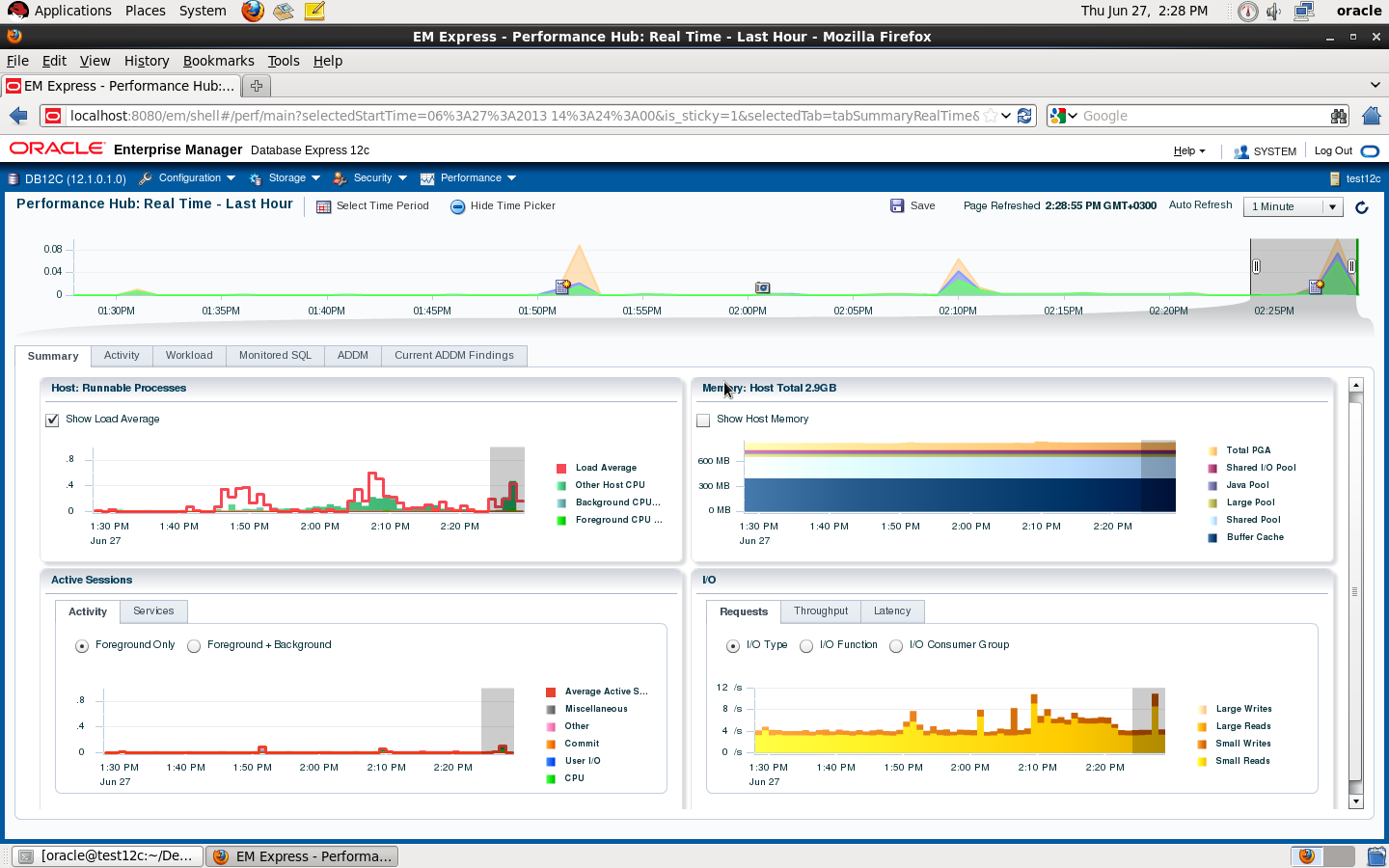
Enterprise manager Performance Hub (Real Time) 12c

Enterprise manager express is 

SQL> drop user osama cascade ;
User dropped.

SQL> create user osama identified by osama;
User created.

SQL> grant select any table to osama;
Grant succeeded.

SQL> grant select any dictionary to osama ;
Grant succeeded.

SQL> grant create session to osama;
Grant succeeded.

SQL> conn osama/osama ;
Connected.

SQL> EXEC  DBMS_SQL_MONITOR.BEGIN_OPERATION (‘My_First_JOB’, forced_tracking => ‘Y’);
BEGIN DBMS_SQL_MONITOR.BEGIN_OPERATION (‘My_First_JOB’, forced_tracking => ‘Y’); END;
      *
ERROR at line 1:
ORA-06550: line 1, column 7:
PLS-00221: ‘BEGIN_OPERATION’ is not a procedure or is undefined
ORA-06550: line 1, column 7:
PL/SQL: Statement ignored

to avoid this error :

SQL> VAR myjob_id NUMBER;

SQL> EXEC :myjob_id := DBMS_SQL_MONITOR.BEGIN_OPERATION (‘My_First_JOB’, forced_tracking => ‘Y’)

PL/SQL procedure successfully completed.

Where 
myjob_id : variable
My_first_Job : Job name.

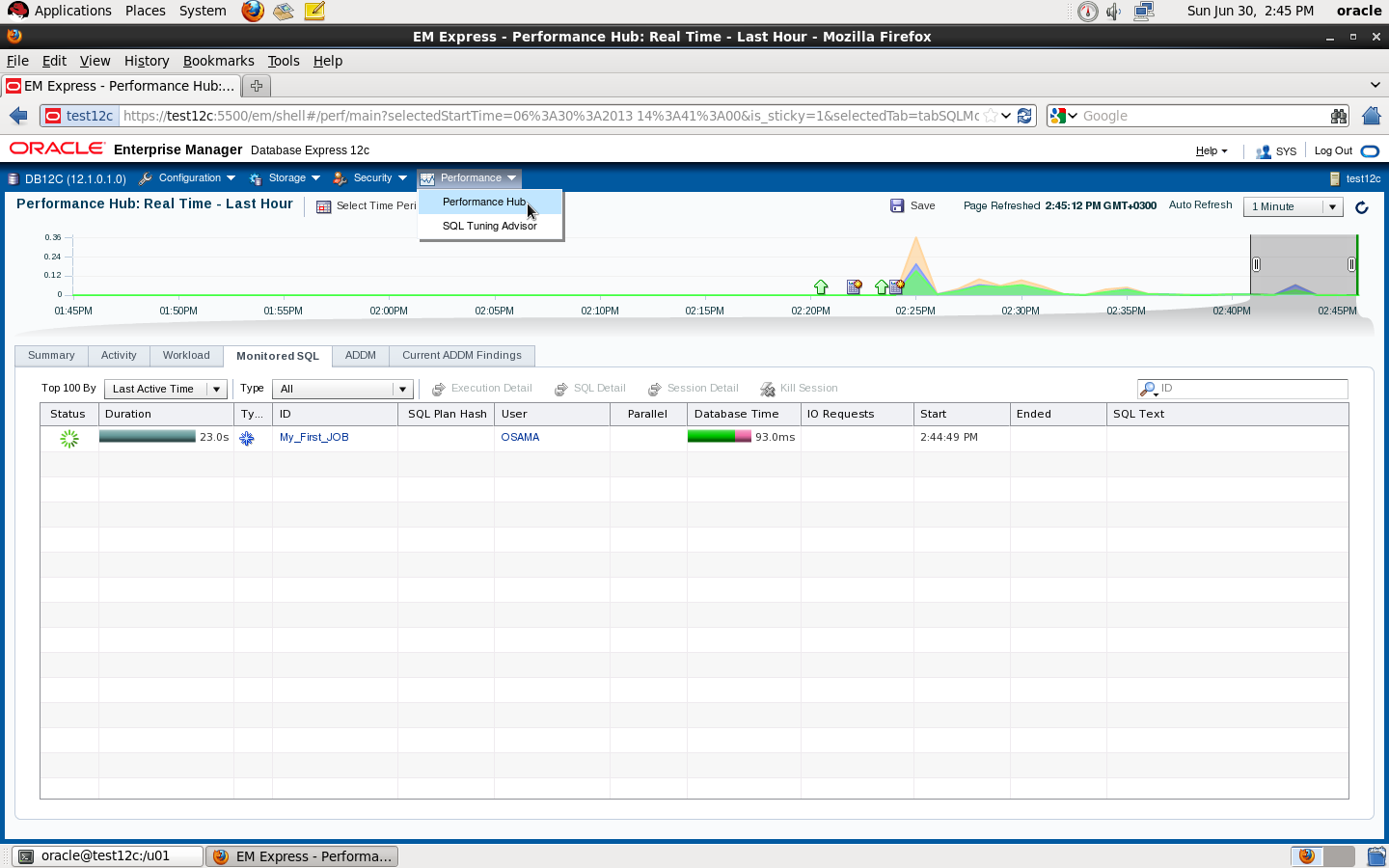
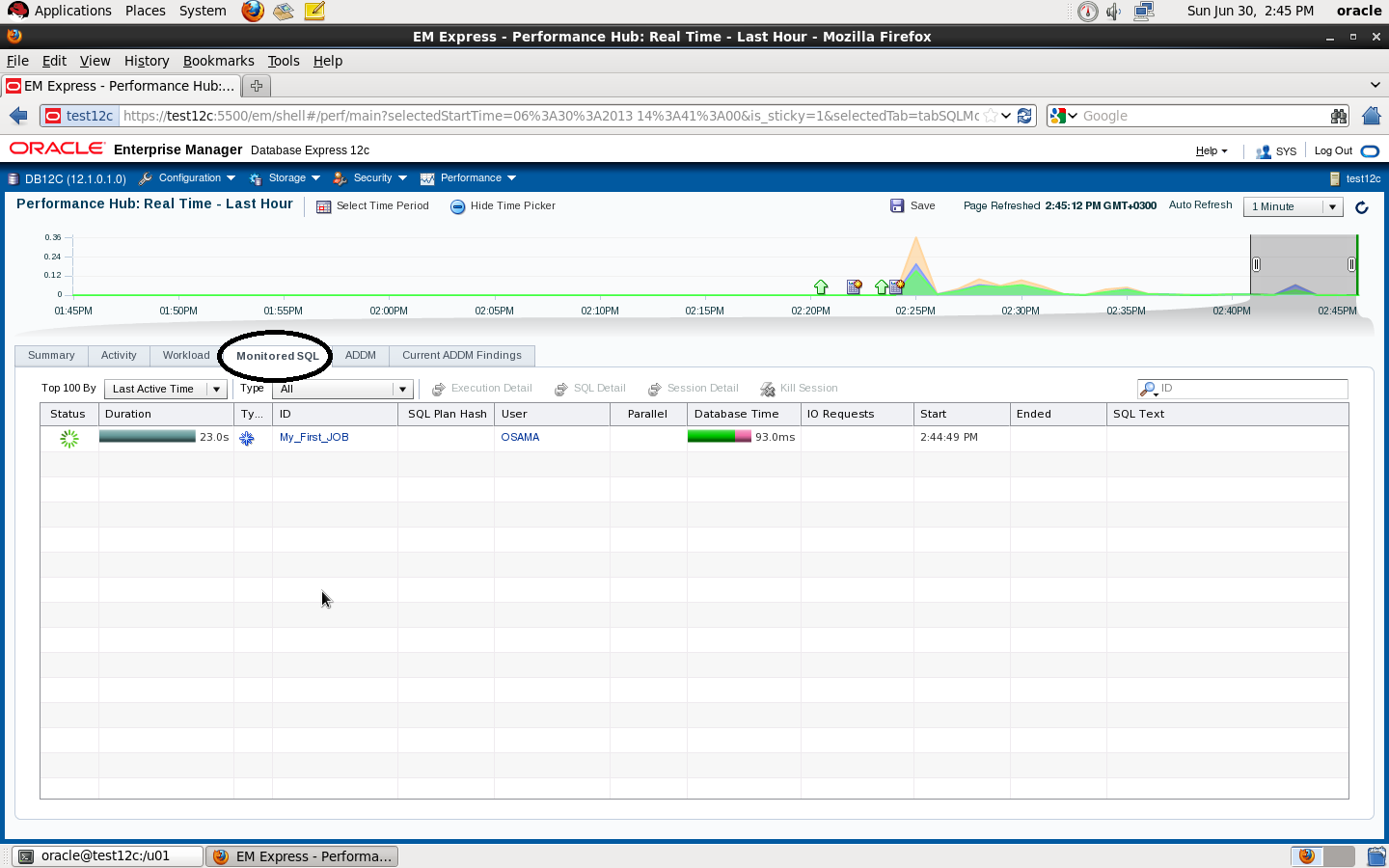
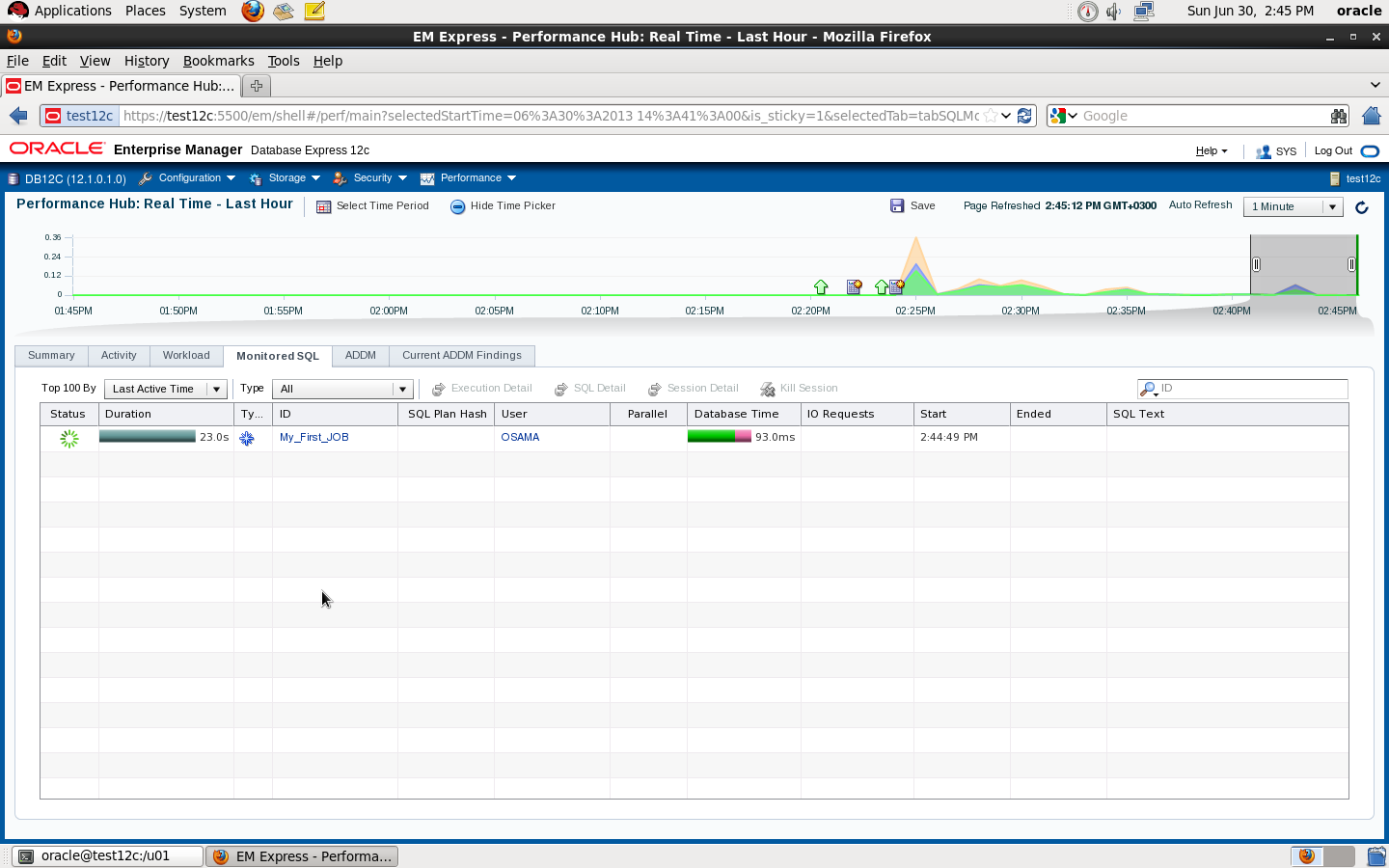
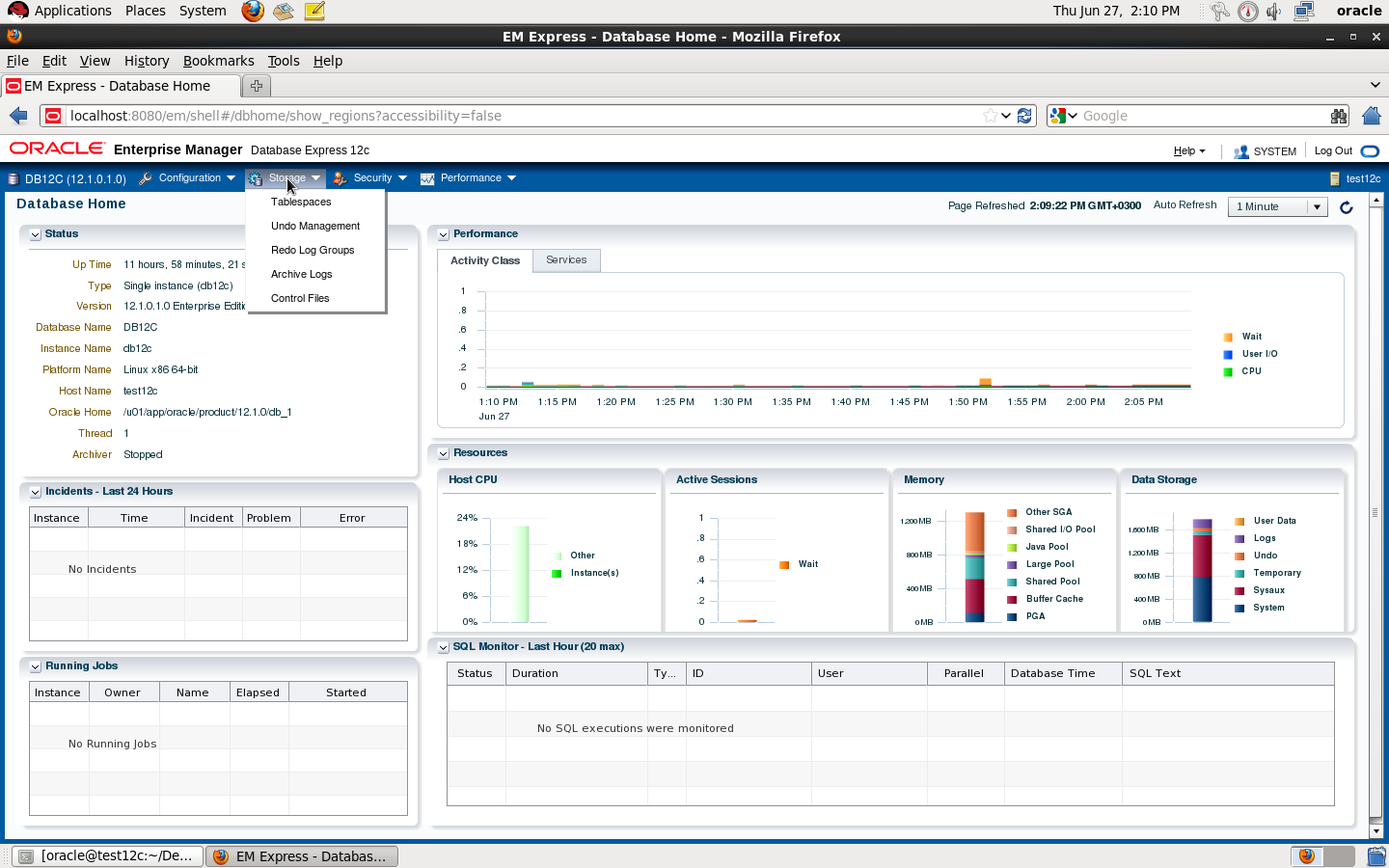
Now Check Enterprise manager express Page : 

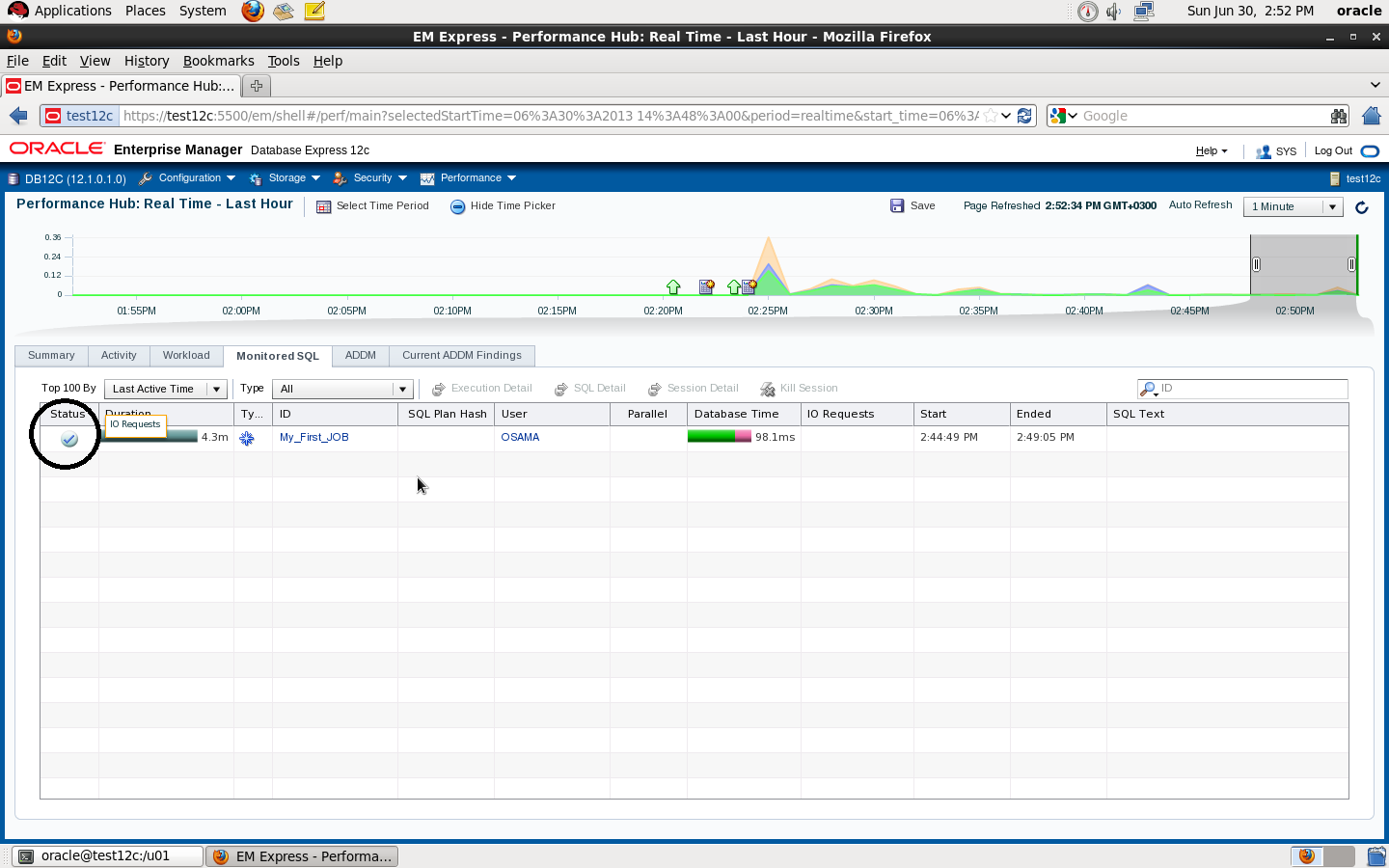
if you check the second picture you will see if you don’t stop the sql_monitor the Job will still running

SQL> EXEC DBMS_SQL_MONITOR.END_OPERATION(‘My_First_JOB’, :myjob_id) ;
PL/SQL procedure successfully completed.

Thank you 
Osama Mustafa

12c Auditing Tutorial

SQL*Plus: Release 12.1.0.1.0 Production on Fri Jun 28 17:07:52 2013
Copyright (c) 1982, 2013, Oracle.  All rights reserved.

Connected to:
Oracle Database 12c Enterprise Edition Release 12.1.0.1.0 – 64bit Production
With the Partitioning, OLAP, Advanced Analytics, Real Application Testing
and Unified Auditing options

New Auditing came with oracle 12c called Unified Auditing which is ” enables selective and effective auditing inside the Oracle database using policies and conditions. The new policy based syntax simplifies management of auditing within the database and provides the ability to accelerate auditing based on conditions. For example, audit policies can be configured to audit based on specific IP addresses, programs, time periods, or connection types such as proxy authentication. In addition, specific schemas can be easily exempted from auditing when the audit policy is enabled.”

You can check here.

regarding to oracle Documentation with this kind of new audit you can capture :

  • Audit records (including SYS audit records) from unified audit policies and AUDIT settings

  • Fine-grained audit records from the DBMS_FGA PL/SQL package
  • Oracle Database Real Application Security audit records
  • Oracle Recovery Manager audit records
  • Oracle Database Vault audit records
  • Oracle Label Security audit records
  • Oracle Data Mining records
  • Oracle Data Pump
  • Oracle SQL*Loader Direct Load

For More Information Read Oracle Documentation Here

With Show parameter auditing you will not see value for unified auditing

SQL> show parameter audit ;
NAME     TYPE VALUE
———————————— ———– ——————————
audit_file_dest              string          /u01/app/oracle/admin/db12c/adump
audit_sys_operations     boolean FALSE
audit_syslog_level     string
audit_trail               string          DB
unified_audit_sga_queue_siz    integer 1048576

To check Value you need to see v$option table 

select value from v$option where PARAMETER = ‘Unified Auditing’;
PARAMETER VALUE
—————————————————————-
Unified Auditing FALSE

if you set this parameter to OS level, check $ORACLE_BASE/audit which the new folder to save all the information , when you create database , oracle uses new feature for auditing called Mixed mode from the name you can see there’s more than one auditing in this mode , One : old mode that we already know in oracle 10g,11g  and new mode that called unified auditing.
Auditing Traditional way can be control using AUDIT_TRAIL parameter , the new Way can be determine using Audit Policy called  ORA_SECURECONFIG ( Policy create already in database ) and to enable Unified audit you have to enable at least one policy. Only sysdba can do that or someone have two role AUDIT_ADMIN,AUDIT_VIEWER. i mention before on my blog for 12c new feature how to use audit policy and enable,disable and drop them.
This is only small section for what ORA_SECURECONFIG contain and what can audit :

select POLICY_NAME, AUDIT_OPTION from   AUDIT_UNIFIED_POLICIES where  policy_name =  ‘ORA_SECURECONFIG’  order by 2 ;

POLICY_NAME     AUDIT_OPTION
——————– —————————————-
ORA_SECURECONFIG     ADMINISTER KEY MANAGEMENT
ORA_SECURECONFIG     ALTER ANY PROCEDURE
ORA_SECURECONFIG     ALTER ANY SQL TRANSLATION PROFILE
ORA_SECURECONFIG     ALTER ANY TABLE
ORA_SECURECONFIG     ALTER DATABASE
ORA_SECURECONFIG     ALTER DATABASE LINK
ORA_SECURECONFIG     ALTER PLUGGABLE DATABASE
ORA_SECURECONFIG     ALTER PROFILE
ORA_SECURECONFIG     ALTER ROLE
ORA_SECURECONFIG     ALTER SYSTEM
ORA_SECURECONFIG     ALTER USER
ORA_SECURECONFIG     AUDIT SYSTEM
ORA_SECURECONFIG     CREATE ANY JOB
ORA_SECURECONFIG     CREATE ANY LIBRARY
ORA_SECURECONFIG     CREATE ANY PROCEDURE
ORA_SECURECONFIG     CREATE ANY SQL TRANSLATION PROFILE
ORA_SECURECONFIG     CREATE ANY TABLE
ORA_SECURECONFIG     CREATE DATABASE LINK
ORA_SECURECONFIG     CREATE DIRECTORY
ORA_SECURECONFIG     CREATE EXTERNAL JOB
ORA_SECURECONFIG     CREATE PLUGGABLE DATABASE
ORA_SECURECONFIG     CREATE PROFILE
ORA_SECURECONFIG     CREATE PUBLIC SYNONYM
ORA_SECURECONFIG     CREATE ROLE
ORA_SECURECONFIG     CREATE SQL TRANSLATION PROFIL

Check if this Audit Policy set as default for Database :

SQL> select POLICY_NAME from   AUDIT_UNIFIED_ENABLED_POLICIES where  policy_name = ‘ORA_SECURECONFIG’;

POLICY_NAME
——————–
ORA_SECURECONFIG

Check this to see by default oracle 12c enable audit which is very useful :

select action_name, dbusername from unified_audit_trail where dbusername=’OSAMA’

ACTION_NAME     DBUSERNAME
——————– ——————–
SELECT     OSAMA
SELECT     OSAMA
SELECT     OSAMA
SELECT     OSAMA
SELECT     OSAMA
SELECT     OSAMA
SELECT     OSAMA
SELECT     OSAMA
UPDATE     OSAMA
LOGON     OSAMA
LOGON     OSAMA
LOGON     OSAMA
LOGON     OSAMA
LOGOFF     OSAMA
LOGOFF     OSAMA
LOGOFF     OSAMA
LOGOFF     OSAMA
LOGOFF     OSAMA
LOGOFF     OSAMA

Unified Contain new features to monitor RMAN command , Expdp,impdp and other new features but to enable it ( set value to true ) you have to relink oracle lib after shutdown all services using the below command , cd $ORACLE_HOME/rdbms/lib and fire :

make -f ins_rdbms.mk uniaud_on ioracle

SQL> select value from v$option where PARAMETER = ‘Unified Auditing’;

VALUE
———-
TRUE

Let’s Test Some New Features and Audit RMAN :

SQL> create audit policy expdp_aduit actions component=datapump export;
Audit policy created.

SQL> audit policy expdp_aduit;
Audit succeeded.

Check if our audit policy is enabled :

select * from AUDIT_UNIFIED_ENABLED_POLICIES where POLICY_NAME like ‘%EXPDP%’;

USER_NAME  POLICY_NAM ENABLED_ SUC FAI
———- ———- ——– — —
ALL USERS  EXPDP_AUDIT     BY       YES YES

 Make sure you create directory , Grant privileges on this directory and run expdp command ( system user )

[oracle@test12c dump]$ expdp directory=dump logfile=audit.log dumpfile=osama_schema schemas=osama

this transaction will exists on memory until background process flash it to disks , so before check the tables i will execute package that ensure to do this immediately ( no waiting )

SQL> EXEC SYS.DBMS_AUDIT_MGMT.FLUSH_UNIFIED_AUDIT_TRAIL;
PL/SQL procedure successfully completed.

check the user who make expdp

SQL> select DBUSERNAME, DP_TEXT_PARAMETERS1, DP_BOOLEAN_PARAMETERS1
from   UNIFIED_AUDIT_TRAIL
where  DP_TEXT_PARAMETERS1 is not null;  

SYSTEM
MASTER TABLE:  “SYSTEM”.”SYS_EXPORT_SCHEMA_01″ , JOB_TYPE: EXPORT, METADATA_JOB_
MODE: SCHEMA_EXPORT, JOB VERSION: 12.1.0.0.0, ACCESS METHOD: AUTOMATIC, DATA OPT
IONS: 0, DUMPER DIRECTORY: NULL  REMOTE LINK: NULL, TABLE EXISTS: NULL, PARTITIO
N OPTIONS: NONE
MASTER_ONLY: FALSE, DATA_ONLY: FALSE, METADATA_ONLY: FALSE, DUMPFILE_PRESENT: TR
UE, JOB_RESTARTED: FALSE

For test case , i remove users tablespace from os after take backup using rman ( database should be in archive mode ) , by default Audit For RMAN is enable no need to do anything ,like the following :

RMAN > backup tablespace users ;

On OS Level :

rm /u01/app/oracle/oradata/db12c/users01.dbf

Back to RMAN :

RMAN> alter tablespace users offline immediate;
using target database control file instead of recovery catalog
Statement processed

RMAN> restore tablespace USERS;
RMAN> alter tablespace users online;

Now Check Audit : 

SQL> select  DBUSERNAME, RMAN_OPERATION from    UNIFIED_AUDIT_TRAIL where   RMAN_OPERATION is not null; 

DBUSERNAME       RMAN_OPERATION
—————————— ——————–
SYS       Recover
SYS       Restore
SYS       Backup
SYS       Backup

Note : if nothing appear at audit table level re run 

exec SYS.DBMS_AUDIT_MGMT.FLUSH_UNIFIED_AUDIT_TRAIL

After finished test  :

SQL> noaudit POLICY EXPDP_AUDIT;
Noaudit succeeded.

SQL> select count(*) from unified_audit_trail;
  COUNT(*)
———-
      3334

You can clean your Audit Now Using Package Called : DBMS_AUDIT_MGMT.CLEAN_AUDIT_TRAIL
Thank you 
Osama mustafa

12c Oracle Support Document until now

Second day for 12c database since it was  officially published, There is no much offical document from oracle https://support.oracle.com until now. But i tried to collect as much as i can and share it here 

RMAN Enhancements in Oracle 12c [ID 1534487.1]
Master Note For Oracle Database 12c Release 1 (12.1) Database/Client Installation/Upgrade/Migration Standalone Environment (Non-RAC) [ID 1520299.1]

Oracle Database 12.1 : FAQ on Queryable Patch Inventory [ID 1530108.1]
Oracle Database 12c Release 1 (12.1) Upgrade New Features [ID 1515747.1]
Complete Checklist for Manual Upgrades to Oracle Database 12c Release 1 (12.1) [ID 1503653.1]
Changes For Oracle Database 12.1 Standalone Installation [ID 1483380.1]

Requirements for Installing Oracle Database 12.1 on Solaris 10 SPARC [ID 1517948.1]
Requirements for Installing Oracle Database 12.1 on RHEL6 or OL6 64-bit (x86-64) [ID 1529864.1]
Requirements for Installing Oracle Database 12.1 64-bit (AMD64/EM64T) on SLES 11 [ID 1519770.1]
How To Downgrade Oracle Database 12c Release 1 (12.1) To Previous Versions [ID 1516622.1]

How to Drop/Truncate Multiple Partitions in Oracle 12C [ID 1482264.1]
Oracle Database 12c Release 1 (12.1) DBUA : Understanding New Changes With All New 12.1 DBUA
[ID : NOTE:1493645.1]
RMAN RECOVER TABLE Feature New to Oracle Database 12c [ID 1521524.1]
How to Merge Multiple Partitions in Oracle 12C [ID 1482263.1]
How to Create Interval-Reference Partitioned Tables in Oracle 12c [ID 1519042.1]

Include to all above documents you can find all new features and document in one place, my friend Steve Karam on his blog (Click Here) collect all folks articles that has been posted about DB12c,  it’s really worth to take alook and share it.

Thank you
Osama mustafa


Enable Enterprise Express for Database 12c

Oracle Database 12c comes with new feature called Enterprise manager 12c express, this new enterprise manager control Database 12c using GUI , manager storage , performance , user, roles, accounts and others new features added , No command to start or shutdown EM 12c express by default when you start/shutdown database it will be up/down.

  • export ORACLE_SID
  • Make sure listener is up and database is registered.

sqlplus / as sysdba
SQL> show parameter dispatcher ;
NAME     TYPE VALUE
———————————— ———– ——————————
dispatchers     string (PROTOCOL=TCP) (SERVICE=db12cX
DB)

  • Configure HTTP PORT 

SQL> exec DBMS_XDB_CONFIG.setHTTPPort (8080);

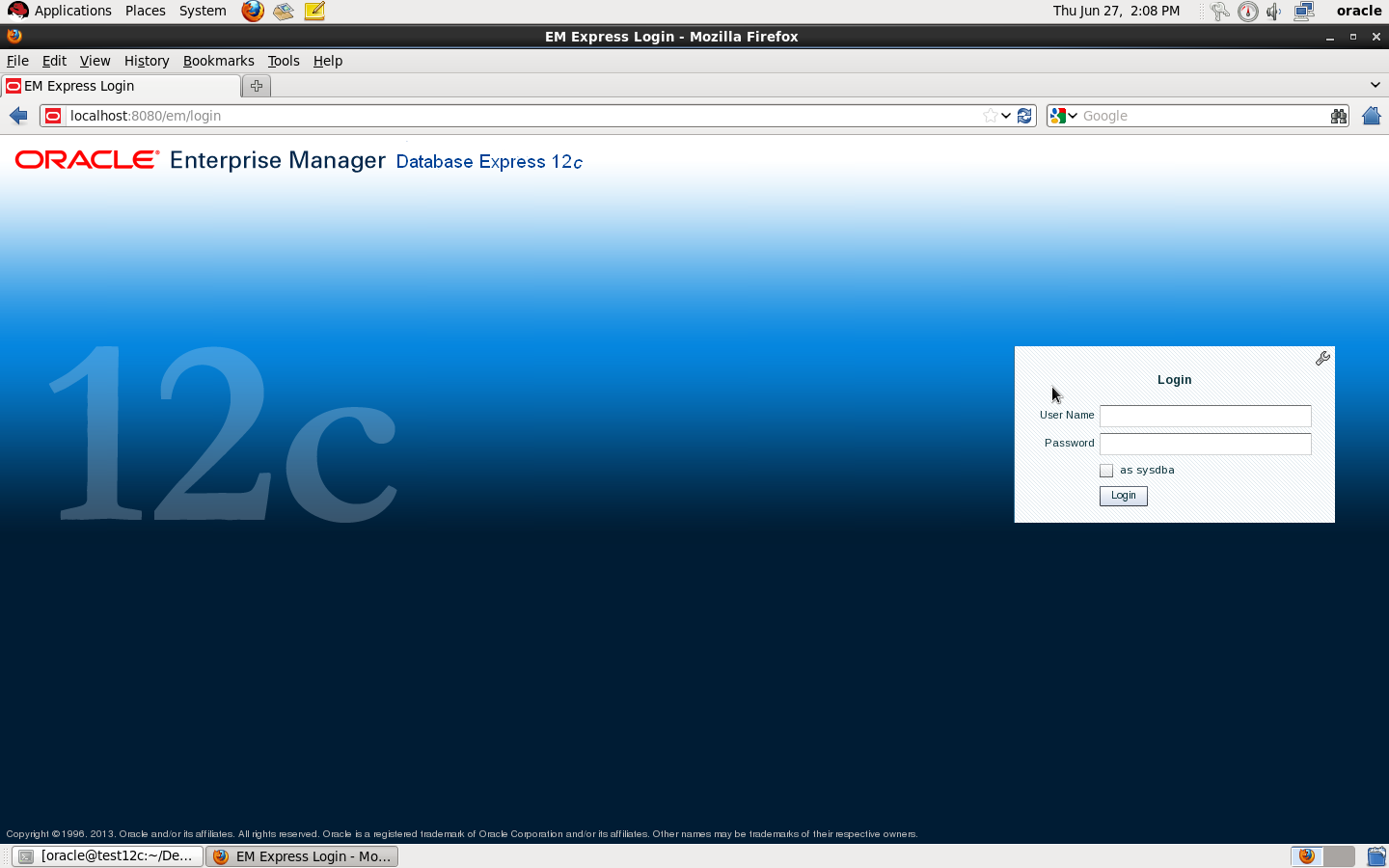
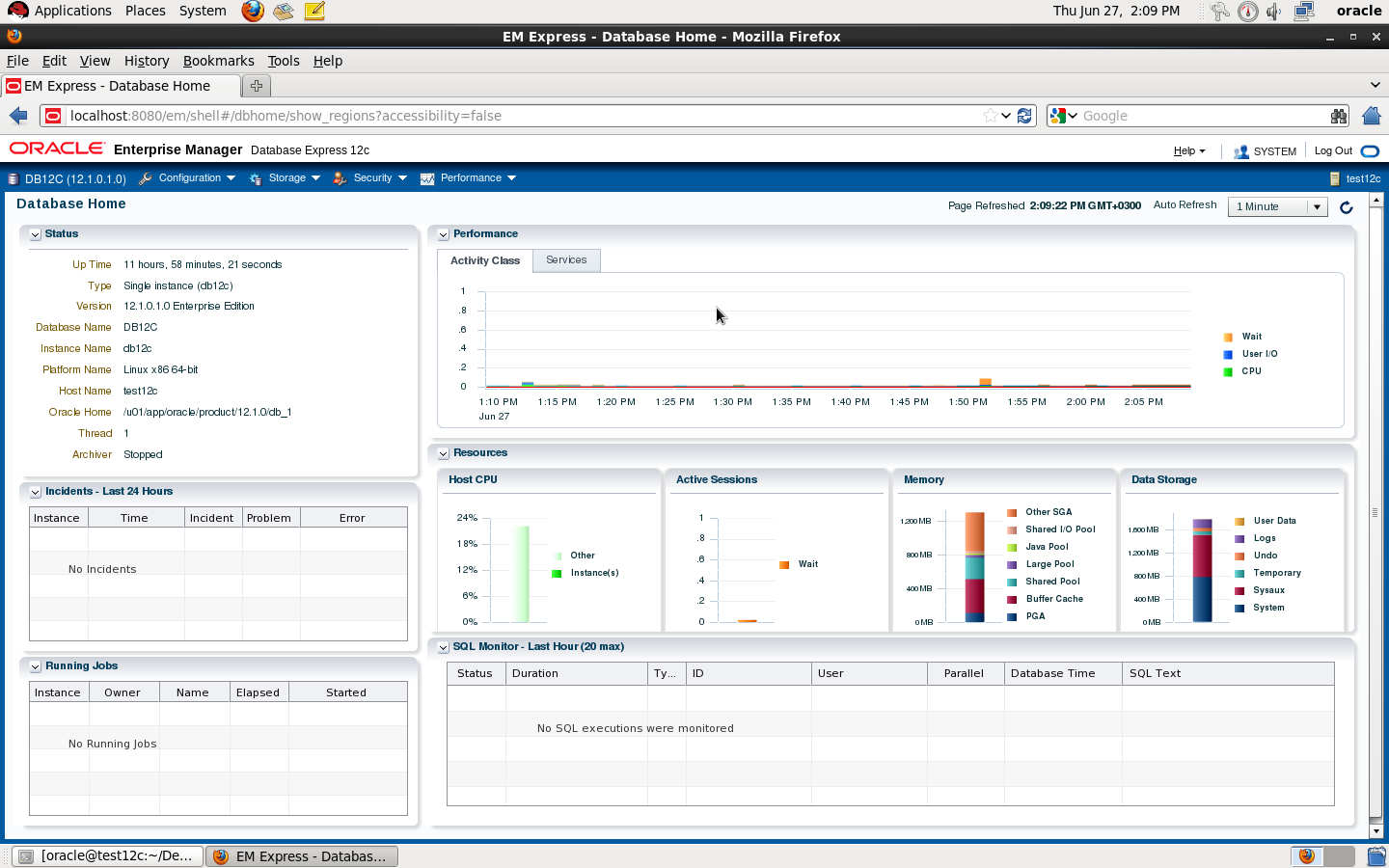
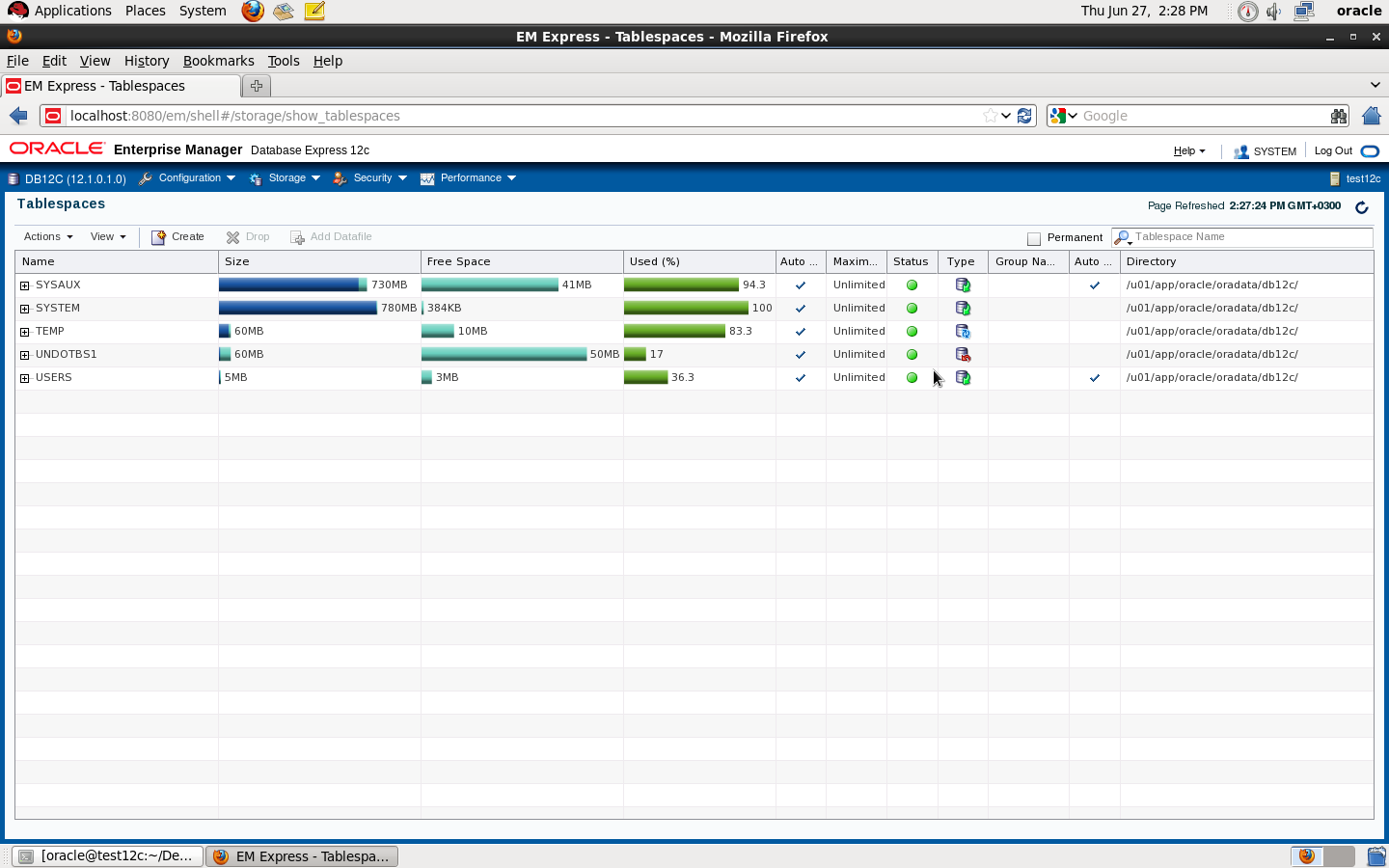
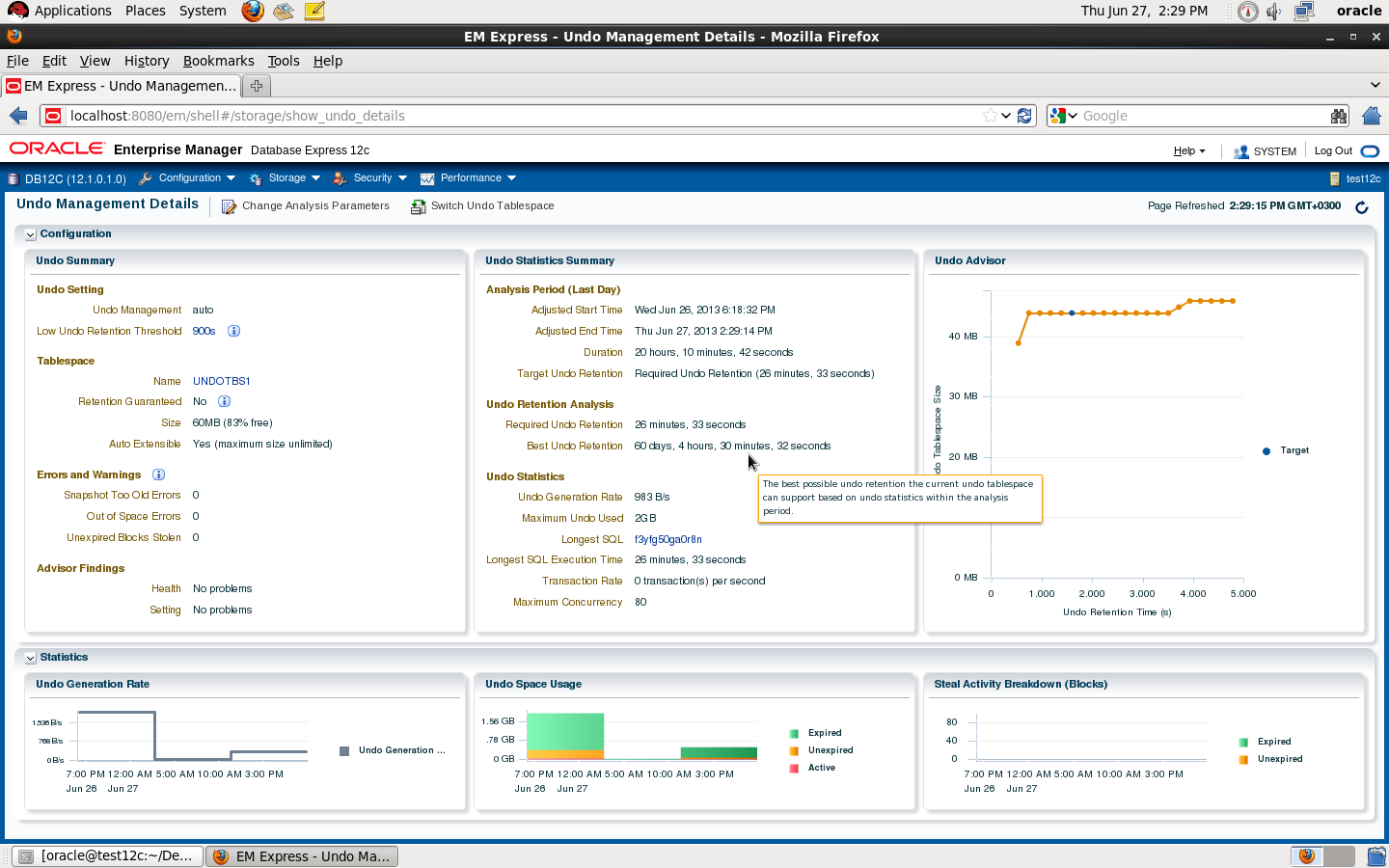
Check the below pictures that describe EM Express :

DBMS_XDB.setHTTPPort is deprecated

Thank you
Osama mustafa