Reset/Hack Linux Root Password ( Unprocted GRUB )

Do you want to learn something New ? Hack/Reset Root Linux Password Then Continue Reading.

Root is the user name or account that by default has access to all commands and files on a Linux or other Unix-like operating system. It is also referred to as the root account, root user and the superuser.

What If I Forget Root Password? Check The below

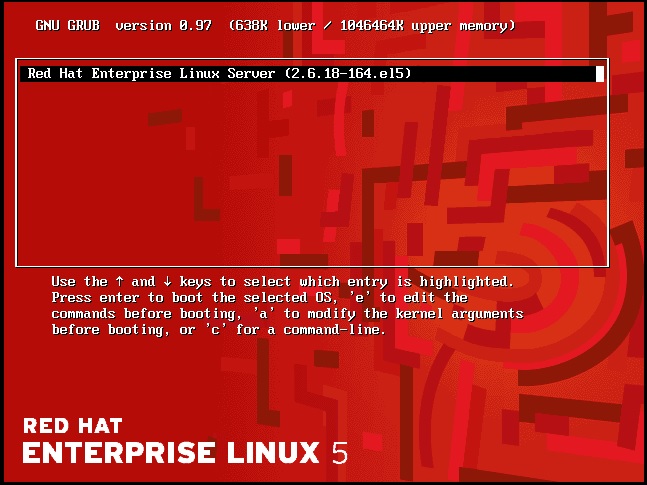
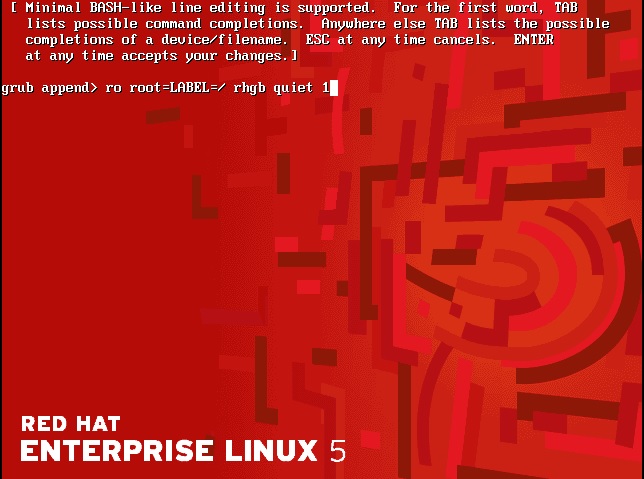
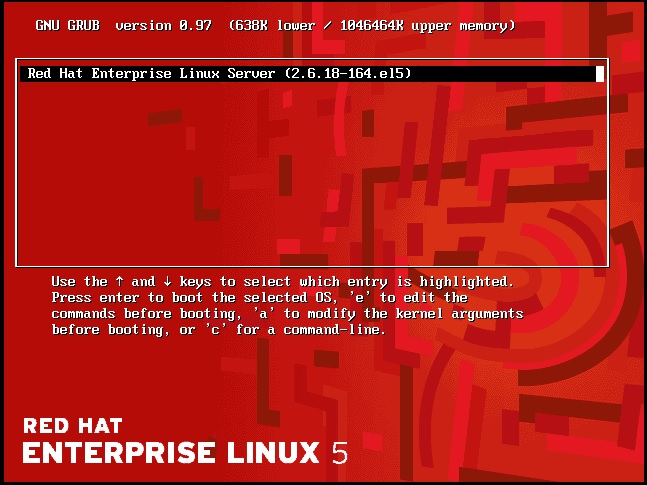
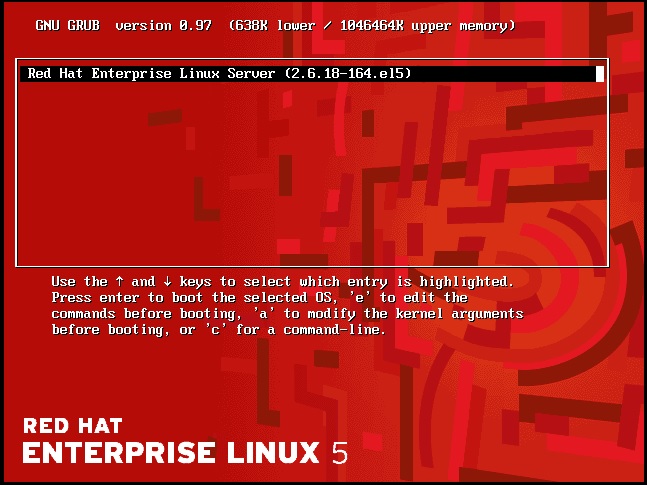
Restart The Server and you must see this screen Pause it click arrow :

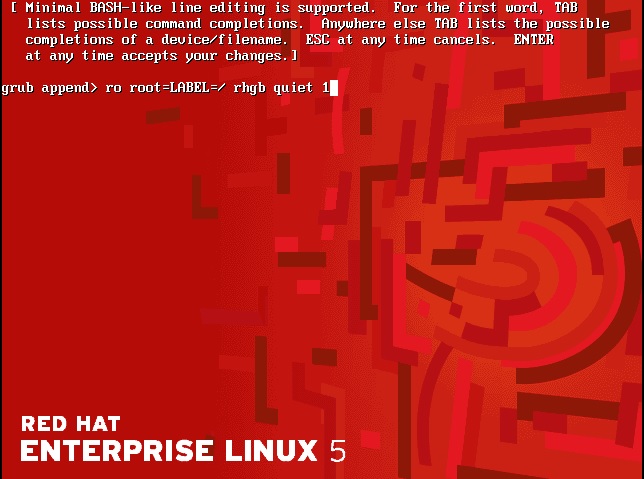
Second Press “a” then add “1” like the below screen after finish Press enter :

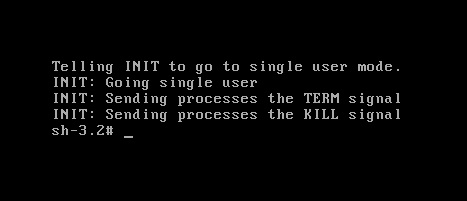
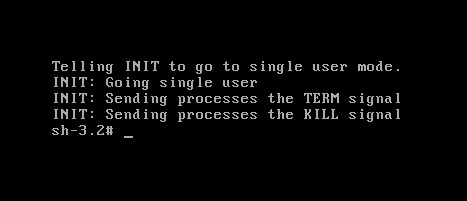
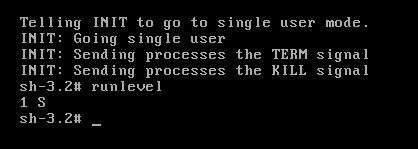
Now Black Screen :

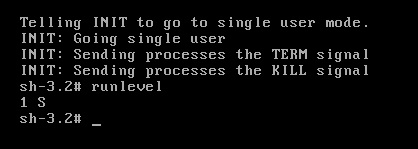
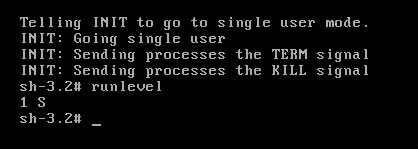
Print “Runlevel”

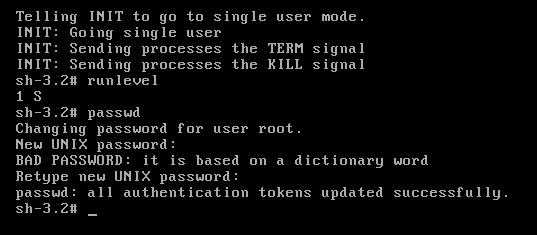
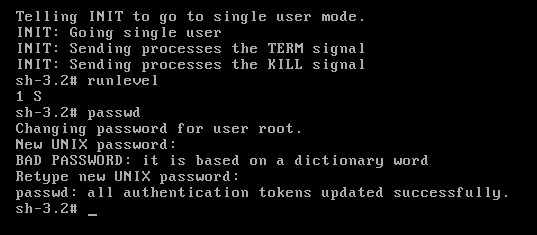
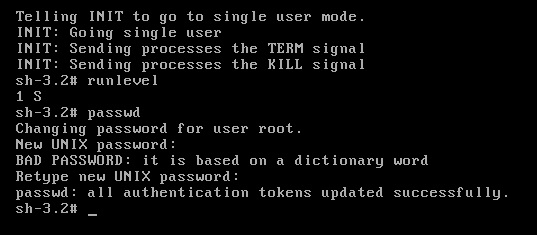
and Reset Root Password like the below by type “passwd” command :

Note : This Way works with Redhat , Fedora and CentOs i didn’t try it on Ubuntu

Thank you
Osama mustafa


Oracle Database vs Sql Server Security

Which one is the more secure ?

the above question asked before and will be asked today and in the future but what is the answer !! Before start asnwering this question you need to discuss somepoints.

as introduction Sql server is database solution product from Microsoft corporation with the following Version list :

  • SQL Server 2012
  • SQL Server 2008 R2
  • SQL Server 2008
  • SQL Server 2005
  • SQL Server 2000
  • SQL Server 7.0
 On the other hand we have oracle Database which RDMS ( Relation Database Managment System ) with the following version list :
 
  • Oracle7
  • Oracle8 Database
  • Oracle8i Database
  • Oracle9i Database
  • Oracle Database 10g
  • Oracle Database 11g
each of database include new features, this features could be related to high availability, database features and secuirty features, I try to be fair in my judgment, Let’s Back to Question Which is More Secure Oracle Database vs Microsoft Sql Server ? and why ?
I read lot of research regarding to this question and most of them caliming that sql server is more secure than Oracle database but why ?  oracle is the best database for large organization and can store more date with a great security when i mean great Security  there’s lot of solution products from Oracle such as Database vault , Audit Vault , and Data masking. But for small solutions and Orginization most of them use Sql server .
I red this Reports for David Litchfield here. and published in November 2006 and calims hat sql server is more secure than oracle database. also you need to know while you are compare this two database the main difference between them :
Microsoft Sql server is only working on One Platform ( Windows ), easy to manage, Most of the administration thru GUI (very friendly ) ,  simple to install  , Sql server is cost less than oracle ( Cost much more than less )  Licensing fees. all this indicate me to the following :
  • since sql server is easy to install and administration then the performance is usually fine.
  •  The only way to scale a system built on sql server technology is to add more memory and CPU to the single server hosting the database.
  • as mention before Sql server Suport Only One Platform.
On the other hand Oracle is Support all plaforms ( Linux , Unix , Windows , HP , AIX and Sun .. and sorry i forgot to mention others ), i will not say it’s easy to install but document are available for free if you follow them you will not be lost, Oracle database is enterprise solutions which mean if you need database that store huge data and support high availability cluster ( sql server dose not support it ) and introduce lot of backup recovery solution, data guard on of them becuase of this it’s expensive and costing the company don’t forget the main reason Oracle DBA salary is more than Sql server which mean the compaines will study this case before looking for solutions.
also to be fair Oracle support talking some time to answering you and solve the issue or database vulnerability , however in sql server support it’s amazing and solve the issue or vulnerability database in 24 hours or less.
since oracle database working for large organization business such as finical and insurance company the aim for any hackers ( i would like to mention here hacker not looking for small company to hack it’s need something will be worth if he getting caught ) it will make it under attack for any hacker in my articles i mentioned there’s no secure system 100% but you can make it harder for any hacker to access to your data and oracle provide with products to do that : Data Valut , Audit Vault , Database firewall and encryption.
Another point i would like to mention here ( take it also as point when you compare ) oracle working on more than platforms.so Focusing on one  platform Security  will be the same as five/six/… platforms Security ? you should answer on this question not me !!!
 Oracle’s capacity to run on large databases, its have many performance improvement features,the performance can include Hardware or database ( sql server only hardware ) which is more secure ?
it’s completely up to you but don’t miss or ignore the point i mentioned before in this article
Thank you
Osama Mustafa
Future Of Oracle DBA

What is the Future of DBA ? One Question but it’s been asked lot , and no one knows what is this future could be !! The technology going fast and everything become easy to use, well is this mean all DBA will sit in the future without any work ? the traditional task role of the DBA is dead which mean  Most tasks assigned to the DBA staff can either be automated or eliminated with new features of the software.

Let’s Start with CNN Article that mention DBA as one of the Top Ten Promising jobs with solid job growth outlook over the next several years.The DBA will need to understand the business and craft solutions with off the shelf components to satisfy the needs of the business.which mean it will be different depending on the company for example companies will hire DBA to work with development, Other companies will hire DBA to monitor databases and enure high availability.

You can’t ensure that your systems and Application working fine without experts and you can’t hire someone to do all the tasks, Which mean DBA will be exists in the future but for concern will be on other products such Cloud, Big data, Exadata, oracle appliance.So DBA OF all Sort that needed now will be needed in the future but the main change as i see is the career path and daily task for DBA.

if you want more accurate answer check the Database version 9i,10g and 11g and now we are waiting for 12c, with every version  it’s automated new more mundane tasks, But with simple way for example enterprise manager is controlling all database backup, Monitor and recovery so this indicate the DBA will have much time to architect database systems, monitor security, and many other things.

DBA is very important Job and will be found now or later check the discussion for tom Kyte about that Click here

Thank you
Osama mustafa

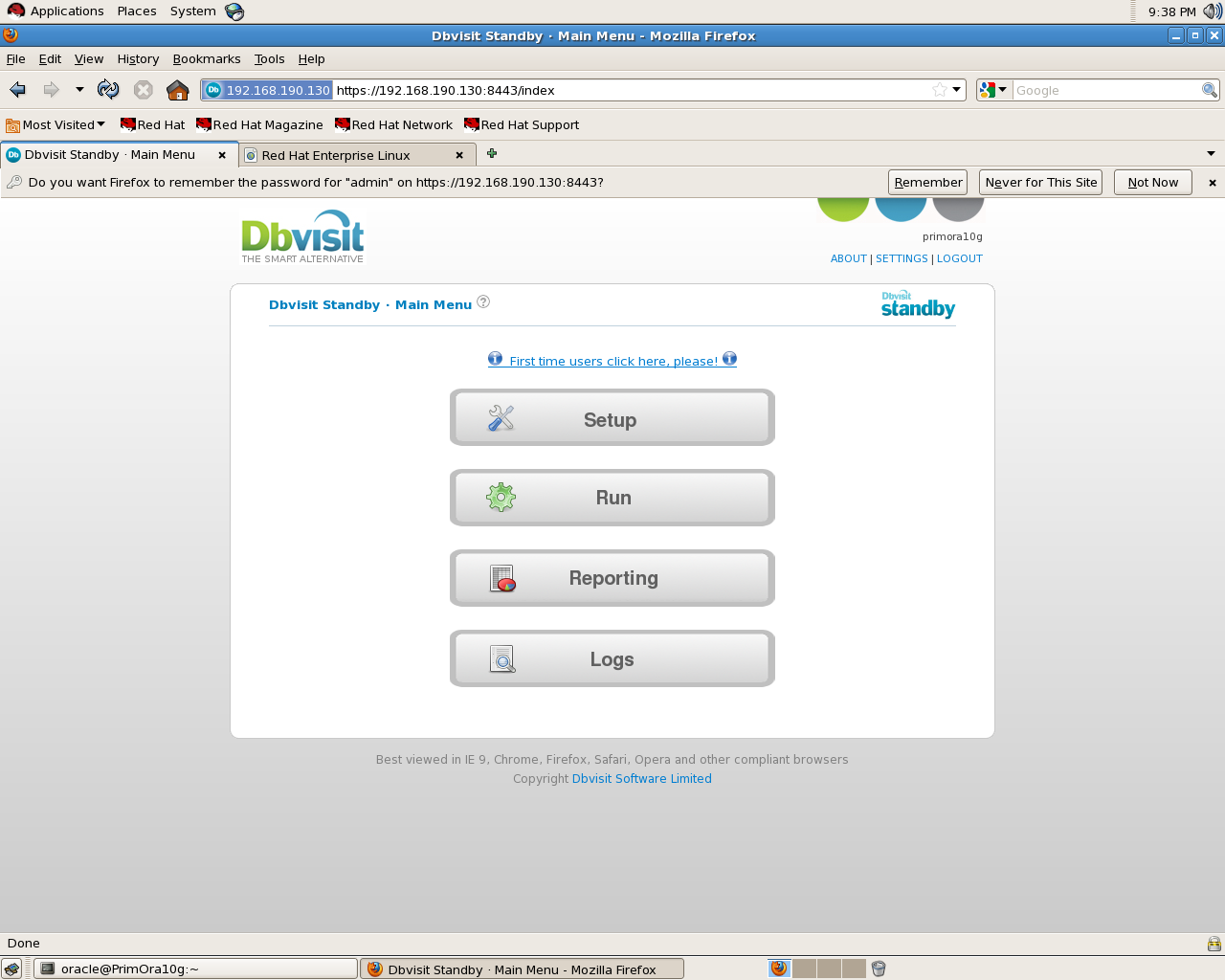
First Look : Dbvisit Standby

Dbvisit Standby it’s tool for creating standby database to ensure high availability for Oracle Database, It’s similar for Data Guard but The main differnce i notice in Data Guard you need to have EE ( Oracle Database Enterprise Editions ) But not any more with DbVisit You can Create your Standby Even With SE ( Oracle Database Standard Editions ).

In Last Three days i was testing this Product , and all i can say it’s amazing and easy to use , steps are clear and even when code/Error return the description is so clear, also with Dbvisit You can Have Two way to create Standby : Command line and GUI both are easy and all you have to do is following the steps in the document.

what i notice too support for this product is amazing, Sine i download trail version i revived an email telling me if i need anything all i have to do is sent an email with error code and dbVisit Support team will answering me, Couple of days later they send me another email asking me for my feedback and I am writing this article to ensure my view point is clear, I checked DbVisit Forum and  answers was within 1-3 Working days which indicate they have very active supporting team to improve this product.

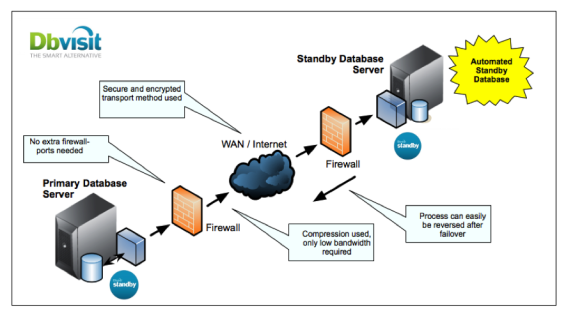
The Below Figure describe Dbvisit Standby architecture :

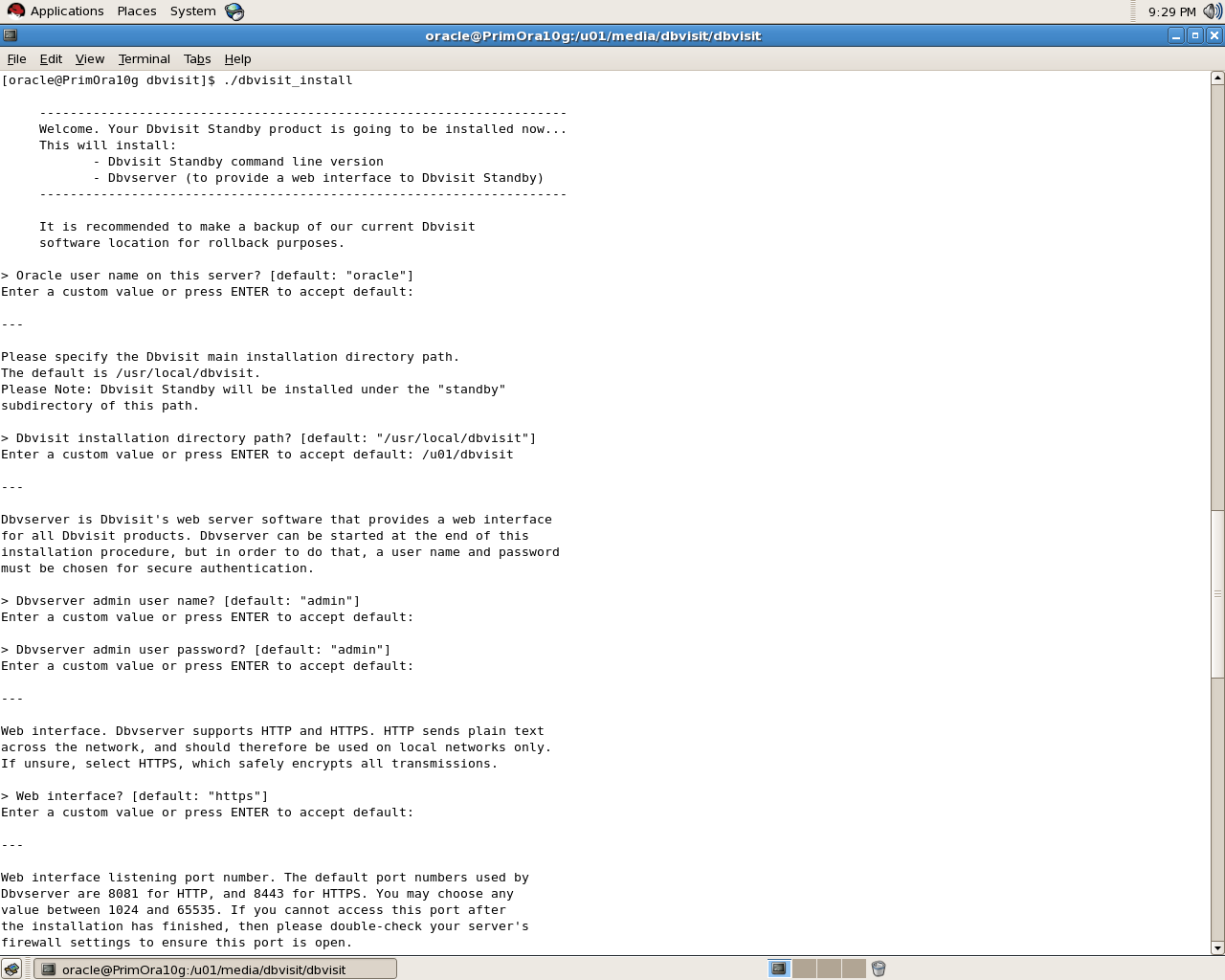
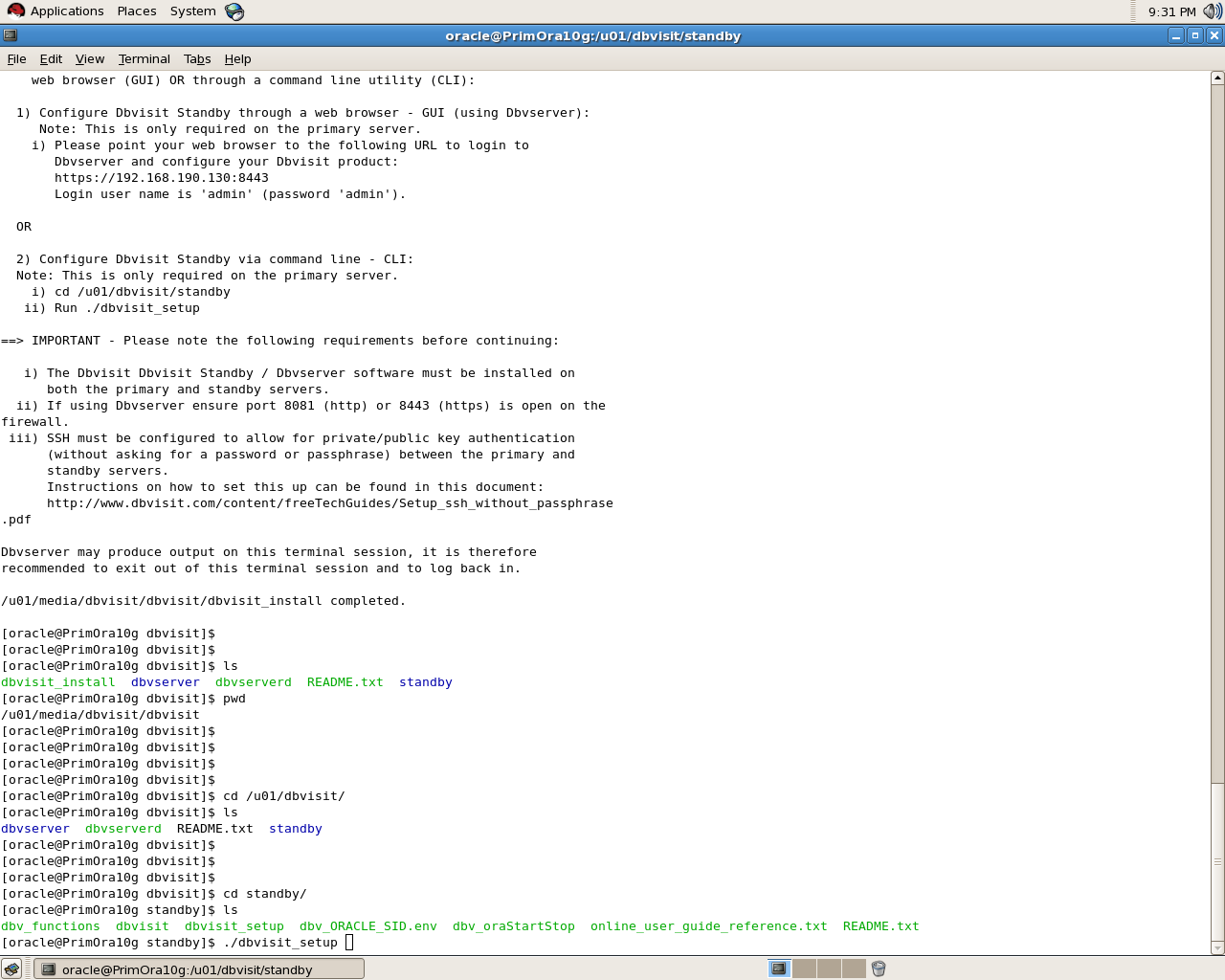
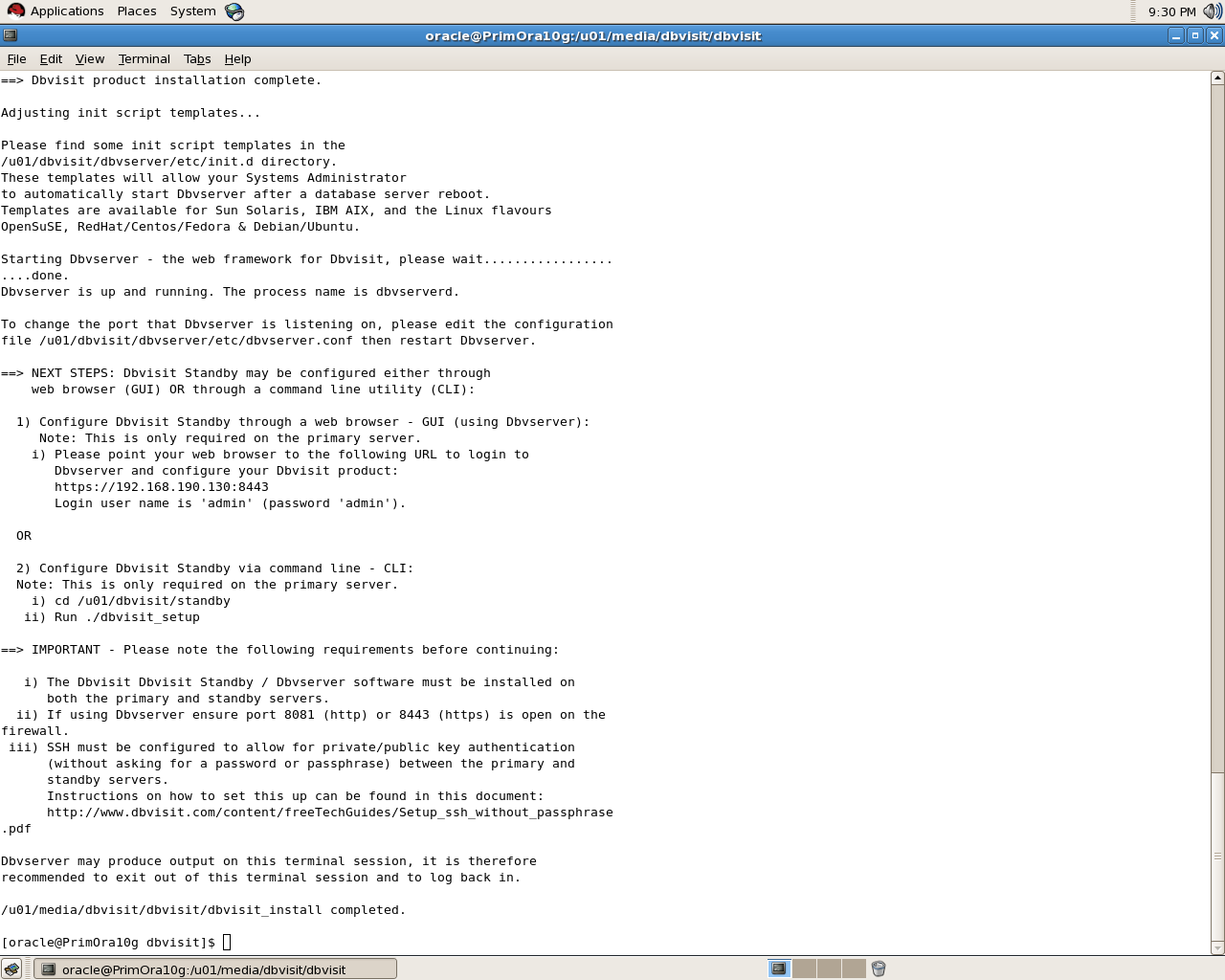
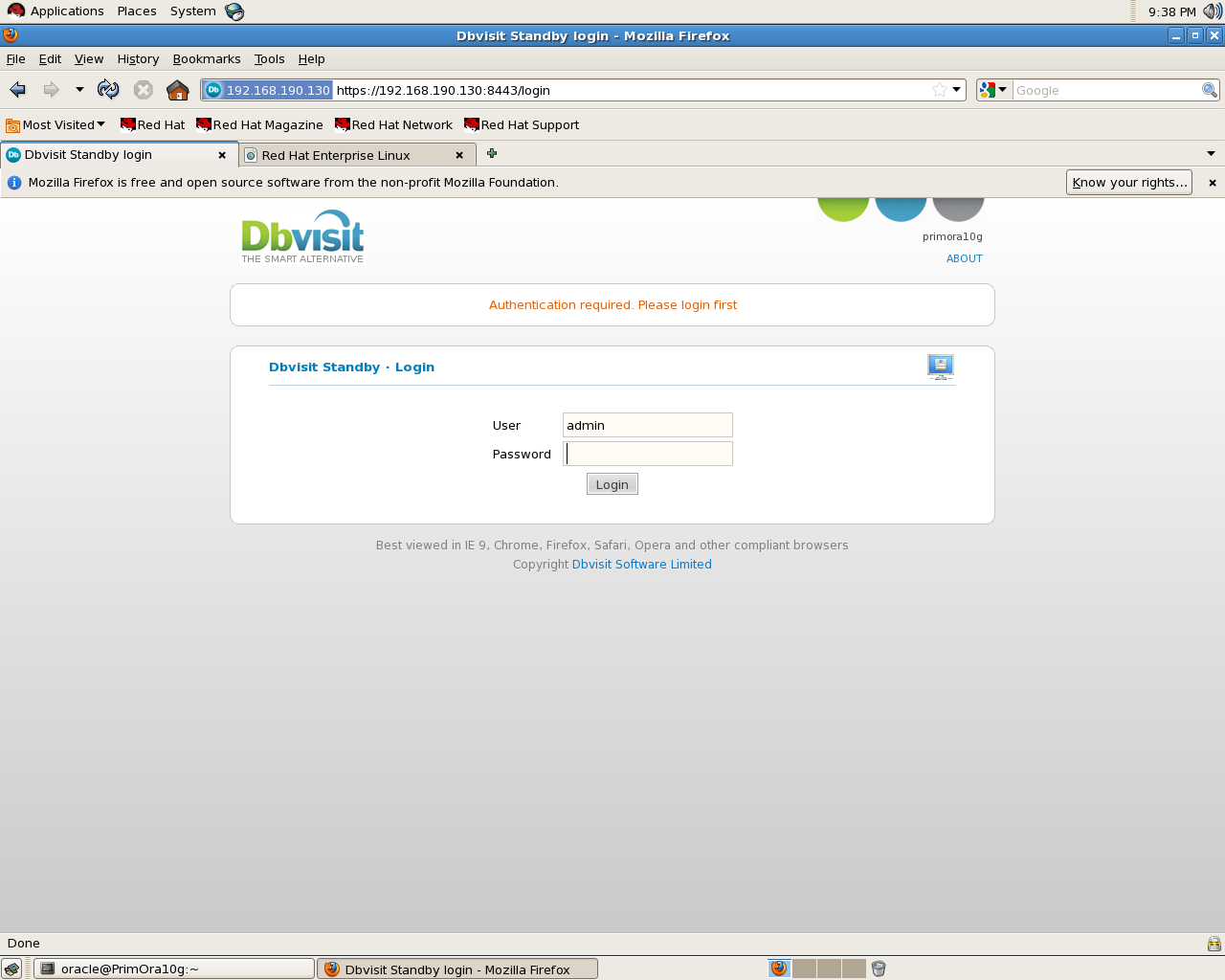
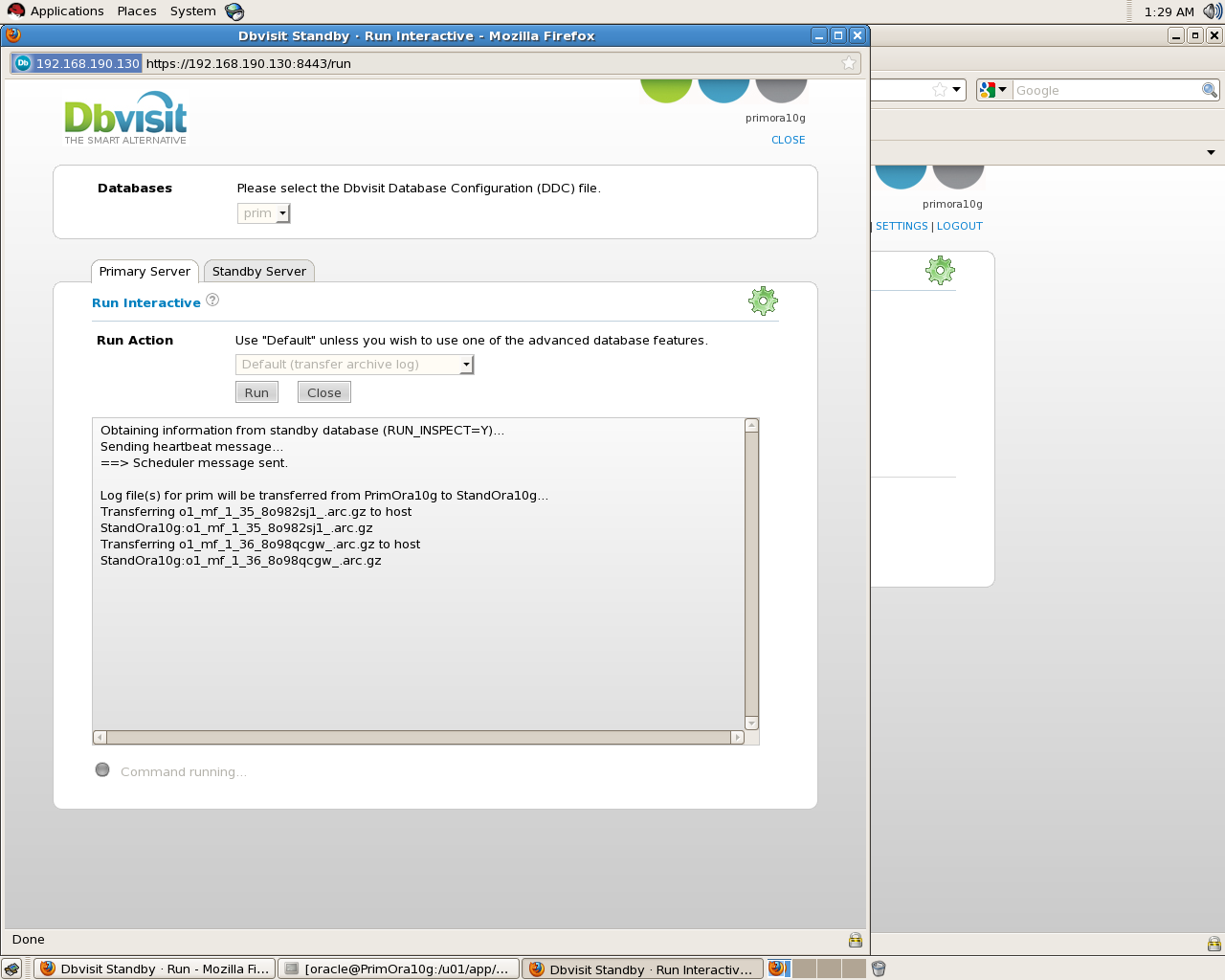
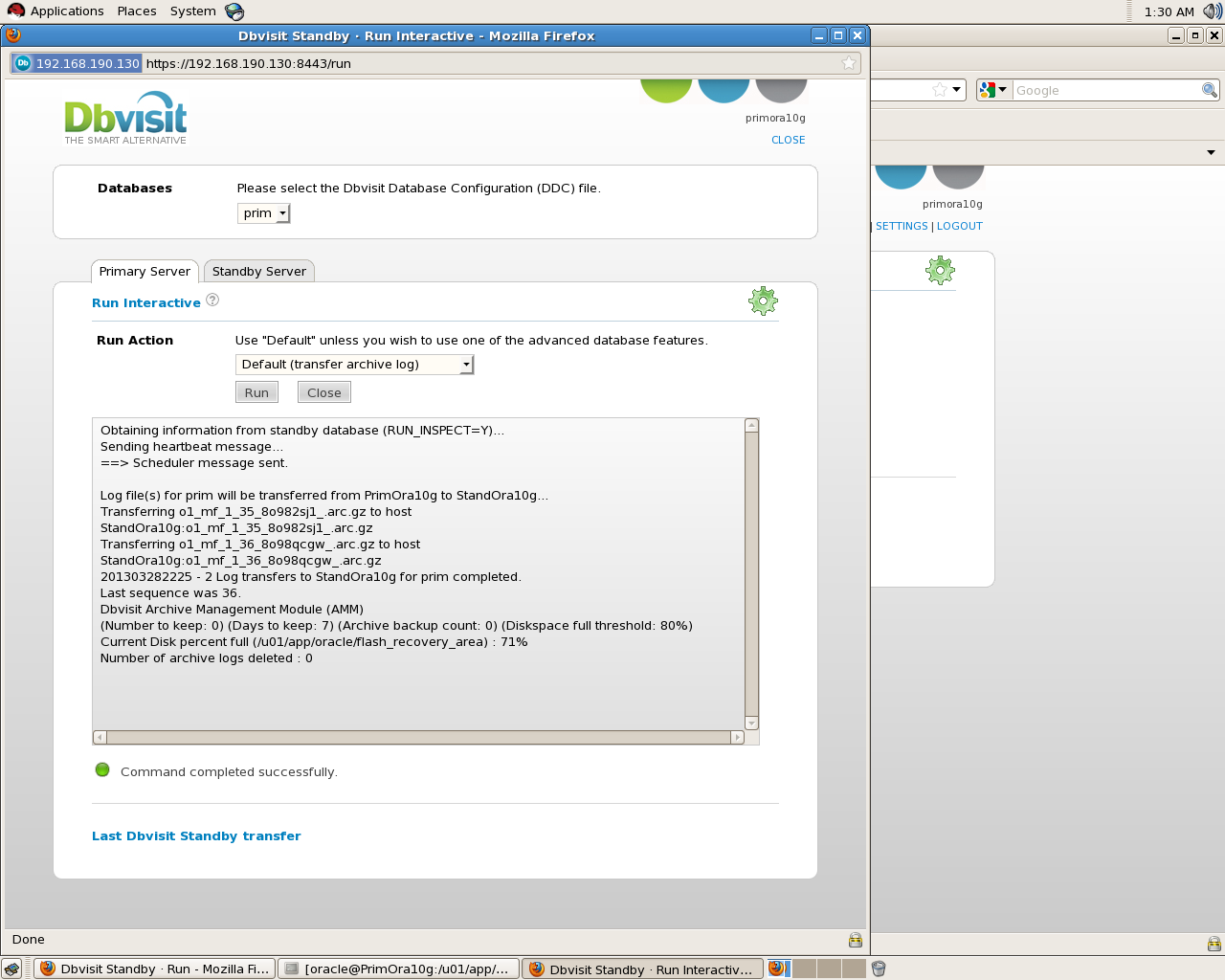
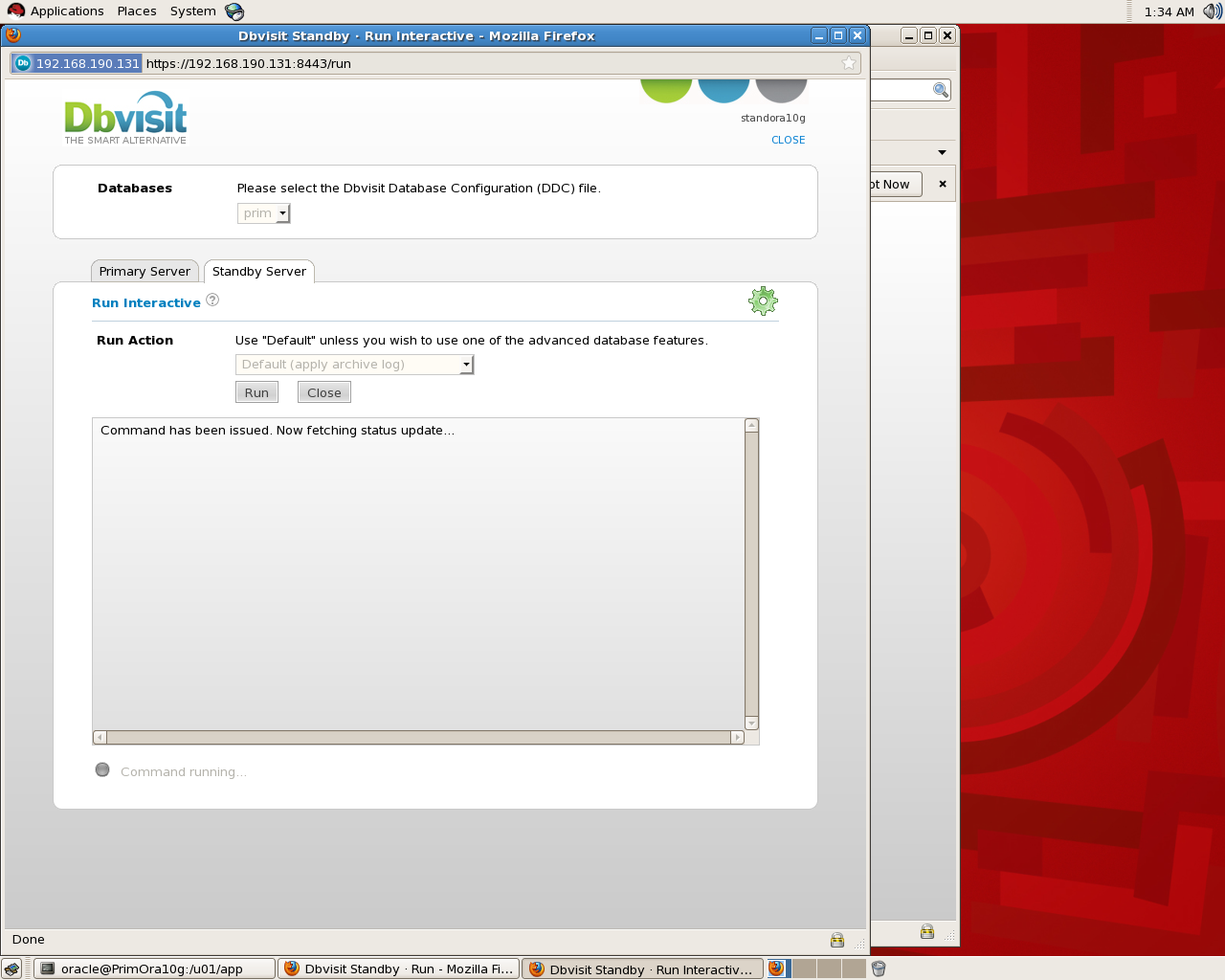
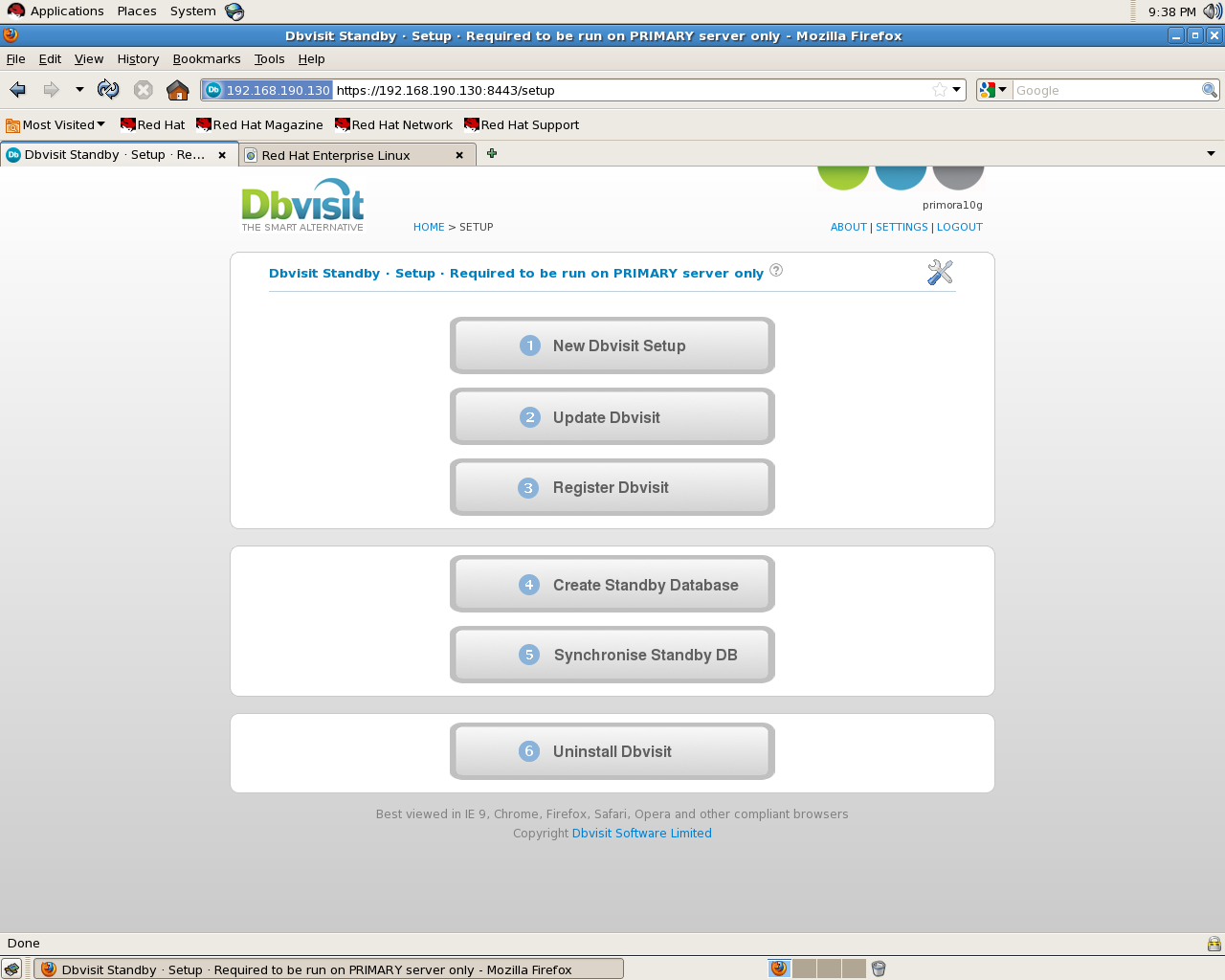
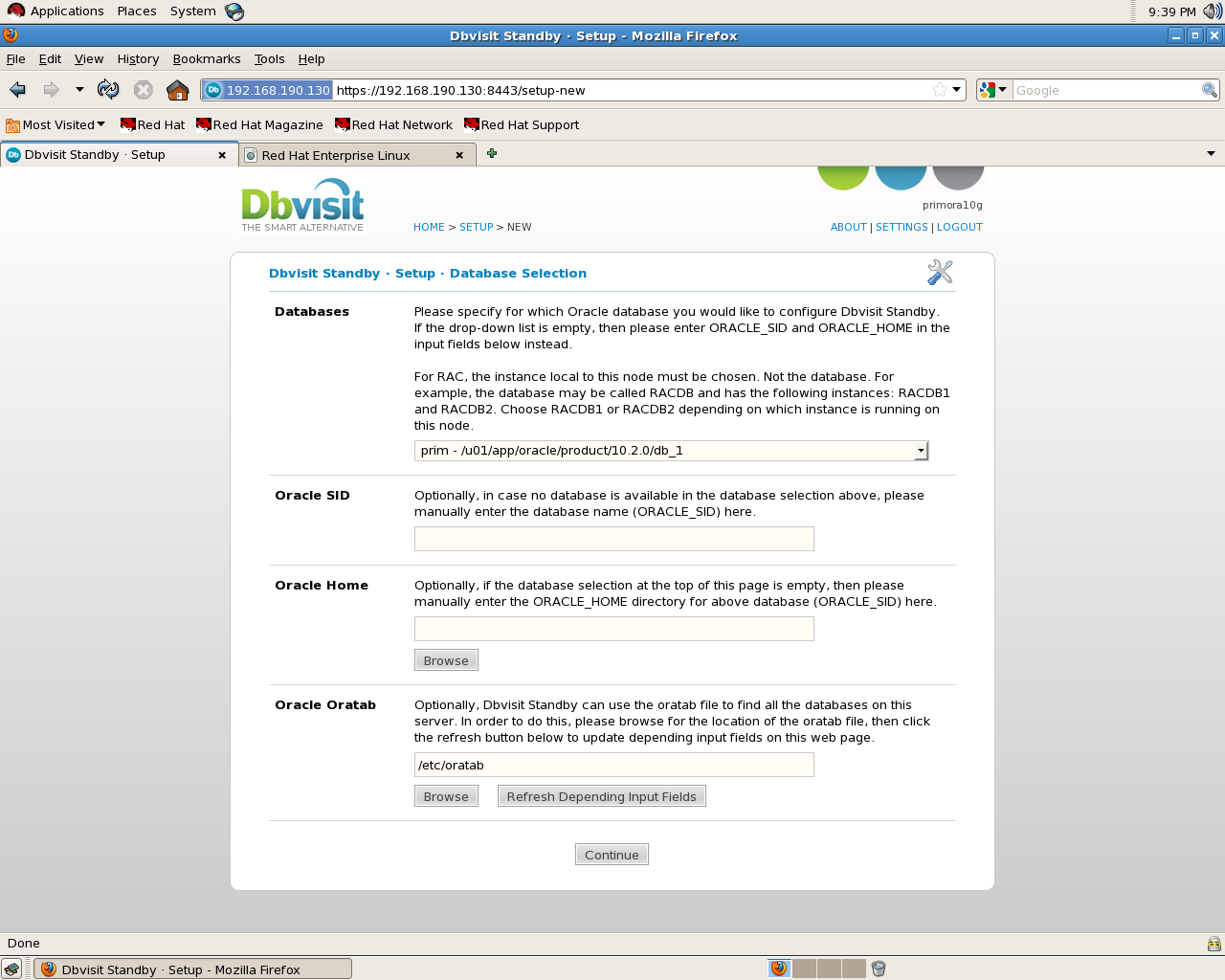
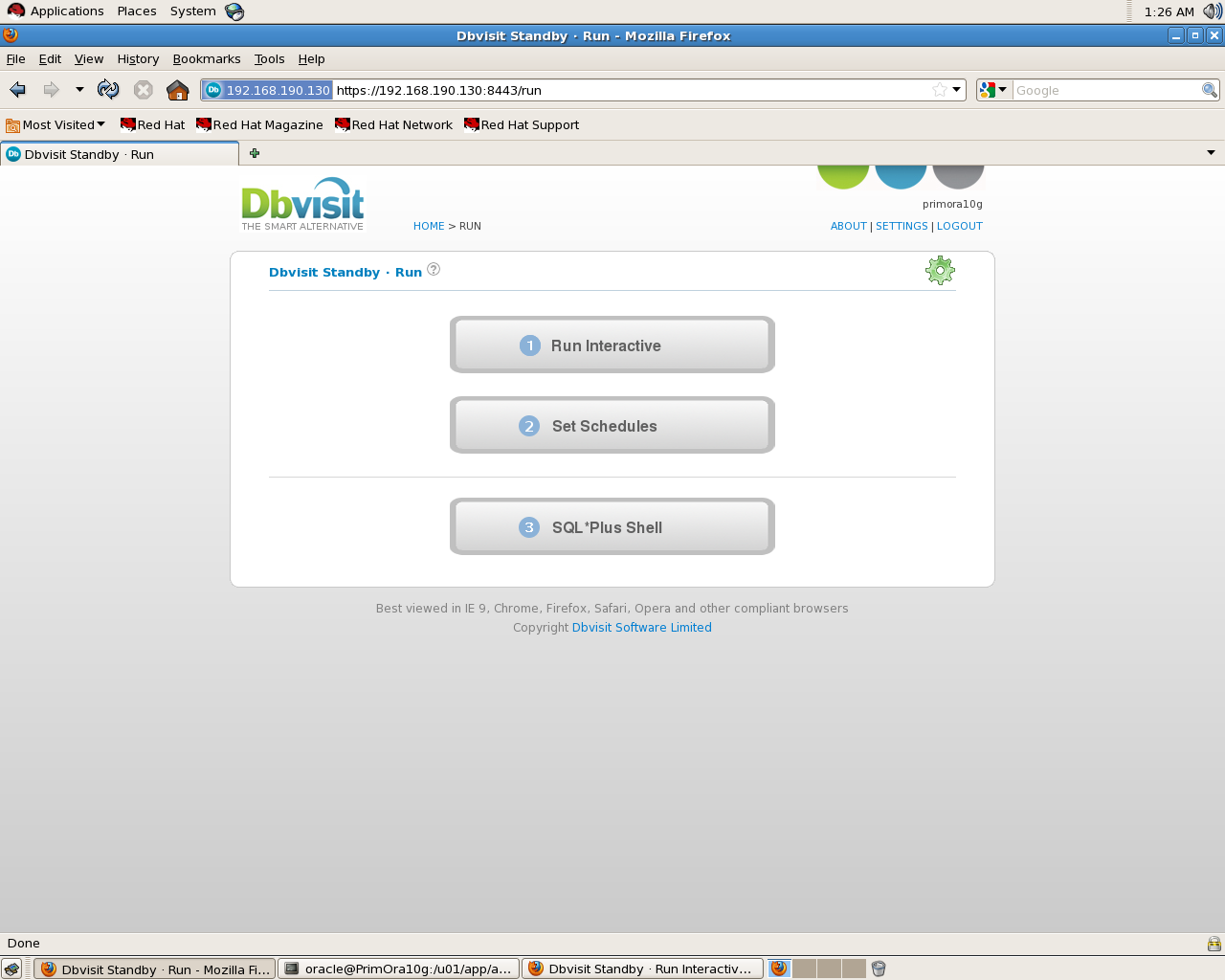
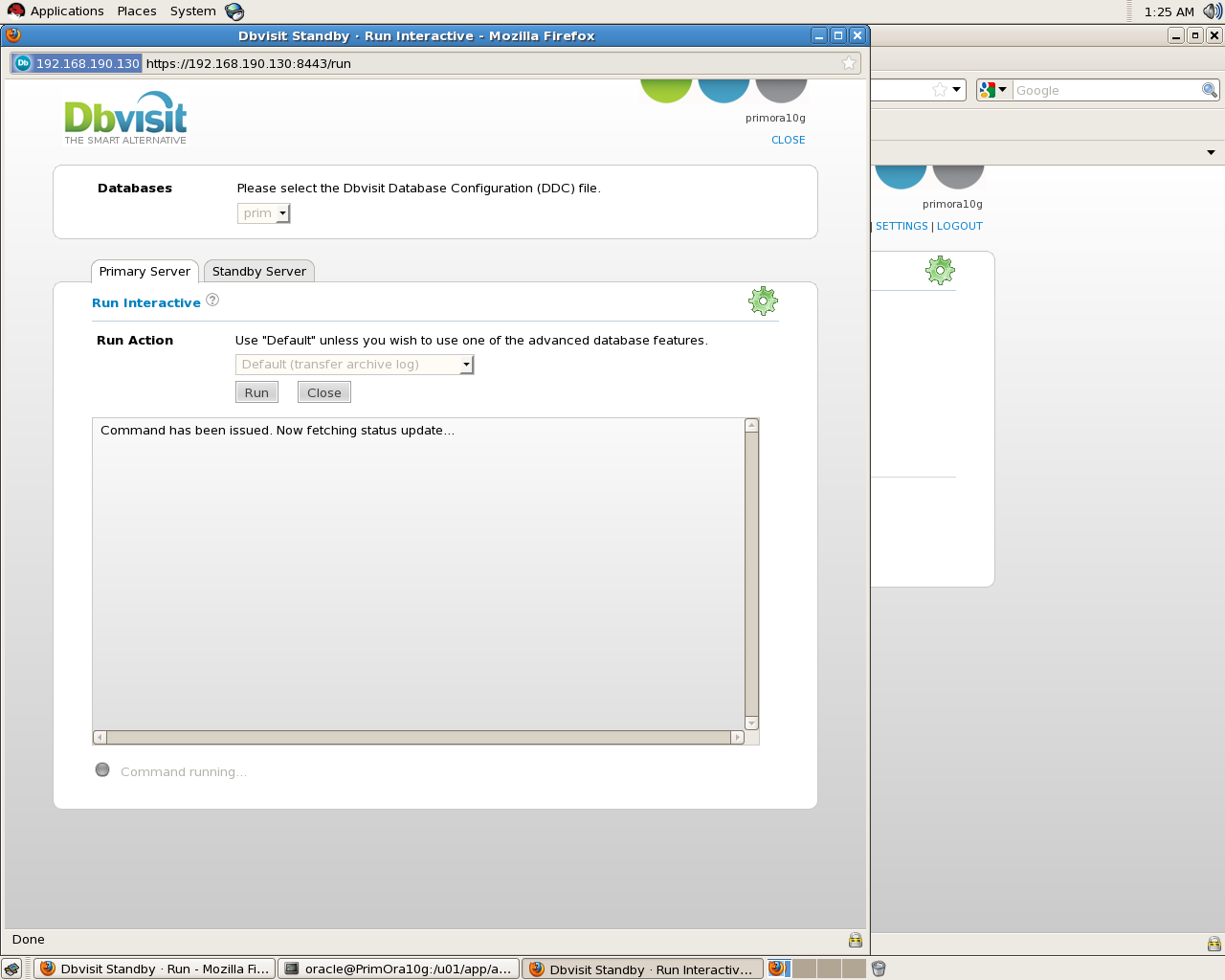
 There’s no need to mention Creation steps since everything already included in documents but the below will find some screen shot for the installation , Most of the steps done on Primary Database all you have to do on standby 3 steps as i remember :

On Primary Database :

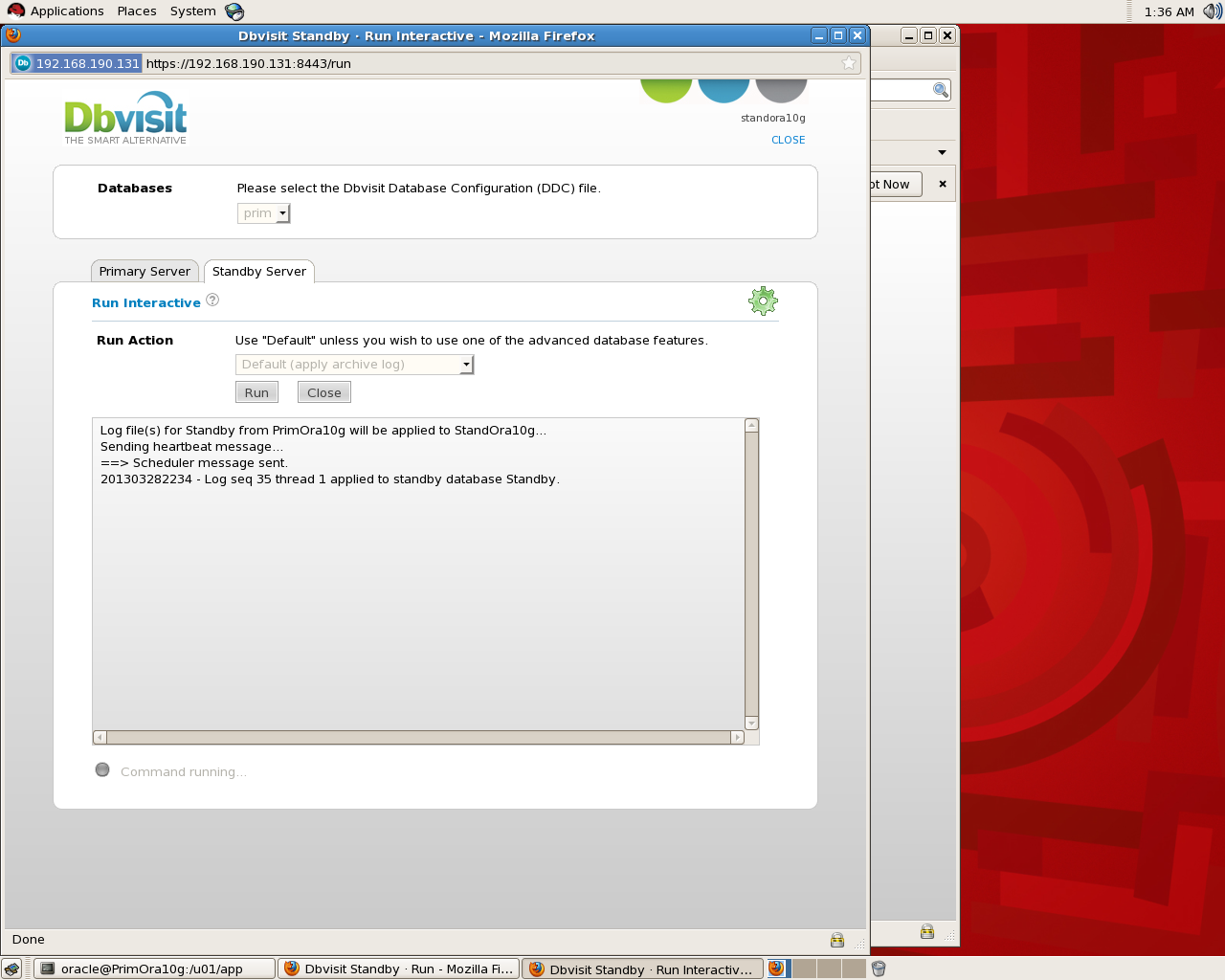
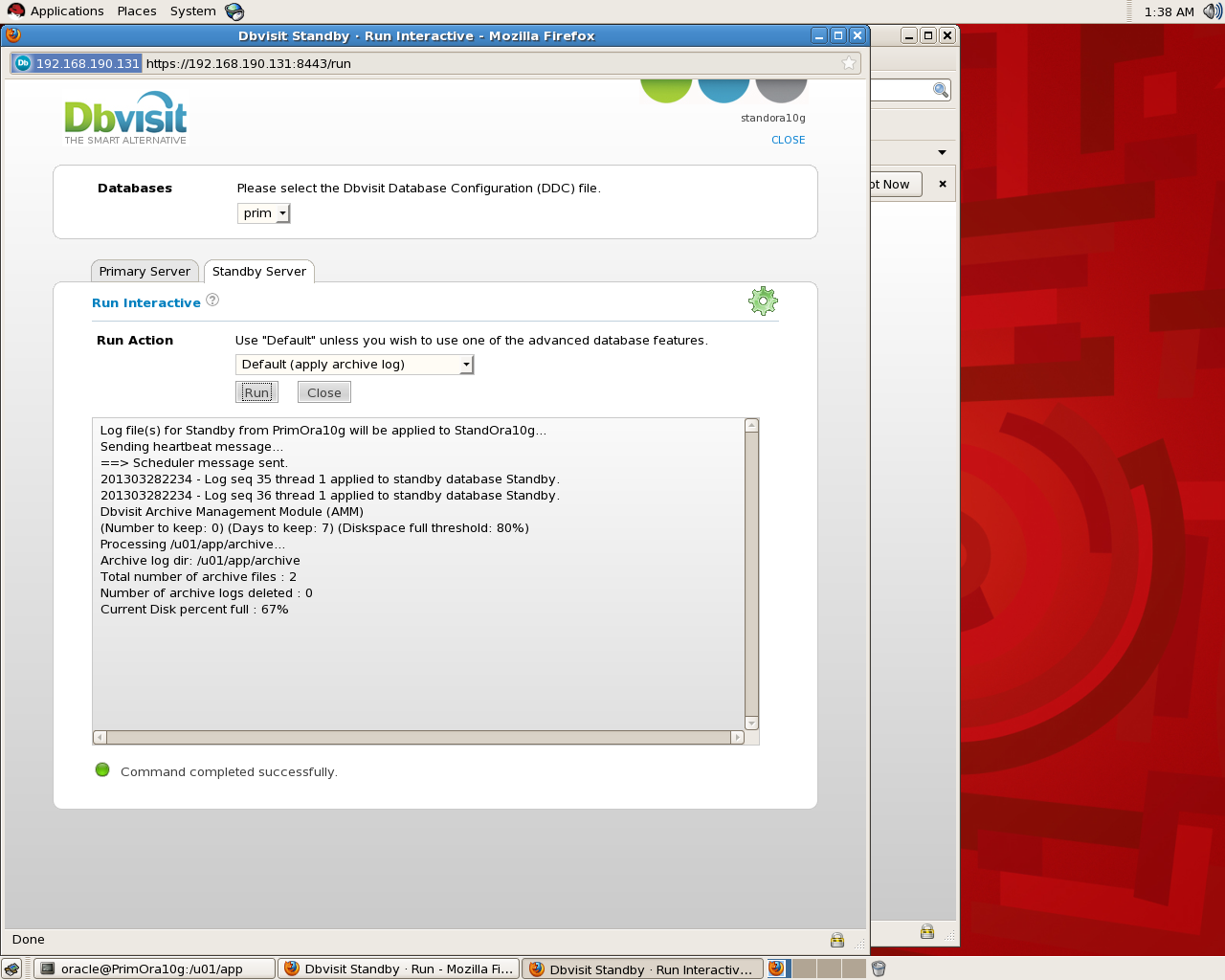
Standby Screen Shot :

Thank you
Osama Mustafa
The Fastest Way to Create SSH between Servers

In this short Topic i will provide the 3 steps to create SSH ( User Equivalence ) Without Password you can find lot of way but it’s just simple way and don’t need much steps to create SSH between server.

Introduction for SSH, “Ssh is a secure remote login program that is similar to rlogin and rsh. The major difference between ssh and other remote login programs is that ssh encrypts the password and other information so that it can’t be “sniffed” by others as you type it. Ssh also sets up X11 connections, so the DISPLAY variable does not have to be set on remote machines. Scp is another program used to securely copy files from one host to another.”

Example To Use SSH in Oracle : Real Application Cluster ( RAC ).

The Steps :

#1:

Create New SSH Key

oracle@PrimNode$ ssh-keygen
Generating public/private rsa key pair.
Enter file in which to save the key (/home/oracle/.ssh/id_rsa):[Enter key]
Enter passphrase (empty for no passphrase): [Press enter key]
Enter same passphrase again: [Pess enter key]
Your identification has been saved in /home/oracle/.ssh/id_rsa.
Your public key has been saved in /home/oracle/.ssh/id_rsa.pub.
The key fingerprint is:
33:b3:fe:af:95:95:18:11:31:d5:de:96:2f:f2:35:f9

#2:

This Step will Just copy the password File Generated in Step 1 to Server 2.

oracle@PrimNode$ ssh-copy-id -i ~/.ssh/id_rsa.pub You need to use ip/hostname to another server.
oracle@Server2 password:
Now try logging into the machine, with “ssh ‘remote-host'”, and check in:
.ssh/authorized_keys
to make sure we haven’t added extra keys that you weren’t expecting.

#3:

Just Check

oracle@PrimNode$ ssh Server2
Last login: Thu Mar 28 01:54:21 2013 from primora10g
[Test it no password]
oracle@Server2$

Thank you
Osama Mustafa
Check total Size for Ram/memory For Oracle

Check total size of Ram/Memory For Each Database :

select decode( grouping(nm), 1, ‘total’, nm ) nm, round(sum(val/1024/1024)) mb
    from
  (
  select ‘sga’ nm, sum(value) val
     from v$sga
   union all
   select ‘pga’, sum(value)
    from v$sysstat
   where name = ‘session pga memory’
  )
   group by rollup(nm)

The Orginial Post from Tom Kyte.

Thank you
Osama Mustafa
FRM-92101 – Oracle EBS

The Above Picture is what you see When you are trying to get access to any forms/Screen in oracle EBS if you check the Logs ( $LOG_HOME ) :

formsweb: Forms session exception stack trace:

oracle.forms.engine.RunformException: Forms session failed during startup: no response from runtime process
at oracle.forms.servlet.RunformProcess.connect(Unknown Source)
at oracle.forms.servlet.RunformProcess.dataToRunform(Unknown Source)
at oracle.forms.servlet.RunformSession.dataToRunform(Unknown Source)
at oracle.forms.servlet.ListenerServlet.doPost(Unknown Source)
at javax.servlet.http.HttpServlet.service(HttpServlet.java:763)
at javax.servlet.http.HttpServlet.service(HttpServlet.java:856)

The Solution is Simple Just Install The below Package from Oracle Site Here , Don’t forget Choose the right one regarding to your OS, And Use the below command :

rpm -ivh openmotif21-2.1.30-11 ……rpm 

Thank you
Osama Mustafa
ORA-01031: insufficient privileges When Start Windows Services

this common error in windows, and you can be occur for more than one reason and you need to check them all to make sure you did everything is right, the error prevent the oracle services to start automatically and if you check

ORADIM.LOG….
**************************
C:\Oracle\Ora11g\bin\oradim.exe -startup -sid ptdb -usrpwd * -log oradim.log -nocheck 0
Thu Nov 15 15:16:15 2012
ORA-01031: insufficient privileges

You have to check :

1- startup type for the services ( if it’s set automatically )
2- Group to user ( the user should be in ORA_DBA Group )
3 – you can check log on tab in the service properties and set the username and password who responsible about this services and can do it by:

Go to Control Panel -> Administrative Tools -> Services .

Choose oracle services and then
click “properties”. Select the “Log On” tab and note the account that is set to run the service.

Thank you
Osama mustafa

Remote Diagnostic Agent

RDA : It’s utility collect diagnostics information about an Oracle environment, And could be downloaded from https://support.oracle.com for every Operating system there’s specific version for RDA.

RDA is Command Line diagnostic tool that is executed by an engine written in the Perl programming language,The data captured provides Oracle Support with a comprehensive picture of the customer’s environment which aids in problem diagnosis, You can check the below MOS Note :
Remote Diagnostic Agent (RDA) 4 – FAQ [ID 330363.1]

Oracle Support encourages the use of RDA because it greatly reduces service request resolution time by minimizing the number of requests from Oracle Support for more information.RDA Support Most Of Operating system.and also it’s supported for Most Oracle Products.

But why should i use RDA, as i mention before oracle support encourages to use RDA to collect information and also there’s another reasons to use it :

  •  Oracle Fusion Middleware issues
  • Oracle Collaboration products.
  • Oracle Application issues.
  • Installation/configuration issues
  • Performance issues
  • ORA-600, ORA-7445, ORA-3113.
  • Upgrade and migration.
  • Developer issues
  • Oracle Database issues

The Simplest way to review RDA Output is using Html , Web browsing since after run rda.sh the output will generate on the same RDA Folder. (RDA_Output).

After review MOS note :
RDA 4 – Health Check / Validation Engine Guide [ID 250262.1]

after finishing from  a prerequisite system you need to need check before installation of an oracle product.This special check should be done in addition to the installation document and the check inside the installer,The utility called RDA with a module for Health Check called HCVE.

./rda.sh -T hcve

The sample output could be like the below :

Test Results
~~~~~~~~~~~~
ID NAME RESULT VALUE
===== ====================

20 User in /etc/passwd? PASSED userOK
30 Group in /etc/group? PASSED GroupOK

 Thank you
Osama Mustafa
 

RunLevel Mode In Linux

As Database administrator you dealing with Different operating system everyday, most of this operating system is Linux/Unix, During the boot up for Linux the init command open files called “/etc/initab”  this file linux start decide which run level the system should booted to. After start the OS you can check “/etc/initab” using Editor (vim command).

there’s different type of run level in linux you should know about them :

  • 0 – halt (Do NOT set initdefault to this).
  • 1 – Single user mode.
  • 2 – Multiuser, without NFS (The same as 3, if you do not have networking).
  • 3 – Full multiuser mode.
  • 4 – unused.
  • 5 – X11.
  • 6 – reboot (Do NOT set initdefault to this).

The Above modes available in /etc/initaband you can check them, when you open the files you will see lines

 id:5:initdefault:

 Which indicate for default level. and you can change it.

Short Description for the RunLevels :

Runlevel 0:

Cause the system shutdown , and you can’t set this as default. no reason to do that.

RunLevel 1:

in this Level System start in something called Single User Mode which mean root user only who can log in to the system.and notice there’s no networking in this mode it will be useful for repair and maintenance.

RunLevel 2:

The System Will log in to mutli user mode which mean you can log in to any users but without networking .

RunLevel 3:

Its same as Runlevel 2 but with networking, This level is common for most linux.

RunLevel 4:

Custom Level, or Custom Boot Level ( Undefined one).

RunLevel 5:

Networking, Multi user Mode With X window Which mean when the OS end of boot the GUI screen will appear to users “Welcome Screen” and can log in, this is what you see in the Linux For example Redhat.

RunLevel 6:

Reboot your Operating System, Sure you don’t want to set this to default.

you can use any runlevel by command –> init ‘run-level-number’

Thank you
Osama Mustafa