Start/Stop Oracle Enterprise Manager 12c

To Start enterprise manager 12c you need to follow the below steps :

export ORACLE_HOME=/u01/app/oracle/product/11.2.0/dbhome_1
export OMS_HOME=/u03/app/oracle/Middleware/om12c/oms/
export AGENT_HOME=/u03/app/oracle/Middleware/agent12c/agent_inst/

  • ensure database and listener is running
  • Run the below command from $OMS_HOME

emctl start oms

  • Run the below command from $AGENT_HOME

emctl start agent 

to Stop all the services you need to do the below :

 export ORACLE_HOME=/u01/app/oracle/product/11.2.0/dbhome_1
export OMS_HOME=/u03/app/oracle/Middleware/om12c/oms/
export AGENT_HOME=/u03/app/oracle/Middleware/agent12c/agent_inst/

  • Run the below command from $OMS_HOME

emctl stop oms -all

  • Run the below command from $AGENT_HOME

emctl stop agent 

  • Now you can shutdown database and listener.

Thank you
Osama mustafa


Step By Step to Install Enterprise Manager 12c on Redhat 6.1

in this article you will have a look how to install Oracle Enterprise manager 12c ( em12c ) on Redhat 6 update 1 Operating system.

First Step is select supported OS and Database to install repository. and you can check about certification and to do that :

1.Log in to My Oracle Support, which is accessible at the following URL: https://support.oracle.com
2. Click the Certifications tab.
3. In the Certification Search region, select Enterprise Manager Cloud Control from the Product list.
4. From the Release list, select 12.1.0.2.0, then click Search.
5. Expand the Databases node.

after checking the certification you need to install the following :

  • Enterprise manager 12c from here.
  • Redhat 6 from here
  • if you install on Linux 64bit you need to apply Patch 10404530 Download from here.

Enterprise manager needs the following Requirement :

Hardware
Minimum: 6 GB of RAM.
Disk Space Requirements 30Gb to 50Gb for installation of the software.
Software

OMS Package

make-3.81
binutils-2.17.50.0.6
gcc -4.1.1
libaio-0.3.106
glibc-common-2.3.4
libstdc++ -4.1.1
sysstat-5.0.5
glibc-2.5.12
glibc-devel-2.5-49

agent Package

make-3.81
binutils-2.17.50.0.6
gcc -4.1.1
libstdc++ -4.1.1

I will not mention the prerequisites since in 11gr2 and 12c while installation it will give what missing in OS, Database configuration and fix it thru installation, and if missing package found ,  the package name will appear and all you need is install it from media ( OS CD/DvD).

you need to configure database also before start install em12c :

  • Remove Dbconsole from database with the below command :

emca -deconfig dbcontrol db -repos drop

  • Change the below database parameters :

ALTER SYSTEM SET processes=300 SCOPE=SPFILE;
ALTER SYSTEM SET session_cached_cursors=200 SCOPE=SPFILE;
ALTER SYSTEM SET sga_target=2G SCOPE=SPFILE;
ALTER SYSTEM SET shared_pool_size=600M SCOPE=SPFILE;
ALTER SYSTEM SET pga_aggregate_target=1G SCOPE=SPFILE;
ALTER SYSTEM SET job_queue_processes=20 SCOPE=SPFILE;
ALTER SYSTEM SET open_cursors=300 SCOPE=SPFILE;

  • Restart Database.
  • create new folder to install em12c 

mkdir -p /u02/app/oracle/middleware/
cd /u02/app/oracle/middleware
mkdir om12c
mkdir agent12c 

  • you suppose to finish download unzip and start install (./runInstaller).
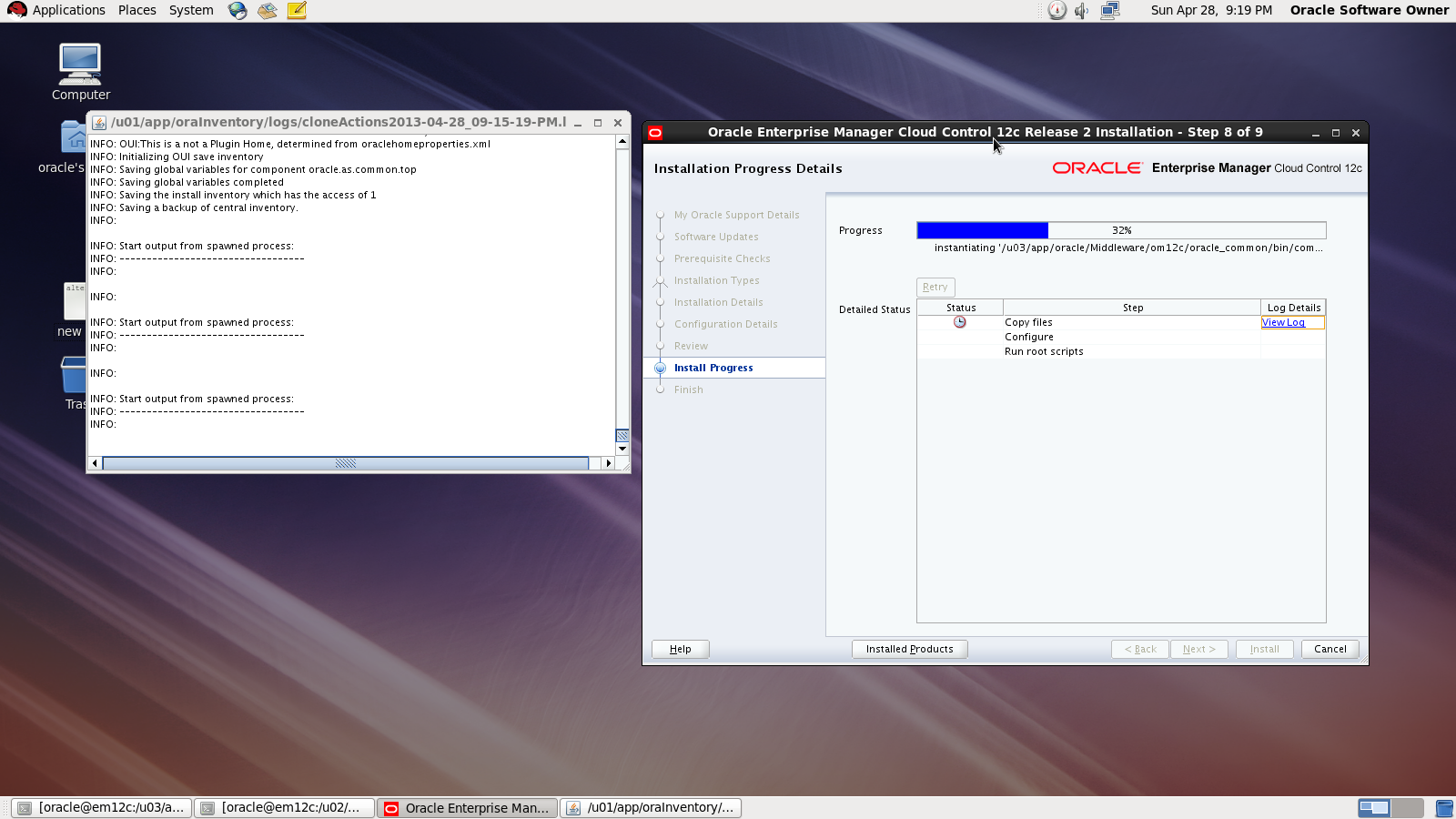
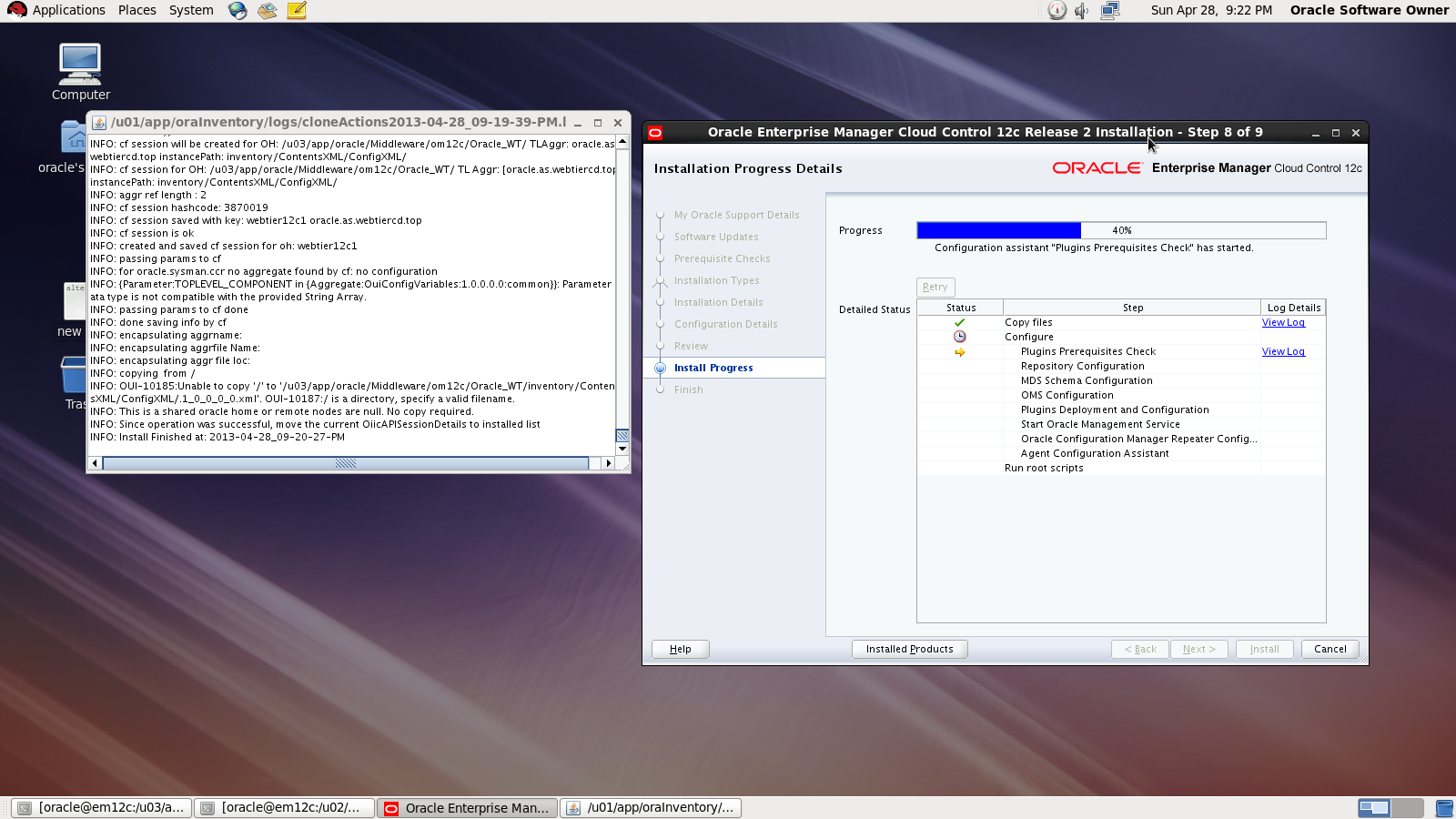
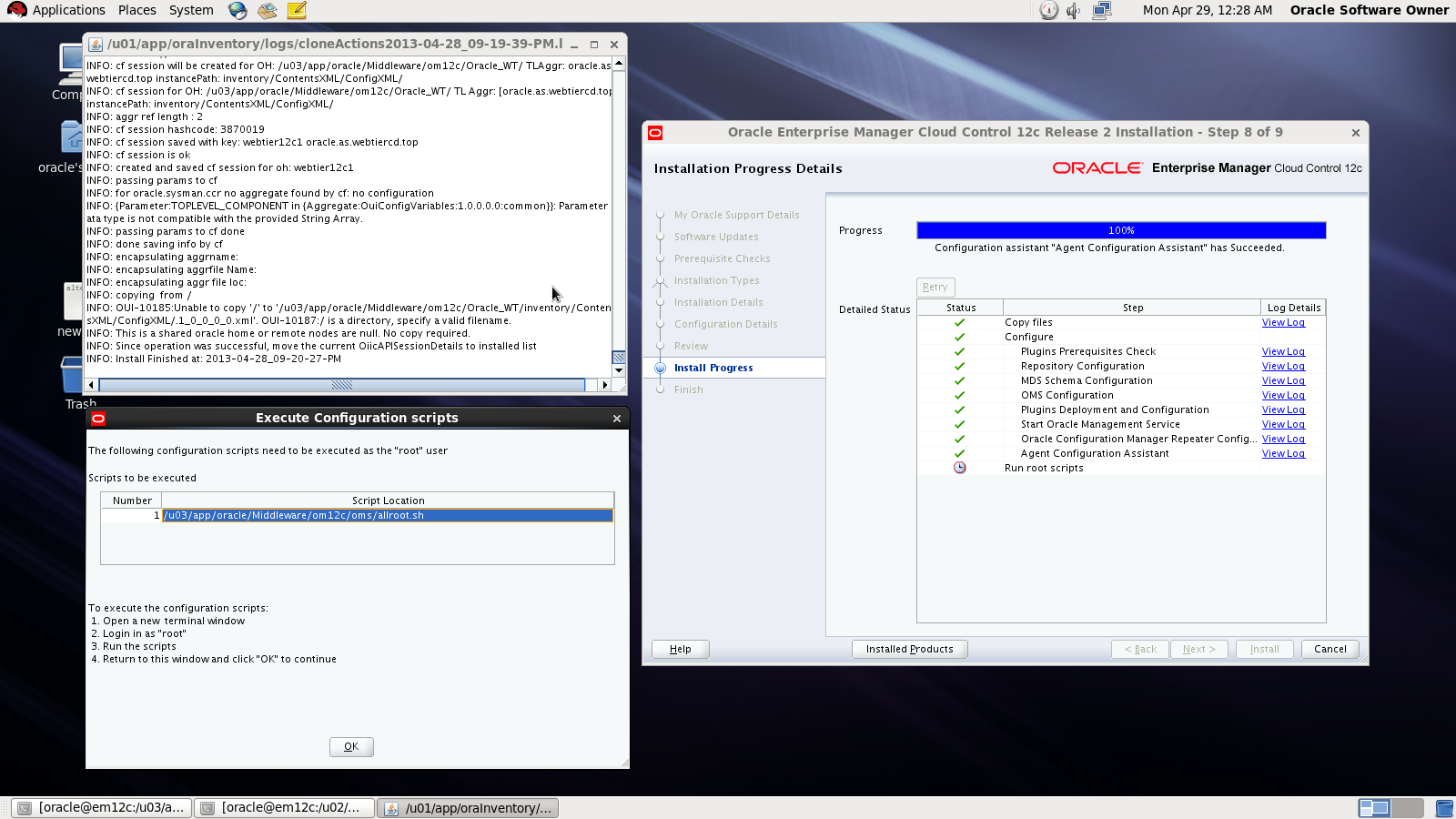
I will Provide you with Screenshot for the installation :
Asking for MOS account
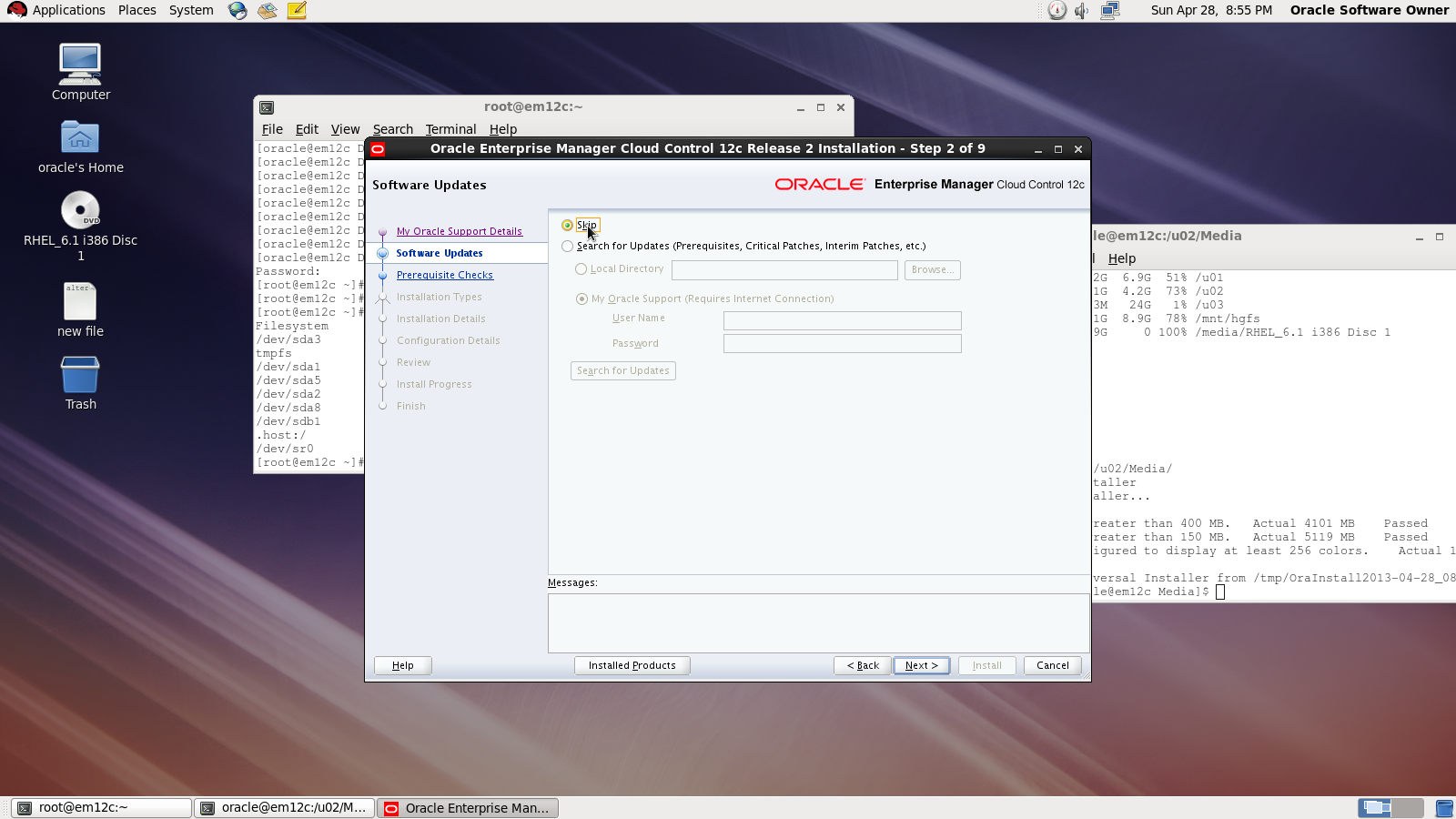
Asking for Updates 

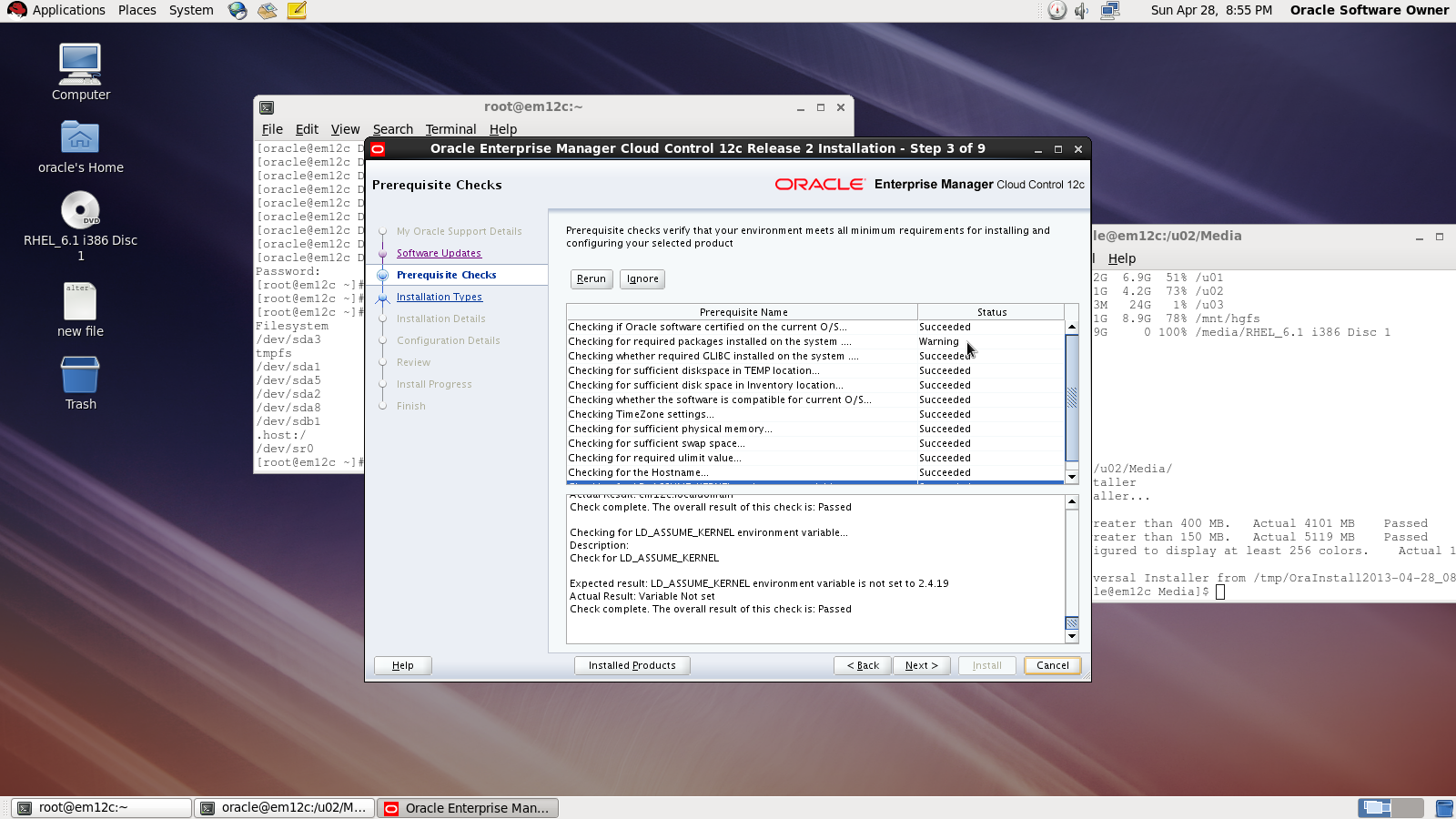
 Check prerequisites

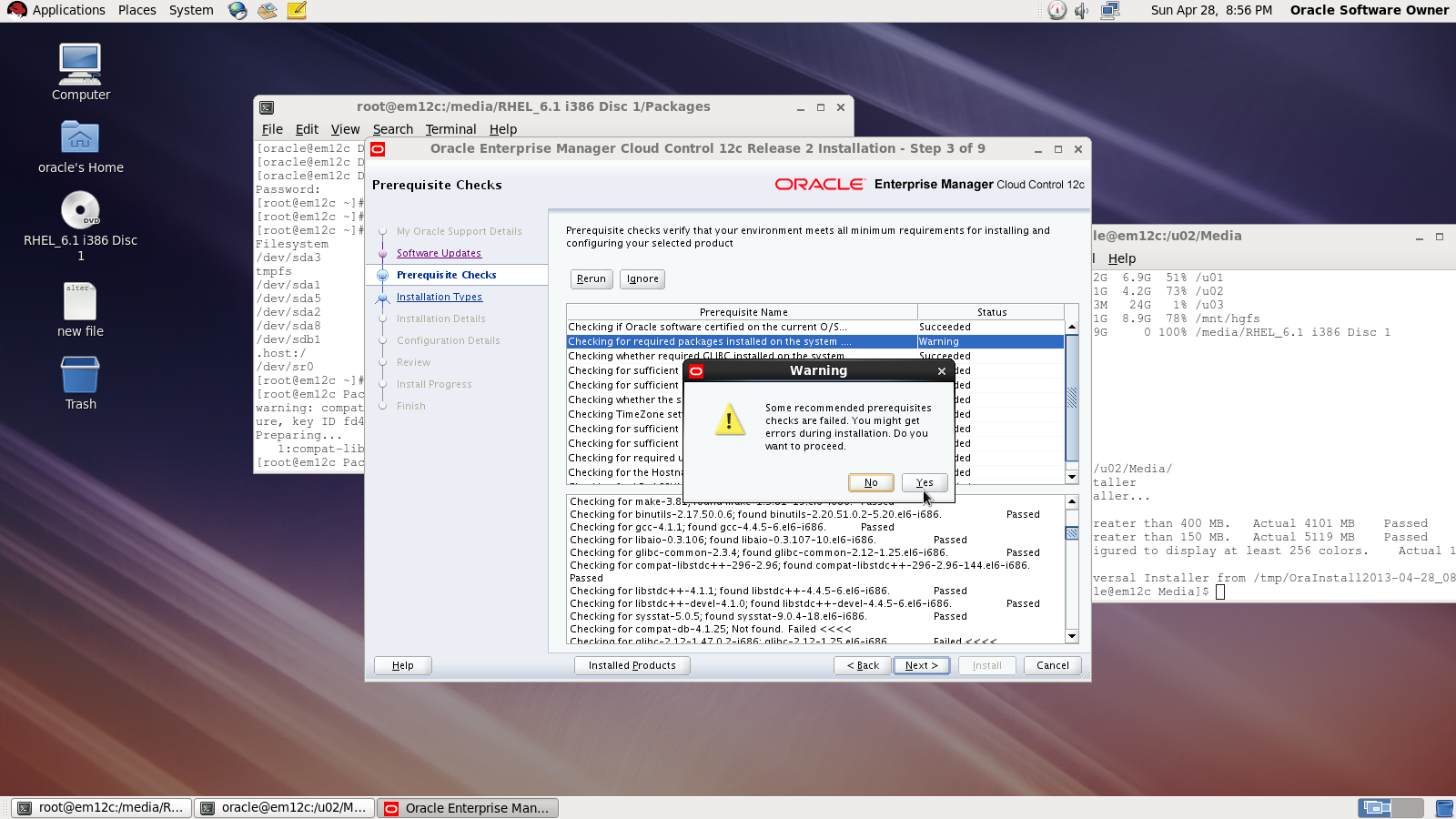
Sometimes you will receive warning related to glibc error Press Yes:

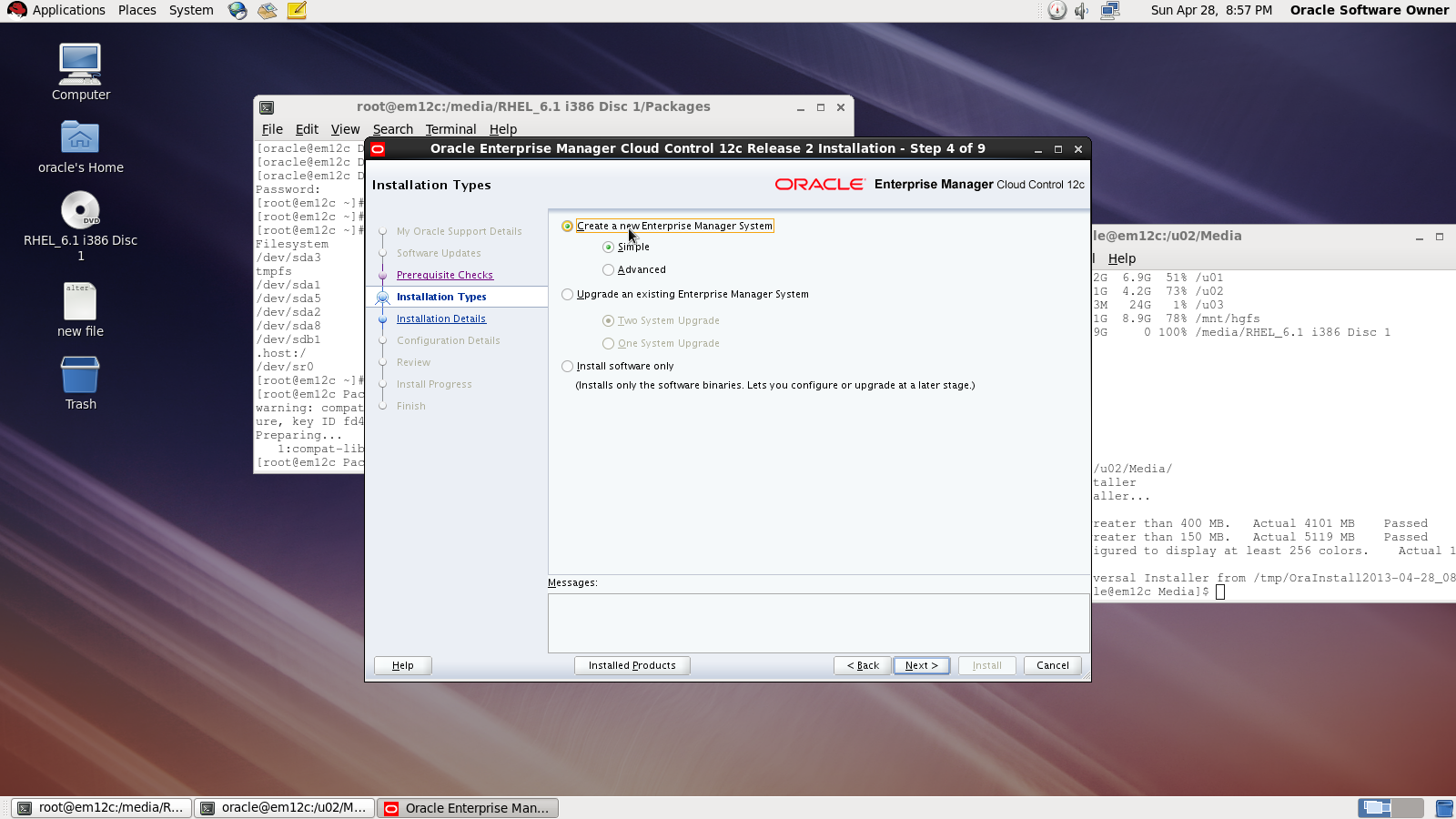
Now you need to choose installation type

Choose location where you want to install
Middleware location : /u02/app/oracle/middleware/oms12c
Agent Location : /u02/app/oracle/middleware/agent12c

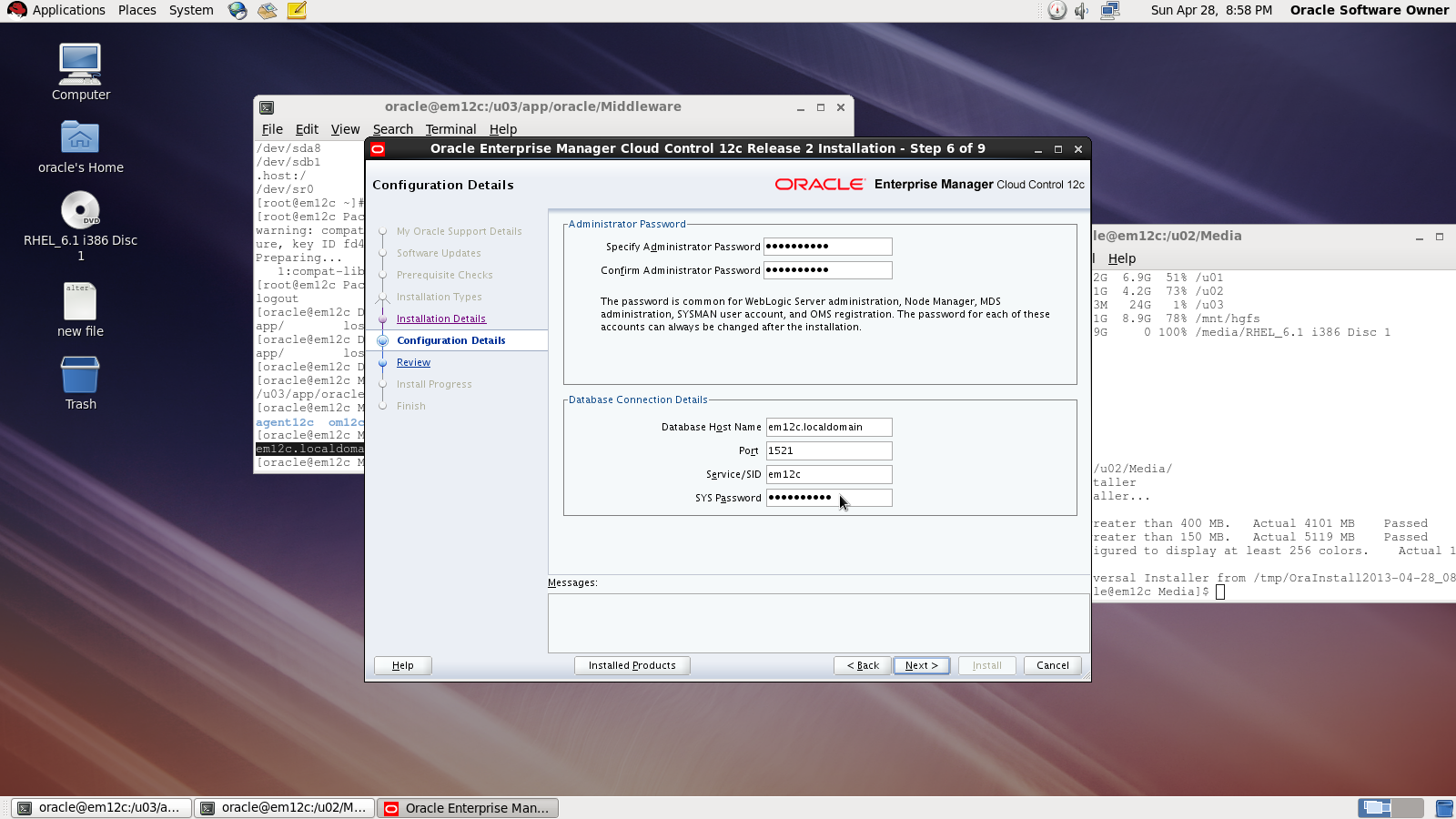
Next Screen you need to choose password and create connection with database

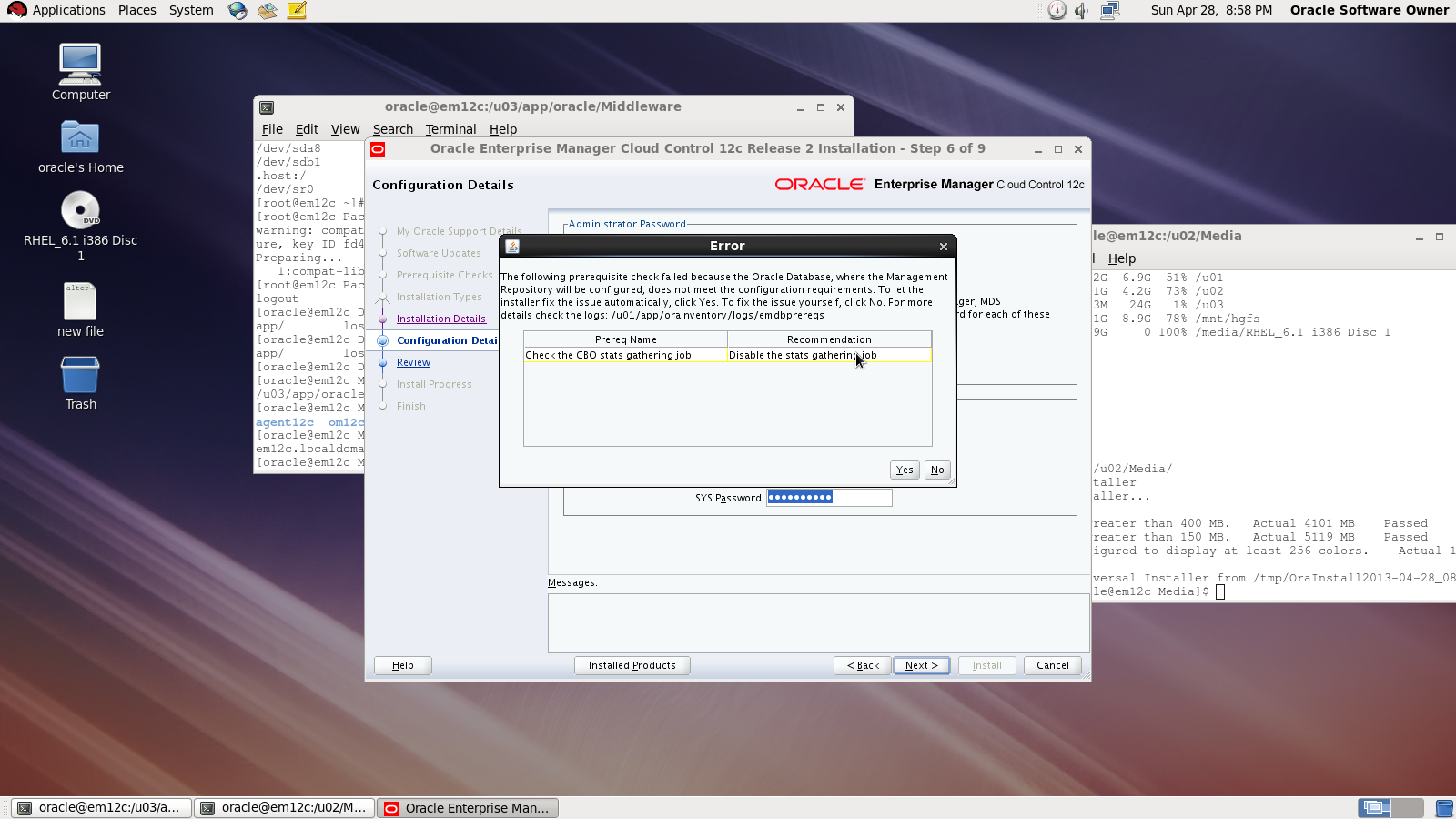
On the first warning dialog, click the “Yes” button to disable the stats gathering job.

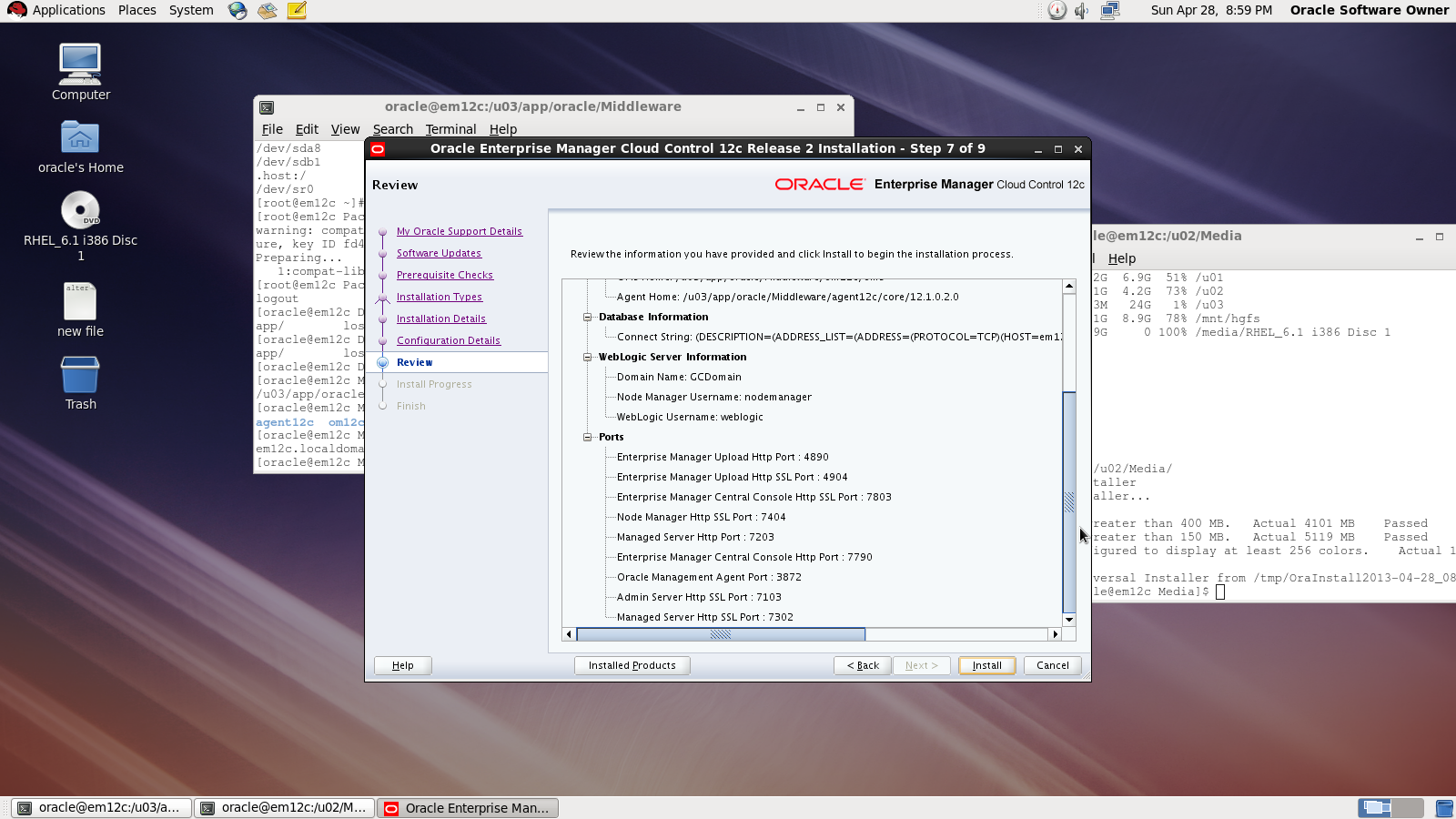
review :

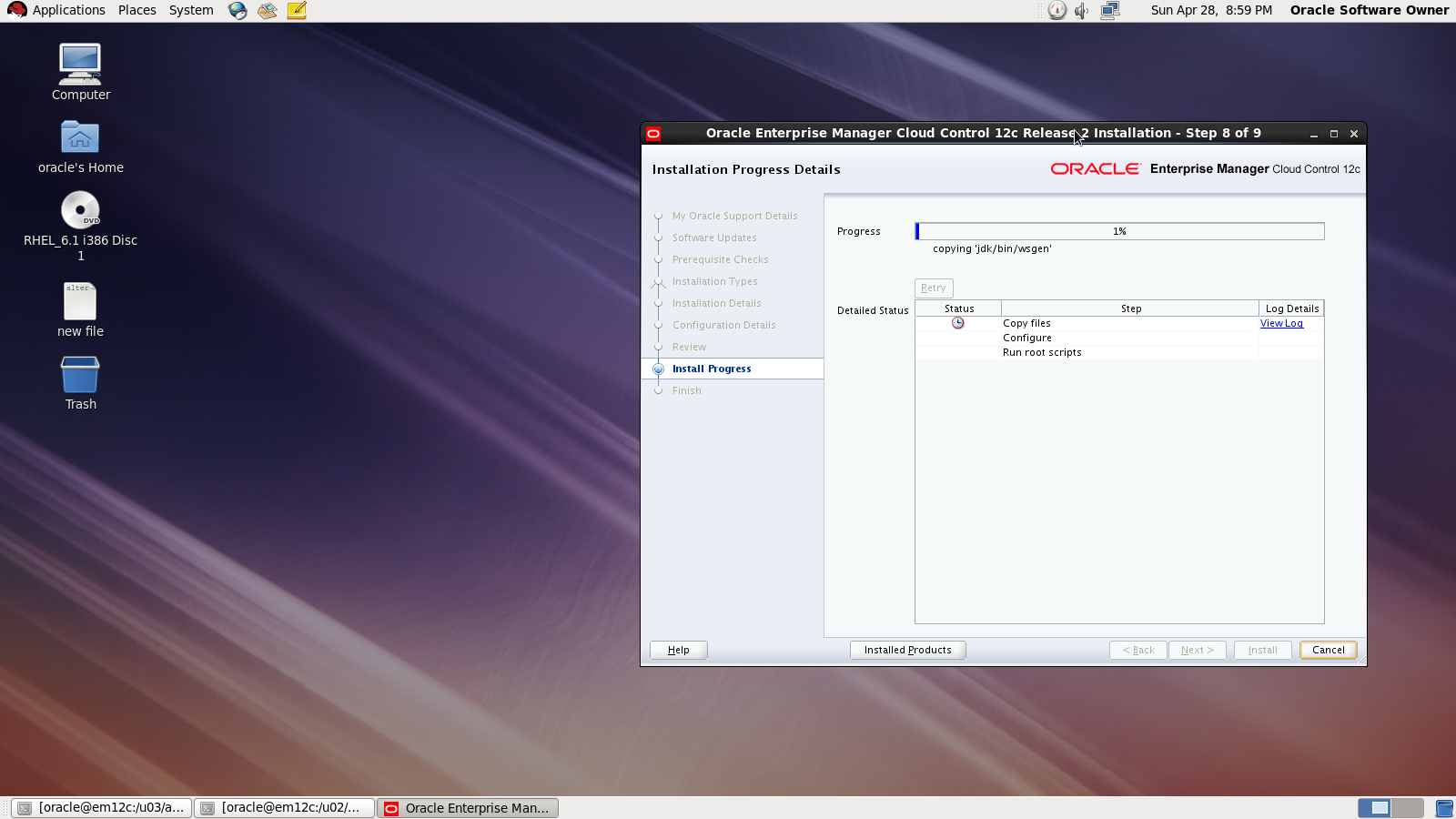
During the installation :

Done

also you can download this article from here

Thank you
Osama mustafa
FRM-92101 – Oracle EBS

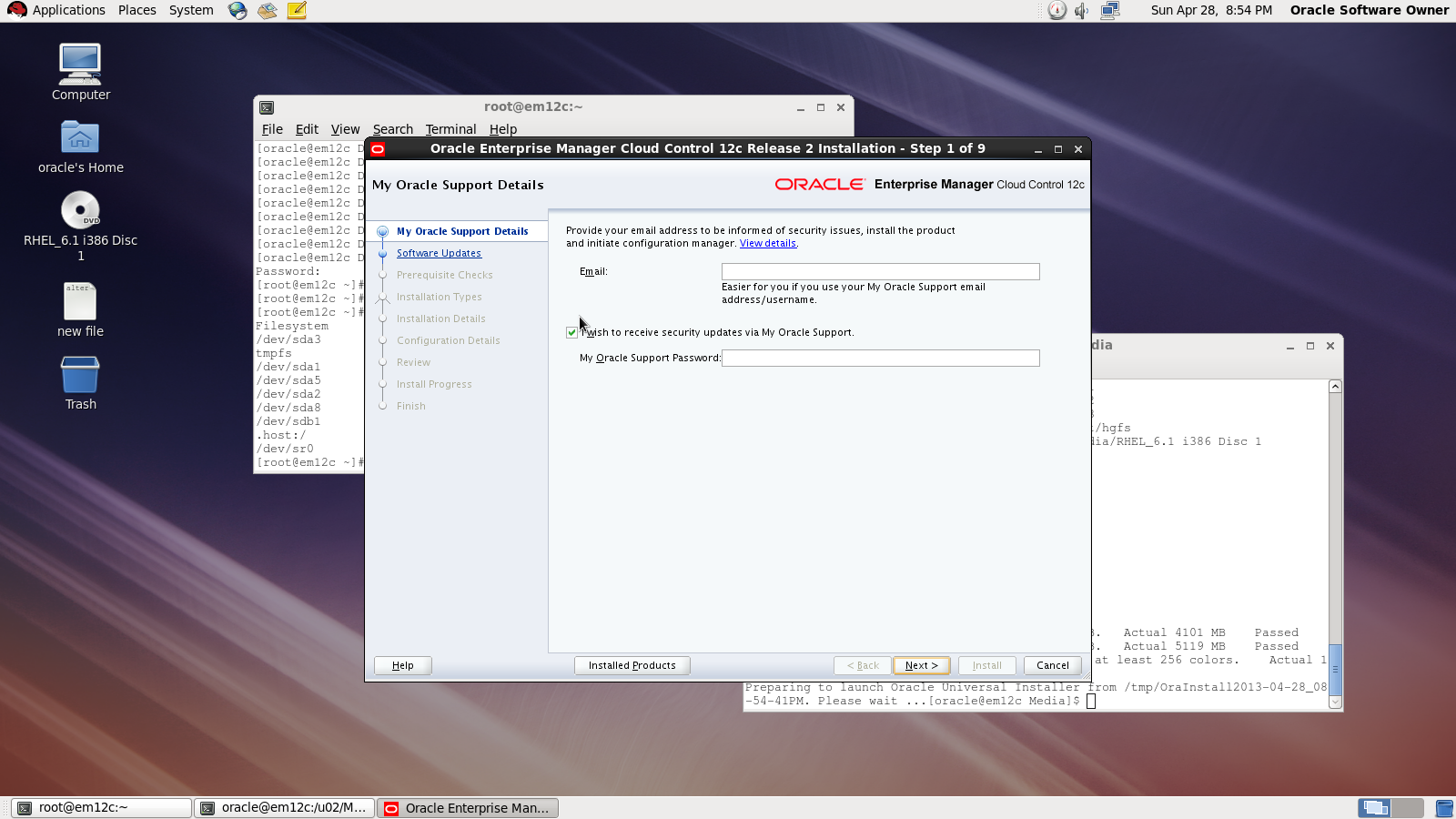
The Above Picture is what you see When you are trying to get access to any forms/Screen in oracle EBS if you check the Logs ( $LOG_HOME ) :

formsweb: Forms session exception stack trace:

oracle.forms.engine.RunformException: Forms session failed during startup: no response from runtime process
at oracle.forms.servlet.RunformProcess.connect(Unknown Source)
at oracle.forms.servlet.RunformProcess.dataToRunform(Unknown Source)
at oracle.forms.servlet.RunformSession.dataToRunform(Unknown Source)
at oracle.forms.servlet.ListenerServlet.doPost(Unknown Source)
at javax.servlet.http.HttpServlet.service(HttpServlet.java:763)
at javax.servlet.http.HttpServlet.service(HttpServlet.java:856)

The Solution is Simple Just Install The below Package from Oracle Site Here , Don’t forget Choose the right one regarding to your OS, And Use the below command :

rpm -ivh openmotif21-2.1.30-11 ……rpm 

Thank you
Osama Mustafa

Check Oracle EBS URL

You can the link for Login Page in oracle Apps by fire the below query in sqlplus as apps user :

Query #1 :
SELECT home_url
  FROM icx_parameters;


Query #2:

SELECT profile_option_value  FROM fnd_profile_option_values WHERE profile_option_id= (SELECT profile_option_id  FROM fnd_profile_options WHERE profile_option_name = ‘APPS_FRAMEWORK_AGENT’)  AND level_value = 0;

Thank you
Osama Mustafa

Cancel Request In Conurrent Manager

To Cancel Request In Oracle Apps using SqlPlus  Command run the below Query :

Update Fnd_Concurrent_Requests
   SET Phase_Code = ‘C’,
   Status_Code = ‘E’
 Where Request_ID = ;

Or you can Replace Retest_id with  CONCURRENT_PROGRAM_ID.

Thank you
Osama Mustafa

EBS 11i MOS notes

Cloning

NOTE.362473.1 : Cloning E-Business Suite Using Hot Backup for Minimal
NOTE.216212.1 : Business Continuity for Oracle Applications Release 11i
NOTE.233428.1 : Sharing the Application Tier File System in Oracle
NOTE.230672.1 : Cloning Oracle Applications Release 11i with Rapid Clone
NOTE.216664.1 : FAQ: Cloning Oracle Applications Release 11i
NOTE.135792.1 : Cloning Oracle Applications Release 11i

Patching

NOTE.174436.1 : Oracle Applications Patching FAQ
NOTE.175485.1 : How to Apply an 11i Patch When adpatch is Already Running
NOTE.181665.1 : Release 11i Adpatch Basics

Autoconfig:

NOTE.218089.1 : Autoconfig FAQ
NOTE.165195.1 : Using AutoConfig to Manage System Configurations with
NOTE.270519.1 :Customizing an AutoConfig Environment

General Notes:

165195.1 “Using Autoconfig to Manage System Configurations with Oracle Applications 11i”.
218089.1 “Frequently Asked Questions about Using Autoconfig with Oracle Applications Release 11i”.
217368.1 “Advanced Configurations and Topologies for Enterprise Deployments of E-Business Suite 11i”.
362135.1 “Configuring Oracle Applications Release 11i with 10g Release2 Real Application Clusters and Automatic Storage Management”
123718.1 “A Guide to Understanding and Implementing SSL with Oracle Applications 11i”.
125767.1 “Upgrading Developer 6i with Oracle Applications 11i”.189708.1 Oracle Reports 6i Setup Guide for Oracle Applications 11i
273888.1 Steps to Upgrade Oracle Apps 11.5.4 to Latest Version or 11.5.9
437794.1 Database Status Check Before, During And After Migrations and Upgrades
362202.1 Oracle Applications Release 11i with Oracle 10g(10.1.0.4)
165195.1 for more information on how to run autoconfig
233436.1 Installing Oracle Application Server 10g with Oracle E-Business Suite Release 11i
313418.1 Using Discoverer 10.1.2 with Oracle E-Business Suite 11i.
352843.1 HOW TO RUN A PATCH IMPACT ANALYSIS IN OAM

Check Session For Specific Request in EBS

Sqlplus apps/apps

Select request_id,oracle_process_id,phase_code,status_code from
apps.fnd_concurrent_requests where status_code=’R’
where request_id in(Request_ID #1,Request_ID #2,Request_ID #3);

select r.request_id,
  r.oracle_process_id spid,
  r.oracle_session_id,s.inst_id,
  r.os_process_id process,
  s.sid,
  s.serial#,
  s.status,to_char(logon_time,’YYYYMMDD HH24:MI:SS’) time,s.program,s.sql_address,
  s.paddr
  from apps.fnd_concurrent_requests r,
     gv$session s
 where r.request_id =31082866
  and r.oracle_session_id = s.audsid(+);

Thank you
Osama Mustafa

Check TimeZone Before Upgrades

Lot of question Regarding to TimeZone While Upgrade Oracle Database, You have to Check TimeZone When you have Data Or Schedule Job With Timezone info.

There are three Cases I will Describe them later In this article , but First You need to check Timezone

SQL> select version from v$timezone_file;

After Doing That you will Have Number As Output , This Number Should Compare to 4 ( value ) with Three below Cases :
1- Output =  4

You could Contuine with Upgrade without Do anything

2- Output >  4
Actions for the DSTv4 update in the 10.2.0.4 patchset [ID 553812.1]
Updated DST transitions and new Time Zones in Oracle Time Zone File patches [ID 412160.1]

3 – Output < 4 
You have to download utltzpv4.sqlfrom MOS (https://support.oracle.com)
With This Script also you have two case
if script returns no rows, there is nothing that needs to be done. Just proceed with the upgrade.

If script retunrs the detail of columns that contain TZ data which may be affected by the upgrade, then follow document Actions for the DSTv4 update in the 10.2.0.4 patchset [ID 553812.1]

Thank you
Osama Mustafa

Stage Oracle EBS R12

in this article i will clarfiy how to download Oracle EBS R12 and learn how to stage this product.

Let’s start with how to download Oracle EBS R12 :

Step 1 : Go to https://edelivery.oracle.com
Step 2 : Enter Your UserName and Password to get acces to this site, and you also register for free.
Step 3 : in this step you have to select which product you need in our case “E-Business Suite” and platform compatiable with EBS , Windows, Linux , AiX and Solaris.
Step 4 : we need to download all the zip files belonging to the following parts:

  1. Rapid Install Start Here
  2. Rapid Install RDBMS
  3. Rapid Install Databases
  4. Rapid Install Tools
  5. Rapid Install APPL_TOP

Staging Oracle EBS is Easy & Simple

  1. By Creating Stage Directory , and make sure you have enough space on that direcoty , copy download file to stage folder, and exetation for downloadable files “zip”.
  2. Unzip the files and in this case you will have Stage area for EBS.

Documet Dowload Here.
Thank you
Osama mustafa


Oracle EBS Patch Tips

What We Mean By Patch ?

Is Program designed to fix some Bugs Or Particular problem .

types of file in patch

cxxxx.drv         the ‘c’ or copy driver
dxxxx.drv         the ‘d’ or ‘database’ driver
gxxxx.drv         the ‘g’ or ‘generate’ driver  -form rep chart
jxxxx.zip         jar file

Applying Patch On EBS ?

-Go to Patch Directory , Unzip .
-inside patch Directory , you find Patch.DRV
-After Run Apps-.evn run adpatch
-answer on the question .
-On Some where in the question , you will be asked to apply patch name which is .DRV

Note : You Need to Enable Maintenance Mode using adadmin .

You will find Topics in Details on my blog talking about how to use adadmin and Adpatch .

Thank you
Osama Mustafa