SQL> select * from test ;
no rows selected
SQL> desc test ;
Name Null? Type
—————————————– ——– —————————-
TEST_ID NOT NULL NUMBER
TEST_NAME VARCHAR2(20)
SQL> truncate table test cascade ;
Table truncated.
More Features coming up 🙂
For the people who think differently Welcome aboard
SQL> select * from test ;
no rows selected
SQL> desc test ;
Name Null? Type
—————————————– ——– —————————-
TEST_ID NOT NULL NUMBER
TEST_NAME VARCHAR2(20)
SQL> truncate table test cascade ;
Table truncated.
More Features coming up 🙂
For the first time in Oracle Database you can move objects online without offline or shutdown database which is very useful and helpful for any DBA’s
Check the example below :
SQL> select file_name from dba_data_files ;
FILE_NAME
——————————————————————————–
/u01/app/oracle/oradata/db12c/system01.dbf
/u01/app/oracle/oradata/db12c/sysaux01.dbf
/u01/app/oracle/oradata/db12c/users01.dbf
/u01/app/oracle/oradata/db12c/undotbs01.dbf
SQL> select File_name from dba_data_files ;
FILE_NAME
——————————————————————————–
/u01/system.dbf
/u01/app/oracle/oradata/db12c/sysaux01.dbf
/u01/app/oracle/oradata/db12c/users01.dbf
/u01/app/oracle/oradata/db12c/undotbs01.dbf
Thank you
Osama mustafa
Hardware
you need to configure Swap Memory And make sure you RAM is enough to avoid Out Of memory during the installation.
Software
as i mention before check certified OS with database, in my case i will use Redhat 6 update 4.
install Packages :
binutils-2.20.51.0.2-5.11.el6 (x86_64)
glibc-2.12-1.7.el6 (x86_64)
libgcc-4.4.4-13.el6 (x86_64)
libstdc++-4.4.4-13.el6 (x86_64)
libaio-0.3.107-10.el6 (x86_64)
libXext-1.1 (x86_64)
libXtst-1.0.99.2 (x86_64)
libX11-1.3 (x86_64)
libXau-1.0.5 (x86_64)
libxcb-1.5 (x86_64)
libXi-1.3 (x86_64)
make-3.81-19.el6sysstat-9.0.4-11.el6 (x86_64)
compat-libcap1-1.10-1 (x86_64)
compat-libstdc++-33-3.2.3-69.el6 (x86_64)
gcc-4.4.4-13.el6 (x86_64)
gcc-c++-4.4.4-13.el6 (x86_64)
glibc-devel-2.12-1.7.el6 (x86_64)
ksh <== any version of ksh is acceptable
libstdc++-devel-4.4.4-13.el6 (x86_64)
libaio-devel-0.3.107-10.el6 (x86_64)
inside /etc/sysctl.conf
fs.file-max = 6815744
kernel.sem = 250 32000 100 128
kernel.shmmni = 4096
kernel.shmall = 1073741824
kernel.shmmax = 4398046511104
net.core.rmem_default = 262144
net.core.rmem_max = 4194304
net.core.wmem_default = 262144
net.core.wmem_max = 1048576
fs.aio-max-nr = 1048576
net.ipv4.ip_local_port_range = 9000 65500
Use this command to restart kernel /sbin/sysctl -p
/etc/hosts
Serverip Hostname
/etc/security/limits.conf
oracle soft nofile 1024
oracle hard nofile 65536
oracle soft nproc 2047
oracle hard nproc 16384
oracle soft stack 10240
oracle hard stack 32768
/etc/pam.d/login
session required pam_limits.so
after edit OS parameter you need to create Oracle user :
groupadd -g 101 oinstall
groupadd -g 102 dba
groupadd -g 103 oper
useradd -u 100 -g oinstall -G dba,oper oracle
passwd oracle
copy media to your Server , and do the following :
chown -R oracle:oinstall /u01/database
chmod -R 775 /u0/database
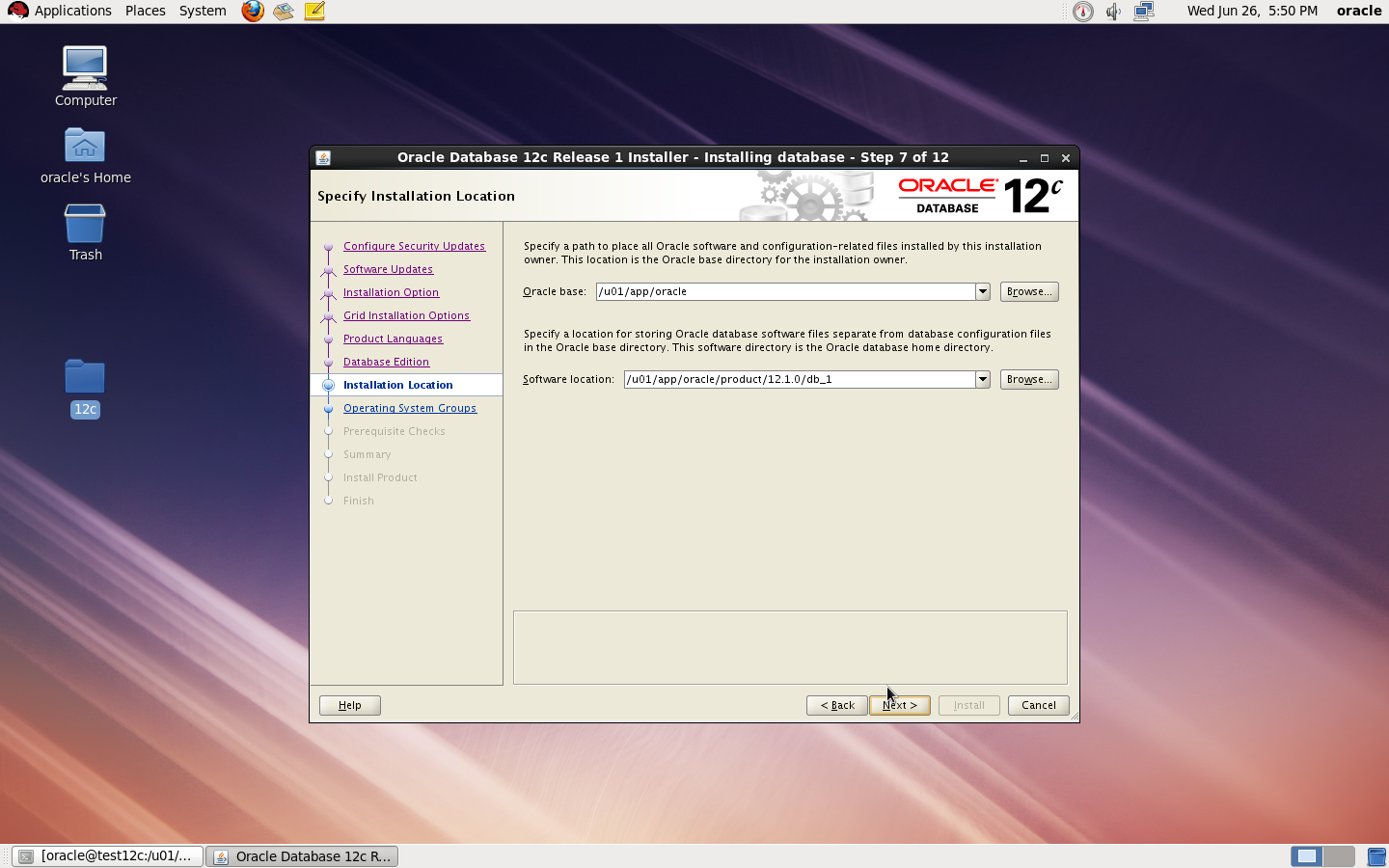
mkdir -p /u01/app/oracle/product/12.1.0/db_1
chown -R oracle:oinstall /u01
chmod -R 775 /u01
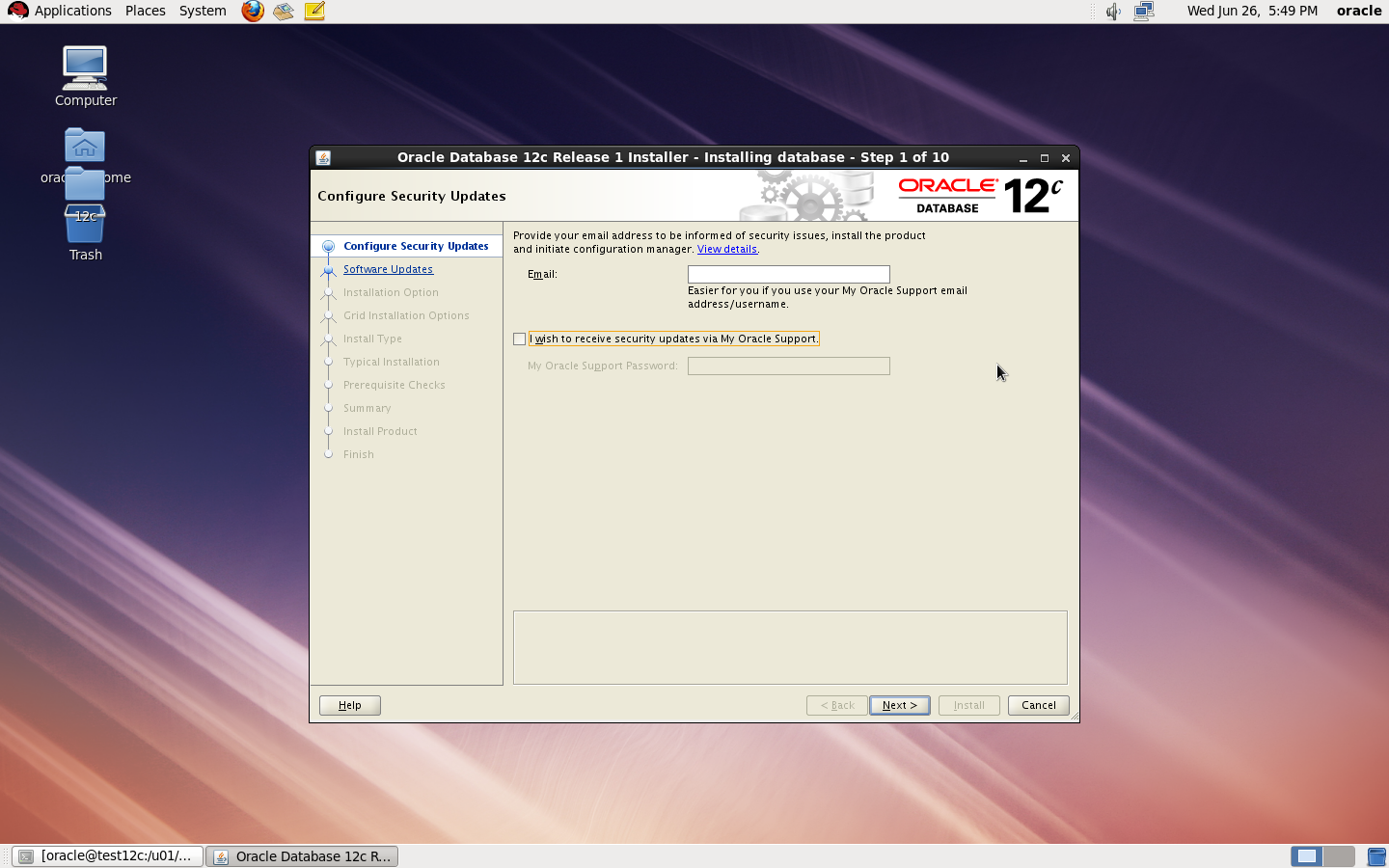
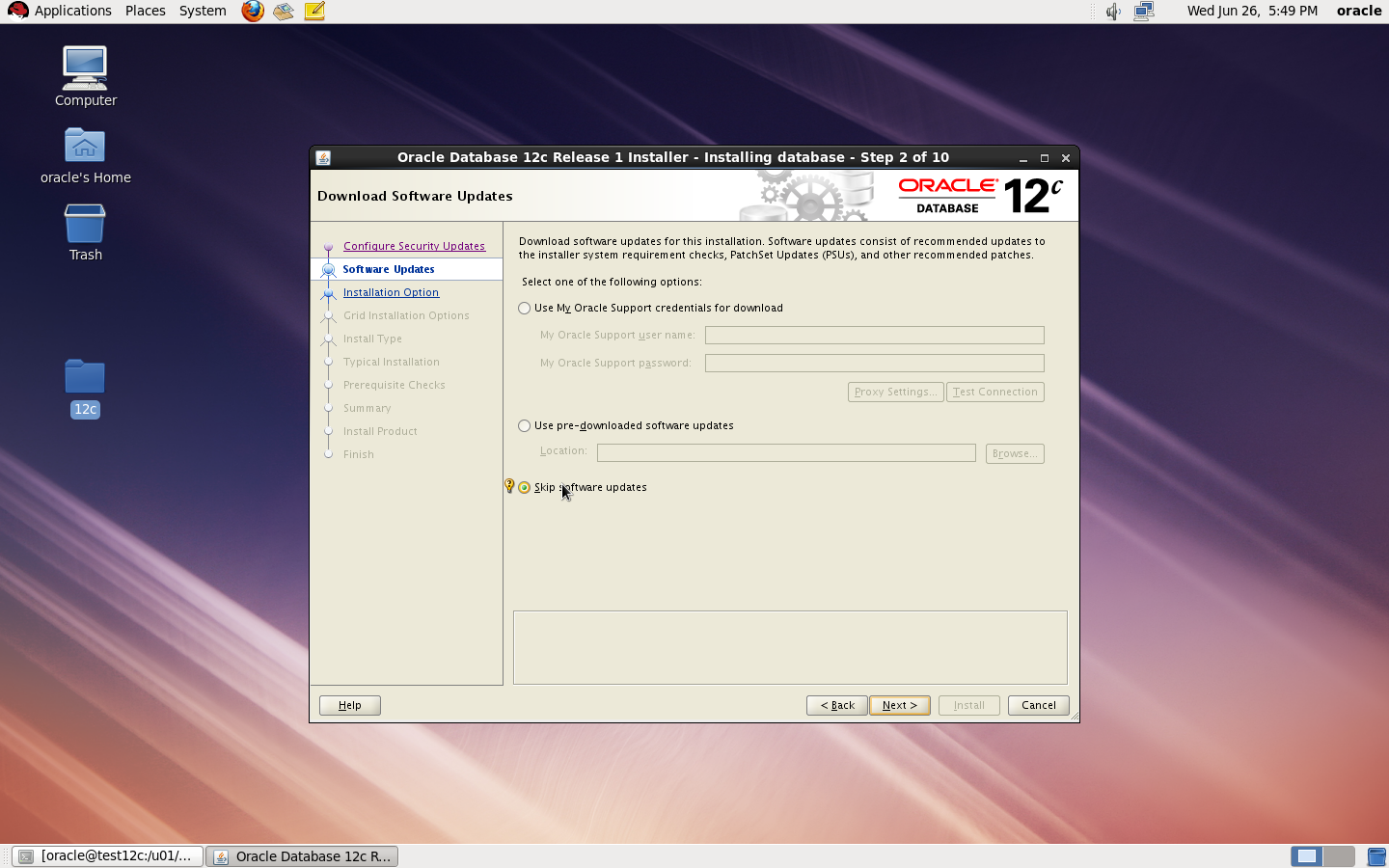
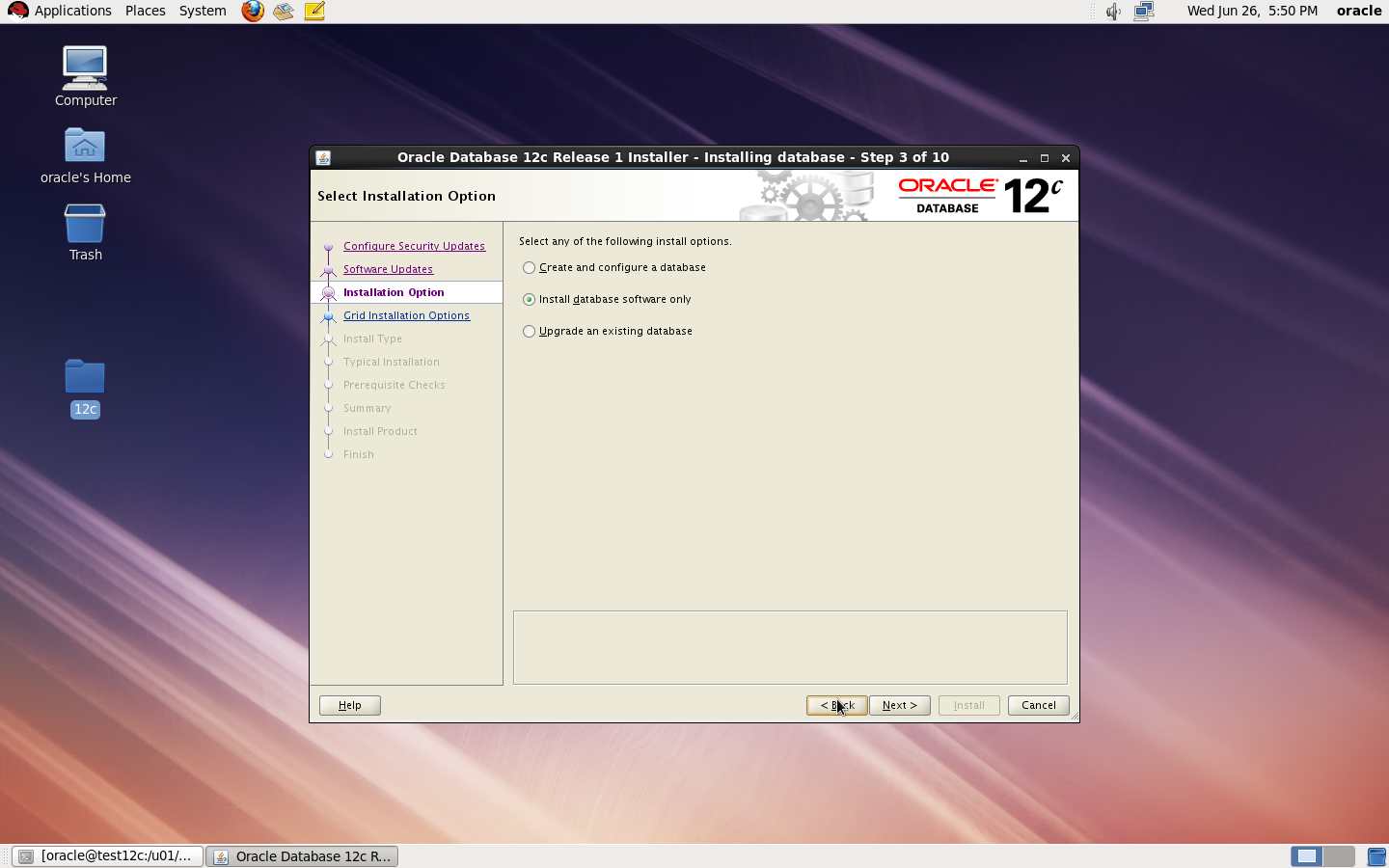
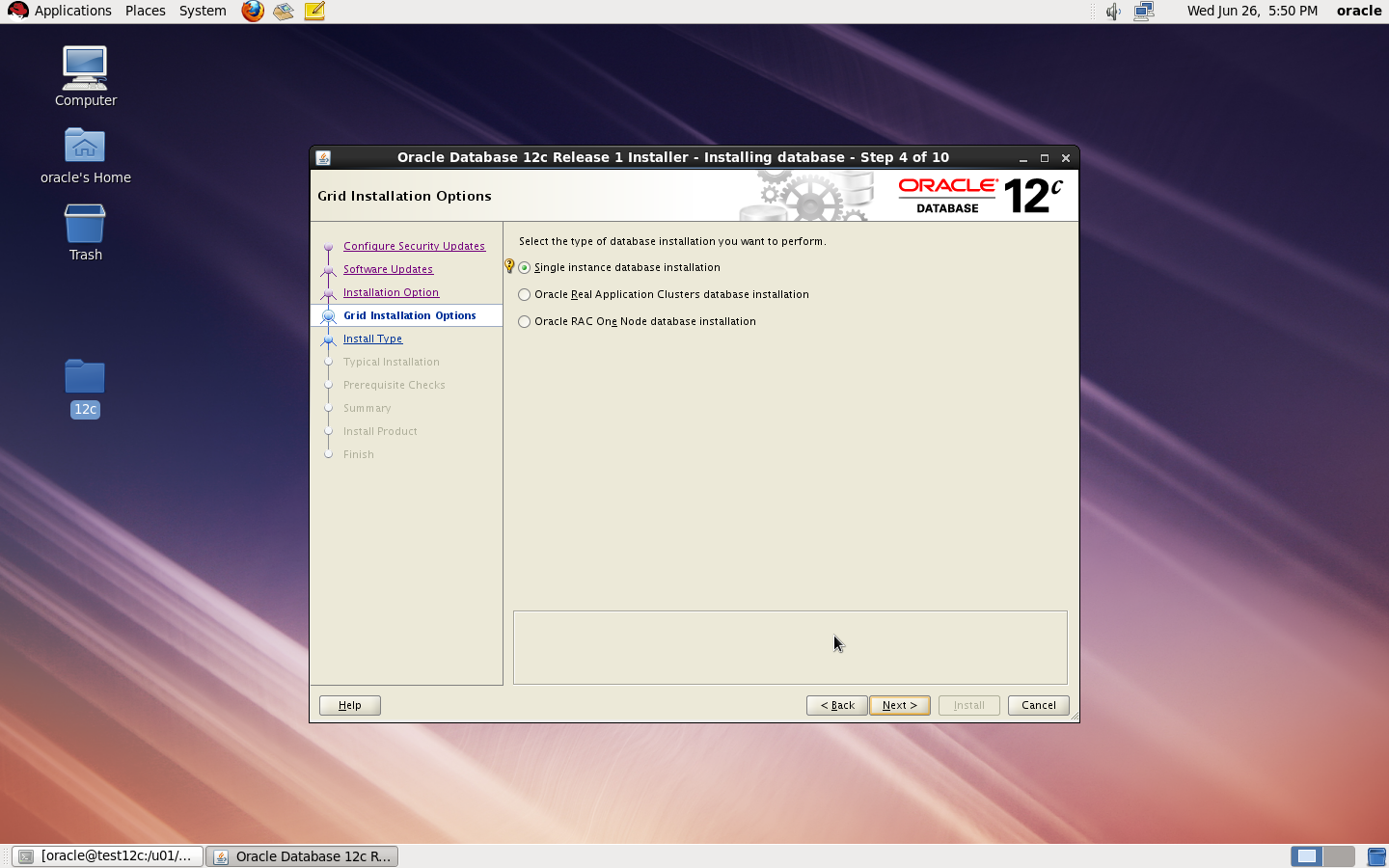
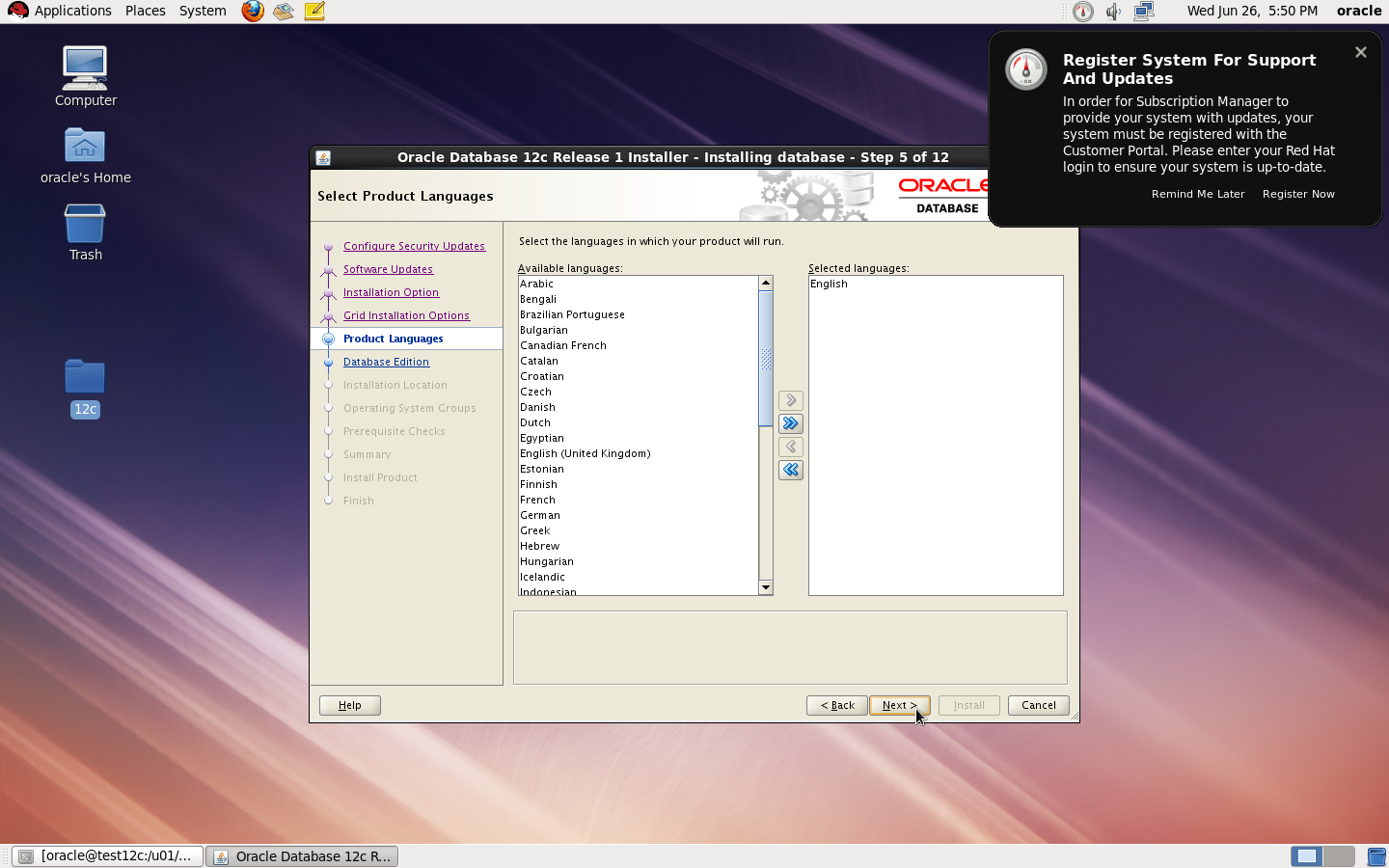
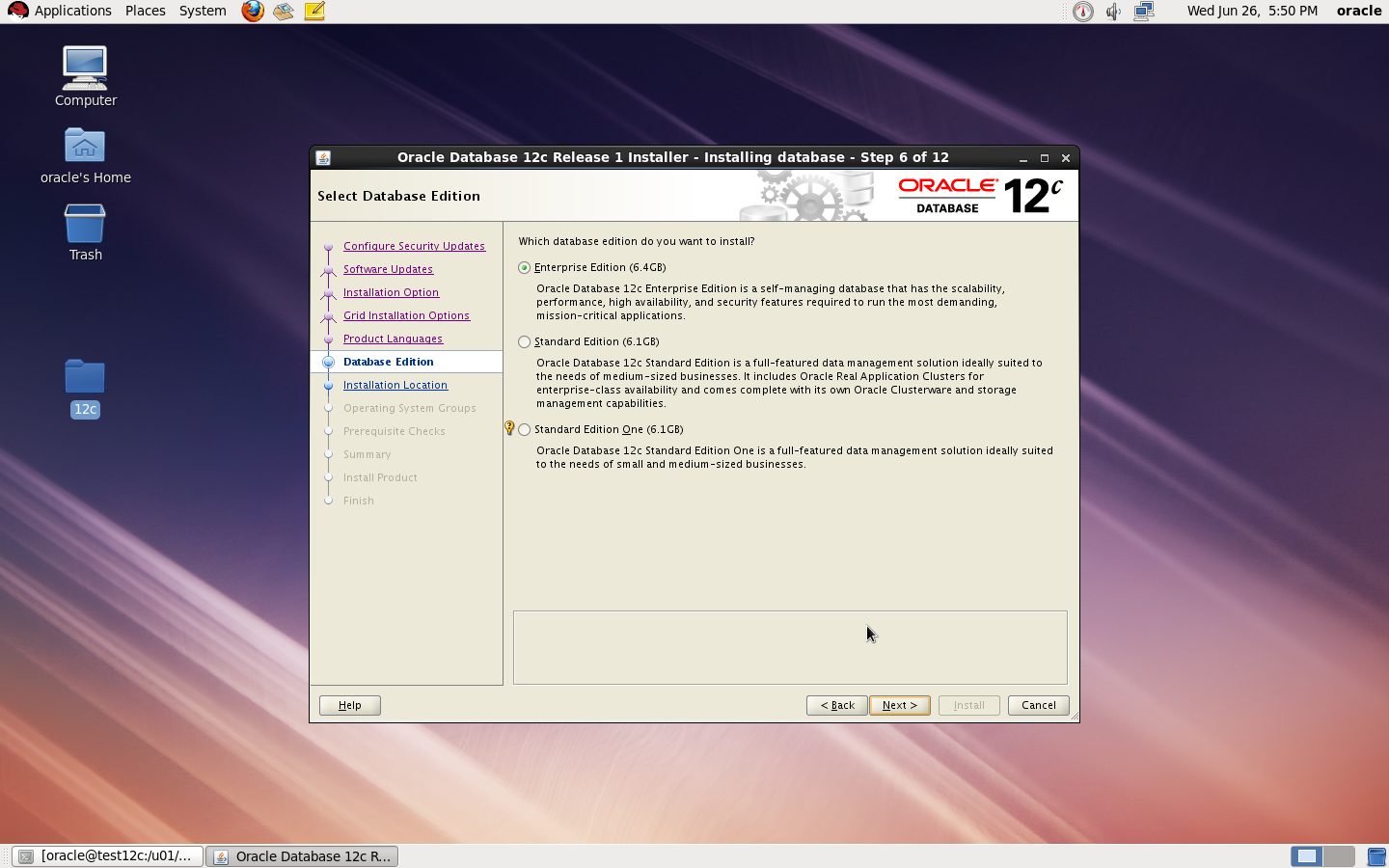
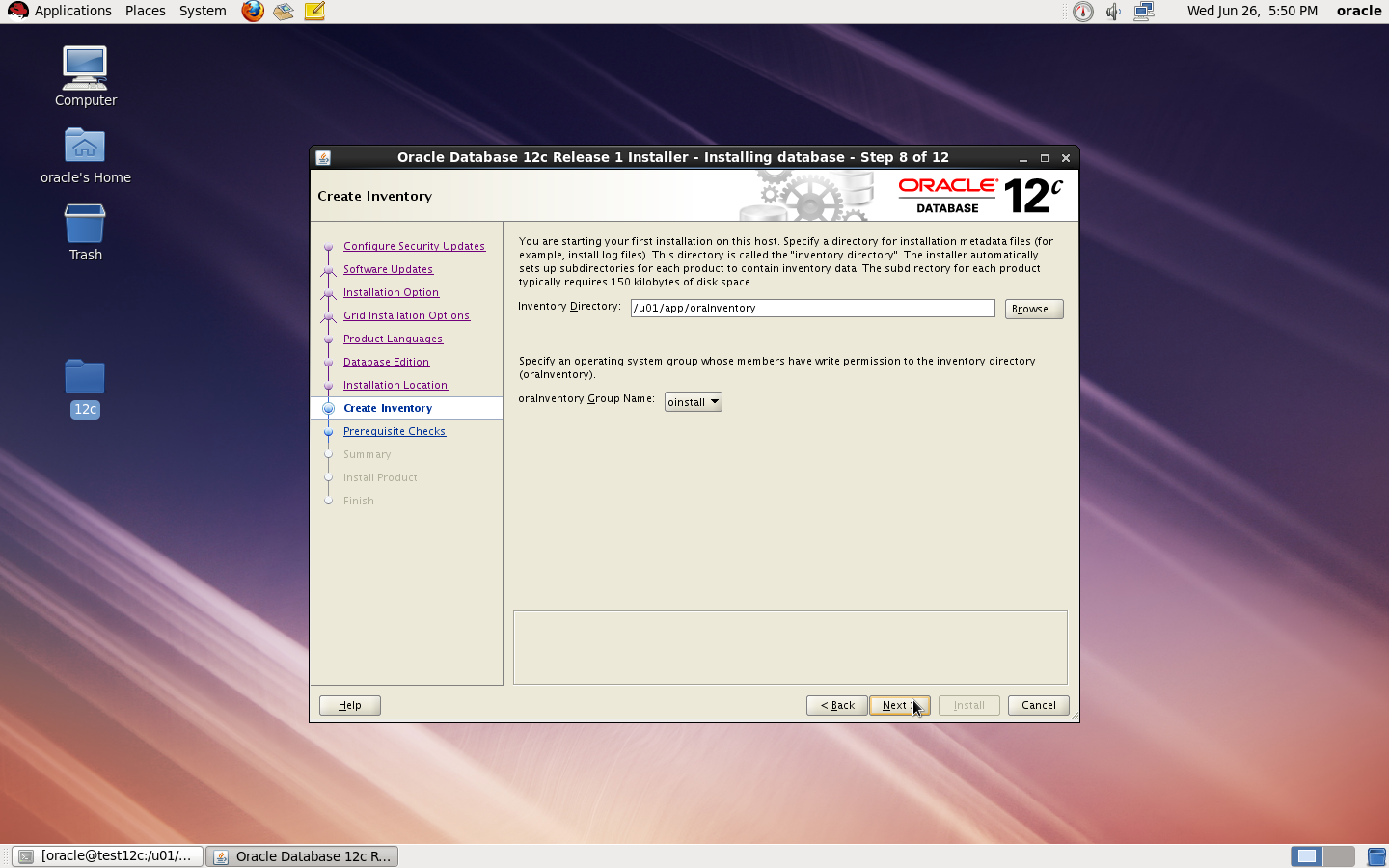
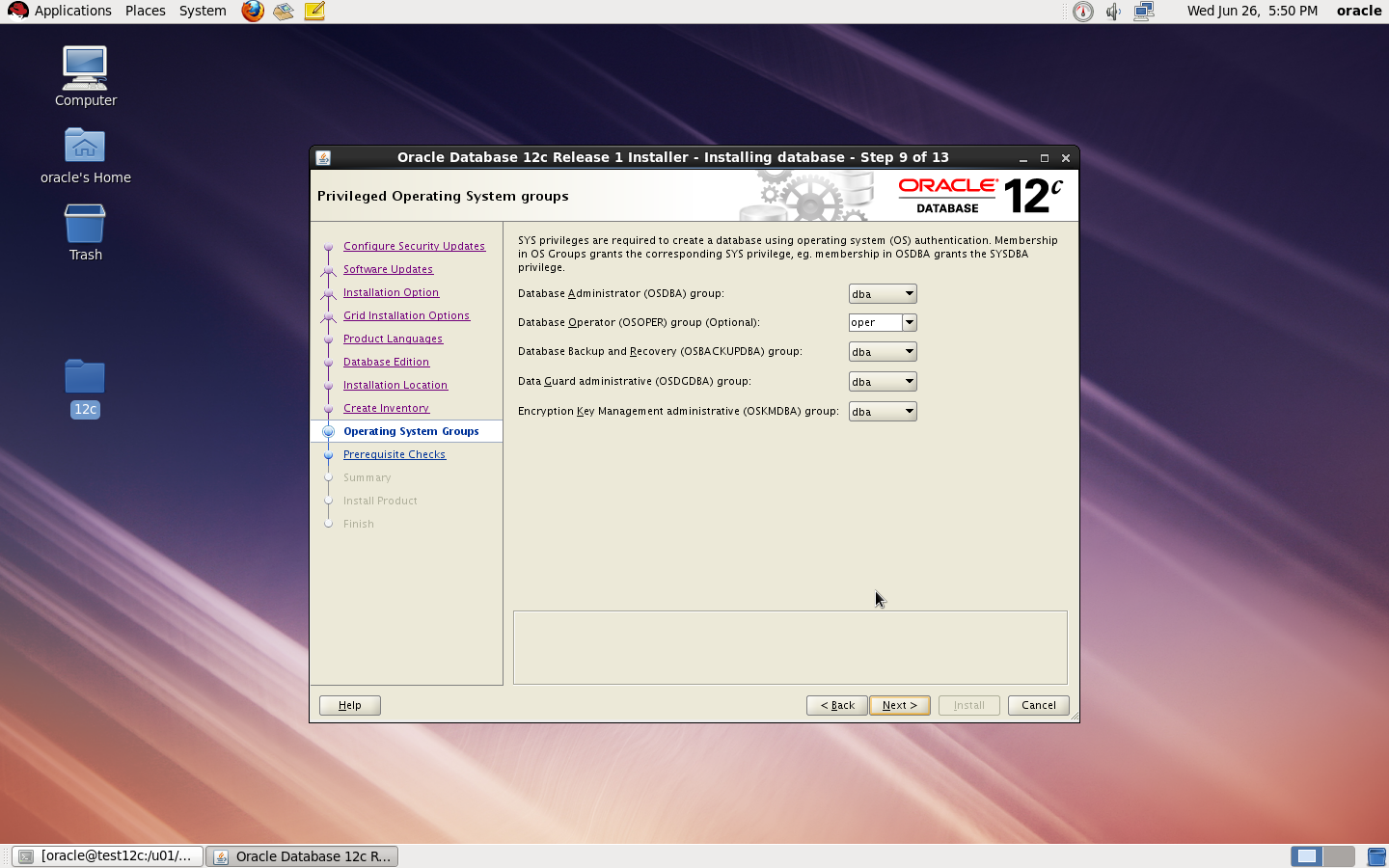
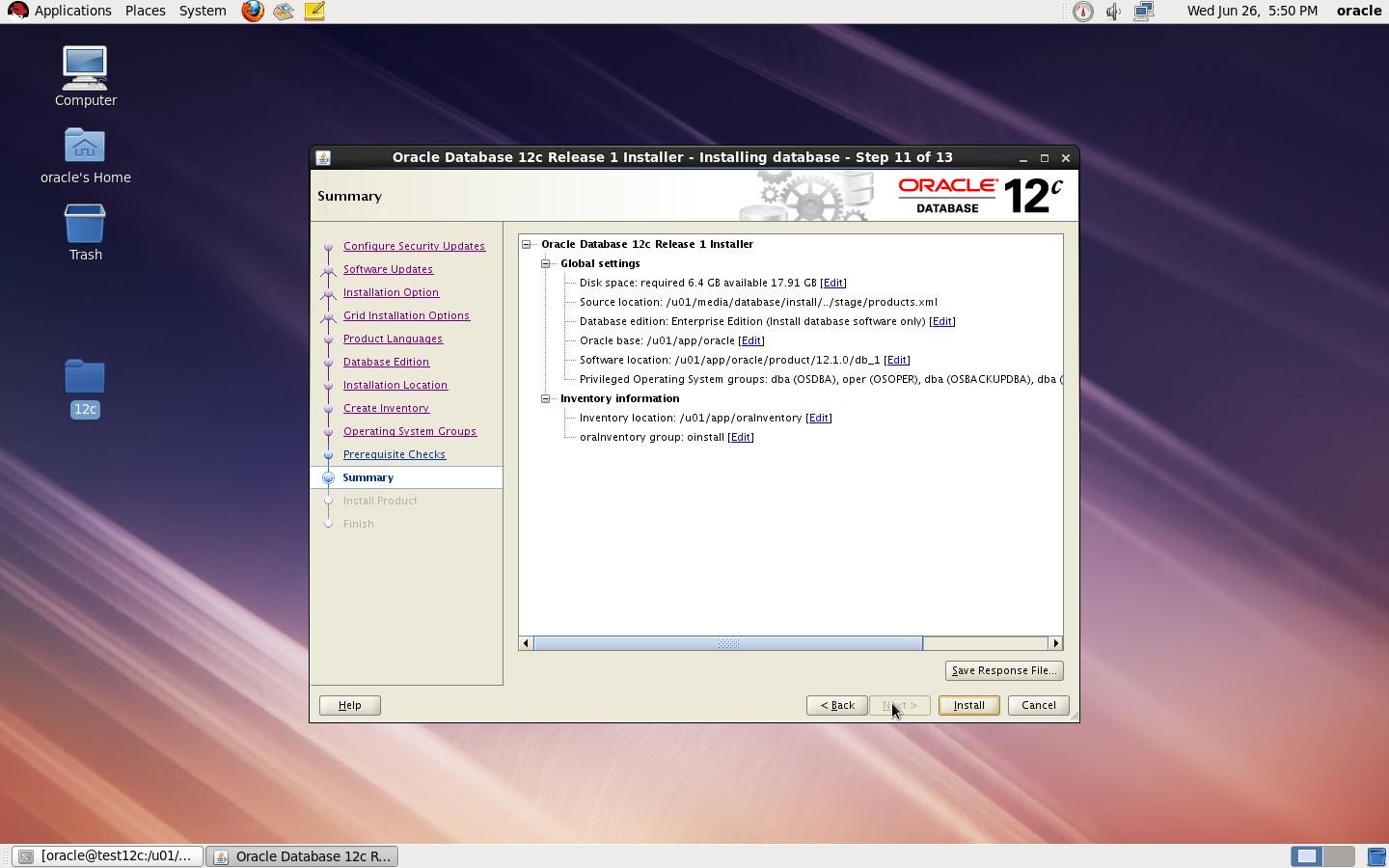
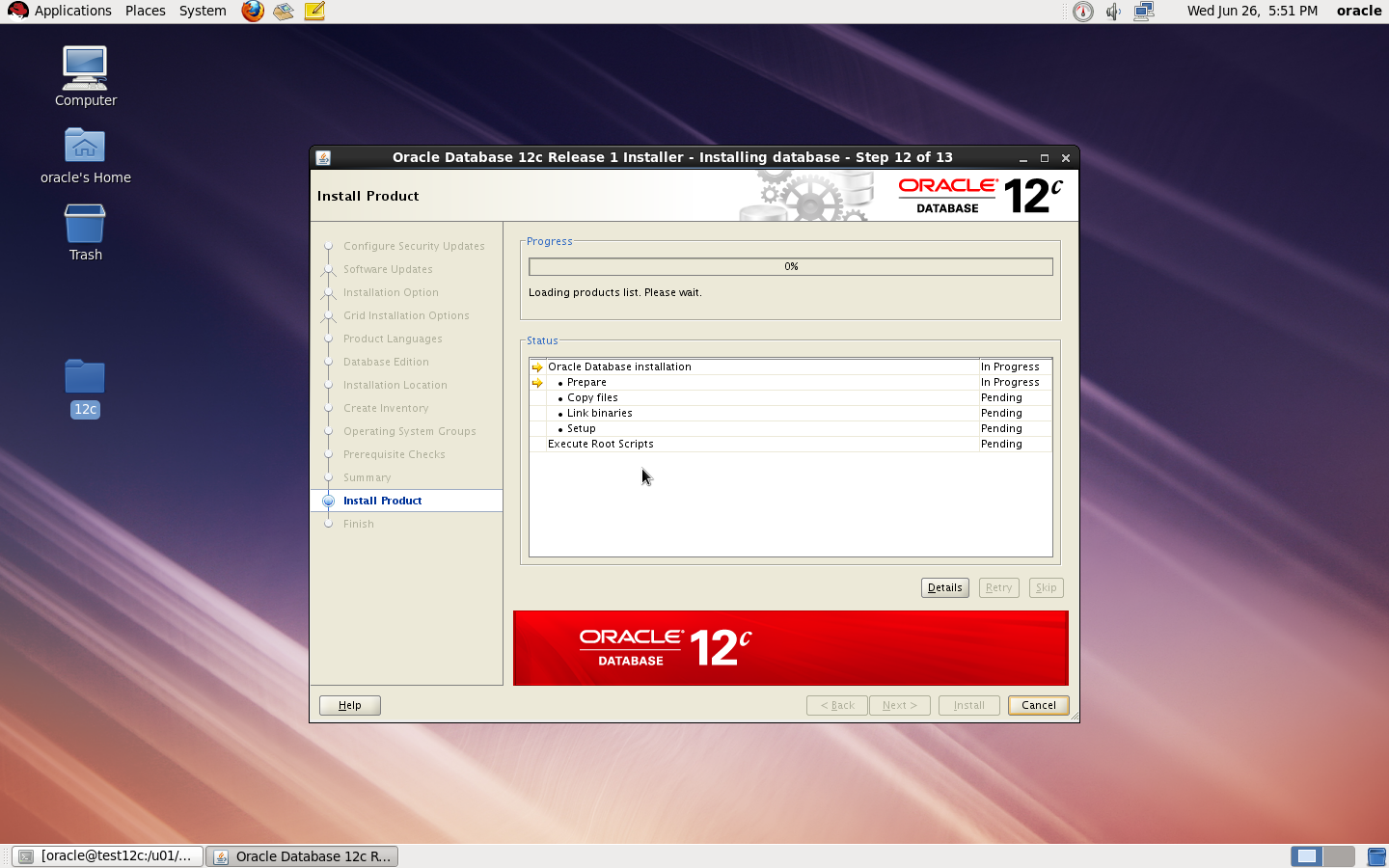
now start installation by ./runInstaller
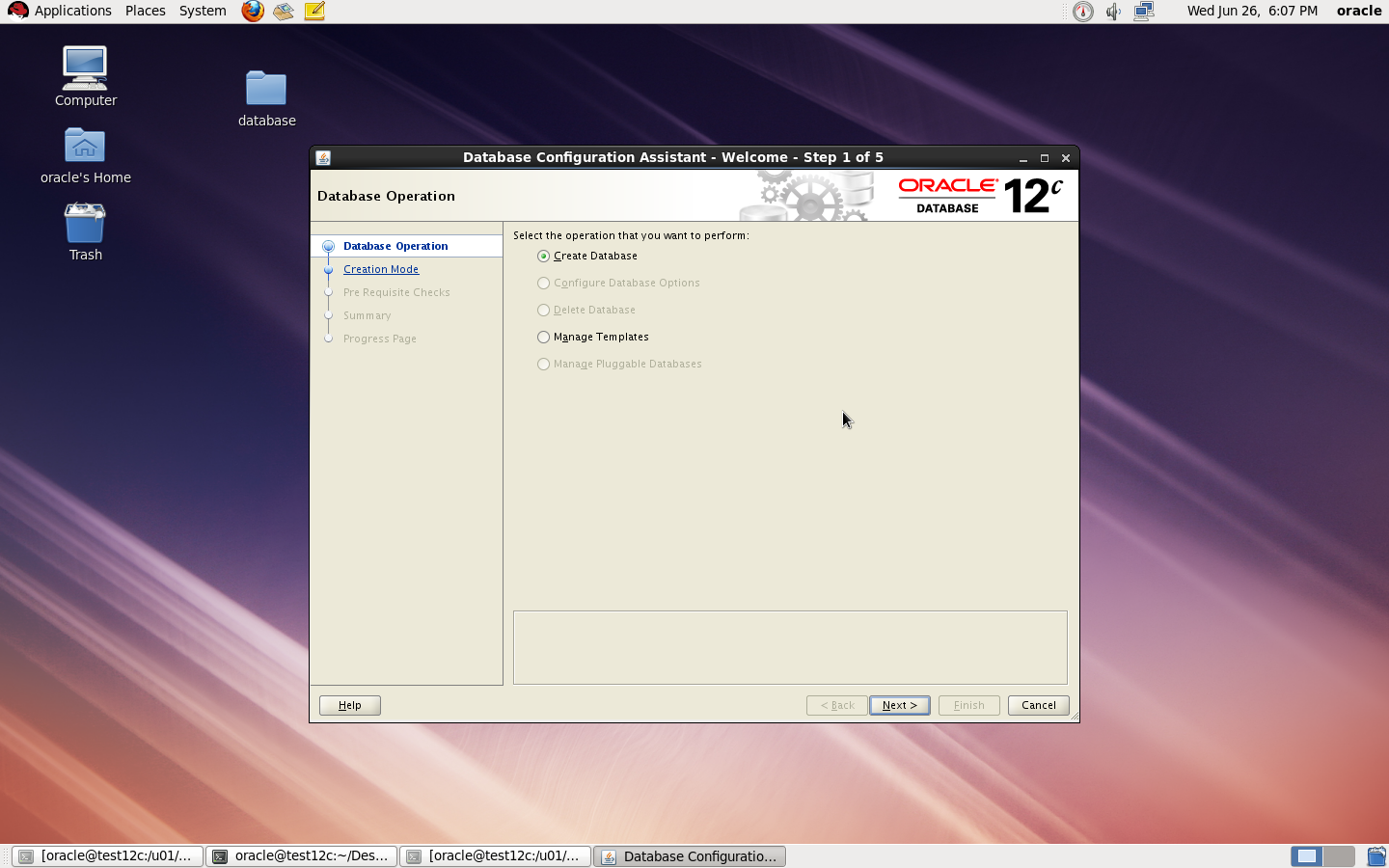
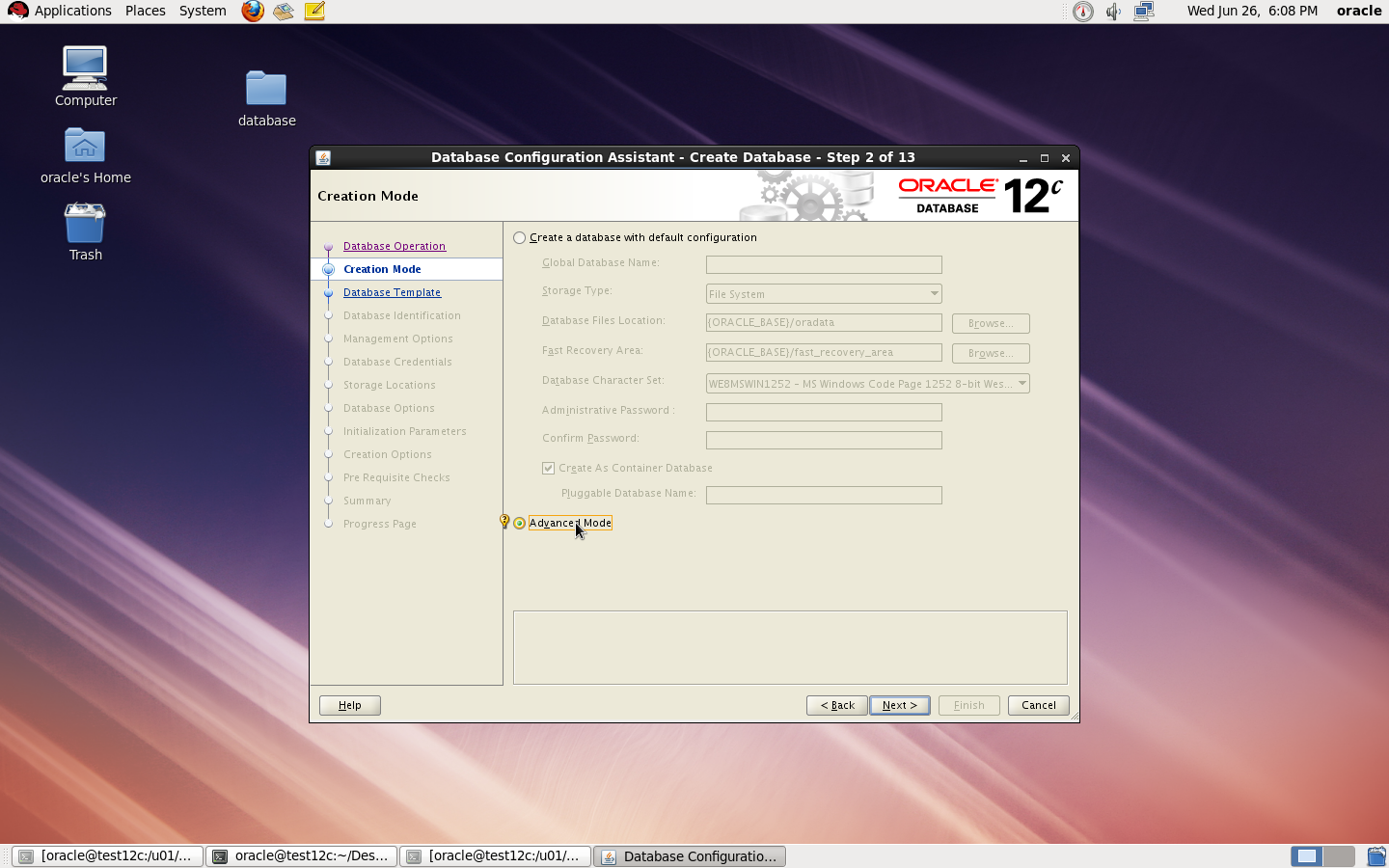
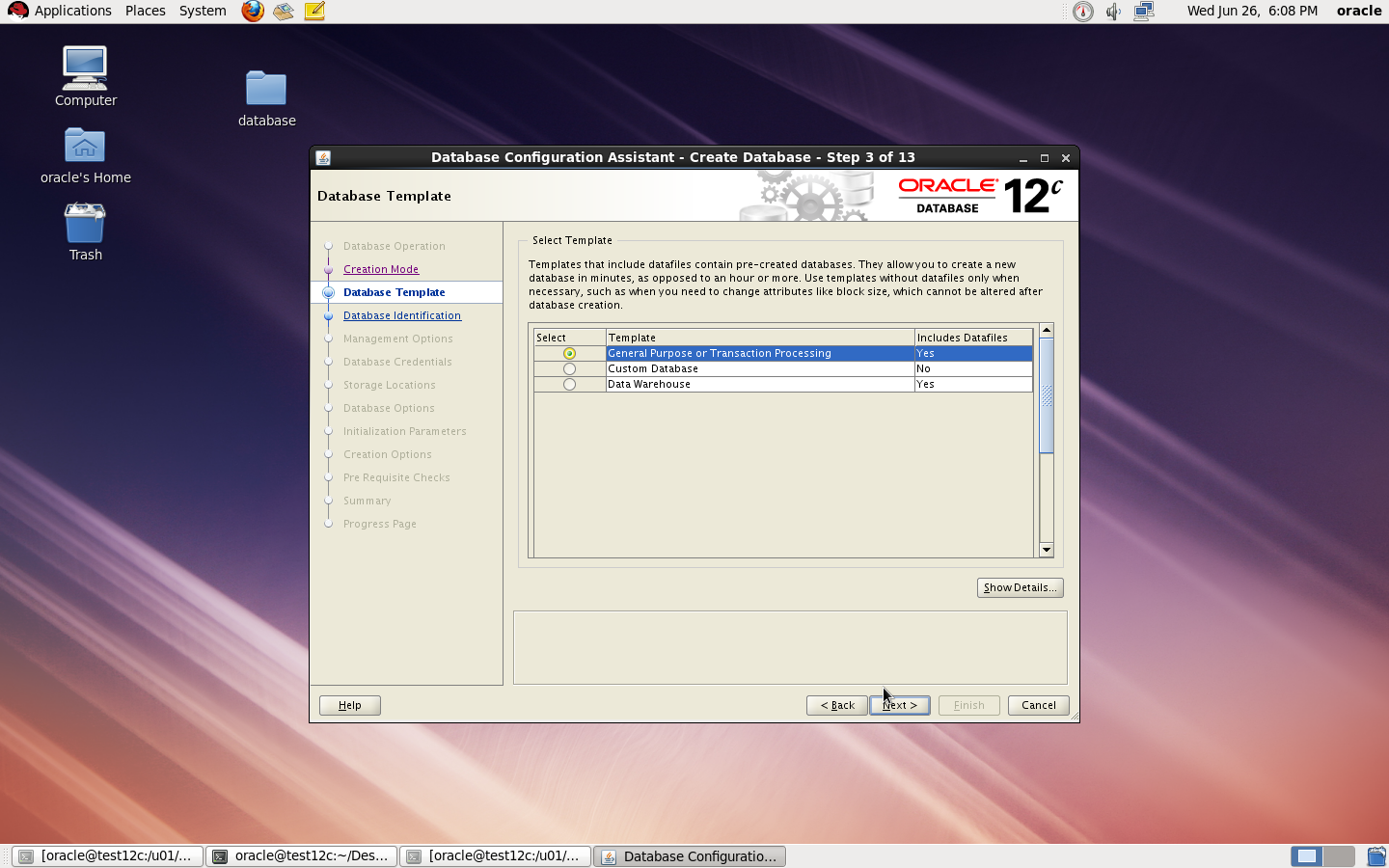
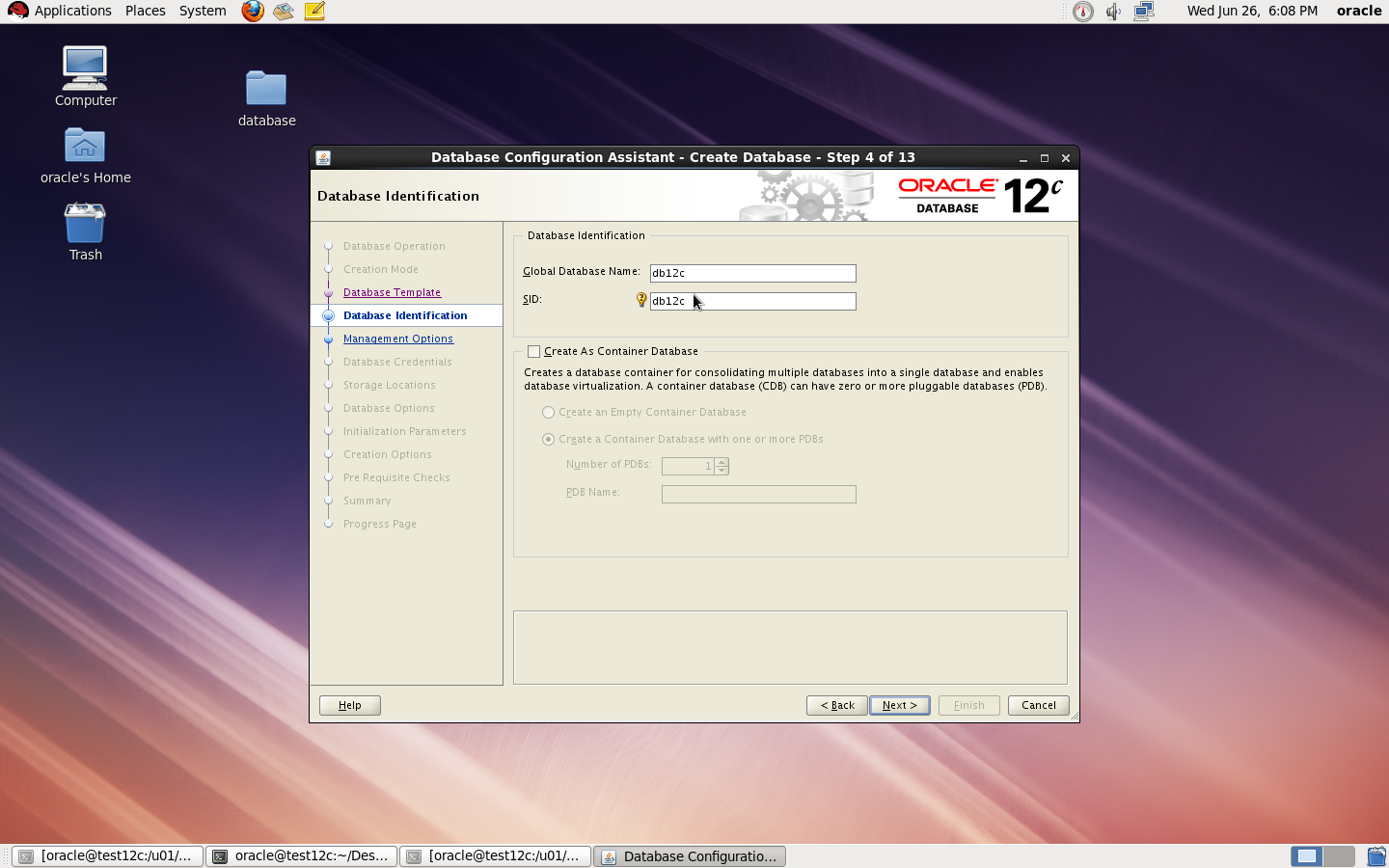
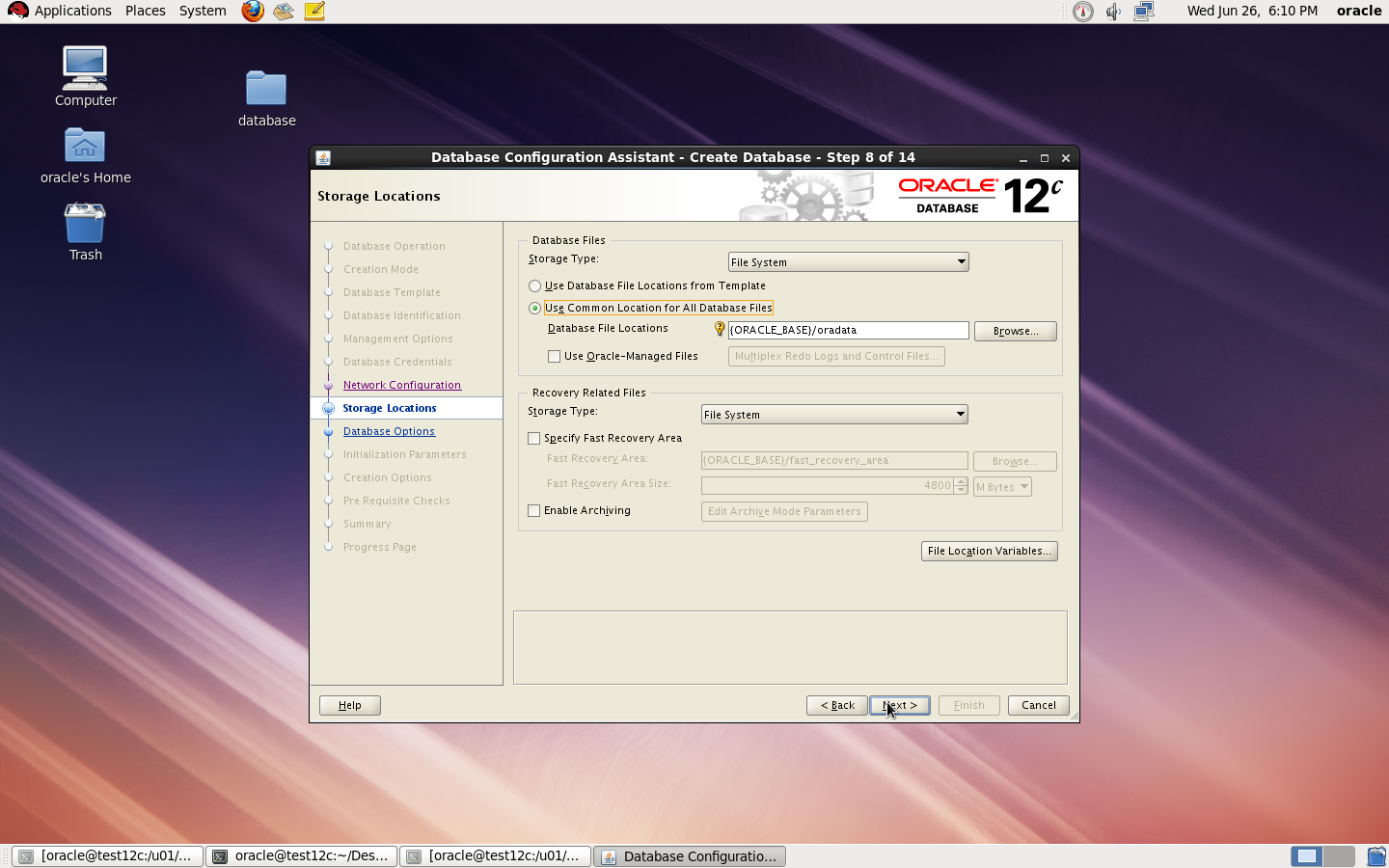
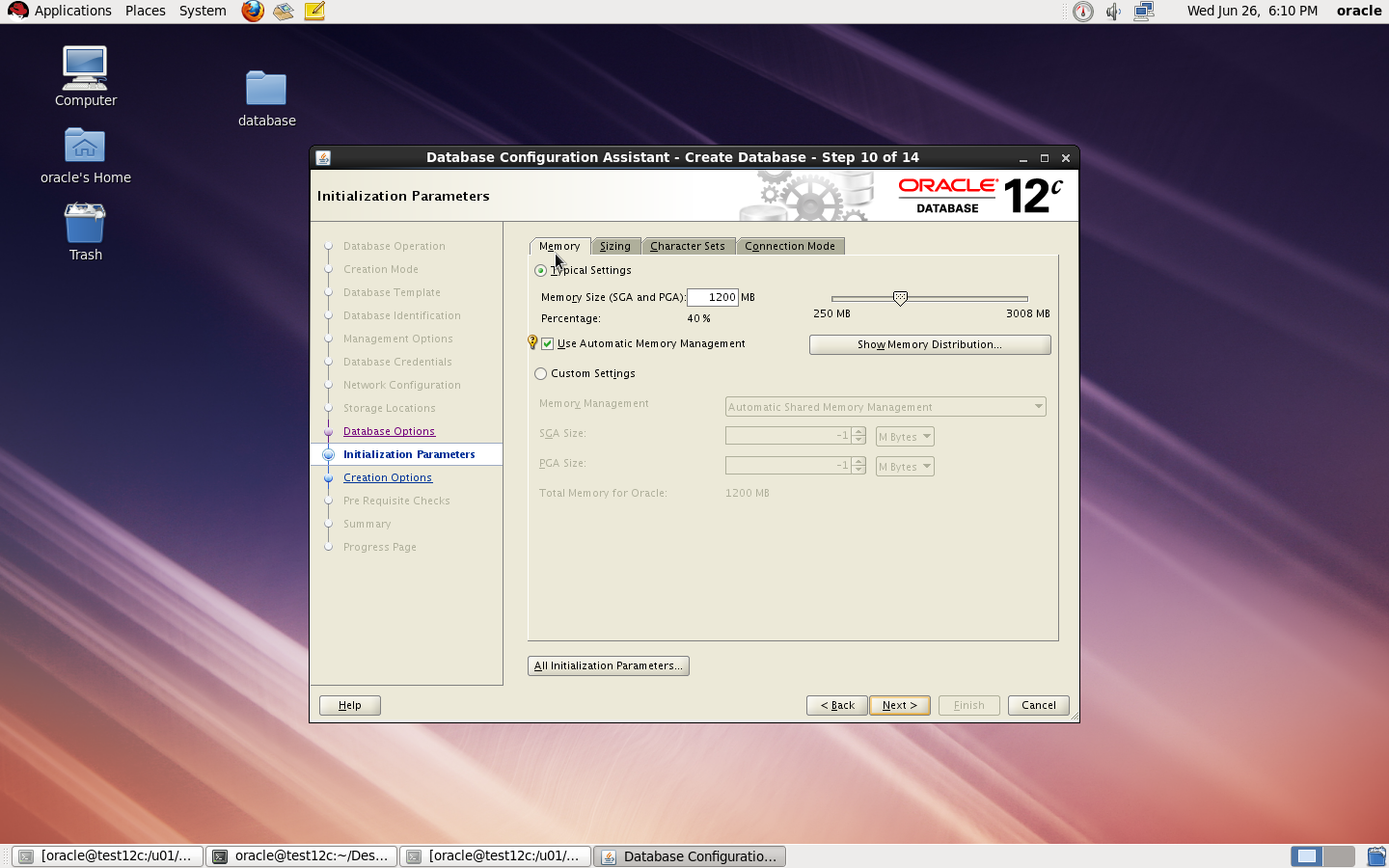
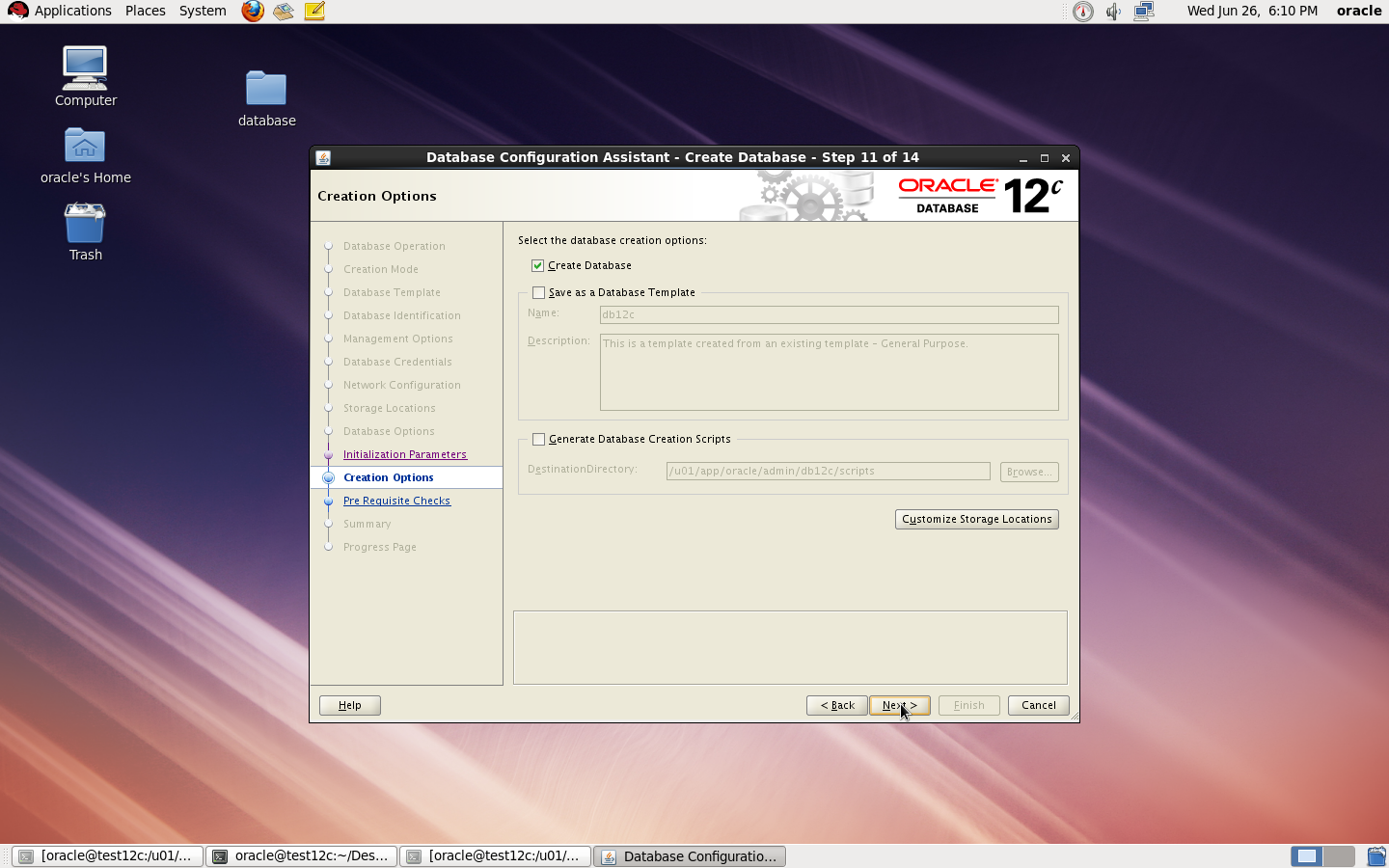
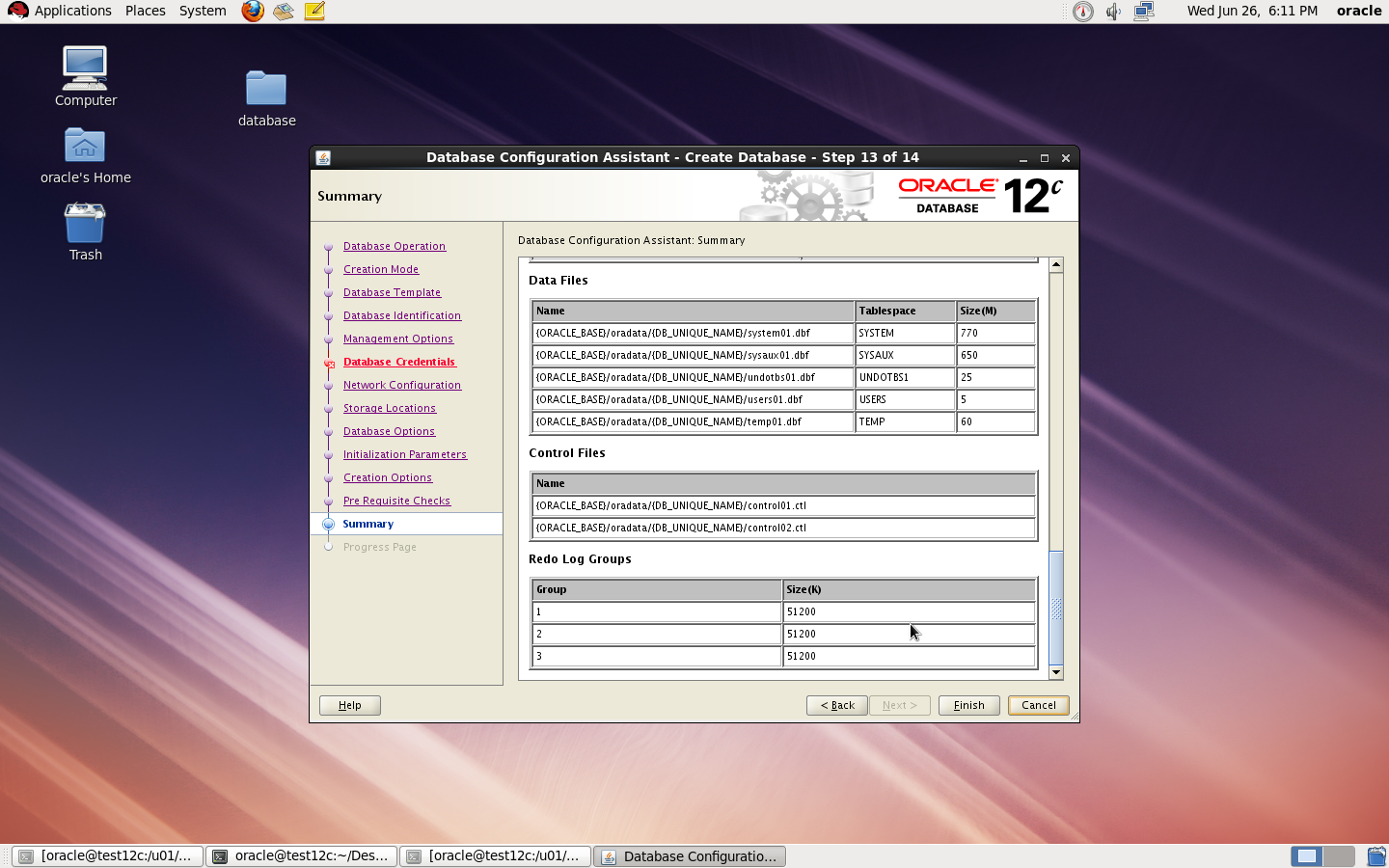
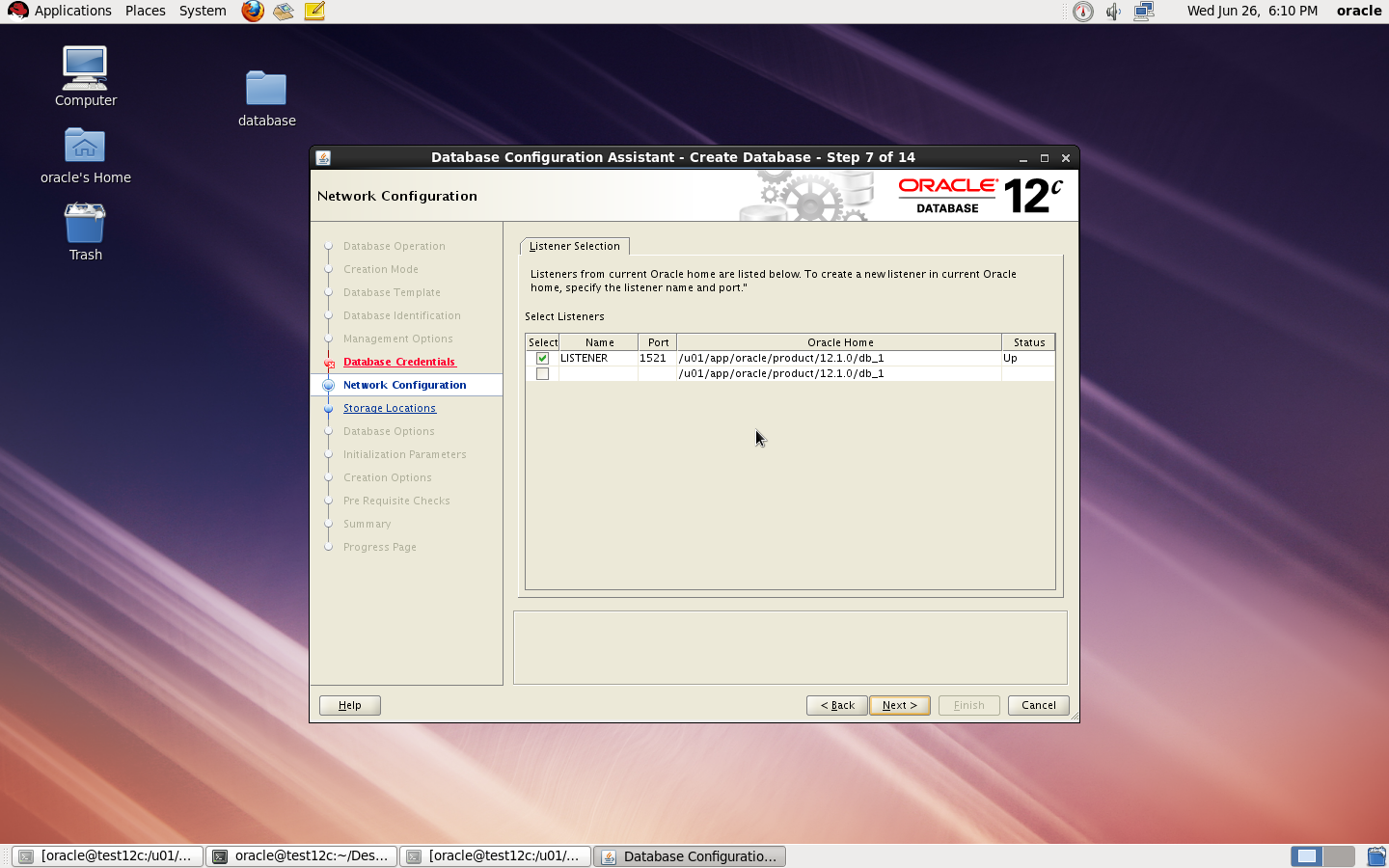
to Create Database you need to configure listener using netca and after finished successfully use dbca like below :
I Upload the article Here
Thank you
Osama mustafa
By default root login on solaris disabled and you cannot login as root. ( which is amazing for security ) but sometimes you need to enable this login and to do that follow the below steps :
#
# The system provided entries are stored in different files
# under “/etc/user_attr.d”. They should not be copied to this file.
#
# Only local changes should be stored in this file.
# This line should be kept in this file or it will be overwritten.
#
oracle::::type=normal;project=user.oracle;defaultpriv=basic,net_privaddr
type should be normal.
and to enable SSH for root user you have to do the following :
vi /etc/ssh/sshd_config
PermitRootLogin = yes
vi /etc/default/login
#CONSOLE =/dev/login|console
rolemod -K type=normal root
Thank you
Osama mustafa
zfs create -V 1gb rpool/newtmp
swap -a /dev/zvol/dsk/rpool/newtmp
Old Size :
swap 159M 212K 159M 1% /tmp
rpool/export 78G 32K 67G 1% /export
rpool/export/home 78G 32K 67G 1% /export/home
rpool/export/home/omnix
78G 790K 67G 1% /export/home/omnix
oracle 118G 1.1M 11G 1% /oracle
rpool 78G 39K 67G 1% /rpool
oracle/u01 118G 93G 25G 79% /u01
/oracle 11G 1.1M 11G 1% /home/oracle
New Size :
root@HMMDB:/# zfs create -V 1gb rpool/extraswap
root@HMMDB:/# zfs list
NAME USED AVAIL REFER MOUNTPOINT
oracle 107G 10.6G 1.11M /oracle
oracle/u01 92.6G 25.0G 92.6G /u01
rpool 12.6G 65.6G 39K /rpool
rpool/ROOT 5.39G 65.6G 31K legacy
rpool/ROOT/solaris 5.39G 65.6G 5.03G /
rpool/ROOT/solaris/var 316M 65.6G 312M /var
rpool/dump 1.03G 65.7G 1.00G –
rpool/export 854K 65.6G 32K /export
rpool/export/home 822K 65.6G 32K /export/home
rpool/export/home/omnix 790K 65.6G 790K /export/home/omnix
rpool/extraswap 1.03G 66.7G 16K –
rpool/swap 5.16G 65.8G 5.00G –
root@HMMDB:/# swap -a /dev/zvol/dsk/rpool/extraswap
Now Check New Size for /tmp
swap 1.2G 212K 1.2G 1% /tmp
rpool/export 78G 32K 66G 1% /export
rpool/export/home 78G 32K 66G 1% /export/hom
Thank you
Osama Mustafa
SQL > SELECT START_SCN,OPERATION,LOGON_USER,XID FROM FLASHBACK_TRANSACTION_QUERY WHERE TABLE_NAME=’TEST’;
The Output will be like this :
XID TABLE_OWNER TABLE_NAME OPERATION LOGON_USER UNDO_SQL
—————- ———– ———- ——————————– ———- —————
0600090064030000 TX UNKNOWN TEST
To avoid Unknown Status enable supplemental logging by
SQL> ALTER DATABASE ADD SUPPLEMENTAL LOG DATA ;
Database altered.
Thank you
Osama mustafa
Edit the files /etc/vsftpd.ftpusers and /etc/vsftpd.user_list looks like :
#
# List of users denied access to the FTP server, see ftpusers(4).
#
root
daemon
bin
sys
adm
lp
uucp
nuucp
dladm
netadm
netcfg
smmsp
xvm
mysql
openldap
webservd
nobody
noaccess
nobody4
unknown
zfssnap
aiuser
and remove root user from each file.
You can control ftp as services from
/etc/init.d/vsftpd
Thank you
Osama Mustafa
ORA-00600: internal error code, arguments: [4193], [4271], [4056], [], [], [], [], []
SQL> show parameter undo
NAME TYPE VALUE
———————————— ———– ——————————
undo_management string AUTO
undo_retention integer 900
undo_tablespace string UNDOTBS
SQL> alter system set undo_management=’MANUAL’ scope=spfile;
SQL > Shutdown immediate ;
SQL > Startup ;
SQL > create undo tablespace NEW_UNDOTBS datafile ‘/u01/app/oracle/oradata/SID/NEW_UNDOTBS01.DBF’ size 1G ;
SQL> alter system set undo_tablespace=’NEW_UNDOTBS’ scope=spfile;
System altered.
SQL> alter system set undo_management=’AUTO’ scope=spfile;
System altered.
SQL> drop tablespace UNDOTBS01 including contents;
ORA-01548: active rollback segment ‘_SYSSMU1_1255349037$’ found, terminate dropping tablespace
SQL> select * from v$rollname ;
USN NAME
———- —————–
0 SYSTEM
1 _SYSSMU1$
2 _SYSSMU2$
3 _SYSSMU3$
4 _SYSSMU4$
5 _SYSSMU5$
6 _SYSSMU6$
SQL > Create Pfile=’/u01/New.init’ from spfile
File Created
SQL > Shutdown immediate ;
*.undo_management=’MANUAL’
*.undo_retention=1800
*.undo_tablespace=’NEW_UNDOTBS’
*._offline_rollback_segments= (_SYSSMU1$,_SYSSMU2$,_SYSSMU3$,_SYSSMU4$,_SYSSMU5$,_SYSSMU6$ )
Copyright (c) 1982, 2011, Oracle. All rights reserved.
Connected.
SQL>
SQL>
SQL> startup ;
ORA-00000: normal, successful completion
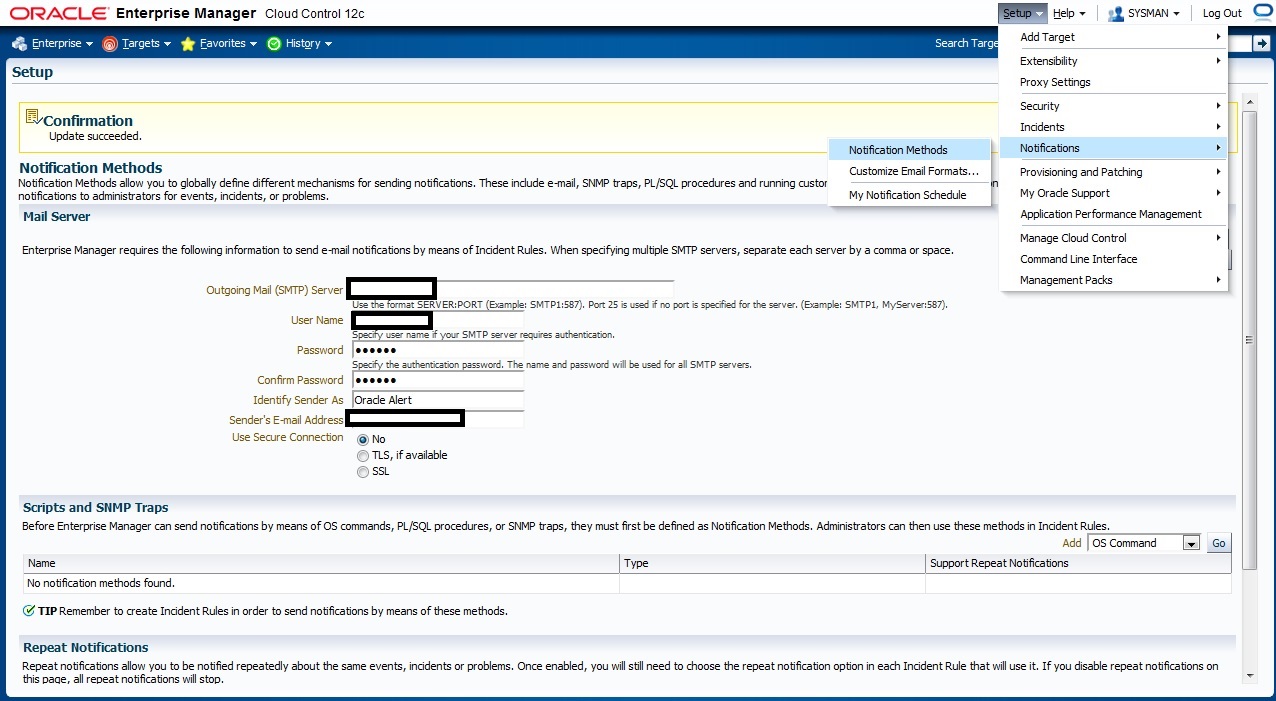
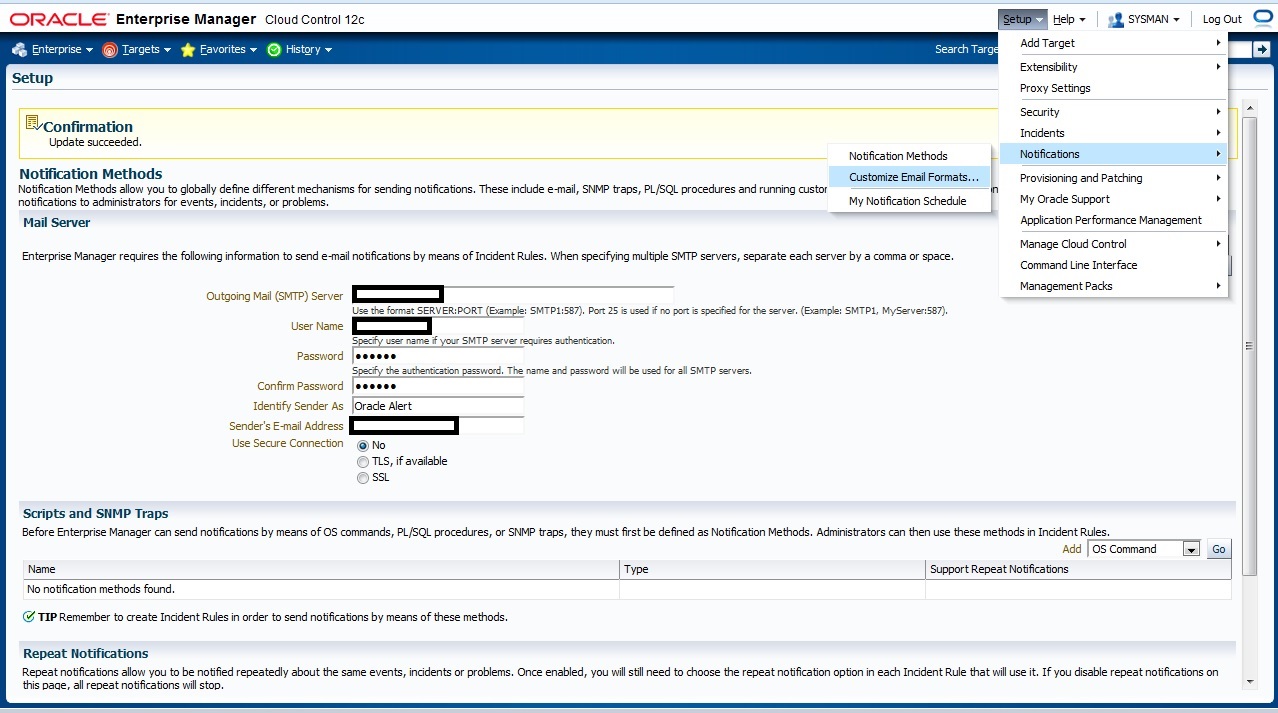
Check the below picture the fill with Correct Parameter to enable email notification First
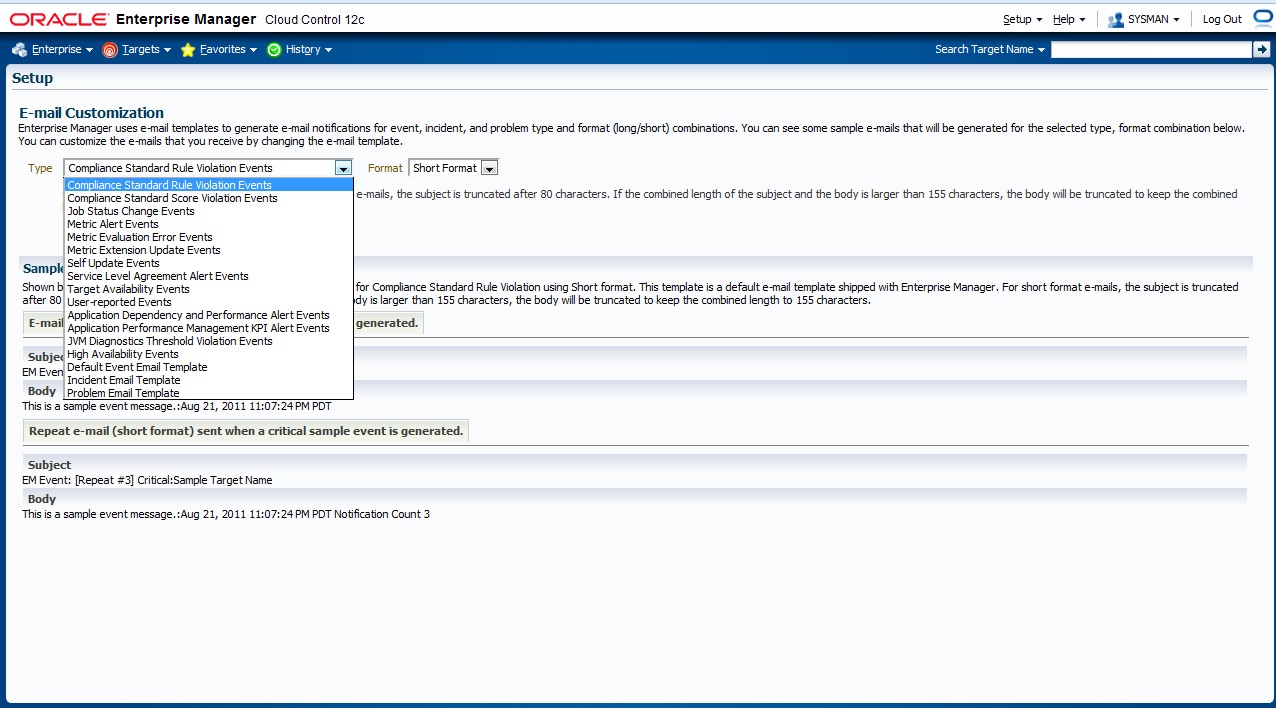
If you need to customize your Email format that will be deliver to you go to the below section in em12c :
The Below Page will appear to you choose which Type you want to customize
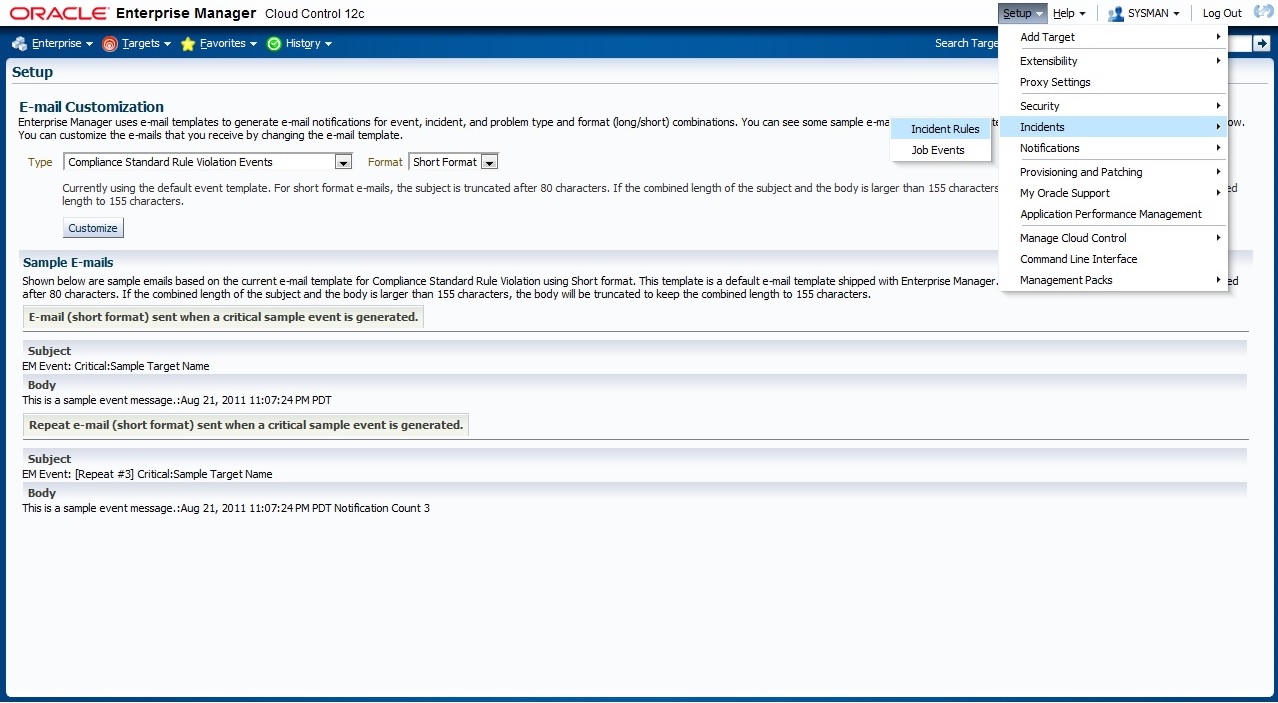
now Let’s work On Incident Rules, From Setup –> Incidents –> Incident Rules
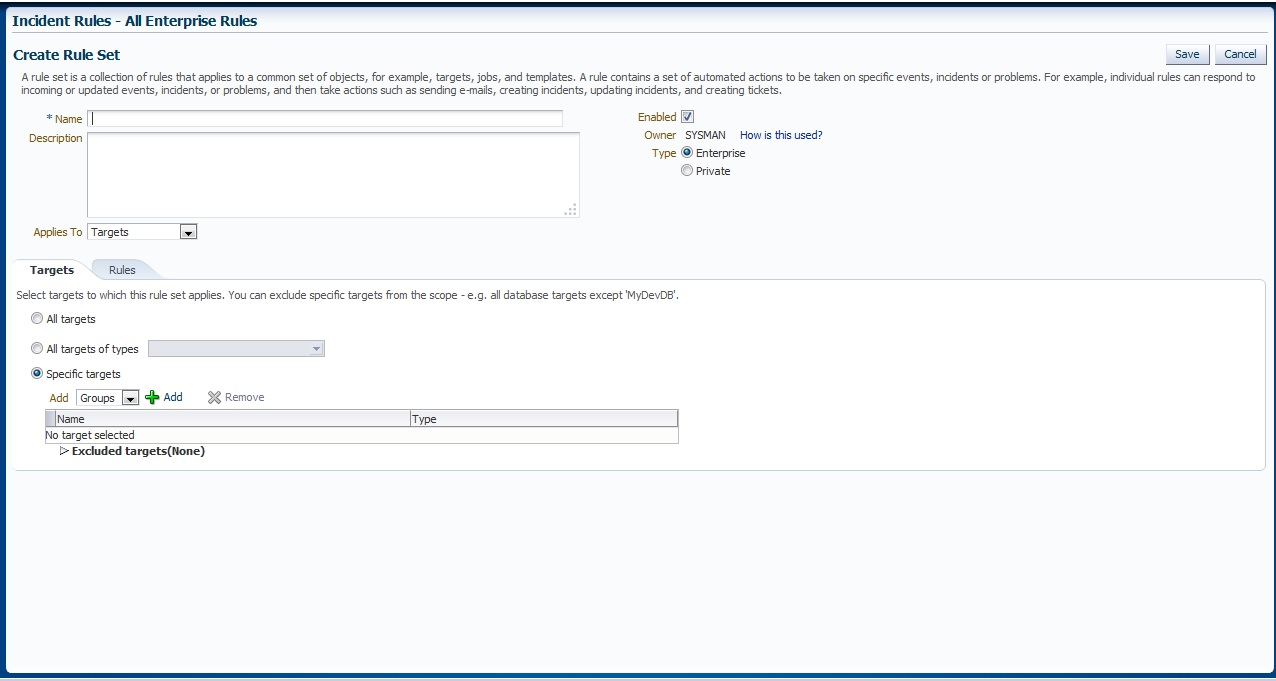
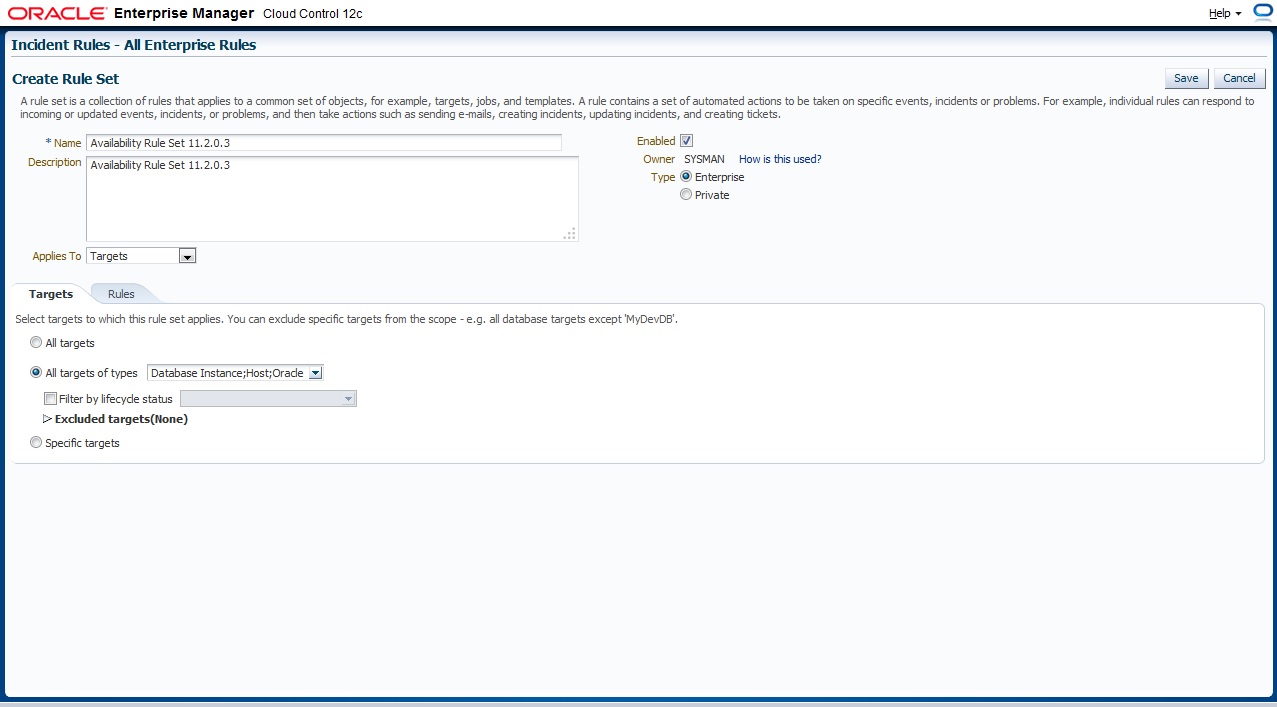
New Page will appear With Some Content All you have to do is Press “Create Rule Set” and below page will appear, Choose the name for Rule Set, which target this Rule set will be applied
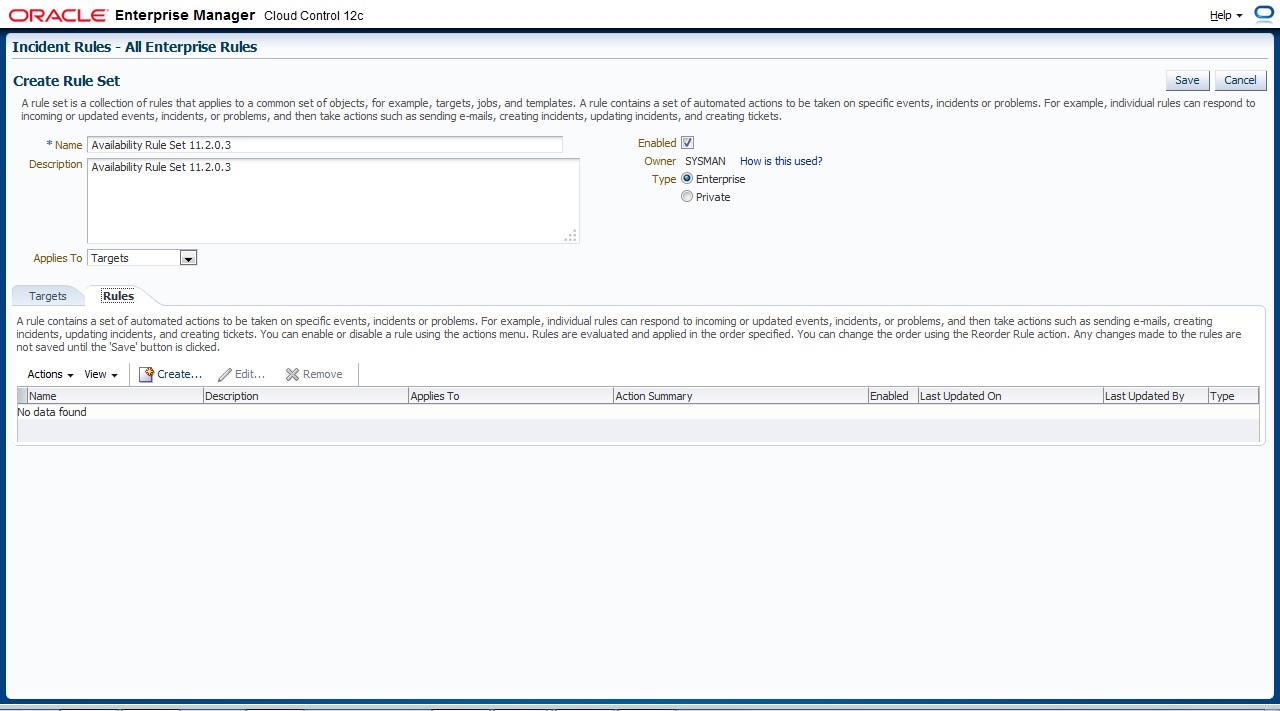
On Second Tab ” Rule” Press Create to add new One
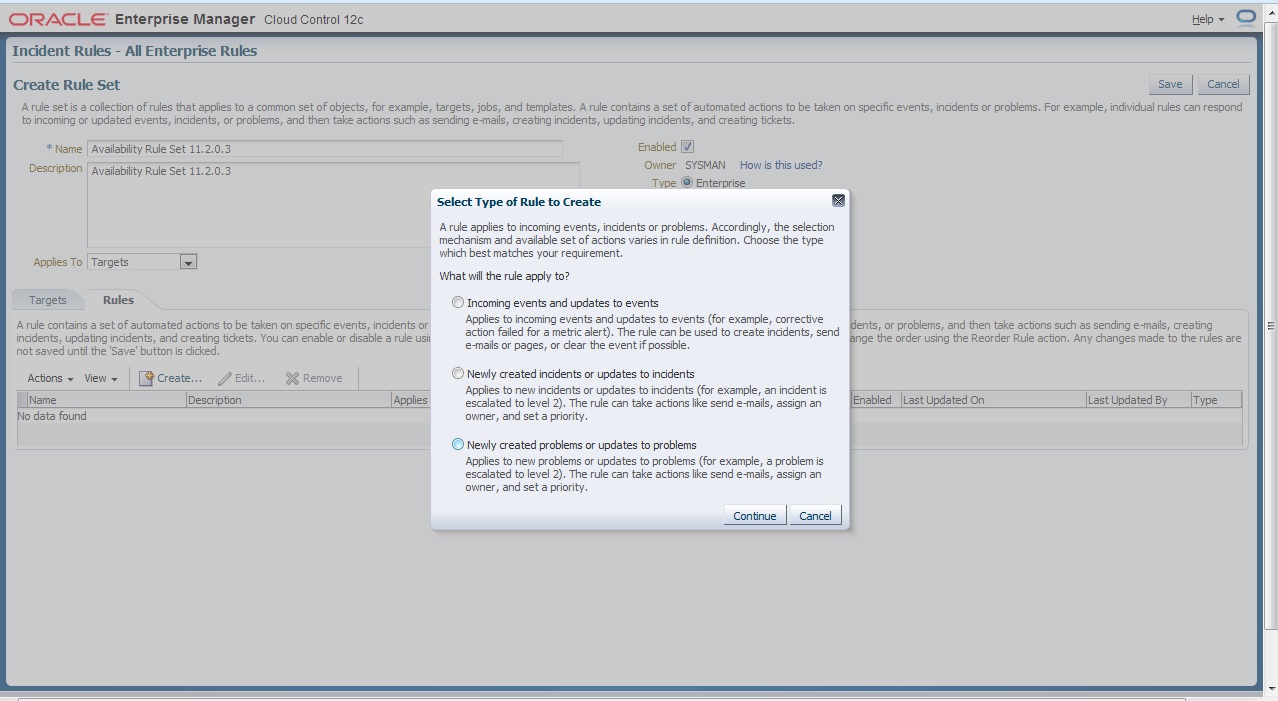
There’s Description for each Type I will choose the first one
After That follow the instruction to create your own Rule Set ,
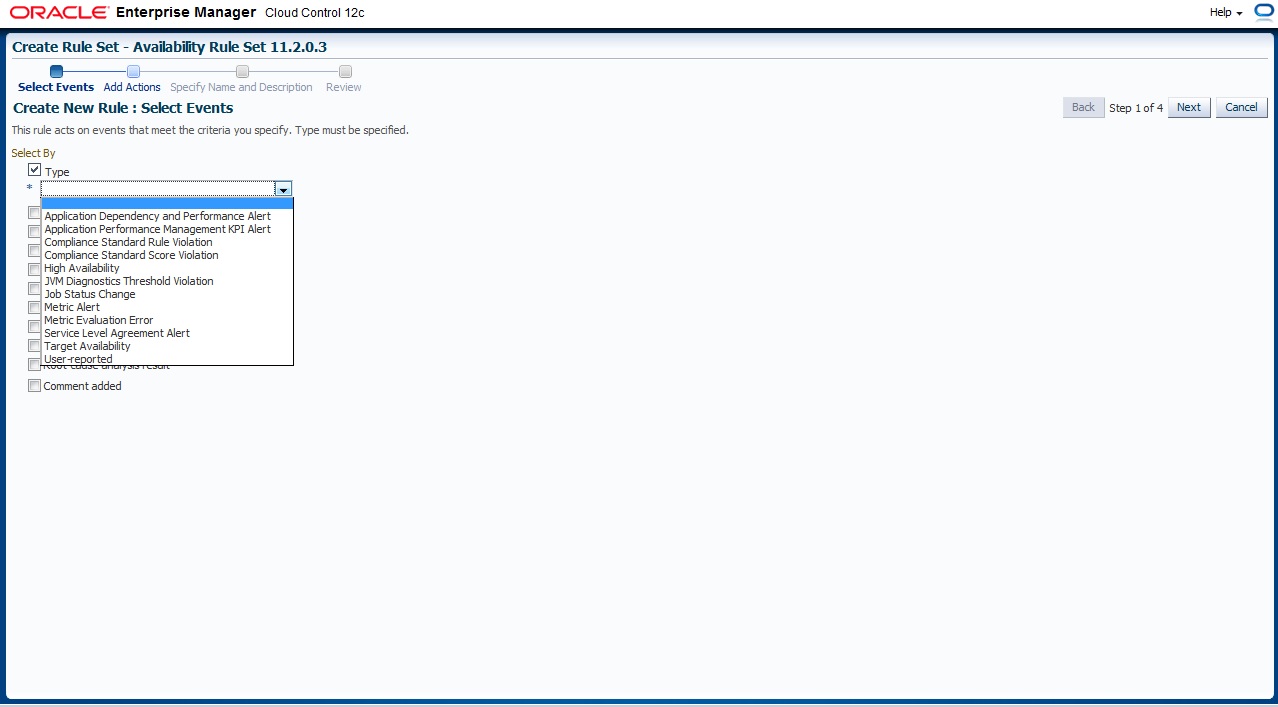
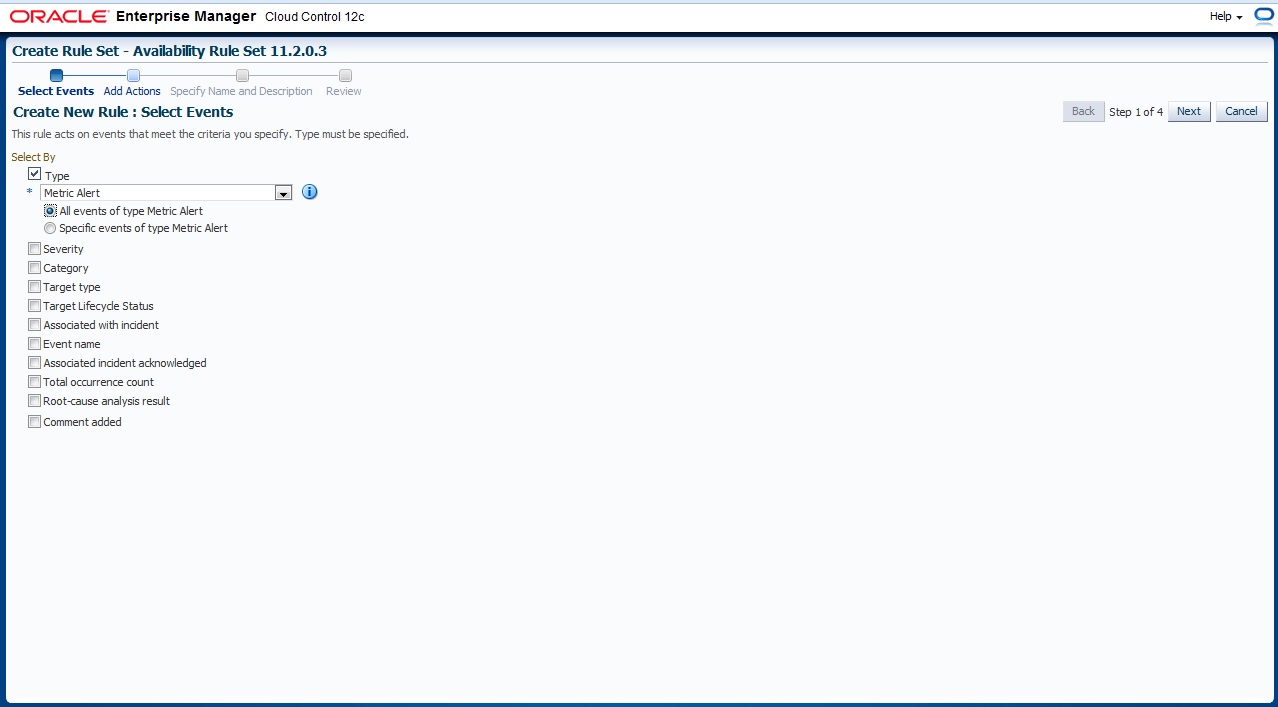
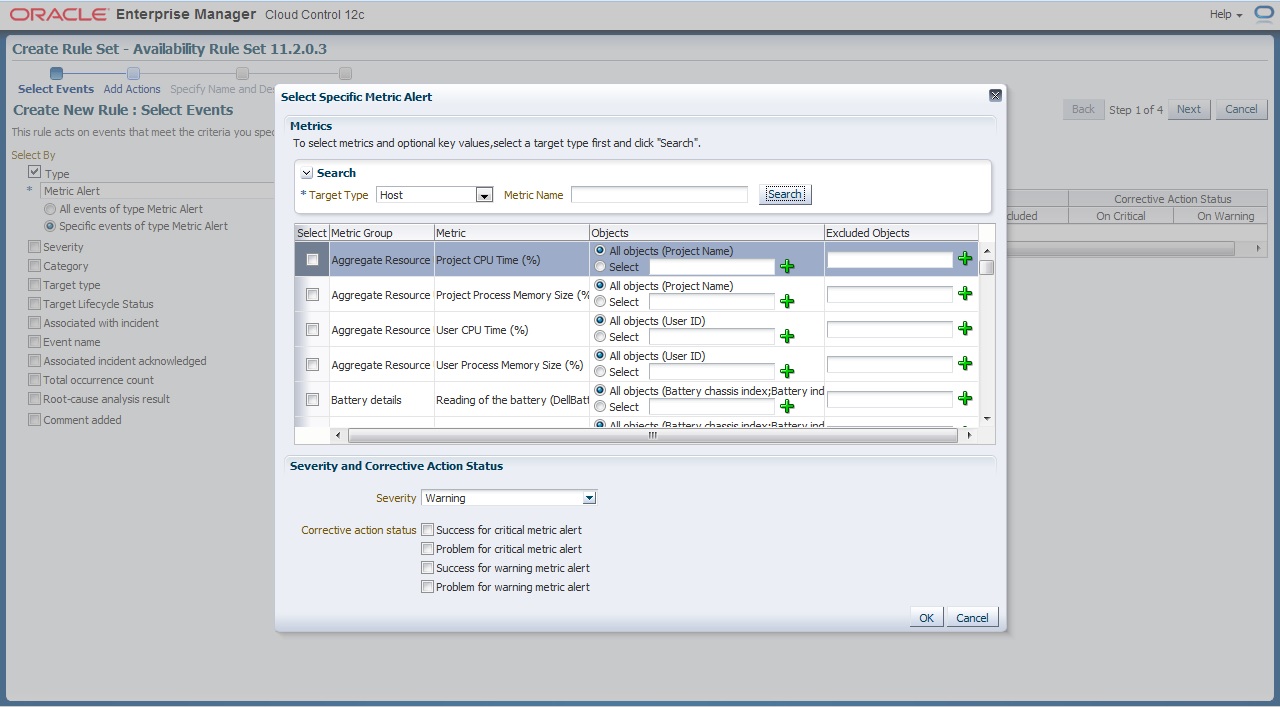
First you need to choose which type of event
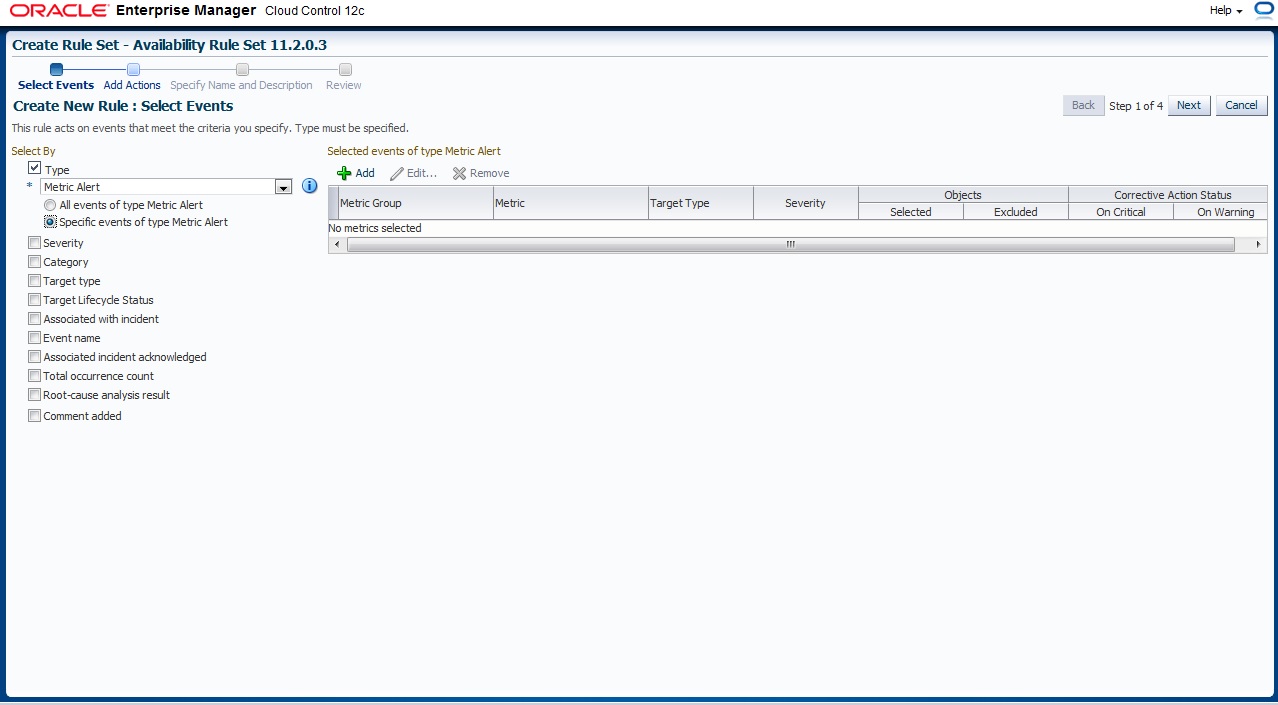
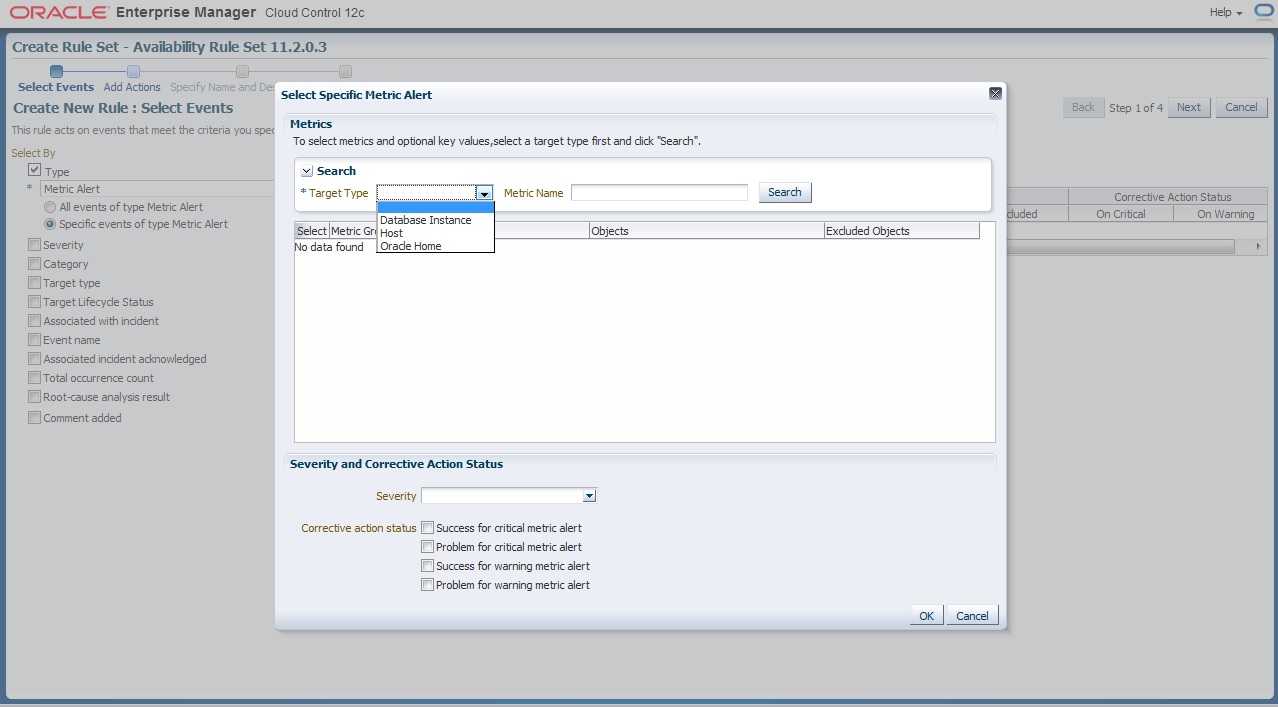
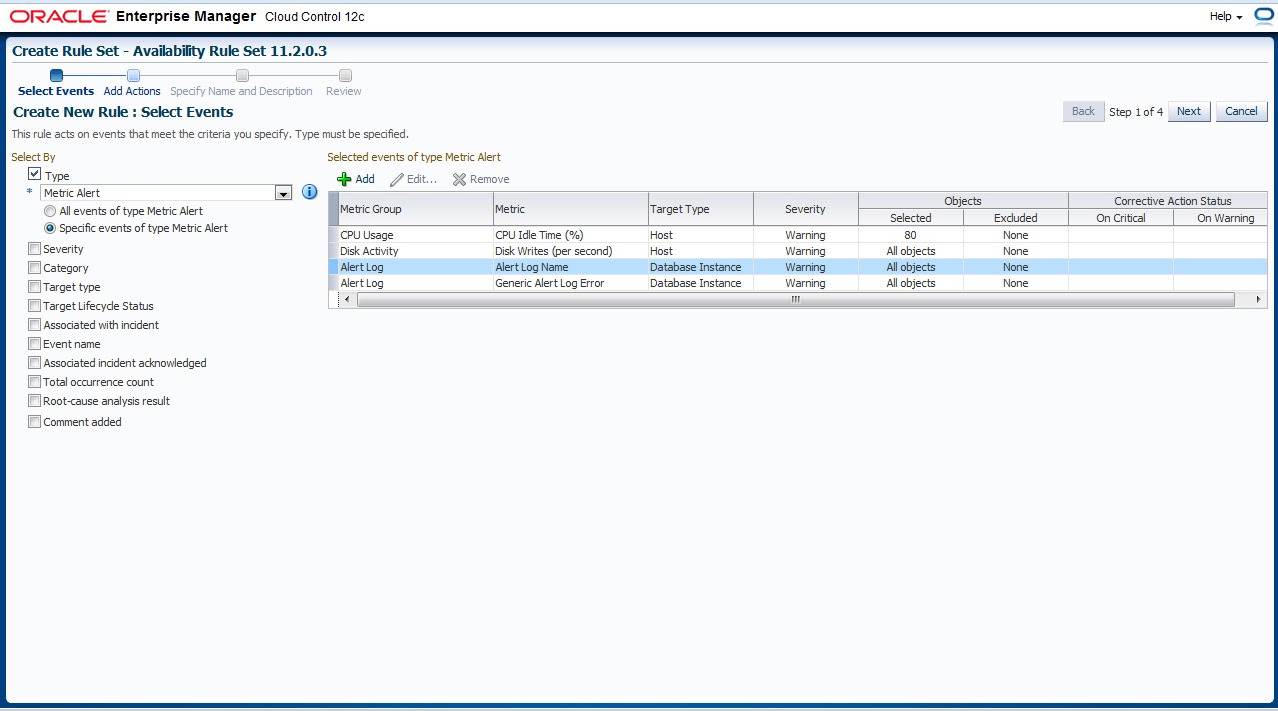
Now what we choose before will appear to us here now you want to enable metrics for Which Target
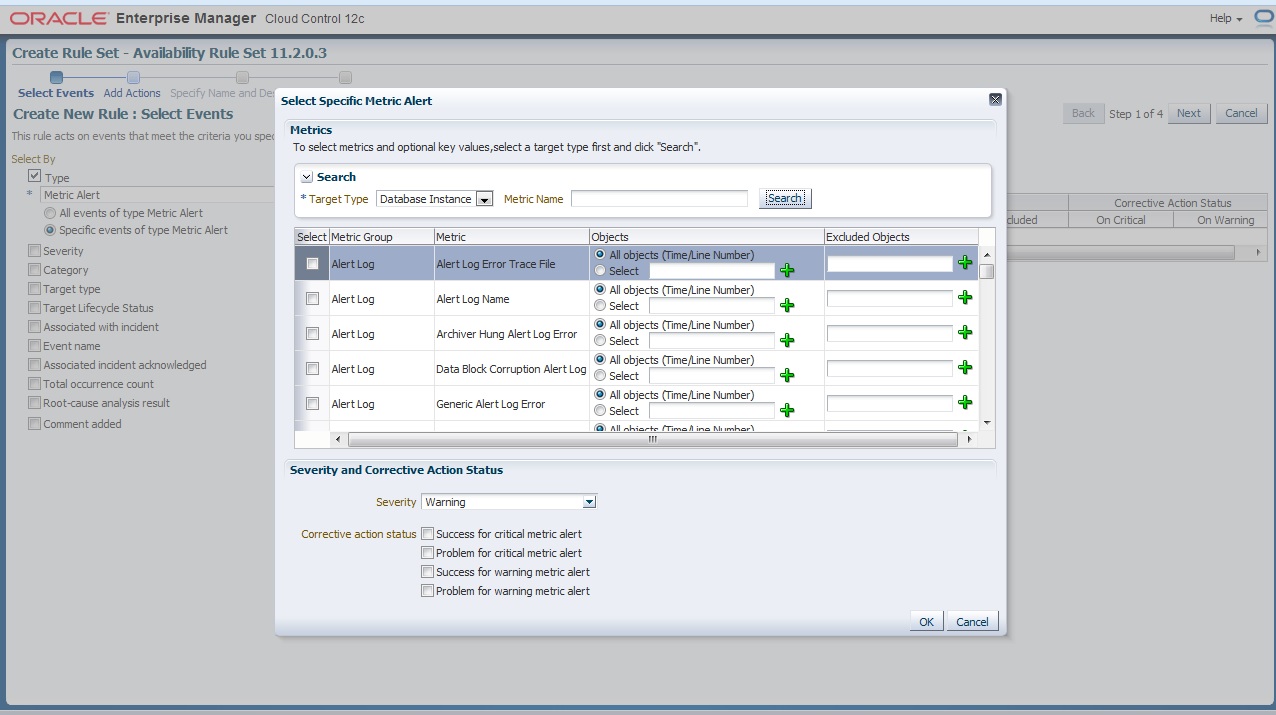
and i provide some example for predefined metrics group
The Overall will be look like this
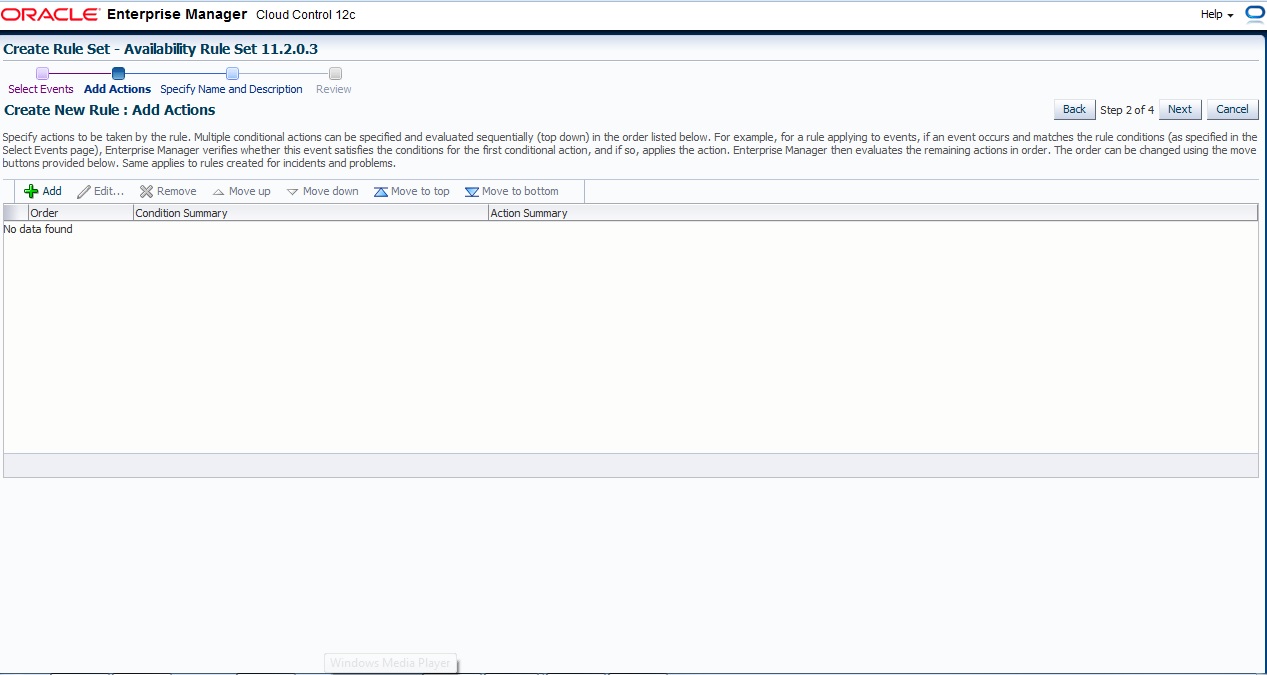
Next , and Add Action page press add like usual
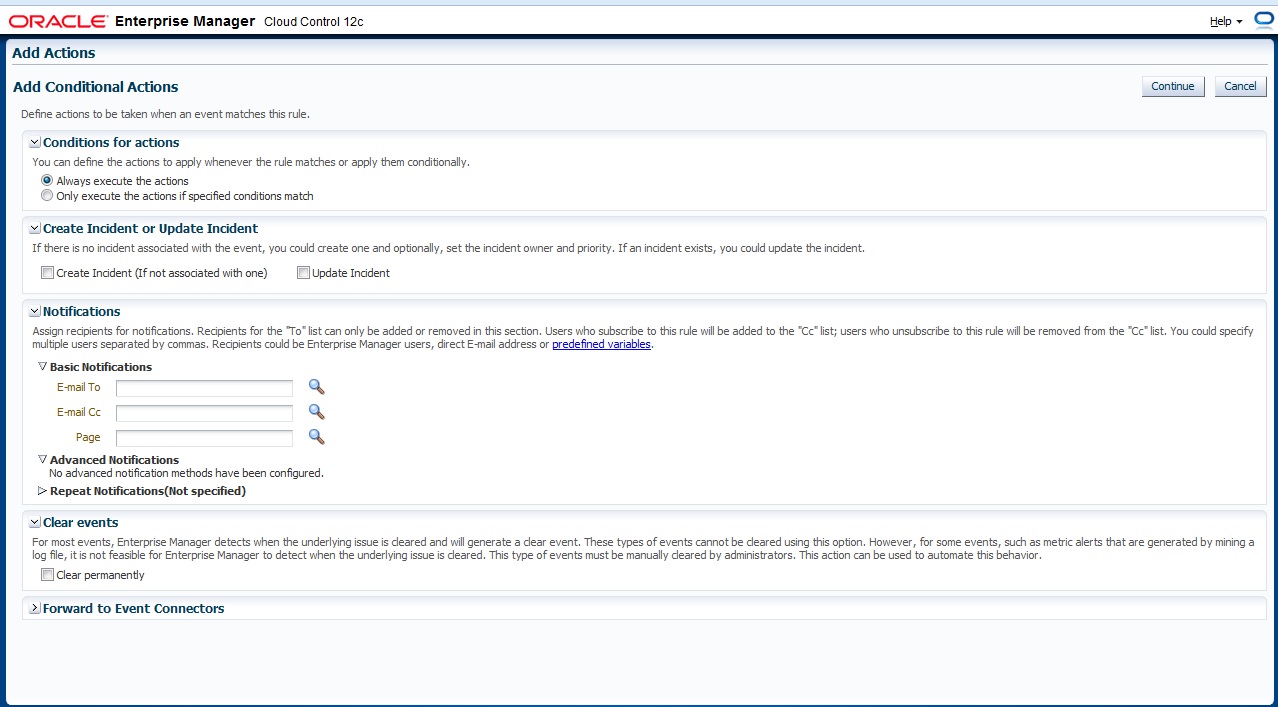
Define Which action will taken if event match
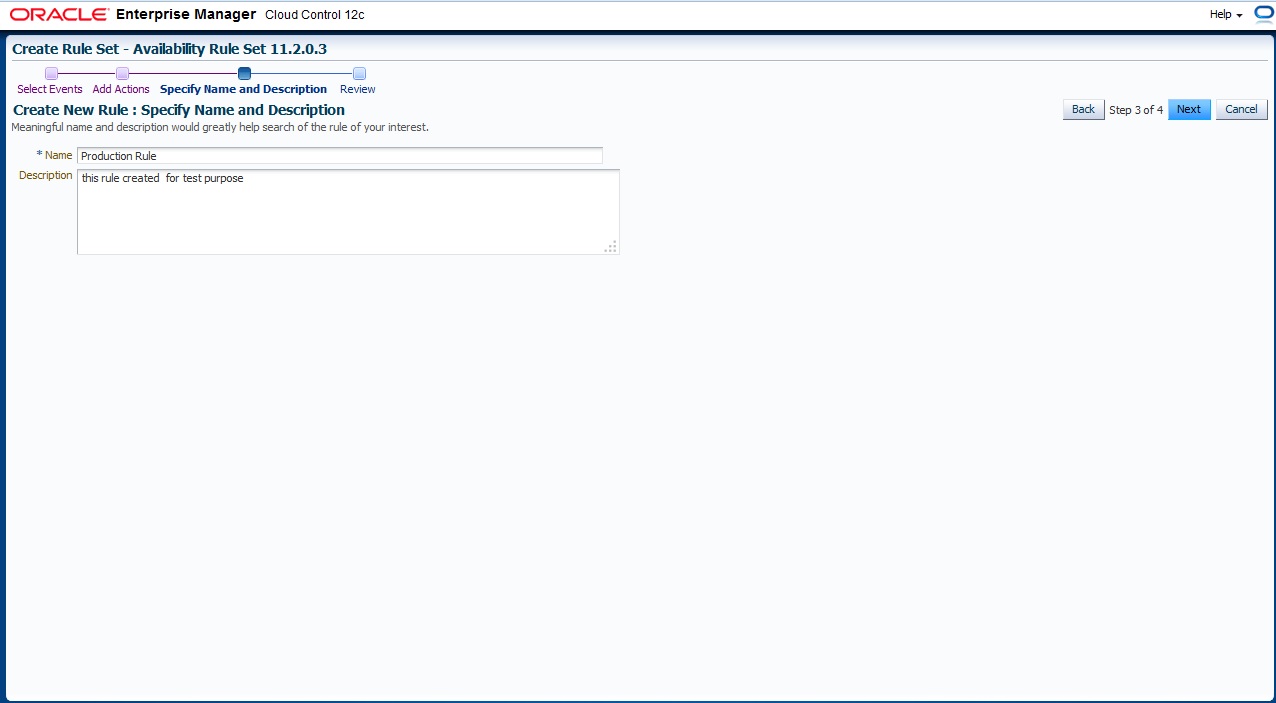
Finally Name For Rule Set
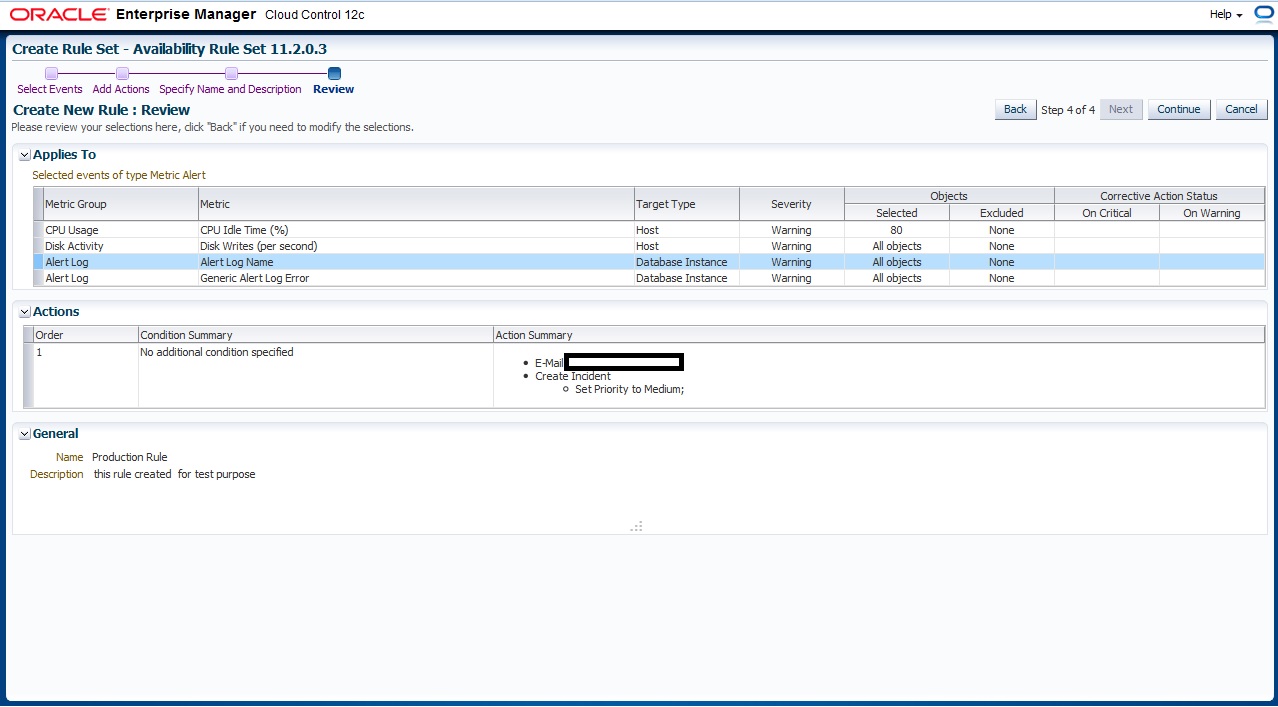
Review Page
you can download this article from here
Thank you
Osama Mustafa