- WebLogic
- Oracle Internet Directory
- Oracle Content Server
- Oracle Access manager
Tag: osama oracle
SIEBEL odbcsql Unable to Connect
Logging into “SBA_81_DSN” as “SADMIN” …
ODBC error 81 in SQLConnect:
523 72
(native error 0).
Unable to login using specified ODBC parameters.
odbcsql /s SIEBEL8_DSN /u sadmin /p sadmin
Solutions :
Make sure the you set TNS_ADMIN in .profile or .bash_profile , TNS_ADMIN Should be Directed to Client32 bit , Copy tnsnames.ora from Database home to Client32
it will be like the following :
export TNS_ADMIN=/u01/app/oracle/instanctclient32/
Thank you
Osama mustafa
Step by Step to Install Oracle Grid 11.2.0.3 on Solaris SPARC 11.1
You can Download or view document from SlideShare Here
Thank you
Osama mustafa
Queryable Patch Inventory New Features 12c
Check the https://support.oracle.com note :
Oracle Database 12.1 : FAQ on Queryable Patch Inventory [ID 1530108.1]
from the name you can see it’s retrieve information using query, and to use query you have to get access to SQL Plus, this features allow you access to the OPatch information from within the database. This Package called DBMS_QOPATCH
Some of Attribute to use with this package :
- GET_OPATCH_INSTALL_INFO
- SET_CURRENT_OPINST
- GET_OPATCH_LIST
- IS_PATCH_INSTALLED
- GET_OPATCH_DATA
- GET_OPATCH_BUGS
- GET_OPATCH_FILES
- GET_OPATCH_COUNT
- GET_OPATCH_PREQS
- GET_OPATCH_OLAYS
- PATCH_CONFLICT_DETECTION
- GET_PENDING_ACTIVITY
- GET_OPATCH_XSLT
- GET_OPATCH_LSINVENTORY
- GET_SQLPATCH_STATUS
SQL> select dbms_qopatch.get_opatch_lsinventory() from dual;
DBMS_QOPATCH.GET_OPATCH_LSINVENTORY()
——————————————————————————–
SQL> select dbms_qopatch.GET_PENDING_ACTIVITY() from dual;
DBMS_QOPATCH.GET_PENDING_ACTIVITY()
——————————————————————————–
Move Datafiles Online 12c
For the first time in Oracle Database you can move objects online without offline or shutdown database which is very useful and helpful for any DBA’s
Check the example below :
SQL> select file_name from dba_data_files ;
FILE_NAME
——————————————————————————–
/u01/app/oracle/oradata/db12c/system01.dbf
/u01/app/oracle/oradata/db12c/sysaux01.dbf
/u01/app/oracle/oradata/db12c/users01.dbf
/u01/app/oracle/oradata/db12c/undotbs01.dbf
SQL> select File_name from dba_data_files ;
FILE_NAME
——————————————————————————–
/u01/system.dbf
/u01/app/oracle/oradata/db12c/sysaux01.dbf
/u01/app/oracle/oradata/db12c/users01.dbf
/u01/app/oracle/oradata/db12c/undotbs01.dbf
Thank you
Osama mustafa
cannot unmount ‘/export/home/oracle’: Device busy
When run the below command :
zfs destroy rpool/export/home/grid
cannot unmount ‘/export/home/oracle’: Device busy
Solution :
zfs unmount rpool/export/home/grid
zfs destroy rpool/export/home/grid
Thank you
Osama mustafa
Allow users Login Solaris 11
By default root login on solaris disabled and you cannot login as root. ( which is amazing for security ) but sometimes you need to enable this login and to do that follow the below steps :
- after login to privileged user can access on Solaris switch user to root.
- vi etc/user_attr
#
# The system provided entries are stored in different files
# under “/etc/user_attr.d”. They should not be copied to this file.
#
# Only local changes should be stored in this file.
# This line should be kept in this file or it will be overwritten.
#
oracle::::type=normal;project=user.oracle;defaultpriv=basic,net_privaddr
type should be normal.
and to enable SSH for root user you have to do the following :
vi /etc/ssh/sshd_config
PermitRootLogin = yes
vi /etc/default/login
#CONSOLE =/dev/login|console
rolemod -K type=normal root
Thank you
Osama mustafa
Which module You installed on Apps
using Query / as Apps User :
SELECT a.application_name,a.product_code,
DECODE (b.status, ‘I’, ‘Installed’, ‘S’, ‘Shared’, ‘N/A’) status,
patch_levelFROM apps.fnd_application_vl a,
apps.fnd_product_installations b
WHERE a.application_id = b.application_id
and b.status=’I’ order by product_code asc;
Using adutconf.sql scripts which is located in $AD_TOP
This script include information about Product installation status, version and other information.
Using Oracle Application Manager ( OAM )
Site Map —> License Manager Which licensed word means installed.
Simple
Thank you
Osama Mustafa
Step By Step Remove Oracle Table Lock
SQL> SELECT SESSION_ID
2 FROM DBA_DML_LOCKS
3 WHERE NAME = ‘EMP_INFORMATION’;
Where EMP_INFORMATION is Table_name
Output :
SID
___
424
Next step it’s talking about How to find Serial# :
SELECT SID,SERIAL#
FROM V$SESSION
WHERE SID IN (SELECT SESSION_ID
FROM DBA_DML_LOCKS
WHERE NAME = ‘EMP_INFORMATION’)
Output :
SID SERIAL#
—- ——-
424 1103
Use Alter system To kill this session :
ALTER SYSTEM KILL SESSION ‘SID,SERIALl#’;
Thank you
Osama mustafa
Deploy Agent In Enterprise Manager 12c
there’s two method to do that
1) Configuring Automatic Discovery
2) Adding targets Manually
I will describe the both 🙂 each one separately
Before deploy you need to decide if you want to use Oracle user or root user the below steps you have to do before using oracle :
[root@em12c ~]# vi /etc/sudoers
and change and add the following lines :
Comment this line :
#Defaults requiretty
add the below line
oracle ALL=(ALL) ALL
and remove ! from this line :
Defaults visiblepw
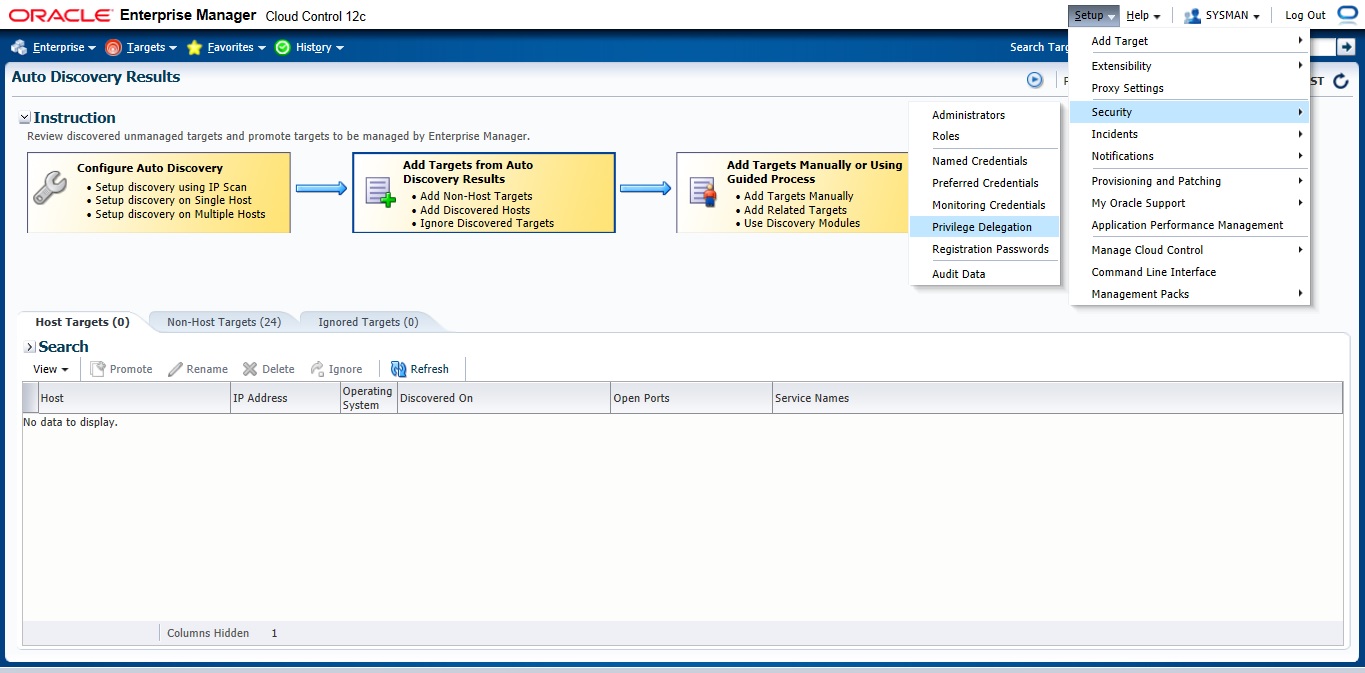
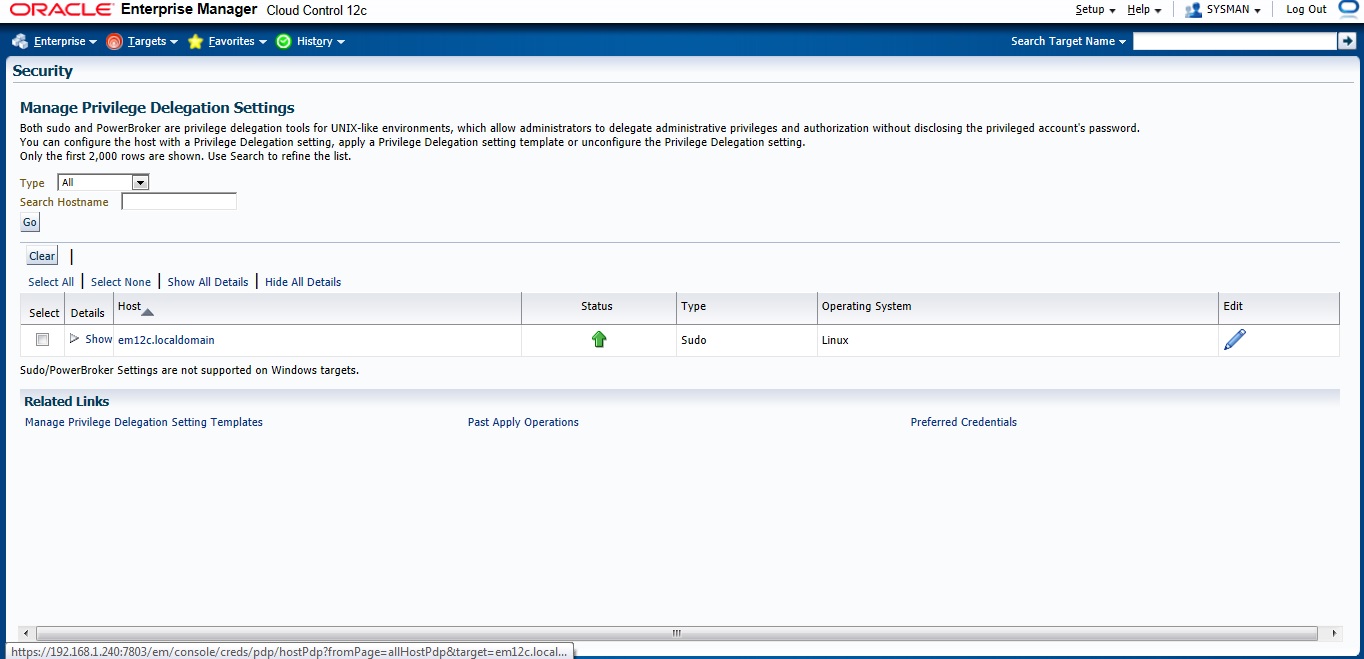
Now On em12c There’s something called privilege delegation
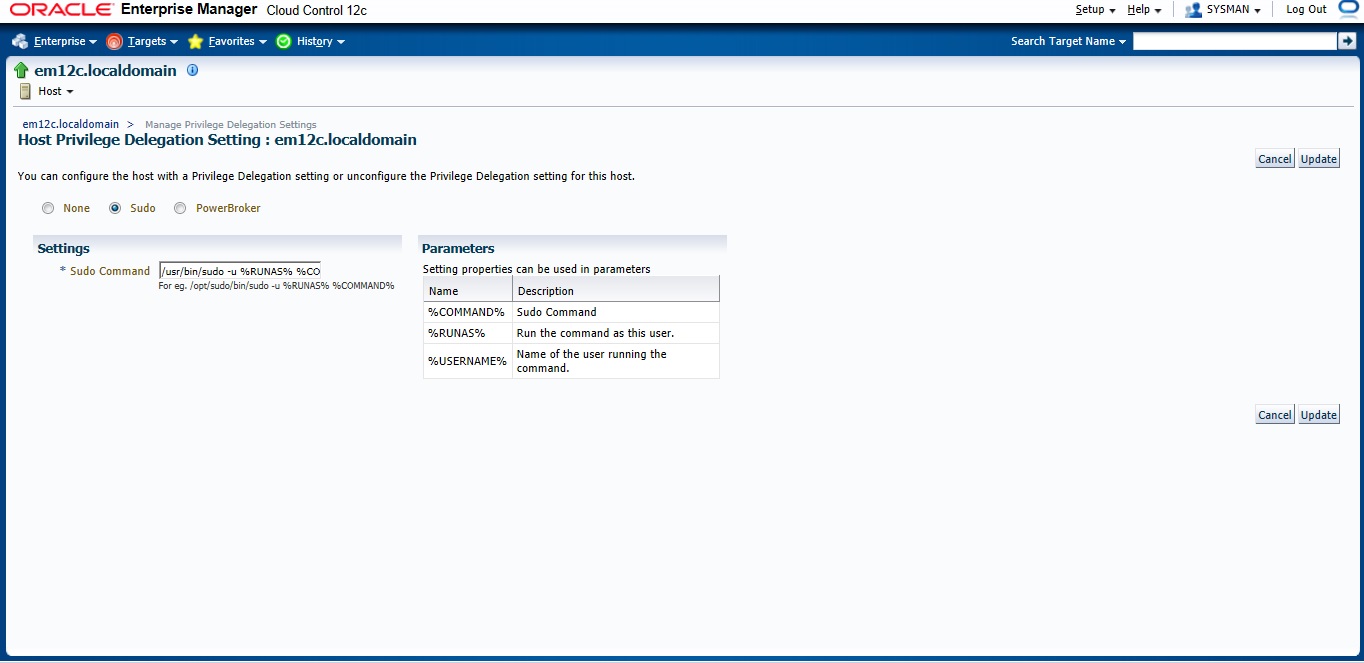
Privilege delegation allows a logged-in user to perform an activity with the privileges of another user. Sudo and PowerBroker are privilege delegation tools that allow a logged-in user to be assigned these privileges. These privilege delegation settings will be used for all provisioning and patching activities on these hosts.
Read more here.
/usr/bin/sudo -u %RUNAS% %COMMAND%
/usr/bin/sudo —> location for sudo command.
after all the above steps are done let’s configure Auto Discovery
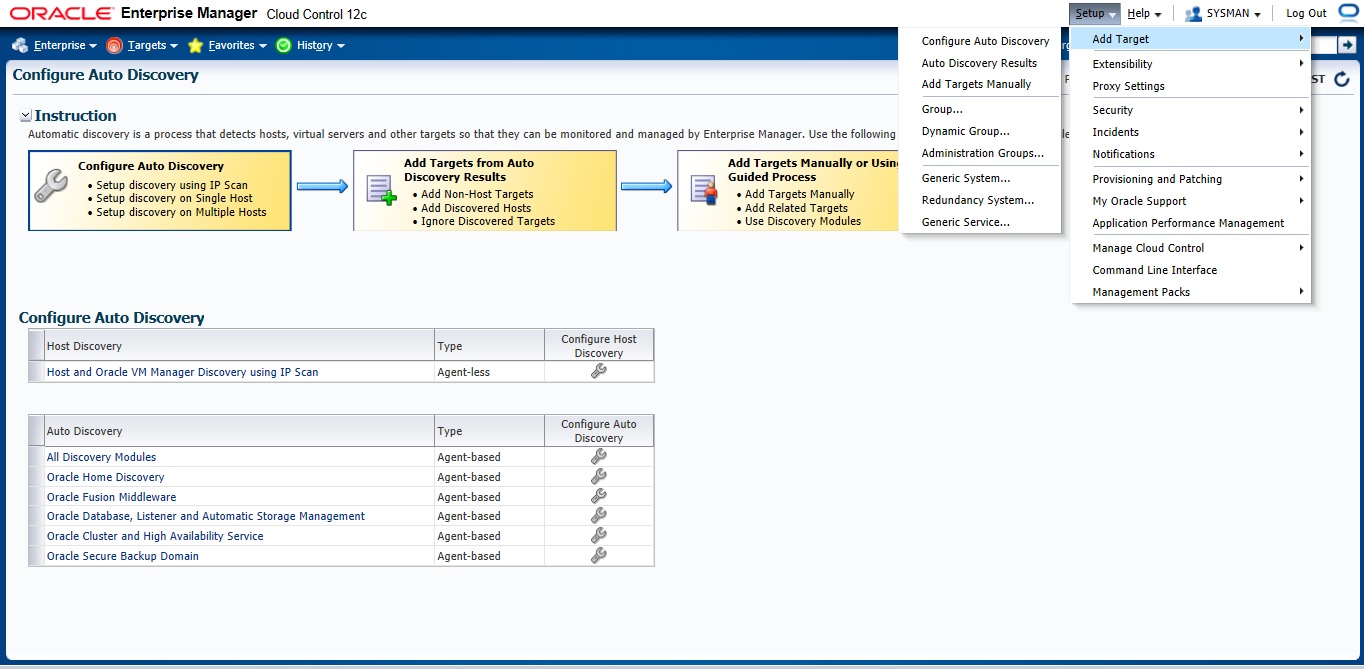
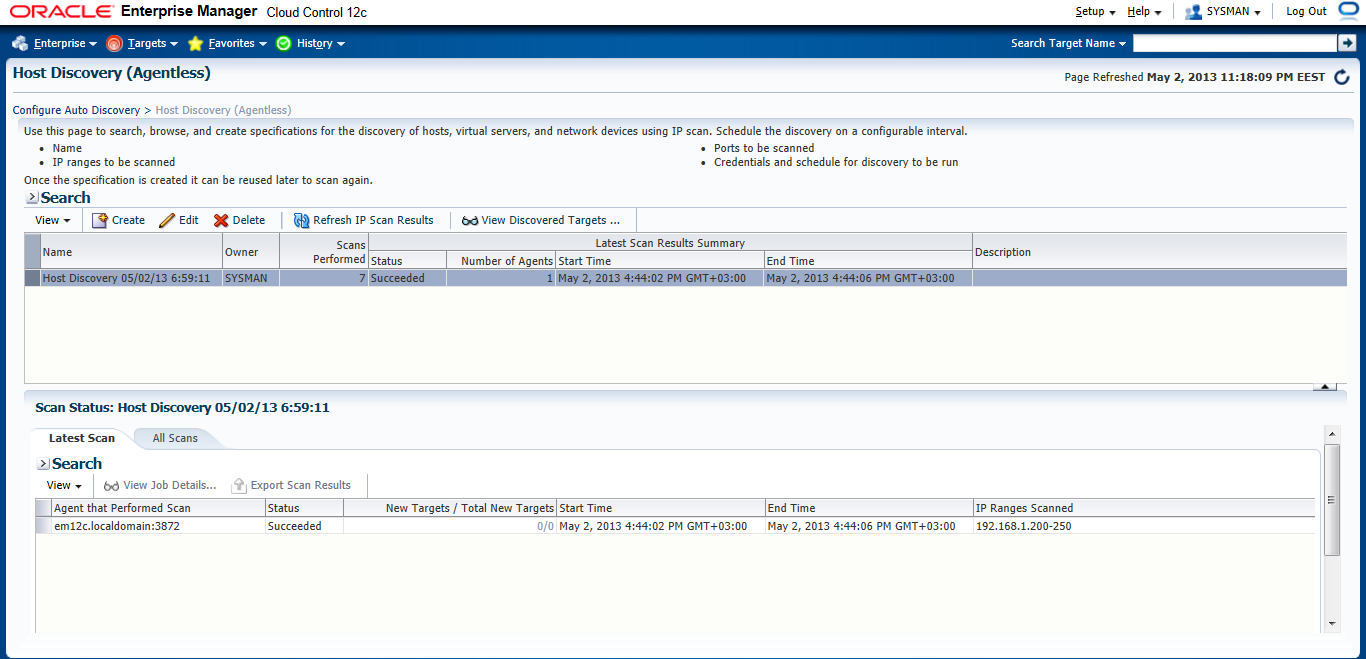
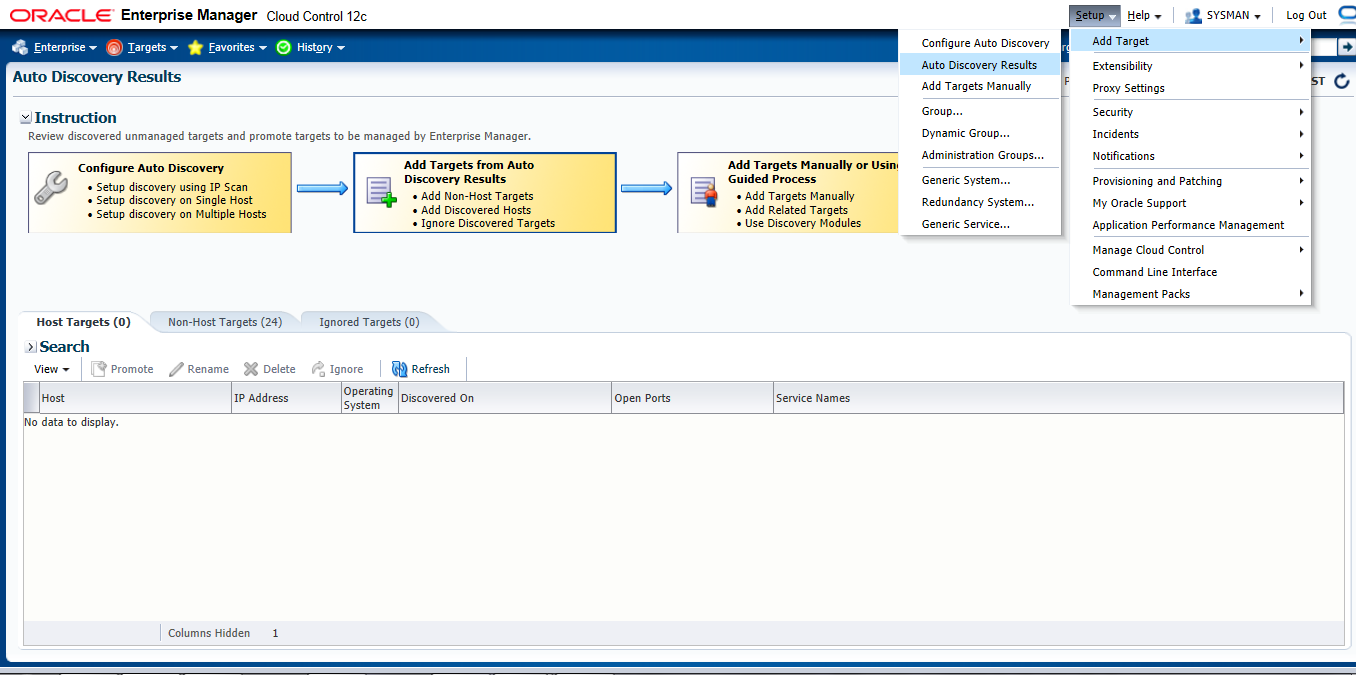
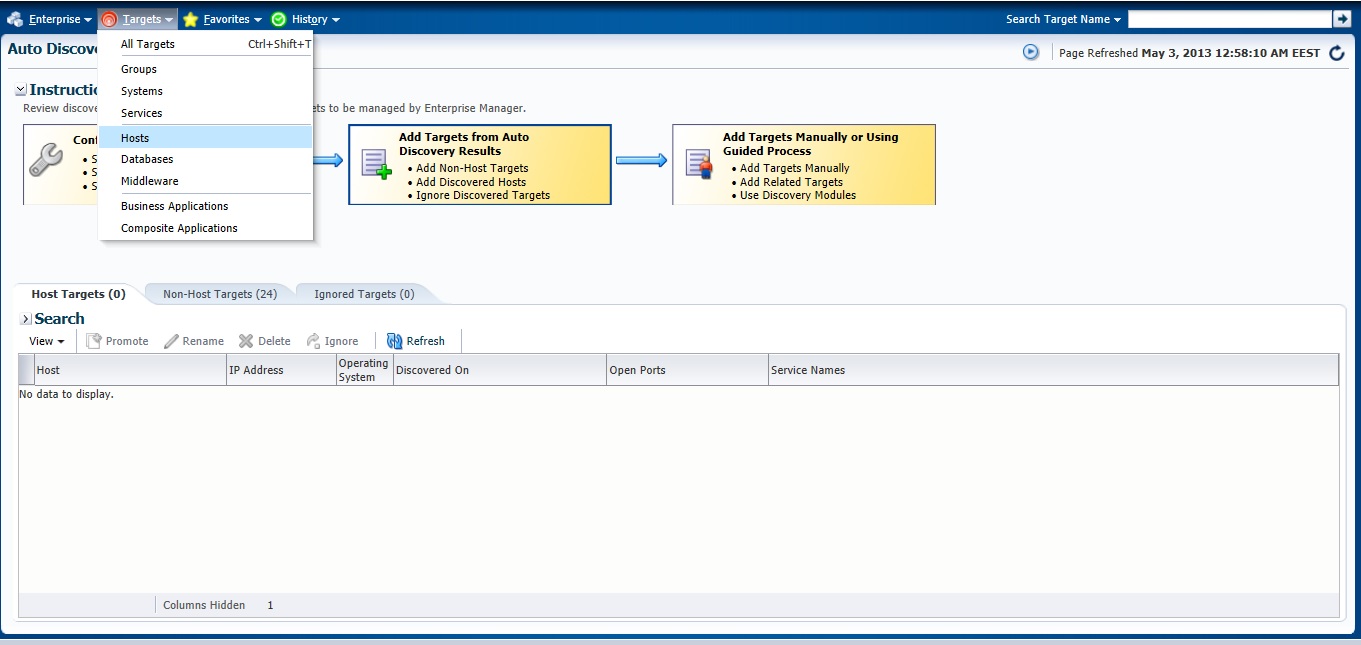
Setup –> add target –> configure auto discovery the below screen will open, choose the first option “Host and oracle vm manager Discovery using Ip scan”
Press create Button
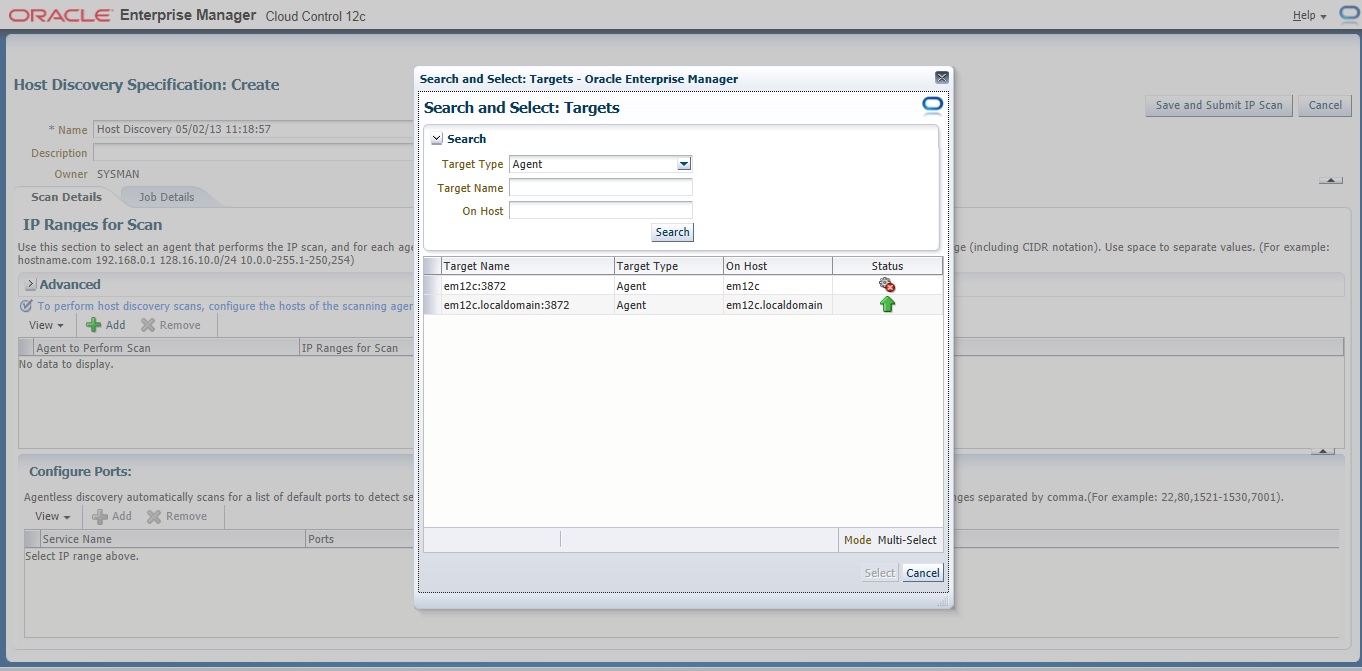
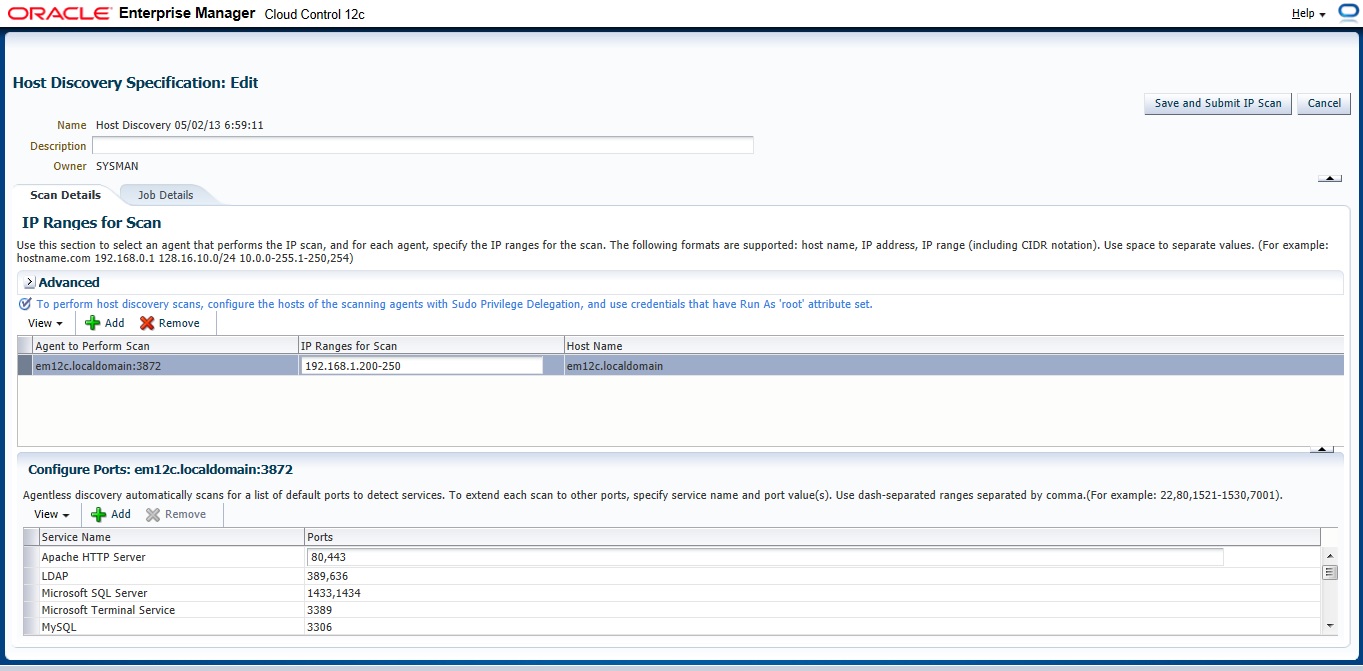
On add Button new Panel Will open , Choose your Host and Choose the Range Ip for scan The Format Mentioned above examples :
192.168.1.240-250
192.168.240/10
192.168.240,241
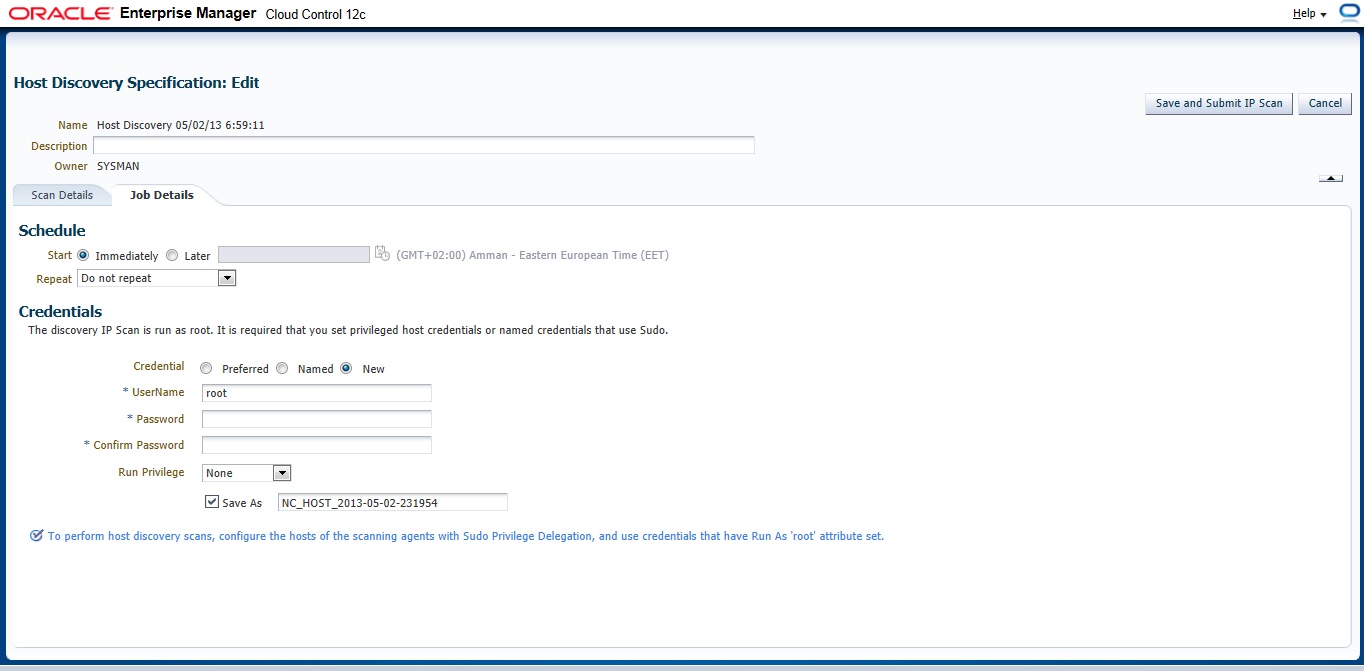
Now you need to configure Job Summary
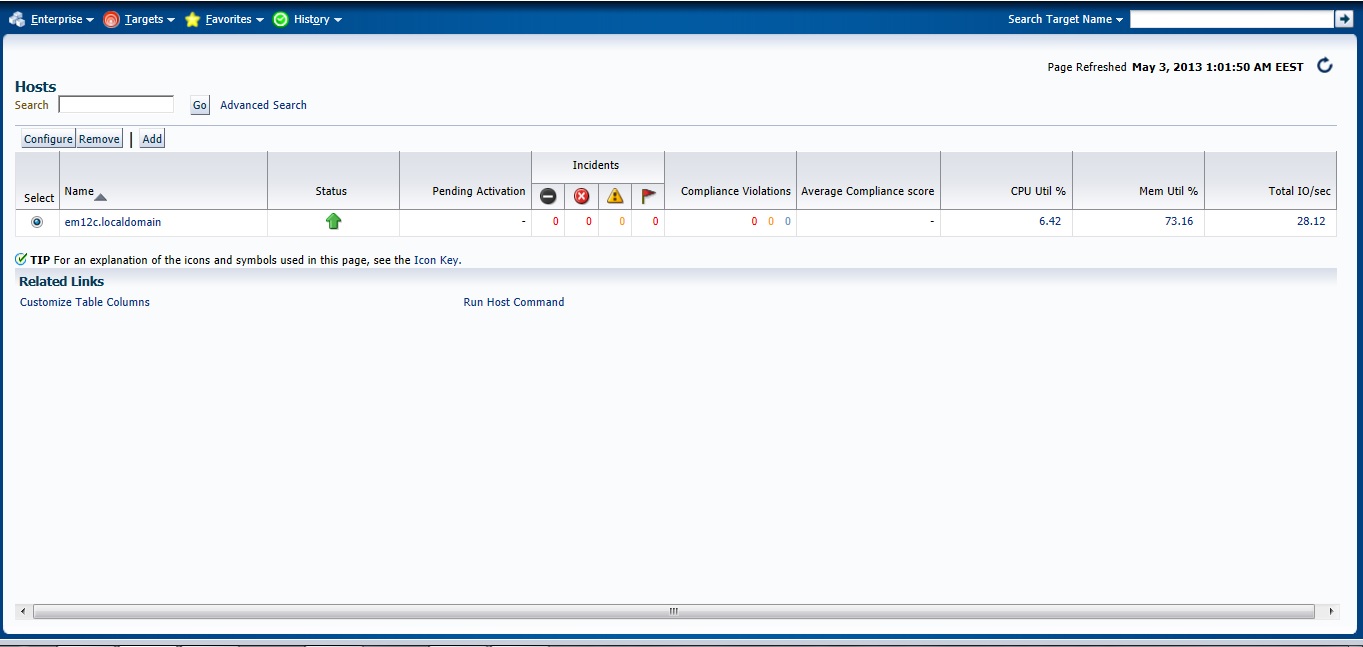
Check the Host
Next Post will be How to Add Agent Manually .
You can Download this Article From here.
Thank you
Osama Mustafa