Copyright (c) 1982, 2011, Oracle. All rights reserved.
Connected.
SQL>
SQL>
SQL> startup ;
ORA-00000: normal, successful completion
For the people who think differently Welcome aboard
Copyright (c) 1982, 2011, Oracle. All rights reserved.
Connected.
SQL>
SQL>
SQL> startup ;
ORA-00000: normal, successful completion
ORA-31003: Parent /sys/acls/File_name.xml already contains child entry
ORA-06512: at “SYS.DBMS_NETWORK_ACL_ADMIN”, line 226
ORA-06512: at line 30
ORA-01403: no data found
The Solution Is Simple
exec dbms_network_acl_admin.drop_acl(‘/sys/acls/file_name.xml’);
Commit
Re-Run Script Again.
Thank you
Osama Mustafa
From https://support.oracle.com you have to download the following patch :
perl /bin/admkappsutil.pl
This will generate new appsutil.zip located in $INST_TOP/admin/out
On Database Tier :
Copy appsutil from Application tier to $ORACLE_HOME,Unzip in under $ORACLE_HOME Like the below
Start Application Services using ( adstrtall.sh )
Thank you
Osama mustafa
SQL injection Occur when someone ( Hackers ) Writing Web application code that access to your database this code contain special format.
As DBA you need to understand who access to database and corporate with developers and make sure they are connect in secure way. and Use good SQL statement to avoid SQL injection, because of this Don’t relay on your firewall always make sure you secure your database and your code before start working on firewall, i am not saying here firewall will not protect your database yes it will but don’t forget now these days we have devices and complex network wireless, IPAD , Mobiles , Devices and Laptop are connected to your network, so in that case firewall will not protect you 100%, secure for better reasons 🙂
Users connect to database using Listener, Even database is down and listener is up user can still open connection to database ( which is caused the problem ) you can access to the server because there is no authentication way in listener, lot of examples on this type of attackes.
to solve this issue you need to Patch & patch OS and Database to ensure all security bugs and fixed.
there’s different type of oracle vulnerabilities Buffer overflow , listener issues , misunderstanding configuration and PL/SQL which indicate to SQL injection. most of our fears is not outside hackers/attacker it’s internally such as employee, hacking lessons online on internet and free everyone want to try it where mostly in work, in 2008 reports indicate that 26% of hacking issues happened because employee ignorant.
Company ignore security side because Resource such as money and consultant but they will not do that after they get hacked and lose everything data and customer information.
Most of the company has network administrator and system administrator so if you secure OS & network well your database will be secure.
Thank you
Osama Mustafa
Exception in thread “main” java.lang.UnsatisfiedLinkError: /u01/media/StageR12/startCD/Disk1/rapidwiz/jre/Linux_x64/1.6.0/lib/i386/xawt/libmawt.so: libXi.so.6: cannot open shared object file: No such file or directory
at java.lang.ClassLoader$NativeLibrary.load(Native Method)
at java.lang.ClassLoader.loadLibrary0(Unknown Source)
at java.lang.ClassLoader.loadLibrary(Unknown Source)
at java.lang.Runtime.load0(Unknown Source)
at java.lang.System.load(Unknown Source)
at java.lang.ClassLoader$NativeLibrary.load(Native Method)
at java.lang.ClassLoader.loadLibrary0(Unknown Source)
at java.lang.ClassLoader.loadLibrary(Unknown Source)
at java.lang.Runtime.loadLibrary0(Unknown Source)
at java.lang.System.loadLibrary(Unknown Source)
at sun.security.action.LoadLibraryAction.run(Unknown Source)
at java.security.AccessController.doPrivileged(Native Method)
at sun.awt.NativeLibLoader.loadLibraries(Unknown Source)
at sun.awt.DebugHelper.(Unknown Source)
at java.awt.Component.(Unknown Source
This error appear while trying to ./rapidwiz in Oracle EBS , and it’s regarding to Wrong packager version
First you need to remove the old package using :
rpm -e –nodeps
Install the required package from the below link :
Package libXi 32bit Here
Package libXi 64bit Here
Re Run the Installer again
Enjoy
Thank you
Osama Mustafa
using Query / as Apps User :
SELECT a.application_name,a.product_code,
DECODE (b.status, ‘I’, ‘Installed’, ‘S’, ‘Shared’, ‘N/A’) status,
patch_levelFROM apps.fnd_application_vl a,
apps.fnd_product_installations b
WHERE a.application_id = b.application_id
and b.status=’I’ order by product_code asc;
Using adutconf.sql scripts which is located in $AD_TOP
This script include information about Product installation status, version and other information.
Using Oracle Application Manager ( OAM )
Site Map —> License Manager Which licensed word means installed.
Simple
Thank you
Osama Mustafa
SQL> SELECT SESSION_ID
2 FROM DBA_DML_LOCKS
3 WHERE NAME = ‘EMP_INFORMATION’;
Where EMP_INFORMATION is Table_name
Output :
SID
___
424
Next step it’s talking about How to find Serial# :
SELECT SID,SERIAL#
FROM V$SESSION
WHERE SID IN (SELECT SESSION_ID
FROM DBA_DML_LOCKS
WHERE NAME = ‘EMP_INFORMATION’)
Output :
SID SERIAL#
—- ——-
424 1103
Use Alter system To kill this session :
ALTER SYSTEM KILL SESSION ‘SID,SERIALl#’;
Thank you
Osama mustafa
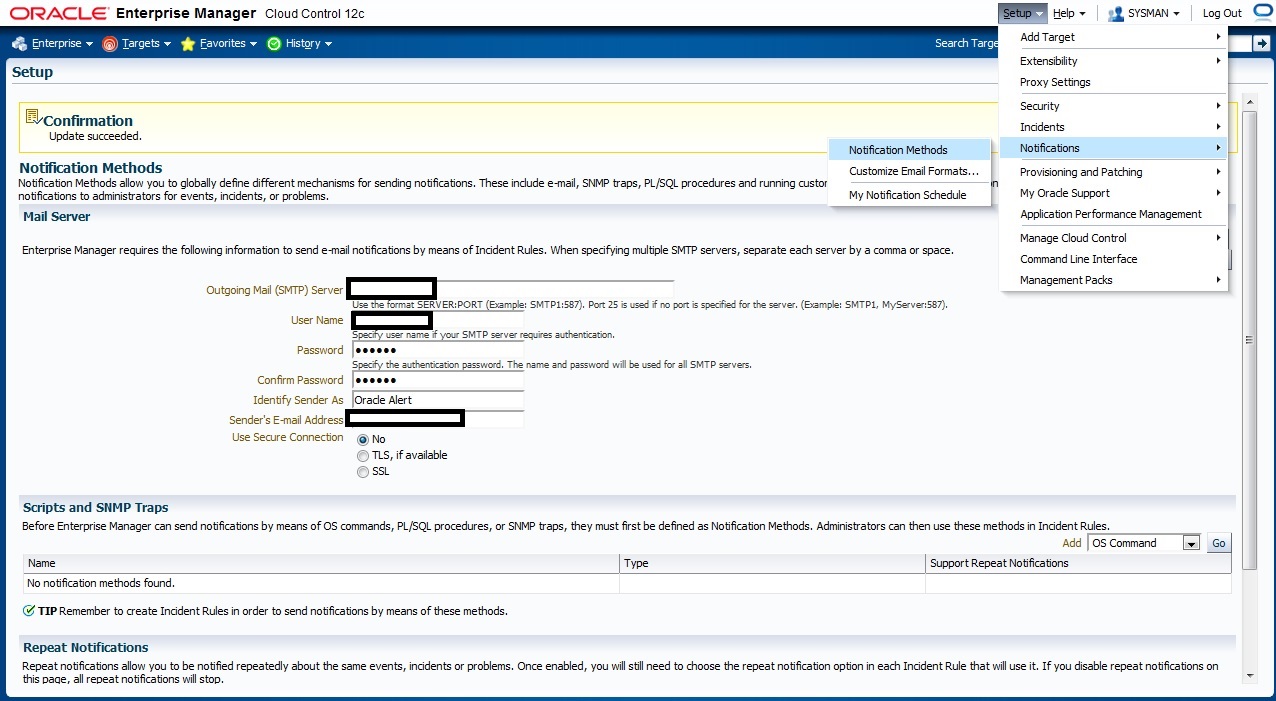
Check the below picture the fill with Correct Parameter to enable email notification First
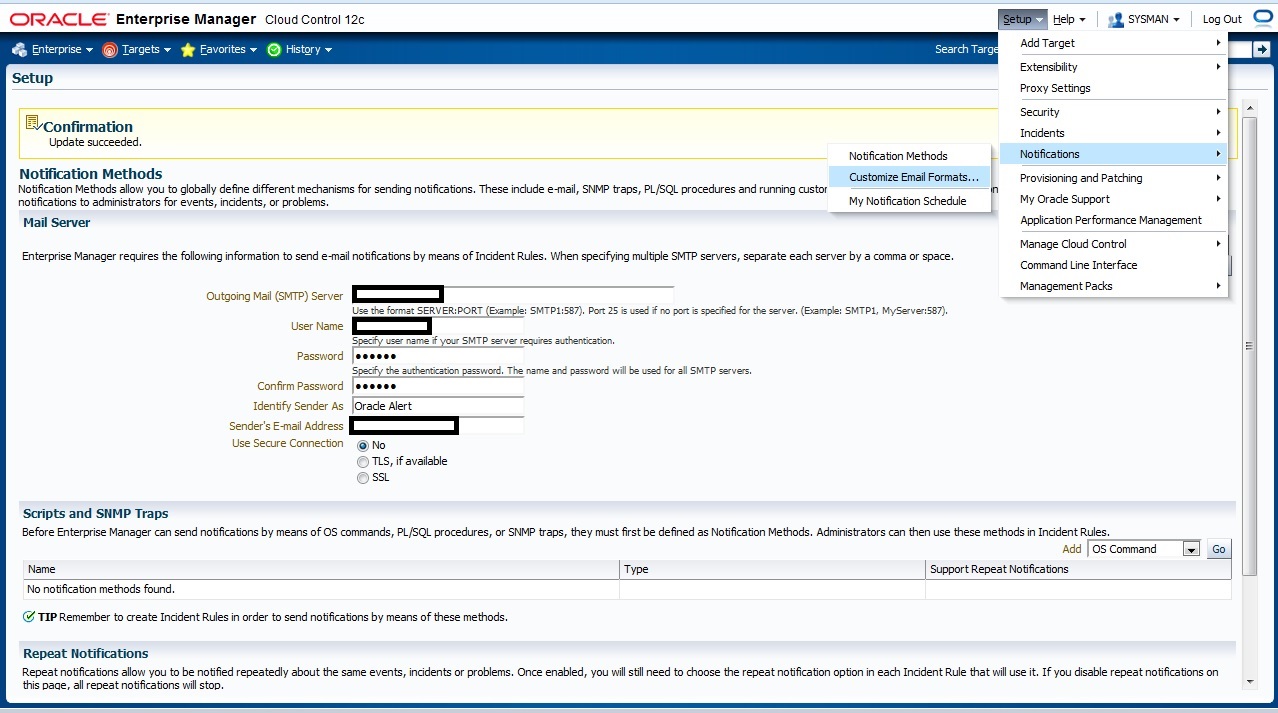
If you need to customize your Email format that will be deliver to you go to the below section in em12c :
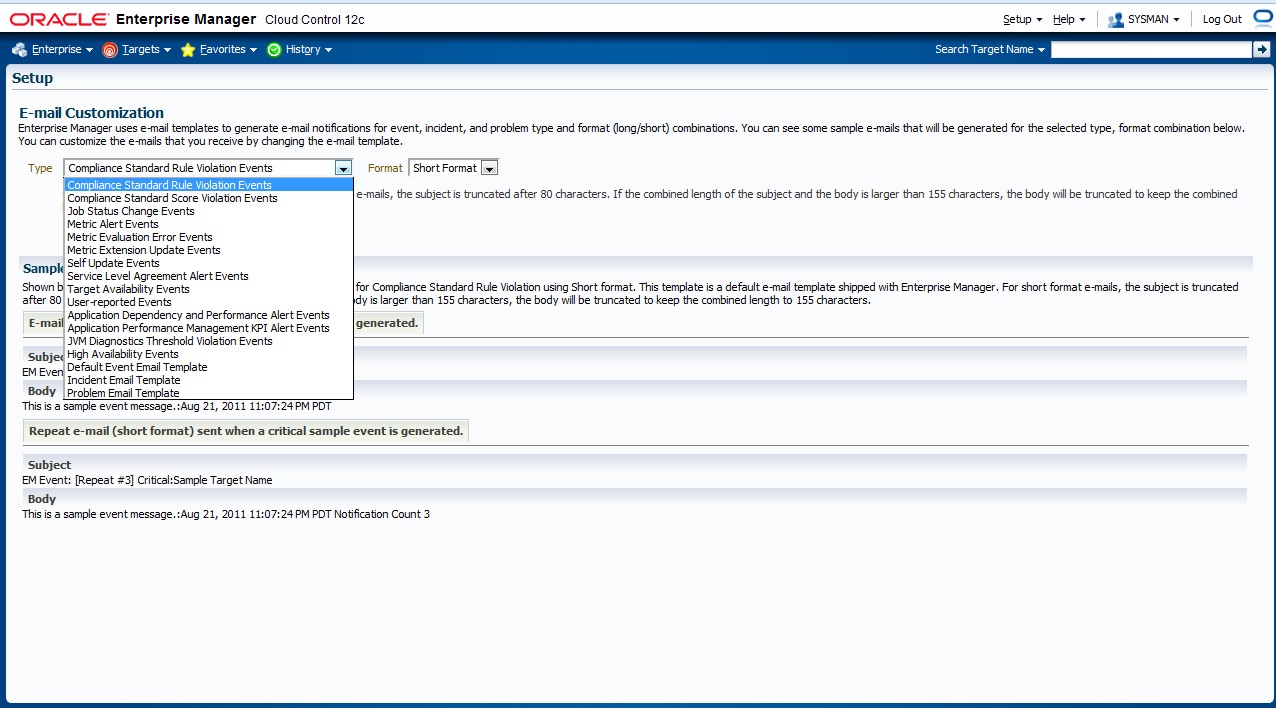
The Below Page will appear to you choose which Type you want to customize
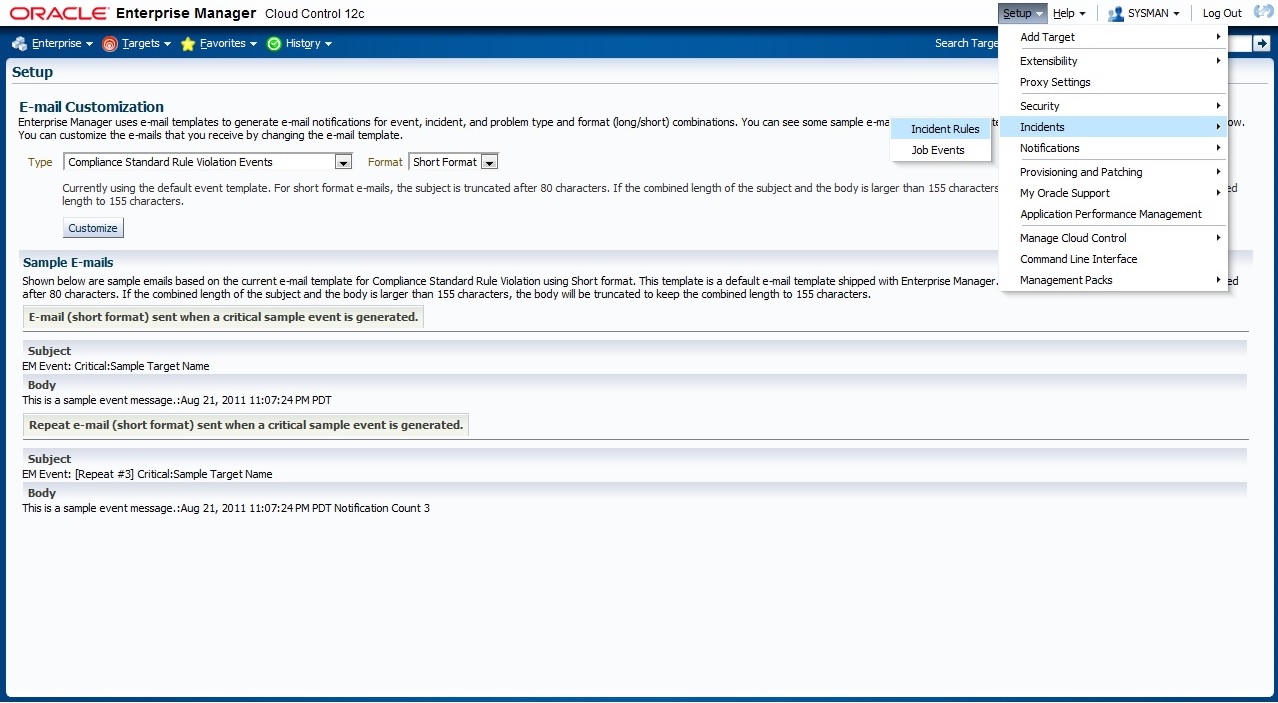
now Let’s work On Incident Rules, From Setup –> Incidents –> Incident Rules
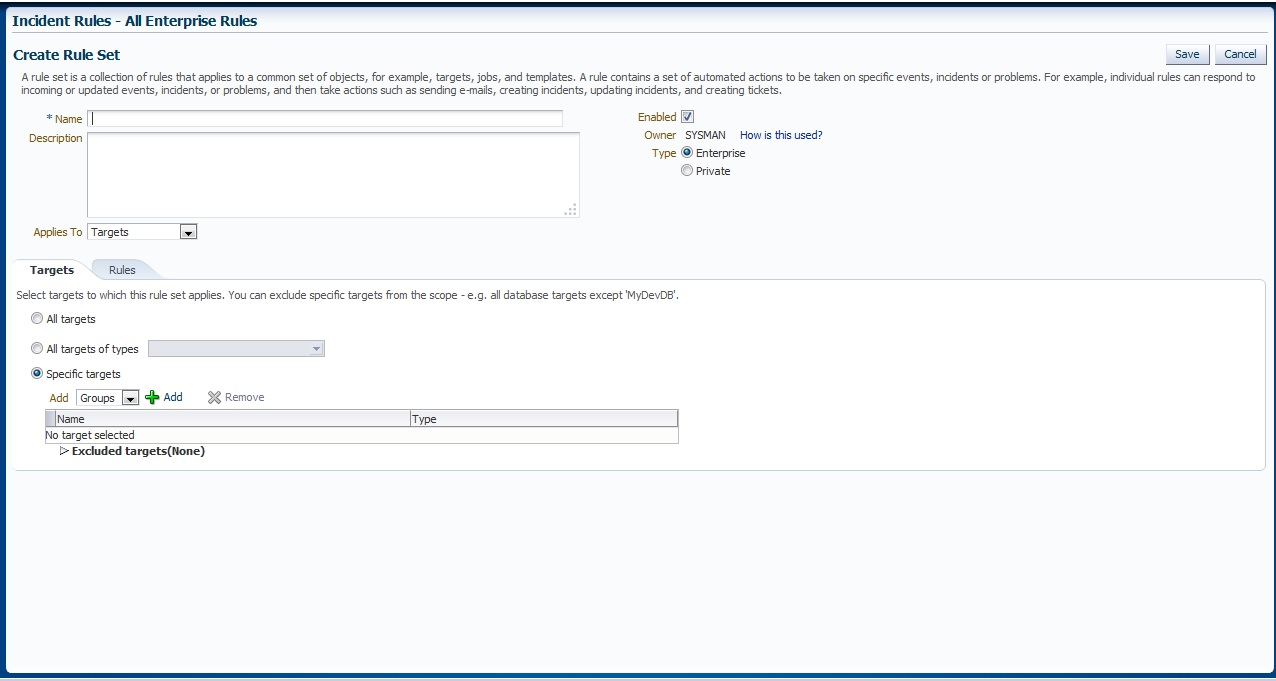
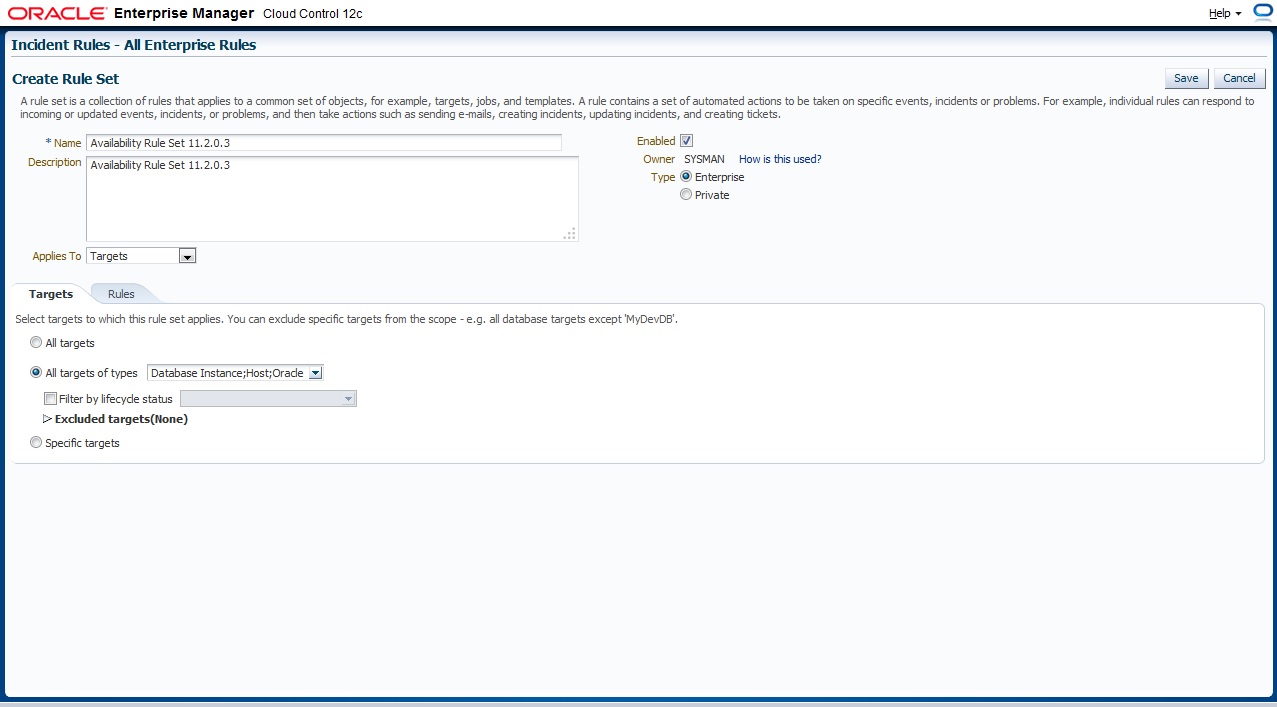
New Page will appear With Some Content All you have to do is Press “Create Rule Set” and below page will appear, Choose the name for Rule Set, which target this Rule set will be applied
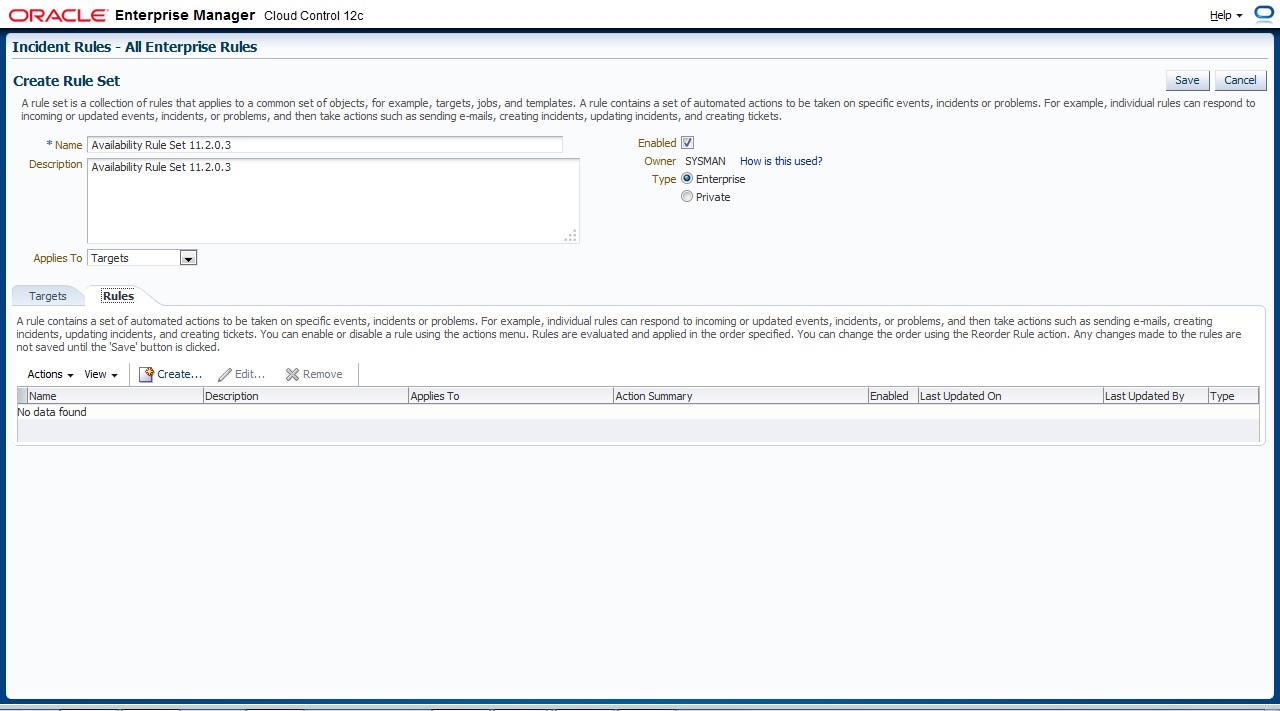
On Second Tab ” Rule” Press Create to add new One
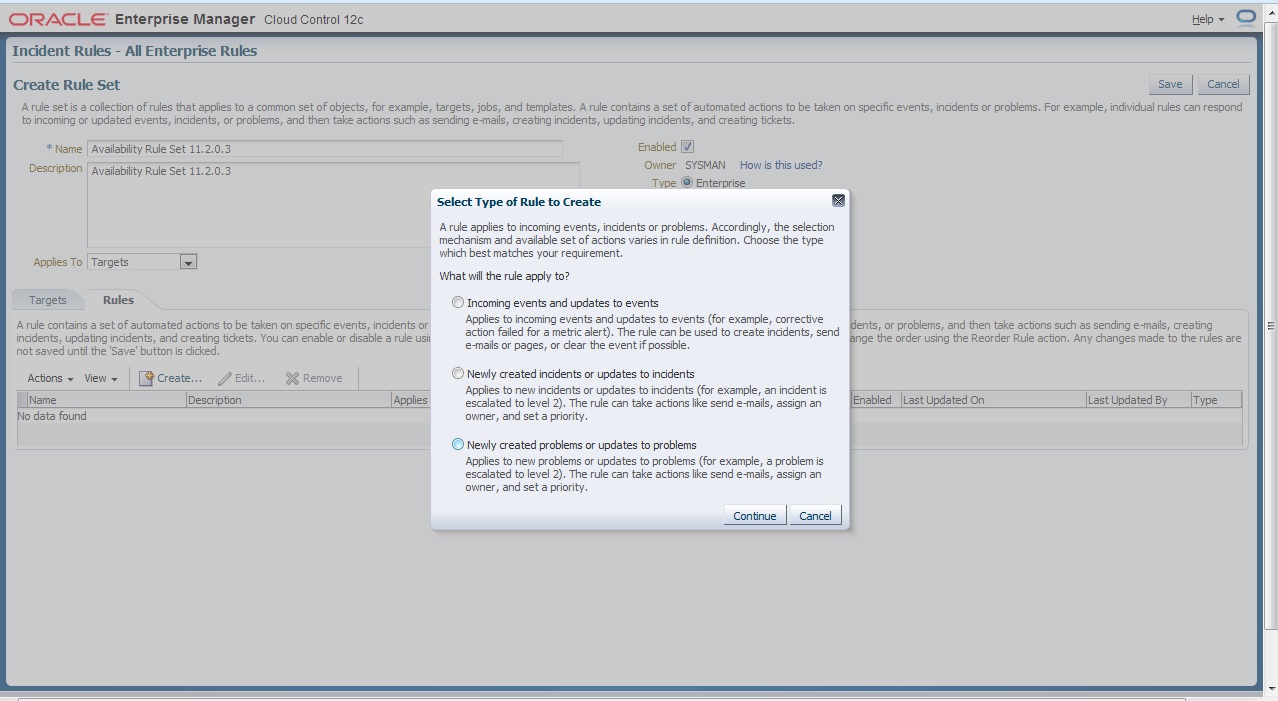
There’s Description for each Type I will choose the first one
After That follow the instruction to create your own Rule Set ,
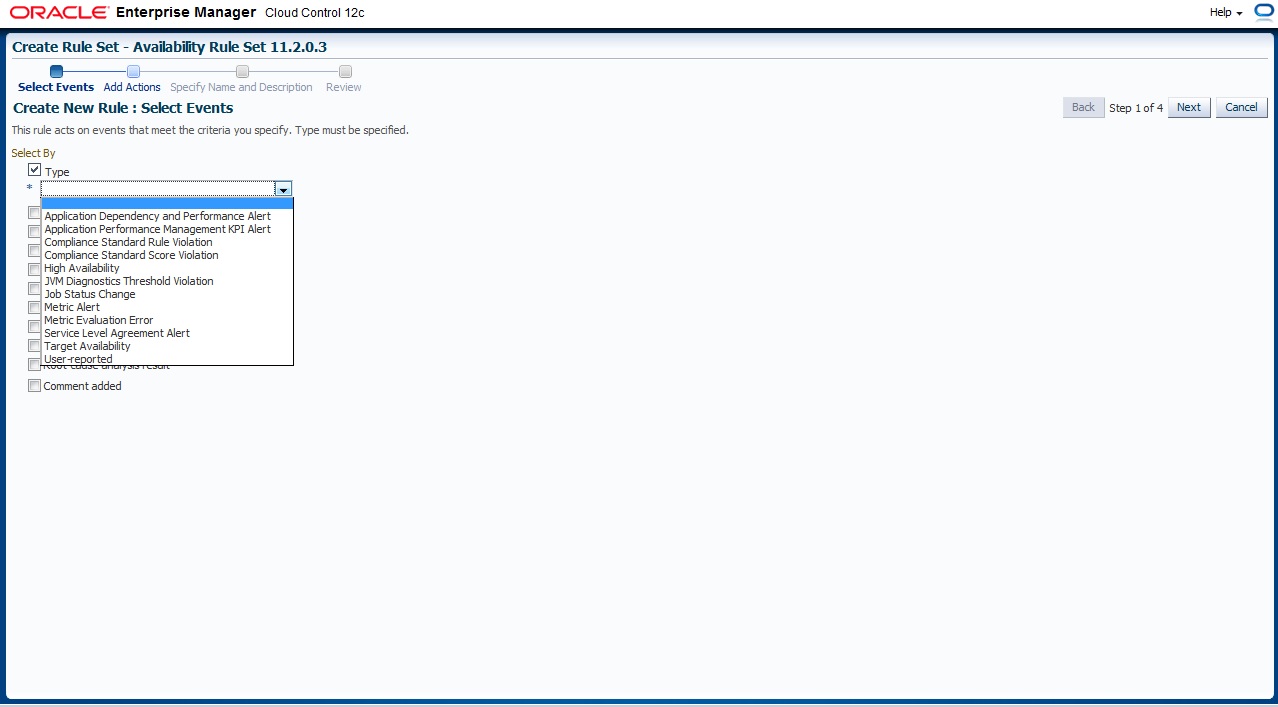
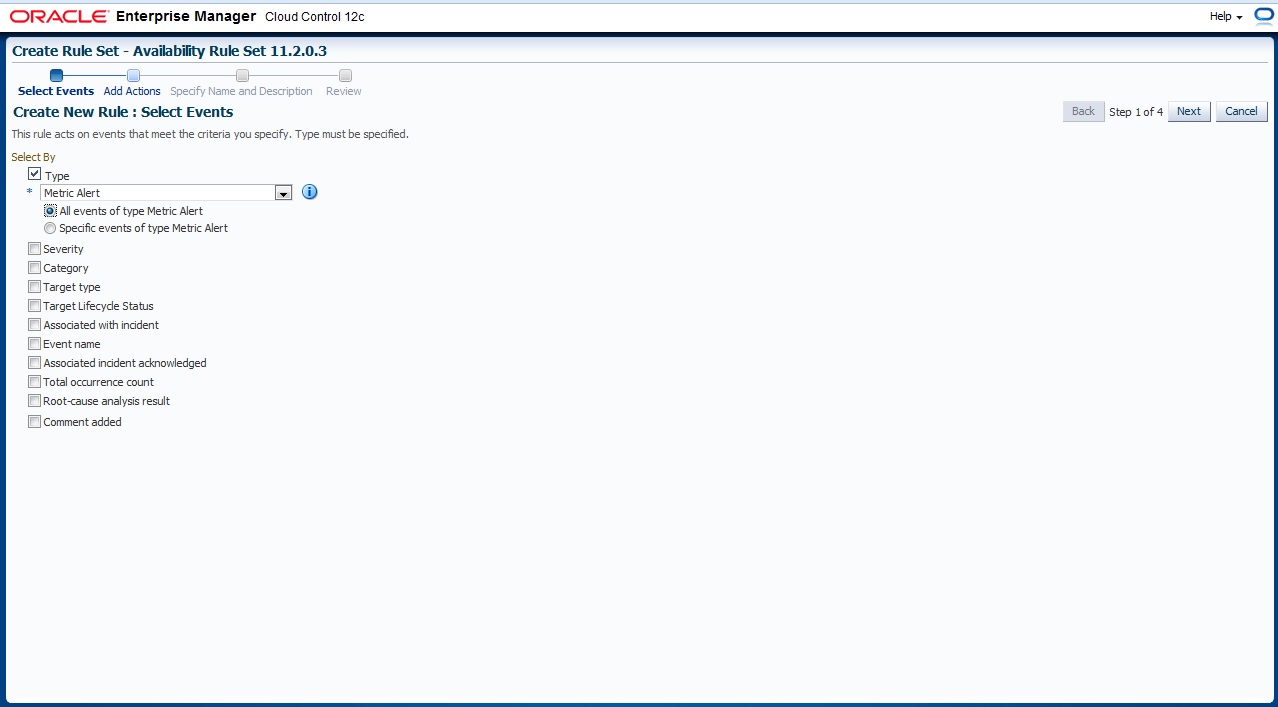
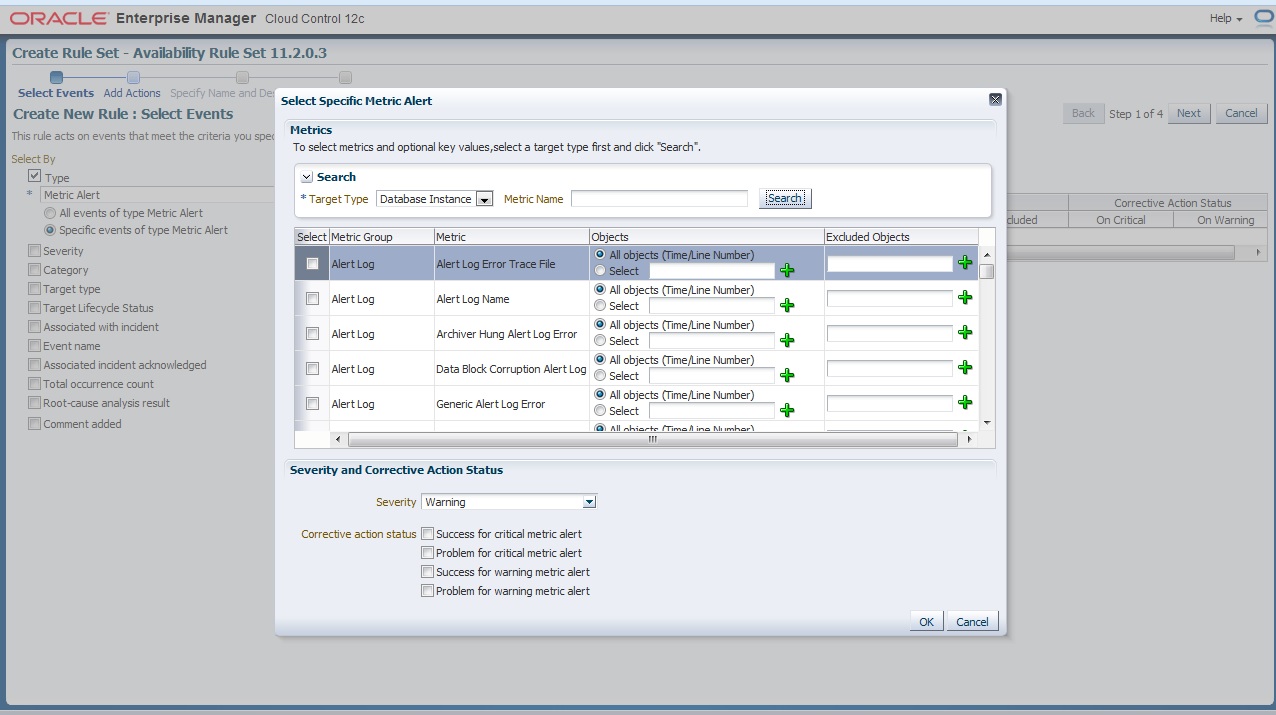
First you need to choose which type of event
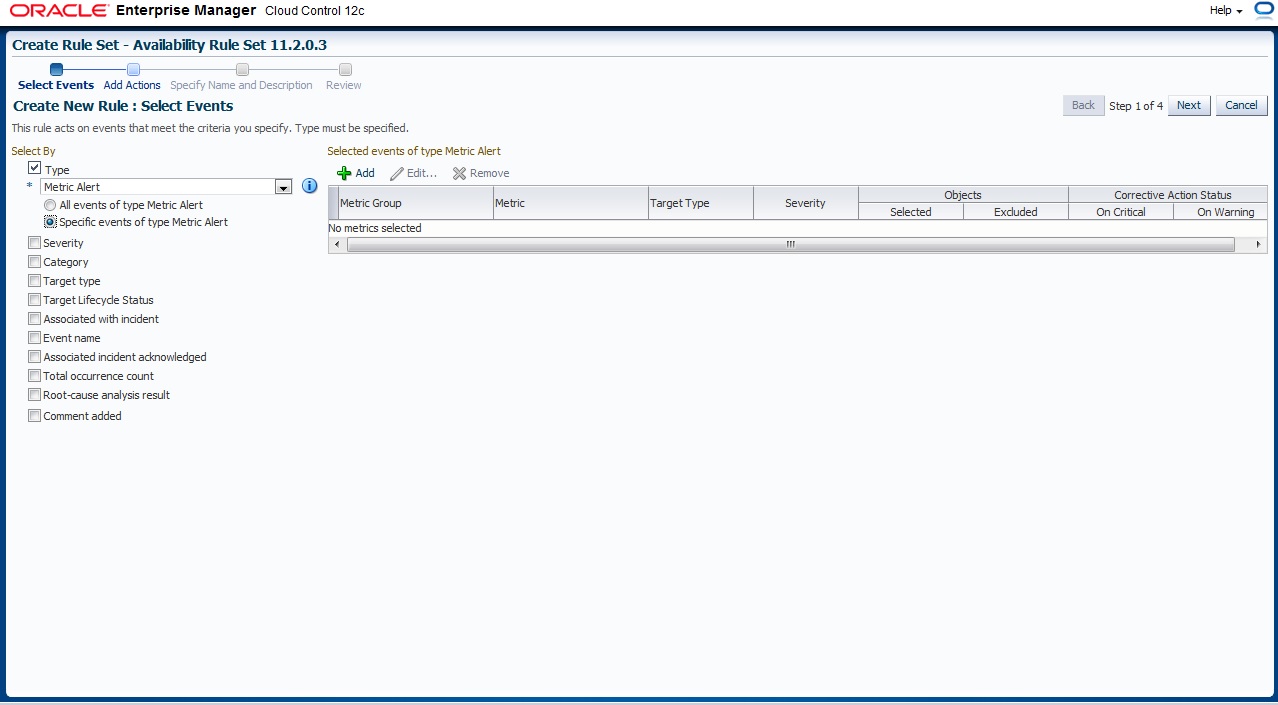
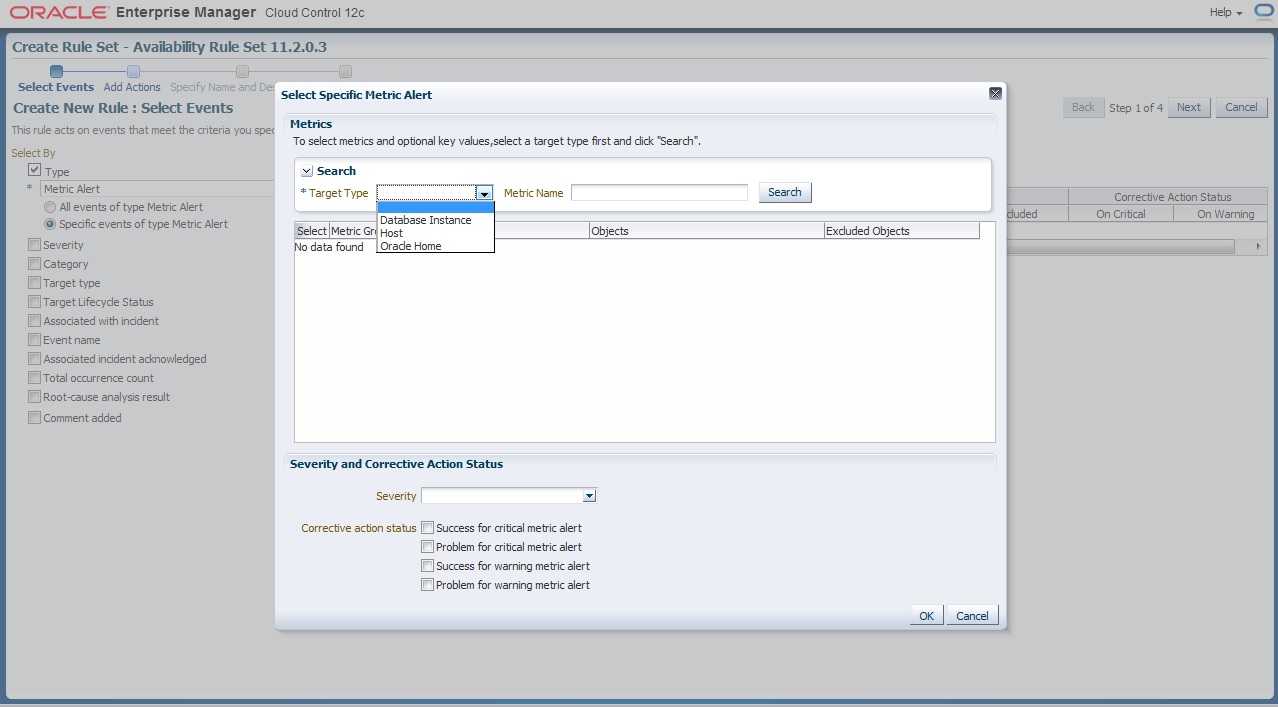
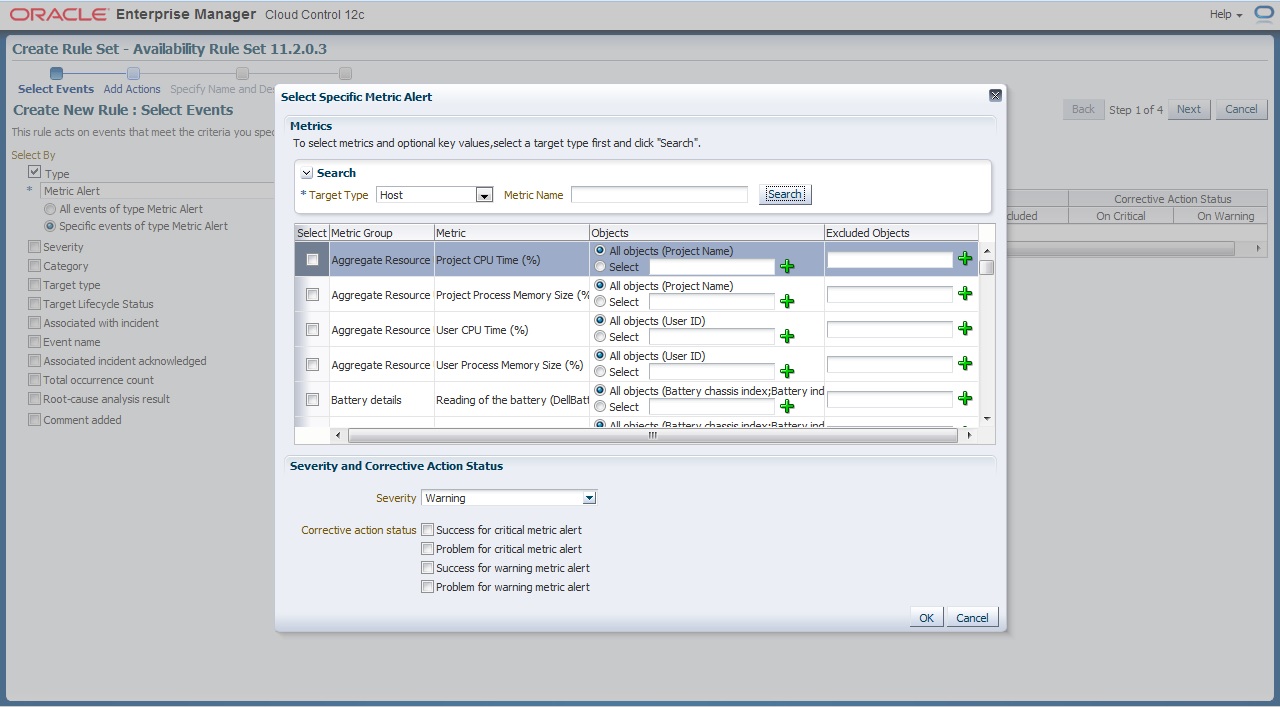
Now what we choose before will appear to us here now you want to enable metrics for Which Target
and i provide some example for predefined metrics group
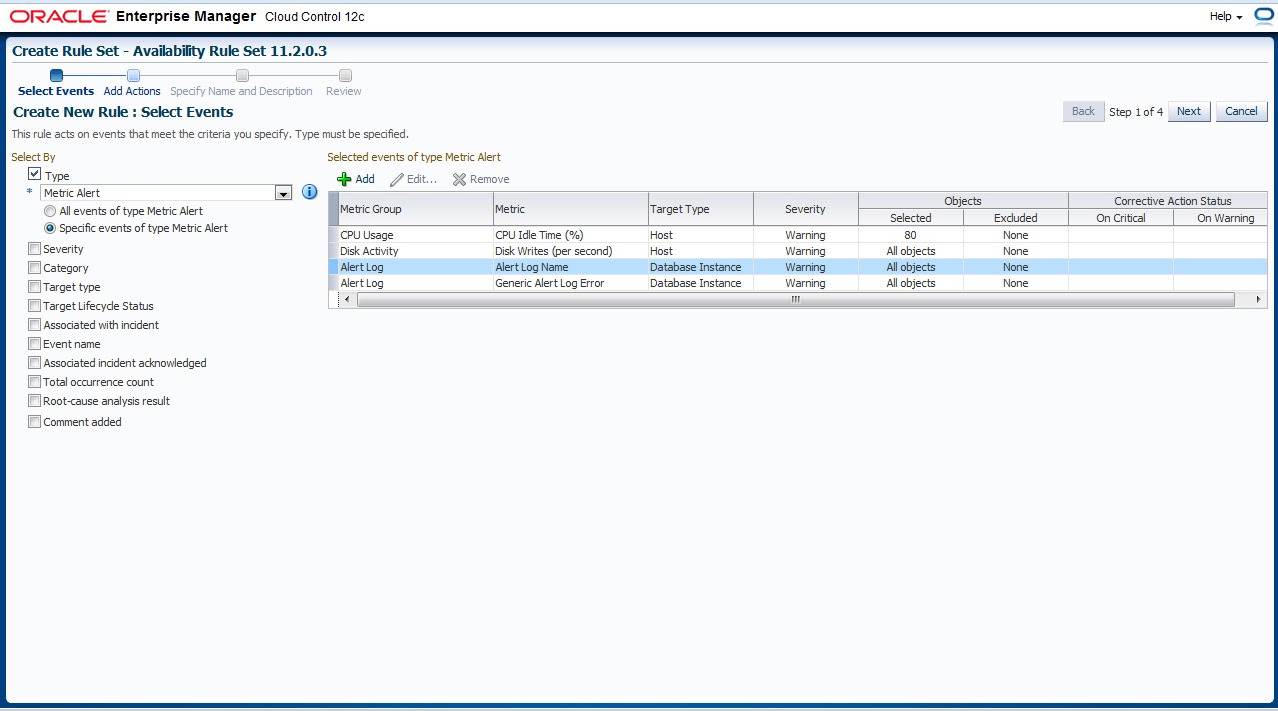
The Overall will be look like this
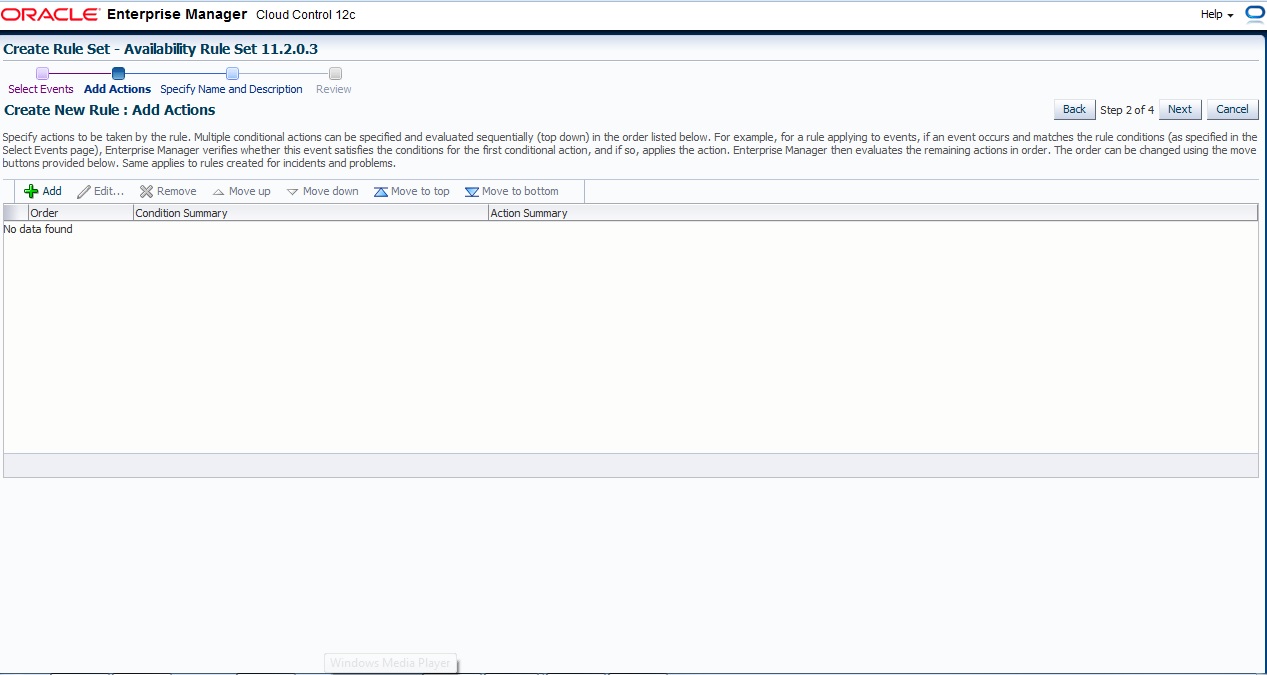
Next , and Add Action page press add like usual
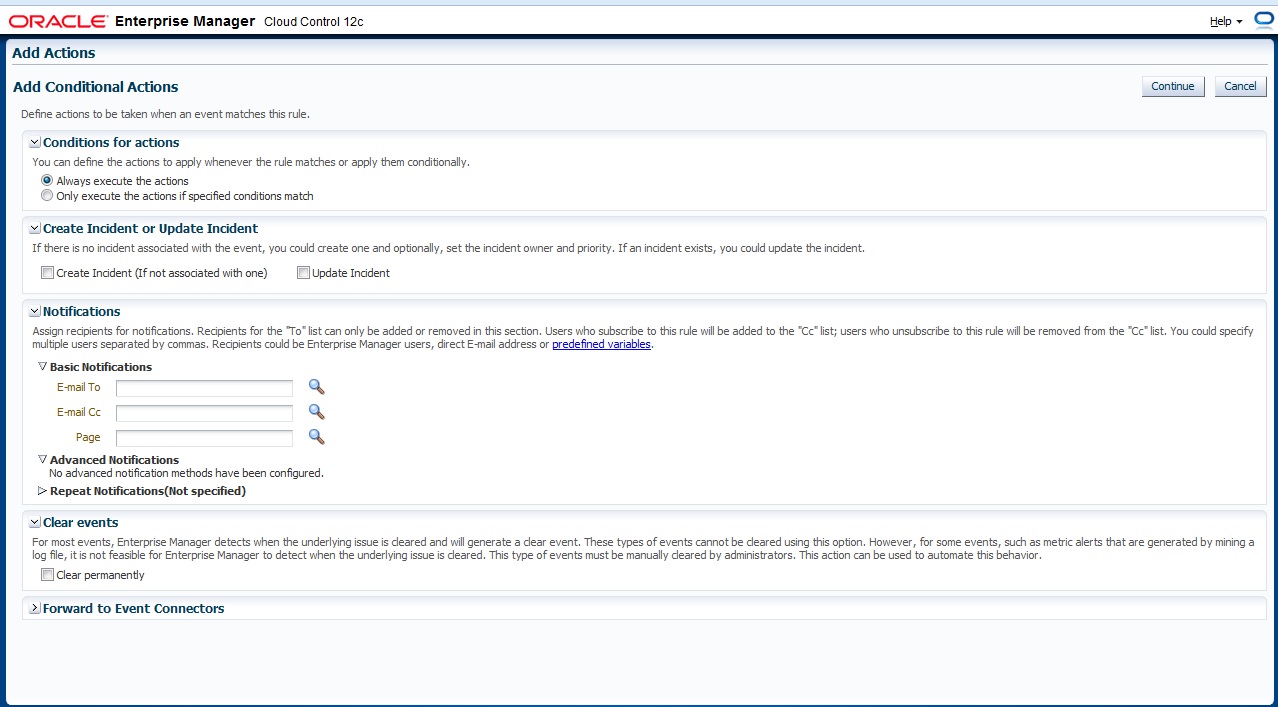
Define Which action will taken if event match
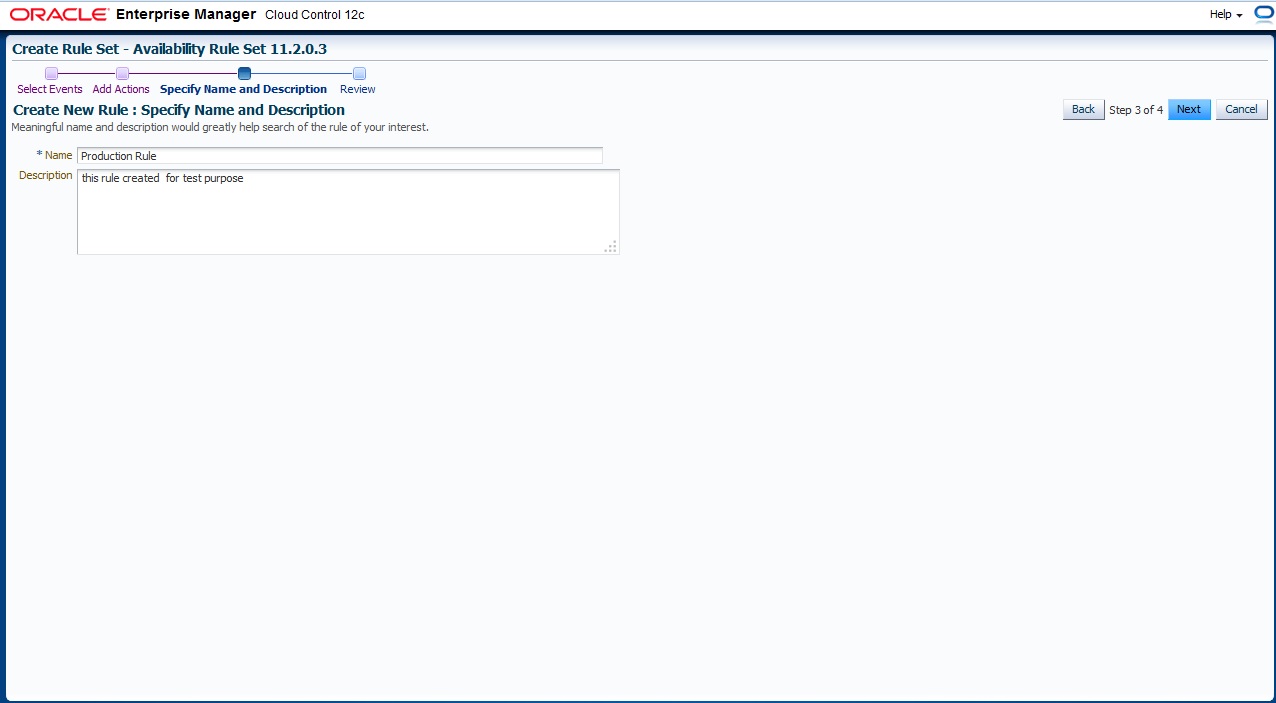
Finally Name For Rule Set
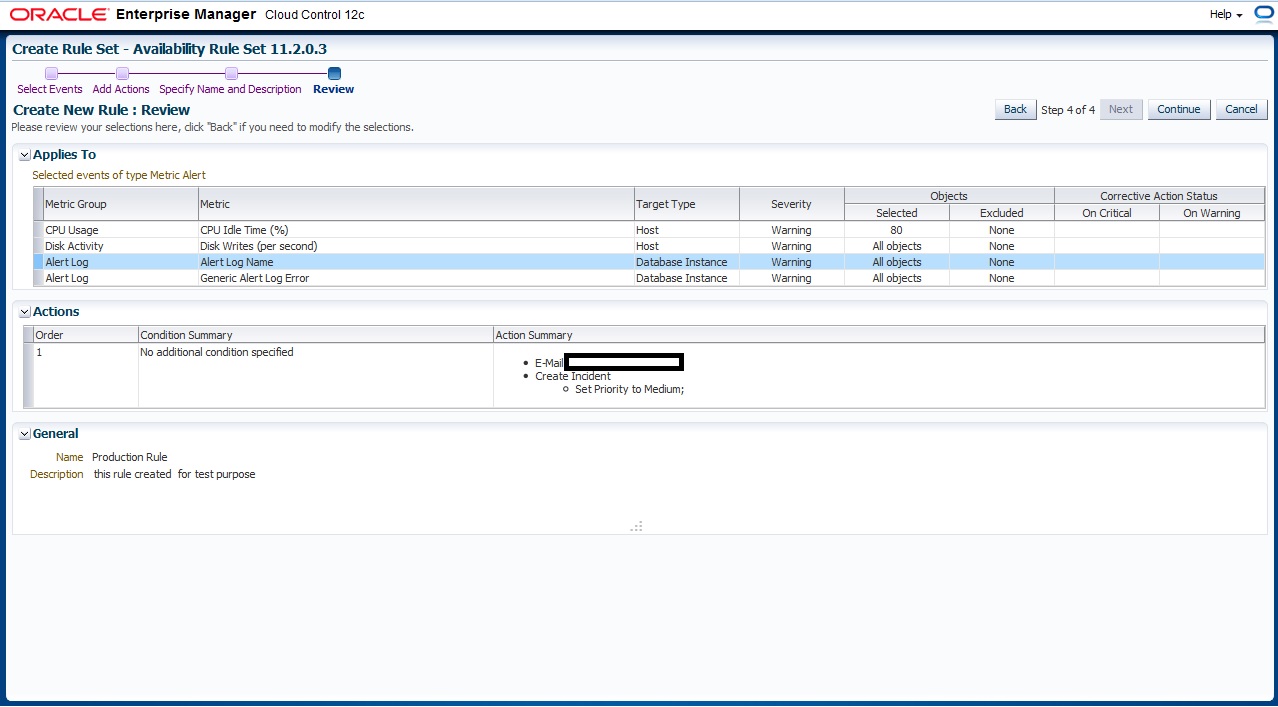
Review Page
you can download this article from here
Thank you
Osama Mustafa
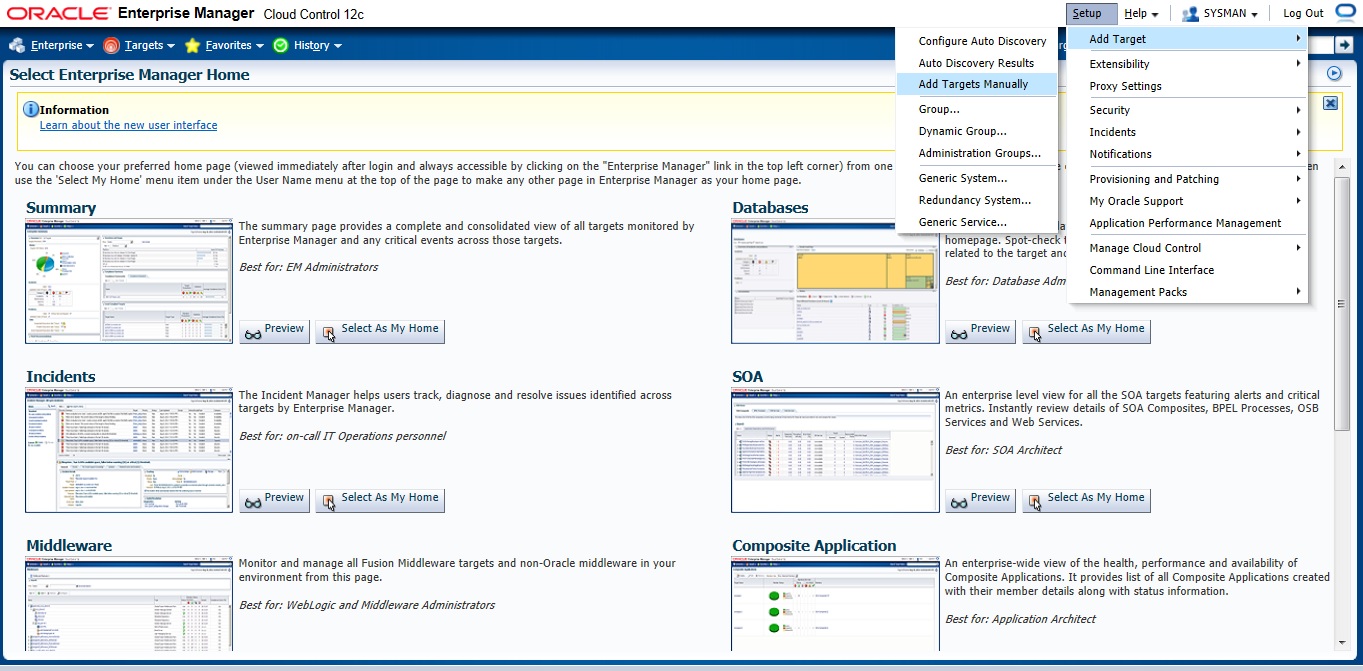
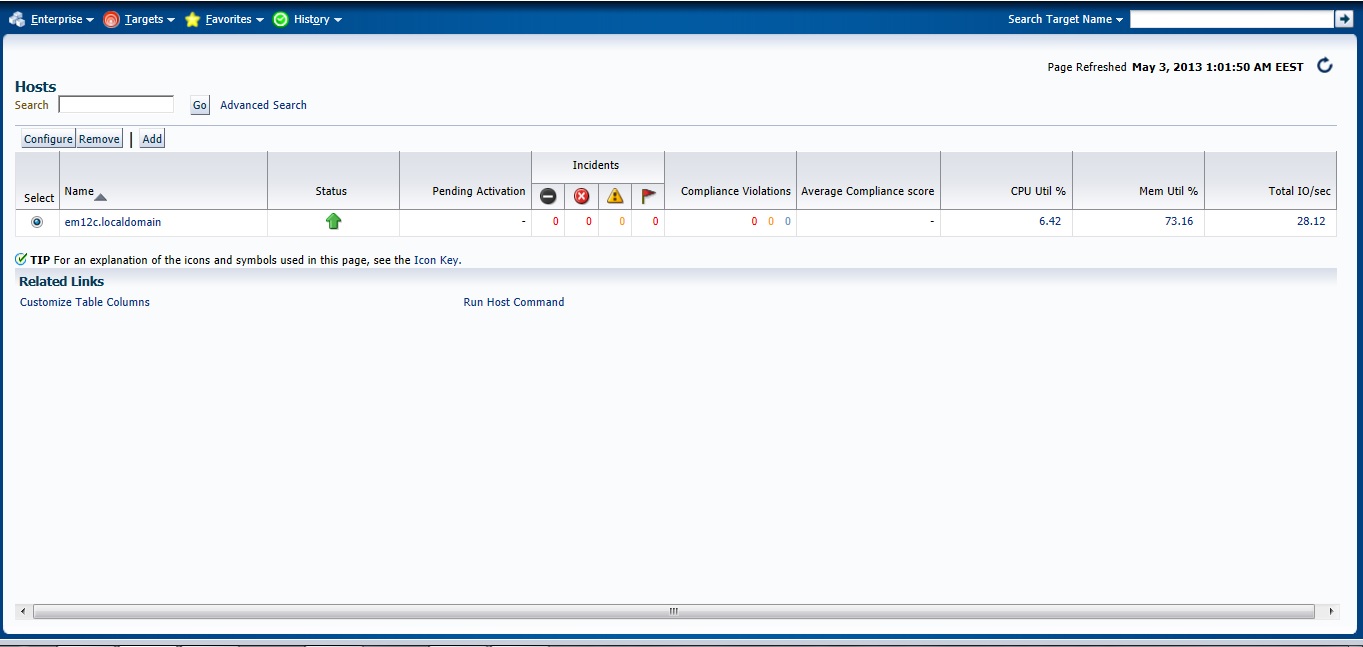
Setup –> Add target –> Add Target manually
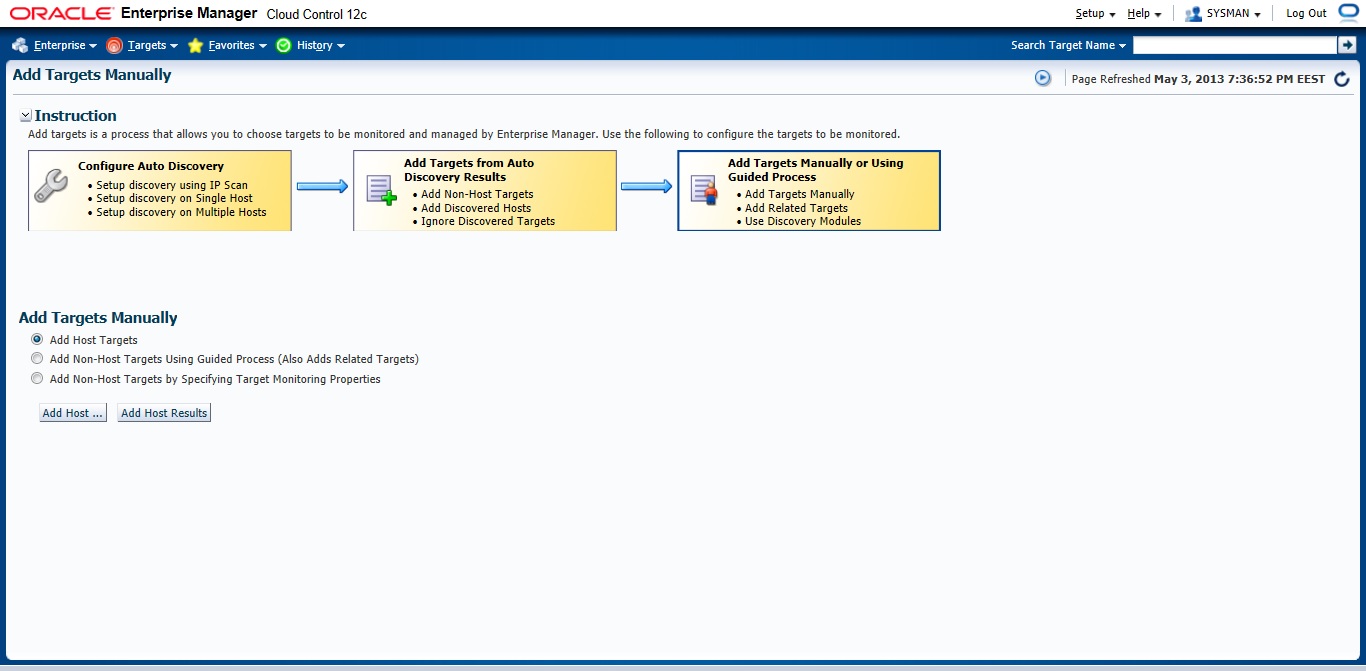
Choose the first Option
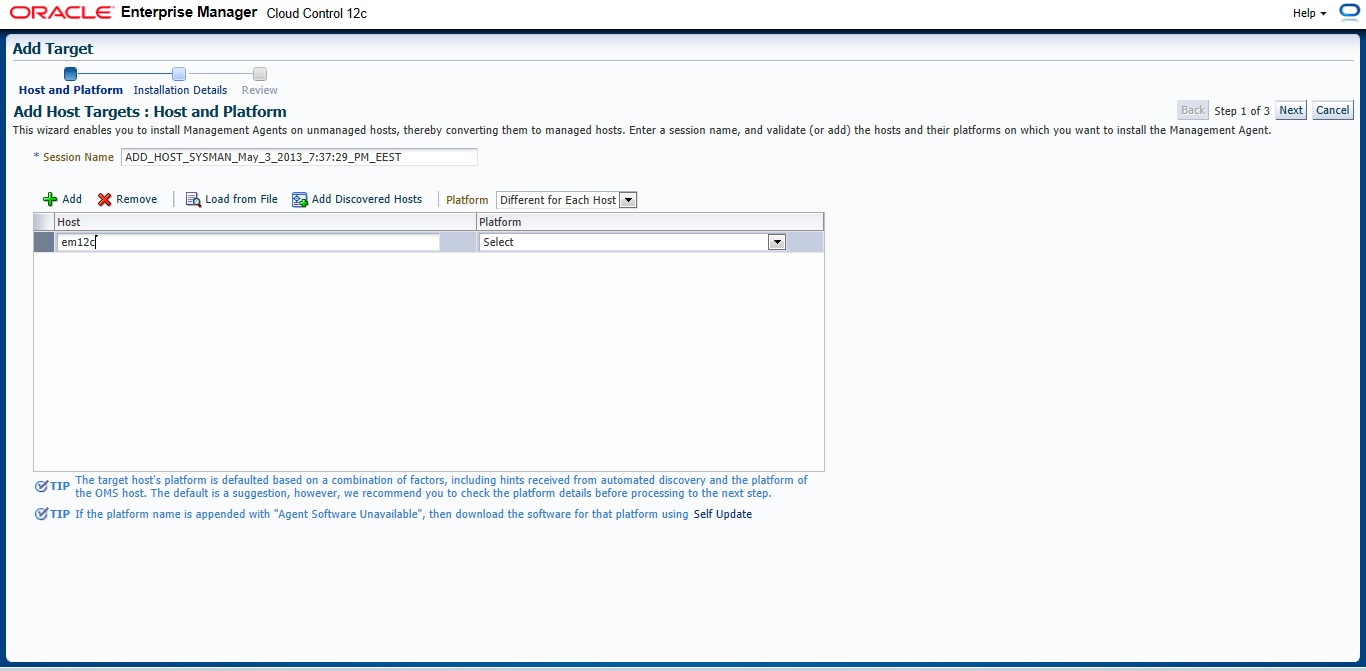
New Page will appear — > Press add and Type Hostname for the server and which Operating system installed it on it.
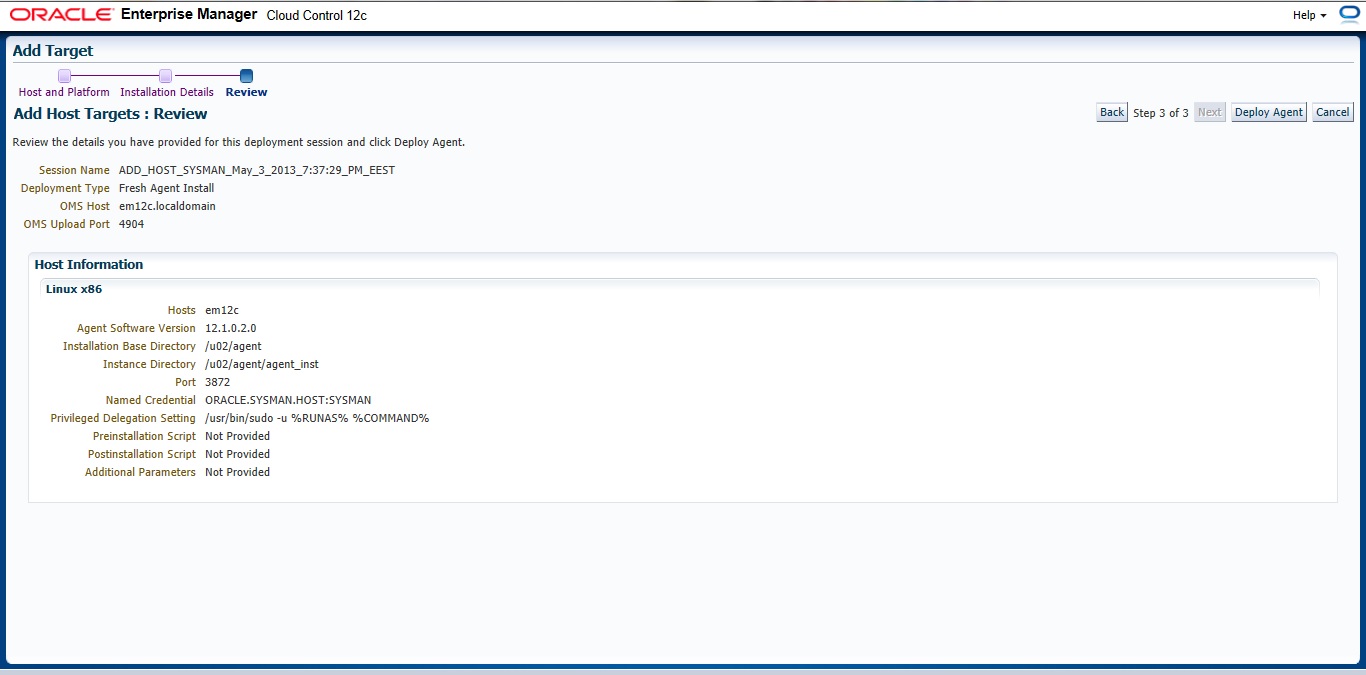
Insert your Agent Path ( where you want to install agent ) and username
Review and then Deploy Agent
You can download this article here
Thank you
Osama Mustafa
there’s two method to do that
1) Configuring Automatic Discovery
2) Adding targets Manually
I will describe the both 🙂 each one separately
Before deploy you need to decide if you want to use Oracle user or root user the below steps you have to do before using oracle :
[root@em12c ~]# vi /etc/sudoers
and change and add the following lines :
Comment this line :
#Defaults requiretty
add the below line
oracle ALL=(ALL) ALL
and remove ! from this line :
Defaults visiblepw
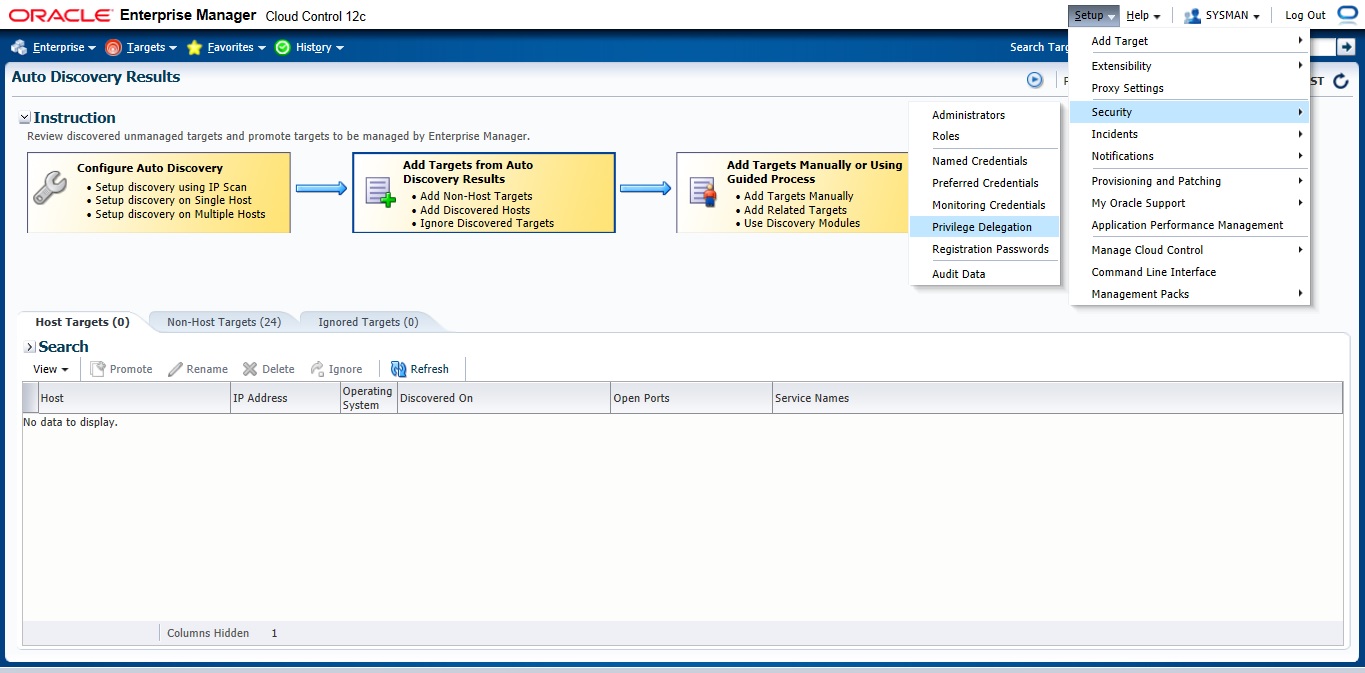
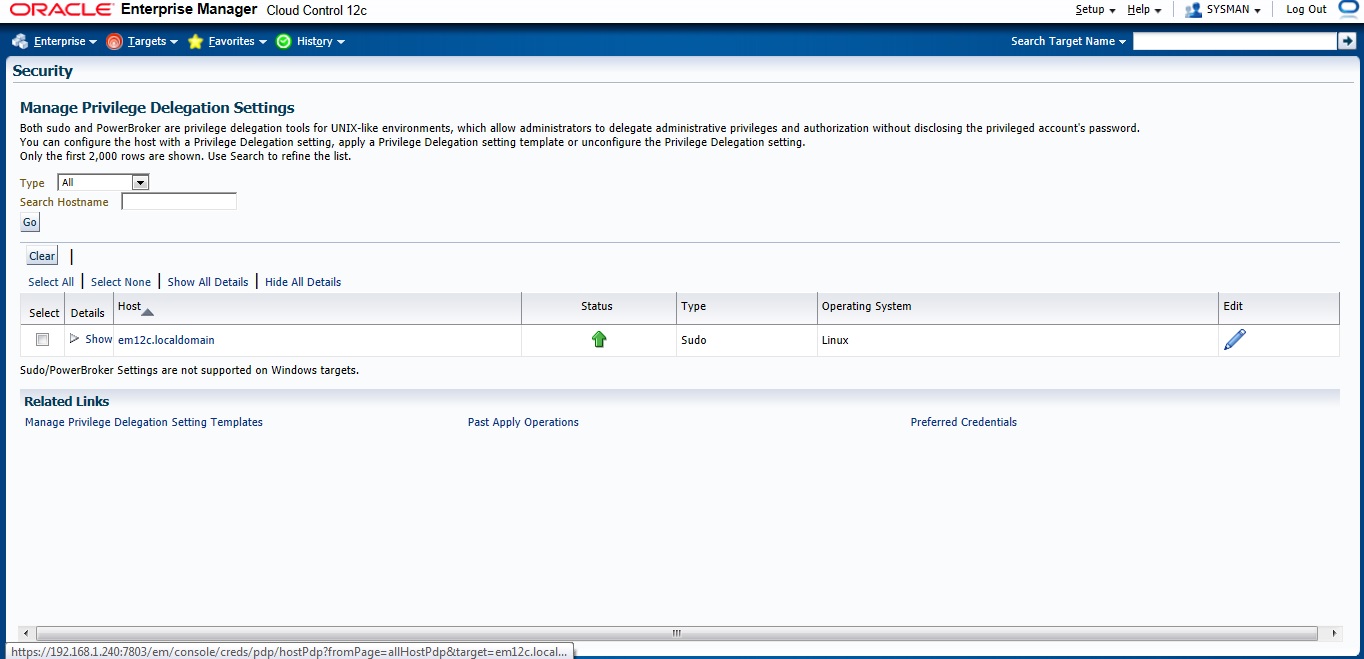
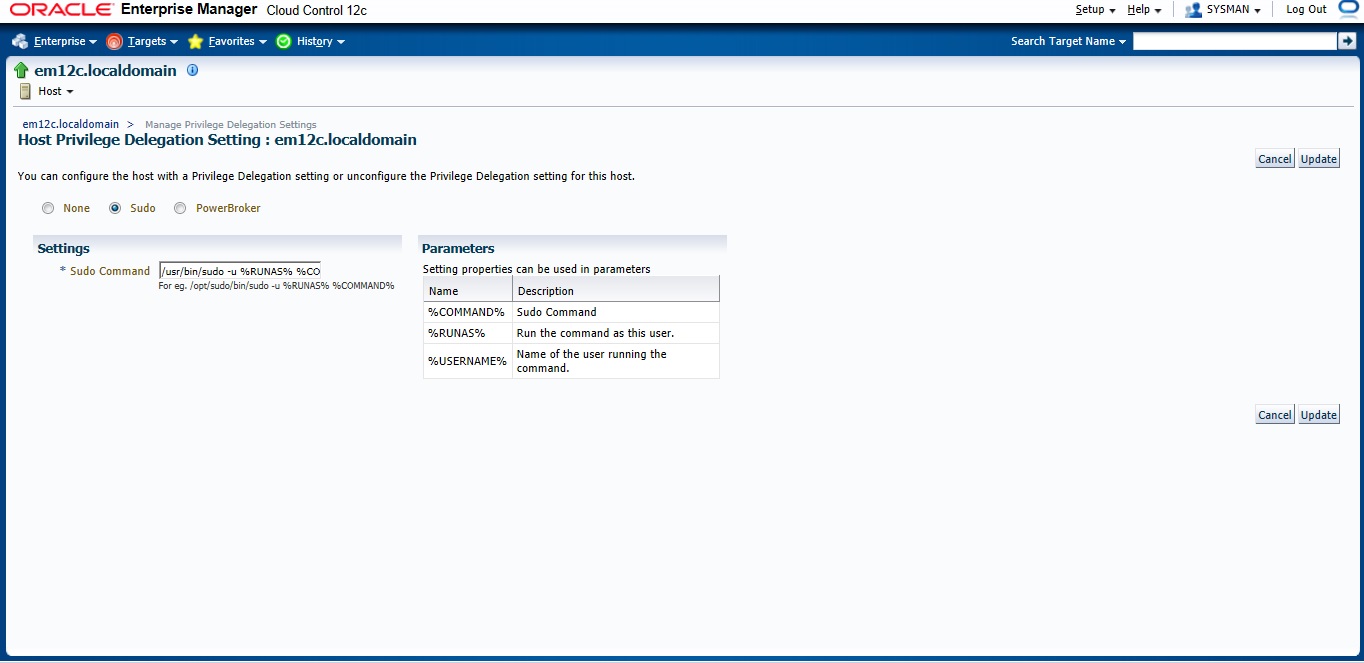
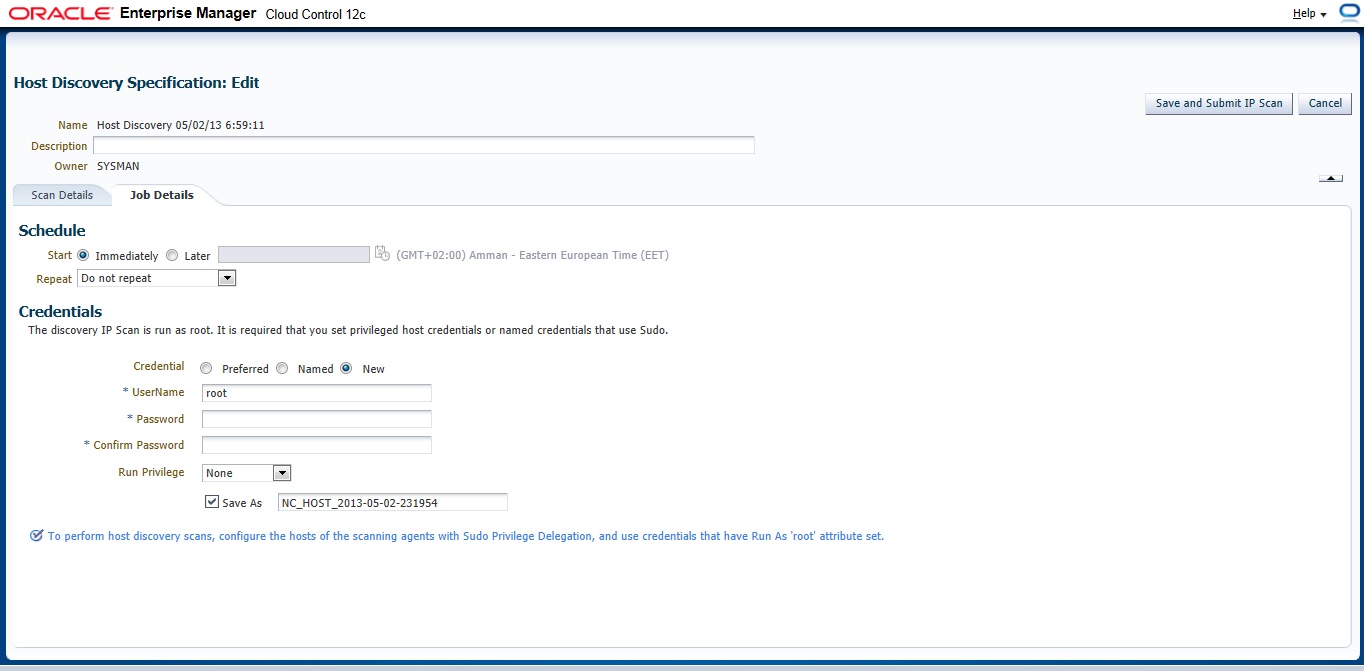
Now On em12c There’s something called privilege delegation
Privilege delegation allows a logged-in user to perform an activity with the privileges of another user. Sudo and PowerBroker are privilege delegation tools that allow a logged-in user to be assigned these privileges. These privilege delegation settings will be used for all provisioning and patching activities on these hosts.
Read more here.
/usr/bin/sudo -u %RUNAS% %COMMAND%
/usr/bin/sudo —> location for sudo command.
after all the above steps are done let’s configure Auto Discovery
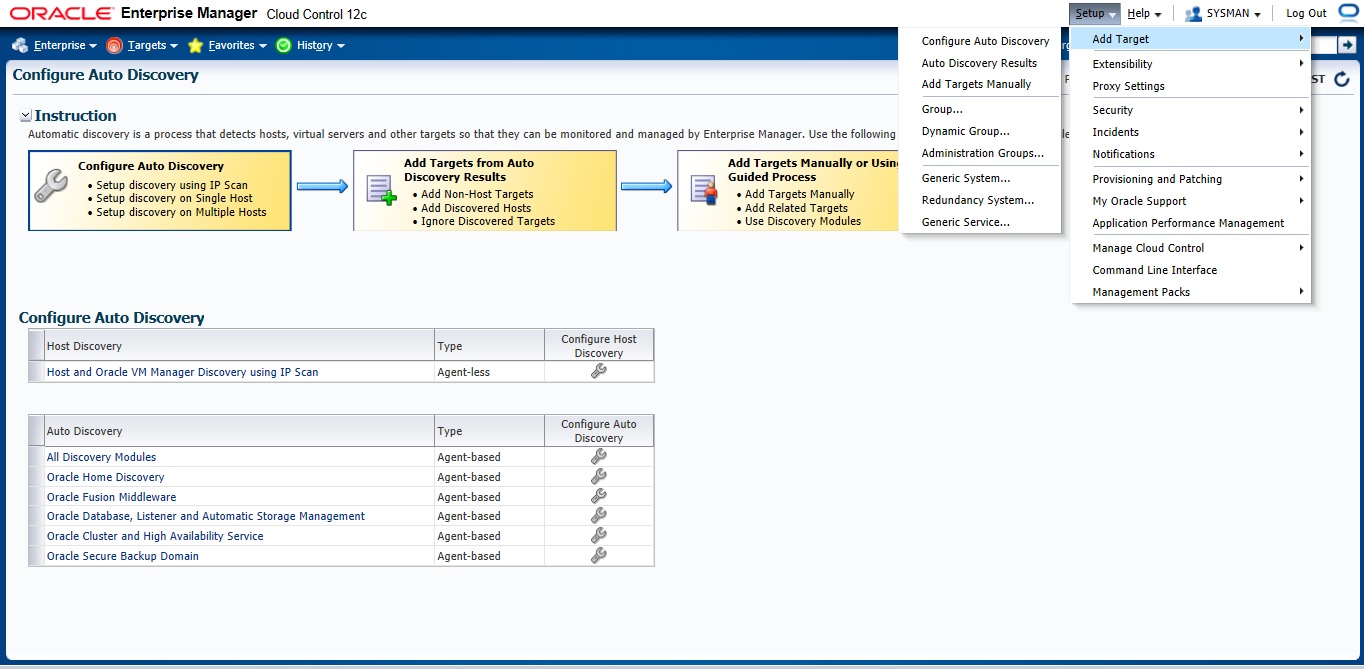
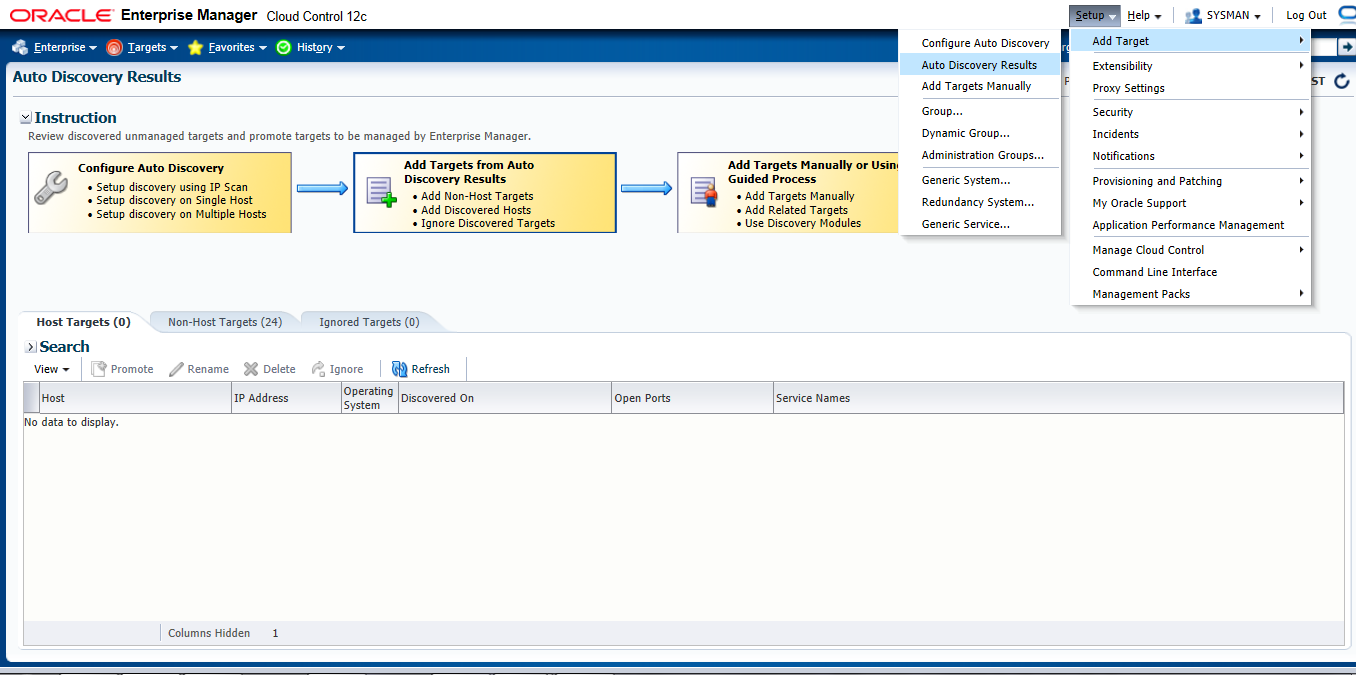
Setup –> add target –> configure auto discovery the below screen will open, choose the first option “Host and oracle vm manager Discovery using Ip scan”
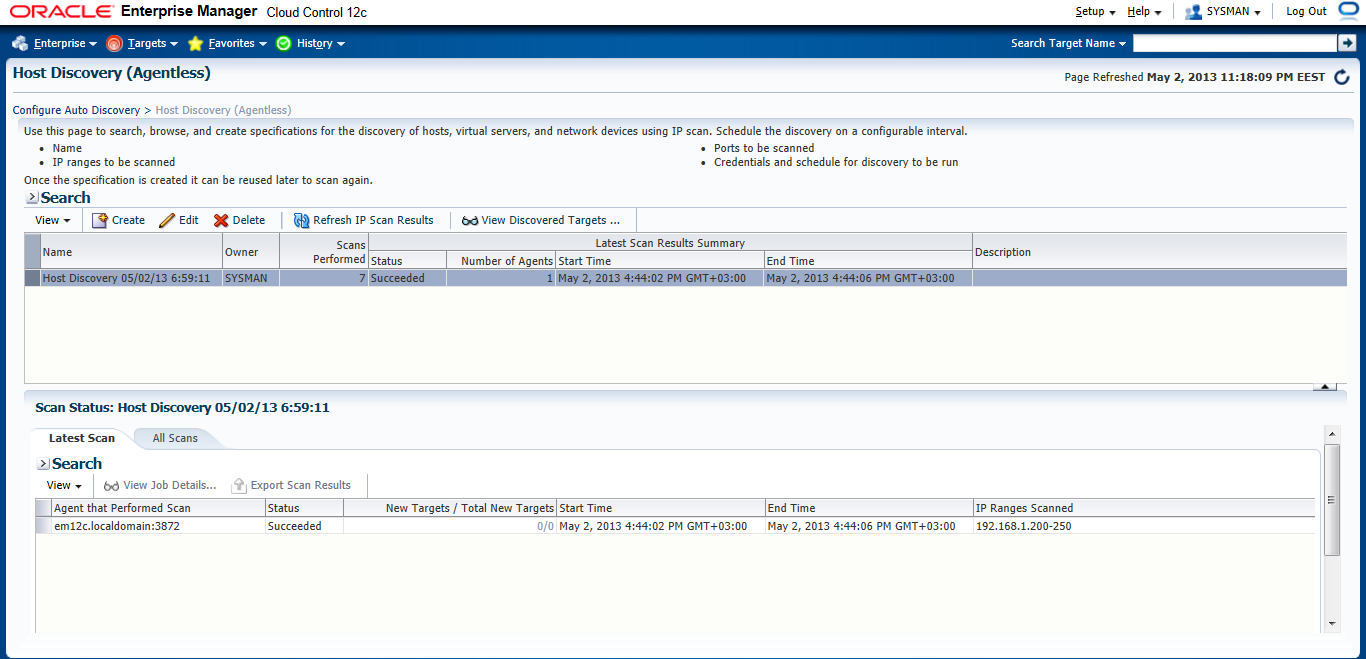
Press create Button
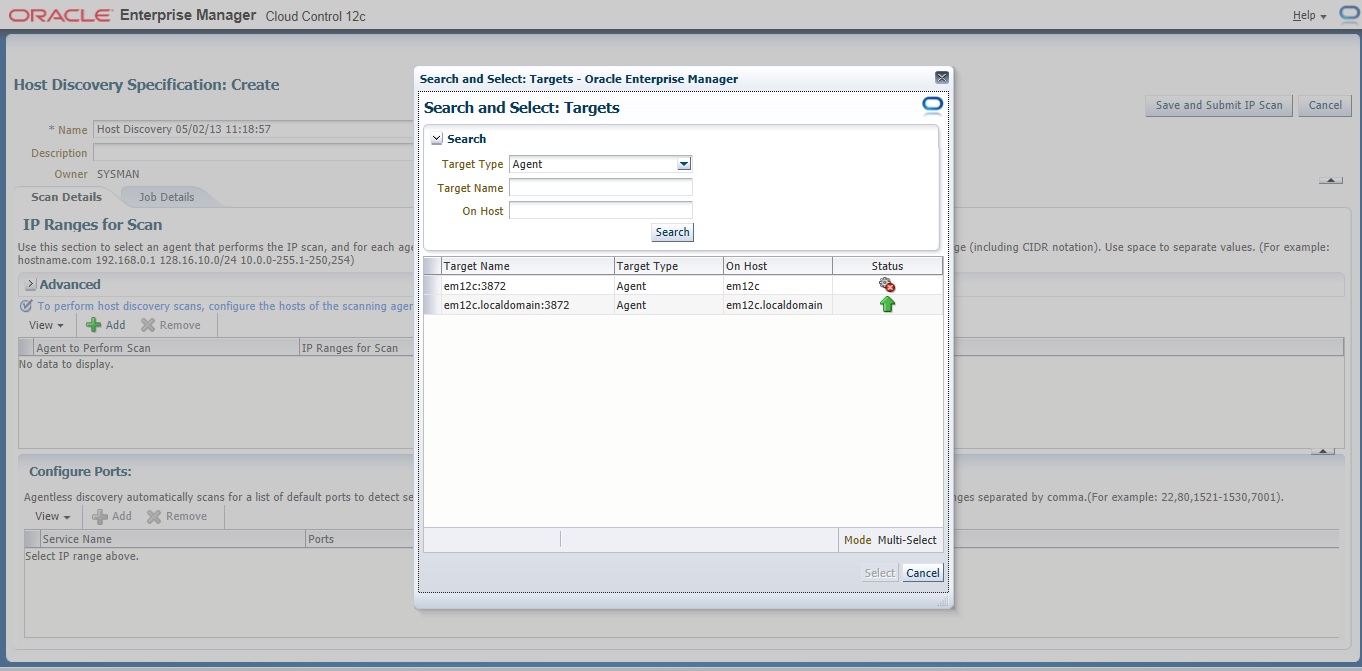
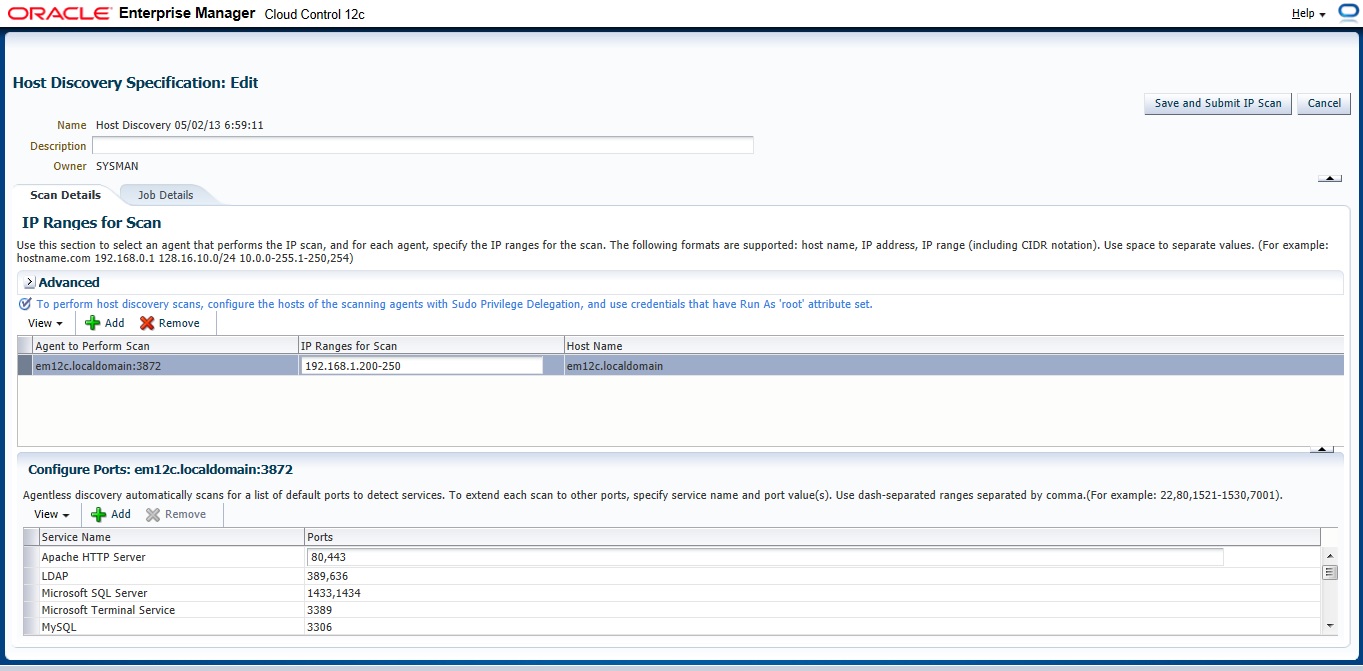
On add Button new Panel Will open , Choose your Host and Choose the Range Ip for scan The Format Mentioned above examples :
192.168.1.240-250
192.168.240/10
192.168.240,241
Now you need to configure Job Summary
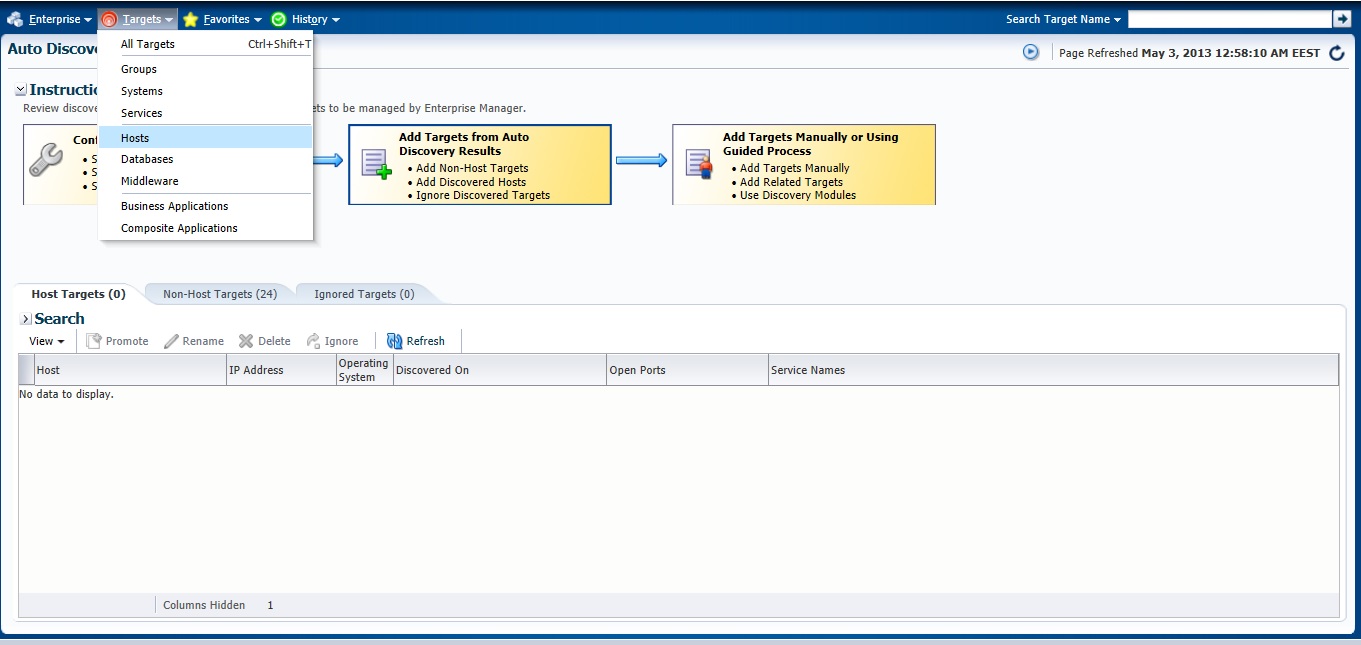
Check the Host
Next Post will be How to Add Agent Manually .
You can Download this Article From here.
Thank you
Osama Mustafa