In this article i am describing Step by step how to upgrade database using dbua , in part 2 i will use the manual upgrade process.
The Link For Document : Here
Thank you
Osama mustafa
For the people who think differently Welcome aboard
The Link For Document : Here
Thank you
Osama mustafa
SQL> drop user osama cascade ;
User dropped.
SQL> create user osama identified by osama;
User created.
SQL> grant select any table to osama;
Grant succeeded.
SQL> grant select any dictionary to osama ;
Grant succeeded.
SQL> grant create session to osama;
Grant succeeded.
SQL> conn osama/osama ;
Connected.
SQL> EXEC DBMS_SQL_MONITOR.BEGIN_OPERATION (‘My_First_JOB’, forced_tracking => ‘Y’);
BEGIN DBMS_SQL_MONITOR.BEGIN_OPERATION (‘My_First_JOB’, forced_tracking => ‘Y’); END;
*
ERROR at line 1:
ORA-06550: line 1, column 7:
PLS-00221: ‘BEGIN_OPERATION’ is not a procedure or is undefined
ORA-06550: line 1, column 7:
PL/SQL: Statement ignored
to avoid this error :
SQL> VAR myjob_id NUMBER;
SQL> EXEC :myjob_id := DBMS_SQL_MONITOR.BEGIN_OPERATION (‘My_First_JOB’, forced_tracking => ‘Y’)
PL/SQL procedure successfully completed.
Where
myjob_id : variable
My_first_Job : Job name.
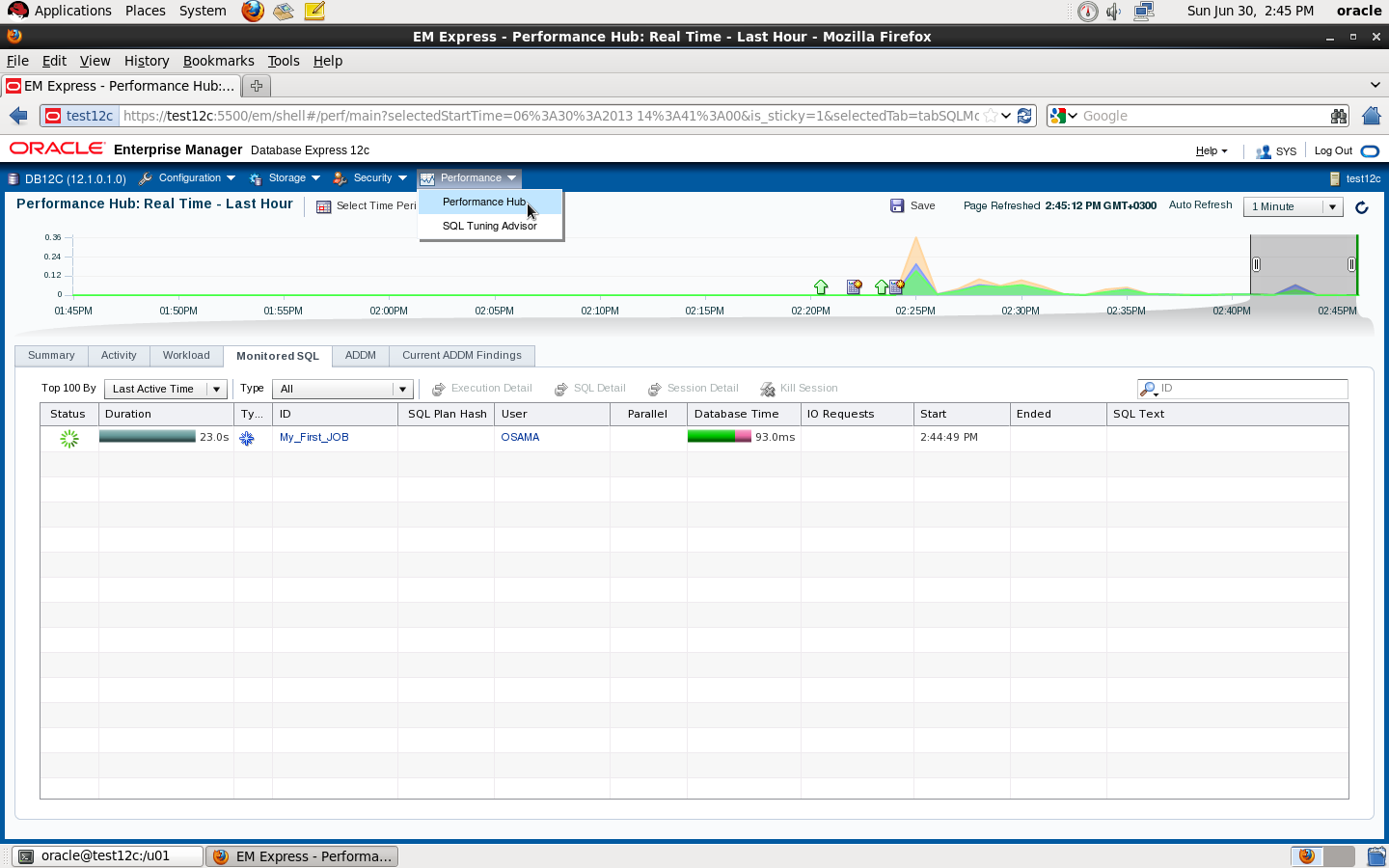
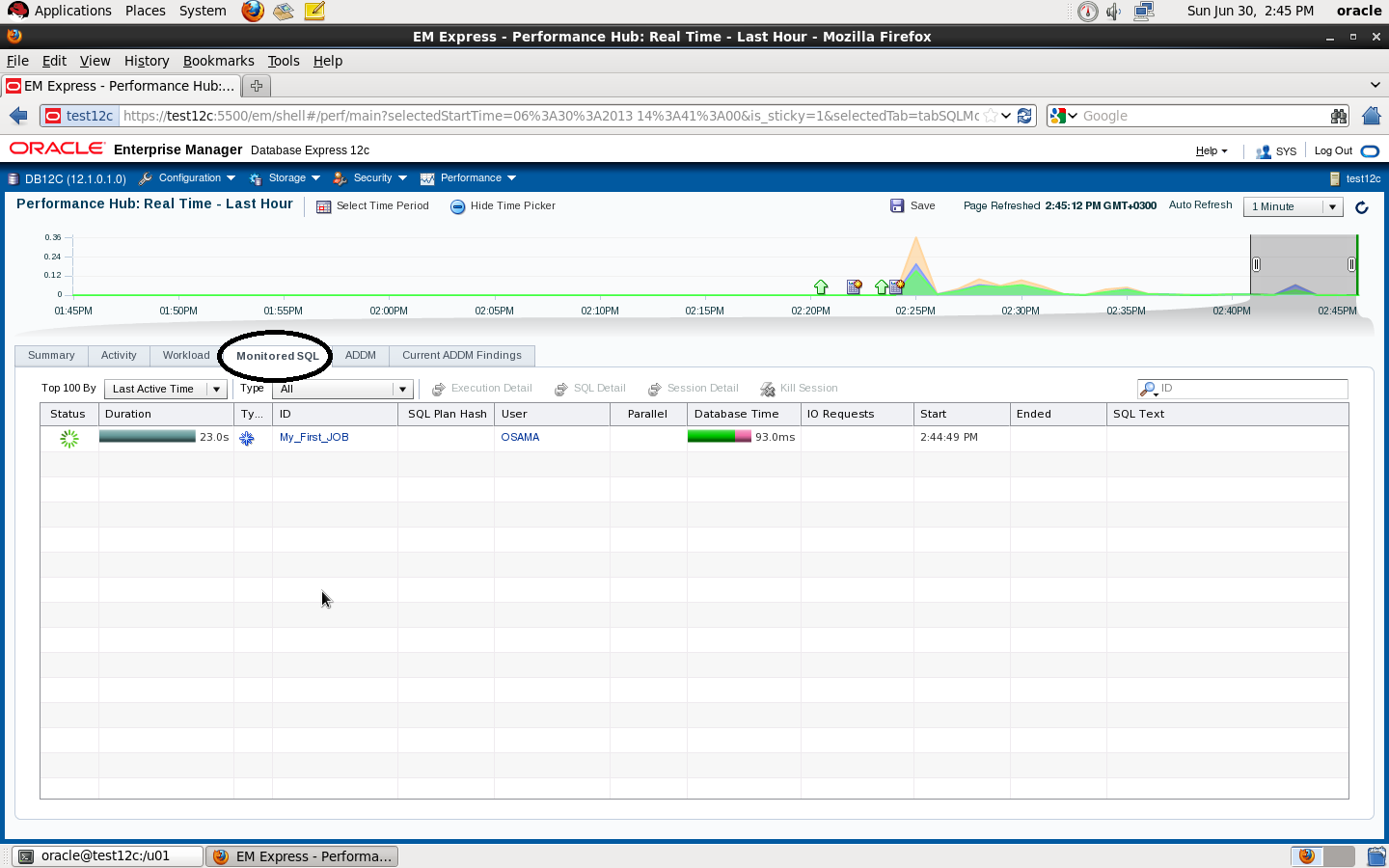
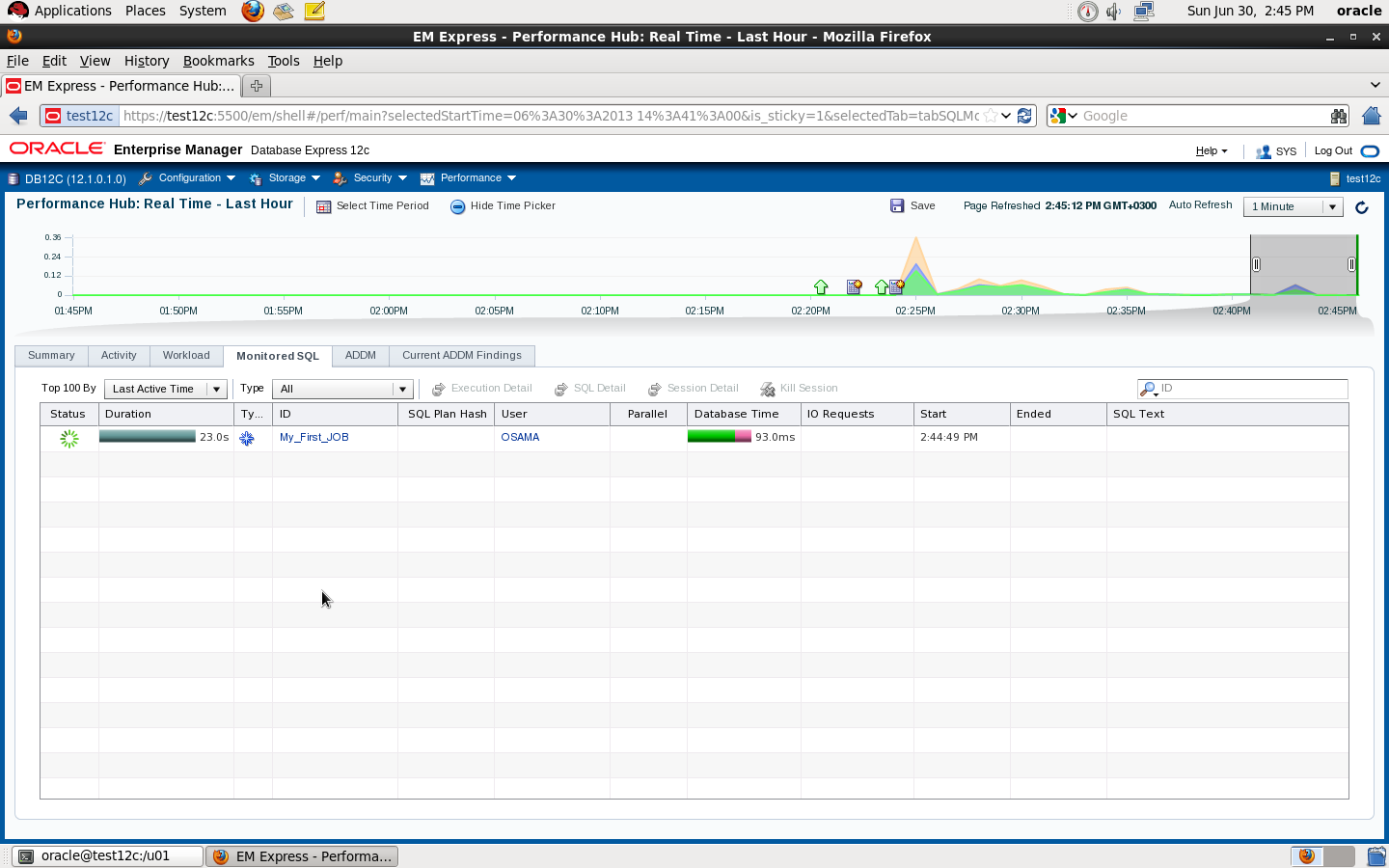
if you check the second picture you will see if you don’t stop the sql_monitor the Job will still running
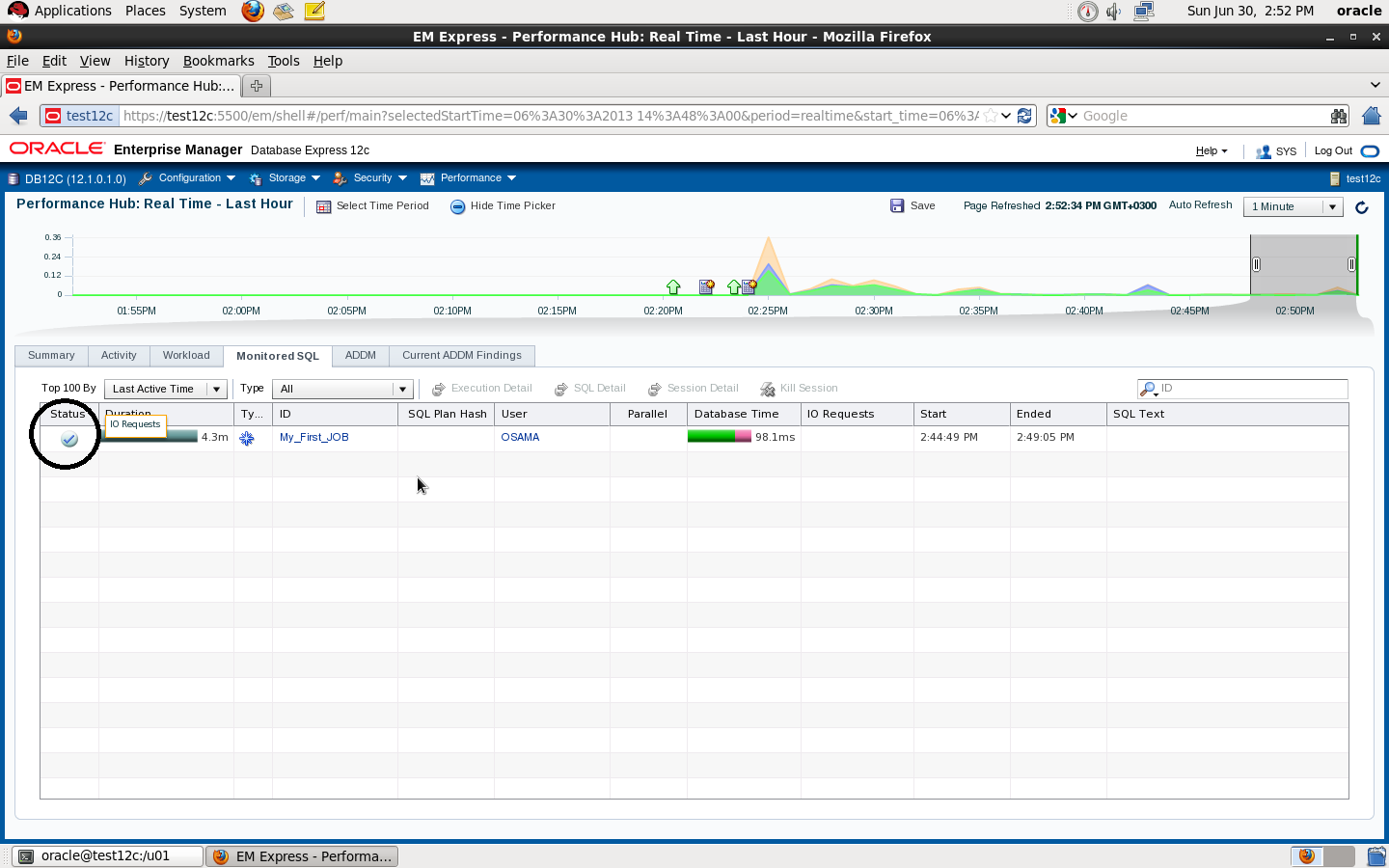
SQL> EXEC DBMS_SQL_MONITOR.END_OPERATION(‘My_First_JOB’, :myjob_id) ;
PL/SQL procedure successfully completed.
RMAN Enhancements in Oracle 12c [ID 1534487.1]
Master Note For Oracle Database 12c Release 1 (12.1) Database/Client Installation/Upgrade/Migration Standalone Environment (Non-RAC) [ID 1520299.1]
Oracle Database 12.1 : FAQ on Queryable Patch Inventory [ID 1530108.1]
Oracle Database 12c Release 1 (12.1) Upgrade New Features [ID 1515747.1]
Complete Checklist for Manual Upgrades to Oracle Database 12c Release 1 (12.1) [ID 1503653.1]
Changes For Oracle Database 12.1 Standalone Installation [ID 1483380.1]
Requirements for Installing Oracle Database 12.1 on Solaris 10 SPARC [ID 1517948.1]
Requirements for Installing Oracle Database 12.1 on RHEL6 or OL6 64-bit (x86-64) [ID 1529864.1]
Requirements for Installing Oracle Database 12.1 64-bit (AMD64/EM64T) on SLES 11 [ID 1519770.1]
How To Downgrade Oracle Database 12c Release 1 (12.1) To Previous Versions [ID 1516622.1]
How to Drop/Truncate Multiple Partitions in Oracle 12C [ID 1482264.1]
Oracle Database 12c Release 1 (12.1) DBUA : Understanding New Changes With All New 12.1 DBUA
[ID : NOTE:1493645.1]
RMAN RECOVER TABLE Feature New to Oracle Database 12c [ID 1521524.1]
How to Merge Multiple Partitions in Oracle 12C [ID 1482263.1]
How to Create Interval-Reference Partitioned Tables in Oracle 12c [ID 1519042.1]
Include to all above documents you can find all new features and document in one place, my friend Steve Karam on his blog (Click Here) collect all folks articles that has been posted about DB12c, it’s really worth to take alook and share it.
Thank you
Osama mustafa
The Critical Patch Update Advisory is the starting point for relevant information. It includes the list of products affected, a summary of the security vulnerabilities, and a pointer to obtain the latest releases and patches.”
June 2013 Oracle Java SE Critical Patch Update: Here
The next four scheduled dates for Oracle Java SE Critical Patch Updates are:
16 April 2013
18 June 2013
15 October 2013
14 January 2014
Thank you
Osama mustafa
zfs create -o mountpoint=/u01 rpool/u01
EM12c R2: How to Upgrade to EM 12c R2 – Two System Method [ID 1363162.1]
EM12c: How to install JVM Diagnostics (JVMD) in Cloud Control [ID 1493862.1]
EM12c: How To Upgrade Plugin On 12.1 Management Agent [ID 1490762.1]
How to Install 12c Agent on Virtual Host [ID 1469995.1]
EM12c Upgrade : Agents Are Not Listed in the Upgrade Console With Error Inventory Data Is Missing From the Repository [ID 1489109.1]
EM 12c : How to Discover All Targets On a Single Host After Agent Installation ? [ID 1386817.1]
EM 12c : Understanding Promote Target Functionality [ID 1386161.1]
EM12c How to Perform Automatic Host Discovery Using IP Scan Method ? [ID 1386811.1]
EM12c Agent status Fails With “Peer Not Authenticated” Error. [ID 1510706.1]
EM12C: Agent Installation Failed With Error: “OMS_HOST and EM_UPLOAD_PORT is not active” [ID 1371873.1]
How To Upgrade Java Diagnostics In Enterprise Manager 12c With the Latest Patches [ID 1534023.1]
EM12c Cloud Control: Required Patches for Discovery and Monitoring of Coherence Targets [ID 1526316.1]
EM12c : Patch Conflict While Applying Patch 14040891 [ID 1479092.1]
Unable To Add host targets with EM12c – Valid Host Name check fails [ID 1433843.1]
Release Schedule of Current Enterprise Manager Releases and Patch Sets (10g, 11g, 12c) [ID 793512.1]
EM 12c: How to Deploy a Plug-In from Enterprise Manager Cloud Control 12.1.0.1 [ID 1364030.1]
Thank you
Osama Mustafa
Edit the files /etc/vsftpd.ftpusers and /etc/vsftpd.user_list looks like :
#
# List of users denied access to the FTP server, see ftpusers(4).
#
root
daemon
bin
sys
adm
lp
uucp
nuucp
dladm
netadm
netcfg
smmsp
xvm
mysql
openldap
webservd
nobody
noaccess
nobody4
unknown
zfssnap
aiuser
and remove root user from each file.
You can control ftp as services from
/etc/init.d/vsftpd
Thank you
Osama Mustafa
ORA-00600: internal error code, arguments: [4193], [4271], [4056], [], [], [], [], []
SQL> show parameter undo
NAME TYPE VALUE
———————————— ———– ——————————
undo_management string AUTO
undo_retention integer 900
undo_tablespace string UNDOTBS
SQL> alter system set undo_management=’MANUAL’ scope=spfile;
SQL > Shutdown immediate ;
SQL > Startup ;
SQL > create undo tablespace NEW_UNDOTBS datafile ‘/u01/app/oracle/oradata/SID/NEW_UNDOTBS01.DBF’ size 1G ;
SQL> alter system set undo_tablespace=’NEW_UNDOTBS’ scope=spfile;
System altered.
SQL> alter system set undo_management=’AUTO’ scope=spfile;
System altered.
SQL> drop tablespace UNDOTBS01 including contents;
ORA-01548: active rollback segment ‘_SYSSMU1_1255349037$’ found, terminate dropping tablespace
SQL> select * from v$rollname ;
USN NAME
———- —————–
0 SYSTEM
1 _SYSSMU1$
2 _SYSSMU2$
3 _SYSSMU3$
4 _SYSSMU4$
5 _SYSSMU5$
6 _SYSSMU6$
SQL > Create Pfile=’/u01/New.init’ from spfile
File Created
SQL > Shutdown immediate ;
*.undo_management=’MANUAL’
*.undo_retention=1800
*.undo_tablespace=’NEW_UNDOTBS’
*._offline_rollback_segments= (_SYSSMU1$,_SYSSMU2$,_SYSSMU3$,_SYSSMU4$,_SYSSMU5$,_SYSSMU6$ )
From https://support.oracle.com you have to download the following patch :
perl /bin/admkappsutil.pl
This will generate new appsutil.zip located in $INST_TOP/admin/out
On Database Tier :
Copy appsutil from Application tier to $ORACLE_HOME,Unzip in under $ORACLE_HOME Like the below
Start Application Services using ( adstrtall.sh )
Thank you
Osama mustafa
Exception in thread “main” java.lang.UnsatisfiedLinkError: /u01/media/StageR12/startCD/Disk1/rapidwiz/jre/Linux_x64/1.6.0/lib/i386/xawt/libmawt.so: libXi.so.6: cannot open shared object file: No such file or directory
at java.lang.ClassLoader$NativeLibrary.load(Native Method)
at java.lang.ClassLoader.loadLibrary0(Unknown Source)
at java.lang.ClassLoader.loadLibrary(Unknown Source)
at java.lang.Runtime.load0(Unknown Source)
at java.lang.System.load(Unknown Source)
at java.lang.ClassLoader$NativeLibrary.load(Native Method)
at java.lang.ClassLoader.loadLibrary0(Unknown Source)
at java.lang.ClassLoader.loadLibrary(Unknown Source)
at java.lang.Runtime.loadLibrary0(Unknown Source)
at java.lang.System.loadLibrary(Unknown Source)
at sun.security.action.LoadLibraryAction.run(Unknown Source)
at java.security.AccessController.doPrivileged(Native Method)
at sun.awt.NativeLibLoader.loadLibraries(Unknown Source)
at sun.awt.DebugHelper.(Unknown Source)
at java.awt.Component.(Unknown Source
This error appear while trying to ./rapidwiz in Oracle EBS , and it’s regarding to Wrong packager version
First you need to remove the old package using :
rpm -e –nodeps
Install the required package from the below link :
Package libXi 32bit Here
Package libXi 64bit Here
Re Run the Installer again
Enjoy
Thank you
Osama Mustafa
 Technology Geek