Apply Jdeveloper Patch

This blog post will show you how to apply Patch on Jdeveloper :-

  • Download the latest version of Opatch from http://support.oracle.com
  • Unzip the Patch Folder.
  • Set/export ORACLE_HOME to Jdeveloper hope depend on Operating system
  • Finally Opatch Apply to Jdeveloper Home.
If you faced any error with opatch commad try the below :-

opatch apply -jdk /u01/app/oracle/JDK/160_24

Cheers
Osama Mustafa
Configure DBConsole as Active/passive

Sometimes Database Configured as Active/Passive ( Cluster ) Which mean one node working/time and regarding to this if the failover happened on 2nd node the customer will expected that everything will be the same as it was on node 1 include to this Dbconsole.

To do this follow the below steps :-

  • Database should be configured on VIP.
  • Listener should be configured on VIP.
  • Database , Configuration should be installed on Shared Storage
  • inventory Files should be on shared storage as well.
  • ORACLE_HOSTNAME Should be set to VIP Hostname.
Listener example :-

LISTENER  =
(ADDRESS_LIST =
(ADDRESS = (PROTOCOL = TCP)(HOST = VIP-HOST )(PORT = 1521))
)

Don’t forget to set the LOCAL_LISTENER Parameter :-

SQL> alter system set local_listener=’LISTENER’;

Or

SQL> alter system set local_listener='(ADDRESS = (PROTOCOL = TCP)(HOST = VIP-HOST )(PORT = 1521)) ‘;

Now

export ORACLE_HOSTNAME=VIP-HOSTNAME
emca -config dbcontrol db -repos create

Test the failover on node #2

if for some reason when you try to start emctl and the error still asking for oc4j then export ORACLE_HOSTNAME is bash_profile.

It should work

Cheers
Osama 

Shutdown Immediate Hangs

Today i faced Strange issue with Shutdown immediate command on cluster database which is when run shutdown immediate the command hangs and take so long and sometimes it’s working and most of the time not working.

the below command was working without any problem :-

SQL > shutdown abort

to solve this issue & trace the error since the alertlog not indicating to anything interesting i have to dump systemstate every 5 minutes  to know what going on :-

connect / as sysdba
alter session set events ‘10400 trace name context forever, level 1’; 

After this you can kill the session that preventing shutdown.

The hangs usually happened for two reasons :-

  • Query running on Database.
  • Transaction happened while you are trying to shutdown database.
For the first reason :

use v$session_longops Read more here.

Run the below query to check the query.

select count(*) from v$session_longops where time_remaining>0;

Second reason you can use

v$transaction Read from here.

Useful Document :-
Alert Log: Shutdown Waiting for Active Calls to Complete (Doc ID 1039389.6)

Thank you
Osama Mustafa

Oracle Database Patches Information

A number of questions has been asked here and in Oracle Community Forum When/What/Date for Next Database patches ?

in the all way you should have valid account for http://support.oracle.com.

I see it’s worth it to post and share the information how to find the desire patch number and how to know next patch release, i will only share MOS document number that will help you understand what i mean.

How to Find Patch ? 

  • Oracle Recommended Patches — Oracle Database (Doc ID 756671.1)
  • Quick Reference to Patch Numbers for Database PSU, SPU(CPU), Bundle Patches and Patchsets [1454618.1]
  • Release Schedule of Current Database Releases [742060.1]
  • Introduction to Oracle Recommended Patches [756388.1]
  • Oracle Database Patchset Information, Versions 10.2.0 to 12.1.0 (Doc ID 268895.1)
  • ALERT: Oracle 11g Release 1 (11.1) Support Status and Alerts (Doc ID 454507.1)
The above MOS document will guide you and help you to know the next release of database patch, also as you see i included some document that helps for recommended patch.
REGISTRY$HISTORY contains information about the applied patches PSU, SRU or CPU and you can use Oracle Base Script from here.
Or 
$ORACLE_HOME/OPatch/opatch lsinventory
Cheers
Osama Mustafa

Configure E-mail For Oracle Enterprise manager DB 11gR2

Sometimes you will be not be able to check the database out of the office, sick ….

Regarding to oracle documentation :-

The notification system allows you to notify Enterprise Manager administrators of alerts, policy violations, and the status changes of job executions. In addition to notifying administrators, the notification system can perform actions such as executing operating system commands (including scripts) and PL/SQL procedures when an alert is triggered.

Before Enterprise Manager can send e-mail notifications, you must first specify the Outgoing Mail (SMTP) servers to be used by the notification system. Once set, you can then define e-mail notifications for yourself or, if you have Super Administrator privileges, you can also define notifications for other Enterprise Manager administrators.

For More about E-Mail Notification Read here.

If everything is ready please follow the screen shot :-

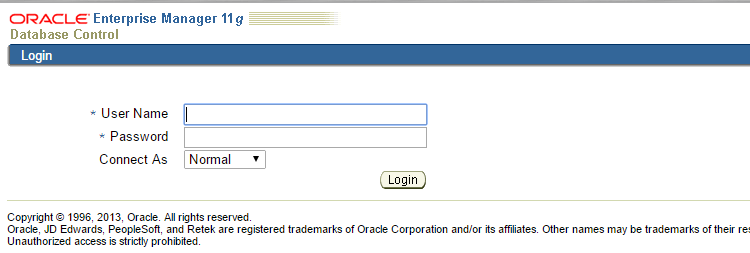
Welcome Screen/Login Page

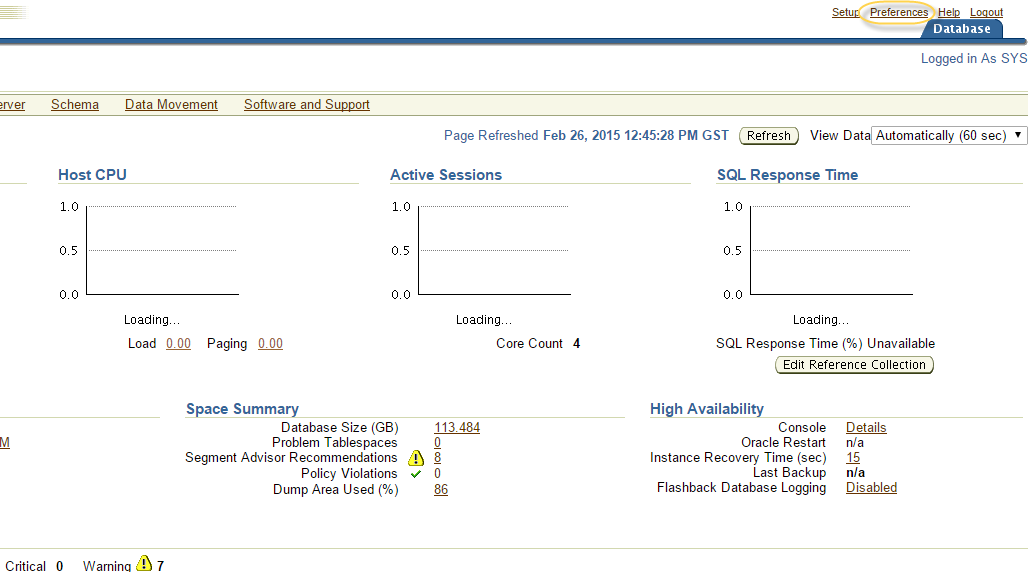
The Main Page, Click On preference on Upper Right :-
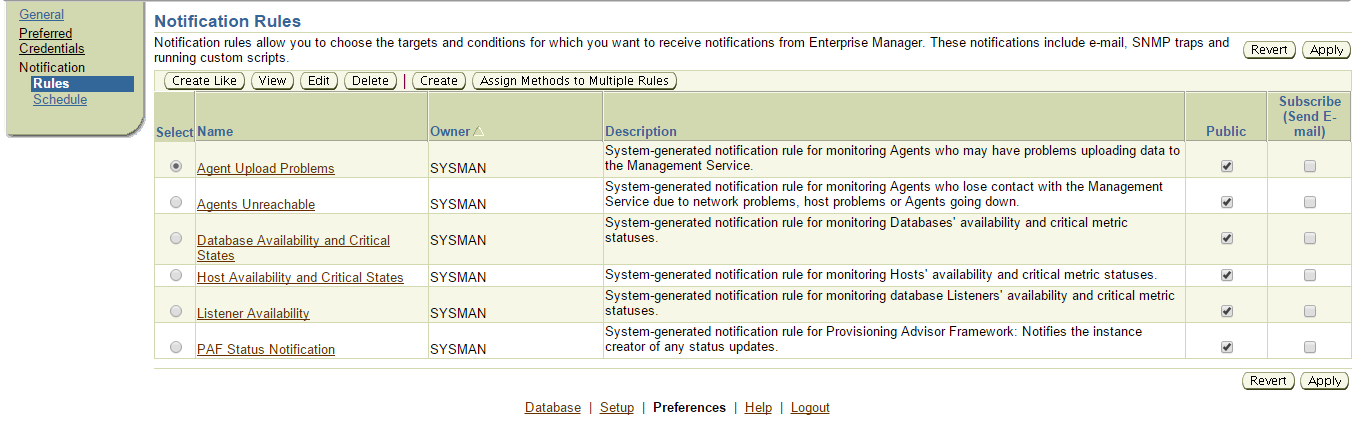
Add the E-mail below :-

If you need to schedule any Rule Just add it like the below :-

Cheers
Osama Mustafa

OWB GUI Is Slow

Sometimes the default setting is not enough , therefore you need to apply some changes depend on your requirement and the work load. Today while working on OWB I faced huge slowness while open , mapping or even press any button.

to solve this issue all you have to do increasing JVM, to do this follow the below steps :-

  • Depend on OS, Open the following File :- 
    • Windows :- C:\oracle\product\owb11_1\owb\bin\win32\owbclient.bat

Or

    • Linux : $ORACLE_HOME/owb11_1\owb\bin\win32\owbclient.bat.

This file will indicate to setownenv.sh or setowbenv.bat usually in the same path. Open it with any editor.

be careful while adding this file  If you notice or read this file there is more than one line looking the same, these lines only depend on OS for example in my case i am working on LINUX then i have to add Line that indicate for Linux only.

Next to the line -d64 add new parameter -Xmx=1024M or depend on your work.

Restart OWB now.

Cheers.

Osama Mustafa

Resource temporarily unavailable in tsStartJavaThread

Resource temporarily unavailable in tsStartJavaThread (lifecycle.c:1096).
Java heap 3G reserved, 3G committed
Paged memory=3145728/36425712K.
Your Java heap size might be set too high.
Try to reduce the Java heap size using -Xmx: (e.g. “-
java.lang.OutOfMemoryError: Resource temporarily unavailable in tsStartJavaThread (lifecycle.c:1096).
Java heap 6G reserved, 6G committed
Paged memory=3145728/36425712K.
Your Java heap size might be set too high.
Try to reduce the Java heap size using -Xmx: 

The Above error appeared on OEDQ when trying to run the process this error related to Java Heap Size the OS control the Heap Size to solve this issue add the below parameters depend on your enviroment  :-

  • Add the following to /etc/sysctl.conf:

kernel.shmmni = 4096
kernel.sem = 256 32000 100 142
net.ipv4.ip_local_port_range = 9000 65500
net.core.rmem_default = 4194304
net.core.rmem_max = 4194304
net.core.wmem_default = 4194304
net.core.wmem_max = 4194304
fs.file-max = 134283264
fs.aio-max-nr = 1048576
vm.min_free_kbytes = 512000 

  • Add the following to /etc/security/limits.conf:

oracle soft nproc 16384
oracle hard nproc 63536
oracle soft nofile 16384
oracle hard nofile 63536

  •  Add the following to /etc/pam.d/login:

session required /lib/security/pam_limits.so

Thank you
Osama Mustafa

Increase Transaction timeout in SOA Server

I received the below error in soa_server1 :-

Transaction Rolledback.: weblogic.transaction.internal.TimedOutException: Transaction timed out after 603 seconds BEA1-3FB6FB464035C13E3227 at 

From the above error, transaction timeout should be increased regarding to heavy transaction on soa server.

to do this follow the following steps :-

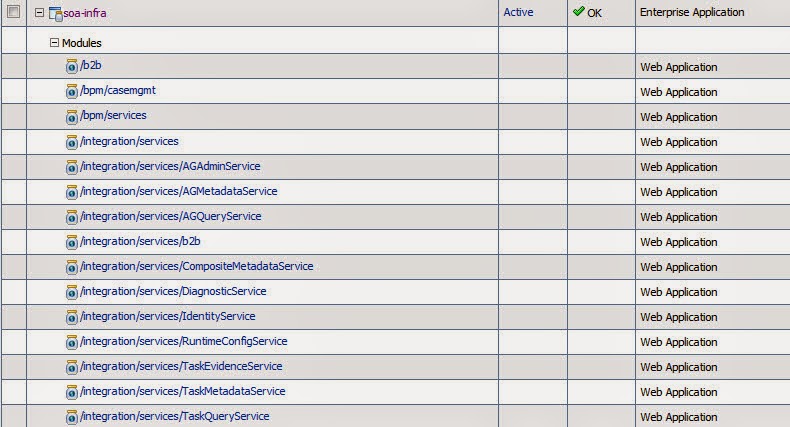
access weblogic console –> Deployment –> and search for Soa_infra. ( expand it)

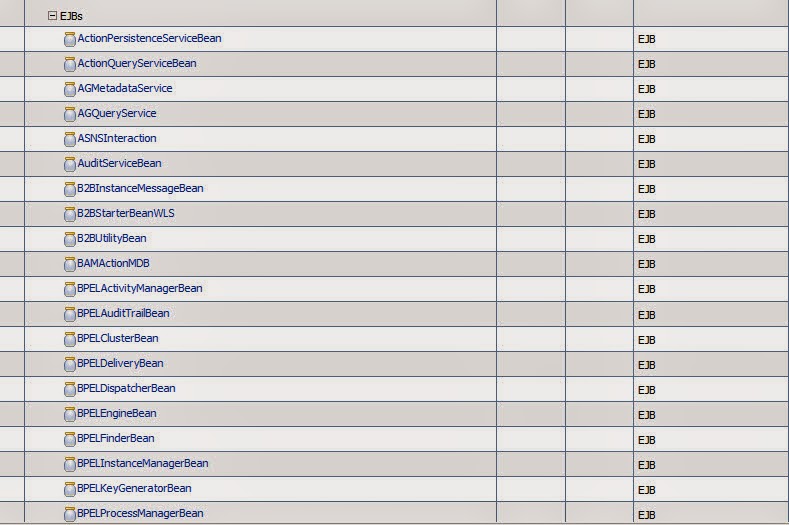
Check the below EJBS services and click on it configuration tab :-
BPELActivityManagerBean
BPELEngineBean
BPELInstanceManagerBean
BPELProcessManagerBean
BPELServerManagerBean

If this not working on you have to increase transaction timeout for JTA, Access Weblogic Console select Services > JTA
Thank you 
Osama Mustafa