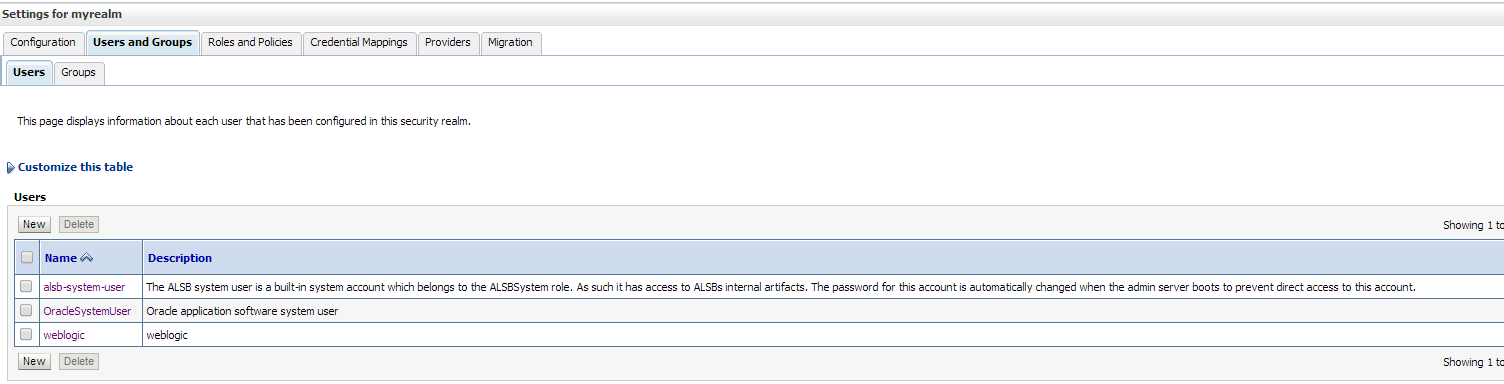
Pool EDNLocalTxDataSource is Suspended, cannot allocate resources to applications..

Connection test failed with the following exception: weblogic.common.resourcepool.ResourceDisabledException: Pool EDNLocalTxDataSource is Suspended, cannot allocate resources to applications..

This Error Appeared on Weblogic Depend on Managed Server, Tuning Connection Pool By Increasing Maximum Capacity parameter in Datasource.

My Case Datasource EDNLOCALTXDatasource as the above error.

Solution :-

Increase depend on your application.
Thank you 
Osama Mustafa


Resource temporarily unavailable in tsStartJavaThread

Resource temporarily unavailable in tsStartJavaThread (lifecycle.c:1096).
Java heap 3G reserved, 3G committed
Paged memory=3145728/36425712K.
Your Java heap size might be set too high.
Try to reduce the Java heap size using -Xmx: (e.g. “-
java.lang.OutOfMemoryError: Resource temporarily unavailable in tsStartJavaThread (lifecycle.c:1096).
Java heap 6G reserved, 6G committed
Paged memory=3145728/36425712K.
Your Java heap size might be set too high.
Try to reduce the Java heap size using -Xmx: 

The Above error appeared on OEDQ when trying to run the process this error related to Java Heap Size the OS control the Heap Size to solve this issue add the below parameters depend on your enviroment  :-

  • Add the following to /etc/sysctl.conf:

kernel.shmmni = 4096
kernel.sem = 256 32000 100 142
net.ipv4.ip_local_port_range = 9000 65500
net.core.rmem_default = 4194304
net.core.rmem_max = 4194304
net.core.wmem_default = 4194304
net.core.wmem_max = 4194304
fs.file-max = 134283264
fs.aio-max-nr = 1048576
vm.min_free_kbytes = 512000 

  • Add the following to /etc/security/limits.conf:

oracle soft nproc 16384
oracle hard nproc 63536
oracle soft nofile 16384
oracle hard nofile 63536

  •  Add the following to /etc/pam.d/login:

session required /lib/security/pam_limits.so

Thank you
Osama Mustafa

the version of the data that you are trying to import is not compatible with current dac version

This Error Appear On DAC Server when trying to Import Data  from the following :

Tools –> DAC Repository Management –> import

This error appears :-

the version of the data that you are trying to import is not compatible with current dac version

After trying to many Solution with no luck , i discover new Solution for this error and it’s simple :-

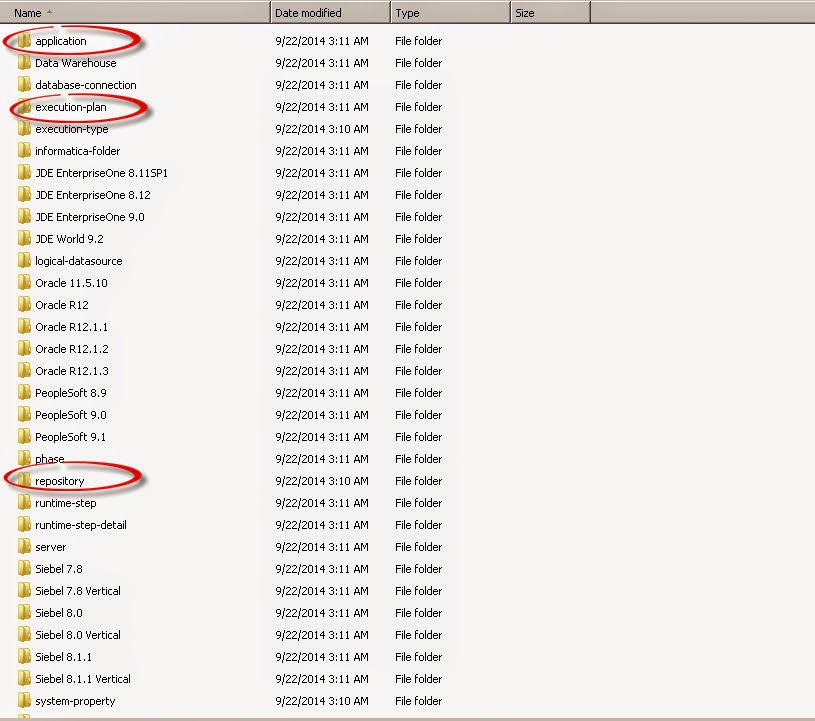
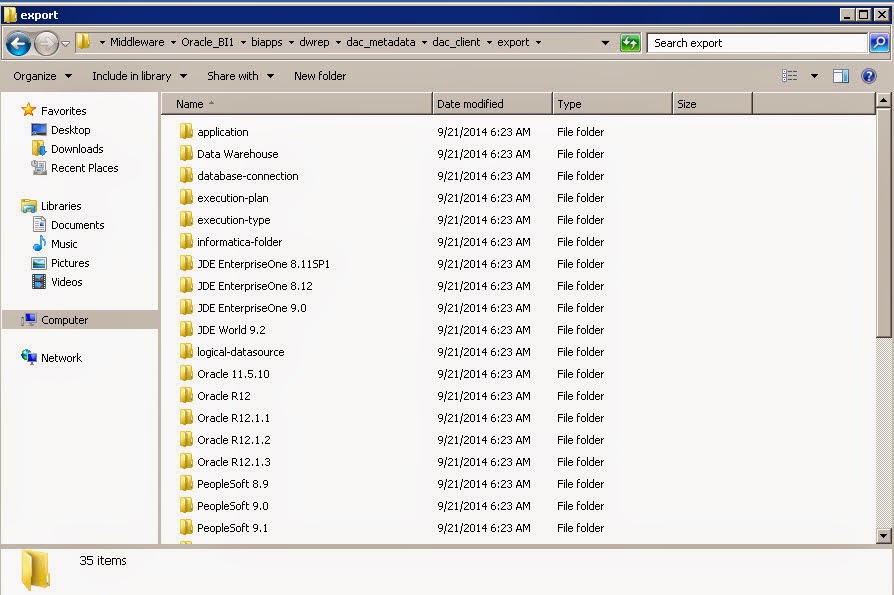
export from tools ( Empty files ) will generate 3 folder in DAC Folder Leave this folder without any copy or replace.

Now in my case i installed BIAPPS Copy the folder without Replace the old one.

after start copying the windows will ask dont replace these three folders DON’T REPLACE IT.


Start Import successfully.
Now The Import is done,
Thank you 
Osama Mustafa

weblogic.socket.MaxMessageSizeExceededException

I recently encountered below error,Adminserver.log Indicate to :-

weblogic.socket.MaxMessageSizeExceededException: Incoming message of size: ‘10000080’ bytes exceeds the configured maximum of: ‘10000000’ bytes for protocol: ‘t3’.
weblogic.socket.MaxMessageSizeExceededException: Incoming message of size: ‘10000080’ bytes exceeds the configured maximum of: ‘10000000’ bytes for protocol: ‘t3’
        at weblogic.socket.BaseAbstractMuxableSocket.incrementBufferOffset(BaseAbstractMuxableSocket.java:230)
        at weblogic.rjvm.t3.MuxableSocketT3.incrementBufferOffset(MuxableSocketT3.java:351)
        at weblogic.socket.SocketMuxer.readFromSocket(SocketMuxer.java:989)
        at weblogic.socket.SocketMuxer.readReadySocketOnce(SocketMuxer.java:920)
        at weblogic.socket.SocketMuxer.readReadySocket(SocketMuxer.java:897)
        at weblogic.socket.EPollSocketMuxer.dataReceived(EPollSocketMuxer.java:215)
        at weblogic.socket.EPollSocketMuxer.processSockets(EPollSocketMuxer.java:177)
        at weblogic.socket.SocketReaderRequest.run(SocketReaderRequest.java:29)
        at weblogic.socket.SocketReaderRequest.execute(SocketReaderRequest.java:43)
        at weblogic.kernel.ExecuteThread.execute(ExecuteThread.java:145)
        at weblogic.kernel.ExecuteThread.run(ExecuteThread.java:117)

to fix this error follow the following steps :-

From Environment, Press on Adminserver  :-

Chose the tab like the below picture :-

Add the following parameter in arguments box, Save usually there is no need to restart :- 
Or if you would like change MaxMessageSize Directly from the console follow the below screen :-

Option #2 :- 
From the navigation tree :- 

Click on Module-FMWDFW

After choose the above tab, 3 options will be appear, press on each of them and Uncheck on Enable Watch  :-
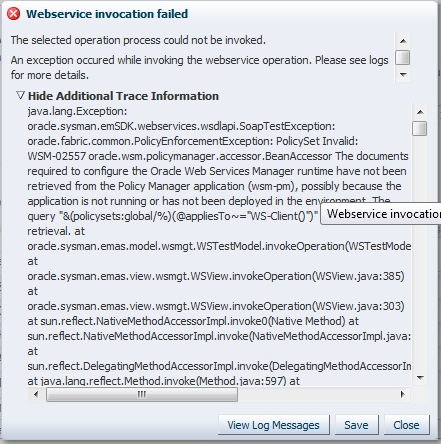
WSM-02557 When Trying to Deploy On SOA Server.

AdminServer indicates to the following error:-

AdminServer-diagnostic.log:[2014-07-16T10:40:43.681+02:00] [AdminServer] [ERROR] [WSM-02353] [oracle.wsm.resources.policymanager] [tid: [ACTIVE].ExecuteThread: ‘0’ for queue: ‘weblogic.kernel.Default (self-tuning)’] [userId: admin] [ecid: bf57ca3361a7ecd1:-39746f30:1473e26749c:-8000-000000000000026a,0] [APP: em] Unable to get the Action Executor.

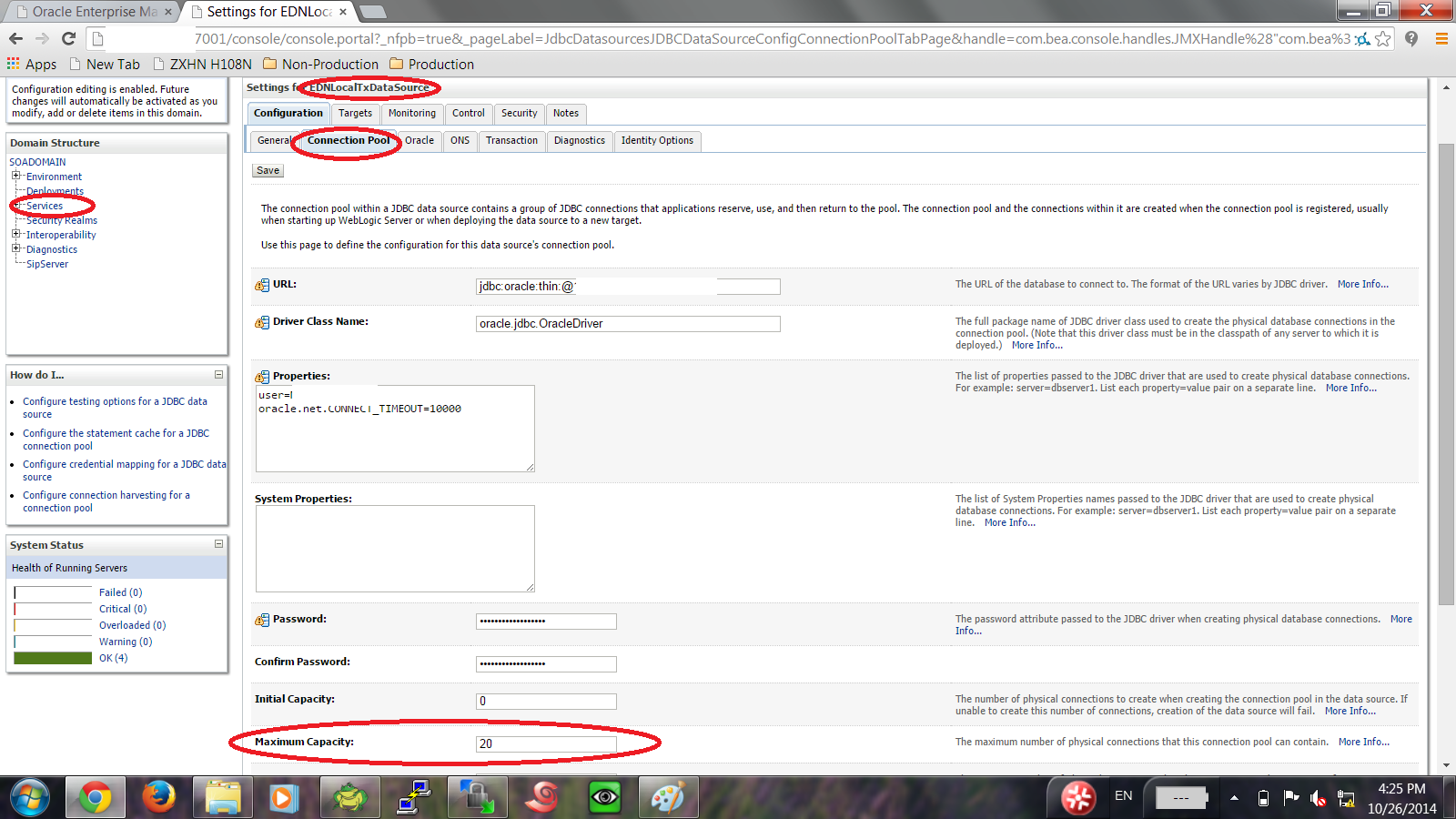
to solve this issue make sure the following Users were created in Weblogic console :-

From AdminConsole –> Security —> myrealms –> Choose Users and Group Tab.

Create the below user :-

OracleSystemUser

Create the below Group

OracleSystemGroup

The following Pictures describes users and Group ( how supposed to be ) :-

and assign this group to OracleSystemUser , Restart Console and managed Server Try again.

Thank you
Osama Mustafa

SOA_SERVER ( Managed Server ) Take too Long time to Start/Restart

On the weblogic console when trying to start managed Server it’s take too long time to start in my case it’s SOA_SERVER, almost 25 min only to start, which is not correct . to avoid this problem you need to follow the below steps simple but effective :-

Under Java Home ( That Used by Weblogic ) :-

cd /u01/app/fmw/jdk/jre/lib/security 

There’s file called Java.Security 

Edit this File using any Editor ( vi for example ).

Search for the following line :-

securerandom.source=file:/dev/urandom

And Change it to :-

securerandom.source=file:/dev/./urandom

Or Another way add the below line to startup script in weblogic :-

-Djava.security.egd=file:/dev/./urandom

Hope this will solve your problem.

Thank you
Osama Mustafa

[Security:090482]BAD_CERTIFICATE alert was received from Hostname

[Security:090482]BAD_CERTIFICATE alert was received from Hostname. Check the peer to determine why it rejected the certificate chain (trusted CA configuration, hostname verification). SSL debug tracing may be required to determine the exact reason the certificate was rejected.>
javax.net.ssl.SSLKeyException: [Security:090482]BAD_CERTIFICATE alert was received from Hostname. Check the peer to determine why it rejected the certificate chain (trusted CA configuration, hostname verification). SSL debug tracing may be required to determine the exact reason the certificate was rejected.
at com.certicom.tls.interfaceimpl.TLSConnectionImpl.fireException(Unknown Source)
at com.certicom.tls.interfaceimpl.TLSConnectionImpl.fireAlertReceived(Unknown Source)
at com.certicom.tls.record.alert.AlertHandler.handle(Unknown Source)
at com.certicom.tls.record.alert.AlertHandler.handleAlertMessages(Unknown Source)
at com.certicom.tls.record.MessageInterpreter.interpretContent(Unknown Source)
at com.certicom.tls.record.MessageInterpreter.decryptMessage(Unknown Source)
at com.certicom.tls.record.ReadHandler.processRecord(Unknown Source)
at com.certicom.tls.record.ReadHandler.readRecord(Unknown Source)
at com.certicom.tls.record.ReadHandler.readUntilHandshakeComplete(Unknown Source)
at com.certicom.tls.interfaceimpl.TLSConnectionImpl.completeHandshake(Unknown Source)
at com.certicom.tls.record.ReadHandler.read(Unknown Source)
at com.certicom.io.InputSSLIOStreamWrapper.read(Unknown Source)
at sun.nio.cs.StreamDecoder.readBytes(StreamDecoder.java:264)
at sun.nio.cs.StreamDecoder.implRead(StreamDecoder.java:306)
at sun.nio.cs.StreamDecoder.read(StreamDecoder.java:158)
at java.io.InputStreamReader.read(InputStreamReader.java:167)
at java.io.BufferedReader.fill(BufferedReader.java:136)
at java.io.BufferedReader.readLine(BufferedReader.java:299)
at java.io.BufferedReader.readLine(BufferedReader.java:362)
at weblogic.nodemanager.server.Handler.run(Handler.java:71)
at java.lang.Thread.run(Thread.java:662)

You need to recreate the certification again :-
Depend on your Operating system :-

$WL_HOME/server/bin/setWLSEnv.sh Or setWLSEnv.cmd

cd $WL_HOME/server/lib

 Copy DemoIdentity.jks to another directory as backup.

then inside the WLS_HOME/server/lib run:-

Generate the private key.

java utils.CertGen -keyfilepass DemoIdentityPassPhrase -certfile newcert -keyfile newkey 

Import the key generated

java utils.ImportPrivateKey -keystore DemoIdentity.jks -storepass DemoIdentityKeyStorePassPhrase -keyfile newkey.pem -keyfilepass DemoIdentityPassPhrase -certfile newcert.pem -alias demoidentity 

 Restart AdminConsole and Nodemanager and try to start managed server.

Thank you
Osama mustafa